
Vinni_TV_'s Wishlist
-
$24.99
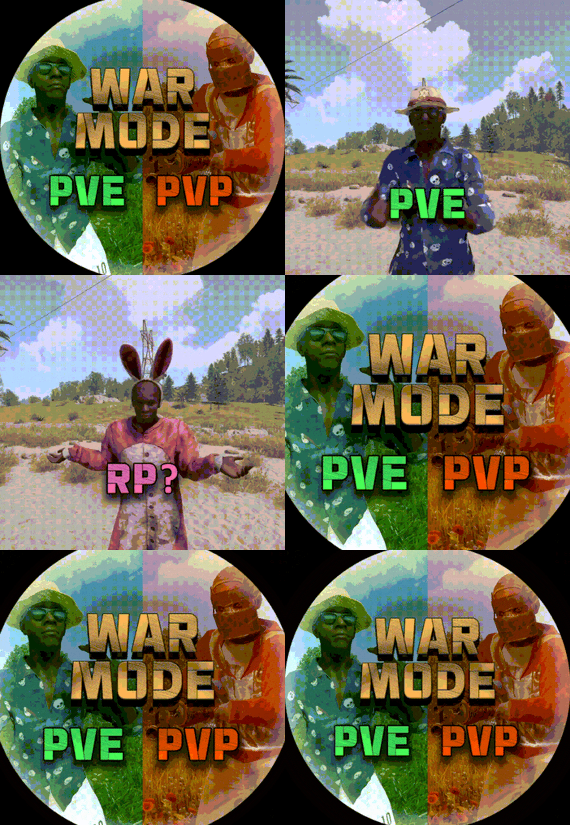
War Mode PVP/PVE
Allows both PVE and PVP players to exist on a server at the same time. PVE players will have certain configurable protections and restrictions. You can have players use a command to flag themselves as PVP/PVE or you can assign it to them when they first spawn. If you have ZoneManager you can also designate specific zones to force player's to be PVE or PVP. Plugin is also compatible with SimpleStatus.
Note: Video is outdated, see documentation for a full list of new features!
Documentation:
A full readme including permissions, commands, and config options is available in this google doc link.
Disclaimer:
Like all of my plugins - this plugin is sold as is. I will be happy to take feature requests into consideration but make no guarantees about which ones get implemented. Please refer to the feature list before you make your purchase!
Developer API:
API Methods
// Returns the mode of the given entity. Also takes into account if the entity is in a forced mode zone. string GetEntityMode(BaseEntity entity); // Returns the group name for the given mode. For example if given 'pve' will return 'warmodepve' string GetModeGroup(string modeId); // Returns the target type for a given entity. Target types are the category that an entity falls into. // For example, if given a BasePlayer entity, it will return 'players'. If given a horse entity is will // return 'horses'. string GetEntityTargetType(BaseEntity entity); Hooks - place these in your plugin and WarMode will call them.
// Called when a player's mode has been updated or config changes have ocurred that may affect the mode. private void WarMode_PlayerModeUpdated(string userid, string modeId) // Used to override WarMode logic for taking damage. // If true/false is returned then WarMode logic will be skipped. Return null to continue WarMode logic. private object CanEntityTakeDamage(BaseCombatEntity target, HitInfo info) // Used to override WarMode logic for targeting. // If true/false is returned then WarMode logic will be skipped. Return null to continue WarMode logic. private object CanEntityBeTargeted(BasePlayer target, BaseEntity attacker, bool skipVendingCheck) // Used to override WarMode logic for triggering a trap. // If true/false is returned then WarMode logic will be skipped. Return null to continue WarMode logic. private object CanEntityTrapTrigger(BaseTrap trap, BasePlayer basePlayer) // Used to override WarMode logic for looting an entity. // If true/false is returned then WarMode logic will be skipped. Return null to continue WarMode logic. private object CanEntityLoot(BasePlayer looter, BaseEntity target, bool skipVendingCheck)
FREE Extension Plugins:
War Mode Admin Panel
Use the /warmode.config or /wmc command to open a panel that allows admins to update mode rules in game without having to reload the pluign. Requires the warmode.admin permission to use.
I HIGHLY recommend you use this extension!
WarModeAdminPanel.cs
War Mode Spawn UI
Provides a UI that is shown to players when they first spawn that prompts them to choose whether they want to be PVP or PVE. Also supports custom modes. Localization and config options available. This can also be configured to appear when players use the /flag command.
WarModeSpawnUI.cs
War Mode Rules UI
Using the /rules command (which is configurable) players can see a list of what restrictions they have for their current mode. These ruling will update dynamically based on your config settings.
WarModeRulesUI.cs
War Mode Badges
Customizable UI elements that will appear on the player's HUD to indicate what their current mode is.
WarModeBadges.cs
-
$8.99$6.99Auto Turret Interference & Settings
Auto Turret Interference & Settings
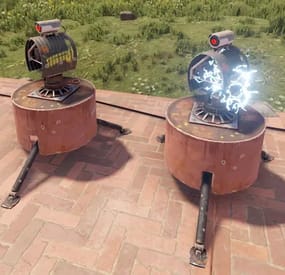
Auto Turret Interference allows you or your CLAN/TEAM to change the limit of turrets allowed for different players, based on your configurations and assigned roles. You can also make sure that the server or event turrets do not have interference, for example Raidable Base.
In addition, it offers commands to see the statistics on the auto turrets, the possibility of turning the turrets ON and OFF via command, automatic switching ON and OFF of the auto turrets and much more.
It also allows you to modify some automatic turret configurations, for example:
Customize rotation angle, Viewing angle and target scanning, Infinite Ammo: In the next release Health, Range, Bullet Speed, Aim Cone, Damage Scale
Oxide/Carbon compatibility
Basically, 4 groups are configured: Default, VIP1, VIP2, VIP3, in this way you can decide the limit of turrets in a given radius based on the group assigned to the user or the group they belong to
Permissions:
autoturretinterference.admin -- Allows you to execute some commands reserved for administrators autoturretinterference.show.allowed -- Allows you to use the /ati show command, to display text above the auto turrets with the status they are in.
---------------------------------------- autoturretinterference.default -- Assign configurations: Default autoturretinterference.vip1 -- Assign configurations: VIP1 autoturretinterference.vip2 -- Assign configurations: VIP2 autoturretinterference.vip3 -- Assign configurations: VIP3
These are the groups that are created by default, but you can add and/or edit groups as you wish.
For example, if you change the group vip1 to vip_elite, the permission autoturretinterference.vip_elite will be created
If you create a new group, for example vipvanilla, the permission autoturretinterference.vipvanilla will be created.
COMMANDS
Commands can be typed in chat (by putting the / character in front of the command), or from console.
/ati status or /ati st -- This command allows the player to see his auto turret statistics and limits /ati status <steamID> or /ati st <steamID> -- This command allows the administrator to see another players auto turret and limit statistics. To use this command you must have permission: autoturretinterference.admin
/ati start or /ati stop -- This command allows the player to turn on or off the single auto turret you are looking at. To use this command, you must enable the AllowCommandsToStartAndStop = true property in your configuration or have permission: autoturretinterference.admin NB: If you have autoturretinterference.admin permission, you can turn on or off the auto turret you are watching of any player.
/ati startall or /ati stopall -- This command allows the player to turn all of your auto turrets ON or OFF. To use this command, you must enable the AllowCommandsToStartAndStop = true property in your configuration or have permission: autoturretinterference.admin NB: If the player is part of a clan/team, all turrets of all members of the clan/team will be turned ON or OFF. /ati startall <steamID> or /ati stopall <steamID> -- This command allows you to turn ON or OFF all turrets of a player based on its SteamID. To use this command you must have permission: autoturretinterference.admin NB: If the player is part of a clan/team, all turrets of all members of the clan/team will be turned ON or OFF.
/ati show or /ati sh -- Command to display text above the auto turret with the status they are in.
Useful for finding turrets that are having problems.
To use this command you must have permission: autoturretinterference.show.allowed
You can pass one of these parameters: /ati show 0: Show all player auto turrets in all states. /ati show 1: Show text on all player active auto turrets /ati show 2: Show text on all player turned off auto turrets /ati show 3: Display text on all player auto turrets not connected to power /ati show 4: Display text on all player auto turrets with interference /ati show 5: Display text on all player auto turrets with information on the name of the weapon and the ammunition present in the auto turrets /ati show 6: Display text on all player auto turrets without a weapon /ati show 7: Display text on all player auto turrets without ammunition
/ati show <numbr> <steamID> or /ati sh <numbr> <steamID> -- Command to display text above the auto turret with the state it is in based on the players SteamID.
To use this command you must have permission: autoturretinterference.admin Commands can be added or modified in the configuration file: /oxide/config/AutoTurretInterference.json
Command output example (/ati status or /ati st) :
Command output example (/ati show or /ati sh) :
CLAN/TEAM
If you are part of a clan/team and there are 1 more members who have the VIP/ROLE, then all members of the clan/team will benefit.
Example: a clan/team member has the VIP/ROLE to be able to place 40 turrets, in this case all clan/team members will be able to place 40 turrets, but this does not mean that the total number of turrets you can place are added, the limit in in this case there are still 40 turrets, but they can be positioned by all members of the clan/team, rather than just the player who has the VIP/ROLE (in this case we assumed that the VIP/ROLE limited to 40 turrets).
You can enable this setting from the configuration file: "Share Group With Clan/Team members. Default FALSE": false": true
Configuration
The settings and options can be configured in the AutoTurretInterference under the config directory. The use of an editor and validator is recommended to avoid formatting issues and syntax errors.
{ "Remove interference for server auto turrets: default true (Useful for Raidable Bases or events)": true, "Share Group With Clan/Team members. Default FALSE": false, "PlayerShowTurretCountInfoMessage (Show the player, when he places a turret, a message with the number of turrets that are placed in the radius he is in. Default true.)": true, "AllowCommandsToStartAndStop (If set to TRUE, enables commands to allow the player or clan/team to turn their all auto turrets ON or OFF. Default FALSE)": false, "EnableAutomaticsStartAndStop (If set to TRUE, the player's turrets will be turned OFF when they go offline and ON when they come back online. For the clan/team, the entire clan must be offline to turn OFF the turrets automatically, but if at least one member of the clan comes back online, all the auto turrets will turn ON. Default FALSE)": false, "EnableMessageInfo (If set to TRUE, it shows a message info to the player, when he takes hold of an auto turret, of the commands that the plugin makes available to him)": true, "Auto Turret Draw Time (seconds). Default 60s": 60, "Auto Turret Draw Font Size (px). Default 16 pixel": 16, "Enable SentryTurrets plugin integration. If set to true, avoid conflicts with turret interference, interference will be handled by the AutoTurretInterference plugin. Default true": true, "Chat Command": [ "ati", "autoturretinterference" ], "RolePermission": { "vip1": { "Priority. (lower = higher priority)": 1, "Force the maximum number of Auto Turrets for player or entire clan/team (-1 no limit). Default -1": -1, "Player Auto Turrets without interference limit": 40, "Radius within which the system checks for other turrets (lower = more turrets)": 40, "Rotate Auto Turrets 180° degrees instead 90°. Default false": false, "Rotate Auto Turrets 270° degrees instead 90°. Default false": false, "Rotate Auto Turrets 360° degrees instead 90°. Default false": false, "Auto Turret Viewing angle and target scanning. Default 180° Degrees": 180, "Enable Auto Turrets custom settings": false, "Health (Default 1000)": 1000.0, "Range (Default 30)": 30.0, "Bullet Speed (Default 200)": 200.0, "Aim Cone (Default 4)": 4.0, "Damage Scale (Default 1.0)": 1.0 }, "vip2": { "Priority. (lower = higher priority)": 2, "Force the maximum number of Auto Turrets for player or entire clan/team (-1 no limit). Default -1": -1, "Player Auto Turrets without interference limit": 30, "Radius within which the system checks for other turrets (lower = more turrets)": 40, "Rotate Auto Turrets 180° degrees instead 90°. Default false": false, "Rotate Auto Turrets 270° degrees instead 90°. Default false": false, "Rotate Auto Turrets 360° degrees instead 90°. Default false": false, "Auto Turret Viewing angle and target scanning. Default 180° Degrees": 180, "Enable Auto Turrets custom settings": false, "Health (Default 1000)": 1000.0, "Range (Default 30)": 30.0, "Bullet Speed (Default 200)": 200.0, "Aim Cone (Default 4)": 4.0, "Damage Scale (Default 1.0)": 1.0 }, "vip3": { "Priority. (lower = higher priority)": 3, "Force the maximum number of Auto Turrets for player or entire clan/team (-1 no limit). Default -1": -1, "Player Auto Turrets without interference limit": 20, "Radius within which the system checks for other turrets (lower = more turrets)": 40, "Rotate Auto Turrets 180° degrees instead 90°. Default false": false, "Rotate Auto Turrets 270° degrees instead 90°. Default false": false, "Rotate Auto Turrets 360° degrees instead 90°. Default false": false, "Auto Turret Viewing angle and target scanning. Default 180° Degrees": 180, "Enable Auto Turrets custom settings": false, "Health (Default 1000)": 1000.0, "Range (Default 30)": 30.0, "Bullet Speed (Default 200)": 200.0, "Aim Cone (Default 4)": 4.0, "Damage Scale (Default 1.0)": 1.0 }, "default": { "Priority. (lower = higher priority)": 100, "Force the maximum number of Auto Turrets for player or entire clan/team (-1 no limit). Default -1": -1, "Player Auto Turrets without interference limit": 12, "Radius within which the system checks for other turrets (lower = more turrets)": 40, "Rotate Auto Turrets 180° degrees instead 90°. Default false": false, "Rotate Auto Turrets 270° degrees instead 90°. Default false": false, "Rotate Auto Turrets 360° degrees instead 90°. Default false": false, "Auto Turret Viewing angle and target scanning. Default 180° Degrees": 180, "Enable Auto Turrets custom settings": false, "Health (Default 1000)": 1000.0, "Range (Default 30)": 30.0, "Bullet Speed (Default 200)": 200.0, "Aim Cone (Default 4)": 4.0, "Damage Scale (Default 1.0)": 1.0 } }, "VersionNumber": { "Major": 1, "Minor": 3, "Patch": 1 } }
Remove interference for server auto turrets: default true (Useful for Raidable Bases or events): Whether or not to enable interference for server auto turrets. By default it is true, in this way the server's automatic turrets will not have interference, useful for events for example: Raidable Base. Share Group With Clan/Team members: If set to TRUE, the group assigned to a player is shared with all members of the clan/team. The group with the lowest priority is shared, then all members of the clan/team will benefit. Default FALSE PlayerShowTurretCountInfoMessage: Show the player, when he places a turret, a message with the number of turrets that are placed in the radius he is in. Default: TRUE. AllowCommandsToStartAndStop: If set to TRUE, enables commands to allow the player or clan/team to turn their all auto turrets ON or OFF. Default FALSE. EnableAutomaticsStartAndStop: If set to TRUE, the player's turrets will be turned OFF when they go offline and ON when they come back online. For the clan/team, the entire clan must be offline to turn OFF the turrets automatically, but if at least one member of the clan comes back online, all the auto turrets will turn ON. Default FALSE. EnableMessageInfo: If set to TRUE, it shows a message info to the player, when he takes hold of an auto turret, of the commands that the plugin makes available to him. Default: TRUE. Auto Turret Draw Time (seconds). Default 60s: Duration of display of text above the auto turret. Default 60 seconds. Auto Turret Draw Font Size (px). Default 16 pixel: Size of text above auto turret. Default 16 pixel Enable SentryTurrets plugin integration. If set to true, avoid conflicts with turret interference, interference will be handled by the AutoTurretInterference plugin: Enables integration with the SentryTurrets plugin to avoid conflicts with auto turrets interference management. If set to true, auto turrets interference will be handled by the AutoTurretInterference plugin. Default true
Chat Command: Here you can add, edit or delete Commands can be typed in chat (by putting the / character in front of the command), or from console.
Priority. (lower = higher priority) -- Each group has its own property, the lower this number is, the more important the group is.
This is useful in the case where a player has more roles assigned. In this case, the group with the lowest priority will be assigned, the most important group.
Negative numbers are also allowed. Player Auto Turrets without interference limit: How many automatic turrets can a player place within the radius within which the system controls the other turrets, without them interfering. For example, basic rust allows 12 turrets in a radius of 40 meters, you can set for example 30 turrets instead of 12. Radius within which the system checks for other turrets (lower = more turrets) Force the maximum number of Auto Turrets for player or entire clan/team (-1 no limit).
Maximum total number of auto turrets that can be active for player or entire clan/team.
When Auto Turrets are placed, only a certain number in a certain radius, configured in the configuration file, can be active at a given time.
However, this does not prevent you from being able to place unlimited Auto Turrets.
For example, you have set a limit of 20 Auto Turrets in a 40 meter radius, this means that in a 40 meter radius there can be a maximum of 20 Auto Turrets. But if you place another 20 Auto Turrets more than 40 meters away from the first ones, then you can place another 20 active Auto Turrets, and so on.
With this option you can establish the maximum number of Auto Turrets that can be active regardless of the radius, in order to avoid unlimited Auto Turrets.
It is always recommended to use this configuration together with the others.
For example you can decide that the forced maximum Auto Turrets limit is 5 times the number of active Auto Turrets in a given radius, it's up to you to decide. Default -1.
Auto Turrets rotation angle: Allows you to change the rotation angle of the turret. Targets will be acquired as usual, if they are in front of the turret which however can move to a larger angle. Rotate Auto Turrets 180° degrees instead 90°: If set to TRUE, the auto turrets will rotate 180° instead of the default 90° (degrees). Default False Rotate Auto Turrets 270° degrees instead 90°: If set to TRUE, the auto turrets will rotate 270° instead of the default 90° (degrees). Default False Rotate Auto Turrets 360° degrees instead 90°: If set to TRUE, the auto turrets will rotate 360° instead of the default 90° (degrees). Default False
Auto Turret Viewing angle and target scanning: This is a very powerful setting, it allows the auto turrets to see and acquire targets instantly based on the set angle, regardless of whether the target is in front of the auto turrets or not.
For example if set to 200°, the auto turrets will acquire targets instantly within 200°.
Or if set to 360°, the auto turrets will acquire targets instantly in all directions. You can choose the angle you prefer by entering a number between 1° and 360° (degrees). Default 180° Degrees.
Enable Auto Turrets custom settings: If set to TRUE, it allows you to change some Auto turret settings. Default FALSE Health (Default 1000): Auto Turrets maximum health.
Range (Default 30): Distance from which the weapon can see.
Bullet Speed (Default 200): Speed of bullets fired.
Aim Cone (Default 4): The weapon's aiming cone.
Damage Scale (Default 1.0): allows you to increase the damage of Auto turrets. A higher value indicates greater damage.
PlayerShowTurretCountInfoMessage EXAMPLE:
EnableMessageInfo EXAMPLE:
Localization
The plugin, therefore the automatic messages and statistics, are translated into the following languages:
English Italian Spanish French German Dutch Turkish Russian Ukrainian Translation files are located in the /oxide/lang folder, here is an example of a /oxide/lang/en/AutoTurretInterference.json translation file.
You can add translations for other languages by adding them to the folder: /oxide/lang
- #auto turret interference
- #auto turret
- (and 22 more)
-

$5.00
Better Metabolism
By ThePitereq in Plugins
RUST Plugin Test Server
TEST MY PLUGINS THERE!
connect play.thepitereq.ovh:28050
Better Metabolism plugin allows you to surpass the limits of calories, hydration, and health.
Adjust the maximum values for hunger, hydration, and health. Flexibility to modify respawn metabolism values. Configure the functionality of health tea when the health bonus is active.
bettermetabolism.default - Permission for first default plugin configuration. Can be removed/modified. bettermetabolism.vip - Permission for second default plugin configuration. Can be removed/modified.
object OnModifyHealth(BasePlayer player) - Ran when player health is getting updated. Cancellable. float GetBetterMetabolismHealth(ulong userId) - Returns how much player health value is modified. Returns 0 if not modified. object OnHealthModified(BasePlayer player, float setHealth) - If returns float, overrides the maxHealthOverride with return value.
{ "Enable Max Health Option": true, "Metabolism Permissions": { "bettermetabolism.default": { "Health": 60.0, "Max Health": 100.0, "Max Calories": 500.0, "Calories": 250.0, "Max Hydration": 250.0, "Hydration": 100.0 }, "bettermetabolism.vip": { "Health": 100.0, "Max Health": 100.0, "Max Calories": 1000.0, "Calories": 600.0, "Max Hydration": 250.0, "Hydration": 100.0 } } } -
$24.99$17.99Smart Sorter
Transform your Rust server's storage experience with intelligent automation, overflow chains, and PvP-safe raid protection.
🎯 Why SmartSorter?
For Players:
Stop manually sorting hundreds of items after raids, monuments and roams Never lose loot to overflowing boxes again Create custom filter categories for your skinned gear sets Set up once, automate forever
For Server Owners:
Reduce player frustration and improve retention Performance-optimized for high-pop servers PvP-friendly with raid/combat blocking Admin-defined custom item categories for skinned items Zero dependencies - works out of the box
🌟 What Makes It Unique?
🤖 Drop Box Automation
Mark any container as a "Drop Box" - toss items in and watch them automatically route to nearby filtered containers. No manual sorting needed.
🔗 Sorting Chains (Overflow System)
Link unlimited containers together. When one fills up, items automatically overflow to the next in the chain. Perfect for massive loot rooms.
🧩Custom Item Categories
Admins define custom categories for skinned items like "Raid Gear", "VIP Kits", or "Event Loot". Players filter containers by these categories just like vanilla ones. Category definitions persist across wipes while templates let players reapply setups instantly.
🛡️ Raid & Combat Protection
Full integration with RaidBlock, NoEscape, and CombatBlock - prevent sorting abuse during raids with granular control over what gets disabled. Essential for PvP servers.
🎯 Defense Auto-Fill
One-click filling of turrets, SAM sites, flame turrets, and shotgun traps. Set your preferred ammo/fuel amounts once and forget it.
📋 Smart Template System
Save filter configurations as templates, load them onto any container, and share setups across your base in seconds.
⚡ Core Features
Automatic Sorting
🎯 Drop Box system for hands-free organization 🔍 Category and item-specific filters (granular control) ✳️Custom item categories for skinned items (admin-defined) 📦 Works with 50+ container types ⚙️ Intelligent handling of furnaces, refineries, recyclers, and vending machines 🔄 Smart routing with sorting chains Manual Control Tools
📡 Send Near - Distribute inventory to nearby filtered containers within radius 📥 Send to Box - Fill the specific container you're looting 🚚 Dump All - Empty your entire inventory instantly 🎒 Loot All - Grab everything from a container (supports backpacks!) 📊 In-Container Sort - Organize by name or category with one click 🪄 Inventory and backpack Sorting
Sorting Chains (Overflow System)
🔗 Link unlimited containers for automatic overflow routing 👁️ Visual chain inspection with in-game colored lines and spheres 🛡️ Cycle detection prevents infinite loops 👤 Per-player chain ownership 🎨 Configurable visualization duration and appearance Custom Item Categories
🏷 Admins create categories via /sscustomcat (e.g. "Custom Currency", "Custom Fuel", "Event Items") 🎨 Add specific skinned items by skin ID and display name 🔘 Players access custom categories through the "Custom" button in the filter panel 🔀 Toggle entire categories or individual items on/off 💡 Custom button reflects active state (green when filtering, gray when inactive) 💾 Category definitions stored in config and persist across wipes 📋 Per-container selections included in template save/load Defense Management
🔫 Auto-fill Auto Turrets, SAM Sites, Flame Turrets, Shotgun Traps ⚙️ Customizable ammo/fuel amounts per defense type 📡 Radius-based batch filling 🔧 Automatic weapon mounting for turrets 💾 Per-player preferences saved Raid & Combat Protection
🛡️ Integrates with RaidBlock, NoEscape, and CombatBlock 🎚️ Granular control - disable specific features during raids/combat 💬 Optional chat notifications when actions are blocked ✅ Essential for PvP servers - prevents sorting abuse Template System
💾 Save filter configurations by name 📋 Load templates onto any container instantly 🔄 Share setups between boxes 👤 Per-player template ownership with admin override 🗑️ Easy template management (delete, rename) Player Preferences
🎛️ Toggle auto-opening of filter panels (/ssautofilters) 📏 Minimize UI to compact button mode ⚙️ Per-player defense ammo/fuel settings 💾 Settings persist across sessions Visual Interface
🎨 Dynamic context-aware UI (changes based on container type) 📖 Built-in help system with full-color image guides 🎨 Fully customizable layouts, colors, and button positions 📱 Responsive design adapts to 1-column or 2-column layout 🖼️ ImageLibrary support for item icons 🔧 Technical Specifications
Supported Containers (50+)
Storage boxes, large boxes, coffins, barrels, fridges, lockers, tool cupboards, vending machines, furnaces (all types), refineries, recyclers, BBQs, campfires, lanterns, mannequins, drop boxes, wall cabinets, beehives, chicken coops, composters, cauldrons, stashes, and all defense entities.
Performance Optimized
⚡ Configurable processing intervals 🔢 Batch processing limits (MaxDirtyBoxesPerTick) 🚀 Optimization mode for high-population servers 💾 Efficient memory pooling throughout 🧹 Automatic cleanup of deleted container data Framework Compatible
✅ Full support for uMod/Oxide ✅ Native Carbon framework support ✅ No external dependencies required ✅ Works out of the box Safety Features
🔒 Wall-check system (prevent looting through walls) 🏗️ Building privilege requirement 📝 Configurable item blacklist/whitelist 🗑️ Automatic cleanup of old container data (configurable grace period) 🔐 Permission-based access control ⚙️ Configuration Highlights
1000+ Customization Options
🎨 UI Customization: Every color, position, size, and text label 🎛️ Button Layouts: 4 preset layouts (Default, DropBox, Awaiting, HasChain) ⏱️ Timing: Sort delays, cooldowns, debounce intervals 📏 Distances: Default radius, visualization settings 🎯 Category Overrides: Reclassify any item into any category ☣️Custom Items: Define skinned item categories with skin ID and display name 🔧 Furnace/Refinery: Custom fuel and smeltable item lists
🆘 Support & Updates
📖 Documentation: Built-in visual help system 🔄 Active Development: Regular updates and improvements 🐛 Bug Reports: Fast response on CodeFling 💡 Feature Requests: Always welcome 📦 What's Included
✅ Plugin file (.cs) ✅ Default configuration ✅ Built-in help system with images ✅ Full permissions setup ✅ 50+ container support ✅ Custom item categories system ✅ Raid/combat block integration ✅ Template system ✅ Performance optimization ✅ Extensive customization options 🎯 Perfect For:
🏰 Large Base Builders - Automate loot rooms with chains ⚔️ PvP Servers - Raid block integration prevents abuse 👥 High-Pop Servers - Performance optimized 🎮 Casual Servers - Quality of life improvement 🏆 Modded Servers - Works with custom items
PLAYER COMMANDS
/ss or /smartsorter Opens the visual help guide UI
/sshelp Opens the visual help guide UI (same as /ss)
/sscommands Shows a list of all available chat commands
/sstoggle Shows or hides the SmartSorter UI completely
/ssremovechains Removes ALL sorting chains you own
/ssautofilters [on|off] Toggles whether the filters panel auto-opens when looting filtered containers
/ssrefresh Refreshes the UI if it gets stuck or doesn't display properly
/ssshowchains Visually displays your sorting chains for 15 seconds using colored lines and spheres
/ssdefense Opens the defense configuration panel to set ammo/fuel amounts for turrets and traps
ADMIN COMMANDS
/sscustomcat Opens the custom item category admin UI
/ssdebug on|off Enables or disables debug logging in console
/ssreloadconfig Reloads the configuration file from disk
/ssclearfilters <containerID> Clears all filters on a specific container by NetworkID
/ssconfig [setting] [value] Opens the config UI, or sets a specific config value
━━━━━━━━━━━━━━━━━━━━━━━━━━━━━━━━━
smartsorter.use - Required for all features
smartsorter.admin - Admin commands and config access
━━━━━━━━━━━━━━━━━━━━━━━━━━━━━━━━━
DEPENDENCIES
None required. Optional ImageLibrary support for enhanced item icons.
━━━━━━━━━━━━━━━━━━━━━━━━━━━━━━━━━
Give your players the gift of time. Install Smart Sorter today.
- #sorting
- #auto-sort
- (and 67 more)
-

$34.99
Shipwreck
This plugin will allow players to visit the depths of the ocean to discover 3 new locations included in this plugin: a Sunken Cargo Ship, Submerged Ore Farm, and a Shipwrecked Barge.
In the wreckage you will find a high concentration of loot. Just be careful! The COBALT group has already arrived and is exploring the site.
They have submarines and divers already in the water!
Patrol Submarines
Subs do a LOT of damage, but they have low visibility and low accuracy. Very unreliable at Titanic depths. Subs are a serious threat if you arrive in a submarine yourself. Try to sneak up behind them and destroy them, you don't want to be the one to sink, trust me!
Cobalt NPC Divers
High accuracy, but not much armor and don't pack a huge punch. Almost harmless if you arrive in a submarine, but they are still a threat! Keep your eyes on these guys, it might just be you or them!
Killer Sharks
These sharks have smelled all the blood in the water, after being drawn to the area already by all of the disturbance. They are here, they are mad, and they are bloodthirsty and hungry!
The plugin includes 3 locations:
Shipwrecked Cargo Ship
There are three rooms in the Sunken Cargo Ship location that are opened with a keycard. The map type can be selected within the configuration file.
Sunken Barge
A great place to find some Shipping Containers, as well as Killer Sharks! The Cobalt group has been busy in this area, they must have taken this Barge down recently as well.
Submerged Ore Farm
An ore rich location with multiple farmable ore nodes, as well as some other scattered loot including fuel barrels.
Chat commands (only for administrators)
/shipwreckstart – launches the event in a random configuration /shipwreckstart <shipwreckstart> – launches the event in the <eventPresetName> configuration /shipwreckstartmyloc – launches the event in a random configuration in your location /shipwreckstartmyloc<shipwreckstart> – launches the event in the <eventPresetName> configuration in your location /shipwreckstop – stops the event /screatepath– starts recording the route for the npc/shark/sub /ssavepath <npc/shark/subPresetName> – saves route for npcs/sharks/sub /scancelpath – cancels route recording Console commands (RCON only)
shipwreckstart – launches the event in a random configuration shipwreckstart <shipwreckstart> – launches the event in the <eventPresetName> configuration shipwreckstop – stops the event Config
plugin_en – example of plugin configuration in English location_en – example of location configuration in English plugin_ru – example of plugin configuration in Russian location_ru – example of location configuration in Russian Dependencies (optional, not required)
True PVE PveMode GUI Announcements Notify DiscordMessages AlphaLoot CustomLoot Economics Server Rewards IQEconomic Hooks
void OnShipwreckStart() void OnShipwreckStop()
My Discord: adem9554
Join the Mad Mappers Discord here!
Check out more of my work here!