
The Real Butter's Wishlist
-

$11.99
Skill Tree Items: Pro
By imthenewguy in Plugins
The Ultimate Expansion for Skill Tree Progression
Skill Tree Items: Pro is a powerful DLC plugin for the Skill Tree system that breathes new life into your server's loot tables. Instead of players just earning XP through grinding, they can now discover unique, consumable items that boost their progression, provide instant rewards, or grant temporary buffs directly from Skill Tree.
Whether it’s a rare XP injection found on a Scientist or a biome-specific gathering boost hidden in an Arctic crate, this plugin adds a layer of excitement and strategy to every lootable object on your map.
Advanced Consumable Types
This plugin introduces four distinct item categories, each fully customizable to fit your server's economy:
XP Boosters: Provide temporary XP multipliers. Go granular with filters for specific gather types, time-of-day restrictions (e.g., "Night Owl" boosts), or biome-specific requirements. XP Injections: Instant gratification. Set up various "vials" or "manuals" that grant a flat or randomized range of XP upon consumption. SP Injections: Extremely rare rewards that grant Skill Points directly, bypass the grind, and give players a reason to hunt for high-tier loot. Temporary Buffs: Grant any buff from the Skill Tree—including Ultimates—for a limited time. These stack with existing skills, allowing players to feel the power of high-level perks early on.
Dynamic Loot Distribution
The core of Skill Tree Items: Pro is its highly sophisticated loot engine. You aren't limited to just crates and barrels; you can inject these items into almost every interaction in Rust.
See a comprehensive list of supported LootSources below.
Granular Configuration
For the power users, the LootProfile system allows for surgical precision. You don't just set "Crates"; you can target specific prefab names, specific NPC profiles, or even the tier of a Raidable Base.
Key Profile Features:
Identifier System: Target specific entities (e.g., only "Elite" crates or a specific Boss from BossMonster). Skin ID Filtering: Require specific skin IDs for the source to trigger. Blacklisting: Exclude specific items or entities from dropping loot. Modifier Integration: Toggle whether player "ItemPerk" modifiers should influence the drop rates. Weight-Based Tables: Use a weighted dictionary system to determine exactly which items drop and how often.
Command: stip.give <target> <profile>
Tyoe: Console
Permission required: skilltreeitemspro.admin
Action: Gives the target player the specified item.
Command: stip.giveall
Tyoe: Chat
Permission required: skilltreeitemspro.admin
Action: Gives the user all items in the config.
Command: stip.moveicon
Tyoe: Chat
Permission required: skilltreeitemspro.admin
Action: Moves the active boost icon for all players.
This is a comprehensive list of loot sources that can be used to setup loot profiles.
Crate: Triggered when a player opens a crate for the first time. Barrel: Triggered when a player breaks a barrel. BossMonster: Triggered when a boss monster is killed by a player. Event: Triggered when an event is completed (Convoy, SurvivalArena, Armored train, Powerplant etc). ScientistNPC: Triggered when a scientist NPC is killed. HumanNPC: Triggered when a human npc, such as a tunner dweller, is killed. BetterNPC: Triggered when a NpcSpawn npc is killed. Woodcutting: Triggered when a tree is fully cut down. Mining: Triggered when a node is fully mined out. Skinning: Triggered when an animal is fully skinned. Foraging: Triggered when the player collects a map collectible (hemp, pumpkins, diesel barrels etc). Farming: Triggered when the player collects a player-grown collectible. Fishing: Triggered when the player catches a fish. Crafting: Triggered when an item is successfully crated. BotReSpawn: Triggered when an BotReSpawn npc is killed. NpcRaider: Triggered when an npc from NpcRaider is killed. RaidableBase: Triggered when a Raidable Base is spawned.
The effect types dictate how the item will behave. You can have any number of effect types attached to an item. For example, you can create an item that gives the player 1000xp with the XPInjection type, gives them a temporary boost with the XPBoost type, and gives them access to the Raiding Ultimate from Skill Tree with the TemporaryBuff type.
XPInjection: Provides the player with an injection of xp when consumed. SPInjection: Provides the player with an injection of skill points when consumed. TemporaryBuff: Provides the player with temporary access to any Skill Tree buff (including ultimates). XPBoost: Provides the player with a temporary xp boost when consumed. XP Source can be set so only the specified xp source provides the bonus. Timeframe can be set, so the player can only get xp during the specified time of day (ie 6pm to 6pm etc). Multiple Biomes can be added to restrict the xp bonus to sources inside of those biome types (ie a player can only gain xp while in the Arctic or Jungle). Biomes: Any, Arid, Temperate, Tundra, Arctic, Jungle.
Here is a list of Skill Tree XP Sources that can be used with the XPBoost effect.
All NodeHit NodeHitFinal TreeHit TreeHitFinal SkinHit SkinHitFinal CollectWildPlant CollectGrownPlant BuildingBlockDeployed FishCaught CatchOrangeRoughy CatchSalmon CatchSmallShark CatchSmallTrout CatchYellowPerch CatchAnchovy CatchHerring CatchSardine CatchTrash Crafting ScientistNormal TunnelDweller UnderwaterDweller ScientistHeavy SmallAnimal MediumAnimal LargeAnimal RoadSign Barrel Scarecrow Mission BradleyAPC LootHackedCrate LootHeliCrate LootBradleyCrate CookingMealXP RaidableBaseCompletion_Easy RaidableBaseCompletion_Medium RaidableBaseCompletion_Hard RaidableBaseCompletion_Expert RaidableBaseCompletion_Nightmare Win_HungerGames Win_ScubaArena Win_Skirmish Gut_Fish default_botrespawn crate_basic crate_elite crate_mine crate_normal crate_normal_2 crate_normal_2_food crate_normal_2_medical crate_tools crate_underwater_advanced crate_underwater_basic crate_ammunition crate_food_1 crate_food_2 crate_fuel crate_medical supply_drop detect_diggable Harbor_Event_Winner Junkyard_Event_Winner PowerPlant_Event_Winner Satellite_Event_Winner Water_Event_Winner Air_Event_Winner Armored_Train_Winner Convoy_Winner SurvivalArena_Winner swipe_card_level_1 swipe_card_level_2 swipe_card_level_3 boss_monster Zombie Raider JetPilot ArcticBaseEvent_Winner GasStationEvent_Winner SputnikEvent_Winner ShipWreckEvent_Winner Triangulation_Winner Caravan_Winner SupermarketEvent_Winner GingerbreadNPC PVP AutoTurret
You can get a list of Skill Tree Buffs from the Skill Tree plugin page.
- #skilltree
- #skill
- (and 10 more)
-
$20.00
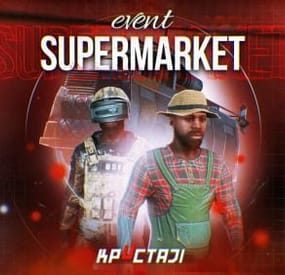
Supermarket Event
A new event that takes place at the Supermarket monument, made for beginners on your server
Description
The event begins with a message in the chat that soon a merchant who sells valuable cargo will arrive at a Supermarket on your island. The merchant and their guards with trained dogs appear around the supermarket.
Players then have the opportunity to rob the Merchant in order to get all the Supermarket loot for themselves. As soon as the players begin to attack the Merchant, an armored helicopter arrives there with additional security and a Debt Collector. The Debt Collector enters the Supermarket and begins the process of collecting his loot and the Merchant for evacuation. If the player manages to kill all the guards outside the supermarket before the end of this process, then he can enter and loot.
There are several more guards, the Merchant and the Debt Collector waiting for the player. The Merchant and the Debt Collector need to be eliminated to get the most valuable loot that they wanted to evacuate. There are also several loot crates inside the Supermarket to be looted. If the Merchant and or the Debt Collector survive, they will fly away in the armored helicopter and the player will not receive the juicy loot they were dealing.
In the plugin configuration, it is possible to configure all timers, the guards outside the supermarket, inside the Supermarket, Debt Collector guards, and guard dogs patrolling outside the Supermarket. The Merchant and Debt Collector can also be configured as well. A list of all the loot crates inside the supermarket, map marker, event icons on the players screen, and more are all able to be adjusted in the config file.
Dependencies (optional, not required)
True PVE PveMode GUI Announcements Notify Discord Messages AlphaLoot CustomLoot NTeleportation Economics Server Rewards IQEconomic XPerience Kits Better Npc Monument Owner
Chat commands (only for administrators)
/supermarketstart - start the event
/supermarketstop - end the event
Console commands (RCON only)
supermarketstart - start the event
supermarketstop - end the event
Plugin Config
en - example of plugin configuration in English ru - example of plugin configuration in Russian
Hooks
void OnSupermarketEventStart(Vector3 pos, float radius) – called when the event starts
void OnSupermarketEventEnd() – called when the event ends
void OnSupermarketEventWinner(ulong winnerId) – called at the end of the event, where the winnerId is the player who did more actions to complete the event
My Discord: kpuctajl
Join the Mad Mappers Discord here!
Check out more of my work here!
- #supermarket
- #crates
- (and 20 more)
-
$30.00
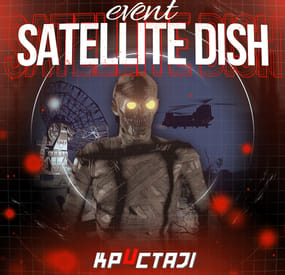
Satellite Dish Event
It’s an event in the Satellite Dish location
Description
The event begins with a chat warning: a bioweapons deal will be in the Satellite Dish.
When the time is up, extra crates, NPCs guarding this location will appear in the Satellite Dish. Then a locked zombie’s cage will appear. A CH47 will fly to this location to make a transaction.
When the CH47 arrives, it will drop the locked crate as a payment for the biological weapon. Then it will land and zombies will begin boarding on the CH47. As soon as the CH47 has picked up all the remaining zombies, it will fly off the map.
If you kill at least one zombie, an alarm will start. The alarm can be ended by answering the phone on the Satellite Dish within 10 seconds.
If you don’t stop the alarm, reinforcements will arrive as Bradley to this location. It will parachute down from the aircraft.
All crates looting, NPCs, zombies, Bradley can be changed by configuration.
It is possible to change the configuration of all NPCs or use the BotSpawn plugin for NPCs.
There is a camera in the location for viewing the event and lighting for night events.
When an event appears, a marker will display on the map (configurable in the configuration file).
It is possible to set up in the configuration the PVP zone for those who use the TruePVE plugin.
All players in the event zone have a timer with countdown to the end of the event
It is possible to set up an automatic event appear on the map. All timers can be set up in the configuration.
Dependencies Required
NpcSpawn
Dependencies (optional, not required)
True PVE PveMode GUI Announcements Notify Discord Messages AlphaLoot CustomLoot NTeleportation Economics Server Rewards IQEconomic Kits
Chat commands (only for administrators)
/satdishstart - start the event
/satdishstop - end the event
/satdishpos - determining the position and rotation coordinates for changing the location of NPCs and crates. It should write in the configuration (Attention! The event must be started, the current position of the administrator in relation to the Satellite Dish is read)
Console commands (RCON only)
satdishstart - start the event
satdishstop - end the event
Plugin Config
en - example of plugin configuration in English ru - example of plugin configuration in Russian
Hooks
void OnSatDishEventStart() – called when the event starts
void OnSatDishEventEnd() – called when the event ends
void OnSatDishEventWinner(ulong winnerId) – called at the end of the event, where the winnerId is the player who did more actions to complete the event
My Discord: KpucTaJl#8923
Join the Mad Mappers Discord here!
Check out more of my work here!
- #alarm
- #biological weapon
- (and 32 more)
-
$25.00
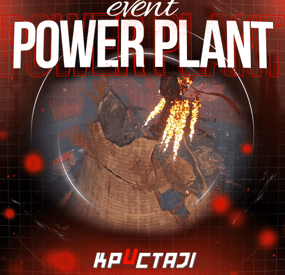
Power Plant Event
It’s an Event in the Power Plant location
Description
The event begins with a chat warning: soon CH47 will get new crates with items for scientists to the Power Plant location.
When the time is up, the NPCs guarding this location will appear in the Power Plant zone. Then a water barrel will appear on the top of the central building. A CH47 will fly to this location to get new crates with items.
When the CH47 arrives in the Event zone, it will fail to control and crash in a cooling tower of the power plant. All the crates from the CH47 will be on the top of the cooling tower. But they will be in the fire. You need put out the fire to get access to the crates.
It is necessary to activate a fire system to put out the fire. A fire system is on the top of the central building. So a Workcart will arrive to the Event area to bring a barrel of water. You need move this water from the Workcart to the empty barrel on the top of the central building. As soon as you do this, you will be able to start the fire system by pressing a button.
When the fire system has activated, the fire in the cooling tower will be out. You will be able to access the crates in the cooling tower.
There is a camera in the location for viewing the event.
When an event appears, a marker will display on the map (it can set up in the configuration file).
All players in the event area have a timer with countdown to the end of the event
Dependencies Required
NpcSpawn
Dependencies (optional, not required)
True PVE PveMode GUI Announcements Notify Discord Messages AlphaLoot CustomLoot NTeleportation Economics Server Rewards IQEconomic Kits
Chat commands (only for administrators)
/ppstart - start the event
/ppstop - end the event
/pppos - determining the position and rotation coordinates for changing the location of NPCs and crates. It should write in the configuration (Attention! The event must be started, the current position of the administrator in relation to the Power Plant is read)
Console commands (RCON only)
ppstart - start the event
ppstop - end the event
Plugin Config
en - example of plugin configuration in English ru - example of plugin configuration in Russian
Hooks
void OnPowerPlantEventStart() – called when the event starts
void OnPowerPlantEventEnd() – called when the event ends
void OnPowerPlantEventWinner(ulong winnerId) – called at the end of the event, where the winnerId is the player who did more actions to complete the event
My Discord: KpucTaJl#8923
Join the Mad Mappers Discord here!
Check out more of my work here!
-
$30.00
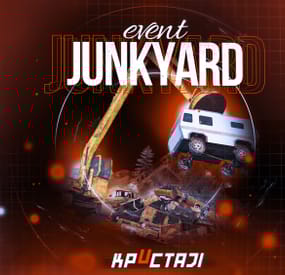
Junkyard Event
This event automatically takes place in the Junkyard location if on the map
Finally, the crane in Junkyard will have a true meaning and be fun again!
Description
The event begins with a notification in the chat that soon scavengers will arrive at Junkyard, who will have a rest there. Next, NPCs appear in the location, whose presets you can configure in the plugin configuration. A message appears in the chat that the scavengers hid a signal grenade in one of the broken cars at the landfill to call for supplies. The player needs to kill all the NPCs and find the rusted car in which the grenade is hidden.
In order to find and activate the signal grenade, use a crane to load rusted cars into a shredder for recycling, it's bound to be in one of them! The number of rusted cars in the landfill is regulated by the value in the configuration. The required car is selected at random from the group. The player needs to recycle the rusted cars one by one until he finds the one in which the signal grenade is located in! After the player recycles the broken car, a plane will fly to the Junkyard location, on board of which there will be a truck with supplies. The plane will drop this truck and it will land in Junkyard via parachute. Once it lands, guards will come out of the truck and guard it. But the truck is closed, it cannot be opened. The player needs to kill these guards to get access to the truck. In order for the player to get access to the crates and the loot within, they need to recycle the truck by using the crane and placing it into the shredder! Next, the crates will travel along the conveyor belt of the shredder and the player will be able to open them. You can configure all the crates, their number and the loot in them, all in the plugin configuration.
Dependencies Required
NpcSpawn
Dependencies (optional, not required)
True PVE PveMode GUI Announcements Notify Discord Messages AlphaLoot CustomLoot NTeleportation Economics Server Rewards IQEconomic Kits
Chat commands (only for administrators)
/jstart - start the event
/jstop - end the event
/jpos - determining the position and rotation coordinates for changing the location of NPCs. It should write in the configuration (Attention! The event must be started, the current position of the administrator in relation to the Junkyard is read)
Console commands (RCON only)
jstart - start the event
jstop - end the event
Plugin Config
en - example of plugin configuration in English ru - example of plugin configuration in Russian
Hooks
void OnJunkyardEventStart() – called when the event starts
void OnJunkyardEventEnd() – called when the event ends
void OnJunkyardEventWinner(ulong winnerId) – called at the end of the event, where the winnerId is the player who did more actions to complete the event
My Discord: KpucTaJl#8923
Join the Mad Mappers Discord here!
Check out more of my work here!
- #broken cars
- #cargoplane
- (and 26 more)