
SLATE's Wishlist
-

$20.00$12.99My Animal Farm
This plugin adds animal farms on the server.
Create a farm
A player who has the required privilege can create a farm by going into the animal feeder and clicking on the type of animal available to him. After that, you need to put a box next to it, into which all resources will come.
Animal capture
Catching animals is done with bait traps that can be crafted in the menu of the created farm or you can sell these traps in the in-game or donate store using the command.
Plugin settings
Max farms per player Attach button No rotting food Changing animal pictures in the interface Localization for RU and EN languages Detailed farm settings and the ability to create new ones
Trap Skin Change Changing the name of a trap Trap model changes Trap range Customization of which animals can be caught with a trap Changing the skin of an animal item after being caught Enable / disable crafting in the interface Changing the trap picture in the interface List of necessary items for crafting Detailed farm settings and the ability to create new ones
Farm creation privilege for each species The name of the animal that will bring the resources (should be ShortPrefabName) The interval for obtaining resources from the farm How much to take away HP from an animal Maximum number of animals Farm range The amount of food needed per 1 tick (0 - off) What food do you need for a farm (ShortName) Detailed settings for rewards that are placed in a connected box to the farm Video
Player Permissions (Standard, change in config)
myanimalfarm.bear myanimalfarm.boar myanimalfarm.stag myanimalfarm.wolf myanimalfarm.tiger myanimalfarm.polarbear myanimalfarm.panther myanimalfarm.crocodile
Administrator Permissions
myanimalfarm.give.animal - allows you to give animals by skin myanimalfarm.give.trap - allows you to give traps by skin
Commands for administrator and shops
ganimal "name|steamid" "SkinId" - gives an animal by skin gtrap "name|steamid" "SkinId" - gives a trap by skin
Note
For traps to work correctly, AI must be enabled on the server Animals GEN2 - Wolf, Tiger, Panther, Crocodile have no build zone, it is processed on the clientside, so the plugin cannot allow build, warn players to build farms of these animals a little further on their base
TEST SERVER
Join our test server to view and experience all our unique features yourself!
Copy the IP Address below to start playing!
connect 194.147.90.147:28015
Config v2.0
-

$5.99
Entity Inspector
🔍 Entity Inspector
Get deep-dive intel on any entity in the game world with one command. Point and inspect for full details like ownership, network IDs, health, power, biomes, class structure, and more. Perfect for admins, developers, or curious minds with control issues.
✨ Features
Detailed, color-coded entity information Specific data per entity type: IO Entities (power systems) Building blocks Storage containers Doors, auto turrets, furnaces Code locks (with PIN display) Biome detection Network & ownership metadata Class inheritance visualization Distance, position, and rotation tracking Output via both chat and console 💬 Commands
/inspectent – Inspect the entity you’re looking at /entityfav - open up entity favorite menu ** Both commands are configurable in your config**
🔐 Permissions
entityinspector.use – Grants access to the /inspectent
⚙️ Configuration
{ "EnableConsoleOutput": true, "EnableChatOutput": true, "InspectDistance": 10.0, "EnableGuiMenu": true, "InspectCommand": "inspectieent", "FavoritesCommand": "entityfav", "ColorPrimary": "#98FB98", "ColorTitle": "#ffc34d", "ColorValues": "#FFFFFF", "ShowBiomeInfo": true, "ShowDistance": true, "ShowInheritance": true, "ShowNetworkInfo": true, "ShowOwnership": true, "ShowCodeLockInfo": true, "ShowCodeLockCode": true, "ShowPosition": true, "ShowRotation": true, "MaxHistoryItems": 20, "MaxFavoriteItems": 50 }
🌐 Localization
{ "NoPermission": "You don't have permission to use Entity Inspector", "NoEntity": "No entity found. Make sure you're looking at one!", "InvalidEntity": "Invalid entity.", "Title": "【 Entity Inspector 】", "ShortPrefab": "Short Prefab", "FullPrefab": "Full Prefab Path", "Position": "Position", "Rotation": "Rotation", "Health": "Health", "MaxHealth": "Max Health", "IsValid": "Is Valid", "IsBroken": "Is Broken", "NetworkID": "Network ID", "NetworkGroup": "Network Group", "OwnerID": "Owner ID", "ParentEntity": "Parent Entity", "BiomeInfo": "Biome", "Distance": "Distance", "PowerInput": "Power Input", "PowerOutput": "Power Output", "HasCodeLock": "Has CodeLock", "LockState": "Lock State", "LockCode": "Lock Code", "Inheritance": "Class Inheritance", "Grade": "Grade", "BuildingID": "Building ID", "InventorySlots": "Inventory Slots", "ItemsCount": "Items Count", "IsLocked": "Is Locked", "DoorState": "Door State", "CanOpen": "Can Open", "HasTarget": "Has Target", "IsCooking": "Is Cooking", "Temperature": "Temperature" } 🧰 Recommended For
Server Admins – Need to know who owns what (and how bad they broke it) Plugin Developers – Peek under the hood of game entities with ease Tech Junkies – You already know you’re gonna inspect everything anyway
⚠️ Technical Notes
Inspection range is configurable (default: 10m) Console output strips formatting automatically Viewing code lock PINs requires permission Class inheritance data is listed last to avoid clutter Power and lock states are color-coded Works with both chat and console output 🤝 Support
Join the Dark Side Development Discord.
We’ll help you debug your server, your plugin, or maybe your life — no promises.
☕ Ko-Fi
Like what we do? Support us over at Ko-Fi
📜 Legal
Copyright © 2026 Lincoln
This plugin, Entity Inspector, is the intellectual property of Lincoln. The plugin may not be copied, modified, merged, published, or redistributed without the explicit permission of the creator, Lincoln.
Permission is granted solely for personal use on a Rust server that you own or manage. Commercial use, sharing with third parties, or distribution on multiple servers is strictly prohibited without prior consent from the creator.
Disclaimer of Warranty and Liability:
This plugin is provided "as is" without any express or implied warranties. The creator disclaims any liability for damages, including but not limited to server malfunctions, data loss, or other issues arising from the use of this software. Use of the plugin is at your own risk.
-

$10.00
Stunt Riding
Perform flips, jumps, and even attempt to fly on your bike, all while collecting money or simply having fun. This plugin offers extensive customization options, allowing you to tweak various parameters to control the bike's behavior to suit your style.
FEATURES:
Change a couple of parameters to make the bike go the way you want it to Setup the Score System so players get RP points for what they do on the bike Allows you to do jumps on bikes (use duck button) Adds sprint boost for motorbikes Now the bike can do flips Driver can change view mode by pressing the reload button Players can disable or enable modifiers via command "bikemodifierswitch" ✏️ Let me know if you want me to add something to this plugin
{ "Enable score system": true, "Score system [ServerRewards or Economics required]": { "stuntriding.base": { "1 RP per points [every N points player will get 1 RP]": 100, "Minimum seconds in the air to start gain points": 2, "Points for each N second in the air": 200, "Frequency of gaining points in the air": 0.75, "Points per flip": 900, "Delay before the points will convert to RP": 5.0, "Message after convert points to RP": "You gained {0} points. It converted to {1} RP" } }, "Bikes": { "pedalbike": { "Permission for use [if a rider doesn't have permission the bike behavoiur won't change]": "stuntriding.licence", "Enable boozy view for driver on a bike by default": true, "Swap to the third person viewmod by press reload button": true, "Engine power [39 for motor and 4 for pedal by default]": 9, "Mass [200 for motor and 60 for pedal by default]": 30, "Rotation speed in the air [right/left]": 0.1, "Sprint time [for pedal bikes | -1 = inifinity sprint time | 5 is default]": -1.0, "Sprint regen time [for pedal bikes | 10 is default]": -1.0, "Sprint speed multiplier [0.3 is default]": 0.5, "Use jumps": true }, "motorbike": { "Permission for use [if a rider doesn't have permission the bike behavoiur won't change]": "stuntriding.licence", "Enable boozy view for driver on a bike by default": true, "Swap to the third person viewmod by press reload button": true, "Engine power [39 for motor and 4 for pedal by default]": 60, "Mass [200 for motor and 60 for pedal by default]": 200, "Rotation speed in the air [right/left]": 0.1, "Sprint time [for pedal bikes | -1 = inifinity sprint time | 5 is default]": -1.0, "Sprint regen time [for pedal bikes | 10 is default]": -1.0, "Sprint speed multiplier [0.3 is default]": 0.5, "Use jumps": true }, "motorbike_sidecar": { "Permission for use [if a rider doesn't have permission the bike behavoiur won't change]": "stuntriding.licence", "Enable boozy view for driver on a bike by default": true, "Swap to the third person viewmod by press reload button": true, "Engine power [39 for motor and 4 for pedal by default]": 60, "Mass [200 for motor and 60 for pedal by default]": 200, "Rotation speed in the air [right/left]": 0.1, "Sprint time [for pedal bikes | -1 = inifinity sprint time | 5 is default]": -1.0, "Sprint regen time [for pedal bikes | 10 is default]": -1.0, "Sprint speed multiplier [0.3 is default]": 0.5, "Use jumps": false } } }- #vehicles
- #server rewards
- (and 3 more)
-
$14.99
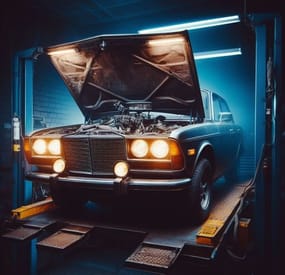
Car Tuning
permission for use - cartuning.use
Open UI - /tuning (you need to look right at the car)
FEATURES:
Increase street angel Add sign Add smoke Increase slot for storagecontainer module Underbody light (white | red | green)
P.s - (My Discord - tofurahie#4144)
Config:
{ "Tuning can only be used when the car is on the Modular Car Lift ": true, "How much increase steer angle": 10.0, "Rotate sign": { "x": 0.0, "y": 0.0, "z": 0.0 }, "[COST] |Increase steer angle| in SCRAP": 12, "[COST] |Add sign| in SCRAP": 12, "[COST] |Add smoke| in SCRAP": 12, "[COST] |Underbody lighting| in SCRAP": 12, "[COST] |Increase slots in ModuleStorage": 14, "Dictionary of position underlight": { "TwoModules": [ { "x": 0.0, "y": 0.42, "z": 0.5 }, { "x": 0.0, "y": 0.42, "z": -0.5 } ], "ThreeModules": [ { "x": 0.0, "y": 0.42, "z": 0.5 }, { "x": 0.0, "y": 0.42, "z": -0.5 }, { "x": 0.0, "y": 0.42, "z": -1.0 } ], "FourModules": [ { "x": 0.0, "y": 0.42, "z": 1.0 }, { "x": 0.0, "y": 0.42, "z": 0.5 }, { "x": 0.0, "y": 0.42, "z": -0.5 }, { "x": 0.0, "y": 0.42, "z": -1.0 } ] }, "Dictionart of position smoke machine": { "TwoModules": { "x": 0.0, "y": 0.6, "z": -1.4 }, "ThreeModules": { "x": 0.0, "y": 0.6, "z": -2.4 }, "FourModules": { "x": 0.0, "y": 0.6, "z": -3.0 } }, "Rotate for smoke machine": { "x": 180.0, "y": 0.0, "z": 0.0 }, "Dictionart of position lighting": { "TwoModules": { "x": 0.55, "y": 0.52, "z": -0.4 }, "ThreeModules": { "x": 0.55, "y": 0.52, "z": -1.6 }, "FourModules": { "x": 0.55, "y": 0.52, "z": -2.4 } }, "Dictionart of count lighting": { "TwoModules": 3, "ThreeModules": 6, "FourModules": 8 }, "Rotate for lighting": { "x": 90.0, "y": 0.0, "z": 0.0 }, "Dictionary of position small sign": { "TwoModules": { "x": 0.0, "y": 0.7, "z": 1.65 }, "ThreeModules": { "x": 0.0, "y": 0.7, "z": 2.2 }, "FourModules": { "x": 0.0, "y": 0.7, "z": 3.3 } }, } -

$9.99
LuckyBlock
Random events with rarity A crate that owes you nothing Looting is the most predictable part of a wipe: you know what a barrel holds before you break it. Lucky Blocks fix that. Any container on the map can quietly turn into one, wrapped on all six faces in the texture of its rarity, and opening it doesn't give loot — it rolls. A Common block pays a few scrap; a Legendary one drops an airdrop on your head. A Cursed one has nothing good inside it at all, and the player can see that before deciding to touch it.
31 Event types built in 5 Tiers, Common to Cursed 35 Events preconfigured 0 Dependencies ✓Rarity you can read across the field — every tier carries its own workshop decal, colour and name ✓The Cursed tier only hurts — a visible risk your players choose to take, and no competitor has one ✓Hand blocks out as an item — a shop reward the player places where they want and opens when they want ✓Any event is a list of server commands — whatever your other plugins can do belongs on the wheel too ✓Rare blocks announce themselves — chat with a grid reference, a marker on the map, an embed in Discord 01 — Tiers Five rarities, five different wheels A block belongs to a tier from the moment it spawns until somebody opens it. The tier decides how the block looks, how often it appears, who is allowed to open it and which events can come out of it. Common, Rare, Epic, Legendary and Cursed ship configured, with the events already spread across them by weight.
The block tells you what it is Each tier has its own Steam Workshop decal, published with the plugin and set in the config, plus a name in its own colour. A player crossing a field sees a gold block and a black one and knows the difference without opening either. Cursed: the whole point of looking first Ten events, all of them bad: the concrete box with C4 counting down, a patrol helicopter aimed at the opener, meteors, bears, radiation, a wound, an inventory dropped on the ground. Walk past it or gamble that the roll lands on the least painful one. Weights, not percentages Spawn weight per tier, event weight inside a tier. Raise one number and everything else rebalances itself; set it to zero and that tier or event stops appearing. Adding a sixth tier is a copy of a block in the config. A tier can belong to a group Give a tier a permission and only that group can open its blocks. Legendary for VIPs, Cursed for everyone, the rest open to the server — blocks still spawn for all players, they just don't open for the wrong hands. 02 — Events Thirty-one ways it can end An event is a list of server commands with a weight and a description, so the built-in ones and yours sit in the same table and roll against each other. %steamid% in a command is replaced with the player who opened the block.
Reward Money through Economics, ServerRewards, BankSystem or IQEconomic. A kit by name. An item with a skin, a rain of items landing around the player, an airdrop, a blueprint unlocked, every piece of gear repaired, full health with the boosters running, or any vehicle and entity spawned by its prefab name. Chaos A patrol helicopter sent straight at the opener. Meteors falling over the area. Lightning. Bears or scientists in a ring around the player, a wall of fireballs, radiation, a teleport to a random point or to a monument, a swap of positions with the closest player, everything stripped off, or the sealed concrete cube with nine C4 counting down inside it. Trolling The camera spinning for half a minute. An explosion with no damage behind it. Heavy armour that cannot be taken off. Night vision goggles for a while, an inventory dropped at the player's feet. Server wide An airdrop called in for every player online, and Lucky Rain: a ring of fresh blocks around the one just opened, which turns a single find into a crowd within a minute. 03 — Blocks as an item Sell one, let the player open it where they like Fill the item skin id on a tier and that tier becomes a box in the inventory. One console command hands it out, so your shop, your cases and your event plugin can all give lucky blocks as a reward without knowing anything about this plugin.
Placed like any deployable The player deploys the box the usual way, so the game itself checks building privilege, the surface and the slope. The plugin only replaces what was placed with a block of that tier. It waits as long as it has to A block a player placed ignores the despawn timer and comes back after a restart, in the same spot. It is never announced and never appears on the map either, so buying one doesn't paint a target on the buyer's base. One way in A placed block cannot be picked back up. Once it is on the ground the only thing left to do with it is open it. 04 — What the server sees A rare block is an event, not a private find Announcements are set per tier, so Common blocks stay quiet and a Legendary one starts a race. Spawn and opening are separate switches — announce the find without telling everyone what came out of it, or the other way round.
Chat with a grid reference The message names the tier in its own colour and the grid square it landed in, which is enough to send half the server running and not enough to lead them to the exact rock. A marker for as long as it lives A circle in the colour of the tier sits on the map while the block is there and disappears with it, whether it was opened or despawned. The same news in Discord One webhook url in the config and every announcement is mirrored as an embed coloured like the tier, so the players who are not online still see the server is alive. Who opens the most The plugin counts openings per player and per tier and shows the top ten in chat. Statistics reset themselves on a wipe. Reliability Nothing left in the map save ✓Blocks are never written into the save, so a restart leaves no leftovers — only blocks placed by players come back, from the plugin's own data file ✓A block costs seven network entities, and a limit in the config keeps that budget where you put it ✓Configs from 1.x upgrade themselves: the old event list becomes the Common tier and keeps its skin ✓Hooks the setup does not need stay unsubscribed, so a server that gives out no blocks as items never listens for deployables ✓Spawns can be blocked underwater, above the ocean and inside any monument — the monument list fills itself from your map ✓Runs on Oxide and Carbon, needs no other plugin, and every message lives in the language files, English and Russian included Commands and permissions Three commands, and one of them is for players /lbtop Top ten openers on the server. Open to everyone. /lbtest [tier] Puts a block of that tier where you are looking, or a random one. Needs luckyblock.admin. luckyblock.give Console or RCON: luckyblock.give <steamID|name> <tier> [amount], the line your shop calls. luckyblock.admin Spawning blocks and handing them out. luckyblock.<tier> Whatever you write in a tier's permission field, registered on load. Leave it empty and the tier is open to everyone. For developers Four methods, three hooks A tier is always named by its key in the config, Common, Rare, Legendary and so on: that is what the hooks hand you and what every method takes. Everything goes through a plain plugin reference, LuckyBlock?.Call<bool>("GiveLuckyBlock", player, "Legendary", 1), nothing to add as a dependency.
Methods IsLuckyBlock (BaseEntity entity) → bool
True for a live lucky block of this plugin, so your loot or damage rules can step around it. GetLuckyBlockTier (BaseEntity entity) → string
Tier name of that block, null when the entity is not one. SpawnLuckyBlock (Vector3 position, string tier) → bool
Puts a block of that tier at the position, an empty tier rolls a random one by weight. It behaves like a natural spawn: despawns by the timer, gets announced and marked on the map when the tier says so. False when the tier is not in the config, or nothing can roll because every weight is zero. GiveLuckyBlock (BasePlayer player, string tier, int amount) → bool
Hands the block over as an item, amount clamped to 1..100. False when the tier does not exist or has no item skin id, such a tier can only spawn on the map. Hooks OnLuckyBlockSpawned (LootContainer block, string tier)
A block appeared: spawned on the map, placed by a player, or restored after a restart. CanOpenLuckyBlock (BasePlayer player, LootContainer block, string tier) → object
A player is trying to open one. Return anything but null to veto. It runs after the tier permission and before the cooldown and the daily limit, so your refusal shows before the built-in ones. OnLuckyBlockOpened (BasePlayer player, LootContainer block, string tier)
The tier event has already fired, the block is about to vanish. Questions Before you buy I am on 1.x. What happens to my config? It migrates on the first load. Your event list becomes the Common tier with the skin you were using, and the other four tiers arrive next to it, ready to be tuned or deleted. Can I add my own events? That is the main way to use it. An event is a list of server commands with a weight, and %steamid% stands for the player who opened the block. Anything with a console command belongs on the wheel. Can I use my own artwork? Yes. Five decals come with the plugin and are set in the config out of the box; a skin id is just a config value, so your own decal from the Spray Decal Creator takes its place in one line. What does it cost the server? Seven network entities per block, and the block limit in the config caps the total. Blocks replace loot containers that already exist, so nothing is added to the map that wasn't going to be there. Will the deadly events wreck bases? No. The C4 in the concrete cube is a visual: it kills the player who opened the block and leaves the neighbourhood standing. What happens on a restart or a wipe? Spawned blocks are gone and new ones appear as loot respawns. Blocks players placed themselves come back where they were. Statistics start over on a new save.- #luckyblock
- #lucky block
- (and 27 more)