
KD Gaming 5x's Wishlist
-
$20.00
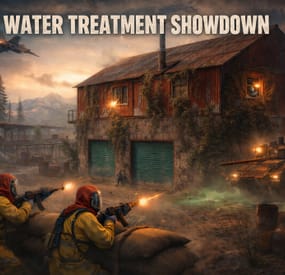
Water Treatment Showdown Event
By Yac Vaguer in Plugins
Water Treatment Showdown Event
Operation Cobalt Siege. A timed fight over the Water Treatment Plant that ends with the monument getting nuked, whether your players got out or not.
Runs on Oxide and Carbon.
What actually happens on your server
Every two hours by default, the plugin announces unusual activity at Water Treatment. Two minutes later the monument turns hostile.
Cobalt guards take up positions across the yard. Snipers with scoped M39s hold the high ground. A Bradley APC starts its patrol route. Zombies fill the main building, and if you leave the setting on, the building takes a visible explosion on spawn and the sprinklers kick in. SAM sites cover the airspace so nobody solves this from a minicopter.
The loot is military crates, elite crates and one hackable crate. Starting the hack is the point of no return: the noise calls in a patrol helicopter, and now your players are fighting a Bradley, a heli and whatever NPCs are left, all at once, on a clock.
Four minutes after somebody loots the hackable crate, an F15 comes in and drops the nuke. If nobody finishes in time, the event's own timer does it instead. Either way the monument gets hit with an MLRS barrage and then sits irradiated for five minutes. Anyone still inside picking up loose loot takes rads for it.
That last part is the reason I keep the event on my own server. The evacuation window turns a won fight into a decision, and players get greedy.
Difficulty tiers
One config field, four presets: Easy, Normal, Hard, Nightmare.
The tier multiplies NPC count, NPC health, NPC damage, Bradley HP and every reward payout by the same number (0.75, 1.0, 1.35, 1.75). Normal is 1.0, so an existing config behaves exactly as it did before tiers existed.
The tier is frozen when an event starts. If you reload config mid-event to change it, the running event finishes on the numbers it spawned with, and the new tier applies to the next one.
PVE support
Two options, and you pick one. Never both.
PveMode by KpucTaJl is the fuller integration (Recommended).
SimplePVESphere is the lighter option. A sphere, an owner, done.
If both are configured, PveMode wins and SimplePVESphere is ignored. The plugin logs which one it picked.
Leave both off and the event is straight PvP over a shared monument, which is what most vanilla-ish servers want.
Rewards
Economics, ServerRewards RP and SkillTree XP. You can run all three at once if that's your setup.
Each backend gets its own payout table with four entries: looting the hackable crate, destroying the Bradley, downing the patrol helicopter, killing an NPC. The difficulty tier scales all of them. Everything is disabled by default, so installing the plugin does not quietly start printing currency.
Loot control
Works with AlphaLoot and CustomLoot. Pick one.
AlphaLoot needs nothing configured on this side. Leave every "Use Custom loot plugin?" key false and it fills the event's crates from the profile matching each crate prefab, exactly as it does everywhere else on your map. One gotcha worth knowing: the elite crate's prefab lives under underwater_labs/, so its AlphaLoot profile is underwater_labs/crate_elite, not crate_elite. Edit the wrong one and you'll swear the event is ignoring you.
If you want the event paying differently from the rest of the world, point a crate at a prefab nothing else on your map spawns and give that prefab its own AlphaLoot profile. AlphaLoot matches on prefab, so sharing one means sharing the table.
Turning CustomLoot on while AlphaLoot is installed does not blend the two. CustomLoot wins and AlphaLoot's work is discarded with no error in the log.
Every crate type and every NPC type takes a CustomLoot profile name if you want your own tables. Guards, snipers, zombies, military crates, elite crates and the hackable crate each have their own slot, so you can hand-tune the hackable crate and leave the rest on Rust defaults.
The hackable crate also takes an optional bonus item: a shortname, an amount, a skin ID, a display name and a drop chance. Added on top of whatever table produced the rest of the crate. This is how you seed a custom skin or a server-specific item as the reward for finishing the event.
NPC tuning
Guards and snipers each have a full settings block: name, health, roam range, chase range, sense range, attack range multiplier, target memory duration, damage scale, aim cone scale, vision cone and whether it's checked at all, movement speed, radio chatter on or off, stationary or roaming, and corpse removal.
Loadouts are explicit. Clothing and belt items by shortname, with skin IDs, weapon mods and ammo type. Defaults ship the guards in road sign armour with a flashlight LR300 and an F1, and the snipers with a 16x scoped M39. Kit plugin support is there too, though it costs performance and the config says so.
Zombies get a count and a loot profile.
Bradley and the helicopter
The Bradley has its own health, the number of crates it drops, whether the crate fire keeps burning, whether gibs stick around, and its coax bullet damage. It patrols a waypoint route rather than sitting still.
The patrol helicopter is the newest addition. It spawns when the hackable crate hack starts, not on a timer, so it always lands on top of the fight rather than in a quiet moment. Count, health and crate drops are configurable, and you can turn it off entirely if your player base is small.
Notifications
Chat or GUIAnnouncements, chosen in config. Chat messages take a prefix, prefix colour and size, body colour and size, and a Steam icon ID.
There's also a Discord webhook for the event log, off by default.
Commands
Chat, requires watertreatmentevent.admin:
/wtestart starts the event now /wtestop stops a running event and re-arms the automatic schedule /wte.admin opens the admin panel Console, requires the permission or server admin:
wtestart [steamID] starts the event. The optional Steam ID pre-assigns event ownership to an online player, which is useful for testing PVE rules without having to shoot your way to ownership first wtestop wte.admin wte.nuke skips straight to the finale on a running event. This is the fastest way to check that your radiation and cleanup settings behave, without waiting out a full forty minute cycle wte.selfcheck Permission
watertreatmentevent.admin
For plugin developers
Two hooks fire:
void OnWaterTreatmentEventStart(Vector3 center, float radius) void OnWaterTreatmentEventEnded(Vector3 center, float radius) Both carry the event centre and the configured zone radius, so a leaderboard or a zone plugin can react without having to guess where the monument is.
Two API methods:
bool IsWaterTreatmentEventActive() void ResetWaterTreatmentEventInterval() ResetWaterTreatmentEventInterval restarts the countdown to the next automatic event, which event manager plugins use to stagger events so two don't fire at once.
Configuration you'll probably touch first
"Event Start every [sec]": 7200.0, "Duration of the event [sec]": 2400.0, "Run the event ONLY manually with the commands": false, "Warning time before the Event Spawn [sec]": 120.0, "Time after player loot the hackable crate to end the event and drop the nukes [sec]": 240.0, "Difficulty Tier (Easy, Normal, Hard, Nightmare)": "Normal", "Radius of the event zone in meters (PVE sphere and map marker)": 120.0, "Add Radiation when the F15 drop the nuke": true, "How long the radiation stays in the event area after the nuke [sec]": 300.0, "Clean the area of other NPCs before the event starts": false That last one is worth knowing about if you run BotReSpawn or BetterNpc. Turn it on and anything inside the event zone that this plugin did not spawn gets removed just before the event's own NPCs arrive, along with leftover NPC corpses and loot bags. Player corpses and player backpacks are never touched. It's off by default because most servers don't need it.
-
$44.99
Simple Symmetry
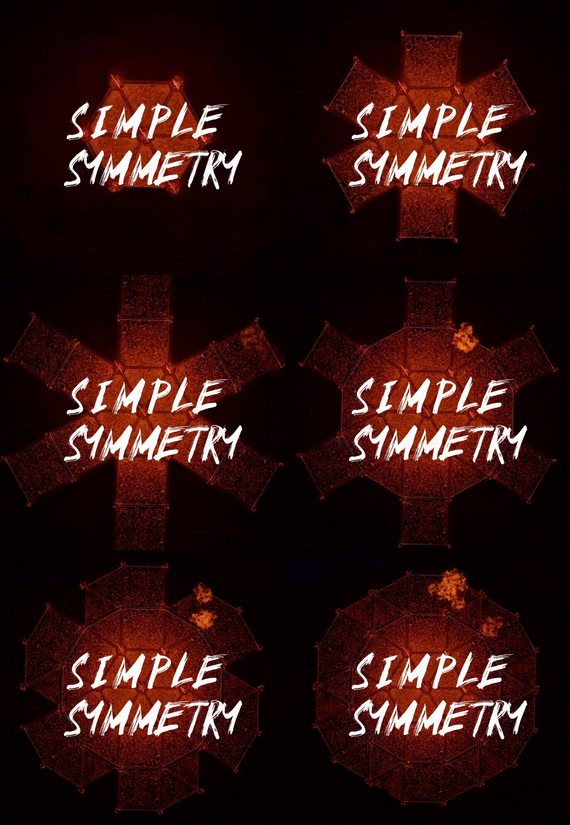
Effortlessly create symmetrical base designs with support for Vanilla servers and Creative ones, All features can be done with or without the UI.
Key Features:
Symmetrical building supporting, Foundation Squares and Triangles 2 Sided, 3 Sided, 4 Sided, 6 Sided, and Mirrored 2 and 4 sided for The Most Inclusive Experience! Optional UI for streamlined control. Simple commands to toggle, configure, and customize symmetry. Multiple Symmetry Types Supports Deployables
Permission:
Players must have SimpleSymmetry.use to use this.
Commands:
/sym ui – Toggle UI on or off /sym toggle – Enable or disable symmetry /sym show – Display the current Symmetry Center /sym set – Define the Symmetry Center /sym delete – Remove the Symmetry Center /sym {type} – Select the Symmetry Type (options listed below)
Symmetry Types:
N2S - Normal 2-Sided N3S - Normal 3-Sided N4S - Normal 4-Sided N6S - Normal 6-Sided M2S - Mirrored 2-Sided M4S - Mirrored 4-Sided
NOTE:
Demo Video Discord: Shady14u -
.thumb.gif.c0712d49cb6ab780b67236498a6ea088.gif)
$39.90
Boston: New Land
In the near future, the planet decided to rid itself of a large population, a factory and other infrastructure that poses a danger to its environment. Gravity, water level and climate have changed. An epidemic broke out, which took the lives of the remnants of the population and turned them into mutants (NpcMovingControl plugin). Those who survived went into habitation under the water, sometimes swimming out for a breath of fresh air (the UnderwaterGuard plugin), they guard the flooded monuments very much, which contain excellent loot, but to get to it, you need to make great efforts. On this map you will find many beautiful monuments, in the air, on the ground, under water. Also on the map there are several custom places to build your base in the form of unusual rocks, terrain terrain, icebergs and caves, they are marked X. And now several decades have passed since the latest events on this island and it has become a New Land for new settlers in the form of players on your server, I hope everyone will survive, good luck playing on this map.
Features:
Prefab Count: ~50к prefabs Size: 4000 A lot of interesting locations to explore Marketplaces and recycler have been added to fishing villages Railway Optimal FPS A large number of places for the construction of foundations in the form of unusual rocks, caves, landscape and icebergs Custom plugin NpcMovingControl, who disguises scientists and zombies, as well as controls them in his radius (by Adem) Custom plugin UnderwaterGuard (by Adem) This map is constantly supported and updated for the current version of the game with all updates! How can I view the map?
You can do this in our Discord server by submitting a request for an invitation to our servers. There you will be given the rights of an "administrator” and without any difficulties you will be able to fly around the map and fully familiarize yourself with it.
Custom Monuments:
Boston City Valley of Bridges Quarantine Zone Frozen Research Base Buttsville City Falcom Prisone The ISS Crash International Space Station Bills Farm Hydroelectric Power Station Graveyard of Ships Sunken Oil Rig Roadside Market Ore Deposits Bridge Many interesting places to build a base marked X Monument Facepunch:
Apartment Complex Launch Site Missile Silo Junkyard Harbor 1 and 2 Arctic Research Base Satellite Dish Airfield Bandit Camp Outpost Giant Excavator Pit Train Yard Water Treatment Power Plant Military Tunnel The Dome Sewer Branch Ranch Fishing Village 1,2,3 (Modified version) Lighthouse Underwater Lab Railway HQM, Sulfur, Stone Quarry Roadside Monument Radtown Water Well Ziggurat -
$4.99
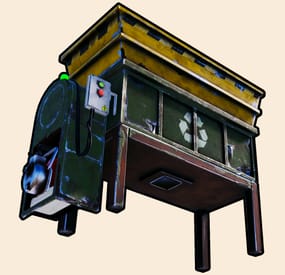
Portable Recycler
By Raul-Sorin Sorban in Plugins
With Portable Recycler, you and your players will benefit exponentially in time saving for searching for Recyclers around monuments like never before. Access your own portable recycler anywhere you like!
FEATURES
Use /recycler (by default, can modify in the config) to open up your private recycler. Group-based cooldown support in the config. Friendly integration with NoEscape by Calytic with configurable rules of behavior. Chat message custom icon Steam ID. Phrase support. Group-based recycling quality. Group-based recycling rates.
PERMISSIONS
PortableRecycler.use: To allow anyone to open up their recycler.
COMMANDS (CONFIGURABLE)
Following commands are chat and console commands.
recycler: Opens up your own personal portable recycler.
CONFIG
DISCLAIMER
The yellow and green buttons while using the Recycler in the GIF, does not come with the plugin.
That's another plugin called Quick Sort by MONaH.
-
$40.00
Defendable Homes
Defend your home.. well.. defend what's left of it! Welcome to an epic new event where the players will defend their bases against waves of Frankenraiders! They will use any weapons they have available to try to raid your base. Some will come with whatever they can swing at you and your base, some will just try to defend their kin, some have found some heavy weaponry too! I think that one has a rocket launcher?!
Description
To launch the event first you must find a flare bright enough to attract their attention. You'll be able to find flares bright enough to attract an Easy Frankenraid in Bradley, Elite, Military, and Supply crates. When you've found a flare just toss it on or near the base within Tool Cupboard range. Once you successfully defend an Easy Frankenraiding party, you will be rewarded with a flare bright enough for a Medium party. Then upon defending successfully against a Medium raid, well if you really want to risk your wipe being wiped by a full Frankenraider party, then you will have earned a flare bright enough to attract a Hard Frankenraid! When you complete any difficulty level and are able to defend your base, a chinook will be sent to your location with rewards for your service to the island in clearing out the threat!
If your base is destroyed, the event ends, chat notifications are sent, and there you stand in shame. Hopefully you're on a low pop server and not too many people noticed. It's okay champ, happens to the best of us some days! Just keep an eye on the in game UI like the timer and wave information to give yourself the best shot at keeping your base standing!
There are various ways to configure this plugin to customize it for your server, for any level and number of players. The creativity is in your hands with the configuration file as well as your communities wants or needs. The loot table, the flare spawns, the different enemy types and their setups, everything is there for you to customize this if you so choose.
Dependencies (optional, not required)
True PVE GUI Announcements Notify AlphaLoot CustomLoot Base Repair
Chat commands
/defstop - in game command to end event in your current Tool Cupboard range (be near the event you are trying to end) - only for administrators!
/checkfoundations - checks all the foundations of the house for the event (it is necessary to be inside the Cupboard area of the house)
⊘ - you or your friends are not the owner of the foundation ⊝ - the foundation does not match in height/depth ⊛ - the foundation does not match the topology (prohibited topologies: Cliff, Cliffside, Decor, Building, Monument, Clutter, Mountain) ◉ - the foundation is located within a radius of 40 meters from the custom monument
Console commands (RCON only)
giveflare {skinid} {steamid} - Console command to give a custom flare with a Steam Workshop SkinID ({skinid}) to a player using their SteamID ({steamid})
Plugin Config
en - example of plugin configuration in English ru - example of plugin configuration in Russian
My Discord: KpucTaJl#8923
Join the Mad Mappers Discord here!
Check out more of my work here!
Creator of the default configuration – jtedal
Help in creating a plugin description – Jbird