
igraes's Wishlist
-
$18.99
NPCShop
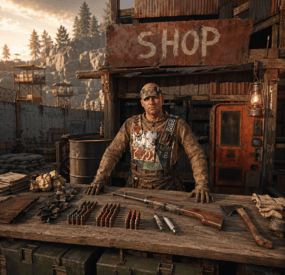
NPC traders & shops Build a trader where you stand — the whole shop, in-game Walk to a spot, type one command, and a named NPC vendor is standing there wearing your outfit. Everything after that — every lot, price, skin, stock counter and wipe limit — is edited by looking at him and clicking. No JSON, no reloads, no restart. Pin him to a monument and he finds the same corner on every new map.
17 Fields per lot 3 Economy plugins supported 99 Lots per single purchase 1 Required dependency — zero on Carbon ✓ The whole shop is built in-game — add, reorder, copy and delete lots by clicking ✓ Traders pinned to monuments — the same vendor at the same spot after every wipe ✓ Stock that refills on a timer — and survives a restart at the count it was on ✓ Traders that react to players — gestures and voice lines on approach, purchase and idle ✓ Sell items, currency or commands — kits and ranks are just another lot ✓ On the map like a vending machine — players see the vendor and what he sells Video See it in action 01 — The trader A vendor that belongs to your map Not a wooden box with a UI on it — a standing NPC with a name, an outfit and a place in the world.
Spawned where you stand, dressed like you One command drops a trader at your feet, facing where you face, wearing a copy of your clothes and holding whatever is in your hands. Change your own outfit later and one button re-copies it onto him — another button hands the set back to you. Pinned to a monument, not to coordinates Spawn him inside Bandit Camp, Outpost or any monument and his position is stored relative to it. Next wipe, on a completely different map, he stands in exactly the same corner of that monument — no repositioning, no re-spawning. Visible on the map, with his stock Toggle the vending marker and the trader shows up on the map under his display name, with his item-for-item lots listed on the map screen — exactly like a vending machine, so players know where to go and what for. Locked to a group, if you want Give a trader a permission and only that group can open him — with your own refusal message instead of the default one. A VIP-only black market is one field. Bulletproof, literally Traders can't be shot, damaged, targeted by NPCs or destroyed, and they aren't written into the map save — so they never duplicate, never leave corpses and never end up as debris in your save file. 02 — Gestures and voice A trader who notices you He waves when you walk up, thanks you for a purchase and shrugs when your pockets are empty — with his own voice, if you give him one.
Greets a player who comes closer Set a radius in meters and the trader reacts the moment somebody steps inside it — once per approach, not once per second. Walk away and come back and he greets you again. A reaction for every moment of the trade Walking up, opening the shop, buying a lot, coming up short on resources, closing the menu, and an idle line every N seconds while nobody is around. Each one carries a gesture, a voice line, or both. Random variants, weighted the way you want Every reaction holds a list of variants and one is picked by weight, so the same trader never greets two players in exactly the same way. Set a weight to zero to park a variant without deleting it. Voice lines are your own .ogg files Drop the files into oxide/data/NPCShop/sounds and write the file name in the config. Cut a long file where the phrase ends with a playback duration, and set the volume per trader. The speaker itself is invisible — players hear a voice coming from the vendor, not from a boombox at his feet. Heard by everyone, or by one player only A voice line can be global, so everybody around the trader hears it, or personal — delivered to the player who triggered it and to nobody else. Handy for greetings on a crowded Outpost. Every gesture the game has Wave, thumbs up, shrug, point, the dances — the npcshop.gestures console command prints the exact list your Rust build accepts, and an unknown name is reported at load instead of failing silently. 03 — Lots and pricing Any price for anything A lot is three item slots — what's sold, what it costs, and an optional second cost. Each slot can be a real item, a skinned item, or your server currency.
Two-item prices Charge 500 metal and 20 scrap for one lot. Turn the second slot off with a single value when you don't need it. Currency in either direction Flip a slot to money and the lot is priced in ServerRewards, Economics or IQEconomic. Flip the sale slot to money instead and the trader buys from players — a scrap-to-cash buyback counter, same editor, no second plugin. Skins, custom names, custom icons Every slot takes a skin ID, so a skinned item is a different product with a different price. Override the display name, point the icon at any image URL, and attach a description of up to 2500 characters that players open with an info button. Buy in bulk without spam-clicking A per-lot multiplier from 1 to 99 with plus, minus and a typed field. It clamps itself to what the player can actually afford, what's left in stock and what their wipe limit allows, so the number on screen is always a purchase that will go through. Oversized results are split into proper stacks. Permission discounts Map any permission to a percentage. Discounted players see an OFF badge on the price and pay less on both price slots; stacked groups resolve to the single best discount. Copy a lot, or a whole shop Copy one lot or every lot at once, walk to another trader and paste. Reorder with arrows, delete with one click, and hit preview to see the shop exactly as a player will before you close it. 04 — Stock and limits Scarcity you can schedule An unlimited shop is a vending machine with extra steps. Two independent systems keep a trader from flooding your wipe.
Stock that ticks back up Per lot: a maximum stock, a refill interval in seconds and how much comes back each interval. Sell out and the button turns grey with OUT OF STOCK until it recovers. Ten rockets an hour, and the first player there gets them. Per-player wipe limits A separate cap on how many of a lot each player may buy for the whole wipe, counted per skin. One VIP kit per person per wipe, enforced without a second plugin and reset automatically on the next map. Counts survive a reboot Remaining stock, refill timers and everyone's wipe counters are written on every server save and on unload. A restart doesn't hand out a fresh batch of rockets. 05 — Beyond items Sell anything a command can do Kits, ranks, teleports, cars, raid bases — if another plugin exposes a command, it's a lot.
Run it now, or wrap it as a gift Put a command on a lot and choose: fire it the moment the purchase clears, or hand the player a wrapped present they can save, carry and unwrap whenever they want — the command runs on unwrap. Give it a name and an icon and it looks like a real product in their inventory. %steamid% is substituted for you. A command on the trader himself Fire a command every time a player opens a given trader — a greeting in chat, a quest check, a log line. Also keyed by Steam ID. Item search that finds things The item picker searches display names and shortnames as you type and shows icons, so filling a shop doesn't mean keeping a shortname list open on your second monitor. Reliability Built to be left alone ✓ Oxide and Carbon — on Carbon the built-in image database is used and no extra plugin is needed at all ✓ Nothing is written into the map save — traders are recreated from config on boot, so they can't duplicate or survive as junk entities ✓ Clean unload — every trader is removed, open interfaces are closed for all players and stock is saved first ✓ One editor at a time — while an admin has a shop open it's locked for everyone else, so two people can't overwrite each other's lots ✓ A missing monument disables its trader with a console warning instead of dropping him into the ocean ✓ Optional 1-second buy cooldown against double-clicks and click macros Commands Three admin commands, none for players All three require the npcshop.admin permission. Players never type anything — they walk up to the trader and press use. Command names are configurable.
/settrader Spawn a trader at your position, in your clothes /remtrader Look at a trader and delete him /newtraderpos Look at a trader to select him, walk to the new spot, then /newtraderpos update. cancel aborts, and /newtraderpos <display name> moves a trader by name from anywhere npcshop.admin Spawn, edit, move and remove traders npcshop.vip 15% discount by default — rename it, change the number, or add as many discount tiers as you like Hooks & API For plugin developers void OnNPCShopItemBuy(BasePlayer player, Item saleItem, Item priceItem, Item additionalPriceItem) Fired after a successful item-for-item purchase, with the final amounts already multiplied and discounted. additionalPriceItem is null when the lot has no second price. Currency purchases don't raise it — track those through your economy plugin. Questions Before you buy What do I need installed? On Oxide, ImageLibrary — it's free and the plugin tells you in console if it's missing. On Carbon, nothing. MonumentFinder is optional and only needed for monument-pinned traders. An economy plugin (ServerRewards, Economics or IQEconomic) is optional and only needed for money prices; the right one is detected automatically. Do my traders survive a wipe? Yes. Traders, lots and prices live in the config, so they come back on the new map. Monument-pinned ones land in the right place automatically; free-standing ones keep their world coordinates and may need one /newtraderpos if the terrain changed. Stock counters and per-player wipe limits reset on a new map, which is the point of them. Can players sell things to the trader? Yes, in both forms. Item-for-item barter is what a lot does by default, and setting the sale slot to money turns the lot into a buyback: the player hands over items and gets currency. Can I sell a kit, a rank or a teleport? Anything that has a command. Either it runs immediately on purchase, or the player receives a named, custom-iconed present that runs it when unwrapped — which also makes the purchase tradeable between players. How many traders and lots can I have? No limit on either. The shop interface scrolls, and lots are reordered with arrow buttons. Why don't all my lots show on the map marker? The marker is a real vending-machine listing, and Rust's own format can only express one item for one item. Lots priced in currency, or with a second price item, are hidden from the marker — they work normally in the shop itself. Can I run different shops for different groups? Yes. Each trader takes its own permission and its own refusal message, so a VIP trader can stand next to the public one and simply refuse everyone else. Do I ever have to edit the config file? Only for server-wide settings: discount tiers, the currency icon, the buy cooldown, and a trader's access permission or greeting command. Everything about the goods themselves — lots, prices, skins, names, icons, stock, limits, descriptions — is done in-game. -

$15.00
VIP Tokens
By imthenewguy in Plugins
Monetize and fund your server!
This plugin will allow players to purchase a token that represents a current group on your server, such as VIP, which can be traded/sold/gifted to other players in-game.
It is functionally similar to bonds in Runescape, Plex in Eve Online and WOW tokens in WOW.
The main benefit of this plugin is that it will allow your more generous donators to purchase tokens and sell them in game for items/resources etc to players who otherwise would not financially support the server.
The RP server I run has been a shining success for this, increasing our VIP count by almost 50%.
Customizable tokens to suit most servers monetary requirements. Scalable quantities of VIP perks. A GUI to manage the show the players token balance, perks that each token provides, and end date of their subscription, all of which is configurable. Supports automatic payments via platforms such as Tebex, allowing for complete automation of purchasing. Automatically adds and removes the player from the designated oxide group. Days are completely configurable via the config file. Fail safes to prevent abuse, restrict the amount of VIP time for each token (configurable), and prevent overlapping of existing group access (configurable). Can optionally run a console command in addition to/instead of adding a player to an oxide group.
Update (not mentioned in the video):
Added the ability to run a command in addition to/instead of adding a player to a VIP group. Added the option to trigger a hook when a token is consumed (for developers). You will need to delete your old config and load the new config in order to use these new features.
Command: givetoken
Arguments: <token id> <optional: quantity>
Example: /givetoken vip 10 -this would give you 10x tokens called "vip"
Permissions: viptoken.admin
Command: removevip
Arguments: <player name/id> <token id>
Example: /removevip "new guy" vip - would remove the vip token from a player matching the name "new guy". Use quotation marks when inputting names with spaces, otherwise they aren't required.
Permissions: viptoken.admin
Command: tokenmenu
Arguments: none
Example: /tokenmenu
Permissions: none
Watch the video for more information on the plugin, how it works and how to set it up on a platform such as Tebex.
Token links from my video:
Thumbs up - https://steamcommunity.com/sharedfiles/filedetails/?id=2544603563 Recycler token - https://steamcommunity.com/sharedfiles/filedetails/?id=2544601457 VIP T1 - https://steamcommunity.com/sharedfiles/filedetails/?id=2529344523 VIP T2 - https://steamcommunity.com/sharedfiles/filedetails/?id=2529343385 VIP T3 - https://steamcommunity.com/sharedfiles/filedetails/?id=2529344741 Bitcoin - https://steamcommunity.com/sharedfiles/filedetails/?id=2530111676 The skin ID is the numbers at the end of each URL.
Command syntax for your payment platform:
addtoken <password> <steam ID> <tier> An example of a basic vip setup for tebex would be:
This function can be triggered if the configuration has hook = true. It will fire when the token is successfully consumed.
void OnTokenConsumed(BasePlayer player, string tokenKey) { Puts($"{player.displayName} consumed a {tokenKey} token"); }
- #vip
- #monetization
- (and 2 more)
-
$22.50$18.00AutoFarm
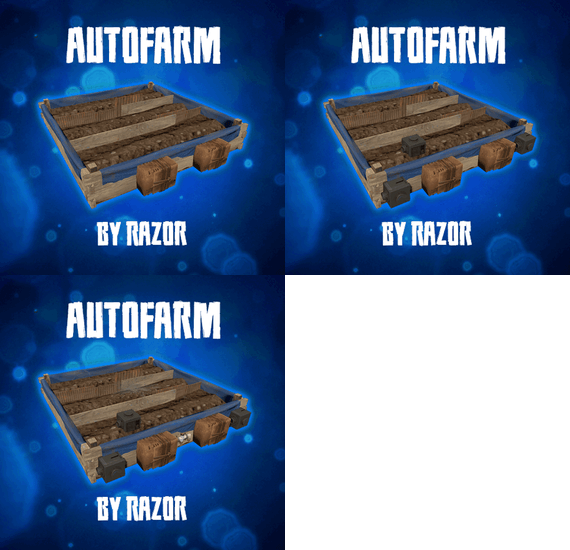
Auto plant and pick crops in planter. Also auto water or require a water hookup to water.
When crops become ripe it will auto pick them if they have seeds in the box it will replant them in the open space.
The plant and the checks are on timers it can take anywhere from 1 to 10 min before it gets picked / planted.
There are 2 small stashes mounted to the box one will not accept items and that is where the picked items will go.. the other is to place your seeds in.
Hooks
void OnAutoFarmCutting (GrowableEntity, Item, StorageContainer) void OnAutoFarmGathered (GrowableEntity, Item, StorageContainer)
Videos Below Config
{ "Settings": { "Disable autofarm placement by default /autofarm": false, "How far can sprinkler water": 1.0, "Large Box Sprinkler On Soil Saturation Level": 5100, "Large Box Sprinkler OFF Soil Saturation Level": 6000, "Small Box Sprinkler On Soil Saturation Level": 1650, "Small Box Sprinkler OFF Soil Saturation Level": 1750, "Enable for use in plugins that require CallHookOnCollectiblePickup": false, "Enable weed pick from Ganja plugin": false }, "Permission needed and options": { "autofarm.allow": { "How many auto farms they allowed to have": 5, "How many slots in seed container": 6, "How many slots in output container": 6, "Add sprinkler to planter": false, "Sprinkler needs water hookup to work": true, "Add storage adapters": false, "Always Light Exposure 100%": false, "Always Temperature Exposure 100%": false, "Allowed seed itemID's and multiplier amount to get on auto gather": { "803954639": 1, "998894949": 1, "1911552868": 1, "-1776128552": 1, "-237809779": 1, "-2084071424": 1, "-1511285251": 1, "830839496": 1, "-992286106": 1, "-520133715": 1, "838831151": 1, "-778875547": 1, "-1305326964": 1, "-886280491": 1, "1512054436": 1, "1898094925": 1, "2133269020": 1, "1533551194": 1, "390728933": 1, "-798662404": 1, "1004843240": 1, "912235912": 1, "1412103380": 1, "924598634": 1, "-1790885730": 1, "1414245519": 1, "-19360132": 1 }, "Enable cloning with knife": false, "Allowed To Clone And Stage ": { "orchid": "Sapling", "sunflower": "Sapling", "wheat": "Sapling", "rose": "Sapling", "blue_berry": "Sapling", "white_berry": "Sapling", "red_berry": "Sapling", "green_berry": "Sapling", "black_berry": "Sapling", "yellow_berry": "Sapling", "pumpkin": "Sapling", "potato": "Sapling", "hemp": "Sapling", "corn": "Sapling" }, "Available tools And Clone Multiplier": { "1814288539": 0, "-194509282": 0, "2040726127": 0, "-2073432256": 0 } }, "autofarm.vip": { "How many auto farms they allowed to have": 5, "How many slots in seed container": 6, "How many slots in output container": 6, "Add sprinkler to planter": false, "Sprinkler needs water hookup to work": true, "Add storage adapters": false, "Always Light Exposure 100%": false, "Always Temperature Exposure 100%": false, "Allowed seed itemID's and multiplier amount to get on auto gather": { "803954639": 1, "998894949": 1, "1911552868": 1, "-1776128552": 1, "-237809779": 1, "-2084071424": 1, "-1511285251": 1, "830839496": 1, "-992286106": 1, "-520133715": 1, "838831151": 1, "-778875547": 1, "-1305326964": 1, "-886280491": 1, "1512054436": 1, "1898094925": 1, "2133269020": 1, "1533551194": 1, "390728933": 1, "-798662404": 1, "1004843240": 1, "912235912": 1, "1412103380": 1, "924598634": 1, "-1790885730": 1, "1414245519": 1, "-19360132": 1 }, "Enable cloning with knife": false, "Allowed To Clone And Stage ": { "orchid": "Sapling", "sunflower": "Sapling", "wheat": "Sapling", "rose": "Sapling", "blue_berry": "Sapling", "white_berry": "Sapling", "red_berry": "Sapling", "green_berry": "Sapling", "black_berry": "Sapling", "yellow_berry": "Sapling", "pumpkin": "Sapling", "potato": "Sapling", "hemp": "Sapling", "corn": "Sapling" }, "Available tools And Clone Multiplier": { "1814288539": 0, "-194509282": 0, "2040726127": 0, "-2073432256": 0 } }, "autofarm.advanced": { "How many auto farms they allowed to have": 10, "How many slots in seed container": 12, "How many slots in output container": 12, "Add sprinkler to planter": true, "Sprinkler needs water hookup to work": false, "Add storage adapters": true, "Always Light Exposure 100%": false, "Always Temperature Exposure 100%": false, "Allowed seed itemID's and multiplier amount to get on auto gather": { "803954639": 1, "998894949": 1, "1911552868": 1, "-1776128552": 1, "-237809779": 1, "-2084071424": 1, "-1511285251": 1, "830839496": 1, "-992286106": 1, "-520133715": 1, "838831151": 1, "-778875547": 1, "-1305326964": 1, "-886280491": 1, "1512054436": 1, "1898094925": 1, "2133269020": 1, "1533551194": 1, "390728933": 1, "-798662404": 1, "1004843240": 1, "912235912": 1, "1412103380": 1, "924598634": 1, "-1790885730": 1, "1414245519": 1, "-19360132": 1 }, "Enable cloning with knife": false, "Allowed To Clone And Stage ": { "orchid": "Sapling", "sunflower": "Sapling", "wheat": "Sapling", "rose": "Sapling", "blue_berry": "Sapling", "white_berry": "Sapling", "red_berry": "Sapling", "green_berry": "Sapling", "black_berry": "Sapling", "yellow_berry": "Sapling", "pumpkin": "Sapling", "potato": "Sapling", "hemp": "Sapling", "corn": "Sapling" }, "Available tools And Clone Multiplier": { "1814288539": 0, "-194509282": 0, "2040726127": 0, "-2073432256": 0 } } }, "Version": { "Major": 3, "Minor": 1, "Patch": 4 } }
- #auto plant
- #auto farm
- (and 5 more)
-

$15.99
Cargo Plane Crash
Adds a cargo plane crash event to your server. The crash site is guarded by NPCs that patrol the area and can chase players.
You can also set up custom loot using the "SimpleLootTable" plugin.
Features:
Support for third-party plugins Great customization options in the config
Console commands:
callcargoplane - force the event to start callcargoplane {steamID/name} - the event will be reserved for one player crashcargoplane - force a cargo plane to crash cpc_stop - force the event to end
Chat commands(need admin privileges):
showcrashzone - displays the crash area setcrashzonecenter - set the center of the crash zone to where the player is callcargoplane - force the event to start callcargoplane {steamID/name} - the event will be reserved for one player crashcargoplane - force a cargo plane to crash cpc_calltome - force an event to start (the cargo plane will go to the player's coordinates) cpc_stop - force the event to end cpc_add_crashzone - adds a new zone at the location where the player is, can be used if you use multiple zones(you can set the name and radius - /cpc_add_crashzone "name" "radius") Hooks:
void CargoPlaneCrashStarted() // called when the event starts
void CargoPlaneCrashCrashed() // called when a cargo plane crashes
void CargoPlaneCrashEnded() // called when the event ends
void CargoPlaneCrashEventWinner(BasePlayer player) // called when a player loots any crate first
CargoPlaneCrash config:
{ "PVE mode (crates can only be looted by the player who first dealt damage to the NPC)": false, "Give event ownership to the owner's teammates if he is no longer the owner. Only if teammates are within the event radius (for PVE mode)": true, "Radius for event(for PVE mode)": 380, "Create a dome for PVE mode": false, "Dome transparency (the higher the value, the darker the dome, recommended 4)": 4, "Time after which the owner of the event will be deleted if he left the dome or left the server (for PVE mode)": 300, "Message when a player enters the event dome(only for PVE mode if there is a dome)": "You have entered the Cargo Plane Crash Event", "Message when the event owner leaves the event dome (only for PVE mode if there is a dome)": "Return to the event dome, otherwise after 300 seconds you will no longer be the owner of this event", "Do not allow other players into the event(only for PVE mode if there is a dome) Be careful, if the crash site is near the player's base and the player is not the owner of the event, he will be ejected from his base outside the dome": false, "Message when a player is ejected from the event dome(only for PVE mode if there is a dome)": "You cannot be here, you are not the owner of this event", "Allow admin to be in event dome (only for PVE mode if there is a dome)": true, "Triggering an event by timer (disable if you want to trigger the event only manually)": true, "Time to event start(in seconds)": 3600.0, "Random time to event start": false, "Minimum time to event start(in seconds)": 600, "Maximum time to event start(in seconds)": 10800, "CargoPlane speed(recommended 4 to 6)": 5.0, "Minimum amount of online players to trigger the event": 1, "Minimum crates amount(spawn after crash)": 1, "Maximum crates amount(spawn after crash)": 1, "Crate simple loot table name(plugin SimpleLootTable is required)": "", "Minimum number of items in a crate(plugin SimpleLootTable is required)": 0, "Maximum number of items in a crate(plugin SimpleLootTable is required)": 0, "Crates lifetime(in seconds). The crate will not be destroyed if it has been activated": 3600, "Crates timer(in seconds)": 900, "Remove crates after being looted by a player(in seconds)": 300, "Minimum airdrops amount(spawn after crash)": 1, "Maximum airdrops amount(spawn after crash)": 1, "Airdrop simple loot table name(plugin SimpleLootTable is required)": "", "Minimum number of items in an airdrop(plugin SimpleLootTable is required)": 0, "Maximum number of items in an airdrop(plugin SimpleLootTable is required)": 0, "Airdrops lifetime(in seconds)": 3600, "Fireballs amount(spawn after crash)": 5, "Passengers amount(spawn after crash)": 2, "Explosion marker on the map(spawn after crash)": true, "Explosion marker lifetime(in seconds)": 300, "Enable signal smoke(spawn after crash)": true, "Signal smoke lifetime(in seconds, max 214)": 214, "Map size(crash zone size), you can see the zone, use the chat command /showcrashzone": 4500.0, "Starting altitude, defaults to map size, can be increased if cargo plane hits high ground(no more than 10000 recommended)": 4500.0, "Crash zone center. Use chat command /setcrashzonecenter to set to player position. You can check crash zone center, use the chat command /showcrashzone": { "x": 0.0, "y": 0.0, "z": 0.0 }, "Use multiple zones": false, "Select a zone from the list sequentially(if false, then the crash zone will be chosen randomly)": false, "Zones list": [ { "name": "0", "radius": 300, "center": { "x": -300.0, "y": 0.0, "z": 0.0 } }, { "name": "1", "radius": 200, "center": { "x": 100.0, "y": 0.0, "z": 0.0 } } ], "Event message(if empty, no message will be displayed)": "CargoPlane event started", "Crash message(if empty, no message will be displayed)": "Cargo plane crashed", "Event end message(if empty, no message will be displayed)": "CargoPlaneCrash event ended", "Message about coordinates(will display the coordinates of the crash site. If empty, no message will be displayed)": "", "Kit name(you can use kits for passengers if you have Kits plugin)": "", "Passenger name": "Mister bot", "Use NPC prefab for passengers": false, "Minimum NPCs amount(spawn after crash)": 2, "Maximum NPCs amount(spawn after crash)": 2, "NPCs lifetime(in seconds)": 3600, "NPCs type(NPCs prefab, experimental setting, it is not known how the NPCs will behave) 0 - tunneldweller; 1 - underwaterdweller; 2 - excavator; 3 - full_any; 4 - lr300; 5 - mp5; 6 - pistol; 7 - shotgun; 8 - heavy; 9 - junkpile_pistol; 10 - oilrig; 11 - patrol; 12 - peacekeeper; 13 - roam; 14 - roamtethered; 15 - bandit_guard; 16 - cargo; 17 - cargo_turret_any; 18 - cargo_turret_lr300; 19 - ch47_gunner": 8, "NPCs health(0 - default)": 0, "NPCs damage multiplier": 1.0, "NPCs accuracy(the lower the value, the more accurate, 0 - maximum accuracy)": 2.0, "NPCs attack range": 75.0, "Radius of chasing the player(NPCs will chase the player as soon as he comes closer than the specified radius, must be no greater than the attack range)": 60.0, "Minimum distance to NPC damage": 75.0, "Message if the player attacks far away NPCs": "NPC is too far away, he doesn't take damage", "Kit for NPCs. The NPC will use the weapon that is in the first slot of the belt(requires Kits plugin)": "", "Default displayName for NPC(for SimpleKillFeed/DeathNotes plugin)": "Crashsite NPC", "List of displayNames for each NPC(for SimpleKillFeed/DeathNotes plugin)": [ "Crashsite NPC1", "Crashsite NPC2", "Crashsite NPC3" ], "Will NPCs attack zombies": true, "Remove NPC corpses": false, "Prohibit building near the crash site": false, "Building prohibition radius": 20.0, "How long construction is prohibited near the crash site(in seconds)": 1800, "Event marker on the map(spawn an event marker at the crash site)": false, "Display approximate end time of event on marker": false, "Event marker name": "Cargo plane crash site", "Event marker lifetime(in seconds)": 3600, "Event marker transparency(0-1)": 0.75, "Event marker radius": 0.5, "Event marker color.R(0-1)": 1.0, "Event marker color.G(0-1)": 0.0, "Event marker color.B(0-1)": 0.0, "Do not spawn crates and NPCs when a cargo plane falls under water (if the water depth is greater than)": 0.5, "Do not choose a crash site near monuments": false, "If possible, the crash site will not be chosen near player bases": true, "SteamID for chat message icon": 0, "Complete the event if all crates were destroyed after looting": false, "Use Notify plugin for messages": false, "Notify message type": 0 }- #event
- #cargoplane
- (and 18 more)
-
$15.99
Airfield Event
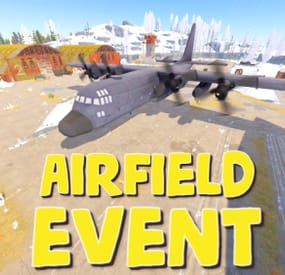
Adds an airfield event to your server! A cargo plane lands on the airfield and drops airdrops, boxes. Strong NPCs, Bradley and a patrol helicopter will protect the crates
You can also set up custom loot using the "SimpleLootTable" plugin
Features:
Easy to set up. Excellent customization options in the config
Commands(admin only):
afestart - force the event to start
afestart {steamID/name} - the event will be reserved for one player
afefast - quick landing of a cargo plane, for testing settings
afefast {steamID/name} - quick landing of a cargo plane, the event will be reserved for one player
afestop - cause the event to end
afe_addcustom - adds a custom landing place for a cargo plane. You must stand on level ground and look in the direction where the cargo plane will move(do not forget to set in the config file "Use a custom place to land a cargo plane": true)
Hooks:
void AirfieldEventStarted() - called when the event starts
void AirfieldEventEnded() - called when the event has ended
void AirfieldEventWinner(BasePlayer player) - called when a player loots any crate first
AirfieldEvent config:
{ "PVE mode (crates can only be looted by the player who first dealt damage to the NPC)": false, "Time after which the owner of the event will be deleted if he left the dome or left the server (for PVE mode)": 300, "Give event ownership to the owner's teammates if he is no longer the owner. Only if teammates are within the event radius (for PVE mode)": true, "Radius for event(for PVE mode)": 380, "Create a dome for PVE mode": false, "Dome transparency (the higher the value, the darker the dome, recommended 4)": 4, "Dome offset": { "x": 0.0, "y": 0.0, "z": 30.0 }, "Do not allow other players into the event(only for PVE mode if there is a dome)": false, "Allow admin to be in event dome (only for PVE mode if there is a dome)": true, "Triggering an event by timer (disable if you want to trigger the event only manually)": true, "Minimum time to event start(in seconds)": 3600, "Maximum time to event start(in seconds)": 7200, "Event duration(In seconds. Time is calculated from the moment the cargo is dropped by the plane at the airfield)": 3600, "End the event early if all crates were completely looted and all NPCs were killed(including Bradley and Heli)": true, "Minimum number of online players to trigger an event": 1, "Minimum drops amount(minimum number of cargo spawns after plane landing, should not be less than 1)": 2, "Maximum drops amount(maximum number of cargo spawns after plane landing, should not be less than 1, maximum 10)": 4, "Minimum crates amount(spawn every cargo drop)": 1, "Maximum crates amount(spawn every cargo drop)": 1, "Crate simple loot table name(plugin SimpleLootTable is required)": "", "Minimum number of items in a crate(plugin SimpleLootTable is required)": 0, "Maximum number of items in a crate(plugin SimpleLootTable is required)": 0, "Remove crates after being looted by a player(in seconds)": 300, "Extend event duration if NPCs, Heli or Bradley is attacked (if less time left, extend to set time (in seconds))": 600, "Crates timer(in seconds)": 900, "Minimum airdrops amount(spawn every cargo drop)": 1, "Maximum airdrops amount(spawn every cargo drop)": 1, "Airdrop simple loot table name(plugin SimpleLootTable is required)": "", "Minimum number of items in an airdrop(plugin SimpleLootTable is required)": 0, "Maximum number of items in an airdrop(plugin SimpleLootTable is required)": 0, "Minimum NPCs amount(spawn every cargo drop)": 1, "Maximum NPCs amount(spawn every cargo drop)": 2, "NPCs type(NPCs prefab, experimental setting, it is not known how the NPCs will behave) 0 - tunneldweller; 1 - underwaterdweller; 2 - excavator; 3 - full_any; 4 - lr300; 5 - mp5; 6 - pistol; 7 - shotgun; 8 - heavy; 9 - junkpile_pistol; 10 - oilrig; 11 - patrol; 12 - peacekeeper; 13 - roam; 14 - roamtethered; 15 - bandit_guard; 16 - cargo; 17 - cargo_turret_any; 18 - cargo_turret_lr300; 19 - ch47_gunner": 8, "NPCs health(0 - default)": 0, "NPCs damage multiplier": 1.0, "NPCs accuracy(the lower the value, the more accurate, 0 - maximum accuracy)": 2.0, "NPCs attack range": 75.0, "Radius of chasing the player(NPCs will chase the player as soon as he comes closer than the specified radius, must be no greater than the attack range)": 60.0, "Minimum distance to NPC damage": 75.0, "Forcibly immobilize an NPC": false, "Method of distribution of kits for NPCs(1 - sequentially, 2 - repeating, 3 - randomly)": 1, "List of kits for NPC(requires Kits plugin)": [ "kit1", "kit2", "kit3" ], "Default displayName for NPC(for SimpleKillFeed/DeathNotes plugin)": "Airfield NPC", "List of displayNames for each NPC(for SimpleKillFeed/DeathNotes plugin)": [ "Airfield NPC1", "Airfield NPC2", "Airfield NPC3" ], "Chance of an NPC throwing a grenade(0-100%) Only if the NPC loses sight of the player, if the player is in a vehicle, if the player is trying to search crates": 50, "NPC grenade damage scale": 1.0, "Will the NPC take damage from a collision with a car": true, "Will NPCs attack zombies": true, "Remove NPC corpses": false, "Patrol helicopter spawn chance (0 - 100%)": 50, "Call the helicopter only after activating the hackable crate": false, "How long the helicopter will patrol the airfield (in minutes)": 5, "Helicopter damage multiplier": 1.0, "Helicopter health": 10000.0, "Helicopter main rotor health": 900.0, "Helicopter tail rotor health": 500.0, "The patrol helicopter will not patrol the airfield if it has found a target": true, "Spawns a helicopter right on the airfield(if false, then the helicopter will arrive from afar in a few seconds)": false, "Helicopter patrol range": 150, "Event marker on the map(will spawn a marker immediately after the start of the event)": false, "If true, spawn the marker only after the plane lands": true, "Event marker name": "Airfield event", "Display on the marker how much time is left until the end of the event": true, "Event marker transparency(0-1)": 0.75, "Event marker radius": 0.5, "Event marker color.R(0-1)": 1.0, "Event marker color.G(0-1)": 0.0, "Event marker color.B(0-1)": 0.0, "Use a custom place to land a cargo plane": false, "Custom place position": { "x": 0.0, "y": 0.0, "z": 0.0 }, "Custom place rotation": { "x": 0.0, "y": 0.0, "z": 0.0 }, "Use custom navmesh (enable if using custom airfield and getting NPC navmesh error)": false, "BradleyAPC spawn chance (0 - 100%) If you are not using a custom map, correct operation of BradleyAPC is not guaranteed. Use the default airfield or a landing spot that is similar to the default airfield": 50, "BradleyAPC bullet damage": 7.0, "BradleyAPC health": 1000.0, "Notification type for the Notify plugin (-1 does not use Notify)": -1, "Notice message type (0 or 1, -1 do not use notice messages)": -1, "SteamID for chat message icon": 0, "Number of points for the winner(only for ServerRewards plugin)": 0, "Number of skill points for the winner(only for Skill Tree plugin)": 0, "Drone Ban Radius (0 - not used)": 0.0, "Damage drones take when near an event(every 5 seconds)": 50.0 }