
BellaaGaming's Wishlist
-
$20.00
Cargo Convoy Event
The Cargo Convoy plugin creates a Cargo Ship with three different levels of defensive escorts. In addition to this, the Cargo ship is equipped with a samsite, an autoturret, and a raidable door. If any of the escort ship's captains dies, that ship will stop. If the someone kills the Cargo ship's captain, the Cargo will stop, and if the PveMode plugin is enabled, they will become the owner of the event.
Supports the PveMode plugin.
Console Commands:
ccstart (random difficult event started)
ccstart.easy
ccstart.medium
ccstart.hard
ccstop
Contact:
Additional free plugins created by me are available on Discord: https://discord.gg/C5CehdJMdK
If you want to try out this plugin, you can do so on the test server. IP: 212.73.137.3:27195
My public Rust server IP: 136.243.135.46:28050
Video:
Config:
{ "Plugin version": { "Major": 1, "Minor": 0, "Patch": 0 }, "Automatic event start": true, "Minimum time for event start": 3600.0, "Maximum time for event start": 7200.0, "Duration of the event": 3600.0, "Warning messages before event start": 300.0, "Warning messages before event end": 300.0, "Facepunch cargoship event enabled?": false, "Chat icon": 0, "Event Locked crates hack time": 900.0, "Autoturret setting Easy difficult": { "Health": 200.0, "Weapon ShortName": "smg.2", "Ammo ShortName": "ammo.pistol", "Number of ammo": 5000 }, "Autoturret setting Medium difficult": { "Health": 300.0, "Weapon ShortName": "rifle.lr300", "Ammo ShortName": "ammo.rifle", "Number of ammo": 5000 }, "Autoturret setting Hard difficult": { "Health": 400.0, "Weapon ShortName": "rifle.ak", "Ammo ShortName": "ammo.rifle", "Number of ammo": 5000 }, "Medium difficult door setting.": { "Door SkinID (0 - default, TugBoat and Medium difficult only use Sheet Metal Door skinID, Hard difficult only use Armored Door skinID! )": 1443957299, "Door Health": 250.0 }, "Hard difficult door setting.": { "Door SkinID (0 - default, TugBoat and Medium difficult only use Sheet Metal Door skinID, Hard difficult only use Armored Door skinID! )": 1130245250, "Door Health": 1000.0 }, "TugBoat door setting.": { "Door SkinID (0 - default, TugBoat and Medium difficult only use Sheet Metal Door skinID, Hard difficult only use Armored Door skinID! )": 1447958101, "Door Health": 250.0 }, "Elit crates setting on Easy difficult": { "Delete the Rust loottable loot?": false, "Add custom loot?": false, "CustomLoot": { "Minimum items": 1, "Maximum items": 1, "Use minimum - maxium?": false, "List of items": [ { "ShortName": "xmas.present.small", "Minimum": 3, "Maximum": 6, "Chance": 100.0, "Give blueprint?": false, "SkinID": 0, "Displayname": "" } ] } }, "Elit crates setting on Medium difficult": { "Delete the Rust loottable loot?": false, "Add custom loot?": false, "CustomLoot": { "Minimum items": 1, "Maximum items": 1, "Use minimum - maxium?": false, "List of items": [ { "ShortName": "xmas.present.small", "Minimum": 3, "Maximum": 6, "Chance": 100.0, "Give blueprint?": false, "SkinID": 0, "Displayname": "" } ] } }, "Locked crates setting on Medium difficult": { "Delete the Rust loottable loot?": false, "Add custom loot?": false, "CustomLoot": { "Minimum items": 1, "Maximum items": 1, "Use minimum - maxium?": false, "List of items": [ { "ShortName": "xmas.present.small", "Minimum": 3, "Maximum": 6, "Chance": 100.0, "Give blueprint?": false, "SkinID": 0, "Displayname": "" } ] } }, "Elit crates setting on Hard difficult": { "Delete the Rust loottable loot?": false, "Add custom loot?": false, "CustomLoot": { "Minimum items": 1, "Maximum items": 1, "Use minimum - maxium?": false, "List of items": [ { "ShortName": "xmas.present.small", "Minimum": 3, "Maximum": 6, "Chance": 100.0, "Give blueprint?": false, "SkinID": 0, "Displayname": "" } ] } }, "Locked crates setting on Hard difficult": { "Delete the Rust loottable loot?": false, "Add custom loot?": false, "CustomLoot": { "Minimum items": 1, "Maximum items": 1, "Use minimum - maxium?": false, "List of items": [ { "ShortName": "xmas.present.small", "Minimum": 3, "Maximum": 6, "Chance": 100.0, "Give blueprint?": false, "SkinID": 0, "Displayname": "" } ] } }, "Elit crates setting on TugBoats": { "Delete the Rust loottable loot?": false, "Use custom loot?": false, "CustomLoot": { "Minimum items": 1, "Maximum items": 1, "Use minimum - maxium?": false, "List of items": [ { "ShortName": "xmas.present.small", "Minimum": 3, "Maximum": 6, "Chance": 100.0, "Give blueprint?": false, "SkinID": 0, "Displayname": "" } ] } }, "Setting the Captains": { "Name": "Captain", "Health": 300.0, "Attack Range Multiplier": 1.0, "Target Memory Duration [sec.]": 20.0, "Scale damage": 0.7, "Aim Cone Scale": 1.5, "Sense Range": 0.0, "Wear items": [ { "ShortName": "shoes.boots", "SkinID (0 - default)": 2454376365 }, { "ShortName": "burlap.trousers", "SkinID (0 - default)": 3027295270 }, { "ShortName": "burlap.shirt", "SkinID (0 - default)": 3027301658 }, { "ShortName": "burlap.gloves", "SkinID (0 - default)": 2454377972 }, { "ShortName": "hat.boonie", "SkinID (0 - default)": 3112171056 } ], "Belt items": [ { "ShortName": "syringe.medical", "Amount": 3, "SkinID (0 - default)": 0, "Mods": [], "Ammo": "" } ] }, "Setting the EASY Npc's": { "Name": "Cargo Soldier", "Health": 125.0, "Attack Range Multiplier": 4.0, "Target Memory Duration [sec.]": 20.0, "Scale damage": 0.7, "Aim Cone Scale": 1.5, "Sense Range": 150.0, "Wear items": [ { "ShortName": "shoes.boots", "SkinID (0 - default)": 800967386 }, { "ShortName": "pants", "SkinID (0 - default)": 681804489 }, { "ShortName": "hoodie", "SkinID (0 - default)": 963496340 }, { "ShortName": "burlap.gloves", "SkinID (0 - default)": 0 }, { "ShortName": "wood.armor.pants", "SkinID (0 - default)": 0 }, { "ShortName": "wood.armor.jacket", "SkinID (0 - default)": 0 }, { "ShortName": "bucket.helmet", "SkinID (0 - default)": 2929522461 } ], "Belt items": [ { "ShortName": "smg.thompson", "Amount": 1, "SkinID (0 - default)": 0, "Mods": [ "weapon.mod.flashlight", "weapon.mod.holosight" ], "Ammo": "" }, { "ShortName": "pistol.m92", "Amount": 1, "SkinID (0 - default)": 0, "Mods": [], "Ammo": "" }, { "ShortName": "syringe.medical", "Amount": 3, "SkinID (0 - default)": 0, "Mods": [], "Ammo": "" } ] }, "Setting the MEDIUM Npc's": { "Name": "Cargo Soldier", "Health": 200.0, "Attack Range Multiplier": 4.0, "Target Memory Duration [sec.]": 20.0, "Scale damage": 0.7, "Aim Cone Scale": 1.5, "Sense Range": 150.0, "Wear items": [ { "ShortName": "shoes.boots", "SkinID (0 - default)": 3251246600 }, { "ShortName": "pants", "SkinID (0 - default)": 3246192739 }, { "ShortName": "hoodie", "SkinID (0 - default)": 3246191692 }, { "ShortName": "burlap.gloves", "SkinID (0 - default)": 0 }, { "ShortName": "roadsign.kilt", "SkinID (0 - default)": 3260691772 }, { "ShortName": "roadsign.jacket", "SkinID (0 - default)": 3260693328 }, { "ShortName": "coffeecan.helmet", "SkinID (0 - default)": 3260694842 } ], "Belt items": [ { "ShortName": "smg.mp5", "Amount": 1, "SkinID (0 - default)": 0, "Mods": [ "weapon.mod.flashlight", "weapon.mod.holosight" ], "Ammo": "" }, { "ShortName": "syringe.medical", "Amount": 3, "SkinID (0 - default)": 0, "Mods": [], "Ammo": "" } ] }, "Setting the HARD Npc's": { "Name": "Cargo Soldier", "Health": 350.0, "Attack Range Multiplier": 4.0, "Target Memory Duration [sec.]": 20.0, "Scale damage": 0.7, "Aim Cone Scale": 1.5, "Sense Range": 180.0, "Wear items": [ { "ShortName": "shoes.boots", "SkinID (0 - default)": 2936561559 }, { "ShortName": "pants", "SkinID (0 - default)": 2933205831 }, { "ShortName": "hoodie", "SkinID (0 - default)": 2933205232 }, { "ShortName": "burlap.gloves", "SkinID (0 - default)": 2936561057 }, { "ShortName": "roadsign.kilt", "SkinID (0 - default)": 1624102935 }, { "ShortName": "metal.plate.torso", "SkinID (0 - default)": 2601631390 }, { "ShortName": "metal.facemask", "SkinID (0 - default)": 2601630796 } ], "Belt items": [ { "ShortName": "rifle.lr300", "Amount": 1, "SkinID (0 - default)": 0, "Mods": [ "weapon.mod.flashlight", "weapon.mod.holosight" ], "Ammo": "" }, { "ShortName": "rocket.launcher", "Amount": 1, "SkinID (0 - default)": 0, "Mods": [], "Ammo": "" }, { "ShortName": "syringe.medical", "Amount": 3, "SkinID (0 - default)": 0, "Mods": [], "Ammo": "" } ] }, "NPC Turret Damage Multiplier": 1.0, "Messages setting": { "GameTip message": "Cargo Convoy Inbound", "Message before the event starts.": "<color=#ff0000>Cargo Convoy</color> will start soon", "Message before the event stop.": "Cargo Convoy will end soon!!", "Message when someone stopped Cargo Convoy": "Someone stopped the Cargo Convoy", "Start message": "Cargo Convoy Event start! Kill the <color=#2296ff>Cargo Captain</color> to stop the cargo convoy and you will be the event owner", "Stop message": "Cargo Convoy Event end!", "Map marker name": "Cargo Convoy", "Map marker radius": 0.6, "Color": { "r": 1.0, "g": 0.0, "b": 0.0 } }, "PVE Mode Setting (only for users PveMode plugin)": { "Use PveMode plugin?": false, "Non owner can loot the crates?": false, "Non owner can loot the Npc's?": false, "Non owner can damage Npc's?": false, "Non owner can be attacked by Npc's?": false, "Non owner, can you enter the event zone?": false, "Allow a player who has an active cooldown of the Event Owner to enter the event zone?": true, "The time that the Event Owner may not be inside the event zone.": 300, "The time until the event owner can return to the event zone.": 60, "Block the RestoreUponDeath plugin in the event zone.": true, "After all this time, an event owner can be an event owner again.": 86400.0, "Darkening the sphere.": 15 } }
-
.thumb.png.c7f4bb064c82c82a091c981534225577.png)
$29.99
Armored Train
New Year Update
The New Year is coming and I have prepared for you a new preset customization for the train!After installing the update, customization will be automatically applied to all cars in the configuration of the armored train. To disable this, make the "Customization preset" parameter empty in the config.
You can also disable the customization of certain wagons or change the customization of the NPCs in the file oxide/data/ArmoredTrain/NewYear
New Year's map from the video:
Halloween Update
Have you already prepared your server for Halloween?
On the eve of the Halloween Rust update, I have prepared for customization of all armored train cars.
After installing the update, customization will be automatically applied to all cars in the configuration of the armored train. To disable this, make the "Customization preset" parameter empty in the config.
This plugin will add an armored train to your server, which can travel both in the subway and by rail.
It can consist of any number of wagons. A helicopter can accompany it.
Bradley, npc, turrets, simsites can be installed on the train.
The plugin allows you to create any number of train presets, for which the order of wagons, the helicopter preset, the probability of spawn and the duration of patrolling can be specified. Each wagon or locomotive can be configured separately. Any speed can be set by the locomotive.If there is no spawn of trains on the surface on your custom map, read the section "Custom spawn points”
Custom spawn points
If you are using a custom map in which there are no spawn trains on the surface, but there is a railway, then for the train to work on the surface, you need to add custom spawn points of the train.
Instruction:
Stand at the point where you want the train to spawn Enter the command /atrainpoint If you receive a message that a point has been created, enable "Use custom spawn coordinates [true/false]” in config For correct operation, it is recommended to create several spawn points of the train
Chat commands (only for administrators)
/atrainstart– launches the event in a random configuration /atrainstartunderground - forcibly launches an event underground /atrainstartaboveground - forcibly launches an event aboveground /atrainstart <trainPresetName> – launches the event in the <trainPresetName> configuration /atrainstartunderground <trainPresetName> /atrainstartaboveground <trainPresetName> /atrainstop– stops the event /atrainpoint– creates a custom spawn point of the train in your position
Console commands (RCON only)
atrainstart– launches the event in a random configuration atrainstartunderground - forcibly launches an event underground atrainstartaboveground - forcibly launches an event aboveground atrainstart <trainPresetName> – launches the event in the <trainPresetName> configuration atrainstartunderground <trainPresetName> atrainstartaboveground <trainPresetName> atrainstop – stops the event
Config
en – example of plugin configuration in English ru – example of plugin configuration in Russian
Dependencies (optional, not required)
True PVE PveMode GUI Announcements Notify DiscordMessages AlphaLoot CustomLoot Economics Server Rewards IQEconomic Api
bool IsArmoredTrainActive() bool StopArmoredTrain() bool StartArmoredTrainEvent() bool EndArmoredTrainEvent() bool IsTrainBradley(uint netID) bool IsTrainHeli(uint netID) bool IsTrainCrate(uint netID) bool IsTrainSamSite(uint netID) bool IsTrainWagon(uint netID) bool IsTrainTurret(uint netID) Vector3 ArmoredTrainLocomotivePosition()
Hooks
OnArmoredTrainEventStart OnArmoredTrainEventStop
Contact me in Discord: Adem#955
-
$14.99
Furnace Upgrades
By Iftebinjan in Plugins
Upgrades your furnaces, ovens, refinery, mixing table & etc to beyond.
⭐ Key Features
Upgrade each attribute of your furnace; Supports different oven types; It is possible to define default attributes for all ovens on the server; You can set a default value for all base ovens (replacing quicksmelt); You can enable/disable any features you want; Option to keep attributes when removing the furnace; Option to auto split ores; Automatic fuel calc based on the upraded oven attributes; Now BBQ and Campfire can also be improved; Option so that only the furnace owner can upgrade it; Option so that only owner's teammates can upgrade it; A new completely redesigned UI; NEW Supports Mixing Table 🎬 Video Showcase
📜 Permissions
furnaceupgrades.use - This is the unique permission. required for all players to upgrade furnaces ⚙️ Configuration
💬 Support
-
$19.95$11.95Skip Night
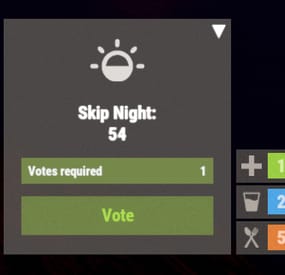
The best plugin that allows you to skip the night on the server. In addition to instant night skipping, you can use night acceleration. You can turn on white nights (under the full moon). Your players will love it!
Features:
Beautiful interface Voting is automatic (at the specified time in the config, without a command) Easy customization (time settings, text, interface, colors, etc.) Speeding up the day Speeding up the night White Nights (Full Moon)
Commands
sn.admin start_manually – Start voting manually
Permissions
skipnight.admin - for command "sn.admin"
Video:
FAQ:
Where can I ask questions/get help quickly? My Discord: Mevent#4546
How do I turn on the full moon? 1. Enable nights with a full moon in the config.
"Night with a full moon": true, 2. Configure the dates of the full moon in the config (you can get them from https://www.timeanddate.com/moon/phases/usa/new-york?year=2024)
"Full Moon Dates": [ "2024-01-25T00:00:00", "2024-02-24T00:00:00", "2024-03-25T00:00:00", "2024-04-23T00:00:00", "2024-05-23T00:00:00", "2024-06-21T00:00:00", "2024-07-21T00:00:00", "2024-08-19T00:00:00", "2024-09-17T00:00:00", "2024-10-17T00:00:00", "2024-11-15T00:00:00", "2024-12-15T00:00:00" ]
Config
{ "Time Settings": { "Day Start": "06:00", "Night Start": "18:00", "Voting time": 60, "Voting start time (time to check)": "20:00", "Time until which hour the voting will take place (time to check)": "21:00", "Time after voting (to which the night passes)": "08:00", "Fast skip the night": true, "Length of the night (minutes)": 5.0, "Length of the FAST night (minutes)": 2.0, "Length of the day (minutes)": 45.0, "Night with a full moon": true, "Full Moon Dates": [ "2024-01-25T00:00:00", "2024-02-24T00:00:00", "2024-03-25T00:00:00", "2024-04-23T00:00:00", "2024-05-23T00:00:00", "2024-06-21T00:00:00", "2024-07-21T00:00:00", "2024-08-19T00:00:00", "2024-09-17T00:00:00", "2024-10-17T00:00:00", "2024-11-15T00:00:00", "2024-12-15T00:00:00" ] }, "UI Settings": { "Destroy Time": 5.0, "Show Image?": true, "Image": "https://i.imgur.com/uNSAY42.png", "Image Width": 42.0, "Image Height": 33.0, "Image Up Indent": 16.0, "Left Indent": 212.0, "Bottom Indent": 16.0, "Width": 178.0, "Height for default version": 82.0, "Height for unfolded version": 184.0, "Background Color": { "HEX": "#F8EBE3", "Opacity (0 - 100)": 4.0 }, "Background Materal": "assets/content/ui/uibackgroundblur-ingamemenu.mat", "Voting Button": { "Width": 150.0, "Height": 30.0, "Bottom Indent": 15.0 }, "Progress Bar": { "Width": 150.0, "Height": 20.0, "Bottom Indent": 55.0 }, "Colors": { "Color 1": { "HEX": "#ABE04E", "Opacity (0 - 100)": 100.0 }, "Color 2": { "HEX": "#595651", "Opacity (0 - 100)": 75.0 }, "Color 3": { "HEX": "#74884A", "Opacity (0 - 100)": 95.0 }, "Color 4": { "HEX": "#FFFFFF", "Opacity (0 - 100)": 100.0 } } }, "Votes Settings": { "Number of votes": 5, "Use a percentage of the online?": true, "Percentage of the online": 30.0 } }
-
$11.99
WTrading
WTrading is a highly optimized and feature-packed trading system designed to make item exchanges seamless and efficient. Players can trade from anywhere on the map using Rust's built-in shopfront loot menu, providing a polished and intuitive interface. Server owners have full control with extensive configuration options, including trade restrictions, custom fees, logging, and third-party integrations to fine-tune the trading experience.
The system is built for flexibility and security, ensuring safe transactions with anti-exploit measures and detailed logging. The optional Discord integration allows administrators to monitor trades in real time, review logs, and issue trade bans directly from Discord, streamlining server management without requiring in-game access. Whether you're running a roleplay economy or a survival-focused server, WTrading delivers a powerful and customisable solution for player-to-player trading.
Features
Easy and and simple setup. UI based player list with searching. On-screen notifications and sound effects. Fixed and dynamic trade fees based on distance via Economics or Server Rewards. Temporary and permanent trade banning system. Built-in Discord integration with external moderation functionality. Group specific trade cooldowns. Daily limits per group. Trade slot limits and visual indicators. Usage and bypass permissions. Item blacklisting. Configurable distance restrictions. Several toggleable trade restrictions. Many in-depth third party plugin integrations. Configurable UI positioning and visibility. In-depth developer interface. Full localisation support. Toggleable file or console based logging.
Commands
/trade {target} - Sends a trade request to the target. /trade accept [target] - Accepts the most recent trade request, or the target player's request if specified. /trade decline [target] - Declines the most recent trade request, or the target player's request if specified. /trade cancel - Cancels your ongoing trade. /trade ban {target} {time} - Trade bans the target player for the given length which can be set using the following format: 1h 30m 5s. /trade unban {target} - Removes the trade ban from the target player.
Integrations
WTrading includes a vast set of integrations with existing plugins that can be found for free on UMod:
Server Rewards by k1lly0u - Take fees for sending trade requests which can scale based on distance. Economics by MrBlue - Take fees for sending trade requests which can scale based on distance. Clans by k1lly0u - Reduce cooldowns, fees and disable daily trade limits for trades between clan members. No Escape by Calytic - Prevent raid blocked or combat blocked players from trading. UI Notify by Mevent - Receive on-screen notifications that fit the style of your server when a trade request is received. NTeleportation by nivex - Target players in commands easier by using the same Temp ID as NTeleportation. Block Users by ViolationHandler - Prevent players from sending trade requests to people who've blocked them. Ignore by MisterPixie - Allow players to ignore inbound requests from specific people. AFK API by 2CHEVSKII - Prevent confusion from unanswered trade requests sent to AFK people. Monument Finder - Prevent players from trading within monuments.
Permissions
wtrading.use - Allows the player to use trade related commands wtrading.cooldown_bypass - Any player with this permission will bypass the trade cooldown. wtrading.daily_limit_bypass - Any player with this permission will bypass the daily trade limit for their group. wtrading.block_bypass - Any player with this permission will bypass user blocking restrictions. wtrading.ban - Allows the player to issue trade bans with /trade ban {player}. wtrading.ban_immune - Any player with this permission will be immune to trade bans. wtrading.unban - Allows the player to remove trade bans with /trade ban {player}.
Installation
Download the latest version of WTrading. Open the zip file using the archive extraction tool of your choice. Drag and Drop WTrading.cs into oxide/plugins/. (Optional) For those that wish to use the Discord integration, copy WTradingDiscord.cs into the same folder. Generate the configuration files by running the server with the plugin installed. Configure the files located in oxide/config/, refer to the Configuration section for more information on the options available. Reload the plugin using the commands oxide.reload WTrading, and oxide.reload WTradingDiscordif you are using the Discord integration.
Configuration
The following configuration files are available, refer to the inline comments for further explanation:
WTrading.json
WTradingDiscord.json
This configuration file is for users of the Discord integration only.
Developer Hooks
WTrading features a range of hooks that developers can use to modify the behaviour of the plugin:
Localisation
Localising WTrading is simple, if you would like to translate the plugin into your own language follow these steps:
Go to the oxide/lang/ folder of your server after installing the plugin. Copy the English translation from ./en/WTrading.json and paste it into a folder with your language code (for example fr for French). Open the file and change all of the phrases to your language of choice.
Credits
sky - Help with testing and the video demonstration. Plugin.Merge by dassjosh - Singlehandedly making Oxide plugin development bearable. Admin Tools by ViolationHandler.exe - Inspiration for the image generation functionality of the Discord integration.