
AshCrack's Wishlist
-
$4.99
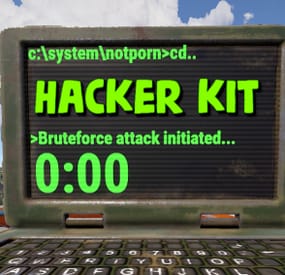
Hacker Kit
Adds hacker kit to the server. Just pick up a geiger counter and use it to hack.
Just get close to the crate and hold the left mouse button.
This plugin uses a geiger counter. Since this is not an item that players can usually get through loot, it is perfect for this purpose.
Just use a plugin like BetterLoot to insert a geiger counter into your loot tables and then any geiger counter picked up by the player can be used as a hacker kit.
Permissions:
hackerkit.use - required to use hacker kit
To assign a permission, use: oxide.grant <user or group> <name or steam id> hackerkit.use
To remove a permission, use: oxide.revoke <user or group> <name or steam id> hackerkit.use
(or just use the permission manager plugin)
Config file:
{ "Hack speed": 10, "Prohibition message": "You don't have permission to use hackerkit", "SFX prefab": "assets/prefabs/gamemodes/objects/capturepoint/effects/capturepoint_progress_beep.prefab" }
- #codelock
- #hackablecrate
- (and 17 more)
-
![More information about "Dynamic Monuments [Jungle Bundle]"](https://codefling.com/cdn-cgi/image/width=285,height=275,quality=80,fit=cover,format=webp/https://codefling.com/uploads/monthly_2026_02/adem_prev_aztec_prev.thumb.jpg.33a76c6b835053171351d3129d5bbe88.jpg)
$39.99
Dynamic Monuments [Jungle Bundle]
‼️Note: This is an add-on, not a standalone plugin. It requires the Dynamic Monuments plugin to be installed (sold separately).
🌴Enhance your Rust world with Jungle Bundle — a rich and immersive monument pack for the Dynamic Monuments plugin!
Explore dense jungle environments and mysterious ancient sites, or configure them to appear in any biome you prefer.
Included in the addon:
7 land monuments 1 coastal location 1 dam 2 modified in-game locations Player-placeable locations:
The Mayan Pyramid The Tree House Eye of the Jungle Eclipse Fort Bone Cape The Ancient Dam Installation Instructions:
Make sure you have the latest version of the Dynamic Monuments plugin installed Move the contents of the data/DynamicMonuments folder from the archive you downloaded into the oxide/data/DynamicMonuments folder on your server Reload the plugin
Check out the rest of my work: Adem's Codefling Library
Join the Mad Mappers Discord!
-
$39.99
Space
The plugin allows players to visit a cold atmospheric Space void of gravity and oxygen, and visit an International Space Station!
A Space Station appears high in the sky, and is surrounded by Meteorites, Spaceships, and Balloons.
There is no gravity in Space, the temperature is very low and there is no oxygen.
You can get to Space by a Spaceship or by a Balloon which also spawn near roads or in loot tables.
The Space Station is guarded by customizable NPCs and a Space Bradley.
Outer Space
Meteorites, Crates, NPCs, Balloons and Spaceships will spawn in Outer Space near the Space Station, the number of each can be configured and customized.
In order to survive in Outer Space, the player will need a Spacesuit.
A Spacesuit can be customized to be any piece of clothing.
In the config you can customize items that will perform the functions of the Spacesuit in whole or in part.
To make space dark for players at any time of the day, use the NightVision plugin
Space Station
The Space Station consists of several compartments that are separated from each other by doors.
Optionally, the doors can be locked and they will need to be raided.
Inside the station there are crates with loot, NPCs, turrets, and fire turrets.
At the end of the corridor there are two doors that open with blue cards and one door that opens with red.
The spawn of the space station can be disabled. All objects on the space station are configured in the Data file of this station
Spaceship
The plugin includes spaceships that can spawn near roads, in Space, or can be added to loot tables.
The ship has separate settings for flying in the normal atmosphere and in zero gravity in Space.
It can shoot torpedoes, which will help the player in capturing the space station.
There are two seats in each spaceship.
Shuttle Control Guide:
Balloon
A balloon is an ordinary balloon with which you can ride into outer space.
The balloon can spawn near roads, in Space, or can be added to loot tables.
Also, this function can be applied to all balloons on the server.
If the balloon is in zero gravity, it can be used as an escape capsule!
If necessary, the player can enter, press a button, and be taken out of Space into the normal atmosphere.
Dependencies Required
NpcSpawn
Chat commands (only for administrators)
/spacestart – launches the event in a random configuration /spacestart <eventPresetName> – launches the event in the <eventPresetName> configuration /spacestop – stops the event /spawnshuttle – spawn the shuttle in your position /spawnaerostat – spawn the aerostat in your position /spacepoint – creates a custom spawn point of the event in your position (after that, you need to enable custom spawn points in the config)
Console commands (RCON only)
spacestart – launches the event in a random configuration spacestart <eventPresetName> – launches the event in the <eventPresetName> configuration spacestop – stops the event givepurplecard <userId> <amount> – gives a space card to a player giveshuttle <userId> <amount> – gives a shuttle to a player giveaerostat <userId> <amount> – gives a shuttle to a player givespacesuit <space_suit_preset> <userId> <amount> – gives <space_suit_preset> to a player
Config
plugin_en – example of plugin configuration in English station_en – example of station configuration in English plugin_ru – example of plugin configuration in Russian station_ru – example of station configuration in Russian
Dependencies (optional, not required)
True PVE PveMode GUI Announcements Notify DiscordMessages AlphaLoot CustomLoot Economics Server Rewards IQEconomic
Hooks
void OnSpaceEventStop() void OnSpaceEventStart()
API
bool IsPositionInSpace(Vector3 position) float GetMinSpaceAltitude() bool IsEventActive()
My Discord: adem9554
Join the Mad Mappers Discord here!
Check out more of my work here!
-
$35.00
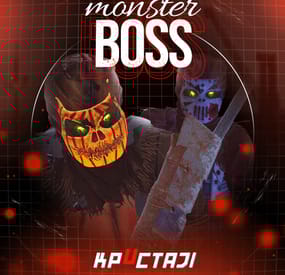
Boss Monster
This plugin adds to the game a variety of NPC bosses with different abilities and a very adaptable configuration
Description
Using this plugin you can add NPC bosses to any point on the map. You can set up any ability with the plugin configuration. If it is necessary, you can add multiple abilities to one boss.
Abilities are divided into two categories, ones take place in a certain radius from the NPC, and others are triggered by damaging from an NPC.
The map also displays the location of the actual bosses (their name and amount of health).
You can give any clothes and weapons for NPCs using the configuration.
Custom Map
Maps that have a configuration for the appearance of boss on their custom monuments
You can also download all these files for all maps here
Dark Ages Blue Tears All files for custom maps are stored in the folder oxide/data/BossMonster/CustomMap. You don't have to delete files from there, the plugin will understand by itself which map is currently installed on the server and will download only the necessary file if there is one in this folder. The plugin will tell you about this process in the console during the plugin loading. It will write in the console what file works on the current map, and what ones don’t work
If you want to create a custom place for the boss to appear on your custom map or on a map that is not in this list, you have to create the ID of this custom map. After that you need to place an item such as a RAND Switch on your map. It must be placed randomly, where it will not be visible to other players. You will get the identifier, if you add up the three coordinates of the position of this object from RustEdit (x, y and z) and write the resulting value in the parameter of your file (an example file can be taken from ready-made files) - ID
As an example, let's take the coordinates (26.896, -456.158, 527.258), then our identifier is 26.896 - 456.158 + 527.258 = 97.996
Then you need to indicate a list of bosses that will appear on your map. You need to copy the configuration data block for each boss. In the database parameters you will specify the name of the boss and a list of positions where it can appear
Dependencies (optional, not required)
GUI Announcements Notify Discord Messages AlphaLoot CustomLoot Economics Server Rewards IQEconomic PveMode
Chat commands (only for administrators)
/WorldPos - displays the actual player’s position on the map
/SavePos <name> - saves a new position to the configuration file for the boss with the name - name, relative to the nearest monument
/SpawnBoss <name> - spawn of the boss with the name - name in the coordinates of the administrator
Console commands (RCON only)
SpawnBoss <name> – spawn of the boss with the name – name
KillBoss <name> – kill all bosses with the name – name
Plugin Config
en - example of plugin configuration in English ru - example of plugin configuration in Russian
Boss Config
en - example of plugin configuration in English ru - example of plugin configuration in Russian
Custom Map Config
en - example of plugin configuration in English ru - example of plugin configuration in Russian
Hooks
void OnBossSpawn(ScientistNPC boss) - сalled when a boss appears on the map
void OnBossKilled(ScientistNPC boss, BasePlayer attacker) - сalled when a player kills a boss
API
ScientistNPC SpawnBoss(string name, Vector3 pos) - spawns a boss named name in position pos
void DestroyBoss(ScientistNPC boss) - destroys the boss
My Discord: KpucTaJl#8923
Join the Mad Mappers Discord here!
Check out more of my work here!
- #abilities
- #boss
- (and 16 more)
-

$5.00$3.00HeavyRig Extended
HeavyRigExtended Adds some more Function to the HeavyRig Plugin. This on its own has no function... you need the Heavyrig Plugin for this.
Function
Ui to give defenders info about rig status ui also shows genaral location of attackers attackers can sabotage ui of defenders and more