ninco90
-
Posts
677 -
Joined
-
Last visited
-
Days Won
4
Content Type
Profiles
Warranty Claims
Downloads
Forums
Store
Services
Downloads Plus Support
DOWNLOADS EXTRA
Everything posted by ninco90
-
I have modified the SimpleKillFeed quite a bit, if you want to see it, let me know in private.
-
 { "ID": 1, "Enabled": true, "Short Name": "Wood", "Grade": "wood", "Img Icon": "https://img.rustspain.com/bettertc/wood.png", "ItemID": -151838493, "SkinID": 0, "Color": false, "Permission Use": "bettertc.updefault" }, { "ID": 9, "Enabled": true, "Short Name": "Legacy Wood", "Grade": "wood", "Img Icon": "https://img.rustspain.com/bettertc/legacywood.png", "ItemID": 0, "SkinID": 10232, "Color": false, "Permission Use": "bettertc.upskin" }, { "ID": 11, "Enabled": true, "Short Name": "Gingerbread", "Grade": "wood", "Img Icon": "https://img.rustspain.com/bettertc/gingerbread.png", "ItemID": 0, "SkinID": 2, "Color": false, "Permission Use": "bettertc.upskin" }, { "ID": 2, "Enabled": true, "Short Name": "Stone", "Grade": "stone", "Img Icon": "https://img.rustspain.com/bettertc/stone.png", "ItemID": -2099697608, "SkinID": 0, "Color": false, "Permission Use": "bettertc.updefault" }, Can you try changing the order of this? It actually makes more sense for legacy wood to be next to wood today. But since it didn't exist before... Regarding the position of the buttons on the screen, the plugin comes pre-set to look good if you don't have Raid Protection. "GUI Buttons TC - AnchorMin": "0.71 0.862", "GUI Buttons TC - AnchorMax": "0.947 0.892", That's how it looks in my demo videos. Now if you use Raid Protection another client has their recommended settings to adjust the buttons well and not overlap each other.
 -
I think you need to move the entire block in the config. That is, in the config, in the json, where the skins are, copy all the content of the skin you want to move and paste it in the order you want. What exactly do you want to order? Wood, Gingerbread, Stone...?
-
Just to let you know, this is already possible with this month's update. As long as it doesn't go outside.
-
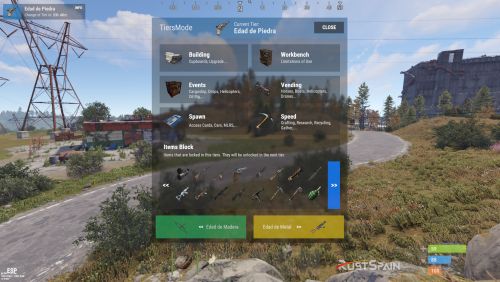 Hello! First of all, sorry for the delay, I don't know why I haven't read this comment before. I'll tell you, in the configuration several tiers are generated by default. You should pay attention to it and make adjustments to your liking. Regarding the deletion when a wipe is done, this plugin is automatically based on the map. Therefore, as soon as it detects a map change, it resets.
 -
 can you confirm if you are using the latest version? 1.5.5 compiles fine for me on my modded server.
 -
I use an older version of that plugin on my server. A buyer recently commented that he seems to be having problems when changing the skin of the TC from the plugin. Apparently Raid Protection is not enabled on the reskinned TC. But this is solved by disabling that feature in BetterTc. That is, it is not possible to change the skin so that the original TC placed by the player is not deleted.
- 419 comments
-
- 1
-

-
- #builder
- #automation
- (and 9 more)
-
Do the items appear but without icons? With the black image library icon? If so, I would recommend refreshing the images with the image library command: refreshallimages and then reload all the plugins that use/have images so that they are downloaded again and hopefully displayed correctly.
-
did you check for updates on the blue button?
- 419 comments
-
- 1
-
-
- #builder
- #automation
- (and 9 more)
-
Curious. I have an old version of that plugin on my server (since I personally liked the way it was designed in the past) and it performs better. Specifically I have 2.1.10 and it recognizes everything well. The problem may be that when you place a cabinet with another skin, what BetterTC does is kill the entity and spawn a new one in its place with the new appearance. And it is possible that that new TC spawn is not captured by Raid Protection and therefore does not apply its functionality. A quick solution would be to disable TC skins. So that it does not conflict with Raid Protection and all TCs have offline protection since it does detect them when the player without a skin places them. Have you tried if you have any protected TC limit in Raid Protection? Maybe if you have it at 1, which seems to be configurable, disabling it or increasing the number of TCs could work for you. (I haven't tried it) I've been looking at the latest version of RaidProtection and I'm lost with so much code...
- 419 comments
-
- 1
-
-
- #builder
- #automation
- (and 9 more)
-
A preview of the upcoming 1.4.0 release with support for wallpaper placement and full repair.
- 419 comments
-
- 1
-
-
- #builder
- #automation
- (and 9 more)
-
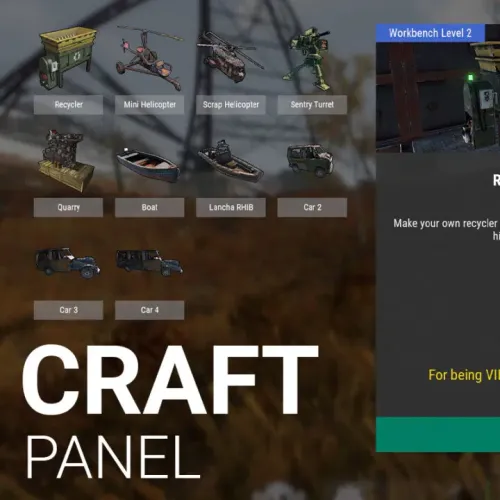
You can also block his crafting. But it cannot be removed from the game's crafting menu, since that is client-side.
-
Hello! When images appear like this it is because Image Library was unable to download the images correctly. I would recommend resetting the image library cache by running its cleanup command and then reloading the plugins that use Image Library to download images again, including BetterTC. This should solve it.