.png.dfecbff34414f26296a60d5b06b9cd16.png)
G_SAPLING
-
Posts
119 -
Joined
-
Last visited
Content Type
Profiles
Warranty Claims
Downloads
Forums
Store
Services
Downloads Plus Support
DOWNLOADS EXTRA
Reels
Everything posted by G_SAPLING
-
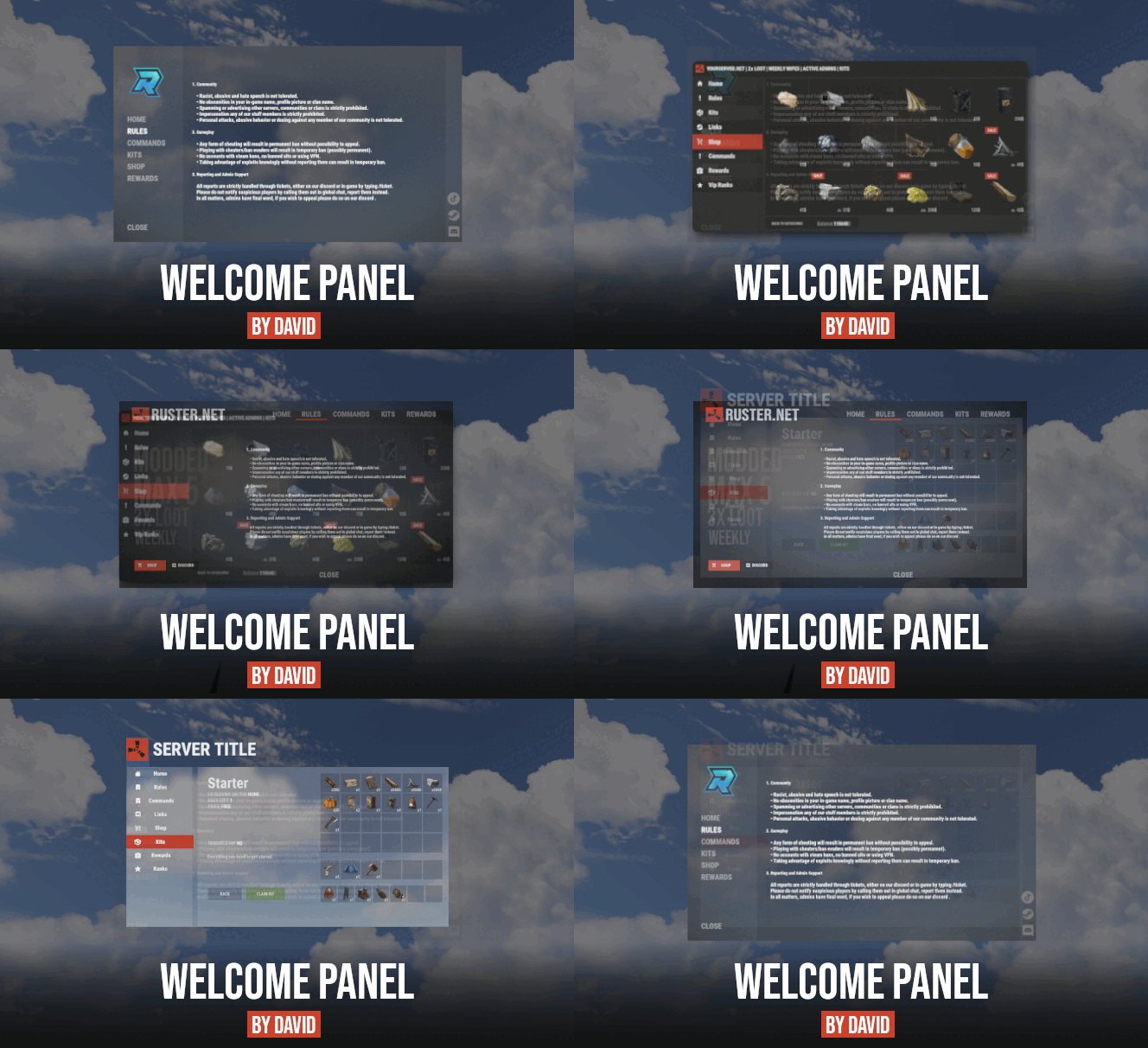 I've been trying to add an image to every separate tab not to the "Text Background Image": is there a special code because I tried everything but it keeps breaking the plug in I'm just trying to add in tutorial image for other players inside the square on this image
 -
I fixed it I should have read more on your website thank you so much for helping me out with the other problem I'm definitely gonna get the rewards plug in when it comes
-
Last question I'm having trouble putting the plug in called WipeCountdown integrated with WPWipeCycle is there a way to add it I looked all over the place
-
Okie dokie sounds like a plan thank you for letting me know
-
No images are showing up in the gift Gui and when I get the items the item say I got 0 of the item I removed the plug in and redid everything just in case if I miss something but it just keeps giving me a blank page In the GUI and when it say i get zero items when I receive them but I still receive the item it just the send messages saying you receive 0 items
-
What plugin is it compatible with the rewards add on?
-
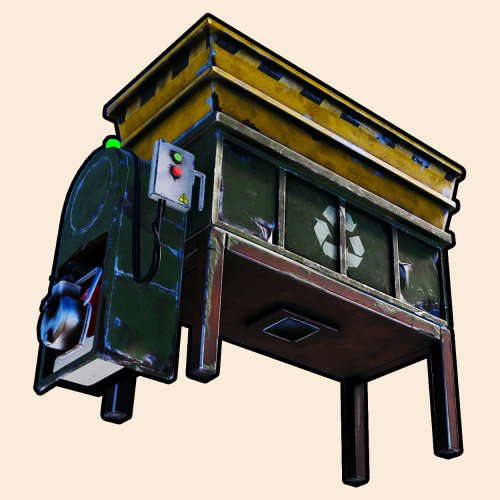 Hello there Raul is there any way that I can make the recycler automatically recycle the items and the items automatically will go to the players inventory if there's not a way it's a good idea for the future I've been trying everything I even bought the auto recycler but that doesn't do what I like it to do I just want it to be simple you got great plugins I bought most of them
 -
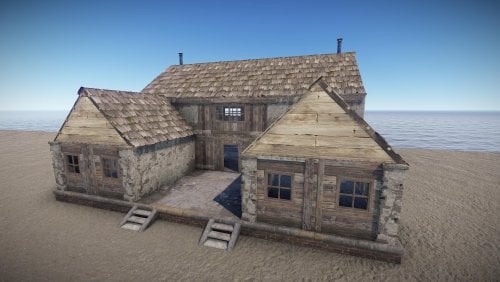 No you can't Build inside it's like a monument you have to add your own decorations to it for example like a recycler make it into a casino or make it into a spam house where player spawn in whatever your imagination likes
 -
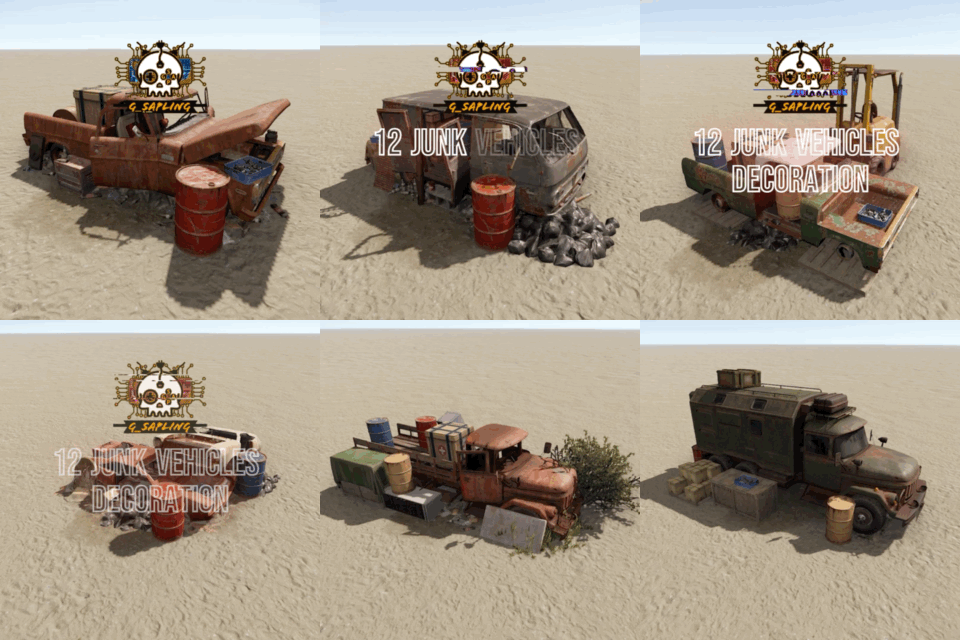
Version 1.0.0
22 downloads
"Introducing a unique addition to the world of Rust - a 12-piece junk vehicle decoration prefab designed to enhance the environment and provide exciting loot opportunities for players. This prefab features 23 barrels, 5 food crates, 8 random crates, and 1 medic crate strategically placed throughout the world for adventurous survivors to discover and loot. Whether you stumble upon these scattered treasures while exploring the harsh wilderness or during intense encounters with other players, each crate holds the promise of valuable resources to aid in your survival journey. With meticulous attention to detail and a touch of creativity, these meticulously crafted decorations not only add depth to the game's landscape but also offer a thrilling scavenging experience for Rust players seeking new challenges and rewards." Features: Entry-level monument; Great detail; Simple installing; recycler 0; Optimized FPS. General info: Prefabs count: 225; Type: for looting; Modifiers: Height&Splat&Topology. Loot: Barrels: 23; food crate: 5; Random crates: 8; medication Crate: 1;$4.98 -
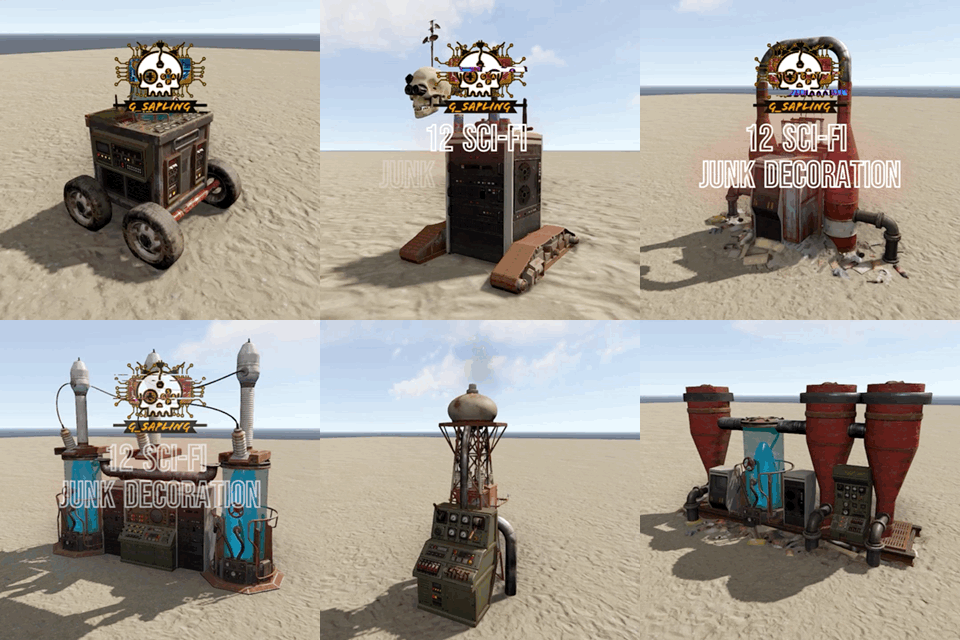
Version 1.0.0
8 downloads
check out my new prefab in Rust, "Sci-Fi Decoration Junk"! It's got 12 awesome decorations that'll make your server look out of this world. You'll find cool stuff like robots, lab equipment, and even a clone machine – how sick is that? These decorations will take your serve to the next level and give it that sci-fi vibe you've always wanted. Whether you're into futuristic tech or just want to impress your friends, "Sci-Fi Decoration Junk" has got you covered. So grab it, place those decorations, and let your base become the coolest spot in Rust. Trust me, you won't want to miss out on this epic prefab! Features: Entry-level monument; Great detail; Simple installing; recycler 0; Optimized FPS. General info: Prefabs count: 538; Type: for looting; Modifiers: Height&Splat&Topology.$4.98 -
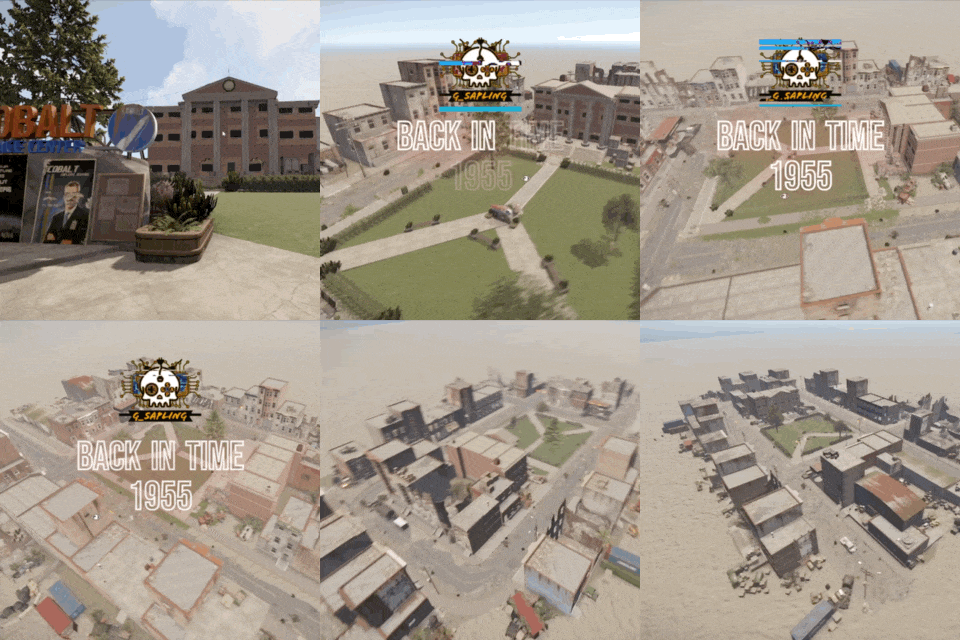
Version 1.0.2
17 downloads
check out "Back in Time 1955" in Rust! Inspired by "Back to the Future," I built this sick monuments prefab with the Café 80s and the Clocktower. Plus, I added a ghetto time machine for that real retro vibe. It's like stepping into the movie! This monument's got all the loot you need, from barrels to crates and way more cool stuff. You can even imagine yourself as Marty McFly or Doc Brown while you're exploring. It's a small but epic spot that'll take your Rust game to the next level. So grab your friends, gear up, and head "Back in Time 1955" for a totally rad adventure! Features: Entry-level monument; Great detail; Simple installing; recycler 2; Optimized FPS. General info: Prefabs count: 7666; Type: for looting; Modifiers: Height&Splat&Topology. Loot: Barrels: 72; Med crate: 15; Random crates: 56; Crate Elite: 0; 1 Workbench Level 1 2 Small Oil Refinery 1 3 recycler 2$7.99 -
Version 1.0.0
17 downloads
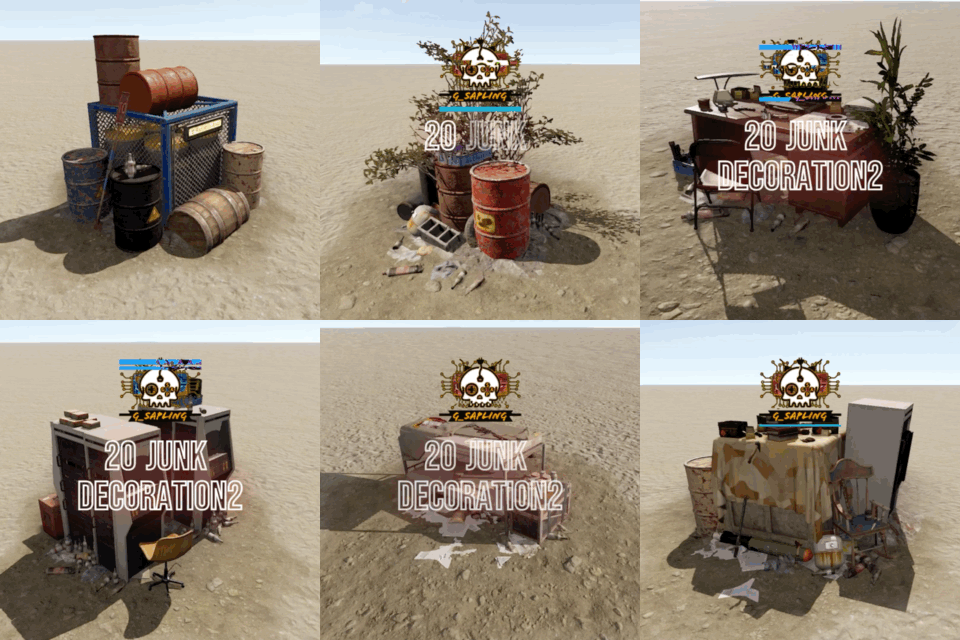
Rust Junk Decorations 2 Prefab – an exciting addition for players seeking to infuse their Rust environment with a touch of authenticity and character. This versatile prefab offers an array of weathered and enigmatic items, from rusted barrels to discarded machinery, which can be strategically placed to embellish your base or surroundings. Whether you're aiming to create a post-apocalyptic ambiance or simply add intrigue to your in-game setting, these meticulously crafted decorations provide endless opportunities for customization and creativity. Transform your virtual space into a captivating and immersive backdrop, using the Rust Junk Decorations 2 Prefab to evoke a sense of desolation and industrial beauty. With the ability to arrange and combine these items as you see fit, you can effortlessly infuse your Rust experience with a unique and compelling visual narrative. Elevate your surroundings with the Rust Junk Decorations 2 Prefab – the essential tool for expressing your individuality and enhancing your in-game environment. Features: Entry-level monument; Great detail; Simple installing; recycler 0; Optimized FPS. General info: Prefabs count: 2634; Type: for looting; Modifiers: Height&Splat&Topology. Loot: Barrels: 16; food crate: 2; Random crates: 1; Ammo Crate: 10;$5.99 -
Version 1.0.0
16 downloads
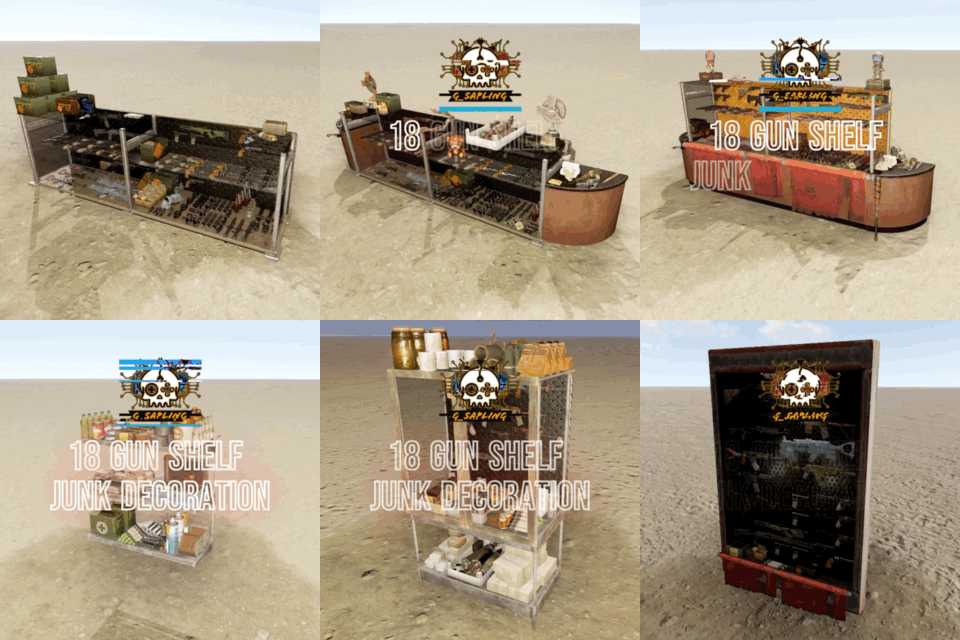
Introducing the Rust 18 Gun Shelf Junk Decoration Prefab – the perfect addition for Rust players looking to create an authentic and visually striking gun shop experience within the game. This prefab offers gun shelves that can be adorned with a variety of in-game firearms and accessories, allowing players to create a realistic and immersive retail space. Whether you're aiming to establish a bustling marketplace or simply enhance the ambiance of your base, these aesthetically pleasing gun shelves are the ideal solution. With the ability to personalize and arrange the shelves to suit your preferences, you can effortlessly transform any location into a captivating gun shop that will impress fellow players. Elevate the visual appeal of your Rust environment and showcase your collection in style with the Rust Gun Shelf Prefab – the essential decorative accent for any virtual arms dealer. Features: Entry-level monument; Great detail; Simple installing; recycler 0; Optimized FPS. General info: Prefabs count: 1934; Type: for looting; Modifiers: Height&Splat&Topology. Loot: Barrels: 0; food crate: 0; Random crates: 0; Ammo Crate: 10;$5.99 -
Changed Status from Pending to Not a Bug Changed Fixed In to 1.0.0
-
That only pops up if you’re playing in peaceful mode and returned your items back to you if you die, I don’t remember the name of the prefab. Sorry.
-
 I did the update for Microsoft Net Frameworks it didn't fix the Problem it keeps giving me the same error maybe is my PC i'll keep checking thank you for your help
 -
I keep trying to run my server but it keeps giving me this error do you know why This keeps happening?
-
Version 0.3.2
8 downloads
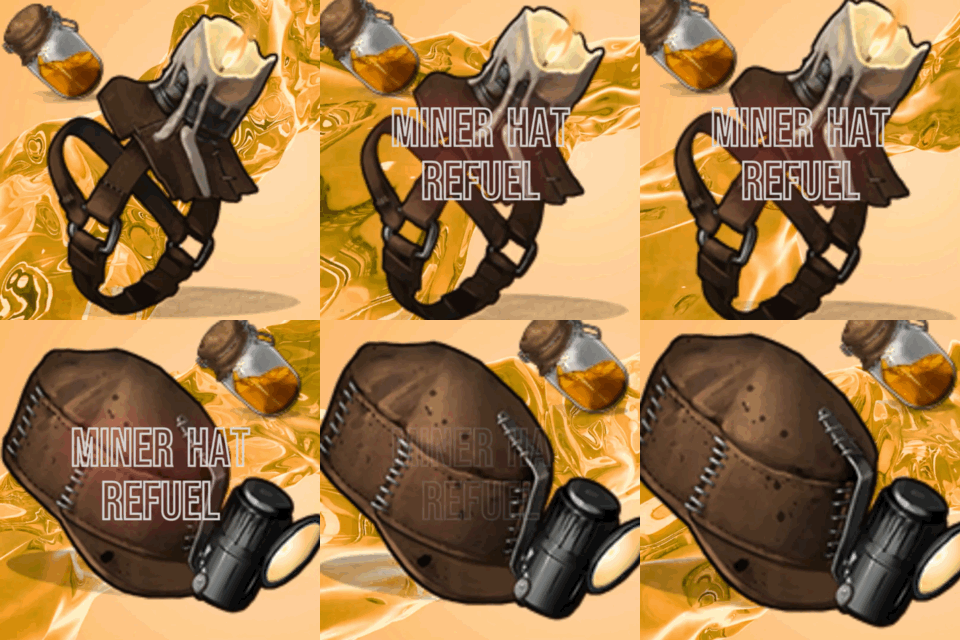
Miner Hat Refuel This plugin enhances the gameplay experience by introducing a refueling mechanism for Miner's Hats and Candle Hats in Rust. Players can use the /refuel command to replenish the fuel in their hats, ensuring they have a steady supply of light and warmth. Player Chat Commands: /refuel: Refuels the Miner's Hat or Candle Hat the player is wearing. Requires the appropriate permission (MinerHatFuel.refuel). The hats will be refueled with 100 low-grade fuel. Permissions: MinerHatFuel.refuel: Permission is Required to use the /refuel command. Description: The Miner Hat Refuel plugin allows players to easily refuel their Miner's Hats and Candle Hats. These hats provide valuable light and warmth, but they require fuel to function effectively. With this plugin, players can ensure that their hats always have enough fuel by using the /refuel command. Once the command is executed, the hats will be refueled with 100 low-grade fuel Unfortunately the candle hat Only handles 40 low-grade fuel For the moment there is no way to adjust the amount of low grade fuel but it, allowing players to continue exploring dark areas or staying warm in cold environments. The plugin implements a cooldown system to prevent abuse of the refueling feature. Players must wait for the cooldown period to elapse before refueling their hats again. The duration of the cooldown can be configured in the plugin's settings. To enhance the gameplay experience, the plugin includes a refuel sound effect and visual feedback when the hats are refueled. Players will receive a chat message notifying them that their hats have been refueled, and the sound effect will play at their location. The plugin supports both Miner's Hats and Candle Hats. If a player is wearing either hat, the refuel command will work accordingly. The hats will be refueled simultaneously, ensuring that players have a consistent fuel supply for their light and warmth needs. Please note that appropriate permissions are required to use the refuel command. Players must have the MinerHatFuel.refuel permission assigned to them. Enjoy the convenience of refueling your hats with MinerHatFuel and continue your adventures in Rust with confidence and illumination! { "AdminNote": "You can edit the Cool.down.Duration.Minutes here and change the sound effect.", "CooldownDurationMinutes": 60, "RefuelSoundEffect": "assets/bundled/prefabs/fx/gestures/drink_generic.prefab" } This is a great Website if you want to change the sound effects -----> https://github.com/OrangeWulf/Rust-Docs/blob/master/Extended/Effects.md$4.99 -
So I'm having an issue with the software I have it on auto reset server at 12AM and the program crashes but the server will keep running In the background am I doing something wrong or is there a way to fix the software from crashing?
-
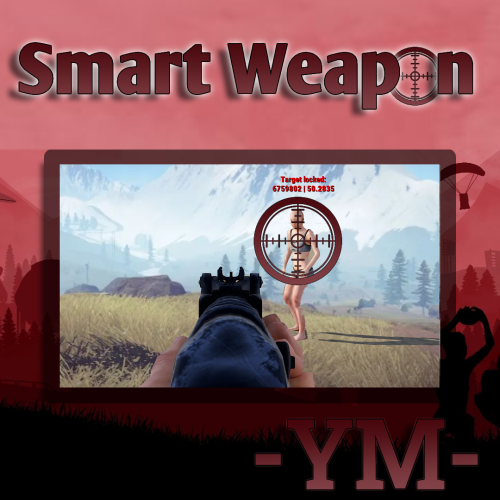 Every time I point a weapon to a NPC it gives me this error I created a whole new server file for the plug-in and it still gives me this error
 -
I replaced the old version for the updated version It's not a big deal I would just remove everything and start by scratch Maybe has to do with an old file still lingering around
-
So I updated the plug-in To the new update and I got this error Every time I shoot it floods my server CMD
-
Yeah I replace the word {lockdown} for the letter [x] and I moved it in the middle and made it into a Crosshair it's pretty cool Thanks for fixing the update
.thumb.png.f1e23d1cf27331262e149e3ac7cb3ec9.png)