
-
Posts
947 -
Joined
-
Days Won
4
Content Type
Profiles
Warranty Claims
Downloads
Forums
Store
Services
Downloads Plus Support
DOWNLOADS EXTRA
Everything posted by Mabel
-
 "RewardCurrency": { "UseScrap": false, "UseEconomics": true, "UseServerRewards": false },
 -
 remove `heavy` from the Prefab ID List
 -
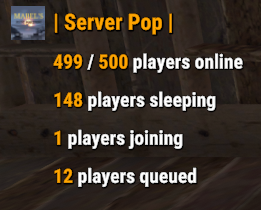 i will look at adding this next for you
- 32 comments
-
- 1
-

-
- #population
- #server
- (and 7 more)
-
Updated with configurable cooldown & message
-
I think it should be ok to use on community servers, it doesn't change game play in anyway and you can use external sources such as rust admin and battlemetrics to set up !pop trigger, and server cvars for messages such as `server.MOTD`
-
Ok i will add this for you
-
You can set global response false and it will only reply to the player who triggers it or I will add a cooldown if it's preferred
-
Yeah that's why i didn't massage you this time , Had this happen before on a mid wipe update.
-
Yes I had the same issue after the latest update, ladder was reset
-
 ah right that's a shame, as for myself and most likely alot of others are using a different loot plugins, so not really wanting to change just for this event and also would want to customize the loot of the event differently to the other locked crates on the server like you can with all other events to make them worth doing for the players
 -
The ability to edit the loot of the npc and the crates from within the config would be a better option rather than using a 3rd party plugin. Gives server owners more control over customizing the event too suit there servers
-
You can use kits plugin with it "Murderer Kits": [ "KitName" ], "Scientist Kits": [ "KitName" ],
-
Sorry not quite sure what your asking. You would like a permission added that only allows users with the permission to use the trigger?
-
 Appreciate it, Thank you
 -
Version 1.0.5
731 downloads
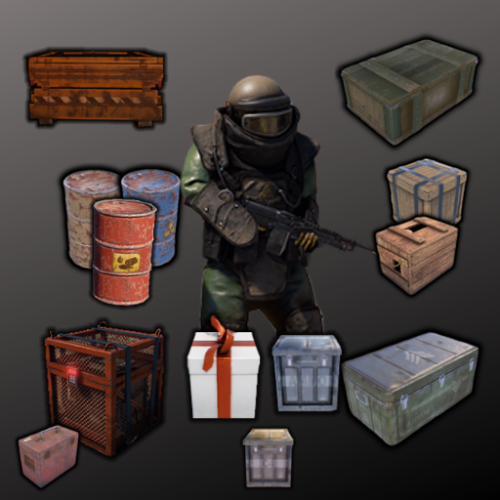
The NPC Gifts plugin provides a system where players can receive random gifts upon killing NPCs. The gifts are spawned as containers, and there are customizable settings for cooldowns, spawn chances, and permissions. Features Randomly spawns gifts when players kill NPCs. Customizable cooldowns to prevent gift spamming. Different container types with individual spawn chances. Permission-based access to specific container types. Configurable messages for chat and game tips. Configuration Options Cooldown Settings: Cooldown Duration Minutes: The duration before a player can receive another gift after killing an NPC. Message Settings: Enable Chat Message: Whether to send a chat message to the player when they receive a gift. Enable Game Tip Message: Whether to show a game tip message to the player when they receive a gift. Container Settings: Enabled: Whether this container type is enabled. Container Prefab: The prefab path for the container to spawn. Spawn Chance: The chance (between 0 and 1) that this container will spawn when an NPC is killed. Permission: The permission required for a player to receive this container type. Loot Table Name: The name of the loot table to use for this container. If left empty, the default loot table is used. Min Items: The minimum number of items to spawn in the container. Max Items: The maximum number of items to spawn in the container. Adding/Editing Containers Enable/Disable Containers: Set the Enabled field to true or false to control whether the container is used. Adjust Spawn Chances: Modify the Spawn Chance to change how often a container is spawned. A value of 0.5 means there's a 50% chance. Set Permissions: Specify a Permission for each container. Ensure these permissions are registered and granted to the appropriate players or groups. Set Loot Table Name: This filed is only required if using the Simple Loot Table Plugin, left blank will use the servers default loot tables Set Min/Max Items: These Fields are only required for users of the Simple Loot Table Plugin, they will not adjust the min/max values of your server loot table Permissions Register Permissions: The plugin will automatically register permissions based on the configuration. Grant Permissions: Use the following commands to grant permissions to players or groups: oxide.grant user <username> <permission> oxide.grant group <groupname> <permission> Example: oxide.grant user Mabel npcgifts.example1 Console Commands npcgifts_wipe - clears the cooldown data file Default Configuration { "Cooldown Settings": { "Cooldown Duration Minutes": 60 }, "Message Settings": { "Enable Chat Message": false, "Enable Game Tip Message": true }, "Container Settings": [ { "Enabled": true, "Container Prefab": "assets/prefabs/misc/xmas/sleigh/presentdrop.prefab", "Spawn Chance": 0.5, "Permission": "npcgifts.example1", "Loot Table Name": null, "Min Items": 0, "Max Items": 0 }, { "Enabled": true, "Container Prefab": "assets/prefabs/missions/portal/proceduraldungeon/xmastunnels/loot/xmastunnellootbox.prefab", "Spawn Chance": 0.5, "Permission": "npcgifts.example2", "Loot Table Name": null, "Min Items": 0, "Max Items": 0 }, { "Enabled": true, "Container Prefab": "assets/prefabs/misc/xmas/giftbox/giftbox_loot.prefab", "Spawn Chance": 0.5, "Permission": "npcgifts.example3", "Loot Table Name": null, "Min Items": 0, "Max Items": 0 } ], "Version": { "Major": 1, "Minor": 0, "Patch": 4 } } Default Language: { "ChatMessage": " :dance: Congratulations <color=#abf229>{0}</color> You Received A Gift From <color=#abf229>{1}</color> :dance:", "GameTipMessage": "Congratulations <color=#abf229>{0}</color> You Received A Gift From <color=#abf229>{1}</color>" }Free -
Ok, I will update it later
- 32 comments
-
- 1
-

-
- #population
- #server
- (and 7 more)
-
Appreciate your fast response, if you need any more info on the issue or any testing just let me know
-
Still getting this same issue, the players have to leave after being granted the permission before there added to the data i did some testing and the issue is when issuing it through a group for example the players unlock its use through completing x amount of raids, they are added to the group with the permission for the plugin, but when they use the commands it throws the previous error and they can not use it until they rejoin but if i grant the permission directly to the player they are able to use it without the need to rejoin
-
 My original suggestion was more about the limits applying to the whole team and not extending it per team member EX: entity x is limited to 100, weather its a solo player or team of 6 they can still only place the limit of 100, this is what i am looking for
- 80 comments
-
- 2
-
-
- #limit
- #advanceentitylimit
- (and 21 more)
-
Does it support teams/clans? That's a big problem with all the other entity limits plugins, there based on individual players so the limits can be exploited by teams. if it supports teams I will purchase it as it's much needed for us and probably many other servers Thanks
- 80 comments
-
- 2
-
-
- #limit
- #advanceentitylimit
- (and 21 more)
-
appreciate it, Thank you
-
 show the command you used, it does work i use it, it should look like this
 -
ok thanks ok, thank you it doesn't seem to add them in the data until they re-join once the permission is granted they have use of the commands but it doesn't change there amount fired and you get that error in console until they re-join and are added to the data, then they can fire there set amount without error