
.png.a9f77afb0653176492a7ec78168c7ae0.png)
-
Posts
604 -
Joined
-
Days Won
2
Content Type
Profiles
Warranty Claims
Downloads
Forums
Store
Services
Downloads Plus Support
DOWNLOADS EXTRA
Everything posted by fullwiped
-
Hello, A player found a stash trap, and the same stash log was sent to the Discord webhook six times within one minute. The first notification appeared at that time. The location was (-1091.31, 10.05, 69.15), Grid E11, and it was the same in all of the notifications. This might be a bug, so I wanted to let you know. I would appreciate it if you could take a look when you have time. Have a good day.
-
The issue seems to be resolved after I deleted the config and generated a new default one. It was probably caused by these settings: "swim_block": false, "fly_block": false, "sit_block": false, The plugin may not have automatically added these settings to the existing config, so that might have been the cause of the problem. I hope it will be an easy solution for both you and the other servers as well. Thank you for your help. My config: { "request_repeats": 2, "request_timeout": 60.0, "accept_delay": 0.5, "trade_cooldowns": { "default": 320 }, "cancel_cooldown": 10, "daily_limits": { "default": -1 }, "daily_limit_creator_only": false, "slot_limits": { "default": 12 }, "chat_prefix": "[Trading]", "chat_profile": "", "onscreen_notifications": { "enabled": false, "anchor": { "x": 0.5, "y": 0.0 }, "offset": { "x": 0.0, "y": 180.0 } }, "player_list": { "enabled": false, "anchor": { "x": 0.5, "y": 0.5 }, "offset": { "x": 0.0, "y": 0.0 }, "hidden_players": [] }, "sound_notifications": true, "sound_effects": { "request_sent": "", "request_received": "assets/bundled/prefabs/fx/invite_notice.prefab", "request_accepted": "assets/prefabs/deployable/locker/effects/locker-deploy.prefab", "request_declined": "", "trade_opened": "assets/prefabs/building/wall.frame.shopfront/effects/metal_transaction_complete.prefab", "trade_cancelled": "", "trade_completed": "assets/prefabs/deployable/locker/effects/locker-deploy.prefab" }, "building_block": true, "require_building_auth": false, "minimum_distance": -1.0, "maximum_distance": -1.0, "fee": 1.0, "fee_per_metre": 0.0, "refunds": false, "item_blacklist": [], "integrations": { "temp_ids": false, "ui_notify": false, "block_users": true, "ignore": false, "afk_api": false, "no_escape": { "raid_block": true, "combat_block": true }, "server_rewards": false, "economics": false, "clans": { "enabled": false, "fee_discount": 0.0, "no_limits": true, "cooldown_multiplier": 0.8 } }, "file_logging": false, "console_logging": false, "discord_webhook": { "enabled": false, "url": "", "username": "WTrading", "avatar_url": "", "embed_color": 5793266, "server_name": "Server 1" } }
-
Hi, while sending a trade request to another player using /trade, I just noticed the following log. (18:44:10) | Failed executing chat command 'trade' in 'WTrading v1.1.17 by Tom.bat' [callback] (Object reference not set to an instance of an object) at bool Oxide.Plugins.WTrading+Command.CanPlayersTrade(TradePlayer caller, TradePlayer target) in /home/rustserver/serverfiles/carbon/plugins/WTrading.cs:line 2127 at void Oxide.Plugins.WTrading+TradeCommand.Execute(TradePlayer caller, string[] arguments) in /home/rustserver/serverfiles/carbon/plugins/WTrading.cs:line 1966 at void Oxide.Plugins.WTrading.CommandHandler(BasePlayer player, string name, string[] arguments) in /home/rustserver/serverfiles/carbon/plugins/WTrading.cs:line 206 at void Oxide.Game.Rust.Libraries.Command.AddChatCommand(string command, BaseHookable plugin, Action<BasePlayer, string, string[]> callback, string help, object reference, string[] permissions, string[] groups, int authLevel, int cooldown, bool isHidden, bool protected, bool silent, bool doCooldownPenalty)+(Args arg) => { } in /home/runner/work/Carbon/Carbon/src/Carbon.Components/Carbon.Common/src/Oxide/Command.cs:line 103
-
Is there anything else I can help you with, or any additional information you would like me to provide so you can better understand the issue?
-
Hello, providing a screenshot probably would not help much because when I type /trade playername, nothing appears in the chat. My players reported this to me first, and then I tested it myself. It looks like there is indeed an issue. I even removed version 1.1.17 and reinstalled 1.1.16 on one of our other servers for testing, but the trade request still did not go through. There was also nothing in the RCON logs.
-
Hi, when typing /trade, the plugin appears to respond in chat. However, when typing /trade PlayerName, it seems the trade request is not being sent. Could you please check this?
-
We appreciate your feedback on BP fragments. If needed, we can make further adjustments in a future update. Thanks again for sharing your thoughts.
-
 Hello sir, it is sufficient for you to apply the following. Have a good day. For existing users, the only file that needs to be updated is fullwipednight7.json inside CopyPaste. Some improvements were made to fix certain box-related issues in this base.
 -
.thumb.gif.2d1b41b0ae0c1d0a34f2f55dc65983b5.gif) Hi @nivex Thanks for the clarification. I understand your point about the UI features and how they are intended to be part of the overall experience of the plugin. For the configs I share with other server owners, I’ll review the UI options and keep the ones that are intended to be enabled by default where appropriate. Hopefully this will help more people experience the features the plugin provides. I also appreciate the work you continue to put into Raidable Bases and the effort to keep it updated over time. The attention to detail and ongoing improvements are valued by many server owners.
Hi @nivex Thanks for the clarification. I understand your point about the UI features and how they are intended to be part of the overall experience of the plugin. For the configs I share with other server owners, I’ll review the UI options and keep the ones that are intended to be enabled by default where appropriate. Hopefully this will help more people experience the features the plugin provides. I also appreciate the work you continue to put into Raidable Bases and the effort to keep it updated over time. The attention to detail and ongoing improvements are valued by many server owners. -
Yep same. AdminMenu.cs 5552:60 'Pool' does not contain a definition for 'GetList'
-
 Hello, will there be an update soon?
 -
 Hi @Mevent, when a permission is added to a case, it gets hidden immediately. Wouldn’t it be better if it stayed visible and showed a warning like “You don’t have permission to open this case”? It would be great if this message could also be customized via the lang/en file. That way, for example, we could encourage players to join Discord to access the free daily case.
 -
Is there a known bug where cupboards suddenly disappear or break after a force wipe?
-
 Hey, Thanks for checking back in, I really appreciate your interest I did take some time to look into this, but adding things like PvP detection or similar checks could cause problems right now, so the plugin needs to stay as it is for the moment. By design, this plugin is meant to send clear and serious warnings directly to individual players. Because of that, I don’t really consider whether the player is in PvP or doing something else. I actually use it on my own servers, and I find it very effective for addressing real violations like solo rule breaks or serious abuse, where a direct and personal warning makes sense. What you’re describing sounds more like a lightweight pop-up style notification, maybe something that appears in the top-right corner of the screen. A plugin built specifically for that purpose would probably suit your needs better. Thanks again for sharing your thoughts, I really do appreciate the feedback.
- 8 comments
-
- 1
-

-
- #admin
- #admin tools
- (and 47 more)
-
.thumb.png.fd415e6a279abcb86097c1d6ea9f77b2.png)
2x Loot Table Config (Better Loot V4 Compatible)
fullwiped commented on fullwiped's file in Customizations
 Hello, it’s not possible to automatically change it to 1.5
 -
A few small suggestions, 1- Cases that contain commands do not really need to be added to REWARDS STORAGE. A config option could allow them to be deposited directly into the economy/sr. This would be more practical and safer for server saves. 2- For Exchange, instead of only using an NPC, a small menu inside the UltimateCases UI could be added (SRewards ⇄ Economics). This would make it easier for players to exchange and open cases faster. Best regards.
-
Hello, currently the plugin does not have a feature to detect situations like PvP. I’m not sure if we can add this in the future, I’ll need to look into it.
-
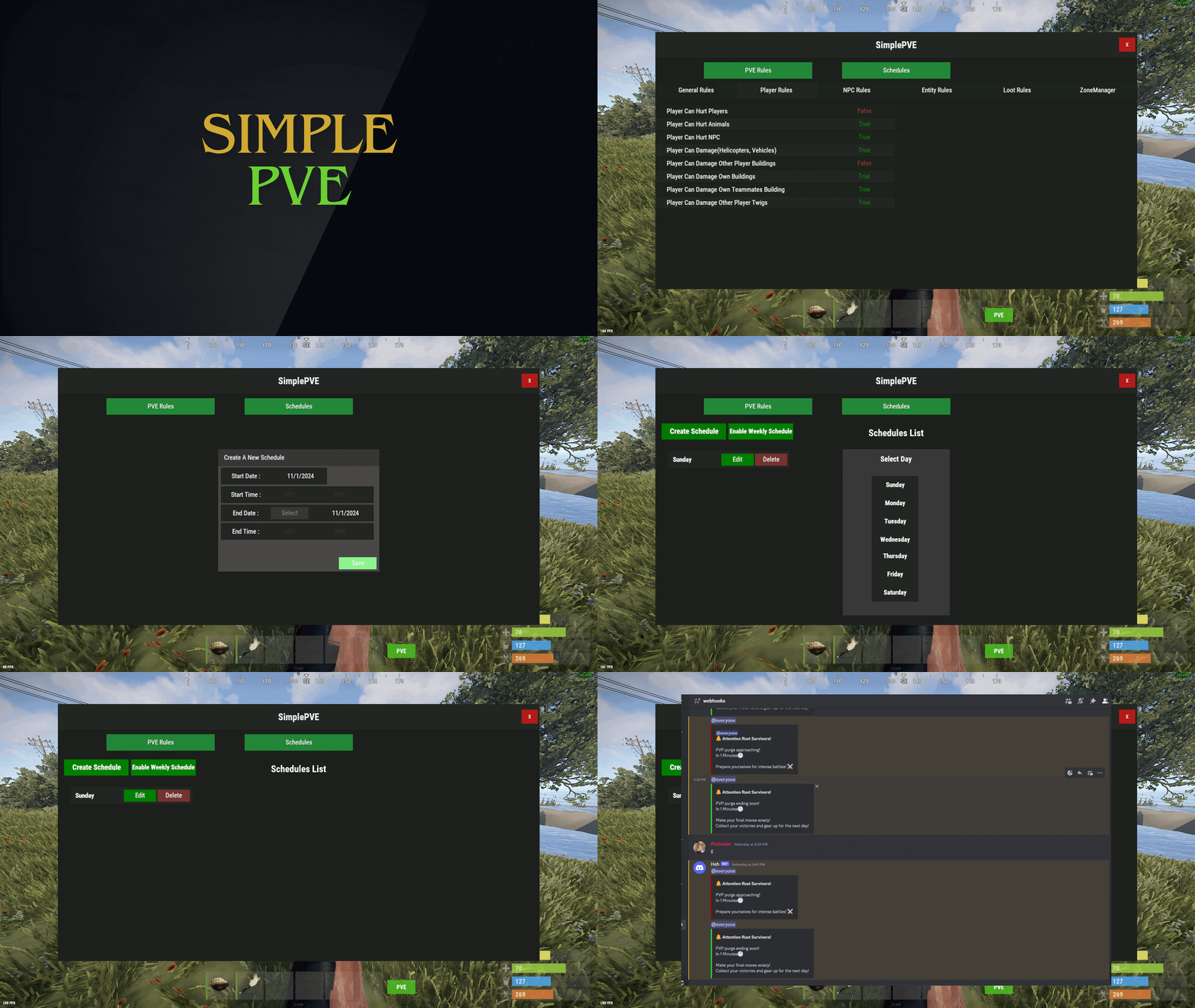 Thanks for looking into this, we really appreciate it. Hopefully a proper solution can be found, looking forward to your findings after your tests.
 -
Hello @Iftebinjan, the PvE GUI warning is triggered because bullets hit the armored train while shooting NPCs, not because NPCs are immune to damage. Could you please advise how we can prevent or fix this? We noticed that when we set "Player Can Damage Other Player Buildings" to True, the GUI no longer appears when the train takes damage. However, since we are running a full PvE server, this setting is not really suitable for us.
-
Version 1.0.2
27 downloads
Stack Size Controller – Balanced Configuration Packs Includes 4 different configs. Pick one to use, or use different configs on multiple servers. Some stack values are based on the gather rate; however, overall, resources and similar items are set higher based on player experience and community feedback. Server Compatibility - Suitable for 3x, 5x, 10x and PvE servers - If higher stack sizes are desired, the 3x preset can safely be used on 2x servers without causing major balance issues or technical problems Professionally Designed & Tested All configurations are manually created from scratch and are not auto-generated or simple default edits. Each configuration has been: - Actively tested on live servers for over 2 years - Used on long-running, active servers - Adjusted based on real player behavior and feedback - Balanced with economic flow and recycler outputs in mind The goal is to improve quality of life without breaking progression or server economy. Balanced Design Philosophy Not every item is meant to be stacked. Below are the core principles behind how these configurations are designed. Durability & Skin Safety Weapons, clothing, doors, and certain electrical items are intentionally excluded from stacking. These items rely on durability (condition) mechanics and often support skins. Stacking them may cause condition conflicts, incorrect durability behavior, skin desynchronization, and inventory-related bugs. To maintain server stability and predictable gameplay, these item types are deliberately kept unstacked. Explosives & Economy Control F1 Grenades, Smoke Grenades, and similar explosive items are intentionally excluded from stacking or only increased by reasonable amounts. This approach helps prevent gunpowder inflation, balance abuse, and uncontrolled progression. Stackable Item Categories - Resources (Some resources have been stacked above the normal limits in line with strong player demand, especially wood and stone, among others.) - Components (Excessive stacking has not been applied in order to maintain recycling balance; it has been kept at a controlled and balanced level.) - Food items - Medical items - Ammunition Easy Installation 1. Choose one of the 4 configuration presets 2. Copy StackSizeController.json into your config folder 3. Oxide.reload StackSizeController OR c.reload StackSizeController Required Plugin This configuration pack requires the Stack Size Controller plugin. You can download it for free from uMod: https://umod.org/plugins/stack-size-controller$12.99-
- 1
-

-
- #stack size controller
- #stacks
- (and 25 more)
-
Thank you again for your help, the issue has been resolved.
-
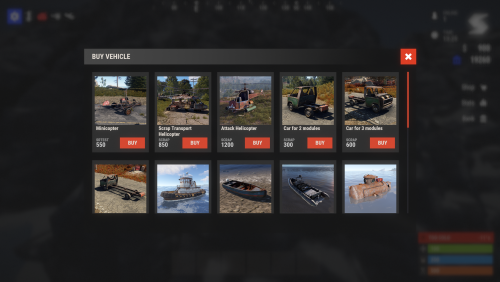 They resolved this issue through a Discord ticket. Thank you.
 -
With the new update, the config settings broke. The update changed all currency settings and forced them back to scrap as the payment method. Could you please check this issue? "Currency: 0 - item, 1 - Economics, 2 - Server Rewards, 3 - Bank System": 0
-
Great plugin, there’s a small bug: when clicking the HOW TO GET KEYS and REWARDS TO STORAGE buttons, the menus that should open sometimes appear behind the server panel.
-
 There is no definitive method for this; you need to open the files with a text editor, manually fix them, and translate the language.
