
Jump to content

NINJA WORKS

Creator Pro
  • Posts

    153
  • Joined

  • Last visited

Everything posted by NINJA WORKS

  1. If possible, could you install just Special Grenade and Image Library and see if it works properly? There may be a conflict with other plugins.
  2. Is this the same issue as this report? I have just fixed it and updated it.
  3. Hello! Thank you for reporting the issue. We'll fix it right away!
  4. Hello. I apologize for the inconvenience. Let us check your environment. - Do you have imagelibrary installed? - Are you using Carbon? Only Oxide is supported. - Have you installed any other grenade-related mods? Conflicts may occur, and if so, we will need to investigate. - Can you access https://i.imgur.com/ ? If you can't, you won't be able to load images. In this case, you'll need to upload images to a site that allows it and reset the data. - Operation in the staging branch is not guaranteed.
  5. Version 1.0.5

    47 downloads

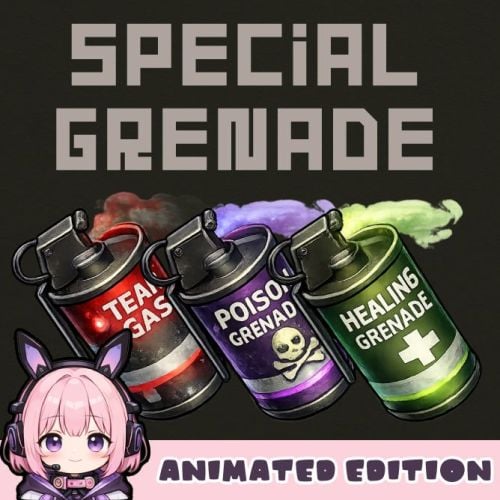
    Special Grenade -Animated Edition- SpecialGrenade adds three unique smoke grenade variants to your Rust server, each with distinct visual effects and gameplay mechanics. Transform standard smoke grenades into powerful tactical tools with poison damage, healing, or tear gas effects. Each grenade type features stunning visual effects including animated screen overlays, colored sphere indicators, and immersive sound effects that enhance gameplay without compromising performance. Features Poison Grenade (Toxic) - Deals continuous damage to players and NPCs within the smoke radius - Purple-colored visual sphere indicator - Animated poison screen overlay effect - Hazmat suit protection option - Configurable damage per second for players and NPCs separately Healing Grenade - Heals players within the smoke radius over time - Green-colored visual sphere indicator - Animated healing screen overlay effect - Configurable heal amount per second - Hazmat suit protection option Tear Gas Grenade - Causes blindness and visual impairment - Red-colored visual sphere indicator - Animated tear/blink effect with eye-watering visuals - Dynamic smoke overlay animation - Hazmat suit protection option Configuration { "Toxic Grenade Settings": { "Skin ID": 3650606945, "Display Name": "Poison Grenade", "Damage Per Second": 10.0, "NPC Damage Per Second": 10.0, "Effect Duration (seconds)": 45.0, "Show Sphere": true, "Hazmat Protects From Effect": true, "Enable Sound": true }, "Healing Grenade Settings": { "Skin ID": 3650606786, "Display Name": "Healing Grenade", "Heal Amount Per Second": 1.5, "Effect Duration (seconds)": 20.0, "Show Sphere": true, "Hazmat Protects From Effect": false }, "Tear Gas Grenade Settings": { "Skin ID": 3650607092, "Display Name": "Tear Gas Grenade", "Blindness Duration (seconds)": 60.0, "Smoke Duration (seconds)": 45.0, "Show Sphere": true, "Hazmat Protects From Effect": true, "Enable Sound": true }, "Enable Image Preload On Connect": true } Command Console Command : givegrenade <SteamID> <SkinID> <amount> Give grenades to a specific player Example (Gives 10 Poison Grenades to the specified player.) givegrenade 76561198012345678 3650606945 10 Chat Command : /grenade Give all grenade types to yourself (Admin Only) Important Notes - Requires ImageLibrary plugin for visual effects - If the NpcSpawn plugin is installed, NPC smoke grenades will randomly choose between tear gas or poison. - Hazmat suit protection can be toggled per grenade type - Image preloading recommended for best performance - The smoke duration cannot be set to more than 45 seconds. - It seems that certain server services do not allow you to download imgur images. In that case, please download all imgur images manually, upload them to another image upload site, and specify the URL. (Data folder) Contact VOID / NINJA WORKS DISCORD : https://discord.gg/U8uxePjSyA MADE IN JAPAN
    $20.00
  6. NINJA WORKS

    imgur

    Thanks! I'll send you a Image.GAMEOVER_IMAGE.zip

  7. Changed Status from Pending to Fixed
  8. Changed Status from Pending to Work in Progress
  9. Thanks, I'll fix the gibs issue.
  10. The functionality for displaying custom weapon item names has been fixed. Regarding NPC custom names, custom names for scientist NPCs were displayable, but custom names for patrol helicopters and Bradleys may still be retained by code in the creator's mod. To resolve this issue, developer support (such as providing an API) is required. My plugin will be updated today.
  11. Hello. I don't have that plugin, but I have confirmed that in the current version, it doesn't count when players destroy patrol helicopters and Bradleys. Could you please confirm what message will be displayed after the fix is updated? I think it's possible to add a function to display the item.name of weapons. We'll consider it for the next update.
  12. NINJA WORKS

    Move left/right

    Hello. What kind of design are you looking for?
  13. Hello. I will add the settings in the next update.
  14. NINJA WORKS

    QR Logo

    Version 1.1.1

    164 downloads

    QR Logo QRLogo is a plugin that displays a custom QR code on player screens in Rust servers. Display your server's Discord invite link, website, social media accounts, and more as a QR code that players can easily scan with their smartphones. A small QR code icon is always displayed in the top-left corner of the screen. When clicked, it expands to the center of the screen with a **smooth animation**. Click anywhere on the screen to collapse it back to its original size. Features - Automatically generates QR codes from configured URLs - No external libraries or image files required - Full URL encoding support - Freely adjustable display position - Configurable sizes for normal and expanded views - All settings managed via config file Technical Specifications - QR Code Standard: QR Code Version 1-20 supported - Error Correction Level: M (Medium) - ~15% data recovery capability - Rendering Method: Pixel-by-pixel drawing using CUI panels Recommended Use Cases - Discord Server Invite Links - Server Website / Wiki - Voting Sites (Rust-Servers.net, etc.) - Donation Pages - Social Media Accounts (Twitter/X, YouTube, etc.) - Server Rules Page Configuration { "QrUrl": "https://codefling.com", "LogoAnchorX": 0.29, "LogoAnchorY": 0.98, "LogoSizePx": 80.0, "ExpandedSizePx": 500.0, "EnableAnimation": true, "QrModuleColor": "0 0 0 1", "QrBackgroundColor": "1 1 1 1" } Important Notes - If the URL is too long, it may be difficult to scan. You may need to resize it in the configuration. - We recommend using a URL shortening service. - If the URL is too long, the animation may be slow. Please set whether or not to animate depending on the length of the URL. Contact VOID / NINJA WORKS DISCORD : https://discord.gg/U8uxePjSyA MADE IN JAPAN
    Free
  15. Hello. I don't have that plugin and can't test it. I think there's a high possibility that problems will occur.
  16. Hello. In vanilla, if items with the same short name each have a different skin ID, you won't be able to select that skin in the vending machine. To sell individual skins, you'll need to use "Custom Item Vending" or something similar. https://codefling.com/plugins/custom-item-vending
  17. Hello. This plugin does not disable the server's anti-cheat, but rather simulates a double jump by placing the player on a transparent object and lifting them up. The player does not actually flying. It simulates gravity/physics (rigid body speed) to control upward movement. Also, if you set the value too high in the settings, it may be detected as a flyhack. It works against Rust's default anti-cheat, but is not invincible to advanced detection.
  18. Hello. I don't have that plugin, but I watched the video. It seems to automatically plant seeds in empty spaces. This depends on its planting logic.but it might not detect plants created by my mod and could plant seeds on top of them (duplicates). There is no certainty.
  19. Approved after about 2 weeks. Resolved.
  20. Hello! Thank you for your question. Your plugin works perfectly alongside normal Rust gameplay. When players plant regular vanilla seeds (corn, pumpkins, hemp, etc.) in planters, they will grow and function exactly as they do in normal Rust - the plugin does not interfere with them at all. It is designed so that vanilla plants cannot be planted in the same spot where custom plants are growing.
  21. Version 1.0.0d

    61 downloads

    HighJump adds a double jump ability to your Rust server. Players can perform a second jump while in mid-air, allowing them to reach higher places and traverse terrain more easily. The plugin features a realistic physics-based jump system with ceiling detection, fall damage protection, and a position reset command for safety. Features - Double Jump: Press jump again while airborne to perform a second jump - Permission-based Jump Force: 4 tiers with configurable jump heights for regular players and VIPs - Calorie Cost: Jumping consumes configurable calories for gameplay balance - Ceiling Detection: Automatically prevents jumping into ceilings or structures - Fall Damage Protection: Temporary immunity after double jumping (within safe limits) - Position Reset Command: /posreset returns player to their pre-jump location - Multi-language Support: English, Japanese, Chinese (Traditional), Russian Permissions HighJump.use - Basic double jump access (default force: 14) HighJump.vip1 - VIP tier 1 (default force: 20) HighJump.vip2 - VIP tier 2 (default force: 26) HighJump.vip3 - VIP tier 3 (default force: 32) Grant permissions using: oxide.grant user <username> HighJump.use oxide.grant group <groupname> HighJump.vip1 Commands /posreset - Teleports the player back to their position before the double jump. Useful if a player gets stuck or jumps somewhere unintended. It is for emergency use only, and will not work if used without any problems. Configuration { "Double Jump Calorie Cost": 1.0, "Jump Force - Use Permission": 14.0, "Jump Force - VIP1 Permission": 17.0, "Jump Force - VIP2 Permission": 20.0, "Jump Force - VIP3 Permission": 23.0 } Double Jump Calorie Cost: Amount of calories consumed per double jump Jump Force values: Higher values result in higher jumps How It Works 1. Player jumps normally from the ground 2. While airborne, within 0.4 seconds, press jump again to activate double jump 3. The player is boosted upward with physics-based movement 4. Ceiling detection prevents clipping through structures 5. Fall damage is negated for jumps within safe height limits 6. If something goes wrong, use /posreset to return to safety. It is for emergency use only, and will not work if used without any problems. Contact VOID / NINJA WORKS DISCORD : https://discord.gg/U8uxePjSyA MADE IN JAPAN
    Free
  22. Version 2.3.0

    241 downloads

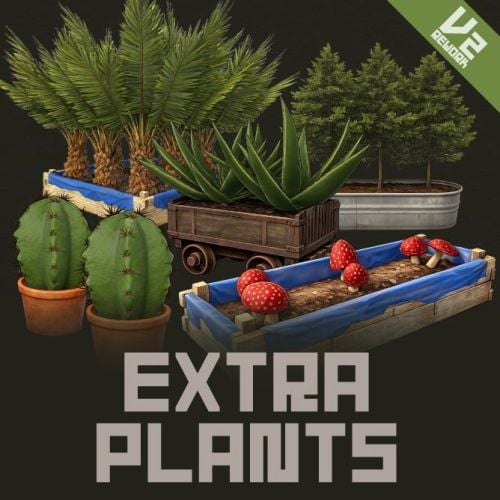
    Extra Plants V2 Expand your farming with 20 unique cultivatable plants ! ExtraPlants introduces a brand-new farming system that goes beyond vanilla crops. Grow mushrooms, harvest resources from grubs, cultivate fruits, vegetables, herbs, and more. By default, all custom items are based on apples, etc. These seeds can be obtained from wild trees, ores, and plants. Using a shovel, you can cultivate fields in various locations. This item is a default item in Rust, but it is not used in the game; however, it can be given to the player using a special command. This also includes data that allows you to configure ingredients and cooking recipes added by ExtraPlants, which are compatible with the Cooking plugin. You can add over 40 cooking recipes using the included files. This plugin has a trial version. If you are considering purchasing it, please download it here. Harvestable Plants Aloe - Produces Aloe Vera Cactus - Low water requirement, yields cactus flesh Sugarcane - Produces sugar cane Wood Tree - Grow your own wood supply Fruits Tree - 15 fruit varieties: Apple, Apricot, Strawberry, Fig, Orange, Kiwi, Plum, Cherry, Pomegranate, Loquat, Grape, Lemon, Persimmon, Peach, and Pear. Tropical Fruits Tree - 11 exotic fruits: Avocado, Guava, Star Fruit, Dragon Fruit, Pineapple, Passion Fruit, Banana, Papaya, Mango, Mangosteen, and Lychee. Nuts Tree - 10 nut varieties: Almond, Cashew, Walnuts, Peanuts, Brazil Nuts, Hazelnuts, Chestnut, Pistachio, Pine Nuts, and Coconut. Sulfur Grub - Harvestable grub that yields sulfur ore — explodes when attacked! You need to raise the larvae without being detected by enemies. Zombie Soul - Mysterious Soul that yields bones. Emits a scream sound when grown. Mushroom - 9 mushroom varieties including Enoki, King Oyster, Maitake, Shiitake, Shimeji, and rare drops like Truffles and Matsutake. Metal Grub - Harvestable grub that yields metal ore Rice - Produces rice (high water requirement) Narcotic Herb - 4 herb varieties: Marijuana leaf, Tobacco leaves, Damiana leaves, and Coca leaves. Potato Plants - 6 tuber varieties: Potato, Sweet Potato, Konjac taro, Nagaimo, Taro, and Yacon. Yellow Plants - 5 varieties: Onion, Burdock, Carrots, Zucchini, and Hop. Green Plants - 5 varieties: Broccoli, Cucumber, Green pepper, Parsley, and Spinach. Black Plants - 3 varieties: Black Raspberries, Coffee Beans, and Black pepper. Blue Plants - 8 varieties: Blueberries, Eggplant, Purple cabbage, Lettuce, Chinese cabbage, Cabbage, Beets, and Asparagus. White Plants - 6 varieties: Radish, Turnip, Lotus root, Green onion, Bamboo shoots, and Garlic. Red Plants - 4 varieties: Tomato, Paprika, Swiss chard, and Chili peppers. By default, all custom items are based on apples, etc. Added a shovel that can be used to cultivate fields. Using a shovel, you can cultivate fields in various locations. This item is a default item in Rust, but it is not used in the game; however, it can be given to the player using a special command. When you pick up a field you've cultivated, it disappears and returns to normal land. It cannot be used in areas where construction is prohibited or on hard terrain. How to obtain seeds Wood Sapling, Tropical Fruits Tree Sapling, Fruits Tree Sapling, Nuts Tree Sapling, Sugarcane Sapling Gather Wood Mushroom mycelium Collect Wild Mushrooms Sulfur Grub Collecting and mining sulfur ore Metal Grub Collecting and mining metal ore Zombie Soul Collect bone fragments Narcotic Herb Seedlings, Rice Seedlings, Seed Tuber, Yellow Plants Seed, Green Plants Seed, Black Plants Seed, Blue Plants Seed, White Plants Seed, Red Plants Seed Gathering wild hemp Cactus Sapling, Aloe Sapling Gathering wild cactus Custom Seeds System • Seeds use the fertilizer item with custom skins • Place seeds in any planter box to start growing • Each plant type has unique growth requirements Fully Configurable Every plant type can be customized: • Growth time intervals • Growth success chance • Water requirements • Drop items and quantities • Custom item names and skins • Death/consume probability for grubs • Setting the method for obtaining seeds. Cultivation method 1. Obtain Seeds - Obtaining Seeds - Players can obtain seeds by gathering wood or mining ore. Alternatively, they can be purchased in the shop, or administrators can distribute seeds using the giveseed command. 2.Plant the seeds - Place the seeds (fertilizer with custom skin) in the storage box for fertilizer in any planter. 3. Water Plants - Ensure adequate water level for growth 4. Wait for Growth - Plants grow based on configured intervals 5. Harvest - grown plants to collect resources Special Mechanics • Sulfur Grub - Explodes when attacked Explosion Conditions The player attacks the sulfurous body with an axe or gun. The planter box containing the sulfurous is destroyed by the player or NPC, or is destroyed by weathering. (Pickup collection does not cause an explosion.) How to use a shovel You use a shovel to strike the ground, which is not in a building-restricted area and is not hard terrain. You then cultivate the field at the spot where you struck. This process consumes condition points. The maximum water volume is 3000 by default. When you pick up a field you've cultivated, it disappears and returns to normal land. It cannot be used in areas where construction is prohibited or on hard terrain. Chat Commands (Admin Only) /seed Obtain 100 seeds of each type. ServerConsole Commands giveseed <steamID> <skinID> <amount> - Give special seeds to a player. Entering only "giveseed" will show the names of all plants. giveshovel <SteamID> - Give the player a shovel. Seed Skin IDs Aloe Sapling 3601726840 Cactus Sapling 3601727134 Tropical Fruits Tree Sapling 3601727963 Fruits Tree Sapling 3601727819 Wood Sapling 3601729292 Sulfur Grub 3601729483 Metal Grub 3601729552 Zombie Soul 3601727291 Sugarcane Sapling 3601727002 Nuts Tree Sapling 3601727388 Mushroom mycelium 3675820909 Rice Seedlings 3675814595 Narcotic Herb Seedlings 3675814321 Seed Tuber 3675814757 Yellow Plants Seed 3675815517 Green Plants Seed 3675815146 Black Plants Seed 3675814927 Blue Plants Seed 3675815024 White Plants Seed 3675815400 Red Plants Seed 3675815276 Give Seed Example: giveseed 76561198000000000 3601726840 10 (Give 10 Aloe Sapling to 76561198000000000) Shop Settings Shortname "fertilizer" + SkinID Option Settings "Condition Loss When Using Shovel": 5.0, "Shovel Pot Max Water": 3000, "Batch Harvest Special Plants": false, "Enable Dispenser Gather Seed Drops": true, ///This setting determines whether to enable the feature that drops seeds when harvesting wild plants. Plant Settings { "Mushroom Settings": { "Enabled": true, "Seed Name": "Mushroom mycelium", "Seed Skin ID": 3675820909, "Growth Time (seconds)": 900.0, "Growth Chance (0.0-1.0)": 1.0, "Water Required": 300.0, "Max Drop Types Per Harvest": 1, "Guarantee At Least One Drop": true, ///When all Drop Chance rolls fail, one item is granted instead of an empty harvest. "Seed Return On Harvest Settings": { "Enabled": true, "Return Chance (0.0-1.0)": 0.05, "Min Amount": 2, "Max Amount": 3 }, "Drop Items": [ { "Item Short Name": "mushroom", "Custom Item Name": null, "Skin ID": 0, "Min Amount": 1, "Max Amount": 3, "Drop Chance (0.0-1.0)": 1.0 }, ... Seed Drop Settings Set the species that can be obtained by triggering items (short names) that can be acquired through activities such as cutting down trees, gathering wild hemp, and mining ore. "Dispenser Gather Seed Drops": { "wood": { ///Trigger Item "Max Drop Types": 1, "Guarantee At Least One Drop": false, ///new Guarantee At Least One Drop option per trigger item, for a per-hit guarantee. "Guarantee At Least One Drop On Bonus": false, ///When all Drop Chance rolls fail, one item is granted instead of an empty harvest. This feature is not available for items such as hemp or mushrooms. "Seeds": [ { "Seed Name": "Wood Sapling", "Drop Chance (0.0-1.0)": 0.08, "Min Amount": 1, "Max Amount": 3 }, Configuration Options Condition Loss When Using Shovel : This setting determines the amount of condition consumed when tilling the ground with a shovel. Shovel Pot Max Water : This setting determines the maximum water volume for areas tilled with a shovel. Batch Harvest Special Plants : Setting this to True allows you to harvest all special plants in a planter at once. Dispenser Gather Seed Drops : You can configure the item triggers and the seeds that players can obtain when they collect or gather items. For All Plants : Growth Time (seconds) - Time between growth checks Growth Chance (0.0-1.0) - Probability of successful growth Water Required - Minimum water level needed Seed Skin ID - Custom skin ID for the seed item Max Drop Types Per Harvest - Number of different items dropped Drop Items - List of items with amounts and drop chances For Grubs (Sulfur Grub, Metal Grub, Zombie Soul) : Probability Of Death (0.0-1.0) - Chance the seed is consumed after a growth cycle For Sulfur Grub : Enable Explosion (true/false) - Whether the grub explodes when attacked For Zombie Soul : Enable Sound (true/false) - Whether a scream sound plays when grown How to set harvested custom items and new cooking recipes into the cooking plugin. This includes data for configuring ingredients and cooking recipes added by ExtraPlants, which are compatible with the Cooking plugin. You can add 40+ cooking recipes using the included files. 1. Open Cooking.json and add all items listed in ExtraPlants_Ingredients.txt (included with your ExtraPlants download) to the "ingredients" section. Rice, tomatoes, and pineapples are duplicates in the default Cooking.json settings, so replace the original entries. 2. Add all cooking recipes listed in ExtraPlants_Meals.txt to the "Meals" section. This will add cooking recipes that use ExtraPlants items. Q: How do players obtain seeds? A: Seeds can only be given by server admins using the console command: giveseed <steamID> <skinID> <amount> You can integrate this with your server's shop plugin or reward system. Q: Do plants survive server restarts? A: Yes! All plant data is automatically saved and restored when the server restarts. The plugin uses persistent data files to track all planted seeds and their growth states. Q: Can I customize the drop items and amounts? A: Absolutely. Every plant type has fully configurable drop settings in the config file. You can change item types, quantities, drop chances, custom names, and skin IDs. Q: What happens if I attack the Sulfur Grub? A: The Sulfur Grub will explode, dealing 500 damage within a 12-meter radius. This is intentional — harvest it normally by interacting with it instead of attacking. Q: Why aren't my plants growing? A: Check the following: • Ensure the planter has enough water (each plant type has different requirements) • Verify the growth chance in config is set properly (0.0-1.0) • Wait for the configured growth interval to pass Q: I can't till the ground with a shovel. A: It's not permitted on hard terrain, in areas where construction is prohibited, etc. Q: Can I add my own custom plants? A: The current version supports 20 pre-configured plant types. Each plant type's drops, growth times, and requirements are fully customizable through the config file. Q: Do the fruit trees drop all fruits at once? A: No. The "Max Drop Types Per Harvest" setting controls how many different fruit types drop each harvest. For example, if set to 3, players will receive 3 random fruit types from the configured list. Q: What's the difference between Grubs and other plants? A: Grubs (Sulfur Grub, Metal Grub, Zombie Soul) have a "Probability Of Death" setting. After each growth cycle, there's a chance the grub will die and need to be replanted. Regular plants like trees continue producing indefinitely. Q: Which planters are supported? A: All vanilla planter types are supported: • Large Planter Box • Small Planter Box • Bathtub Planter • Minecart Planter • Railroad Planter • Triangle Planter • Single Plant Pot Q: Can players craft the seeds? A: No, seeds cannot be crafted by default. They must be distributed by admins. This gives you full control over your server's economy and progression. Q: Are the custom skins included? A: Yes, all skin IDs are pre-configured and included. The skins are applied automatically when seeds and harvested items are created. Q: Item skin images aren't displayed in the UI. A: Please install the Image Library. Q: Can I change the seed item from fertilizer to something else? A: The current version uses fertilizer items with custom skins as seeds. Changing the base item would require code modification. Q: How do I give seeds to offline players? A: The giveseed command works with sleeping players too. As long as the player has logged in at least once, you can give them seeds using their Steam ID. Q: What happens if a player's inventory is full when receiving seeds? A: The seeds will be dropped on the ground near the player's position. Q: How to set harvested custom items and new cooking recipes into the cooking plugin. A: 1. Open Cooking.json and add all items listed in ExtraPlants_Ingredients.txt (included with your ExtraPlants download) to the "ingredients" section. Rice, tomatoes, and pineapples are duplicates in the default Cooking.json settings, so replace the original entries. 2. Add all cooking recipes listed in ExtraPlants_Meals.txt to the "Meals" section. This will add cooking recipes that use ExtraPlants items. VOID / NINJA WORKS DISCORD : https://discord.gg/U8uxePjSyA MADE IN JAPAN
    $30.00
  23. Version 1.7.0

    118 downloads

    Smart Kill Log Features - Global Kill Log: Server-wide kill feed displayed to all connected players - Smooth Animations: Professional slide-in and slide-out effects with easing (FPS depends on the server) - Personal Notifications: Center-screen zoom notifications when you kill or down someone - Sound Effects: Audio feedback for kills and downs - Customizable Position: Display on left or right side of screen, adjustable vertical position - Opacity Fade: Older entries gradually fade out for cleaner visuals - NPC Support: Tracks kills involving NPCs (scientists, animals, etc.) - Multi-language Support: English, Japanese, Chinese , Russian, French - Custom Background Images: Fully customizable UI backgrounds via ImageLibrary Kill Log Display The kill log shows detailed information for each event: - Attacker name (gold color for players, white for NPCs) - Action type: killed (red), downed (blue), died (purple) - Victim name - Weapon used - Distance in meters Personal Notifications When you kill or down another player, a centered notification appears with: - Zoom-in animation effect - The victim's name highlighted - Action type (Killed/Downed) - Sound effect feedback Dependencies ImageLibrary (for custom background images) If ImageLibrary is not installed, the plugin works without background images. Commands /killlog Toggles the display of the kill log on/off. /killlog notif Toggles the display of kill notifications on/off. - These settings persist even after restarting the server. Configuration { "Kill Log Settings": { "Enabled": true, "Max Logs": 8, "Display Duration (seconds)": 10.0, "Position (Right or Left)": "Right", "Position Y (0.0-1.0, 0.5=center)": 0.83, "Font Size": 12, "Fade Opacity": true, "Show Weapon and Distance": true, "Show Player vs NPC Kills": true, "Show NPC vs Player Kills": true, "Show NPC vs NPC Kills": true, "Show Suicide Kills": true }, "Kill Notification Settings": { "Enabled": true, "Display Duration (seconds)": 1.5, "Position Y (0.0-1.0, 0.5=center)": 0.4, "Font Size": 14 }, "Image Settings": { "Kill Log Background Image URL (Right)": "https://www.dropbox.com/scl/fi/phjuyg4zcm3f0w4maaupi/.png?rlkey=woo4to4ree1taaly5z6euahup&st=a47ypflv&dl=1", "Kill Log Background Image URL (Left)": "https://www.dropbox.com/scl/fi/27x7nr9y77eoaq40ybvgb/.png?rlkey=392e8qmzgdmadu9812y1f1psm&st=0j6yvfyv&dl=1", "Kill Notification Background Image URL (Center)": "https://www.dropbox.com/scl/fi/y0j8alca59m7eqnluwhr0/.png?rlkey=u8mk5qajmr6oqnb41dulorpz5&st=9ocyqggb&dl=1" }, "Color Settings": { "Player Name Color (hex)": "#ffd700", "NPC Name Color (hex)": "#ffffff", "Weapon/Distance Color (hex)": "#f5f5f5", "Killed Action Color (hex)": "#f08080", "Downed Action Color (hex)": "#87cefa", "Died Action Color (hex)": "#dda0dd", "Notification Player Name Color (hex)": "#ff8c00", "Notification NPC Name Color (hex)": "#ff8c00", "Notification Action Text Color (hex)": "#EAE2DA" } } Kill Log Settings: - Max Logs: Maximum number of entries displayed at once (default: - Display Duration: How long each entry stays visible (default: 10 seconds) - Position: Screen side for the kill log (Right or Left) - Position Y: Vertical position (0.0 = bottom, 1.0 = top, 0.5 = center) - Fade Opacity: Gradually fade older entries - Show Settings : Display settings for NPC and player kill events Kill Notification Settings: - Display Duration: How long the center notification shows (default: 1.5 seconds) - Position Y: Vertical position for the notification Image Settings: - Provide URLs to custom PNG images for backgrounds - Separate images for left/right positioning and center notification Contact VOID / NINJA WORKS DISCORD : https://discord.gg/U8uxePjSyA MADE IN JAPAN
    $20.00
  24. UPDATED ・Can set whether mushrooms require fertilizer to grow. ・Added mushroomplanter.nogrow permission, which prevents players with this permission from growing mushrooms in their planters.

About Us

Codefling is the largest marketplace for plugins, maps, tools, and more, making it easy for customers to discover new content and for creators to monetize their work.

Downloads
3m
Total downloads
Customers
12k
Customers served
Files Sold
170.5k
Total sales
Payments
3.7m
Processed total
×
×
  • Create New...

Important Information

We have placed cookies on your device to help make this website better. You can adjust your cookie settings, otherwise we'll assume you're okay to continue.