-
Posts
407 -
Joined
-
Last visited
-
Days Won
6
Content Type
Profiles
Warranty Claims
Downloads
Forums
Store
Services
Downloads Plus Support
DOWNLOADS EXTRA
Everything posted by Bad Cop
-
Changed Status from Pending to Not a Bug
-
Changed Status from Pending to Can't Reproduce
-
Hi Ungerone I've tested this the last few days, but have not found a problem. The plugin compiles, and the helicopters are not grouping at the deep sea entrance. I will continue to keep an eye on this but have not noticed a problem at this moment.
-
 Tested the respawning again in the last few days, both on active pop plugin and an empty local server - the loot does respawn on timer as expected. Looted all crates and destroyed ores/npcs, moved away from the island for a few minutes, returned to see the content respawned. Config used for testing below. Note it's best to do any testing in Noclip rather than vanish. I noticed some stuff like NPCs don't network at all until you exit vanish so it may seem like they're not there. At the moment not able to replicate the problem, the ch47 have been successfully cleaned for the last few days, but i will continue to keep an eye on this. The respawning is per object, eg if you loot a crate, that specific crate will respawn after the time you configure.
 -
Hi BaluDog, i've set it up on a new server today and could not replicate, whats shown in the console when loading the plugin with Enable Debug Messages = true? On load you should see something like this And when wounding an NPC:
-
Looks good 9999999 seconds is 2770+ hours. If you didnt close deepsea yesterday, the timer will keep counting down until "AlwaysOpen - Refill When Below Seconds"
-
For real? With the post wipe hotfix they released? I'll take a look next day
-
Tried with /deepsea open ?? FP made a change so deepsea doesnt open on wipe
-
Changed Status from Pending to Fixed Changed Fixed In to 1.0.9
-
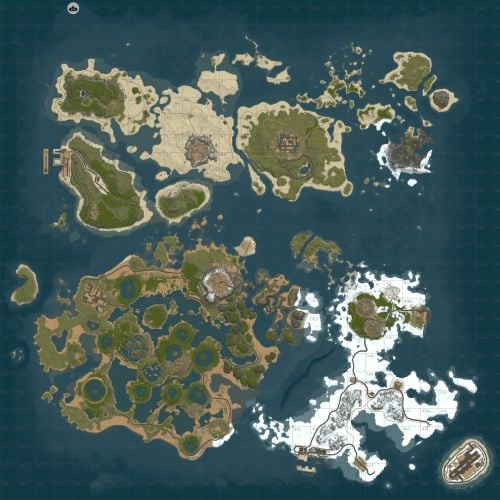 Magnificent craftsmanship with this map. Players agree
- 31 comments
-
- 1
-

-
- #archipelago
- #water map
- (and 7 more)
-
Hello, , will upload another update shortly - sorry i missed it in 1.0.9
-
Hi Kobani, i've tested with the latest version for quite some time and crates were respawning correctly, no real reason they shouldnt Here's my current example config for alwaysopen/building enabled/respawn/allow all vehicle { "Control - Schedule (plugin manages open/close mode and timers)": true, "Control - Content (plugin sets island/ghost ship/RHIB spawn settings)": true, "Control - Travel Rules (plugin changes what can pass through the portal)": true, "Control - Building (plugin enforces allow/deny building while in deep sea)": true, "Force apply change on plugin reload? (closes + reopens deep sea to apply spawn changes immediately. Recommend manual close/open instead.)": false, "Schedule": { "Mode (Vanilla | AlwaysOpen | Disabled)": "AlwaysOpen", "Open Time Seconds (vanilla wipeDuration)": 999999.0, "Cooldown Seconds (time until next opening after closing)": 5400.0, "Final Phase Seconds (used for end weather/ramp)": 1800.0, "Radiation Warning Phase Seconds (entry blocked when time left is below this)": 300.0, "AlwaysOpen - Keep Time Left Around Seconds": 999999.0, "AlwaysOpen - Refill When Below Seconds": 3600.0, "Disabled - Push Next Opening To Seconds": 9999999.0, "Set DeepSea Enabled Flag (restart may be required)": true, "DeepSea Enabled": true }, "Content": { "Islands": { "Count": 6, "Spacing Size (bigger = more spread out)": 300.0, "Edge Buffer (bigger = further from outer edge)": 750.0, "Minimum Spacing (hard minimum distance)": 600.0 }, "Ghost Ships": { "Count": 4, "Spacing Size (bigger = more spread out)": 80.0, "Edge Buffer (bigger = further from outer edge)": 450.0, "Minimum Spacing (hard minimum distance)": 400.0 }, "RHIB Groups": { "Count": 4, "Spacing Size (bigger = more spread out)": 10.0, "Edge Buffer (bigger = further from outer edge)": 1150.0, "Minimum Spacing (hard minimum distance)": 300.0 } }, "Travel Rules": { "Allow Any Vehicle": true, "Allowed Vehicle Prefabs (If not all vehicles)": [], "If any vehicle, require boat type only?": false, "Allow Players Without Vehicle": false, "Allow Noclip Players": true, "Allow Non-Player Passengers (npcs)": false, "Allow Non-Player Entity Teleport (npcs)": false, "Allow Entry During Radiation Warning Phase": false, "Ignore Extra Vehicle Onboard Check (eg copter transported on boat": false, "Log entry/exit": false }, "Building": { "Allow Building In Deep Sea": true, "DeepSea - Limit Foundations": true, "DeepSea - Max Foundations Per Player": 10, "DeepSea - GameTip: Show remaining on successful place": true, "DeepSea - GameTip: Show message when denied": true }, "Notifications": { "GameTip - Deep Sea Opening": true, "GameTip - Deep Sea Opened": true, "GameTip - Deep Sea Closing": true, "GameTip - Deep Sea Closed": true }, "Respawn (Crates/NPCs/Hackables)": { "Enable Respawn System": true, "Check Interval Minutes": 15, "Min Distance From Players To Allow Respawn": 100.0, "Respawn Hackable Crates Via Ghostship": true, "Hackable Crates Count": 2 } }
-
Hello, yes it can stop deepsea from opening permanently. Not part of the plugin at this time
-
Hi frontier, below is a tested and working config which: - Keeps deepsea always open - Allow build (max 10 foundations) - Allows any vehicle through - 15 minute respawn timer { "Control - Schedule (plugin manages open/close mode and timers)": true, "Control - Content (plugin sets island/ghost ship/RHIB spawn settings)": true, "Control - Travel Rules (plugin changes what can pass through the portal)": true, "Control - Building (plugin enforces allow/deny building while in deep sea)": true, "Force apply change on plugin reload? (closes + reopens deep sea to apply spawn changes immediately. Recommend manual close/open instead.)": false, "Schedule": { "Mode (Vanilla | AlwaysOpen | Disabled)": "AlwaysOpen", "Open Time Seconds (vanilla wipeDuration)": 999999.0, "Cooldown Seconds (time until next opening after closing)": 5400.0, "Final Phase Seconds (used for end weather/ramp)": 1800.0, "Radiation Warning Phase Seconds (entry blocked when time left is below this)": 300.0, "AlwaysOpen - Keep Time Left Around Seconds": 999999.0, "AlwaysOpen - Refill When Below Seconds": 3600.0, "Disabled - Push Next Opening To Seconds": 9999999.0, "Set DeepSea Enabled Flag (restart may be required)": true, "DeepSea Enabled": true }, "Content": { "Islands": { "Count": 6, "Spacing Size (bigger = more spread out)": 300.0, "Edge Buffer (bigger = further from outer edge)": 750.0, "Minimum Spacing (hard minimum distance)": 600.0 }, "Ghost Ships": { "Count": 4, "Spacing Size (bigger = more spread out)": 80.0, "Edge Buffer (bigger = further from outer edge)": 450.0, "Minimum Spacing (hard minimum distance)": 400.0 }, "RHIB Groups": { "Count": 4, "Spacing Size (bigger = more spread out)": 10.0, "Edge Buffer (bigger = further from outer edge)": 1150.0, "Minimum Spacing (hard minimum distance)": 300.0 } }, "Travel Rules": { "Allow Any Vehicle": true, "Allowed Vehicle Prefabs (If not all vehicles)": [], "If any vehicle, require boat type only?": false, "Allow Players Without Vehicle": false, "Allow Noclip Players": true, "Allow Non-Player Passengers (npcs)": false, "Allow Non-Player Entity Teleport (npcs)": false, "Allow Entry During Radiation Warning Phase": false, "Ignore Extra Vehicle Onboard Check (eg copter transported on boat": false, "Log entry/exit": false }, "Building": { "Allow Building In Deep Sea": true, "DeepSea - Limit Foundations": true, "DeepSea - Max Foundations Per Player": 10, "DeepSea - GameTip: Show remaining on successful place": true, "DeepSea - GameTip: Show message when denied": true }, "Notifications": { "GameTip - Deep Sea Opening": true, "GameTip - Deep Sea Opened": true, "GameTip - Deep Sea Closing": true, "GameTip - Deep Sea Closed": true }, "Respawn (Crates/NPCs/Hackables)": { "Enable Respawn System": true, "Check Interval Minutes": 15, "Min Distance From Players To Allow Respawn": 100.0, "Respawn Hackable Crates Via Ghostship": true, "Hackable Crates Count": 2 } }
-
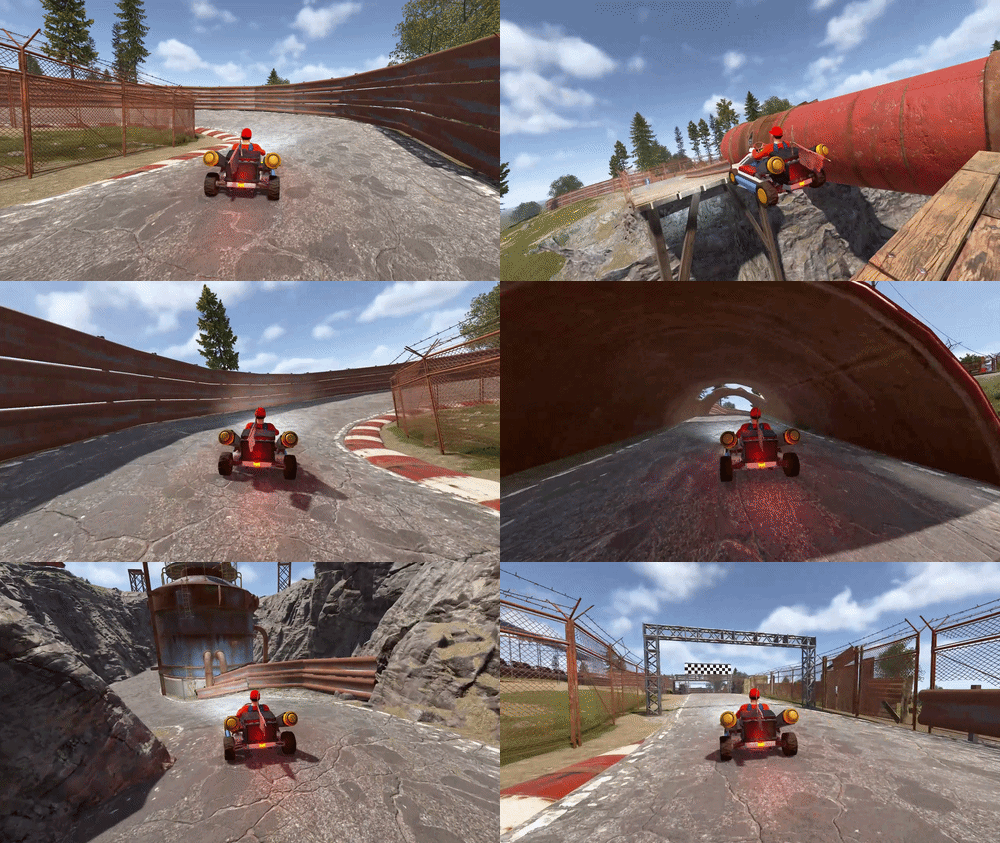
- 1 comment
-
- 2
-

-
- #sewer branch
- #racetrack
- (and 6 more)
-
A search option to filter discussion posts and support requests by keyword and/or user would make it easier to check if something was already discussed before requesting support etc. I see theres a global support center search but would be nice to have these within product discussion/support too.

-
Can try mine. { "Control - Schedule (plugin manages open/close mode and timers)": true, "Control - Content (plugin sets island/ghost ship/RHIB spawn settings)": true, "Control - Travel Rules (plugin changes what can pass through the portal)": true, "Control - Building (plugin enforces allow/deny building while in deep sea)": true, "Force apply change on plugin reload? (closes + reopens deep sea to apply spawn changes immediately. Recommend manual close/open instead.)": false, "Schedule": { "Mode (Vanilla | AlwaysOpen | Disabled)": "AlwaysOpen", "Open Time Seconds (vanilla wipeDuration)": 9999999.0, "Cooldown Seconds (time until next opening after closing)": 5400.0, "Final Phase Seconds (used for end weather/ramp)": 1800.0, "Radiation Warning Phase Seconds (entry blocked when time left is below this)": 300.0, "AlwaysOpen - Keep Time Left Around Seconds": 3600.0, "AlwaysOpen - Refill When Below Seconds": 600.0, "Disabled - Push Next Opening To Seconds": 9999999.0, "Set DeepSea Enabled Flag (restart may be required)": true, "DeepSea Enabled": true }, "Content": { "Islands": { "Count": 6, "Spacing Size (bigger = more spread out)": 300.0, "Edge Buffer (bigger = further from outer edge)": 750.0, "Minimum Spacing (hard minimum distance)": 600.0 }, "Ghost Ships": { "Count": 4, "Spacing Size (bigger = more spread out)": 80.0, "Edge Buffer (bigger = further from outer edge)": 450.0, "Minimum Spacing (hard minimum distance)": 400.0 }, "RHIB Groups": { "Count": 4, "Spacing Size (bigger = more spread out)": 10.0, "Edge Buffer (bigger = further from outer edge)": 1150.0, "Minimum Spacing (hard minimum distance)": 300.0 } }, "Travel Rules": { "Allow Any Vehicle": true, "Allowed Vehicle Prefabs (If not all vehicles)": [], "If any vehicle, require boat type only?": false, "Allow Players Without Vehicle": false, "Allow Noclip Players": true, "Allow Non-Player Passengers (npcs)": false, "Allow Non-Player Entity Teleport (npcs)": false, "Allow Entry During Radiation Warning Phase": false, "Ignore Extra Vehicle Onboard Check (eg copter transported on boat": false, "Log entry/exit": false }, "Building": { "Allow Building In Deep Sea": false, "DeepSea - Limit Foundations": false, "DeepSea - Max Foundations Per Player": 20, "DeepSea - GameTip: Show remaining on successful place": true, "DeepSea - GameTip: Show message when denied": true }, "Notifications": { "GameTip - Deep Sea Opening": true, "GameTip - Deep Sea Opened": true, "GameTip - Deep Sea Closing": true, "GameTip - Deep Sea Closed": true }, "Respawn (Crates/NPCs/Hackables)": { "Enable Respawn System": true, "Check Interval Minutes": 15, "Min Distance From Players To Allow Respawn": 200.0, "Respawn Hackable Crates Via Ghostship": true, "Hackable Crates Count": 1 } }
-
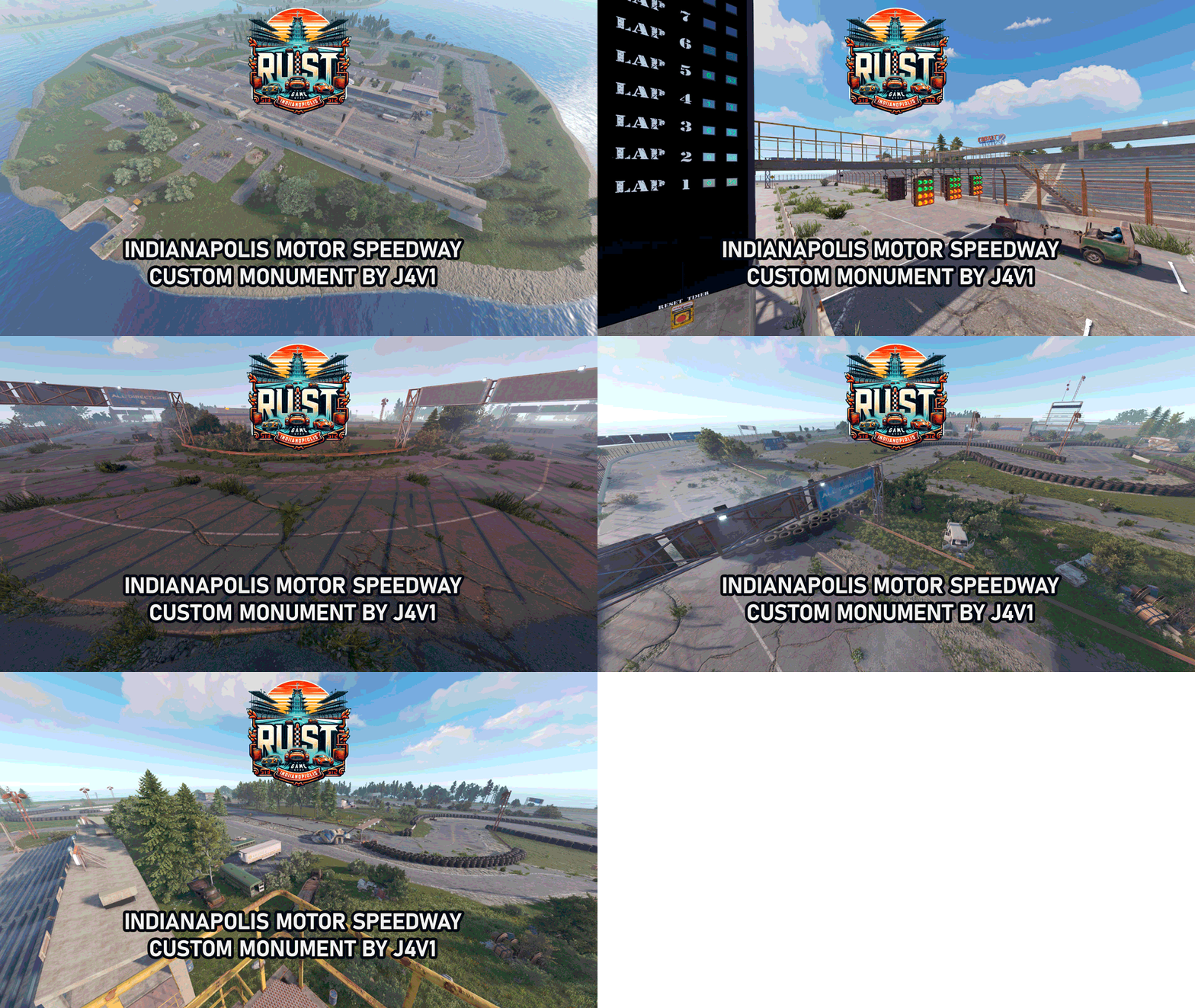 Some sweet screenshots for you @J4V1
 -
Upload the custom map file here as an example - https://mapstr.gg/ It will give you direct download link to the map file which is needed in server.levelurl
-
 It was fine when it was simply an api for spawning npcs. Now it takes away most of the configuration from the plugins that actally use it and stuff it all in one folder. As an example in better npc, the monument configs now only store npc positions, and for every npc, settings have been removed and separated into individual files, all stuffed into the npcspawn folder, with many duplicates and no indication which monument preset they came from. eg if same NPC name in oil rig and large oil rig, you now have two files with the same npc name, and some randomised string for the duplicate, no indication which is from small and large rig . Now i have to spend time figuring out which monument Scientist-56e34e comes from, and which npc is from which oil rig . Bonus star for the new AI brains
 -
 Great value and simple for players to use. Will definitely reduce the amount of "i dont remember where i parked" requests
 -
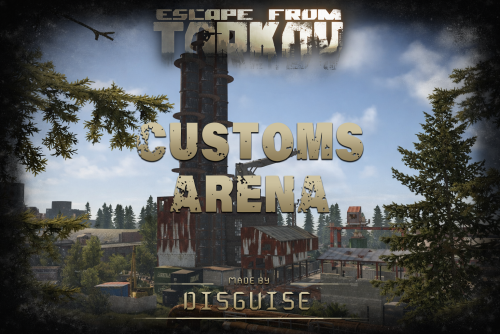 Great work sir
- 1 comment
-
- 1
-
-
- #escape from tarkov
- #eft
- (and 11 more)
-
Thanks manky , i've let him know in support, should be good hopefully!
-
This sounds like vanilla behavior. I recommend submitting a report to facepunch (F7 key) but will think about some built in restrictions. Hi M.Frutos, sorry i missed this for current update but will be added for you.
-
 안타깝게도 붐박스가 스폰될 때 자동으로 라디오 방송 목록이 열리도록 하는 것은 불가능합니다. 방송국 목록 UI는 클라이언트 측 동작이기 때문에 서버에서 강제로 표시할 수 없습니다. 목록을 열려면 플레이어가 직접 라디오와 상호작용해야 합니다.