

Yac Vaguer
-
Posts
337 -
Joined
-
Last visited
-
Days Won
2
Content Type
Profiles
Warranty Claims
Downloads
Forums
Store
Services
Downloads Plus Support
DOWNLOADS EXTRA
Everything posted by Yac Vaguer
-
Sorry for the delayed the issue is fixed in the 2.1.1 you can download it now.
-
Changed Status from Pending to Not a Bug Changed Fixed In to 2.0.1
-
 Yes, working on it
- 34 comments
-
- 1
-

-
- #ferry terminal
- #pvp/pve
- (and 9 more)
-
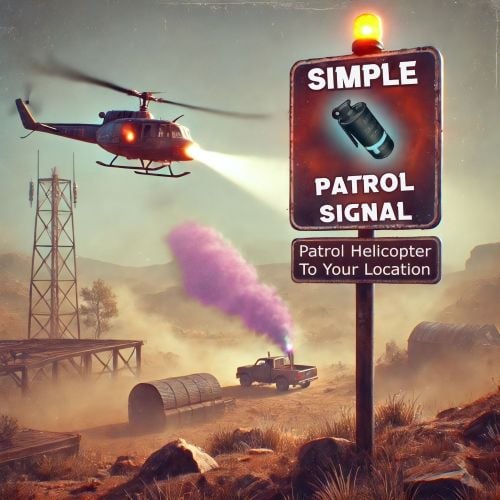 I don't know the plugin you are mentioning, but when we spawn an element including the patrol the game assign a specific ID but it will change every time. Maybe you have an example to know what are you referring
 -
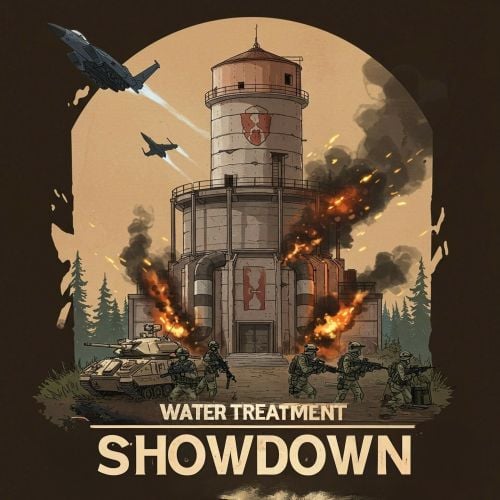 Yes, it fixed now Remember to download the Simple PVE Sphere for your seerver
 -
There is another person with similar issue on the reward section as you, can you share your config file?
-
Let me think about it, it might be ok
-
There is an error in your configuration file, please try to regenerate it
-
Version 1.0.0
170 downloads
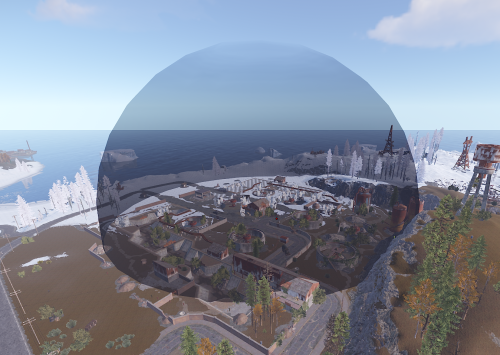
SimplePVESphere is a Rust plugin for Oxide modding that allows developers to easily create and manage temporary, spherical PVE (Player Versus Environment) zones for their custom events. It provides a visual sphere, a trigger collider for player access control, and an API to integrate with other plugins. The core idea is to define an area where PVE rules apply, typically controlled by an event owner. Unauthorized players are ejected, and ownership can be dynamically assigned, for example, when a player kills an NPC within the zone. Core Features 1. Dynamic Sphere Creation: * Create spheres programmatically with a specific position, radius, and visual opacity. * The visual sphere is rendered at twice the functional trigger radius to give players a clear visual warning before they enter the active PVE zone. 2. Trigger-Based PVE Zone: * A `SphereCollider` acts as the functional boundary of the PVE zone. * Manages player entry and automatically ejects unauthorized players. Ejection logic is designed to safely move players (and their vehicles, if mounted) to a ground position just outside the sphere. 3. Ownership and Access Control: * Owner-Based Access**: If a sphere has an owner (a `BasePlayer`), only the owner and their Rust teammates are allowed inside. * No Owner: If a sphere has no owner, all players can enter by default. * Ejection: Unauthorized players attempting to enter or found within the sphere are automatically ejected. 4. Automatic Ownership via NPC Kill: * A key feature is the ability for a sphere to automatically assign ownership. * If a player kills a `HumanNPC` or `ScientistNPC` (that is not also a real player with a SteamID) inside a sphere *that currently has no owner*, that player will automatically become the owner of that specific sphere. * When this happens, `SimplePVESphere` calls a global hook: `OnSimplePveOwnerAssigned(string eventName, BasePlayer ownerPlayer)`. 5. Admin Handling: * **Global Setting**: A global configuration `IgnoreAdmins` (in `oxide/config/SimplePVESphere.json`, default: `false`) can allow admins to bypass PVE rules. * Per-Sphere Override: When creating a sphere, an `eventDebugMode` flag (boolean, defaults to `false`) can be passed. * If `eventDebugMode` is `true` for a sphere, the global `IgnoreAdmins` setting is ignored for *that specific sphere*, and admins will be treated like regular players (subject to PVE rules). * If `eventDebugMode` is `false`, the global `IgnoreAdmins` setting applies as usual. 6. Performance: * The plugin dynamically subscribes to the server-wide `OnEntityDeath` hook only when at least one PVE sphere is active. It unsubscribes when the last sphere is removed, minimizing performance impact when the plugin is not actively managing any zones. Configuration The plugin has one main configuration option, found in `oxide/config/SimplePVESphere.json`: { "IgnoreAdmins": false } * `IgnoreAdmins` (boolean): * If `true`, players with admin flags will generally ignore the PVE restrictions (unless overridden by `eventDebugMode` on sphere creation). * If `false` (default), admins are subject to the PVE rules like other players (unless `eventDebugMode` is true for that sphere). API Usage To use `SimplePVESphere` in your plugin, you first need a reference to it. [PluginReference] private Plugin SimplePVESphere; Then, you can call its API methods: 1. `CreateSphere` Creates a new PVE sphere. void CreateSphere(string eventName, Vector3 position, float radius, int opacity, BasePlayer owner = null, bool eventDebugMode = false) * Parameters: * `eventName` (string): A unique name for this sphere. This is used to identify the sphere for removal or owner updates (e.g., your event's name or a unique ID). * `position` (Vector3): The world coordinates for the center of the sphere. * `radius` (float): The functional radius of the PVE trigger zone. The visual sphere will appear at `radius * 2`. * `opacity` (int): Determines the number of visual sphere layers. More layers can make the sphere more opaque. * `owner` (BasePlayer, optional): The initial owner of the sphere. Defaults to `null` (no owner). * `eventDebugMode` (bool, optional): If `true`, the global `IgnoreAdmins` config is bypassed for this sphere, and admins are treated as normal players. Defaults to `false`. * Example: if (SimplePVESphere != null) { Vector3 eventCenter = new Vector3(0, 100, 0); float eventRadius = 50f; int sphereOpacity = 3; string myEventName = "MyAwesomeEvent_1"; bool treatAdminsAsPlayersForThisEvent = true; SimplePVESphere.Call("CreateSphere", myEventName, eventCenter, eventRadius, sphereOpacity, null, treatAdminsAsPlayersForThisEvent); Puts($"SimplePVE sphere for {myEventName} created."); } else { PrintError("SimplePVESphere plugin not loaded!"); } 2. `RemoveSphere` Removes an existing PVE sphere. This should always be called when your event ends or the PVE zone is no longer needed to clean up resources. void RemoveSphere(string eventName) * Parameters: * `eventName` (string): The unique name of the sphere to remove (must match the name used in `CreateSphere`). * Example: if (SimplePVESphere != null) { string myEventName = "MyAwesomeEvent_1"; SimplePVESphere.Call("RemoveSphere", myEventName); Puts($"SimplePVE sphere for {myEventName} removed."); } 3. `SetSphereOwner` Updates or sets the owner of an existing PVE sphere. void SetSphereOwner(string eventName, BasePlayer newOwner) * Parameters: * `eventName` (string): The unique name of the sphere to update. * `newOwner` (BasePlayer): The player to set as the new owner. Can be `null` to remove ownership. * Example: BasePlayer somePlayer = GetPlayerById("somePlayerSteamId"); // Your method to get a player if (SimplePVESphere != null && somePlayer != null) { string myEventName = "MyAwesomeEvent_1"; SimplePVESphere.Call("SetSphereOwner", myEventName, somePlayer); Puts($"Ownership of {myEventName} sphere transferred to {somePlayer.displayName}."); } Listening for Hooks `SimplePVESphere` calls a hook when a player automatically becomes an owner by killing an NPC inside an unowned sphere. Your plugin can listen for this hook to react to ownership changes. OnSimplePveOwnerAssigned Called by `SimplePVESphere` *after* a player has been automatically assigned as the owner of a sphere due to an NPC kill. void OnSimplePveOwnerAssigned(string eventName, BasePlayer ownerPlayer) * Parameters: * `eventName` (string): The name of the sphere for which the owner was assigned. * `ownerPlayer` (BasePlayer): The player who was assigned as the owner. * Example (in your event plugin): // In your plugin (e.g., MyEventPlugin.cs) private void OnSimplePveOwnerAssigned(string eventNameOfSphere, BasePlayer newOwner) { // Check if it's an event this plugin cares about if (eventNameOfSphere == "MyAwesomeEvent_1") { Puts($"Player {newOwner.displayName} has become the owner of the '{eventNameOfSphere}' PVE zone via NPC kill!"); // Add your custom logic here, e.g., announce to the player, update UI, etc. SendPlayerMessage(newOwner, "You have conquered the PVE zone!"); } } Typical Integration Scenario 1. Event Start: * Your event plugin starts. * It determines the event location and desired PVE radius. * It calls `SimplePVESphere.Call("CreateSphere", "MyEventName", center, radius, opacity, null, false);` * Typically, the initial owner is `null` if you want NPC kills to determine the first owner. * Set `eventDebugMode` based on whether admins should be subject to PVE rules for this specific event. 2. During Event: * `SimplePVESphere` handles player ejections based on ownership. * If a player kills an NPC inside the sphere (and it's unowned), `SimplePVESphere` assigns them as owner. * `SimplePVESphere` then calls `OnSimplePveOwnerAssigned("MyEventName", newPlayerOwner)`. * Your plugin, listening to this hook, can then: * Update its internal state for the event. * Notify the new owner. * Potentially change event objectives or UI. 3. Event End: * Your event plugin concludes. * It **must** call `SimplePVESphere.Call("RemoveSphere", "MyEventName");` to clean up the PVE sphere and its associated GameObjects. This provides a robust and straightforward way to add PVE zone management to your events without needing to implement the complex sphere and trigger logic yourself.Free -
 I made a small plugin that use the command `/bob` (for bob the constructor) to show you which base you can actually build based on your permissions. If you feel it you can include it on your plugin using System.Collections.Generic; using Newtonsoft.Json; using Oxide.Core; using Oxide.Core.Plugins; using Rust; namespace Oxide.Plugins { [Info("Bob", "Yac Vaguer", "1.0.0")] [Description("Shows available bases for a player based on their permissions when using /bob")] public class Bob : RustPlugin { private PluginConfig config; private void Init() { foreach (var baseEntry in config.Bases) { if (!permission.PermissionExists(baseEntry.Permission, this)) permission.RegisterPermission(baseEntry.Permission, this); } } protected override void LoadDefaultConfig() { config = new PluginConfig() { Bases = new List<BaseEntry> { new BaseEntry { Name = "Small Base", Permission = "personalbuilder.smallbase" }, new BaseEntry { Name = "Medium Base", Permission = "personalbuilder.mediumbase", }, new BaseEntry { Name = "Large Base", Permission = "personalbuilder.largebase" }, }, }; PrintWarning("Generating new configuration file for PersonalBuilder."); SaveConfig(); } protected override void LoadConfig() { base.LoadConfig(); try { config = Config.ReadObject<PluginConfig>(); if (config == null) { LoadDefaultConfig(); } } catch { PrintError("Could not load configuration, using defaults."); LoadDefaultConfig(); } } protected override void SaveConfig() => Config.WriteObject(config, true); [ChatCommand("bob")] private void BobCommand(BasePlayer player, string command, string[] args) { List<string> availableBases = new List<string>(); foreach (var baseEntry in config.Bases) { if (permission.UserHasPermission(player.UserIDString, baseEntry.Permission)) { availableBases.Add($"- <color=#3399FF>{baseEntry.Name}</color>"); } } if (availableBases.Count == 0) { SendReply(player, "Sorry, you don't have permission to build any base."); } else { string message = "You can build the following bases:\n" + string.Join("\n", availableBases); SendReply(player, message); } } private class PluginConfig { [JsonProperty("Bases")] public List<BaseEntry> Bases { get; set; } } private class BaseEntry { [JsonProperty("Name")] public string Name { get; set; } [JsonProperty("Permission")] public string Permission { get; set; } } } }
 -
is it possible to add a cost per build in some custom currency? For example to build a base it will cost 5RP or 500 of economy or 1000 scrap besides the materials.
-
 The map was cool when you can used but it seems that the designer doesn't have time to updated it so since over 2 months the map is not working making it the most expensive useless plugins/map I own For the price I was expecting something at the same level or better than Grubber, but nope. Clearly this type of actions will have a big impact on smaller map creators
 -
Probably custom no, but I'm working on Alpha loot for other plugin that later I can add here, maybe custom too. We will see
-
Can you provide more info, like what happen on the event or anything? Please activate the verbose mode so we can get more information
-
Fixed
-
Sorry for the delay, you pointed me out this error before and I could't reproduce. I pushed the update with this fix
-
 I released an update with the fix
 -
You are able to find the person behind rocks and bases, you can also know who owns a base on the Friend section using the "seen" property (this is a feature from vanilla) Anyways you have a good point here, maybe we can exclude AFK players but that will also break the propose of this plugin
-
@Tanki how you fixed the issue? Remember that if you are in vanish mode you are not going to be detected
-
CHeck if the skin id is the same as in the config
-
Please use the skin id 3248057023 or another one, the plugin check if the skin id is the same as the one in the config to actually activate the UAV Functionality
-
Hey Ghost, sorry I missed your response, are you still facing the same issue?
-
We follow the issue on the Issue section, but maybe someone else faced this issue too
-
Hi Dana, yes but I’m traveling right now, I will be back in 10 days I will fix it asap then sorry for the troubles
-
The only way that it doesn't work is when you change the skin id, is that what happen when you stack it?