


Yac Vaguer
-
Posts
424 -
Joined
-
Last visited
-
Days Won
2
Content Type
Profiles
Warranty Claims
Downloads
Forums
Store
Services
Downloads Plus Support
DOWNLOADS EXTRA
Reels
Everything posted by Yac Vaguer
-
You want to use https://umod.org/plugins/Server-Rewards or https://umod.org/plugins/economics whatever you like the most. Probably better also to check srtbull he has a lot of content for Admin s
-
Changed Status from Work in Progress to Fixed
-
Changed Status from Work in Progress to Fixed
-
Hey Dusty, you're right, and thanks for the nudge. The zombies use Rust's own scarecrow AI, and nothing was keeping them near the plant. Over time they wander off, and when they chase someone they follow them right out of the monument. I'm adding a leash so they stay at Water Treatment, and it'll be in the next update.
-
Small correction to what I wrote above: the zombies in this event are Rust's own scarecrows, not NpcSpawn NPCs. So that error came from another plugin on your server that works with scarecrows, not from NpcSpawn. Water Treatment Event never calls that method. If you still see it, send me your plugin list and I'll help you find which one.
-
Hi, sorry for the long wait on this one. That error does not come from Water Treatment Event. The plugin never calls ScarecrowNPC.Attack. It comes from the zombie AI that NpcSpawn runs. It does not show up with the current NpcSpawn and Water Treatment 2.5.0, so update both and it should be gone. If you still see it, send me the full log line and I'll take a look.
-
Hey Dusty, sorry this one sat for so long. Every payout lands the moment it's earned: NPC kills, the Bradley, the patrol heli and the hackable crate. Nobody has to hold the zone until the timer runs out to get their RP. Looting the hackable crate is what finishes the event. It starts the nuke countdown, 240 seconds by default ("Time after player loot the hackable crate to end the event and drop the nukes [sec]" in the config). Since 2.4.0 the map marker counts down to that nuke instead of the full event timer. Before that it kept showing the full timer, which is probably why it looked like the event was tied to it. 2.5.0 is up now. If you'd still like an option to end it once every crate is looted and every NPC is dead, tell me and I'll look at it separately.
-
Hey Dark, both are sorted. The F15 warning is gone and the jet flies its run and drops the nuke on the plant. The event sitting at "0 mins left" is fixed too: it now wraps up about 25 seconds after the nuke lands instead of running on. Both fixes went out in 2.4.0, and 2.5.0 is the current version. Thanks for testing it and reporting back.
-
Changed Status from Pending to Fixed
-
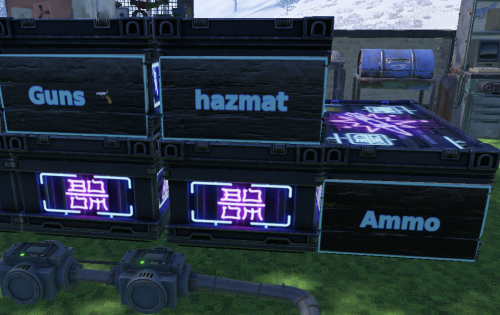 Support just added
-
Changed Status from Pending to Not a Bug
-
Hi Dusty sorry to missing out this message. I will take a look and fix it for next update Thank you for reporting it
-
It was fixed a couple of versions ago sorry i didn't replied here. If you are still having the issue check the first lines on the config where the starting the end of the event lines will determinate how long the radiation will last
-
Changed Status from Work in Progress to Fixed Changed Fixed In from 2.1.0 to 2.4.0
-
Working on the fix, thank you for pointing this out
-
 I found the issue, thank you for reporting it. It is happening with depended plugins are not loaded yet. I'm preparing a major release
-
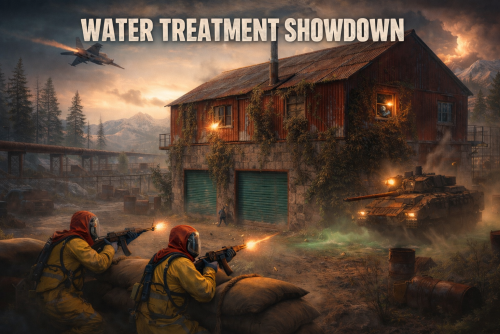 I found the issue, i will try to release it today/tomorrow
-
I cannot re spawned them. The spawning cycle will be the same as if a player killed them. I think betterNpc is like 20 minutes or so
-

Plugin is causing massive console spam in the GB
Yac Vaguer replied to SlayersRust's Support Report in Support
Changed Status from Pending to Not a Bug Changed Fixed In to 1.5.2 -
Sorry for not coming back to you on this, next release will have the option to remove any npc in the monument
-
I took down that feature, and the config flag still there, if you find it useful I can plan to add it in the upcoming version
-
Version 0.14.0
79 downloads
Put a readable sign on your large wood boxes. Aim at a box, run /label, type a short message, pick the colors, and the plugin paints small wooden signs onto the box faces so you can read what is inside without opening it. No more guessing which of the twelve boxes in your base holds the meds. What it does Labels the large wood box, including skinned versions of it. Renders your text to a image and paints it on small wooden signs stuck to the box. Lets you choose which faces get a sign: front, back, left, right, or any mix. Default is all four. Supports text color, background color, a border frame with adjustable thickness, and a glyph outline color. Supports emoji in the label through :shortcode: syntax, with a built-in picker. Cleans up after itself: when a box is picked up or destroyed, its signs and saved data go with it. Commands CommandWhat it does /label Open the label popup for the box you are looking at. /label <text> Skip the popup and stamp the box right away, reusing your last colors. /unlabel Remove the label from the box you are looking at. You can also open the popup from inside the box. When you loot a box you are allowed to label, a small Label button appears on the loot screen. It is on by default and can be turned off in the config. The popup The popup has two tabs. Label is where you type the message for the box in front of you, pick its colors and border, and choose which faces carry a sign. Save writes it; Clear removes the label; Cancel closes without changes. Settings is where you set your personal defaults. Pick the colors you like once and every new label starts from them. There is also an Apply all button that re-skins every label you have already placed with your chosen defaults, so you can recolor your whole base in one click. The re-skin runs in small batches across several frames so it does not stall the server. Colors are picked from a swatch palette. Your last choice is remembered between labels. Emoji You can drop emoji into a label with :shortcode: syntax. Type something like LOOT and the matching image is drawn inline with the words, sized to the font. Multiple emoji wrap across lines the same way words do. The popup has an Emoji button that opens a paged grid. Click one to add its :shortcode: to your text, then Save. You can fully replace the icons for the one you want Permissions Permission Grants boxlabel.use Use /label and /unlabel on boxes you are authorized on. boxlabel.admin Label or clear any box, ignoring the tool cupboard check. A normal player needs boxlabel.use and must be authorized on the tool cupboard that covers the box. Staff with boxlabel.admin can label any box anywhere.Free -
Plugin is causing massive console spam in the GB
Yac Vaguer replied to SlayersRust's Support Report in Support
Hi Slayer, your config seems fine I have the same version NpcSpawn running on my server and the quick thing we have to validate this is to remove oxide/config/NpcSpawn.json and reload the plugin to see if that fix the NRE Take into consideration that the default config is working and not throwing any NRE this might be cause of all config on NPCSpawn in your server. Please let me know if this fix the issue also make a backup copy of your oxide/config/NpcSpawn.json before just in case -
Changed Status from Pending to Not a Bug

