
-
Posts
875 -
Joined
-
Days Won
14
Content Type
Profiles
Warranty Claims
Downloads
Forums
Store
Services
Downloads Plus Support
DOWNLOADS EXTRA
Reels
Everything posted by Fusion 3.64
-
Sorry about that. Didn't mean to ignore you. I just didn't catch the response in the feed. What I meant was you know the areas in the arena that would have a card reader and a door opener so I wouldn't have to point them out to you. Didn't mean you would have known about the issue Thank you for the fix
-
Had a player catch this one for me. This happened once before but the bases were all built very close together where some were actually inside the dome. This time the base was partially covered by the dome and got raided along with the abandoned base.
-
Will do.
-
A player reported earlier today that if you get on a mini while in the raid base circle, it spams that you have left and entered the circle. Not sure if this is a bug or I have conflicting settings somewhere.
-
Sorry. I missed the notification. Just now seeing this. It's not a constant bug. Just a random one. I've tried to reproduce but was unable. But I've had an admin and several long time players confirm it. Players are also saying that the quarry shows as off while it's actually running. And when the server restarts the quarries are shut off. Though I'm not sure if that's vanilla or not. I thought they were persistent through restarts.
-
Understood. Just figured I would share the full version since you said the previous was too blurry. I honestly have no idea what setting a user could have in place that would be doing this though. I get this isn't an issue from your plugin, but do you have any general suggestions as to what it they could have set? Or any online resource I should check? Just so I can tell them to either turn it off or deal with it if they want to leave said settings in place.
-
Here's the direct link to the image
-
I'm not talking about the blue text. I'm talking about the white text in the bars extending from the top left. Is that intentional? And if so, what's the point of it?
-
Had a player point this out earlier today with theis screenshot. Had another confirm and said it only happens around their global storage chest.
-
Had a player report a base bug today and got a screencap. Looks similar to the previous one. The land is far too uneven to place a building.
-
Hi. They're floating again.
-
NullReferenceException: Object reference not set to an instance of an object
Fusion 3.64 posted A Support Report in Support
Exception while calling NextTick callback (NullReferenceException: Object reference not set to an instance of an object) at Oxide.Plugins.BankSystem+<OnLootSpawn>c__AnonStorey1.<>m__1 () [0x0000b] in <05c4000cef344d1a94300b50cf449ae3>:0 at Oxide.Core.OxideMod.OnFrame (System.Single delta) [0x00051] in <50629aa0e75d4126b345d8d9d64da28d>:0 This is spamming on server load every time. -
Will do. I regretted it right after. But the player was surrounded by NPCs and was afraid that if someone decided to raid his base would get damaged so took it down right away. Another thing I just remembered that was kinda wrong was the player is built right up against some large rock formations which should have made it fail the check for placement. I don't know if that helps any.
-
Players have been reporting this bug/glitch for a while now. Doesn't seem to be a constant though.
-
So here's an interesting one. I had a Nightmare base spawn on a player base. But there was no base placed. Just the walls, dome and NPCs. I didn't think to take a screenshot after I logged in to clear it for the player. But it wasn't a building from the copypaste files. And definitely not a nightmare base. Just a stone roundhouse and not built for raiding by any means.
-
Small prefab error. You can access the button through the wall below the card reader. Had a player point it out. Tried to get a video of it but my computer is at the point where I need to reformat. It's been several years, so rust and screen cap tools are not happy running at the same time. But I figure you know where it is and what I'm talking about so you don't really need a video to explain it.
-
Hello. I wanted to try this out today and when unpacking the file Bitdefender decided to step in and disinfect the file. So pretty much just remove it lol. This is the virus reported if it helps any "Trojan.GenericKDZ.81402". Out of curiosity. Why would a program be getting false reports of a trojan when it’s more or less just editing and deleting files? Or is that exactly why?
-
I'll try to get it on my test server later on. I've disabled it on the main server for the time being. I run the cargo train event, so players will be riding along on the train and drive into the dome without seeing it. It's a custom map (Pokeyisland currently), so it's possible the tunnels may just be higher than normal now that I think about it.
-
Understood. I know I can change the eject setting. I'm just making you aware that it will cause issues and just wanted to give you a heads up. Depending on the size of the monument it's very likely that it's going to reach the tunnels underneath. So possibly make a mention in the description so the customers are aware ahead of time. And what plugin do I need to activate the dome? I'm not seeing it listed in any of your other plugins or your google drive.
-
So there's a massive issue with the plugin if you're using the eject setting. If an event is claimed and the dome eclipses a tunnel it will kick players out. So far they have wound up in the ocean because of the harbor event. But I can see this killing players by sending them into the abyss in other locations. Also, all I wanted was the domes to show when the event was active so the players would know what they were heading into. That's the only reason I bought this. But in retrospect it doesn't even do that. The dome only shows when the event is claimed. So it's not even doing what I need it to. Why you removed the option altogether is confusing. I can see darkening the dome to show it's claimed. But the option should still be in place to show that there is an active event running at that location. Just like how there are domes running to show that the basses are raidable/abandoned. So players know what they are heading into and that they can avoid it if they want. Obviously just an option to toggle on or off. Not a static setting. But highly preferable.
-
 I've been using this plugin about as long as I've been buying plugins from Mercury. This is the best update so far. Simple to set up. Lots of options. And when you're done, you'll have lots of new, interesting and powerful tools for your players to use and find on the server. You'll need another plugin to add them to the loot table, but there are plenty of those around.
 -
I can't post a review on this since I haven't purchased it from here, but I will say that the players love it. I have them set to spawn in high tier crates at low rates through another plugin. Or as a playtime gift through another. They've become goal items for the veteran players on the server. They basically hit the ground running at wipe looking for the "Hot Knife" or whatever other tool I've set up. Well worth the purchase. I'll probably be picking this up tomorrow to save myself from needing to do translations for future updates
-
I have the permission setting as default in the config and it's not working through console or listing in a permission manager. I even tried changing vip to instancedcontainers.vip just to see and that didn't work either. I am on the current version Loaded plugin InstancedContainers v1.0.2 by imthenewguy Wiped and started fresh just to make sure nothing was wonky with the config/lang.
-
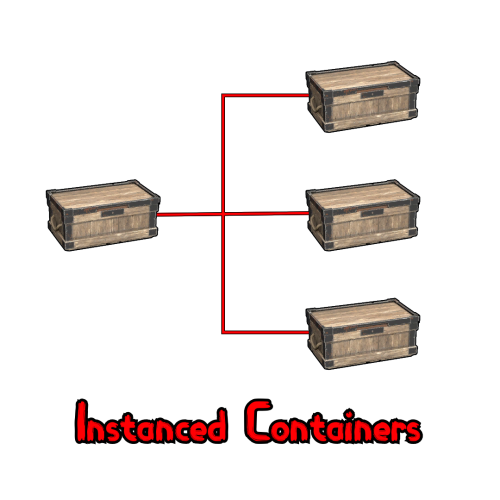 Understood. And I meant just a brief explanation as to what it does. Like "Add additional boxes within this one." or something along those lines.
 -
I found a conflict of sorts with your instanced containers. This plugin will allow you to create containers within it, but they are unusable. When you back out of the container and go back in they have vanished. And the process can be repeated. Granted most players would get the hint after the first attempt and not repeat it. But not all. May I suggest adding a skin blocker to the instanced container plugin?