

Mevent
-
Posts
3,041 -
Joined
-
Last visited
-
Days Won
45
Content Type
Profiles
Warranty Claims
Downloads
Forums
Store
Support
DOWNLOADS EXTRA
Services
Everything posted by Mevent
-
Hey! Is it the same in the latest version?
-
 See config
- 53 comments
-
- 1
-

-
- #statistics
- #leaderboard
- (and 12 more)
-
Hi! Now the site has problems with payment, through PayPal. You can pay via card, GooglePay or ApplePay. You can also contact me on discord and transfer money to my personal account, after which I will give you access to the site
-
Hi! Wdym?
-
 To set the command to be executed when the button is pressed
 -
I took them on www.flaticon.com
-
Version 2.10.23
1,634 downloads
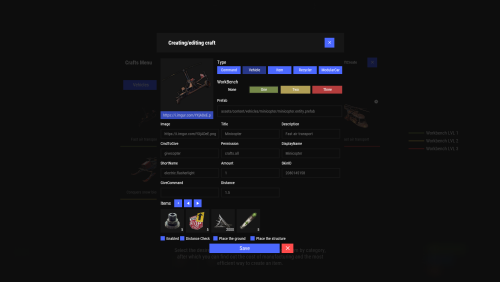
Crafting system that allows you to create items, cars, vehicles, recyclers, etc! Commands craft open interface crafts.setwb [categories: cat1 cat2 ...] set new custom workbench Permissions You can set permission in config, for example: "Permission (ex: crafts.use)": "crafts.use", crafts.setworkbench - allows you to use the "crafts.setwb" command (set custom workbenches) Craft Types Command Vehicle Item Recycler ModularCar How to install a custom workbench 1. Spawn the workbench (for example, in RustEdit or a plugin) 2. In the game, go to him and use the command "crafts.setwb" and specify the necessary categories. Example: /crafts.setwb Misc 3. Go to config (oxide/config/Crafts.json) and configure this workbench (use SafeZone, workbench level, etc.) VIDEO FAQ Q: Where can I see an example of a config? A: Config$19.95 -
Version 2.1.2
2,513 downloads
Introducing Skills, the ultimate skill progression system for Rust servers featuring 71+ pre-configured skills across 13 categories! Complete with 4 UI templates, modal windows system, automatic migration from SkillTree/Skills V1, and comprehensive API. Transform your server into a world of specialization where players can master every aspect of Rust - from elite resource gathering and crafting to combat dominance and survival expertise. With intuitive progression, stunning visuals, and seamless integration, Skills delivers endless replayability and keeps players engaged for months! Why Choose Skills? Massive Skill Library - 71+ pre-configured skills covering every gameplay aspect Ready to Deploy - All skills are balanced and ready to use immediately Deep Progression - 10 levels per skill with meaningful advancement Visual Editor - Easy customization without coding knowledge Server Integration - Native support for ServerPanel V1/V2/V4, Notify/UINotify, and all major economy plugins Performance Focused - Optimized for high-population servers Seamless Migration - Automatic data conversion from SkillTree and Skills V1 Modal Windows - Advanced modal system for custom interfaces Multi-Template Support - Fullscreen, V1, V2, V4 ServerPanel templates Real-time Notifications - Integrated Notify/UINotify support Video Overview Showcase Templates Fullscreen Template ServerPanel V1 Template ServerPanel V2 Template ServerPanel V4 Template Modal Windows & Editor Modal Windows System Complete Skill Arsenal (71+ Skills) Skills comes with a massive library of pre-configured skills covering every aspect of Rust gameplay. All skills are ready to use with balanced 10-level progression systems! Mining Skills All Ores Mining - Boosts yields from stone, sulfur, metal, and HQM ore by up to 50% Stone Mining - Specialized stone gathering with up to 50% bonus Sulfur Mining - Enhanced sulfur ore collection up to 50% Metal Mining - Increased metal ore yields up to 50% HQM Mining - High-quality metal ore bonuses up to 50% Instant Ore Destruction - Chance to instantly destroy ore nodes (up to 20%) Durability Skills Tool Durability - Reduces wear on gathering tools Weapon Durability - Preserves weapon condition in combat Clothing Durability - Maintains armor integrity Wood Skills Wood Gathering - Increased wood collection from trees Instant Tree Chopping - Chance to fell trees instantly Coal Chance - Bonus coal drops from woodcutting Resources Skills Smelted Ore Chance - Bonus metal from ore smelting Animal Butchering - More meat from animal carcasses Instant Butchering - Chance to butcher animals instantly Plant Gathering - Better yields from bushes and hemp Crop Harvest - Increased vegetable production Fishing - Improved fishing success and rare catches Instant Barrel Destruction - Instant barrel breaking chance Crafting Skills Craft Duplicate - Chance for double crafted items Craft Speed - Faster crafting times Recycler Speed - Quicker recycling Furnace Smelting Speed - Faster ore smelting Component Find Chance - Bonus components from scrapping Cooking Speed - Faster food preparation Defense Skills Fire Resistance - Reduced fire damage Fall Damage Resistance - Less fall damage Temperature Resistance - Better cold/heat protection Radiation Resistance - Reduced radiation damage Explosive Resistance - Protection from explosions Stand Up Chance - Higher chance to stand when wounded Melee Damage Resistance - Less melee damage taken Damage From Scientists Resistance - Reduced scientist damage Damage From Players Resistance - PvP damage reduction Animal & Shark Defense Animal Damage Resistance - Protection from animal attacks Shark Damage Resistance - Reduced shark damage Metabolism Skills Hunger Metabolism - Slower hunger depletion Thirst Metabolism - Reduced thirst buildup Health Regeneration - Faster natural healing Horse Skills Horse Speed - Faster horse movement Horse Damage Resistance - Horse takes less damage Horse Fall Resistance - Better horse fall survival Underwater Skills Underwater Breathing - Extended underwater time Crate Skills Crate Unlocking Speed - Faster locked crate opening Crate Extra Loot - Bonus items from containers Building Skills Building Upgrade Cost - Reduced building upgrade costs Vehicle Skills Fuel Consumption - Reduced vehicle fuel usage Vehicle Repair Cost - Cheaper vehicle repairs Air Vehicle Takeoff Speed - Faster helicopter takeoff Damage Skills Damage To Scientists - Increased damage to scientists Damage To Animals - More damage to animals Damage To Players - Bonus PvP damage output Trap Damage - Increased trap and turret damage Combat Skills Magazine Size - Larger weapon magazines Effect Duration - Longer buff/debuff effects Revive Healing - More health from revives Special Skills Teleportation VIP - VIP teleport permissions Wipe Protection - Data protection across wipes Migration & Conversion Skills supports seamless data migration from popular skill plugins: SkillTree Plugin - Automatic conversion of player XP and skill levels Skills V1 - Full data transfer including custom skills and configurations Advanced Features Modal Windows System - Create custom modal interfaces for additional functionality Multi-Template UI - Support for Fullscreen, ServerPanel V1/V2/V4 templates Real-time Notifications - Integrated Notify/UINotify system for skill progression alerts Advanced API - Comprehensive developer API for third-party integrations ImageLibrary Integration - Offline image mode with automatic fallback Custom Economy Hooks - Flexible economy integration with plugin hooks XP Transfer System - Transfer XP between players on death (configurable) Cooldown System - Configurable action cooldowns to prevent spam Commands /skills or /skill - Opens the skills interface skills.modal <modalID> - Open specific modal window Admin Console Commands: skills.manage addxp <player> <amount> - Add XP to player skills.manage takexp <player> <amount> - Take XP from player skills.manage setxp <player> <amount> - Set player's XP balance skills.manage setskill <player> <skillId> <level> - Set skill level skills.manage giveskill <player> <skillId> <levels> - Increase skill level skills.manage resetskill <player> <skillId> - Reset specific skill skills.manage resetall <player> - Reset all skills skills.manage info <player> - Show player skill information Permissions skills.use - Access to skills interface (set in config as "Permission") skills.edit - Access to visual skill editor skills.xprate.vip - 1.5x XP rate bonus skills.xprate.premium - 2x XP rate bonus skills.xptransfer.vip - 75% XP transfer on death skills.xptransfer.premium - 100% XP transfer on death skills.gathering.level6-10 - Access to advanced gathering levels Developer API Skills provides a comprehensive API for developers: Methods: API_GetPlayerSkillLevel(ulong playerId, int skillId) - Get player's skill level API_AddPlayerXP(ulong playerId, float amount) - Grant XP to player API_GetSkillInfo(int skillId) - Get skill configuration data API_OnGather(BasePlayer player, Item item) - Handle gather events API_OnSkillLevelUp(BasePlayer player, int skillId, int level) - Skill level up events Hooks: OnSkillsPlayerLoaded(BasePlayer player) - When player data loads OnSkillsXPEarned(BasePlayer player, float amount) - When XP is earned OnSkillsSkillLevelUp(BasePlayer player, int skillId, int level) - Skill progression Web Config Editor Easily manage your Skills settings with our web-based configuration editor. This tool allows you to adjust plugin configurations through a user-friendly interface, eliminating the need to manually edit files on your server. P.S. Join our Discord at https://discord.gg/mevent and request the "Skills" group for access to the web configuration editor. FAQ Q: How many skills come with Skills? A: Skills includes 71+ pre-configured skills across 13 categories, all ready to use with balanced progression systems. Q: Do I need to configure anything? A: No! All skills are pre-configured and balanced. Simply install, enable desired skills, and grant permissions. Q: How does the XP system work? A: Players earn XP through gameplay activities (mining, combat, crafting, etc.) and spend it to unlock skill levels. Q: Can I customize skills? A: Yes! Use the visual editor to modify skill costs, bonuses, requirements, and create new custom skills. Q: What happens on server wipe? A: Fully configurable - you can preserve skills/XP, reset everything, or choose selective wipe protection. Q: Does it work with economy plugins? A: Yes! Full integration with ServerRewards, Economics, BankSystem, IQEconomic, and custom economy systems. Q: Can I migrate from SkillTree or Skills V1? A: Absolutely! Skills automatically converts data from both plugins. All player progress is preserved. Q: What are modal windows? A: Modal windows are custom popup interfaces you can create for additional features like shops, information displays, or mini-games. Q: Which ServerPanel versions are supported? A: Skills supports ServerPanel V1, V2, V4, and Fullscreen templates - all with dedicated banner images and layouts. Q: Can I use custom images? A: Yes! Skills supports ImageLibrary integration with offline image mode for custom skill icons and backgrounds. Q: Is there a cooldown system? A: Yes, configurable cooldowns prevent spam actions and maintain server performance. Q: How does XP transfer work? A: When enabled, defeated players can transfer a percentage of their XP to the killer, adding competitive depth. Q: Can I limit skill access? A: Yes! Skills support permission requirements, playtime requirements, and other prerequisites. Q: What's the performance impact? A: Skills is highly optimized with caching, batch processing, and efficient data structures for minimal server load.$24.95 -
.thumb.gif.2237317443c77990224cbebe7310d143.gif)
Version 2.2.30
8,479 downloads
Unique kit system with the highest possible functionality and beautiful design. This will please you (no need to sit in the config every time and try to fill in some incomprehensible values, etc.), and your players (convenient, clear and informative interface). You just start editing items directly in the game) and your players (comfortable, clear, informative interface)! Features of Kits Beautiful User Interface: Experience a visually appealing and user-friendly design. High Performance: Optimized for fast, reliable performance. Automatic Kit Conversion (uMod): Easily convert your existing kits. In-Game Kit and Item Setup: Configure kits directly in the game. Auto Kits & Wipes (Optional): Automate kit distribution and server wipes. Custom Items & Commands: Assign unique items and commands to kits. Advanced Item Settings: Fine-tune every aspect of your items. CopyPaste Integration: Seamlessly work with CopyPaste. Optional Features: Delays after wipes, set blocking in Building Block, logging, and item chances. Skills & ServerPanel Support: Enhance player experience with integrated support. Commands kit – open the kit interface kit help – get help with kits kit autokit – enable or disable automatic kit. Requires the "kits.changeautokit" permission. You can set this permission up in the plugin configuration under "Permission to enable/disable autokit". kit list – display all available kits kit [name] – redeem a specific kit kits.resetkits – delete all kits kits.give [name/steamid] [kitname] – grant a kit to player kits.convert – convert from uMod Kits kits.wipe – clear players data kits.reset – resets the player data or kits in the kits system. kits.reset data [<targetID>/all] – resets the data of a player or all players. Parameters: <targetID>: The ID of the player whose data is to be reset. If you specify all, the data of all players will be reset. kits.reset kits – resets all kits in the data kits.template <interface_type> <interface_style> <template> [template_version] – allows the administrator to customize the appearance of the bundles interface by choosing between fullscreen and inmenu mode. Different styles and templates are available for each interface type. The old style (old) is only available for fullscreen mode, while the new Rust style (rust) is available for both interface types. When using the Rust style, you must specify a specific template such as normal, content, categories or content_categories. For inmenu rust templates, you can also specify the ServerPanel template version (1 or 2). Parameters: <interface_type>: The type of interface template. Valid values: fullscreen: Fullscreen interface template. inmenu: Menu interface template. <interface_style>: The style of the interface. Valid values: old: The old interface style (fullscreen only). rust: New Rust interface style (for fullscreen and inmenu). <template>: The name of the target template. Valid values depend on the interface style: normal, content, categories, content_categories. [template_version]: (Optional, only for inmenu rust) ServerPanel template version. Valid values: 1 or 2. Specifies the template version to be used with the selected inmenu rust template. Examples: kits.template fullscreen old - Sets the fullscreen interface to the old style. kits.template fullscreen rust normal - Sets the fullscreen interface to the Rust style with the normal template. kits.template fullscreen rust content - Sets the fullscreen interface to the Rust style with the content template. kits.template fullscreen rust categories - Sets the fullscreen interface to the Rust style with the categories template. kits.template fullscreen rust content_categories - Sets the fullscreen interface to the Rust style with the content_categories template. kits.template inmenu rust normal 1 - Sets the menu interface to the Rust style with the normal template for ServerPanel version 1. kits.template inmenu rust content 2 - Sets the menu interface to the Rust style with the content template for ServerPanel version 2. kits.template inmenu rust categories 1 - Sets the menu interface to Rust style with the categories template for ServerPanel version 1. kits.template inmenu rust content_categories 1 - Sets the menu interface to the Rust style with the content_categories template for ServerPanel version 1. Video P.S. Video of the old version, video for the V2+ version is now in development Showcase Full screen Templates Template OLD STYLE Template NEW RUST Default: Content: Categories: Content & Categories: In-Menu Templates Template V1 (V1.1) Default: Content: Categories: Content & Categories: Template V2 Default: Content: Categories: Content & Categories: Editor TEST SERVER Join our test server to view and experience all our unique features yourself! Copy the IP Address below to start playing! connect 194.147.90.239:28015 FAQ Q: Where can I see an example of a config? A: Config Q: Where can I see an example of a data? A: Data Q: How do I add Kits to ServerPanel? A: To add Kits to your ServerPanel, create a new category in your ServerPanel configuration with these settings: "Type": "Plugin", "Plugin Name": "Kits", "Plugin Hook": "API_OpenPlugin". Q: Does the Kits plugin support other plugins? A: Yes, this Kits plugin has an API similar to other popular kits plugins. If the plugin works with Kits - it works with this plugin too. Q: How do I enable the sale of kits? A: You need to configure the plugin economy (which plugin, its hooks, etc.), enable "Enable sale" in the Kits data (oxide/data/Kits/Kits.json or carbon/data/Kits/Kits.json) and set the price to "Selling price" "Enable sale": true, "Selling price": 100, Q: How do I use Economics to pay for kits? A: Example configuration settings: "Economy": { "Type (Plugin/Item)": "Plugin", "Plugin name": "Economics", "Balance add hook": "Deposit", "Balance remove hook": "Withdraw", "Balance show hook": "Balance", "ShortName": "", "Display Name (empty - default)": "", "Skin": 0 }, Q: How do I use ServerRewards to pay for kits? A: Example configuration settings: "Economy": { "Type (Plugin/Item)": "Plugin", "Plugin name": "ServerRewards", "Balance add hook": "AddPoints", "Balance remove hook": "TakePoints", "Balance show hook": "CheckPoints", "ShortName": "", "Display Name (empty - default)": "", "Skin": 0 }, Q: How do I use scrap to pay for kits? A: Example configuration settings: "Economy": { "Type (Plugin/Item)": "Item", "Plugin name": "", "Balance add hook": "", "Balance remove hook": "", "Balance show hook": "", "ShortName": "scrap", "Display Name (empty - default)": "", "Skin": 0 }, Q: How do I resize the kit image? A: You can do this in the config, here's an example of the image setup (-32 and 32 are width, and -75 and -11 are height "Kit Image": { "AnchorMin": "0.5 1", "AnchorMax": "0.5 1", "OffsetMin": "-32 -75", "OffsetMax": "32 -11" }, Q: How can I remove the numbers on the kits ("#1", "#2", etc.)? A: You need to turn off "Show Number?" in the config: "Show Number?": false, Q: How do I make it so that others can see kits with different permissions without being able to claim them? A: You need to turn off "Show All Kits?" in the config: "Show All Kits?": true, Q: Where can I edit the names in the plugin or add my own language? A: You can edit lang files that are located (for example) at "oxide/lang/en/Kits.json" or "carbon/lang/en/Kits.json". Q: Players get "The plugin does not work correctly, contact the administrator!" message. How to fix? A: This error occurs when the ImageLibrary plugin is not working properly. Solutions: Install the ImageLibrary plugin if it's not installed. Make sure ImageLibrary is loaded and running properly (check with o.plugins command). Restart the server after installing ImageLibrary. Check server console for ImageLibrary errors and fix them. Q: I see black images with Rust logo or get error 429 when loading images. What should I do? A: These issues occur when there are problems downloading images from the internet. The Kits plugin sends images to ImageLibrary but is not responsible for the downloading process itself. Error 429 typically occurs due to rate limits imposed by image hosting services like Imgur (see HTTP 429 documentation for more details). To fix this, enable Offline Image Mode which will use local images instead: Enable the mode in config: Open "oxide/config/Kits.json" (or "carbon/config/Kits.json" for Carbon) Set "Enable Offline Image Mode": true Set up the images: Create folder "TheMevent" in "oxide/data" (or "carbon/data" for Carbon) Download PluginsStorage (click "CODE" → "Download ZIP") Extract the ZIP and copy all contents to the "TheMevent" folder Reload the plugin: Type o.reload Kits (Oxide) or c.reload Kits (Carbon) Note: If you want to add your own custom images, place them in the "TheMevent" folder and reference them with the "TheMevent/" prefix. For example: "TheMevent/Icon1.png", "TheMevent/MyCustomIcon.jpg", etc. Q: What placeholders are available for commands and what do they do? A: You can use these placeholders in kit commands and they will be automatically replaced: %steamid% - Replaced with the player's Steam ID (e.g., "76561198000000000") %username% - Replaced with the player's display name (e.g., "PlayerName") %player.x% - Replaced with the player's X coordinate position %player.y% - Replaced with the player's Y coordinate position %player.z% - Replaced with the player's Z coordinate position Example usage in kit commands: "Commands on receiving (via '|')": "say Welcome %username%!|teleport %steamid% %player.x% %player.y% %player.z%" Note: Multiple commands can be separated by the "|" character, and they will be executed in sequence when the kit is redeemed. HOOKS private string[] canRedeemKit(BasePlayer player) private void OnKitRedeemed(BasePlayer player, string kitName) private double OnKitCooldown(BasePlayer player, double cooldown) API private bool TryClaimKit(BasePlayer player, string name, bool usingUI) private string[] GetAllKits() private object GetKitInfo(string kitname) private string[] GetKitContents(string kitname) private double GetKitCooldown(string kitname) private double PlayerKitCooldown(ulong ID, string kitname) private int KitMax(string kitname) private double PlayerKitMax(ulong ID, string kitname) private string KitImage(string kitname) private bool IsKit(string kitname) private bool isKit(string kitname) private void GetKitNames(List<string> list) private double GetPlayerKitCooldown(ulong userId, string name) private double GetPlayerKitCooldown(string userId, string name) private void SetPlayerCooldown(ulong userId, string name, int amount) private int GetPlayerKitUses(ulong userId, string name) private int GetPlayerKitUses(string userId, string name) private void SetPlayerKitUses(ulong userId, string name, int amount) private JObject GetKitObject(string name) private int GetKitMaxUses(string name) private string GetKitDescription(string name) private string GetKitImage(string name) private bool GiveKit(BasePlayer player, string name, bool usingUI) private bool HasKitAccess(string userId, string name) private int GetPlayerKitAmount(string userId, string name)$34.95 -
Version 1.1.5
954 downloads
Beautiful display of player statistics and player ratings. Features: Beautiful user interface Customization (all interface you can set up in configuration) Performance Commands stats open statistics interface stats [steamId] open statistics interface leaderboard open leaderboard interface Permissions statistics.use open statistics interface statistics.hide hides player from leaderboard FAQ: Q: Where can I see an example of a config? A: Config Q: What should I do if I get the error "You do not have permission to use this command!"? A: To solve this problem, you need to grant the "statistics.use" permission to your players. For example, granting this permission to the "default" group is done with the following command: oxide.grant group default statistics.use$19.95- 53 comments
- 3 reviews
-
- 4
-
-
- #statistics
- #leaderboard
- (and 12 more)
-
Yes
-
Version 1.0.9
92 downloads
Welcome UI is a custom Rust plugin that allows servers to display important server info and rules using clean GUI that is easily configurable. Commands info - open interface Config { "Only Introduce?": false, "Border Color": { "HEX": "#3399DC", "Opacity (0 - 100)": 100.0 }, "Logotype": { "Enabled?": true, "Type (Label/Panel/Button/Image)": "Image", "Color": { "HEX": "#FFFFFF", "Opacity (0 - 100)": 100.0 }, "Text": [], "Font Size": 0, "Font": "", "Align": "UpperLeft", "Text Color": { "HEX": "#FFFFFF", "Opacity (0 - 100)": 100.0 }, "Command ({user} - user steamid)": "", "Image": "https://i.imgur.com/eLKYjGR.png", "AnchorMin": "0.5 1", "AnchorMax": "0.5 1", "OffsetMin": "-80 5", "OffsetMax": "80 35" }, "Close Button": { "Show close button only on last page?": true, "Enabled?": true, "Type (Label/Panel/Button/Image)": "Button", "Color": { "HEX": "#000000", "Opacity (0 - 100)": 60.0 }, "Text": [ "I have read everything shown here", "I have read everything shown here" ], "Font Size": 16, "Font": "robotocondensed-bold.ttf", "Align": "MiddleCenter", "Text Color": { "HEX": "#FFFFFF", "Opacity (0 - 100)": 100.0 }, "Command ({user} - user steamid)": "", "Image": "https://i.imgur.com/Ku5Z16z.png", "AnchorMin": "0.5 0", "AnchorMax": "0.5 0", "OffsetMin": "-180 20", "OffsetMax": "180 50" }, "Menu": [ { "Icon URL": "https://i.imgur.com/RcORxrs.png", "Cui Elements": [ { "Enabled?": true, "Type (Label/Panel/Button/Image)": "Label", "Color": { "HEX": "#FFFFFF", "Opacity (0 - 100)": 100.0 }, "Text": [ "<b><color=#b0fa66>Welcome to SERVERNAME, please read before playing.</color></b>", "<b><color=#5b86b4>SERVER.LINK/DISCORD SERVER.LINK/STEAM DONATE.SERVER.LINK</color></b>\n", "<b><color=#5b86b4>Group Limit</color></b>", "<color=#b0fa66>■ </color> Using 3rd party applications to gain an advantage will result in a ban. This includes cheating, scripts and macros.", "<color=#b0fa66>■ </color> Spamming chat or being racist will result in either a mute, or ban depending on the duration, and type of content.", "<color=#b0fa66>■ </color> Any type of advertising with result in a mute, or ban depending on content.", "<color=#b0fa66>■ </color> If caught abusing game exploits, depending on severity will result in ban. This includes getting into places outside of the map, or into rocks ect.", "<color=#b0fa66>■ </color> Releasing of personal information of other players (doxxing) will result in a perm ban regardless of where you obtained this information (Includes images set as Display Picture). This will also result in a Discord perm ban.", "<color=#b0fa66>■ </color> Impersonating server or staff members will result in being banned, the duration of this is dependant on the type of content and intent by the person.", "<color=#b0fa66>■ </color> Please respect all staff, they are here to help." ], "Font Size": 12, "Font": "robotocondensed-bold.ttf", "Align": "UpperLeft", "Text Color": { "HEX": "#FFFFFF", "Opacity (0 - 100)": 100.0 }, "Command ({user} - user steamid)": "", "Image": "", "AnchorMin": "0 0", "AnchorMax": "1 1", "OffsetMin": "20 0", "OffsetMax": "-20 -20" }, { "Enabled?": false, "Type (Label/Panel/Button/Image)": "Image", "Color": { "HEX": "#FFFFFF", "Opacity (0 - 100)": 100.0 }, "Text": [], "Font Size": 0, "Font": "", "Align": "UpperLeft", "Text Color": { "HEX": "#FFFFFF", "Opacity (0 - 100)": 100.0 }, "Command ({user} - user steamid)": "", "Image": "https://i.imgur.com/FShxQ8e.jpeg", "AnchorMin": "0.5 0.5", "AnchorMax": "0.5 0.5", "OffsetMin": "-20 -20", "OffsetMax": "20 20" } ] }, { "Icon URL": "https://i.imgur.com/gcTGb2M.png", "Cui Elements": [ { "Enabled?": true, "Type (Label/Panel/Button/Image)": "Label", "Color": { "HEX": "#FFFFFF", "Opacity (0 - 100)": 100.0 }, "Text": [ "<b><color=#b0fa66>Welcome to SERVERNAME, please read before playing.</color></b>", "<b><color=#5b86b4>SERVER.LINK/DISCORD SERVER.LINK/STEAM DONATE.SERVER.LINK</color></b>\n", "<b><color=#5b86b4>EasyAntiCheat (Facepunch/Rust) Game Bans:</color></b>", "<color=#b0fa66>■ </color> Anyone found on our servers evading a game ban will be permanently banned, this includes any future accounts purchased to bypass the original game ban.", "<color=#b0fa66>■ </color> Anyone caught playing with a person who is cheating will be banned for 2 weeks for association. Evading this ban by playing on an alternative account will result in being permanently banned.", "<color=#b0fa66>■ </color> Anyone caught playing with a person over multiple accounts that are banned for ban evading will be permanently banned (includes being banned for any reasons in our Rules).", "<color=#b0fa66>■ </color> We believe in one second chance If you have only received one EAC ban for Rust, if you didn't evade this ban for 90 days on our servers, you can ask an admin for your play eligibility to be reviewed. Only after being reviewed and approved may you start playing on our servers." ], "Font Size": 12, "Font": "robotocondensed-bold.ttf", "Align": "UpperLeft", "Text Color": { "HEX": "#FFFFFF", "Opacity (0 - 100)": 100.0 }, "Command ({user} - user steamid)": "", "Image": "", "AnchorMin": "0 0", "AnchorMax": "1 1", "OffsetMin": "20 0", "OffsetMax": "-20 -20" }, { "Enabled?": false, "Type (Label/Panel/Button/Image)": "Image", "Color": { "HEX": "#FFFFFF", "Opacity (0 - 100)": 100.0 }, "Text": [], "Font Size": 0, "Font": "", "Align": "UpperLeft", "Text Color": { "HEX": "#FFFFFF", "Opacity (0 - 100)": 100.0 }, "Command ({user} - user steamid)": "", "Image": "https://i.imgur.com/FShxQ8e.jpeg", "AnchorMin": "0.5 0.5", "AnchorMax": "0.5 0.5", "OffsetMin": "-20 -20", "OffsetMax": "20 20" } ] }, { "Icon URL": "https://i.imgur.com/JL4LFHV.png", "Cui Elements": [ { "Enabled?": true, "Type (Label/Panel/Button/Image)": "Label", "Color": { "HEX": "#FFFFFF", "Opacity (0 - 100)": 100.0 }, "Text": [ "<b><color=#b0fa66>Welcome to SERVERNAME, please read before playing.</color></b>", "<b><color=#5b86b4>SERVER.LINK/DISCORD SERVER.LINK/STEAM DONATE.SERVER.LINK</color></b>\n", "<b><color=#5b86b4>Stream Sniping:</color></b>", "<color=#b0fa66>■ </color> Stream Sniping of PARTNERED twitch streamers is not allowed. ", "<color=#b0fa66>■ </color> Anyone caught sniping a partnered streamer will be punished based on the severity of the offense, up to and including a server ban\n", "<b><color=#5b86b4>Proxy & VPN:</color></b>", "<color=#b0fa66>■ </color> We do not allow any type of Proxy or VPN on our servers, unless you have approval from the admin team. Joining the server with a Proxy / VPN will result in a ban, unless approved.", "<color=#b0fa66>■ </color> Applying for VPN access doesn't mean you will be approved, and using it to bypass our country filter will result in the application being rejected." ], "Font Size": 12, "Font": "robotocondensed-bold.ttf", "Align": "UpperLeft", "Text Color": { "HEX": "#FFFFFF", "Opacity (0 - 100)": 100.0 }, "Command ({user} - user steamid)": "", "Image": "", "AnchorMin": "0 0", "AnchorMax": "1 1", "OffsetMin": "20 0", "OffsetMax": "-20 -20" }, { "Enabled?": false, "Type (Label/Panel/Button/Image)": "Image", "Color": { "HEX": "#FFFFFF", "Opacity (0 - 100)": 100.0 }, "Text": [], "Font Size": 0, "Font": "", "Align": "UpperLeft", "Text Color": { "HEX": "#FFFFFF", "Opacity (0 - 100)": 100.0 }, "Command ({user} - user steamid)": "", "Image": "https://i.imgur.com/FShxQ8e.jpeg", "AnchorMin": "0.5 0.5", "AnchorMax": "0.5 0.5", "OffsetMin": "-20 -20", "OffsetMax": "20 20" } ] } ] }$20.00- 12 comments
- 1 review
-
- 1
-
-
- #welcome
- #welcomeui
- (and 9 more)

