
.jpg.cdea77ef4686015967fe3ee0666b60a1.jpg)
Iftebinjan
-
Posts
1,036 -
Joined
-
Last visited
-
Days Won
3
Content Type
Profiles
Warranty Claims
Downloads
Forums
Store
Services
Downloads Plus Support
DOWNLOADS EXTRA
Reels
Everything posted by Iftebinjan
-
Hey, this might be a data file error, I recommend remove all the data files from oxide/data/monumentsevents folder then reload the plugin
-
Hey, I think its using default avatar cause it failed to load the player avatar. Pls make sure you have ImageLIbrary plugin installed on the server. Then reload the ImageLibrary and the XPPro right after that.
-
.thumb.jpg.f2f378cbb4943d7036c8a674f8a23b40.jpg)
Hello for September Update seems to be weird errors when reloading
Iftebinjan replied to SlayersRust's Support Report in Support
Will be updated for the forced wipe -
XP Pro - Level UP, Progression, Skills & Abilities
Iftebinjan commented on Iftebinjan's file in Plugins
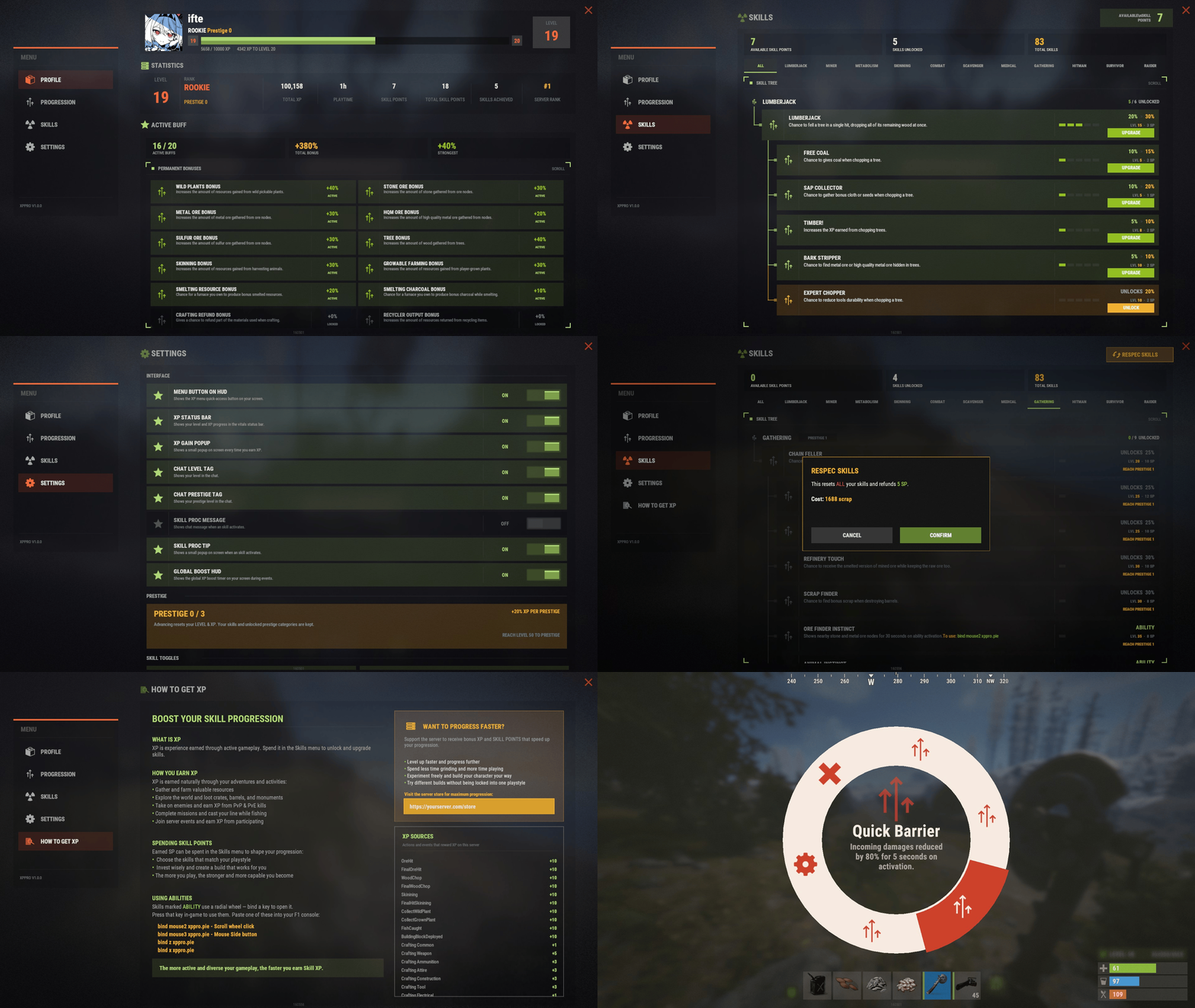 currently its 50levels with 3 prestige levels. But server owner can customize the levels to any number.
 -
Im not sure, its working for me correcly while using the CuiRawImageComponent it might be rust client thats been happening. restarting the client fix this issue i think?
-
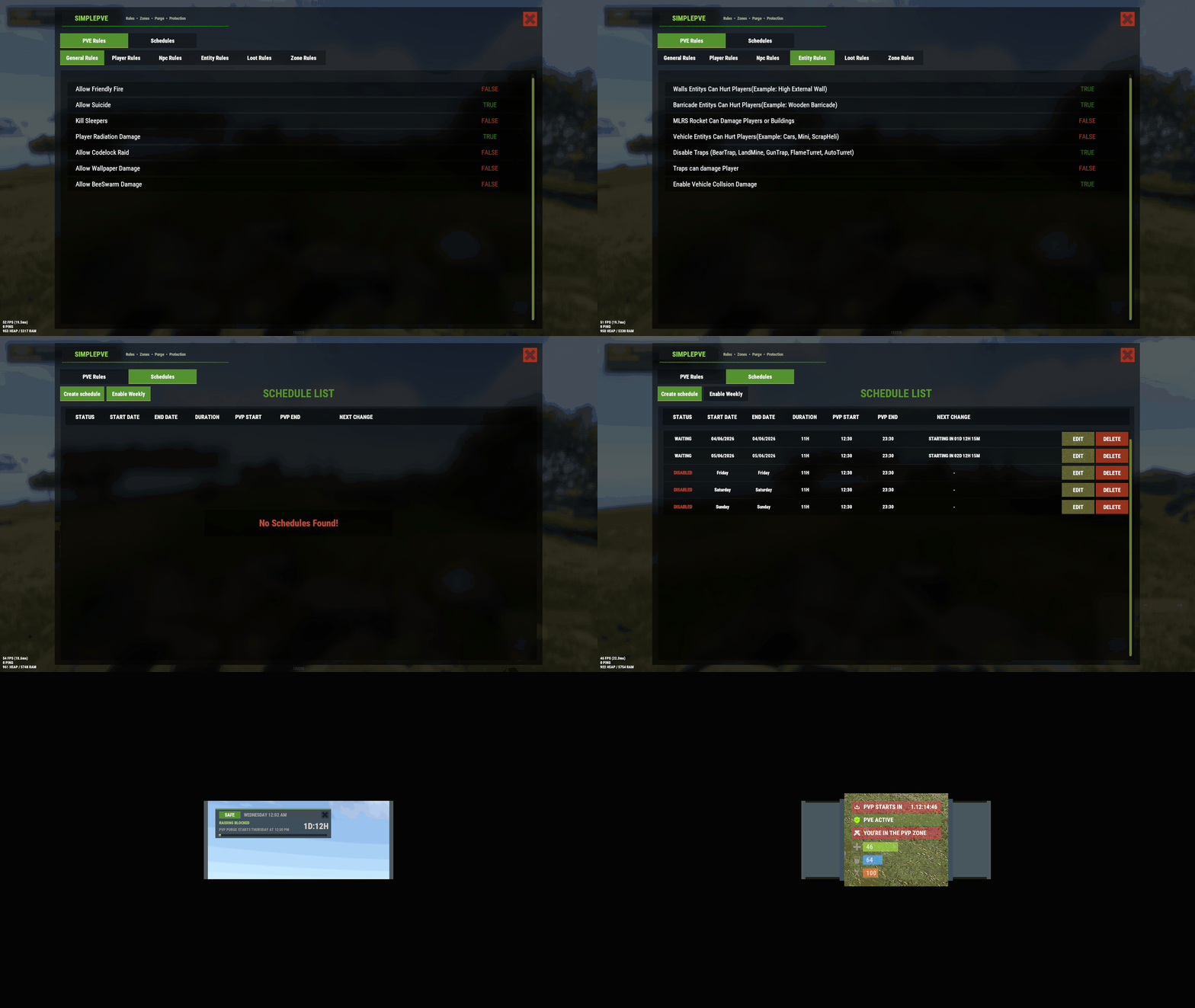 i understand now. Im working on a new schedule system which will fix these. new schedule system will have thursday to sunday instead of doing them 1 by 1
 -
in general rule make this to true "Allow Codelock Raid": false,
-
XP Pro - Level UP, Progression, Skills & Abilities
Iftebinjan commented on Iftebinjan's file in Plugins
its not same as the skill tree. Its a different and has less skills then skill tree plugin but added much abilities. Also Im going to add more skills and bonuses on the next update. -
What do you mean?
-
What governs how much wood is consumed?
Iftebinjan replied to Thunderchile's Support Report in Support
increase charcoal multipler to 100x "Charcoal Multipliers": { "*": 100 } -
is this happening on carbon server?
-
XP Pro - Level UP, Progression, Skills & Abilities
Iftebinjan commented on Iftebinjan's file in Plugins
Server is up again, incase you wanna test again @Super Xero -
This might be oxide update problem. Please update your server oxide
-
XP Pro - Level UP, Progression, Skills & Abilities
Iftebinjan commented on Iftebinjan's file in Plugins
the plugin was tested on more than 5 server before releasing with 100s of plugin server and improved based on their feedback. They never told about a server froze due to this plugin. -
XP Pro - Level UP, Progression, Skills & Abilities
Iftebinjan commented on Iftebinjan's file in Plugins
Sorry that happened to you. The server crushed due to server test server using 6gigs of ram. I will upgrade the ram to match the map size. I want you to give it another try. For your information. No ai is used making this plugin. So I dont want you to spread false information without using the plugin. -
What does the console logs says? like a Conflict message or a compile error?
-
 if you have any shop plugin then add commands npcraiders buy <type> <playerID>
 -
@QueenLuckyshot @hid333 can you do /spdebug then try to damage any player and see the console logs. If you can provide screenshot of that console log would be good for me find the issue.
-
Version 1.0.2
79 downloads
Configuration Lang XP Keys Permanent Buffs Skills Ability XPPro Editor - Edit the levels, rewards, skills abilities using the website (https://xppro-editor.vercel.app/) Languages - Right now I have already translated files you can download and use: German, Spanish, French, Brazilian Portuguese, Russian, Simplified Chinese Translation.zip Live Server for Test before buy (CREATIVE SERVER) client.connect 91.229.114.90:28132$25.00 -
im not sure about this. There might some misconfiguration. Please remove the config file and data file of the plugin then reload the plugin
-
the files provided in the zip file, you can use that by following the video guide. If you need help creating a maze areana from scratch pls dm me on discord or the discord server https://discord.gg/EFjxCycdd
- 1 reply
-
- 1
-

-
Does it say in the chat that pve enabled when though Player Can Hurt Players to true?| also do you have server.pve enabled?
-
 I will be looking at this, thanks for informing
 -
Please remove the config file of the TCUpgrades then reload the plugin, if that doesnt fix let me know asap
-
Reload the plugin, this happens cause of steam workshop skin fetch not loaded properly. Reloading the plugin should fix this issue.
