copcopekcro
-
Posts
523 -
Joined
-
Last visited
-
Days Won
1
Content Type
Profiles
Warranty Claims
Downloads
Forums
Store
Support
DOWNLOADS EXTRA
Services
Everything posted by copcopekcro
-
 Change in Gold Map "SpawnedPrefabChest" : assets/prefabs/misc/decor_dlc/storagebarrel/storage_barrel_c.prefab to something else. ... That container is bugged for now !
 -
Will do my best
-
"Spawns": [ { "PrefabPath": "assets/bundled/prefabs/radtown/crate_normal_2.prefab", "SpawnChance": 100.0 You can chose in what loot container will maps spaw ,and what chance is to spawn them in container ... You can add more containers for each map .
- 74 comments
-
- 1
-

-
- #custom loot
- #rewards
- (and 4 more)
-
Hey .. So i rly dont know what is problem ,rest of prefabs working fine .... You can change for now prefab to something else ,rest of prefabs works fine... I will investigate this further . Ty for your patience . Those prefabs are not working : assets/prefabs/misc/decor_dlc/storagebarrel/storage_barrel_b.prefab assets/prefabs/misc/decor_dlc/storagebarrel/storage_barrel_c.prefab
-
Hello ... Will look on it asap !
-
yes ,you just need to put normal rust container/prefab in config
-
Version 2.0.6
552 downloads
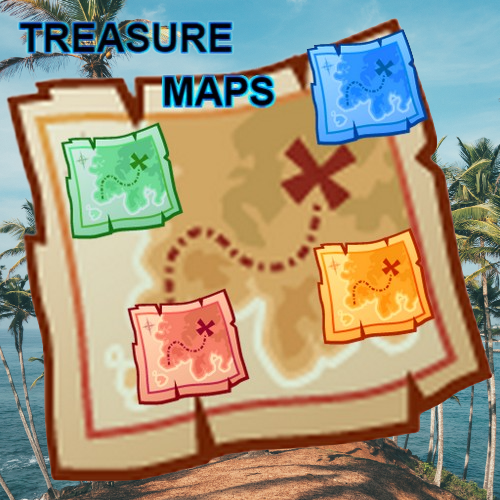
How to use : You get 4 map Items . You can add more in config ! You can get those Maps from rust containers/prefabs . You chose what map will spawn in what container and chance to spawn in that container in config . When player press unwarp on map item it will spawn chest from that map . Player will get chat text where chest spawned and he will see MapMarker on map. Each map will spawn chest(prefab) with your loot inside. All is customizable , Map Items ,Loottable items, Prefab Chest - prefab skin, Prefabs where maps will spawn with chance , Npc Prefab - amount of npc - spawn radius,Animals Prefab - amount of animals, LocalTreasureMaxDistance: " ", MaxOpenedMaps : " ", MapOpenCooldown : " " . Coins are also unwarpable ,after unwarp you will get loot from your config for that coin (item/plugin balance) Also maps can be spawned as event . Great for PvP and for PvE ! You can chose : "AutomaticEventEnabled": true, "MaxEventsAtTime": 10, "MinEventTimer": 600.0, "MaxEventTimer": 1200.0, For each map : "EventProbability": 1.0, "MarkerRadius": 0.2, "MarkerDisplayName": "Green Treasure", "MarkerColor": "00FF00", "MarkerOutlineColor": "00FF00", Key Features : Customizable Map Items : Offer a range of treasure maps with distinct loot tables, stack sizes, and skins to make each find a fresh experience. Dynamic Loot Spawns : Configure treasure chests with specific loot tables, ensuring rewards are always enticing and fair. NPC Defenders : Add an extra challenge with NPCs guarding the treasures, making each hunt a thrilling encounter. Animal Defenders : Animals can also defend chest ! BRADLEY : You can add bradley for each map item ,bradley will sit on spawned chest. You can change for each map item will it be enabled , health, min - max chest . Flexible Spawn Configurations : Set where and how often maps can spawn in the game world, adjusting the rarity and discovery chance. Permission : treasuremaps.give Commands : command : /givemap <display name> <quantity>; example /givemap green map 5, command : /givecoin <display name> <quantity>; example /givecoin gold coin 5, command : /givemapto <player ID/name> <display name> <quantity>; example /givemapto copek green map 5, command : /givecointo <player ID/name> <display name> <quantity>; example /givecointo copek gold coin 5, console command : givemapto <player ID/name> <display name> <quantity>; example givemapto copek green map 5, console command : givecointo <player ID/name> <display name> <quantity>; example givecointo copek gold coin 5, For opening virtualy chest to balance loot : ConsoleCommand : mapsim <lootTable> <number of chests> // with this you will see in game console ConsoleCommand : mapsimr <lootTable> <number of chests> // with this you will see in rcon console Config Example : { "AutomaticEventEnabled": false, "MaxEventsAtTime": 5, "MinEventTimer": 1800.0, "MaxEventTimer": 3600.0, "LocalTreasureMaxDistance": 150.0, "MaxOpenedMaps": 3, "MapOpenCooldown": 60, "MaxOpenedCoins": 3, "CoinOpenCooldown": 60, "Chest/NPC/Marker DestroyTimer": 1800.0, "NPC Profiles": [ { "Profile Name": "EasyGuard", "NPC Spawns": [ { "SpawnRadius": 5.0, "EntityDisplayName": "Green Treasure Guard", "Health": 100, "RoamRange": 5.0, "ChaseRange": 30.0, "SenseRange": 20.0, "ListenRange": 10.0, "AttackRangeMultiplier": 1.0, "CheckVisionCone": true, "VisionCone": 140.0, "HostileTargetsOnly": false, "DamageScale": 1.0, "TurretDamageScale": 1.0, "AimConeScale": 1.0, "Speed": 6.0, "MemoryDuration": 10.0, "Kit": "", "WearItems": [ { "ShortName": "hazmatsuit", "SkinID (0 - default)": 0 } ], "BeltItems": [ { "ShortName": "rifle.ak", "Amount": 1, "SkinID (0 - default)": 0, "Mods": [], "Ammo": "ammo.rifle" } ], "CustomLoot": false, "LootTable": [ { "DisplayName": "Custom Rock", "Shortname": "rock", "SkinID": 0, "MaxItemAmount": 5, "MinItemAmount": 1, "Probability": 1.0, "IsBlueprint": false } ] } ] } ], "Animal Profiles": [ { "Profile Name": "WildBear", "Animal Spawns": [ { "SpawnRadius": 15.0, "Animal DisplayName": "Wild Bear", "Prefab": "assets/rust.ai/agents/bear/bear.prefab", "Health": 150, "Chase Range": 30.0, "Sense Range": 20.0, "Listen Range": 10.0, "Attack Range Multiplier": 1.0, "Check Vision Cone": false, "Vision Cone": 140.0, "Hostile Targets Only": false, "Attack Damage": 25.0, "Attack Rate": 1.0, "Turret Damage Scale": 1.0, "Can Run Away Water": false, "Can Sleep": false, "Speed": 10.0, "Memory Duration": 60.0 } ] }, { "Profile Name": "WildBoar", "Animal Spawns": [ { "SpawnRadius": 15.0, "Animal DisplayName": "Wild Boar", "Prefab": "assets/rust.ai/agents/boar/boar.prefab", "Health": 500, "Chase Range": 30.0, "Sense Range": 20.0, "Listen Range": 10.0, "Attack Range Multiplier": 1.0, "Check Vision Cone": false, "Vision Cone": 140.0, "Hostile Targets Only": false, "Attack Damage": 25.0, "Attack Rate": 1.0, "Turret Damage Scale": 1.0, "Can Run Away Water": false, "Can Sleep": false, "Speed": 10.0, "Memory Duration": 60.0 } ] } ], "TreasureMapsDescription": [ "LocalTreasureMaxDistance - max distance of spawning prefab/chest", "CustomStackSize - you can change stack size of each map,and for coins", "You can change skin and display name of each map,for each coin", "MinItemPerChest/MaxItemPerChest - how much items player will get from spawned chest ", "MinItemPerCoin/MaxItemPerCoin - how much items player will get from coin", "SpawnedPrefabChest - what chest will spawn when you unwarp map item,if you put default rust container it will be default rust loot table", "SpawnedPrefabSkin - skin of prefab", "You can add more items to loottable,works also with loottable of coins", "Min/MaxAmount - quantity of that item (you can put min/max - to same number (1),so its min and max 1 quantity of that item)", "Probability - from 0.0 (0%) to 1.0 (100%) chance to get that item", "IsBlueprint - if true you will give bp of that item", "command : /givemap <display name> <quantity>; example /givemap green map 5", "command : /givecoin <display name> <quantity>; example /givecoin gold coin 5", "command : /givemapto <player ID/name> <display name> <quantity>; example /givemapto copek green map 5", "command : /givecointo <player ID/name> <display name> <quantity>; example /givecointo copek gold coin 5", "console command : givemapto <player ID/name> <display name> <quantity>; example givemapto copek green map 5", "console command : givecointo <player ID/name> <display name> <quantity>; example givecointo copek gold coin 5", "Spawns - PrefabPath (chose where will map spawn),SpawnChance (0-100 ,chance to spawn map in that prefab),works also with coins,works also with coins", "SpawnCount - how much scientist will be defending chest", "SpawnRadius - distance where scientist will spawn", "NpcOptions - you can change stats of npc Health,Damage and more", "Kits - you can use kits or you can manualy add wear,belt items", "EntityDisplayName - name of npc, for each group change name ,if you are using custom loot for npc", "CustomLoot - true/false ,if true you can add custom loot table for npc body", "You can now add new custom item <coins>, coins can we crackopen/unwarp and you will get items/plugin balance", "In coins you have option to give economics and serverrewards", "Economy: here you put item or plugin", "PluginName: economics or serverrewards" ], "Maps": [ { "EventProbability": 1.0, "MarkerRadius": 0.4, "MarkerColor": "00FF00", "MarkerOutlineColor": "00FF00", "Use Vending Marker ?": false, "Vending Marker DisplayName": "Green Treasure", "What marker prefab ?": "assets/prefabs/tools/map/cratemarker.prefab", "CustomStackSize": 10, "ItemDisplayName": "Green Map", "ItemShortname": "xmas.present.large", "SkinID": 3073615238, "SpawnedPrefabChest": "assets/prefabs/deployable/woodenbox/woodbox_deployed.prefab", "SpawnedPrefabSkin": 1818868472, "MinItemPerChest": 1, "MaxItemPerChest": 2, "LootTable": "greenmap", "LootTables": { "greenmap": [ { "DisplayName": "", "Shortname": "rock", "SkinID": 0, "MaxItemAmount": 5, "MinItemAmount": 1, "Probability": 1.0, "IsBlueprint": false } ] }, "NPC profiles what will guard chest": [ { "Profile Name": "EasyGuard", "Amount": 1 } ], "Animal profiles what will guard chest": [ { "Profile Name": "WildBear", "Amount": 1 }, { "Profile Name": "WildBoar", "Amount": 2 } ], "SpawnBradley": false, "BradleyHealth": 1000, "MinCratesToSpawn": 1, "MaxCratesToSpawn": 3, "Spawns": [ { "PrefabPath": "assets/bundled/prefabs/radtown/crate_normal_2.prefab", "SpawnChance": 0.0 } ] }, { "EventProbability": 1.0, "MarkerRadius": 0.4, "MarkerColor": "00BFFF", "MarkerOutlineColor": "00BFFF", "Use Vending Marker ?": true, "Vending Marker DisplayName": "Blue Treasure", "What marker prefab ?": "assets/prefabs/tools/map/cratemarker.prefab", "CustomStackSize": 10, "ItemDisplayName": "Blue Map", "ItemShortname": "xmas.present.large", "SkinID": 3073615579, "SpawnedPrefabChest": "assets/prefabs/deployable/large wood storage/box.wooden.large.prefab", "SpawnedPrefabSkin": 837107924, "MinItemPerChest": 1, "MaxItemPerChest": 2, "LootTable": "bluemap", "LootTables": { "bluemap": [ { "DisplayName": "", "Shortname": "scrap", "SkinID": 0, "MaxItemAmount": 5, "MinItemAmount": 1, "Probability": 1.0, "IsBlueprint": false } ] }, "NPC profiles what will guard chest": [ { "Profile Name": "EasyGuard", "Amount": 5 } ], "Animal profiles what will guard chest": [ { "Profile Name": "WildBear", "Amount": 5 }, { "Profile Name": "WildBoar", "Amount": 5 } ], "SpawnBradley": false, "BradleyHealth": 1000, "MinCratesToSpawn": 1, "MaxCratesToSpawn": 3, "Spawns": [ { "PrefabPath": "assets/bundled/prefabs/radtown/crate_normal_2.prefab", "SpawnChance": 0.0 } ] }, { "EventProbability": 1.0, "MarkerRadius": 0.4, "MarkerColor": "FF0000", "MarkerOutlineColor": "FF0000", "Use Vending Marker ?": true, "Vending Marker DisplayName": "Red Treasure", "What marker prefab ?": "assets/prefabs/tools/map/cratemarker.prefab", "CustomStackSize": 10, "ItemDisplayName": "Red Map", "ItemShortname": "xmas.present.large", "SkinID": 3073615919, "SpawnedPrefabChest": "assets/prefabs/misc/decor_dlc/storagebarrel/storage_barrel_a.prefab", "SpawnedPrefabSkin": 0, "MinItemPerChest": 1, "MaxItemPerChest": 2, "LootTable": "redmap", "LootTables": { "redmap": [ { "DisplayName": "Not Bad Weapon", "Shortname": "rifle.ak", "SkinID": 0, "MaxItemAmount": 1, "MinItemAmount": 1, "Probability": 1.0, "IsBlueprint": false } ] }, "NPC profiles what will guard chest": [ { "Profile Name": "EasyGuard", "Amount": 5 } ], "Animal profiles what will guard chest": [], "SpawnBradley": false, "BradleyHealth": 1000, "MinCratesToSpawn": 1, "MaxCratesToSpawn": 3, "Spawns": [ { "PrefabPath": "assets/bundled/prefabs/radtown/crate_normal_2.prefab", "SpawnChance": 0.0 } ] }, { "EventProbability": 1.0, "MarkerRadius": 0.4, "MarkerColor": "FFFF00", "MarkerOutlineColor": "FFFF00", "Use Vending Marker ?": true, "Vending Marker DisplayName": "Gold Treasure", "What marker prefab ?": "assets/prefabs/tools/map/cratemarker.prefab", "CustomStackSize": 10, "ItemDisplayName": "Gold Map", "ItemShortname": "xmas.present.large", "SkinID": 3073616325, "SpawnedPrefabChest": "assets/prefabs/misc/decor_dlc/storagebarrel/storage_barrel_c.prefab", "SpawnedPrefabSkin": 0, "MinItemPerChest": 1, "MaxItemPerChest": 2, "LootTable": "goldmap", "LootTables": { "goldmap": [ { "DisplayName": "Fire!!", "Shortname": "lmg.m249", "SkinID": 0, "MaxItemAmount": 1, "MinItemAmount": 1, "Probability": 1.0, "IsBlueprint": false } ] }, "NPC profiles what will guard chest": [ { "Profile Name": "EasyGuard", "Amount": 5 } ], "Animal profiles what will guard chest": [], "SpawnBradley": false, "BradleyHealth": 1000, "MinCratesToSpawn": 1, "MaxCratesToSpawn": 3, "Spawns": [ { "PrefabPath": "assets/bundled/prefabs/radtown/crate_normal_2.prefab", "SpawnChance": 0.0 } ] } ], "Coins": [ { "CustomStackSize": 10, "ItemDisplayName": "Gold Coin", "ItemShortname": "easter.goldegg", "SkinID": 3151241149, "MinItemPerCoin": 1, "MaxItemPerCoin": 10, "LootTable": "goldcoin", "LootTables": { "goldcoin": [ { "Economy": "Item", "PluginName": "", "DisplayName": "Gold Coin", "Shortname": "easter.goldegg", "SkinID": 3151241149, "MaxItemAmount": 10, "MinItemAmount": 1, "Probability": 1.0, "IsBlueprint": false }, { "Economy": "Plugin", "PluginName": "Economics", "DisplayName": "Gold Coin", "Shortname": "easter.goldegg", "SkinID": 3151241149, "MaxItemAmount": 100, "MinItemAmount": 50, "Probability": 1.0, "IsBlueprint": false }, { "Economy": "Plugin", "PluginName": "ServerRewards", "DisplayName": "Gold Coin", "Shortname": "easter.goldegg", "SkinID": 3151241149, "MaxItemAmount": 200, "MinItemAmount": 150, "Probability": 1.0, "IsBlueprint": false } ] }, "Spawns": [ { "PrefabPath": "assets/bundled/prefabs/radtown/crate_normal_2.prefab", "SpawnChance": 100.0 } ] } ],$15.00- 74 comments
- 4 reviews
-
- 4
-

-
-
- #custom loot
- #rewards
- (and 4 more)
-
 No .. I need to fix it ...
- 12 comments
-
- 1
-
-
- #craft
- #craft menu
- (and 3 more)
-
Version 1.6.2
27 downloads
Plugin Features: Custom Crafting Recipes: Craft weapons, armor, tools, medic items, special items and vehicles with fully customizable recipes and ingredients. You chose what will be able to craft for how much ! Custom items or default items ,its about you ! This is great for giving player chance to upgrade items ,to get that Recycler or what ever . You have text fields : Server name , and short info where you chose your text in config. How to open Craft UI : command - /upgrades or/and in WorkBench custom button You can chose how players will open UI ,will you give them both ways ,or only one , its about you ! Permissions : "crafting.craft" - perm for crafting "crafting.upgrades" - perm for command /upgrades "crafting.button" - perm for WorkBench button How to use Plugin : This is very simple plugin with easy to understand UI. Most important thing is that for every item you need to put his : "Identifier": " " . You can add what ever item in what ever tab , based on shortname/skinID ,and cost for that item. You can give amount of item what will be crafted ,will it be 1 Ak or 10 ,hmm yea .. You can change names of items ,you have description for each item . You can put what ever number of items per tab ,there are pages . There is text field where you can put server name ,and some info text. Now you are able to change icons and text field of tabs ,and image of background/main image in config file. Everything is in config ... Vehicles : You can craft vehicles now ,and you can pick them up with hammer.. Vehicles are placed like innertube and large box . Spawn distance is how far will vehicle spawn . Identifier = 67, DisplayName = "Attack Helicopter", Shortname = "box.wooden.large", Amount = 1, SkinID = 3033643127, IsVehicle = true, VehiclePrefab = "assets/content/vehicles/attackhelicopter/attackhelicopter.entity.prefab", SpawnDistance = -0.5f, Description = "Attack Helicopter", Future Plans : Economic/ServerRewards Config Example : { "BackGroundIconUrl": "https://www.dropbox.com/scl/fi/oekoayvmkcc73b2ip77pv/Anvil.png?rlkey=cmrd35fxc2p7uk6ivtzb7v9h9&dl=1", "Panel1Text": "WEAPONS", "Panel1IconUrl": "https://www.dropbox.com/scl/fi/f1i0stpz9zz758i8azo0p/rifle.ak.png?rlkey=4w3ew16xrjcg81g6vxuhtl5gp&dl=1", "Panel2Text": "ARMOR", "Panel2IconUrl": "https://www.dropbox.com/scl/fi/0dmyzne2p3cv318337wf6/metal.facemask.png?rlkey=btxceyv5xnuc9yqlz7pj6s52a&dl=1", "Panel3Text": "TOOLS", "Panel3IconUrl": "https://www.dropbox.com/scl/fi/1grgskr9xhfdfoccytblv/icepick.salvaged.png?rlkey=8pased5k7rn4gtei0mjyx90sq&dl=1", "Panel4Text": "MEDIC", "Panel4IconUrl": "https://www.dropbox.com/scl/fi/zdhfaer2crjcqr907c7e9/largemedkit.png?rlkey=qedbem0v9pb43whx6gk6edzi2&dl=1", "Panel5Text": "SPECIALS", "Panel5IconUrl": "https://www.dropbox.com/scl/fi/pe2gw856tjn6kv8goq024/star.png?rlkey=9jnasfu3xa4ntzub24oxzja1b&dl=1", "Panel6Text": "VEHICLES", "Panel6IconUrl": "https://www.dropbox.com/scl/fi/u1sd8tthfvtvue9i37j6r/attackhelicopter.png?rlkey=olivi4ki0g3o5q2aay9hgm5yq&dl=1", "ServerName": [ "Welcome to My Server Name" ], "Info": [ "INFO:", "There are 6 tabs : Weapon, Armor, Tool, Medic, Special, Vehicle.", "", "You can upgrade level of item.", "", "You will need some items and resources for crafting.", "", "You can put what ever text here ,and add more text!" ], "WeaponCraftRecipes": [ { "Identifier": 1, "DisplayName": "Vamipre Ak Lv1", "Shortname": "rifle.ak", "Amount": 1, "SkinID": 3065510373, "Description": "5% lifesteal", "Ingredients": [ { "Shortname": "rifle.ak", "Amount": 1, "SkinID": 0, "DisplayName": "" }, { "Shortname": "scrap", "Amount": 100, "SkinID": 0, "DisplayName": "" } ] }, "ArmorCraftRecipes": "ToolCraftRecipes": "MedicCraftRecipes": "SpecialCraftRecipes": "VehicleCraftRecipes":$8.00 -
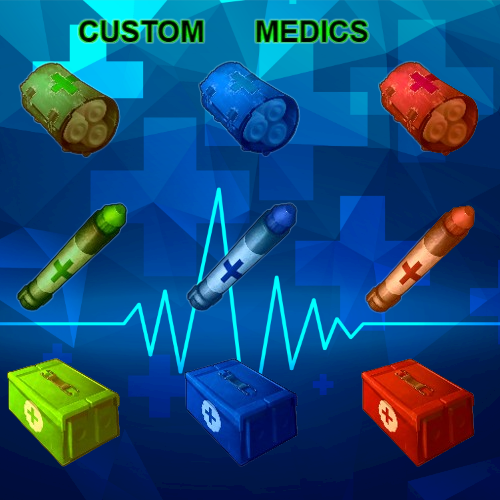 well you have global permission custommedics.use ,without that players cant use custom medic items ... You want to have on each item permission ?
 -
Changed Status from Pending to Not a Bug
-
My items use SkinID,my plugin is based on shortname and skinid ,so i didnt use images ,,, I dont know how "craft menu" works ... I can upload images of items from my plugin ,but you will need to upload them ,so you can get image link ...
-
Changed Status from Pending to Closed
-
 Ok,lets talk more in inbox
 -
hmmmm ,,thats another approach to it .. bcs now they spawn in loot containers ... i will see what i can do .
-
aaa nice man ,,,, Thank you very much ! Iam glad that you like it ! Almost big plugin for all of my plugins will be done ,Crafting/Upgrade plugin
-
Version 1.0.3
168 downloads
Customizable Healing Items: Custom Medics allows you to define and configure bandages, syringes, and medkits. Each item can have its own healing properties, including instant heal, healing over time, and the ability to counteract negative status effects such as bleeding, poison, and radiation. Buff System: Tailor the buff system to your liking. Enable or disable buffs for specific items and specify the maximum health increase. With this system, players can temporarily boost their health beyond the default limit, making for an exciting and dynamic gameplay experience. UI: Your players will appreciate the informative in-game tooltips. Whenever they select a custom medical item, a tooltip will provide details about the item's effects, making it easier for them to understand its functionality. Permission System: custommedics.use - players can use custom medics custommedics.give - can use give command Give Command: Chat : /givemed <cmdgivename> [amount] [player name or ID] //// amount and player name are optional Console : givemed <cmdgivename> [amount] <player name or ID> //// amount is optional (that cmdgivename is name of med item what you will get ,you can change names) Config Example : { "VWeaponsDescription": [ "You can add more medical items", "HealAmount - instant heal", "HealOverTimeAmount - healing over time", "Bleed , Poison , Radiation - decrease those", "EnabledBuff = true/false (will buff be enabled or disabled for that item)", "MaxHealthIncrease - 0.1 is 110 hp ,1 is 200 HP ,10 is 1100 HP", "Duration - how much buff will lasts (seconds)", "CmdGiveName - this name is for give command /givemed + (cmdgivename)" ], "Meds": [ { "ItemDisplayName": "Bandage Lv1", "ItemShortname": "bandage", "SkinID": 3054607253, "CmdGiveName": "ba1", "Instant Heal": 100.0, "Heal Over Time": 100.0, "Bleed": -100.0, "Poison": -50.0, "Radiation": -100.0, "Enabled": false, "MaxHealthIncrease": 10.0, "Duration": 60.0 }. { "ItemDisplayName": "Syringe Lv2", "ItemShortname": "syringe.medical", "SkinID": 3054594972, "CmdGiveName": "sy2", "Instant Heal": 100.0, "Heal Over Time": 100.0, "Bleed": -100.0, "Poison": -50.0, "Radiation": -100.0, "Enabled": true, "MaxHealthIncrease": 10.0, "Duration": 60.0 }, { "ItemDisplayName": "LargeMedKit Lv3", "ItemShortname": "largemedkit", "SkinID": 3054597441, "CmdGiveName": "mkit3", "Instant Heal": 100.0, "Heal Over Time": 100.0, "Bleed": -100.0, "Poison": -50.0, "Radiation": -100.0, "Enabled": true, "MaxHealthIncrease": 10.0, "Duration": 60.0 }$8.00 -
.thumb.png.e521cf6397bdbacae4d5949196eecdbd.png) Not bad idea ...will do it soon
Not bad idea ...will do it soon -
Thank you ! I will do big updates soon
-
Version 1.5.0
45 downloads
Key Features : Change global gather rate of wild/pickables . Change gather rate per tool. You can add to what ever tool Gather Bonus more yield. You can chose what tools will have Gather Bonus (based on shortname ,or Shortname + SkinID) , when you put only Shortname all that Shortname tools will have gather bonus. Fully customizable percent of Gather Bonus . Custom MaxDurability - You can change MaxDurability of Gather Tools ,and you can even make them Unbreakable. Buff - tools can have special buff (more gather bonus) , you chose how much bost they will get ,how long ,and how much cooldown is . Buff is activated on middle mouse button. Ui where you see stats of your tools (Yield bonus ,durability) UI buff icon with timer , you can change icon ,you can hide timer . You can add Gather Tools to loot table containers. You can block for tool giving some resources ,example skull.wolf . You can use blacklist of items what will not have changed gather rate at all ,example you wanna get HQM always vanila. Extra drops you can put for each tool per each prefab (stone,corpse prefab, etc ) what extra items you can get ,like some custom items. You can chose prefab and spawn chance . Permission System : gathertools.use - players will have gather tools bonus gathertools.give - can use give command gathertools.buff - can use give command Give Command : /givetool "cmdgivename" (that cmdgivename is name of tool what you will get ,you can change names) Config Example : "IconImageUrl": "https://www.dropbox.com/scl/fi/2bo0kezjneydplgy4pri6/pick-axe1-kopija.png?rlkey=b6llekf13rjqf332hn8tuorbx&dl=1", "EnableGlobalGrowableMultiplier": false, "EnableGlobalPickableMultiplier": false, "GlobalGrowableMultiplier": 1.0, "GrowablesZeroYieldGivesOne": true, "GlobalPickableMultiplier": 1.0, "PickablesZeroYieldGivesOne": true, "GToolsDescription": [ "IconImageUrl - you can change icon ,just paste your image link", "EnableGlobalGrowable/Pickable Multiplier true/false , will you use it or not", "GlobalGrowable/pickable Multiplier you can increase/decrease rate", "Growables/Pickables ZeroYieldGivesOne if you decrease gather rate and item is below 1 amount you still get it if true (example hemp seed)", "You can add more tools", "You can use shortname to apply gather bonus ,so all those tools with that shortname will have gather bonus(skinId=0)", "And you can add what ever skin to it,so tool with that skin will have gather bonus(shortname + skinid)", "If all skins true , then all skins for that item will have that yield(expect if you put some defined skins)", "GatherRateBonus - 1.0 (100%) is normal gather rate ,you can increase it or even decrease gather rate", "ZeroYieldGivesOne if true if you have gather rate below 1.0 and if item count is below 1 you will get 1 amount", "Instant Mine/Chop chance to destroy node/tree in one hit", "UseCustomDurability - if true, enables Unbreakable/MaxDurability handling; if false, the plugin won't modify durability at all", "Unbreakable = true/false , if true tool cant be broken", "MaxDurability = null/1.0 is default value of durability ,you can increase that 2.0 is double durability", "BuffEnabled - if true tool will have buff when player press middle mouse button", "ShowTimer - will you show to players timer how long buff lasts", "BuffDuration - how long will buff last , BuffCooldown - how long they cant use again buff (seconds)", "BuffedGatherBonus - default is double gatherrate ,you can change it", "BlockedItems enable/disable chose items what you will not get at all when farming (example HQM, animal fat,etc)", "BlacklistItems enable/disable chose items what will dont use plugins gather yield ,so for those items will be default rust yield", "CmdGiveName - this name is for give command /givetool + (cmdgivename)", "ExtraDrops in short extra items what you can get when you hit node", "You can chose prefabs for what you will get extra items , will it be on each hit or on last hit , chance to happen , how many items,what items", "TSpawn - PrefabPath (chose where will tool spawn),SpawnChance (0-100 ,chance to spawn tool in that prefab)" ], "GTools": [ { "ShowTips": true, "ItemDisplayName": "Icepick Lv1", "ItemShortname": "icepick.salvaged", "SkinID": 0, "AllSkins": true, "GatherRateBonus": 1.0, "ZeroYieldGivesOne": true, "UseCustomDurability": false, "Unbreakable": false, "MaxDurability": 1.0, "InstantMineChance [%]": 0.0, "InstantChopChance [%]": 0.0, "BuffEnabled": false, "ShowTimer": true, "BuffDuration": 5.0, "BuffCooldown": 30.0, "BuffedGatherBonus": 2.0, "CmdGiveName": "icepick", "EnableBlocklist": false, "BlockedItems [List of dispenser shortnames that should never be given]": null, "EnableBlacklist": false, "BlacklistItems [Items what will not be affected to plugin gater rate]": [ "hq.metal.ore" ], "Show Chat Bonus Messages": true, "ExtraDrop Settings": [ { "UseDispenserFilter [If false then all dispenser will use this drops]": false, "Dispensers [List of ResourceDispenser.ShortPrefabName to apply this drop]": [ "stone-ore" ], "RewardHit [If true, only award on last hit, if false then on each hit]": false, "ExtraDropTriggerChance [% chance to attempt any extra drops]": 50.0, "MinAmountOfItemsPerHit": 1, "MaxAmountOfItemsPerHit": 2, "ExtraDrops [List of possible bonus items per hit]": [ { "ItemShortname": "wood", "SkinID": 0, "DisplayName": null, "MinAmount": 10, "MaxAmount": 50, "ChancePercent": 75.0 }, { "ItemShortname": "cloth", "SkinID": 0, "DisplayName": null, "MinAmount": 20, "MaxAmount": 40, "ChancePercent": 25.0 } ] } ], "Spawns": [ { "PrefabPath": "", "SpawnChance": 0.0 } ] },$8.00 -
Will do ! Iam making UI now ,when i finish UI , i will update sound also ..
- 11 comments
-
- 1
-
-
- #custom
- #custom loot
- (and 5 more)
-
Oke ..Good that all works fine .. I will look for that console error ... Ty!
-
Is it causing you a problem with stacking ?
-
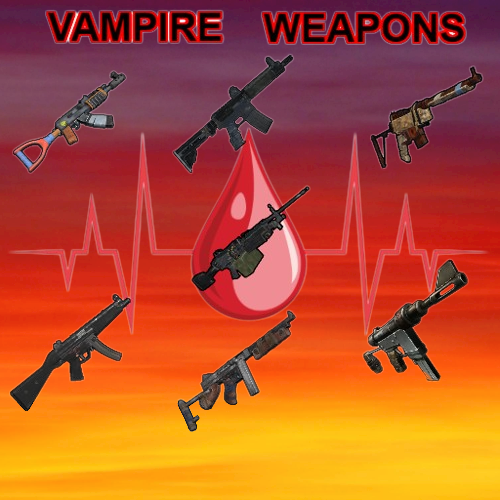
Version 1.3.0
39 downloads
Key Features : You can add to what ever weapon lifesteal. You can chose what weapons will have lifesteal (based on shortname ,or Shortname + SkinID) , when you put only Shortname all that Shortname weapons will have lifesteal. Fully customizable percent of lifesteal . Custom MaxDurability - You can change MaxDurability of vampire weapons ,and you can even make them Unbreakable. Buff - weapons can have special buff (more lifesteal) , you chose how much bost they will get ,how long ,and how much cooldown is . Buff is activated on middle mouse button. Ui where you see stats of your weapon (lifesteal percent ,durability) UI buff icon with timer , you can change icon ,you can hide timer . You can add VampireWeapons to loot table containers. You can chose prefab and spawn chance . Permission System: vampire.use - players can use lifesteal weapons vampire.give - can use give command vampire.buff - can use buff Give Command: /givevampire "cmdgivename" (that cmdgivename is name of weapon what you will get ,you can change names) Config Example : "IconImageUrl": "https://www.dropbox.com/scl/fi/pqc1je5r117uvl013tqcp/pngaaa.com-516965011.png?rlkey=j7jj9ck9dyf5ywk9h1ggcgwh1&dl=1", "VWeaponsDescription": [ "IconImageUrl - you can change icon ,just paste your image link", "You can add more weapons", "You can use shortname to apply lifesteal ,so all those weapons with that shortname will have lifesteal(skinId=0)", "And you can add what ever skin to it,so weapon with that skin will have lifesteal(shortname + skinid)", "HealPercent - from 0.0 (0%) to 1.0 (100%) from damage dealt", "Unbreakable = true/false , if true vampireweapon cant be broken", "MaxDurability = null/1.0 is default value of durability ,you can increase that, 2.0 is double durability", "BuffEnabled - if true weapon will have buff when player press middle mouse button", "ShowTimer - will you show to players timer how long buff lasts", "BuffDuration - how long will buff last , BuffCooldown - how long they cant use again buff (seconds)", "BuffedHealPercent - default is double lifesteal ,you can change it", "CmdGiveName - this name is for give command /givevampire + (cmdgivename)", "VWSpawn - PrefabPath (chose where will weapon spawn),SpawnChance (0-100 ,chance to spawn weapon in that prefab)" ], "VWeapons": [ { "ItemDisplayName": "Vampire AK", "ItemShortname": "rifle.ak", "SkinID": 3042995136, "HealPercent": 0.1, "Unbreakable": false, "MaxDurability": 1.0, "BuffEnabled": false, "ShowTimer": true, "BuffDuration": 5.0, "BuffCooldown": 30.0, "BuffedHealPercent": 2.0, "CmdGiveName": "ak", "Spawns": [ { "PrefabPath": "assets/bundled/prefabs/radtown/crate_normal_2.prefab", "SpawnChance": 100.0 }, { "PrefabPath": "assets/bundled/prefabs/radtown/crate_normal.prefab", "SpawnChance": 100.0 } ] } Enhance your Rust server's gameplay with the exciting VampireWeapons plugin. Embrace the darkness, steal life, and dominate your enemies like never before!$4.00 -
Version 2.1.8
123 downloads
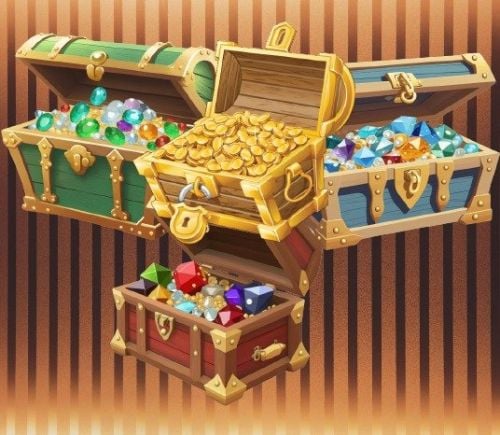
Unlock the secrets of treasure hunting in the world of Rust with the "Treasure Chest" plugin. This feature-rich plugin allows server owners to create custom loot experiences for their players by introducing unique treasure chests, each with its own set of surprises and rewards. News: You can now change skin and display name of chest . You can change for each chest custom stack size. Small UI changes. 4 custom chests : Green, Blue, Red, Gold Customizable Loot Chests: The plugin allows server administrators to define multiple types of Treasure Chests, each with its own set of loot items. Chests can be enabled or disabled individually, giving administrators fine-grained control over the available loot. Create loot tables for each chest, specifying the items, skins,quantities, and probabilities players will find inside. Chest Spawning: Treasure Chests are spawned in the game world based on predefined containers and chances . Admins can chose containers where will Treasure Chest spawn ,with spawn chance . Permission: treasurechest.itemloot.givechest // to be able to use give command Commands : Command: /givechest "display name" quantity Command : /givechestto <player ID/name> <display name> <quantity> // example /givechestto copek green chest 5 Console Command : givechestto <player ID/name> <display name> <quantity> // example givechestto copek green chest 5 For opening virtualy chest to balance loot : ConsoleCommand : chestsim <lootTable> <number of chests> // with this you will see in game console ConsoleCommand : chestsimr <lootTable> <number of chests> // with this you will see in rcon console Configuration: The "Treasure Chest" plugin is highly configurable, allowing you to create a truly unique loot system on your Rust server. Customize everything from the items inside chests to the chance of finding them. Usage: Set up your custom treasure chests with the desired loot. Let players uncover the riches by interacting with these chests. Admins can distribute chests as rewards or for special events,and more. Configuration: The "Treasure Chest" plugin is highly configurable, allowing you to create a truly unique loot system on your Rust server. Customize everything from the items inside chests to the chance of finding them. Config Example: "Enabled - true/false , if false chest will not spawn in PrefabPaths", "CustomStackSize - now you can change stack size of each chest", "You can change skin and display name of each chest", "MinChestAmount/MaxCHestAmount - how much items player will get from chest ", "CooldownSeconds - how much seconds will player need to wait to open another chest", "You can add more items to loottable", "Economy: here you put item or plugin", "PluginName: economics or serverrewards", "If you use plugin ,shortname and skinId will be showed in Ui as item for economy,you will not get that item you will get balance of plugin", "IsBlueprint - if true you will get bp of that item", "Min/MaxAmount - quantity of that item (you can put min/max - to same number (1),so its min and max 1 quantity of that item)", "Probability - from 0.0 (0%) to 1.0 (100%) chance to get that item", "command : /givechest display name quantity; example /givechest green chest 5", "Spawns - PrefabPath (chose where will chest spawn),SpawnChance (0-100 ,chance to spawn chest in that prefab)", "Dont put same prefabpath for more type of chests,for each chest use different prefabpath", "Opening effect : if empty its disabled,you can change opening effect to something else" "Chests": [ { Enabled = true, "CustomStackSize": 100, ItemDisplayName = "Green Chest", ItemShortname = "xmas.present.large", LootBoxSkinID = 3038475567, MinChestAmount = 1, MaxChestAmount = 2, LootTable = "greenchest", "CooldownSeconds": 60, LootTables = new Dictionary<string, List<LootTableItem>> { ["greenchest"] = new List<LootTableItem> { new LootTableItem { "Economy": "Plugin", "PluginName": "Economics", "Shortname": "rock", "MaxAmount": 5, "MinAmount": 1, "Probability": 1.0, "SkinID": 2108583966, "DisplayName": "EcoMoney", "IsBlueprint": false }, { "Economy": "Plugin", "PluginName": "ServerRewards", "Shortname": "wood", "MaxAmount": 300, "MinAmount": 100, "Probability": 1.0, "SkinID": 0, "DisplayName": "", "IsBlueprint": false }, { "Economy": "Item", "PluginName": null, "Shortname": "stones", "MaxAmount": 300, "MinAmount": 100, "Probability": 1.0, "SkinID": 0, "DisplayName": "", "IsBlueprint": false } } }, "Spawns": [ { "PrefabPath": "assets/bundled/prefabs/radtown/crate_normal_2.prefab", // where can "green chest" spawn "SpawnChance": 50.0 // chance to spawn in that crate_normal_2 } ] }, Get ready to surprise and engage your players with a loot system that goes beyond the ordinary. Unleash the treasures of Rust with the "Treasure Chest" plugin!$10.00