
Vinni_TV_'s Wishlist
-
$15.00
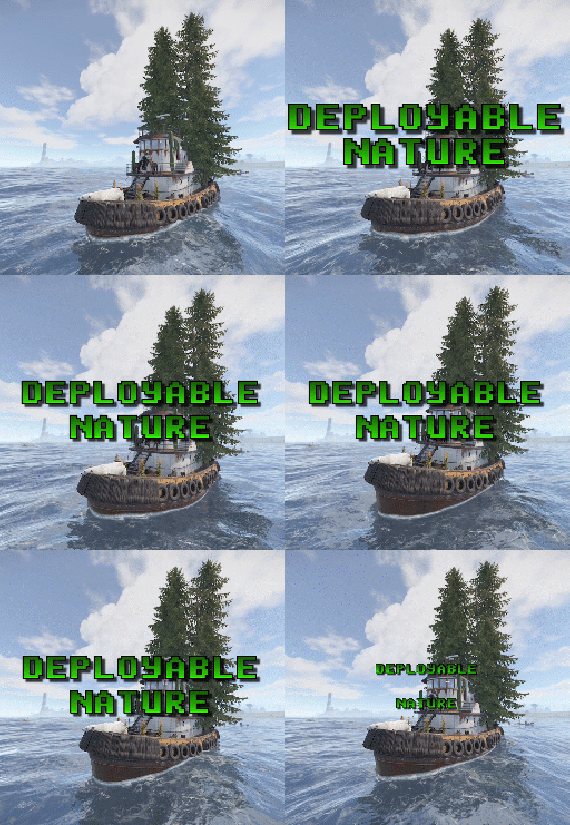
Deployable Nature
By imthenewguy in Plugins
Adds 85 new deployable items to your server!. Custom item collection system. Players can obtain these items while cutting trees, mining rocks and collecting plants. Includes a built in market that can be accessed via a chat command or a HumanNPC. Each base item can be configured to allow for a wide variety of placement options/restrictions. A large amount of configuration options are available for each item. Adjustable placement options while holding shift. Items can be picked up by holding a hammer, looking at the deployed entity and pressing your mouse3 button (scroll wheel button).
deployablenature.admin - Required to use the giveprefab command.
deployablenature.market.chat - Required to use the market chat command.
deployablenature.ignore.restrictions - Allows a player to deploy items without restriction (TC etc).
deployablenature.gather - Required for players to obtain drops while gathering.
deployablenature.use - Required to deploy nature items.
deployablenature.free - allows access to the nature market for free.
There is also the option to create groups via the config, which will receive discounts in the market based on the value assigned to them.
Example:
"Permissions that will receive a discount on the store cost when purchasing [1.0 is full price]. Prefix with deployablenature.": { "deployablenature.vip": 0.5 }, This would give players with the deployablenature.vip permission a discount of 50% off of the market price.
Command: giveprefab
Parameters: <skin id> <quantity>
Example: /giveprefab 2609145017 100 - spawns the user 100x medium clutter rocks"
Permission: deployablenature.admin
Command: naturemarket
Permission: deployablenature.market.chat
Command: dnpickup
Permission: None
Command: giveprefab (console)
Parameters: <player id/name> <skin id> <quantity>
Example: /giveprefab "new guy" 2609145017 100 - spawns the user 100x medium clutter rocks for new guy"
Permission: deployablenature.admin
Command: dnsetprefab
Parameters: None
Console Command: dnkillentities - wipes all nature entities from the map.
Parameters: <optional parameter: true> - this wipes the data after the command executes. If not used, the nature items will respawn on plugin reload.
Example: dnkillentities or dnkillentities true.
Permission: deployablenature.admin if running from player console.
Console Command: dnkillentitiesforplayer - wipes all nature entities from the map for the specified player
Parameters: <player name/id>
Example: dnkillentitiesforplayer "new guy" - would delete all entities for the player whose name contained "new guy".
Permission: deployablenature.admin if running from player console.
Console Command: dnpurge - enables purge mode, wiping all entities from the map (does not delete data), and preventing them from spawning on server start/being deployed by players while active. Automatically resets to false on server wipe.
Parameters: <true/false>
Example: dnpurge true - would enable purge mode.
Permission: deployablenature.admin if running from player console.
You most likely won't need the below information, but it is here for more advanced users.
Prefab Types
0: Rock 1: Tree 2: Bush 3: Animal 4: Furniture 5: World
Tree Types
0: None 1: Palm 2: Oak 3: Swamp 4: Birch 5: Beech 6: Pine 7: Cacti 8: Snow 9: Mauritia_Flexuosa 10: Hura_Crepitans 11: Trumpet_Tree 12: Schizolobium 13: Dead_Log 14: Dead_Log_Snow 15: Driftwood
Bush Types
0: None 1: Willow 2: Willow_snow 3: Spice 4: Spice_snow 5: Creosote 6: Berries 7: Mushrooms 8: Ocotillo 9: Monstera_Deliciosa 10: Bromeliad 11: Heliconia_Rostrata
API
public bool IsDeployableNature(BaseEntity entity) Returns if an entity is a DeployableNature entity that has the prevent_gather attribute.
-
$15.95$11.95Vehicle Buy
Immerse yourself in the world of Rust with the VehicleBuy plugin! This powerful tool allows authorized players to easily access the /vehiclebuy command, which opens an intuitive interface for purchasing a variety of vehicles. With multiple payment options, including Items, Economics, and Server Rewards, you can enjoy a smooth gaming experience. Additionally, the Buy Cooldown feature helps maintain balance in the game.
Upon purchasing a vehicle, players receive a unique gift: a skinned crate for land vehicles or a lifebuoy for water vehicles, which can be conveniently stored in their inventory.
🌟 Features of VehicleBuy
User-Friendly Interface: Access vehicle purchases through an easy-to-navigate GUI. Flexible Payment Methods: Choose from various payment options to suit your preferences. Customizable Settings: Administrators can adjust prices and fees as needed. Convenient Vehicle Recall: Use the /callback command to quickly retrieve your vehicle. Easy Re-packaging: Re-package vehicles using the /pickup command or by hitting them with a hammer.
🎮 Commands
/vehiclebuy: Open the vehicle purchase interface (for players) /callback "VehicleName": Retrieve your purchased vehicle /pickup: Re-package your vehicle or hit it three times with a hammer Admin Command: (VehicleName.add SteamID): Spawn vehicles directly into players' inventories vehiclebuy.template [fullscreen/inmenu]: Customize your UI templates with options for fullscreen or in-menu displays (only server console)
🛡️ Permissions
vehiclebuy.use: Allows players to use the /vehiclebuy command and access the vehicle purchase interface. vehiclebuy.free: Grants players the ability to acquire vehicles for free, bypassing the payment requirements. vehiclebuy.pickup: Permits players to use the /pickup command to re-package their vehicles. vehiclebuy.recall: Allows players to use the /callback command to retrieve their vehicles.
📨 Video Overview
old overview:
🧪 Test Server
Join our test server to experience all our unique features firsthand!
Copy the IP address below to start playing!
connect 194.147.90.239:28015
📚 FAQ
Q: Where can I see an example of a config?
A: Config
Q: How do I add VehicleBuy to the ServerPanel menu?
A: Follow these simple steps:
1. Open ServerPanel menu in-game and click "+ADD CATEGORY" button
2. Set these exact parameters:
Type: Plugin Plugin Name: VehicleBuy Plugin Hook: API_OpenPlugin 3. Click "SAVE" button to create the category
Note: If VehicleBuy doesn't appear in ServerPanel menu, make sure both plugins are loaded and you typed the parameters exactly as shown above.
Q: I'm using the KazuraVehicles plugin and VehicleBuy doesn't work / throws errors. What should I do?
A: IMPORTANT: if you're using KazuraVehicles, you MUST enable a special dependency inside VehicleBuy, otherwise it simply will NOT work.
1) Open the plugin file Plugins/VehicleBuy/VehicleBuy.cs (or oxide/plugins/VehicleBuy.cs on your server).
2) At the very top of the file, find this line:
// #Requires: KaruzaVehiclesCommon 3) Change it EXACTLY to this (just remove the # after //😞
// Requires: KaruzaVehiclesCommon 4) Save the file and reload the plugin with o.reload VehicleBuy (Oxide) or c.reload VehicleBuy (Carbon).
If you skip ANY of these 4 steps, VehicleBuy + KazuraVehicles will NOT work correctly. Do all 4.
-
$39.99$24.99Real PvE
Plugin for Real PvE servers, featuring damage prevention, anti-griefing measures, customizable PvP zones, an automatic loot queue in radtowns and raid zones, and much more.
The ability to set "server.pve" to "true", which allows the server to have a "PvE" flag; Damage from NPC's are enabled when server.pve is true; The ability to inflict damage to one's own structures with "server.pve true"; The ability to ignore Hostile depending on the zone(PvE/PvP) ; The ability to destroy(including external walls) or rotate one's structures without any time constraints; The ability to toggle the gather resource restriction in someone else's Building Privileges; No one, except the owner or their friends, will be able to open their loot containers (chests, storages, bodies, etc.); Administrators can bypass loot restrictions; The ability to schedule the killing of players if they disconnect within someone else's Building Privilege; Disabling backpack and active item drop upon death, even if backpack is full; The ability to modify the items given at spawn on the beach; The ability to create an unlimited number of custom permissions; The ability to allow players to bypass the queue; The ability to set limits on sleeping bags, shelters and auto turrets for each permission; The ability to set a multiplier for the prices of monuments and events for each permission; The ability to customize the price and amount of vehicles for each of your custom permissions; The ability to assign vehicles to each player; The ability to customize the assigned price and available amount of vehicles for each of your custom permissions; An assigned vehicle can't be damaged, looted or pushed by other players, but it can be pushed if it is within someone else's Building Privilege; The ability to loot monuments through a queue system; The ability to configure monuments, setting their looting price and time, and adjusting status bars for each monument; The ability to acquire the privilege to loot events (helicopters, bradleys, and raidable bases) through a purchase; The ability to customize the price of each event types and loot attempts (lives); NPCs only aggress against players who are looting monuments, events or raidable bases; Only players who are looting monuments, events or raidable bases can inflict damage to NPCs; RaidableBases are protected from griefing(no damage, no loot and etc). Only the owner can interact with the raid; Neutral RaidableBases can be purchased; Prices for purchasing neutral raids are configurable for each difficulty level; Configurable raid limits (currently available) along with discount multipliers for purchases, for each permission.
File location: *SERVER*\oxide\data\RealPVE\PermissionConfig.json
Default: https://pastebin.com/5VtWZZVr
All permissions are created and configured in the config file under the "List of permissions" section.
You can create as many permissions as needed and customize them flexibly.
It is recommended to use the prefix "realpve" in the permission's name, for example: "realpve.vip".
NOTE: The first permission will serve as the default permission for those who do not have any permissions.
{ "List of permissions. NOTE: The first permission will be used by default for those who do not have any permissions.": [ { "Permission Name": "realpve.default", "Bypass Queue": false, "Limit of beds": 15, "Limit of shelters": 1, "Limit of auto turrets": 12, "Seconds that will be skipped when opening HackableLockedCrate": 0.0, "Monuments price multiplier": 1.0, "Events price multiplier": 1.0, "Limit of RaidableBases(at the time)": 1, "RaidableBases price multiplier": 1.0, "Vehicles settings": { "Horse": { "Limit": 1, "Price": 10.0 }, "Bike": { "Limit": 1, "Price": 5.0 }, "MotorBike": { "Limit": 1, "Price": 20.0 }, "Car": { "Limit": 1, "Price": 25.0 }, ... } }, { "Permission Name": "realpve.vip", "Bypass Queue": true, "Limit of beds": 20, "Limit of shelters": 2, "Limit of auto turrets": 15, "Seconds that will be skipped when opening HackableLockedCrate": 450.0, "Monuments price multiplier": 0.9, "Events price multiplier": 0.9, "Limit of RaidableBases(at the time)": 2, "RaidableBases price multiplier": 0.9, "Vehicles settings": { "Horse": { "Limit": 5, "Price": 9.0 }, "Bike": { "Limit": 5, "Price": 4.5 }, "MotorBike": { "Limit": 5, "Price": 18.0 }, "Car": { "Limit": 5, "Price": 22.5 }, ... } } ], "Version": { "Major": 0, "Minor": 1, "Patch": 1 } } An example of a monument/event/rb multipliers using default permissions.
For example, if you set the price for the Harbor at $1000, a player with the default permission(1.0) will pay $1000 * 1 = $1000. Meanwhile, a player with a VIP permission(0.9) will pay $1000 * 0.9 = $900. However, if a player possesses a misbehaving permission with a value of 1.1, they will need to pay $1000 * 1.1 = $1100.
{ "Chat command": "realpve", "Chat admin command": "adminpve", "Is it worth enabling GameTips for messages?": true, "Is it worth using Notify plugins for messages instead of the vanilla UI?": false, "Is it worth forcibly implementing PvE for a server?": true, "Is it worth forcing the tutorial mode support?": true, "Is it worth rechecking the limits when removing permissions?": true, "Is it worth preventing death on logout in safe zones?": true, "Entities spawned by the server allowed to be looted in someone else's building privilege zone(None, Wood, Ore, Flesh, Collectible, All)": "All", "Is it worth forcibly blocking damage from the patrol helicopter to building blocks and deployables?": false, "Is it worth preventing players from handcuffing others?": true, "Is it worth assigning portals(Halloween and Christmas) to the first player?": true, "Is it worth preventing a backpack from dropping upon player death?": true, "Is it worth preventing damage to the laptop of the Hackable Crate?": true, "Is it worth removing the penalties for recyclers in safe zones?": true, "Is it worth allowing all players to pick up items dropped by others? If enabled, personal settings will be ignored": false, "Is it worth protecting sleeping players from animals?": true, "Is it worth allowing players to loot banned players items?": false, "Specify the regular message type for notify": 0, "Specify the warning message type for notify": 1, "The format that will be used for prices": "${0}", "Vehicles - Time in seconds to display the marker when searching for a vehicle. A value of 0 disables the marker": 15.0, "Anti-Sleeper - Time in seconds after which a player will be killed if they disconnect while inside someone else's Building Privilege. Set to 0 to disable": 1200.0, "Is it worth enabling support for the 'Npc Random Raids' plugin?": true, "List of language keys for creating language files(excluding ru)": [ "en" ], "Settings id for the admin loot status bar": "admin_loot", "Is friendly fire enabled by default when creating a new team?": false, "PvP - Is it worth adding map markers for PvP zones?": true, "PvP - Name of the map maker": "PvP Zone!", "PvP - Settings id for the status bar": "pvp", "PvP - Settings id for the progress status bar": "pvp", "Wipe ID": null, "Version": { "Major": 0, "Minor": 1, "Patch": 24 } }
ENG: https://pastebin.com/ZMUL6pYL
RUS: https://pastebin.com/Mx8cbMts
Main commands(/realpve) :
autobuy - Toggle autobuy for monuments, vanilla events and raid bases with a total price greater than 0; pickup - Toggle access to pick up your items from the ground for all players; share - Manage access to looting your entities by other players(outside of the team): status *entityID*(optional) - Display information about the settings of the entity you are looking at or the one you specified; add *nameOrID* *entityID*(optional) - Add the specified player to the entity list you are looking at or the one you specified; remove *nameOrID* *entityID*(optional) - Remove the specified player from the entity list you are looking at or the one you specified; toggle *entityID*(optional) - Toggle the entity list you are looking at or the one you specified; delete *entityID*(optional) - Delete the settings for the entity you are looking at or the one you specified; clear - Delete the settings for all your entities. team - Manage your team: ff - Toggle the ability to damage your teammates. vehicle - Manage your vehicles: list - List of IDs for all your vehicles; find *vehicleID*(optional) - Help finding the vehicle you are looking at or the one you specified; unlink *vehicleID*(optional) - Unlink the vehicle you are looking at or the one you specified; clear - Unlink all your vehicles. Admin commands(/adminpve). Permission "realpve.admin" required:
autobuy - Manage autobuy for monuments, vanilla events and raid bases: *nameOrId* - Toggle autobuy for the specified player; force monument/event/rb - Toggle forced autobuy. If enabled, player settings will be ignored; clear - Disable autobuy for everyone. config - Manage settings for values in the configuration file: forcepve *boolValue*(optional) - Is it worth forcibly implementing PvE for a server? forcetutorial *boolValue*(optional) - Is it worth forcing the tutorial mode support? gametips *boolValue*(optional) - Is it worth enabling GameTips for messages? perm_limits *boolValue*(optional) - Is it worth rechecking the limits when removing permissions? safe_death *boolValue*(optional) - Is it worth preventing death on logout in safe zones? hostile_zones *stringValues* - Zones where Hostile will be ignored(Disabled, PvE, PvP, All) ; loot_privilege *stringValues* - Entities spawned by the server allowed to be looted in someone else's building privilege zone(None, Wood, Ore, Flesh, Collectible, All) ; heli_damage *boolValue*(optional) - Is it worth forcibly blocking damage from the patrol helicopter to building blocks and deployables? breakin_apt *boolValue*(optional) - Is it worth preventing players from breaking into apartments? breakin_shop *boolValue*(optional) - Is it worth preventing players from breaking into rented shops? rerent_shop *boolValue*(optional) - Is it worth preventing players from re-renting occupied shops? handcuffs *boolValue*(optional) - Is it worth preventing players from handcuffing others? portals *boolValue*(optional) - Is it worth assigning portals(Halloween and Christmas) to the first player? backpack_drop *boolValue*(optional) - Is it worth preventing a backpack from dropping upon player death? laptop_damage *boolValue*(optional) - Is it worth preventing damage to the laptop of the Hackable Crate? recycler_safezone *boolValue*(optional) - Is it worth removing the penalties for recyclers in safe zones? item_pickup *boolValue*(optional) - Is it worth allowing all players to pick up items dropped by others? If enabled, personal settings will be ignored; safe_sleep *boolValue*(optional) - Is it worth protecting sleeping players from animals? priceformat *stringValue* - The format that will be used for prices; vehicle_marker_time *floatValue* - Vehicles - Time in seconds to display the marker when searching for a vehicle. A value of 0 disables the marker; antisleeper *floatValue* - Anti-Sleeper - Time in seconds after which a player will be killed if they disconnect while inside someone else's Building Privilege. Set to 0 to disable; randomraids *boolValue*(optional) - Is it worth enabling support for the 'Npc Random Raids' plugin? teamff *boolValue*(optional) - Is friendly fire enabled by default when creating a new team? pvpmarkers *boolValue*(optional) - PvP - Is it worth adding map markers for PvP zones? pvpmarkersname *stringValue* - PvP - Name of the map maker. loot - Manage player access to entities without restrictions: *nameOrId* - Toggle unrestricted access for the specified player; self - Toggle unrestricted access for yourself; clear - Revoke unrestricted access for all players. monument - Manage monuments: list - List of available monuments; ignore *nameOrID* *boolValue* - Add or remove a player from the monument entry ignore list; *monumentID*/this - Instead of the monumentID, you can use the word "this", but you must be inside the monument: suffix *boolValue*(optional) - Toggle the suffix display in the monument's name; broadcast *boolValue*(optional) - Toggle notifications about monument occupancy/release; time *intValue* - Set the looting time limit for the monument in seconds; price *floatValue* - Set the cost for looting rights. A value of 0 makes the monument free; offer *floatValue* - Set the offer duration for purchasing the monument in seconds; map_mode *intValue* - Set the marker display mode on the map. 0 - disabled, 1 - enabled, 2 - enabled during PvP mode; map_circle *boolValue*(optional) - Toggle the display of the monument's circle marker on the map; pvp *boolValue*(optional) - Toggle PvP mode for the monument; pvp_delay *floatValue* - Set the PvP mode duration in seconds for players after leaving the PvP monument; bar_progress *boolValue*(optional) - Toggle between TimeProgressCounter and TimeCounter bars for the monument. perm - Manage permissions: add *permName* - Adds a new permission to the list by copying values from the first(default) permission in the list. If the permission name starts with 'realpve', it will also register a new permission; add *permName* *sourcePermName* - Adds a new permission to the list by copying values from an existing permission in the list; remove *permName* - Removes an existing permission from the list; edit *permName* - Edits a permission: queue - Toggle the permission to bypass the server queue; unlockRespawn - Toggle the availability of the Outpost respawn point; beds *intValue* - Restriction on the number of available beds; shelters *intValue* - Restriction on the number of available shelters; turrets *intValue* - Restriction on the number of available turrets; hackable *floatValue* - Number of seconds(0-900) to skip when opening a hackable crate; monuments *floatValue* - Price multiplier for monuments; events *floatValue* - Price multiplier for vanilla events; rb_limit *intValue* - Restriction on the number of raid bases available simultaneously; rb_mult *floatValue* - Price multiplier for raid bases; vehicles *vehType* - Vehicles settings: limit *intValue* - Limit on the number of available vehicles by type; price *floatValue* - Price for registering a vehicle by type. clear - Removes all permissions from the list except the first one. pickup - Manage access to picking up another player's items from the ground: *nameOrId* - Toggle access to picking up a specific player's items from the ground; clear - Revoke access for all players to pick up items from the ground. share - Manage access to looting entities by other players(outside of the team): status *entityID*(optional) - Display information about the settings of the entity you are looking at or the one you specified; add *nameOrID* *entityID*(optional) - Add the specified player to the entity list you are looking at or the one you specified; remove *nameOrID* *entityID*(optional) - Remove the specified player from the entity list you are looking at or the one you specified; toggle *entityID*(optional) - Toggle the entity list you are looking at or the one you specified; delete *entityID*(optional) - Delete the settings for the entity you are looking at or the one you specified; clear *nameOrID*(optional) - Delete the settings for all entities or all entities of the specified player. tc - Manage building privilege: add self/*entityID* *nameOrID*(optional) - Add yourself or a specified player to the building privilege of the area you or the specified entity are in; remove self/*entityID* *nameOrID*(optional) - Remove yourself or a specified player from the building privilege of the area you or the specified entity are in; clear self/*entityID* - Clear the list of authorized players in the building privilege of the area you or the specified entity are in; info self/*entityID* - Get information about the building privilege of the area you or the specified entity are in. rshop - Rentable shop management: admin self/*nameOrID* *entityID*(optional) - Open the admin panel for the rentable shop you are looking at or the specified shop for yourself or the specified player; loot self/*nameOrID* *entityID*(optional) - Add yourself or the specified player to the loot access list of the rentable shop you are looking at or the specified shop; close *entityID*(optional) - End the rental of the rentable shop you are looking at or the specified shop. vehicle - List of all available vehicle types: types - List of available vehicle types.
Example:
/realpve pickup /realpve vehicle find *netID* /realpve team ff /adminpve config loot_privilege wood, ore /adminpve perm add realpve.vip2 /adminpve perm add realpve.vip2 realpve.vip /adminpve perm edit realpve.vip2 queue true /adminpve perm edit realpve.vip2 vehicles horse limit 5 /adminpve monument list /adminpve monument *monumentID* pvp /adminpve monument *monumentID* price 7.5 /adminpve loot iiiaka /adminpve pickup iiiaka /adminpve tc info self /adminpve tc info 6959689 /adminpve vehicle types
This plugin provides the ability to claim vehicles, thereby preventing theft and griefing from other players.
In permissions, you can set the price and quantity restrictions for each type of vehicle, ensuring flexible customization according to your preferences.
An assigned vehicle can't be damaged, looted or pushed by other players, but it can be pushed if it is within someone else's Building Privilege.
File location: *SERVER*\oxide\data\RealPVE\MonumentConfig.json
Default: https://pastebin.com/XY1d9YaM
This plugin introduces queue system and loot purchases for monuments.
You can customize the price and time for looting for each monument. Within monuments, only the "Looter" and his friends have the ability to loot, pick up items or damage entities.
Additionally and NPCs within monuments do not aggress against other players and do not receive damage from them.
If a player dies within the monument, they will have a grace period to return. This allows players to safely loot monuments without fear of griefing.
Example of monument configuration:
"ferry_terminal_1": { "Type(This parameter is just a hint. Changes won’t have any effect)": "RadTown", "Is it worth displaying the suffix(if any) in the monument's name?": true, "Is it worth notifying all players about the occupation/release of the monument?": true, "The cost for the right to loot the monument. A value of 0 makes the monument free": 15.0, "The time in seconds(1-3600) given for looting the monument": 900, "The time in seconds(1-15) given to make a decision to purchase the monument": 5.0, "Map marker display mode: 0 - disabled, 1 - enabled, 2 - enabled during PvP mode": 1, "Is it worth creating a circle in the map marker?": true, "PvP - Is PvP enabled at this monument? If so, players will be able to kill each other and loot will be publicly accessible": false, "PvP - The time in seconds(0-60) during which the player retains PvP mode after leaving the PvP monument": 10.0, "Is it worth using a progress bar for bars with a counter?": true, "Settings for the status bar": { "Order": 10, "Height": 26, "Main_Color(Hex or RGBA)": "#FFBF99", "Main_Transparency": 0.8, "Main_Material": "", "Image_Url": "https://i.imgur.com/awUrIwA.png", "Image_Local(Leave empty to use Image_Url)": "RealPVE_ferry_terminal_1", "Image_Sprite(Leave empty to use Image_Local or Image_Url)": "", "Image_IsRawImage": false, "Image_Color(Hex or RGBA)": "#FFDCB6", "Image_Transparency": 1.0, "Is it worth enabling an outline for the image?": false, "Image_Outline_Color(Hex or RGBA)": "0.1 0.3 0.8 0.9", "Image_Outline_Transparency": 0.0, "Image_Outline_Distance": "0.75 0.75", "Text_Size": 12, "Text_Color(Hex or RGBA)": "1 1 1 1", "Text_Font(https://umod.org/guides/rust/basic-concepts-of-gui#fonts)": "RobotoCondensed-Bold.ttf", "Is it worth enabling an outline for the text?": false, "Text_Outline_Color(Hex or RGBA)": "#000000", "Text_Outline_Transparency": 1.0, "Text_Outline_Distance": "0.75 0.75", "SubText_Size": 12, "SubText_Color(Hex or RGBA)": "1 1 1 1", "SubText_Font": "RobotoCondensed-Bold.ttf", "Is it worth enabling an outline for the sub text?": false, "SubText_Outline_Color(Hex or RGBA)": "0.5 0.6 0.7 0.5", "SubText_Outline_Transparency": 0.0, "SubText_Outline_Distance": "0.75 0.75" }, "Settings for the progress status bar": { "Main_Color(Hex or RGBA)": "1 1 1 0.15", "Main_Transparency": 0.15, "Progress_Reverse": true, "Progress_Color": "#FFBF99", "Progress_Transparency": 0.7, "Progress_OffsetMin": "0 0", "Progress_OffsetMax": "0 0" } }
Type - This field serves only as an indicator for you. The changes won't have any impact; ShowSuffix - Suffix display. Some monuments (for example Warehouses) have suffixes in the name, like "Warehouse #12"; Broadcast - Enabling or disabling broadcasts when a monument is occupied or vacated; LootingTime - Time allocated for looting the monument; Price - The price for which you can start looting the monument. 0 means looting is free; BarSettings - Settings for the Advanced Status Bar. You can also choose the types of monuments by specifying them under the "List of tracked types of monuments" section.
A list of all available types can be viewed on the MonumentsWatcher's page in the "Developer API" section.
"List of tracked types of monuments": [ "RadTown", "RadTownWater", "RadTownSmall", "TunnelStation", "Custom" ]
Events, similar to monuments, offer the opportunity to claim events.
All events are configured in the config file under the "Settings for the events" section.
You can customize the price of looting and looting attempts(deaths, including friends). Just like in monuments, only the "Looter" and his friends have the ability to loot and damage entities.
Additionally, in events, NPCs do not aggress against other players.
If a player(including friends) exceeds the death limit, the event became free, thereby providing other players with the opportunity to claim the event.
Example of event configuration:
{ "Is it worth enabling forced auto-buy for vanilla events where the final price is greater than 0?": false, "Settings for the PatrolHelicopter events": { "IsEnabled": true, "Time in seconds (1-15) given to respond for purchasing this event. Note: This is shown to everyone who deals damage, and the first person to buy it will claim it": 5.0, "Is it worth removing fire from crates?": true, "The price to claim the event. A value of 0 means it's free": 50.0, "The number of deaths after which the event becomes public. A value of 0 disables the limit": 5, "The time in seconds for which the event is locked to the player. A value of 0 disables the time limit": 1800.0 }, "Settings for the BradleyAPC events": { "IsEnabled": true, "Time in seconds (1-15) given to respond for purchasing this event. Note: This is shown to everyone who deals damage, and the first person to buy it will claim it": 5.0, "Is it worth removing fire from crates?": true, "The price to claim the event. A value of 0 means it's free": 50.0, "The number of deaths after which the event becomes public. A value of 0 disables the limit": 5, "The time in seconds for which the event is locked to the player. A value of 0 disables the time limit": 1800.0 }, "Version": { "Major": 0, "Minor": 1, "Patch": 0 } }
Price - The price to claim the event. 0 means looting is free; DeathLimit - Limit of deaths after which the event becomes free.
File location: *SERVER*\oxide\data\RealPVE\NewbieConfig.json
Default: https://pastebin.com/QHZCqpji
An example of an item list given for the main inventory:
"List of items for the main inventory": [ { "ShortName": "note", "Slot": 0, "Amount": 1, "SkinID": 0, "Text": "MsgNoteText" } ] P.S. In the Text field, you need to specify the language key. Or, you can just write any text, but there won't be a translation of the text.
File location: *SERVER*\oxide\data\RealPVE\RaidableBasesConfig.json
Default: https://pastebin.com/rpDng7Fd
Integration with the RaidableBases plugin does not restrict its functionality in any way. On the contrary, it adds an anti-grief system that protects bases from malicious players.
In raid bases, NPCs and other entities can only receive damage from the raid owner or their friends; Turrets and traps do not aggress against outsiders; You can customize the price of claiming to each difficulty and set individual discounts for each permission. You can still purchase raid bases using the /buyraid command. Raid bases without owners(buyable, maintained, manual and scheduled) can be bought for a price set in the configuration file or assigned to the first player who enters its radius, if the final price(price * discount) less or equals to 0.
Additionally, as a bonus, upon buying this plugin, you receive 5 free bases for 3 difficulty levels, along with configured loot for them.
[PluginReference] private Plugin RealPVE; There are 6 universal hooks that the plugin is subscribed to, the use of which allows interaction with PVP in various PVE plugins:
OnPlayerEnterPVP OnPlayerExitPVP OnEntityEnterPVP OnEntityExitPVP CreatePVPMapMarker DeletePVPMapMarker
OnPlayerEnterPVP:
Used to add a player to PVP mode/zone.
To call the OnPlayerEnterPVP hook, you need to pass 2 parameters:
<BasePlayer>player - The player to add to PVP; <string>zoneID - A unique identifier for your PVP zone.
This parameter is very important because a player can be in multiple PVP zones at the same time and passing the zoneID in this case allows for correct processing of the player's location within them.
Interface.CallHook("OnPlayerEnterPVP", player, "*Your unique zone identifier*");//Calling the OnPlayerEnterPVP hook to tell PVE plugins that the player needs to be added to the specified PVP zone.
OnPlayerExitPVP:
Used to remove a player from PVP mode/zone.
Calling this hook guarantees the player’s removal from the specified PVP zone, but does not guarantee the removal from PVP mode, as there may be other zones in addition to yours.
Also, when a player dies, they are automatically removed from all PVP zones.
To call the OnPlayerExitPVP hook, you need to pass 3 parameters, 1 of which is optional:
<BasePlayer>player - The player to remove from PVP; <string>zoneID - A unique identifier for your PVP zone; <float>pvpDelay - Optional. When the player exits your PVP zone, you can also pass the PVP delay time.
However, if the player still has other active PVP zones, your PVP delay will not take effect.
Interface.CallHook("OnPlayerExitPVP", player, "*Your unique zone identifier*", 10f);//Calling the OnPlayerExitPVP hook to tell PVE plugins that the player needs to be removed from the specified PVP zone, with the pvpDelay(10 seconds) specified if the player no longer has any active PVP zones.
OnEntityEnterPVP:
Used to add an entity to PVP mode/zone.
In the case of RealPVE, this hook is only necessary to add entities with an owner(player) to a PVP, allowing other players to interact with them, such as a player's corpse after death(PlayerCorpse) or a backpack after the corpse disappears(DroppedItemContainer).
To call the OnEntityEnterPVP hook, you need to pass 2 parameters:
<BaseEntity>entity - The entity to add to PVP; <string>zoneID - A unique identifier for your PVP zone.
Interface.CallHook("OnEntityEnterPVP", entity, "*Your unique zone identifier*");//Calling the OnEntityEnterPVP hook to tell PVE plugins that the entity needs to be added to the specified PVP zone.
OnEntityExitPVP:
Used to remove an entity from PVP mode/zone.
When an entity dies, it is automatically removed from all PVP zones.
To call the OnEntityExitPVP hook, you need to pass 3 parameters, 1 of which is optional:
<BaseEntity>entity - The entity to remove from PVP; <string>zoneID - A unique identifier for your PVP zone; <float>pvpDelay - Optional. When the entity exits your PVP zone, you can also pass the PVP delay time.
However, if the entity still has other active PVP zones, your PVP delay will not take effect.
Interface.CallHook("OnEntityExitPVP", entity, "*Your unique zone identifier*", 10f);//Calling the OnEntityExitPVP hook to tell PVE plugins that the entity needs to be removed from the specified PVP zone, with the pvpDelay(10 seconds) specified if the entity no longer has any active PVP zones.
CreatePVPMapMarker:
Used to create a map marker for the PVP zone.
To call the CreatePVPMapMarker hook, you need to pass 5 parameters, 2 of which is optional:
<string>zoneID - A unique identifier for your PVP zone; <Vector3>pos - The position of your PVP zone; <float>radius - The radius of the circle for your PVP zone; <string>displayName - Optional. The display name for the map marker; <BaseEntity>entity - Optional. The entity to which the map marker should be attached.
Interface.CallHook("CreatePVPMapMarker", "*Your unique zone identifier*", pos, 25f, "ATTENTION! This is a PVP zone!");//Calling the CreatePVPMapMarker hook to tell PVE plugins to create a map marker for the specified zone, at the specified position with the given radius, but without specifying a parent entity.
DeletePVPMapMarker:
Used to delete a map marker for the PVP zone.
To call the DeletePVPMapMarker hook, you need to pass only 1 parameter:
<string>zoneID - A unique identifier for your PVP zone.
Interface.CallHook("DeletePVPMapMarker", "*Your unique zone identifier*");//Calling the DeletePVPMapMarker hook to tell PVE plugins to delete a map marker for the specified zone.
There are 5 hooks that the plugin calls:
OnPlayerPVPDelay OnPlayerPVPDelayed OnPlayerPVPDelayRemoved OnZoneStatusText CanRedeemKit
OnPlayerPVPDelay:
Called when a player exits the last active PVP zone, allowing other plugins to overwrite the value for pvpDelay.
Returning a float value allows changing the pvpDelay for the player.
A value less than zero disables the pvpDelay.
When calling the OnPlayerPVPDelay hook, 3 parameters are passed:
<BasePlayer>player - The player to whom the pvpDelay is applied; <float>pvpDelay - The initial value of pvpDelay; <string>zoneID - A unique identifier of PVP zone.
object OnPlayerPVPDelay(BasePlayer player, float pvpDelay, string zoneID) { Puts($"Attempting to set a PvP delay of {pvpDelay} seconds for player {player.displayName} in zone {zoneID}!"); if (zoneID == "*Your unique zone identifier*") { return 15f;//Overriding the values for pvpDelay } return null;//Leave unchanged }
OnPlayerPVPDelayed:
Called after the PVP delay has been set for the player.
When calling the OnPlayerPVPDelayed hook, 3 parameters are passed:
<BasePlayer>player - The player to whom the pvpDelay is applied; <float>pvpDelay - The value of pvpDelay; <string>zoneID - A unique identifier of PVP zone.
void OnPlayerPVPDelayed(BasePlayer player, float pvpDelay, string zoneID) { Puts($"A PvP delay of {pvpDelay} seconds has been set for player {player.displayName} in zone {zoneID}!"); }
OnPlayerPVPDelayRemoved:
Called when the PVP delay is removed from the player after they enter a PVP zone with an active PVP delay.
When calling the OnPlayerPVPDelayRemoved hook, only 1 parameter is passed:
<BasePlayer>player - The player from whom the PVP delay has been removed.
void OnPlayerPVPDelayRemoved(BasePlayer player) { Puts($"PVP delay has been removed for player {player.displayName} as they entered a PVP zone!"); }
OnZoneStatusText:
Called when the text with the nice name for the specified zone is needed, to be displayed in the status bar.
When calling the OnZoneStatusText hook, 2 parameters are passed:
<BasePlayer>player - The player for whom the nice name for the zone is being requested; <string>zoneID - A unique identifier of PVP zone.
object OnZoneStatusText(BasePlayer player, string zoneID) { Puts($"Text for the status bar is required for zone {zoneID}"); if (zoneID == "*Your unique zone identifier*") { return lang.GetMessage("*langKey*", this, player.UserIDString);//<string>Overriding the value for the status bar text } return null;//Leave unchanged }
CanRedeemKit:
Called before giving the starter kit, in the OnDefaultItemsReceive hook.
A non-zero value cancels this action.
When calling the CanRedeemKit hook, only 1 parameter is passed:
<BasePlayer>player - The player to whom the kit is being attempted to be given.
object CanRedeemKit(BasePlayer player) { Puts($"Attempting to give the kit to player {player.displayName}!"); if (player.IsAdmin) { return false;//Cancel the action } return null;//Leave unchanged }
-

$29.99
Caravan
This plugin will add Caravans to your server that will attempt to transport valuable loot along the roads. Carriages are used to transport goods along the roads as configured, pulled by Horses. These convoys are accompanied by NPCs, Riders, and Balloons! By default, the plugin comes with 3 different caravan presets.
The easiest caravan will be fun for early wipe and allows some basic loot for low effort Caravan raids. In order to rob the most difficult caravan, players will need to be tactical about their ambush and it will be much more challenging! The road selection system can make the Caravan less predictable as the NPCs try to find a safe route.
The Caravan can traverse any road type, including good old country dirty roads. You can set up timers for each preset in the config file, to keep the more difficult Caravan from showing up until later in a wipe!
Riders
These can be very dangerous opponents! Unlike regular NPCs, they will quickly close the gap continually shooting at the players as they ride! Riders can be especially effective using short ranged weapons, they are deadly with a shotgun!
Balloons
These are mobile sniper towers on which several NPCs can be placed. In the config, armor can be added to the balloon, greatly increasing the protection for the Caravan snipers.When the caravan stops, Balloons will start moving around randomly, making it more difficult for players to hide! After defeating all of the snipers, Balloons will fall to the ground and explode.
Required Dependency (must install this free plugin)
NpcSpawn – link is included and can be found in the ReadMe file included with download
Chat commands (admin only)
/caravanstart - launches the event using a random preset based on your configuration /caravanstart PresetName - add the name of a preset from the configuration to launch a specific preset /caravanstop - stops the event /caravanroadblock - the event will not be held on the road where you are standing (clear the Blocked roads section of config when you change maps) /caravanpathstart - stand at starting point and enter command to start recording a custom route /caravanpathsave RoutePresetName - to save a custom route (enter anything you'd like in place of RoutePresetName) /caravanpathcancel - to reset the route
Console commands (RCON only)
caravanstart - launches the event using a random preset based on your configuration caravanstart PresetName - add the name of a preset from the configuration to launch a specific preset caravanstop - stops the event
Plugin Config
en – example of plugin configuration in English ru – example of plugin configuration in Russian
Hooks
void OnCaravanStart() - Сalled when a caravan appears void OnCaravanStop() - Сalled when a caravan disappears void OnCaravanStartMoving(Vector3 position) - Called when the caravan starts moving void OnCaravanStopMoving(Vector3 position) - Called when the caravan stops moving void OnCaravanEventWin(ulong userId)
Check out the rest of my work: Adem's Codefling Library
You can reach out to me in Discord: Adem's Discord Profile
Thanks to Jbird for writing, translation, & support: Jbird's Discord Profile
Join the Mad Mappers Discord!
-
$25.95$21.95Linking System
Introducing Linking System, the ultimate Discord integration plugin for your Rust server! Seamlessly connect your players Rust accounts with their Discord profiles, automatically assign roles, and reward linked players with exclusive perks. With a beautiful UI, complete Discord bot solution, and powerful automation features, Linking System is the perfect tool to enhance your community engagement and keep your Discord server active.
⭐️ Features of Linking System
Complete Discord integration system with automatic role assignment for linked players, enhancing community engagement and server security. Beautiful, customizable UI with ServerPanel V1 and V2 template support for seamless integration with your existing server interface. Secure code generation system with configurable cooldown periods to prevent abuse while ensuring smooth linking process. Automatic permission group assignment for linked players with customizable UI elements displaying potential benefits and server perks. Complete Python Discord bot included with comprehensive installation guides for Windows, Linux, and Pterodactyl hosting platforms. Multi-server support allowing one Discord bot to manage linking across multiple Rust servers simultaneously. Automatic group management with configurable group assignment for linked players, perfect for permissions and role-based systems. Real-time synchronization between Discord and Rust server through RCON communication for instant updates and status changes. Data persistence with automatic saving and loading of linking data, ensuring no loss of player connections across server restarts. Plugin integration support with ImageLibrary, ServerPanel, and Notify plugins for enhanced functionality and user experience. Developer-friendly API for custom integrations, allowing other plugins to check linking status and trigger custom actions. Comprehensive notification system with support for multiple notification plugins to keep players informed about linking status. Flexible interface options with configurable UI settings - use "Use UI" set to false for command-only operation without graphical interface.
🤖 Complete Discord Bot Solution
LinkingSystem includes a complete Python Discord bot with everything you need for seamless integration. No complex setup required - just follow our step-by-step guides!
⚠️ Important: Python 3.12 is required! Python 3.13 is not compatible due to library issues.
🖥️ Windows Installation Complete guide for Windows servers with automatic startup configuration and service management. 🐧 Linux Installation Full Linux support with systemd service configuration for Ubuntu, Debian, CentOS, and RHEL systems. 🦕 Pterodactyl Support Optimized for Pterodactyl game panel with dedicated setup instructions and panel integration. 🔗 Multi-Server One bot can manage multiple Rust servers simultaneously with individual RCON configurations.
📬 Video Overview
🎮 Commands
/link - Opens the linking interface for players to connect their Discord account /link status - Shows your current linking status with Discord /link code - Generates a new linking code for Discord connection /link remove - Removes the existing link between Discord and Rust accounts
🛡️ Permissions
linkingsystem.use - Permission to access the linking system and connect Discord account
⚙️ How It Works
LinkingSystem provides a seamless three-step process for connecting Discord and Rust accounts, with both UI and command-only options:
Generate Code - Players use the /link command to open the UI interface, or /link code for direct command-only code generation with built-in cooldown protection. Discord Verification - Players share their code in the designated Discord channel where the bot automatically processes the connection. Instant Benefits - Once linked, players immediately receive their Discord role and start enjoying exclusive in-game perks and rewards. The system maintains real-time synchronization between Discord and your Rust server, ensuring that role changes and connections are processed instantly!
📚 FAQ
Q: Do I need to create my own Discord bot?
A: Yes, but we provide complete step-by-step instructions for creating and configuring your Discord bot, including all necessary permissions and settings.
Q: Can LinkingSystem work with multiple Rust servers?
A: Absolutely! The Discord bot supports multiple servers simultaneously. Simply add your server configurations to the bot's config file.
Q: How do I add LinkingSystem to the ServerPanel menu?
A: Follow these simple steps:
1. Open ServerPanel menu in-game and click "+ADD CATEGORY" button
2. Set these exact parameters:
Type: Plugin Plugin Name: LinkingSystem Plugin Hook: API_OpenPlugin 3. Click "SAVE" button to create the category
Q: How do linked players receive their rewards?
A: Rewards are granted automatically when a player successfully links their Discord account. The system automatically assigns the configured permission group to linked players.
Q: Are the rewards shown in the UI actually given to players?
A: The reward items displayed in the UI are visual representations only. The actual benefit is the automatic assignment to a permission group (default: "discord") which can be configured to provide various server perks through your permission system.
Q: Can I customize the rewards for linked players?
A: Yes! You can customize which permission group linked players receive and configure what benefits that group provides through your server's permission system. The visual reward elements in the UI are also fully customizable.
Q: What happens if a player leaves the Discord server?
A: The bot automatically detects when linked players leave the Discord server and can remove their in-game benefits accordingly.
Q: Is the linking data saved if the server restarts?
A: Yes, all linking data is automatically saved and persisted across server restarts, ensuring no loss of player connections.
Q: Can I use LinkingSystem without the UI interface?
A: Yes! Set "Use UI" to false in the configuration to enable command-only mode. Players can use /link code to generate linking codes, /link status to check their connection, and /link remove to unlink their accounts directly through chat commands.
🔄 Migrations
LinkingSystem includes migration tools to help you transition from other linking plugins. Currently supported:
DiscordLink Migration tools preserve all existing player links and Discord information, ensuring a smooth transition to LinkingSystem without data loss.
💻 Developer API
Linking System provides a developer-friendly API for integration with other plugins:
CuiElementContainer API_OpenPlugin(BasePlayer player) - Opens the linking interface for ServerPanel integration
🧪 TEST SERVER
Join our test server to experience Linking System and all our features yourself!
Copy the IP Address below to start playing!
connect 194.147.90.239:28015