
Vinni_TV_'s Wishlist
-
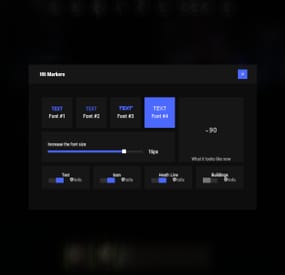
$19.95$11.95Hit Markers
Each user can choose his own marker, which is convenient for him! 🙂
Commands
marker - open an UI
Permissions
You can set permission in config, for example:
"Permission (ex: hitmarkers.use)": "hitmarkers.use", You can also set your own permission for each font and button.
Config
{ "Commands": [ "marker", "hits" ], "Permission (ex: hitmarkers.use)": "", "Work with Notify?": true, "Fonts": { "0": { "Font": "robotocondensed-bold.ttf", "Permission (ex: hitmarkers.font)": "" }, "1": { "Font": "robotocondensed-regular.ttf", "Permission (ex: hitmarkers.font)": "" }, "2": { "Font": "permanentmarker.ttf", "Permission (ex: hitmarkers.font)": "" }, "3": { "Font": "droidsansmono.ttf", "Permission (ex: hitmarkers.font)": "" } }, "Min Font Size": 8, "Max Font Size": 18, "Buttons": [ { "Enabled": true, "Title": "Text", "Type": "Text", "Description": "<b>Damage numbers</b> will pop up in the center of the screen!", "Permission": "hitmarkers.text" }, { "Enabled": true, "Title": "Icon", "Type": "Icon", "Description": "The familiar hit icon changes color after a <b>headshot!</b>", "Permission": "hitmarkers.icon" }, { "Enabled": true, "Title": "Heath Line", "Type": "HealthLine", "Description": "A bar appears above the slots, showing the <b>remaining</b> health of the enemy", "Permission": "hitmarkers.line" }, { "Enabled": true, "Title": "Buildings", "Type": "Buildings", "Description": "Displaying damage by buildings", "Permission": "hitmarkers.buildings" } ], "Info Icon": "https://i.imgur.com/YIRjnIT.png", "Show damage to NPC": true, "Show damage to animals": false, "Marker removal time": 0.25, "Default Values": { "Font ID": 0, "Font Size": 14, "Text": true, "Icon": false, "Health Line": false, "Buildings": false } }
-
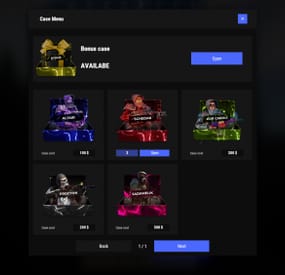
$25.95$17.95Cases
Revolutionary cases, the juiciest interface, scroll animations and much more!
Features
Beautiful user interface Opening animation Performance Each case is configured separately
Commands
cases (open cases interface) givecase <steamid> <caseid> <amount> (give a case to the player) givecase * <caseid> <amount> (give a case to all online players)
FAQ
Q: Where can I see an example of a config?
A: Config
Q: How do I use Economics to pay for cases?
A:
"Economy": { "Show Balance": true, "Type (Plugin/Item)": "Plugin", "Plugin name": "Economics", "Balance add hook": "Deposit", "Balance remove hook": "Withdraw", "Balance show hook": "Balance", "ShortName": "scrap", "Display Name (empty - default)": "", "Skin": 0 }, Q: How do I use ServerRewards to pay for cases?
A:
"Economy": { "Show Balance": true, "Type (Plugin/Item)": "Plugin", "Plugin name": "ServerRewards", "Balance add hook": "AddPoints", "Balance remove hook": "TakePoints", "Balance show hook": "CheckPoints", "ShortName": "scrap", "Display Name (empty - default)": "", "Skin": 0 }, Q: I have a question/problem. What should I do?
A: You can write to me in a PM on the site, create a ticket. Or write me in Discord: mevent
Q: How does a player give out Skill Tree XP?
A:
{ "Type": "Command", "ID": 7, "Image": "", "Title": "Give 1K XP from SkillTree", "Command (%steamid%)": "givexp %username% 1000", "Plugin": { "Hook": null, "Plugin name": null, "Amount": 0 }, "Display Name (empty - default)": "", "ShortName": "", "Skin": 0, "Amount": 1, "Chance": 65.0 }, Q: How can I add cases not for purchase, but just to have them?
A: For example, if you give cases with the "givecase" command:
givecase <steamid> <caseid> <amount> give a case to the player givecase * <caseid> <amount> give a case to all online players -
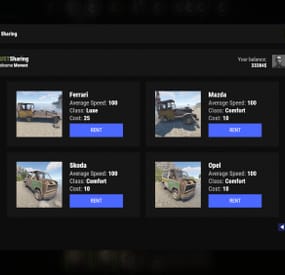
$19.95$11.95Car Sharing
Adds to your server the ability to rent a car and ride it all over the map. You can also install bots in which you can rent a car.
Commands
share.ferrari [targetId] (give a Ferrari) share.mazda [targetId] (give a Mazda) share.skoda [targetId] (give a Skoda) share.opel [targetId] (give an Opel)
Permissions
You can set permission in config, for example:
"Permission (example: carsharing.use)": "carsharing.use",
Config
{ "Commands": [ "rent", "carsharing" ], "Permission (example: carsharing.use)": "", "Work with Notify?": true, "Economy": { "Type (Plugin/Item)": "Plugin", "Plugin name": "Economics", "Balance add hook": "Deposit", "Balance remove hook": "Withdraw", "Balance show hook": "Balance", "ShortName": "scrap", "Display Name (empty - default)": "", "Skin": 0 }, "Vehicle call item settings": { "Display Name": "RUSTSharing {carname}", "ShortName": "box.wooden.large", "Skin": 2591806406 }, "Cars": [ { "Permission (example: carsharing.vip)": "", "Command to give": "share.ferrari", "Image": "https://i.imgur.com/0GvWGOv.png", "Name": "Ferrari", "Cost per minute": 25.0, "Car class": "Luxe", "Average Speed": "100", "Modular Car Settings": { "CodeLock": true, "KeyLock": false, "Engine Parts Tier": 2, "Fresh Water Amount": 0, "Fuel Amount": 140, "Modules": [ "vehicle.1mod.engine", "vehicle.1mod.cockpit.armored", "vehicle.1mod.cockpit.armored" ] } }, { "Permission (example: carsharing.vip)": "", "Command to give": "share.mazda", "Image": "https://i.imgur.com/fAuuZIS.png", "Name": "Mazda", "Cost per minute": 10.0, "Car class": "Comfort", "Average Speed": "100", "Modular Car Settings": { "CodeLock": true, "KeyLock": false, "Engine Parts Tier": 2, "Fresh Water Amount": 0, "Fuel Amount": 140, "Modules": [ "vehicle.1mod.engine", "vehicle.1mod.cockpit.armored", "vehicle.1mod.cockpit.armored" ] } }, { "Permission (example: carsharing.vip)": "", "Command to give": "share.skoda", "Image": "https://i.imgur.com/u07yAdY.png", "Name": "Skoda", "Cost per minute": 10.0, "Car class": "Comfort", "Average Speed": "100", "Modular Car Settings": { "CodeLock": true, "KeyLock": false, "Engine Parts Tier": 2, "Fresh Water Amount": 0, "Fuel Amount": 140, "Modules": [ "vehicle.1mod.engine", "vehicle.1mod.cockpit.armored", "vehicle.1mod.cockpit.armored" ] } }, { "Permission (example: carsharing.vip)": "", "Command to give": "share.opel", "Image": "https://i.imgur.com/fEzJjIm.png", "Name": "Opel", "Cost per minute": 10.0, "Car class": "Comfort", "Average Speed": "100", "Modular Car Settings": { "CodeLock": true, "KeyLock": false, "Engine Parts Tier": 2, "Fresh Water Amount": 0, "Fuel Amount": 140, "Modules": [ "vehicle.1mod.engine", "vehicle.1mod.cockpit.armored", "vehicle.1mod.cockpit.armored" ] } } ], "Bots": { "8833355776": { "Car Classes (* - all)": [ "Comfort" ] }, "1317845641": { "Car Classes (* - all)": [ "Luxe", "Comfort" ] } } }
VIDEO
-
.thumb.jpg.a4c9b273f78ce3907412c52f85dae3f8.jpg)
$29.99
Barges
Discover the beauty of the open sea, with versatile barges perfect for transforming into your floating abode. Glide across the water effortlessly, by attaching a Tugboat, a Submarine, a RHIB, and more! You can traverse the waters of your Rust server with a custom Barge motor as well. Elevate your gaming experience, go on a wet and wild adventure with Barges, take the fight into the waves and beyond! The plugin includes 7 configurable platform shapes, each of which has it's own customization options in the config file. Note that the modules are configured within the config file, not in game. With proper TC authorization teammates can also access the Barge and it's modules. In the config file you can also adjust the maximum building height, movement speed, and several other parameters.
Modules
Barges each come with a variety of modules that you can enable, disable, or swap out for alternate modules, all within the config file. Regarding access to the modules in the game, this is restricted to players who have TC authorization.
Connector
Connector module allows attaching to a tugboat, a RHIB, or another barge. To allow attachment, press the button on the connector. You cannot install more than one Connector module on each Barge.
Dock
Dock module allows attaching boats and submarines to the Barge. Just approach it with your vehicle to activate and attach it. Mutliple Dock modules can be added to any Barge with available slots.
Cabin
Cabin module is used to drive the Barge. If this module is installed, the Barge can be driven with the help of an engine. To get into the Cabin, use the button on the door. To start the engine, fuel must be placed in the fuel tank behind the cabin. You can only connect one Cabin module on each Barge.
Ramp
Ramp module is used for loading and unloading vehicles, like motorcycles, cars, or minis! To open cor close the gate, use the button on the post. Multiple Ramp modules can be installed to each Barge.
Anchor
Anchor module will be the most used module for many who brave the sea on a Barge! Press the button to drop the Anchor, and stop movement so that you can build, or if you get a little seasick. Press the button again to go with the flow!
Features and limitations
• By default the construction on any Barge is restricted to either wood or metal. Stone and high quality are not currently an option. Those building parts will automatically receive the Legacy and Container skins. You can disable the restriction in the config, but this will negatively impact the performance on some servers and appear to have rougher movement of build parts with a large number of barges on the server
• These actions are available only while the Barge is Anchored, not while moving
- Base construction
- Use of chairs and sofas
- Installation of objects
- Interact with wires pipes or conveyors
• For optimization installing Wallpaper on Barges is not allowed
• Building parts can not exceed the boundaries of the Barge itself
• Frankenstein tables are not able to be installed on any Barge
• By default you are not able to approach Fishing Village by Barge
Please consider this plugin in BETA testing. The plugin is functional but I cannot make it compatible with the many plugins out there without your help. Please feel free to reach out with ideas but be patient with new ideas, as many common functions of a base are not so easy to do on a constantly moving rocking and rolling unique water base. Please give feedback and make tickets for support. Please be patient as all support requests are always going to be answered. If you are willing to join the Mad Mapper Discord this is a great resource for creating tickets for suggestions feedback and support.
Chat commands (admin only)
/spawnbarge PresetName - spawn the barge in your position /killbarge - destroys the barge you're looking at /killallbarges - destroys all barges on the server /givebarge PresetName - give the barge to yourself
Console commands (RCON only)
givebarge PresetName userID - give the barge to the player
API
bool IsEntityOnBarge(BaseEntity entity)
Plugin Config
en – example of plugin configuration in English ru – example of plugin configuration in Russian
Check out the rest of my work: Adem's Codefling Library
You can reach out to me in Discord: Adem's Discord Profile
Join the Mad Mappers Discord!
-

$39.90
Personal Farmer
Take your farms to the next level with Personal Farmer – your own AI-powered farmhand that automates planting, watering, harvesting, crossbreeding, animal care, and more! Whether you’re running a massive plantation, maintaining a chicken coop, or managing bees, your bot is always ready to help.
Features:
🌿 Smart Farmhand AI
• Automatically plants and harvests crops, or produces clones.
• Can crossbreed clones to achieve specific genes, propagate them and then plant for harvest.
• Waters crops and fetches water from barrels, water catchers, or rivers.
• Collects resources (corn, pumpkins, etc.), puts them in composters, and spreads fertilizer.
• Learns your farm layout – assign plantations, composters, water sources, and storage with ease.
🐓 Chicken Coop Assistant
• Feeds chickens and collects eggs.
• Breeds and maintains your chicken population.
• Gently interacts with chickens to boost their happiness.
🍯 Beehive Support
• Collects honeycombs from beehives.
🐴 Hitch Trough Support
• Helps keep your horses fed.
• Automatically collects horse dung and puts it in composter to produce fertilizer.
🧠 Fully Automated Workflow
• Starts with its own inventory, but can optionally manage all resources autonomously.
• Auto-stores items like eggs, resources, clones, honey and other loot into assigned containers.
🔒 Persistent & Secure
• Saves setup and assigned tasks across server restarts.
• Use multiple farmers for different bases
• Only allows interaction on player-owned or authorized buildings – no bots on enemy farms!
❓ How to Use
• Receive farmer's sleeping bag by entering /pfarmer command, or give it to players using any other plugin that supports custom items (like shops and etc.)
• Deploy the bag. Farmer will start to analyze current base.
• Open tool cupboard and open farm manager. Enable functionality that you need.
📃 Commands
• givefarmerbag <Steam ID> <Skin ID> <Amount> ("personalfarmer.admin" permission required)
• /pfarmer <Config command>
📺 See It in Action! Watch the Video
👀 Plugin work demonstration:
📃 Configuration:
{ "Specify the ID of the farmer generator, the number of digits(8 - 15)": 9, "Farmer settings (key is a sleeping bag skin)": { "3480145757": { "Spawn": { "Permission to give/deploy farmer's sleeping bag (leave empty if allowed to everyone)": "personalfarmer.default", "Command argument to receive sleeping bag (works through the chat command /pfarmer, leave empty to disable)": "default", "Name": { "Localization key": "PersonalFarmer_default", "Localization value": "%OWNER_NAME%'s Farmer" }, "Maximum health": 100.0, "Clothes": { "Unlock container?": false, "List of items": [ { "Item": { "Item shortname or ID": "burlap.shirt", "Item skin": 0 }, "Custom item name (if not needed leave empty)": "", "Amount": 1 }, { "Item": { "Item shortname or ID": "burlap.trousers", "Item skin": 0 }, "Custom item name (if not needed leave empty)": "", "Amount": 1 }, { "Item": { "Item shortname or ID": "burlap.gloves.new", "Item skin": 0 }, "Custom item name (if not needed leave empty)": "", "Amount": 1 }, { "Item": { "Item shortname or ID": "burlap.shoes", "Item skin": 0 }, "Custom item name (if not needed leave empty)": "", "Amount": 1 }, { "Item": { "Item shortname or ID": "hat.boonie", "Item skin": 0 }, "Custom item name (if not needed leave empty)": "", "Amount": 1 } ] } }, "Controller": { "Controller tick (0 - 0.2f)": 0.1, "Brain tick (0.1 - 5f)": 0.1, "Farm zone size where farmer can work": { "x": 100.0, "y": 100.0 }, "Item for watering": { "Give item if there isn't any on farm?": false, "Item setup": { "Item shortname or ID": "bucket.water", "Item skin": 0 } }, "Allow to pickup dropped items?": true, "Can collect resources?": true, "Can mine resources?": true, "Item for mining": { "Give item if there isn't any on farm?": true, "Item setup": { "Item shortname or ID": "lumberjack.pickaxe", "Item skin": 0 } }, "Can the farmer heal himself?": true, "Item for heal": { "Give item if there isn't any on farm?": true, "Item setup": { "Item shortname or ID": "syringe.medical", "Item skin": 0 } }, "Allow drowning damage?": false, "Allow the farmer to route underwater?": true, "Allow the farmer to go underwater?": true }, "Storage": { "Can farmer use it?": true, "List of prefab entities that the farmer can use": [ "woodbox_deployed", "wicker_barrel", "box.wooden.large", "fridge.deployed" ] }, "Planters": { "List of prefab entities that the farmer can use": [ "planter.large.deployed", "planter.small.deployed", "planter.triangle.deployed", "bathtub.planter.deployed", "minecart.planter.deployed", "plantpot.single.deployed" ], "Can farmer use it?": true }, "Composters": { "Can farmer use it?": true, "List of prefab entities that the farmer can use": [ "composter" ] }, "Chicken coops": { "Can farmer use it?": true, "List of prefab entities that the farmer can use": [ "chickencoop.deployed" ] }, "Beehives": { "Can farmer use it?": true, "List of prefab entities that the farmer can use": [ "beehive.deployed" ] }, "Water tanks": { "Can farmer use it?": true, "List of prefab entities that the farmer can use": [ "waterbarrel", "water_catcher_small", "water_catcher_large" ] } }, "3480146242": { "Spawn": { "Permission to give/deploy farmer's sleeping bag (leave empty if allowed to everyone)": "personalfarmer.vip", "Command argument to receive sleeping bag (works through the chat command /pfarmer, leave empty to disable)": "vip", "Name": { "Localization key": "PersonalFarmer_vip", "Localization value": "%OWNER_NAME%'s VIP Farmer" }, "Maximum health": 150.0, "Clothes": { "Unlock container?": false, "List of items": [ { "Item": { "Item shortname or ID": "jumpsuit.suit.blue", "Item skin": 0 }, "Custom item name (if not needed leave empty)": "", "Amount": 1 }, { "Item": { "Item shortname or ID": "shoes.boots", "Item skin": 0 }, "Custom item name (if not needed leave empty)": "", "Amount": 1 }, { "Item": { "Item shortname or ID": "hat.boonie", "Item skin": 0 }, "Custom item name (if not needed leave empty)": "", "Amount": 1 } ] } }, "Controller": { "Controller tick (0 - 0.2f)": 0.1, "Brain tick (0.1 - 5f)": 0.1, "Farm zone size where farmer can work": { "x": 100.0, "y": 100.0 }, "Item for watering": { "Give item if there isn't any on farm?": true, "Item setup": { "Item shortname or ID": "waterjug", "Item skin": 0 } }, "Allow to pickup dropped items?": true, "Can collect resources?": true, "Can mine resources?": true, "Item for mining": { "Give item if there isn't any on farm?": true, "Item setup": { "Item shortname or ID": "lumberjack.pickaxe", "Item skin": 0 } }, "Can the farmer heal himself?": true, "Item for heal": { "Give item if there isn't any on farm?": true, "Item setup": { "Item shortname or ID": "syringe.medical", "Item skin": 0 } }, "Allow drowning damage?": false, "Allow the farmer to route underwater?": true, "Allow the farmer to go underwater?": true }, "Storage": { "Can farmer use it?": true, "List of prefab entities that the farmer can use": [ "woodbox_deployed", "wicker_barrel", "box.wooden.large", "fridge.deployed" ] }, "Planters": { "List of prefab entities that the farmer can use": [ "planter.large.deployed", "planter.small.deployed", "planter.triangle.deployed", "bathtub.planter.deployed", "minecart.planter.deployed", "plantpot.single.deployed" ], "Can farmer use it?": true }, "Composters": { "Can farmer use it?": true, "List of prefab entities that the farmer can use": [ "composter" ] }, "Chicken coops": { "Can farmer use it?": true, "List of prefab entities that the farmer can use": [ "chickencoop.deployed" ] }, "Beehives": { "Can farmer use it?": true, "List of prefab entities that the farmer can use": [ "beehive.deployed" ] }, "Water tanks": { "Can farmer use it?": true, "List of prefab entities that the farmer can use": [ "waterbarrel", "water_catcher_small", "water_catcher_large" ] } } } }