
SoftArmy's Wishlist
-
$39.90
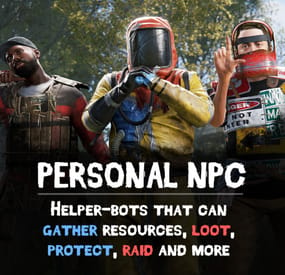
Personal NPC
Take your server experience to new level using Personal NPC companions that can fight, loot, gather, drive, fly, and assist! Whether combat, gathering resources, or traveling is on your to-do list, your bot is on hand to help out!
Features:
✋ Battle-Ready AI
• Command your bot to attack players, enemies, buildings, barrels, and more.
• Protects you against enemies attacks.
• Assist in combat by attacking targets that you engage with (/pnpc combat).
• Raid using rocket/grenade launchers (addon required).
💰 Resource Collection
• Auto-farm of wood, metal, sulfur, and stone.
• Pick up dropped items and collectable resources.
• Enable auto-pickup within a 50m radius along with auto-farm.
🧰 Smart Assistant
• Follow you or stay in position.
• Loot containers.
• Recovers you while wounded.
• Travel with you in minicopters, cars, boats, and more.
• Can drive cars, helicopters and boats (addon required).
Full Control & Personalization
🎯 Bot Setup:
• Set bot name, health, speed, and appearance.
• Enable unlimited ammo and on map visibility.
• Setup bot abilities: combat, looting, resource gathering, and more.
• Setup damage rates, player interactions, and turret targeting.
🛠️ Other Customization:
• Adjust spawn delays, task buttons, and 3D arrow displays.
• Personalize the GUI interface – refresh rate, position, colors, and shortcut keys.
• Blacklist specific items from the bot’s inventory.
Commands:
/pnpc where (shows a location of the bot in chat) /pnpc health (shows current bot's health in chat) /pnpc follow (bot will follow you) /pnpc hover (hover over a place, for Heli AI Addon) /pnpc inventory (open inventory, if enabled "Can player open bot's inventory through '/pnpc inventory' command?' option) /pnpc farm {resource name} (bot will farm exactly this resource, no need to write a lot of /pnpc auto-farm commands to make him work) /pnpc pickup {resource name} (same as "farm" but bot will pickup resources) /pnpc auto-pickup {resource name}/enable/disable /pnpc auto-farm {resource name}/enable/disable /pnpc ignore (bot will ignore everybody who deal damage to him or the owner) /pnpc loot-all (bot will loot everything in radius) /pnpc pvp (bot will fight anybody who's in radius) /pnpc combat (bot will fight only players who attack him or owner)
Expand with Addons!
💡Enhance your bot’s features using add-ons:
• PNPC Helicopter AI Addon
• PNPC Car AI Addon
• PNPC Boat AI Addon
• PNPC Raid Addon
📸 See It in Action! Watch The Video
📃 Configuration:
{ "Control setup": { "Which button will assign tasks to the bot, kill/get/collect, etc. (MIDDLE_MOUSE, SECOND_MOUSE, E, RELOAD, SPRINT)": "MIDDLE_MOUSE", "Range of the task assignment button": 25.0, "Display 3D arrows over a target?": true, "Arrow display duration": 2 }, "GUI customization": { "How many seconds to update the GUI?": 6.0, "Panel layer (Hud, Overlay, Overall, Hud.Menu, Under)": "Overlay", "Panel position adjustment": { "type": "RectTransform", "anchormin": "1 1", "anchormax": "1 1", "offsetmin": "-170 -104", "offsetmax": "-10 -10" }, "1 panel color": "#7f8c8d", "2 panel color": "#bdc3c7", "Health bar color": "#2ecc71", "Shortcut buttons": [ { "Text on button": "Auto-Farm: Wood", "Executable chat commands": [ "pnpc auto-farm wood", "pnpc auto-farm enable" ] }, { "Text on button": "Auto-Farm: Stone", "Executable chat commands": [ "pnpc auto-farm stone", "pnpc auto-farm enable" ] }, { "Text on button": "Auto-Pickup: Wood", "Executable chat commands": [ "pnpc auto-pickup wood", "pnpc auto-pickup enable" ] }, { "Text on button": "Auto-Pickup: Stone", "Executable chat commands": [ "pnpc auto-pickup stone", "pnpc auto-pickup enable" ] } ] }, "Bot settings by permission": { "personalnpc.bot1": { "Bot spawn delay": 300.0, "The name of the bot to be selected through the command when spawning": "bot1", "Bot name": "Personal bot of player %OWNER_NAME%", "Bot appearance (0 - random)": 0, "Maximum health": 150.0, "Bot speed (slowest, slow, normal, fast)": "normal", "Enable infinite ammo for the bot?": true, "Enable display of the bot on the map? (frankenstein icon)": true, "Start kit": [ { "Item name": "", "Item shortname": "shoes.boots", "Item skin": 0, "Item amount": 1, "In which container to place? (belt, main, wear)": "wear" }, { "Item name": "", "Item shortname": "pants", "Item skin": 0, "Item amount": 1, "In which container to place? (belt, main, wear)": "wear" }, { "Item name": "", "Item shortname": "hoodie", "Item skin": 0, "Item amount": 1, "In which container to place? (belt, main, wear)": "wear" }, { "Item name": "", "Item shortname": "mask.bandana", "Item skin": 0, "Item amount": 1, "In which container to place? (belt, main, wear)": "wear" }, { "Item name": "", "Item shortname": "hat.boonie", "Item skin": 0, "Item amount": 1, "In which container to place? (belt, main, wear)": "wear" }, { "Item name": "", "Item shortname": "sunglasses", "Item skin": 0, "Item amount": 1, "In which container to place? (belt, main, wear)": "wear" } ], "Functions setup": { "Can a bot loot crates?": true, "Can the bot mine trees and stones?": true, "Can the bot pick up resources? (wood, sulfur and metal ore, stones)": true, "Should the bot protect the owner?": true, "Should the bot defend itself?": true, "Can the bot travel by car/copter and other vehicles?": true, "Can the bot pick up dropped items?": true, "Recover the owner from a wounded state": { "Can the bot recover the owner if he is in a wounded state?": true, "Recover time": 6.0 }, "Can the bot attack other people's buildings?": true, "Can a bot attack its owner's buildings?": false, "Can the bot collect resources within a radius of 50 meters? (/pnpc auto-pickup)": true, "Can the bot farm resources within a radius of 50 meters? (/pnpc auto-farm)": true }, "Gather setup": { "Shortname of items that can harvest trees": [ "hatchet", "chainsaw", "hammer.salvaged", "stonehatchet", "axe.salvaged" ], "Shortname of items that can mine stones and ore": [ "pickaxe", "stone.pickaxe", "hammer.salvaged", "jackhammer", "icepick.salvaged" ], "Setting up mining rates": { "stones": 2.0, "wood": 5.0 } }, "Damage and interactions setup": { "Bot damage rate": 2.0, "Bot recive damage rate": 0.5, "Can players damage the bot?": true, "Can the bot damage players?": true, "Can turrets target and kill a bot? (all turrets will not be able to damage the bot)": false, "Prevent bot owner turrets from aiming and killing the bot? (bot owner's turrets will not be able to damage the bot)": true, "Blacklist of objects that the bot will ignore when owner selecting a target (short prefab name)": [ "barricade.sandbags" ] }, "Black list of items that cannot be put into the inventory of the bot": [ "rocket.launcher" ] } }, "Bot install by item": [ { "Item name": "PersonalNPC", "Item shortname": "furnace", "Item skin": 2741314889, "Bot info": { "Bot spawn delay": 300.0, "The name of the bot to be selected through the command when spawning": "bot1", "Bot name": "Personal bot of player %OWNER_NAME%", "Bot appearance (0 - random)": 0, "Maximum health": 150.0, "Bot speed (slowest, slow, normal, fast)": "normal", "Enable infinite ammo for the bot?": true, "Enable display of the bot on the map? (frankenstein icon)": true, "Start kit": [ { "Item name": "", "Item shortname": "shoes.boots", "Item skin": 0, "Item amount": 1, "In which container to place? (belt, main, wear)": "wear" }, { "Item name": "", "Item shortname": "pants", "Item skin": 0, "Item amount": 1, "In which container to place? (belt, main, wear)": "wear" }, { "Item name": "", "Item shortname": "hoodie", "Item skin": 0, "Item amount": 1, "In which container to place? (belt, main, wear)": "wear" }, { "Item name": "", "Item shortname": "mask.bandana", "Item skin": 0, "Item amount": 1, "In which container to place? (belt, main, wear)": "wear" }, { "Item name": "", "Item shortname": "hat.boonie", "Item skin": 0, "Item amount": 1, "In which container to place? (belt, main, wear)": "wear" }, { "Item name": "", "Item shortname": "sunglasses", "Item skin": 0, "Item amount": 1, "In which container to place? (belt, main, wear)": "wear" } ], "Functions setup": { "Can a bot loot crates?": true, "Can the bot mine trees and stones?": true, "Can the bot pick up resources? (wood, sulfur and metal ore, stones)": true, "Should the bot protect the owner?": true, "Should the bot defend itself?": true, "Can the bot travel by car/copter and other vehicles?": true, "Can the bot pick up dropped items?": true, "Recover the owner from a wounded state": { "Can the bot recover the owner if he is in a wounded state?": true, "Recover time": 6.0 }, "Can the bot attack other people's buildings?": true, "Can a bot attack its owner's buildings?": false, "Can the bot collect resources within a radius of 50 meters? (/pnpc auto-pickup)": true, "Can the bot farm resources within a radius of 50 meters? (/pnpc auto-farm)": true }, "Gather setup": { "Shortname of items that can harvest trees": [ "hatchet", "chainsaw", "hammer.salvaged", "stonehatchet", "axe.salvaged" ], "Shortname of items that can mine stones and ore": [ "pickaxe", "stone.pickaxe", "hammer.salvaged", "jackhammer", "icepick.salvaged" ], "Setting up mining rates": { "stones": 2.0, "wood": 5.0 } }, "Damage and interactions setup": { "Bot damage rate": 2.0, "Bot recive damage rate": 0.5, "Can players damage the bot?": true, "Can the bot damage players?": true, "Can turrets target and kill a bot? (all turrets will not be able to damage the bot)": false, "Prevent bot owner turrets from aiming and killing the bot? (bot owner's turrets will not be able to damage the bot)": true, "Blacklist of objects that the bot will ignore when owner selecting a target (short prefab name)": [ "barricade.sandbags" ] }, "Black list of items that cannot be put into the inventory of the bot": [ "rocket.launcher" ] } } ], "How many seconds will the bot update the information? (affects the performance and operation of the bot)": 0.01, "Spawn a backpack with his items when a bot dies? (otherwise his corpse will spawn)": false, "List of prefabs that the bot can loot (useful if the bot attacks loot instead of looting it)": [ "vehicle_parts" ] }
-
$1.99
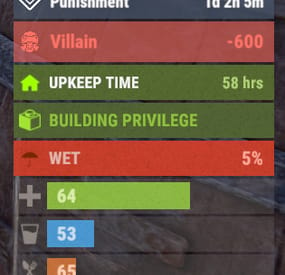
Advanced Status
A useful API plugin that mimics in-game status bars and allows the addition of custom ones.
Note: AdvancedStatus does not display any bars on its own. This is done by other plugins that work with it.
An example plugin demonstrating interaction with AdvancedStatus.
The ability to specify the frequency of calculating the number of bars; The ability to specify the order of the bar; The ability to change the height of the bar; The abillity to customize the color and transparency of the background; The ability to set a material for the background; The ability to switch between CuiRawImageComponent and CuiImageComponent for the image; The ability to get images from the local folder(*SERVER*\oxide\data\AdvancedStatus\Images); The abillity to set own image and customize the color and transparency of the image; The abillity to set sprite instead of the image; The ability to specify custom text; The ability to customize the color, size and font of the text; No need to pass all parameters; No need to manually delete your bar when unloading your plugin.
advancedstatus.admin - Grants access to the chat command(by default /bar).
{ "Chat command": "bar", "Is it worth enabling console notifications for the successful loading of local images?": false, "Interval(in seconds) for counting in-game status bars": 0.5, "Interval(in seconds) for counting Building Privileges status bars. Note: Calculating Building Privileges is resource-intensive": 1.0, "Is it worth counting Vehicle Privilege? Useful if you don't have a Tugboat or PlayerBoat": true, "Is it worth counting Entity Privilege? Useful if you don't have a Legacy Shelter": true, "Ui layer for displaying bars. For button bars, it is recommended to use the 'Hud' layer(https://umod.org/guides/rust/basic-concepts-of-gui#layers)": "Under", "Is it worth displaying bar components left to right?": true, "Vertical spacing between bars": 2, "The height of the bar by default": 26, "The background color of the bar by default": "#505F75", "The background transparency of the bar by default": 0.7, "The background material of the bar by default, leave empty to disable": "", "The image of the bar by default": "AdvancedStatus_Default", "The color of the bar image by default": "#6B7E95", "The transparency of the bar image by default": 1.0, "The outline color of the bar image by default": "#000000", "The outline transparency of the bar image by default": 1.0, "The outline distance of the bar image by default. Example '0.75 0.75'": "", "The size of the bar text by default": 12, "The color of the bar text by default": "#FFFFFF", "The transparency of the bar text by default": 1.0, "The font of the bar text by default(https://umod.org/guides/rust/basic-concepts-of-gui#fonts)": "RobotoCondensed-Bold.ttf", "The horizontal offset of the bar text by default": 0, "The outline color of the bar text by default": "#000000", "The outline transparency of the bar text by default": 1.0, "The outline distance of the bar text by default": "", "The size of the bar subtext by default": 12, "The color of the bar subtext by default": "#FFFFFF", "The transparency of the bar subtext by default": 1.0, "The font of the bar subtext by default": "RobotoCondensed-Bold.ttf", "The outline color of the bar subtext by default": "#000000", "The outline transparency of the bar subtext by default": 1.0, "The outline distance of the bar subtext by default": "", "The color of the bar progress by default": "#89B840", "The transparency of the bar progress by default": 0.7, "The OffsetMin of the bar progress by default": "25 2.5", "The OffsetMax of the bar progress by default": "-3.5 -3.5", "Version": { "Major": 0, "Minor": 1, "Patch": 25 } }
EN: { "MsgDays": "d", "MsgHours": "h", "MsgMinutes": "m", "MsgSeconds": "s" } RU: { "MsgDays": "д", "MsgHours": "ч", "MsgMinutes": "м", "MsgSeconds": "я" }
images reload *ImageName* - Reloads the specified image from the image folder; all - Reloads all local images from the image folder. Example: /bar images reload all
Note: To access the commands, the player must be an admin(console or owner) or have the advancedstatus.admin permission.
OnAdvancedStatusLoaded: Called after the AdvancedStatus plugin is fully loaded and ready. OnPlayerGainedBuildingPrivilege: Called after the player enters their building privilege. OnPlayerLostBuildingPrivilege: Called after the player exits their building privilege.
void OnAdvancedStatusLoaded() { Puts("The AdvancedStatus plugin is loaded and ready to go!"); } void OnPlayerGainedBuildingPrivilege(BasePlayer player) { Puts($"{player.displayName} entered the authorized building privilege zone."); } void OnPlayerLostBuildingPrivilege(BasePlayer player) { Puts($"{player.displayName} exited the authorized building privilege zone."); }
[PluginReference] private Plugin AdvancedStatus; There are 15 methods:
IsReady CreateBar UpdateContent DeleteBar DeleteCategory DeleteAllBars GetTotalClientBars GetTotalPlayerBars LoadImages LoadImage CopyImage DeleteImages DeleteImage BarExists InBuildingPrivilege
There are 5 types of bar:
Default - A simple bar that displays the provided information. Does not update the value of SubText by itself; Timed - Similar to the default bar, but it automatically disappears after the specified time in the TimeStamp parameter; TimeCounter - The SubText shows the remaining time until TimeStamp. Also automatically removed upon expiration of the TimeStamp; TimeProgress - Similar to the Timed bar, but additionally features an automatically filling progress bar; TimeProgressCounter - Similar to the TimeCounter bar, but additionally features an automatically filling progress bar.
IsReady:
Used to check if the AdvancedStatus plugin is loaded and ready to work.
The IsReady method returns true if it is ready, or null if it is not.
(bool)AdvancedStatus?.Call("IsReady");//Calling the IsReady method. If the result is not null(bool true), the plugin is ready.
CreateBar:
Used to create a bar or update bar values for a player.
To call the CreateBar method, you need to pass 2 parameters. The first one is BasePlayer or <ulong>playerID. The second one is a dictionary with the parameters you need.
In the CreateBar method, all parameters are optional, except for two:
Id; Plugin. Parameters not specified when creating a new bar will use the values set in the AdvancedStatus plugin's configuration file.
Parameters not specified during bar update will retain the values they had before the update.
Note: The plugin does not update values automatically, you need to manually send new values.
Dictionary<string, object> parameters = new Dictionary<string, object> { { "Id", "AdvancedStatusDemo_1" }, //<string>Unique identifier for the bar in your plugin. ***This is a required field. { "BarType", "Default" }, //<string>Type of the bar. There are 4 types: Default, Timed, TimeCounter and TimeProgress. { "Plugin", "AdvancedStatusDemo" }, //<string>Name of your plugin. ***This is a required field. { "Category", "Default" }, //<string>Internal plugin category of the bar. { "Order", 10 }, //<int>The position of your bar relative to others. Order is determined by increasing values(ASC). { "Height", 26 }, //<int>The height of your bar. A standard bar is 26 pixels. { "Main_Color", "#505F75" }, //<string>HTML Hex color of the bar background. { "Main_Transparency", 0.7f }, //<float>Transparency of the bar background. { "Main_Material", "assets/content/ui/uibackgroundblur.mat" }, //<string>Material of the bar background(empty to disable). { "Image", "scrap" }, //<string>Name of the image saved in the ImageLibrary or a direct link to the image if ImageLibrary is not used. { "Image_Local", "AdvancedStatusDemo_Scrap" }, //<string>The name of the image file(without its extension) located in *SERVER*\data\AdvancedStatus\Images. Leave empty to use Image. { "Image_Sprite", "" }, //<string>Sprite image of the bar. Leave empty to use Image_Local or Image. { "Is_RawImage", true }, //<bool>Which type of image will be used? True - CuiRawImageComponent. False - CuiImageComponent. { "Image_Color", "#6B7E95" }, //<string>HTML Hex color of the bar image. { "Image_Transparency", 1.0f }, //<float>Transparency of the image. { "Text", "Scrap" }, //<string>Main text. { "Text_Size", 12 }, //<int>Size of the main text. { "Text_Color", "#FFFFFF" }, //<string>HTML Hex color of the main text. { "Text_Font", "RobotoCondensed-Bold.ttf" }, //<string>Font of the main text. { "Text_Offset_Horizontal", 0 }, //<int>Horizontal offset for the main text. { "SubText", "35" }, //<string>Sub text. { "SubText_Size", 12 }, //<int>Size of the sub text. { "SubText_Color", "#FFFFFF" }, //<string>HTML Hex color of the sub text. { "SubText_Font", "RobotoCondensed-Bold.ttf" }, //<string>Font of the sub text. { "TimeStampStart", Network.TimeEx.currentTimestamp }, //<double>Responsible for specifying the start point of the time reference and 0% for TimeProgress and TimeProgressCounter bars. Used if the bar type is Timed, TimeCounter, TimeProgress or TimeProgressCounter. { "TimeStamp", Network.TimeEx.currentTimestamp + 6 }, //<double>Specifies the end time point after which the bar will be destroyed and 100% for TimeProgress and TimeProgressCounter bars. Used if the bar type is Timed, TimeCounter, TimeProgress or TimeProgressCounter. { "TimeStampDestroy", Network.TimeEx.currentTimestamp + 3 }, //<double>If TimeStampDestroy is specified and it is less than TimeStamp, the bar will be destroyed by TimeStampDestroy. Used if the bar type is Timed, TimeCounter, TimeProgress or TimeProgressCounter. { "Progress", (float)35 / 100f }, //<float>Progress. From 0.0 to 1.0. { "Progress_Reverse", false }, //<bool>Progress reverse. A value of false means that the progress will increase. Used if the bar type is TimeProgress or TimeProgressCounter. { "Progress_Color", "#89B840" }, //<string>Progress color. { "Progress_Transparency", 1f }, //<float>Progress transparency. { "Progress_OffsetMin", "25 2.5" }, //<string>Progress OffsetMin: "*left* *bottom*". { "Progress_OffsetMax", "-3.5 -3.5" }, //<string>Progress OffsetMax: "*right* *top*". { "Command", "kit" } //<string>If the field is not empty, the bar becomes clickable, and the specified command is executed upon clicking. Note: the command must be covalence. }; AdvancedStatus?.Call("CreateBar", player.userID.Get(), parameters); //Calling the CreateBar method with the passing of BasePlayer/playerID and a dictionary containing the required parameters.
UpdateContent:
Used to update only the content of an existing status bar.
To call the UpdateContent method, you need to pass 2 parameters. The first one is BasePlayer or <ulong>playerID. The second one is a dictionary with the parameters you need.
In the UpdateBar method, all parameters are optional, except for two:
Id; Plugin. var parameters = new Dictionary<string, object> { { "Id", "MyID" }, //<string>Unique identifier for the bar in your plugin. ***This is a required field. { "Plugin", Name }, //<string>Name of your plugin. ***This is a required field. { "Text", "MyText" }, //<string>Main text. { "SubText", "MyText" }, //<string>Sub text. { "Progress", (float)amount / 100f }, //<float>Progress. From 0.0 to 1.0. }; AdvancedStatus?.Call("UpdateContent", player.userID.Get(), parameters); //Calling the UpdateContent method with the passing of BasePlayer/playerID and a dictionary containing the required parameters.
DeleteBar:
Used to remove the bar for a player.
There are two methods for removing a bar by ID:
with specifying a particular player; To call this method, you need to pass 3 parameters. The first one is BasePlayer or <ulong>playerID. The second one is Id of your bar and the third one is name of your plugin. without specifying a particular player (which removes it for all players) To call this method, you need to pass 2 parameters. The first one is Id of your bar and the second one is name of your plugin. AdvancedStatus?.Call("DeleteBar", player.userID.Get(), barID, Name); //Calling the DeleteBar method with the passing of BasePlayer/playerID, ID of the bar and the name of your plugin. AdvancedStatus?.Call("DeleteBar", barID, Name); //Calling the DeleteBar method with the passing of ID of the bar and the name of your plugin. If you try to delete a bar that doesn't exist, nothing bad will happen. So feel free to delete the bar without checking its existence.
P.S. When unloading your plugin, there is no need to manually delete bars for players, AdvancedStatus will handle it automatically.
DeleteCategory:
Used to remove all bars associated with the plugin's category.
To call the DeleteCategory method, you need to pass 2 parameters. The first one is category and the second one is name of your plugin.
AdvancedStatus?.Call("DeleteCategory", "Default", Name);//Calling the DeleteCategory method by passing the category and name of your plugin
DeleteAllBars:
Used to remove all bars associated with the plugin.
To call the DeleteAllBars method, you need to pass only 1 parameter. It is name of your plugin.
AdvancedStatus?.Call("DeleteAllBars", Name);//Calling the DeleteAllBars method, passing the name of your plugin
GetTotalClientBars:
Used to get the number of client bars for the player.
To call the GetTotalClientBars method, you need to pass only 1 parameter. It is BasePlayer or <ulong>playerID.
(int)AdvancedStatus?.Call("GetTotalClientBars", player.userID.Get());//Calling the GetTotalClientBars method, passing the name of BasePlayer/playerID
GetTotalPlayerBars:
Used to get the number of active custom bars for the player.
To call the GetTotalPlayerBars method, you need to pass only 1 parameter. It is BasePlayer or <ulong>playerID.
(int)AdvancedStatus?.Call("GetTotalPlayerBars", player.userID.Get());//Calling the GetTotalPlayerBars method, passing the name of BasePlayer/playerID
LoadImages:
Used to check if the local images specified in the list are loaded.
If any of the images are not loaded but their files exist in the images folder, the plugin will load them.
To call the LoadImages method, you need to pass only 2 parameters. The first one is the <List<string>>list of image's name and the second one(optional) is <bool>force, which, if set to true, will force reload the image even if it already exists.
AdvancedStatus?.Call("LoadImages", list, false);//Calling the LoadImages method, passing a list of image names
LoadImage:
Used to check if the local image is loaded.
If the file is not loaded and exists in the images folder, the plugin will load it.
To call the LoadImage method, you need to pass 2 parameters. The first one is the <string>image's name and the second one(optional) is <bool>force, which, if set to true, will force reload the image even if it already exists.
AdvancedStatus?.Call("LoadImage", imgName, false);//Calling the LoadImage method, passing an image's name
CopyImage:
Used to create and load a copy of an existing image.
To call the CopyImage method, you need to pass 3 parameters. The first parameter is the <string>source image's name, the second parameter is the <string>new image's name and the third one(optional) is <bool>force, which, if set to true, will force copy and reload the image even if it already exists.
AdvancedStatus?.Call("CopyImage", "ZoneStatus_Default", "ZoneStatus_NewZone", false);//Calling CopyImage, passing the source image name and the new image name.
DeleteImages:
Used to delete a list of images and their files.
To call the DeleteImages method, you need to pass 2 parameters. The first one is the <List<string>>list of image's name and the second one(optional) parameter is <bool>deleteFile, which, if set to true, will delete image's file too.
AdvancedStatus?.Call("DeleteImages", list, true);//Calling DeleteImages, passing a list of image names.
DeleteImage:
Used for removing the image and the image file.
To call the DeleteImage method, you need to pass 2 parameters. The first parameter is the <string>image's name and the second one(optional) parameter is <bool>deleteFile, which, if set to true, will delete image's file too.
AdvancedStatus?.Call("DeleteImage", "ZoneStatus_NewZone", true);//Calling DeleteImage, passing the image name.
BarExists:
Used to check if the specified bar exists.
To call the BarExists method, you need to pass 3 parameters. The first one is BasePlayer or <ulong>playerID. The second one is Id of your bar. And the third one is name of your plugin.
(bool)AdvancedStatus?.Call("BarExists", player.userID.Get(), barID, Name);//Calling the BarExists method with the passing of BasePlayer/playerID, ID of the bar and name of your plugin.
InBuildingPrivilege:
Used to check if the player has authorized building privileges.
To call the InBuildingPrivilege method, you need to pass BasePlayer or <ulong>playerID.
(bool)AdvancedStatus?.Call("InBuildingPrivilege", player.userID.Get());//Checking if the player has Building Privilege.
-
$3.99
Fuel Status
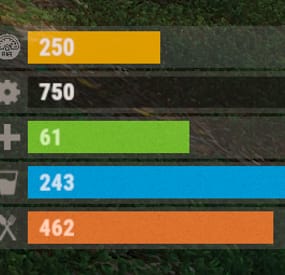
The plugin displays the vehicle's fuel level in the status bar. Depends on AdvancedStatus plugin.
The ability to display the vehicle's fuel level(gauge) in the status bar; The ability to notify when a low fuel level is reached; The ability to set a color for each percentage of fuel; The ability to specify mount poses for display; The ability to automatically generate language files for different languages(filled in English); The ability to specify the order of the bar; The ability to change the height of the bar; The ability to customize the color and transparency of the background; The ability to set a material for the background; The ability to switch between CuiRawImageComponent and CuiImageComponent for the image; The ability to get images from the local folder (*SERVER*\oxide\data\AdvancedStatus\Images); The ability to set own image and customize the color and transparency of the image; The ability to set sprite instead of the image; The ability to customize the color, size, font and outline of the text.
{ "Is it worth enabling GameTips for messages?": true, "Is it worth using Notify plugins for messages instead of the vanilla UI?": false, "Specify the regular message type for notify": 0, "Specify the warning message type for notify": 1, "List of language keys for creating language files": [ "en" ], "Fuel stack size for fraction calculation. A value of 0 uses the actual stack size": 0, "Fuel indicator refresh interval in seconds": 5.0, "Notifications - The percentage(0.0 to 1.0) of fuel at which notifications will occur. A value of 0 disables this": 0.2, "Notifications - The effect that will be triggered upon a warning. Choose the effect carefully! An empty string disables the effect call": "assets/prefabs/locks/keypad/effects/lock.code.denied.prefab", "Status. Bar - Height": 26, "Status. Bar - Order": 1, "Status. Background - Color(Hex or RGBA)": "#FFFFFF", "Status. Background - Transparency": 0.15, "Status. Background - Material(empty to disable)": "", "Status. Image - Url": "https://gitlab.com/IIIaKa/images/-/raw/main/StatusBars/FuelStatus_Fuel.png", "Status. Image - Local(Leave empty to use Image_Url)": "FuelStatus_Fuel", "Status. Image - Sprite(Leave empty to use Image_Local or Image_Url)": "", "Status. Image - Is raw image": false, "Status. Image - Color(Hex or RGBA)": "#E2DBD6", "Status. Image - Transparency": 0.55, "Status. Image Outline - Color(Hex or RGBA)": "0.1 0.3 0.8 0.9", "Status. Image Outline - Transparency": 1.0, "Status. Image Outline - Distance(Leave empty to disable). Example '0.75 0.75'": "", "Status. Text - Size": 15, "Status. Text - Color(Hex or RGBA)": "#E2DBD6", "Status. Text - Transparency": 1.0, "Status. Text - Font(https://docs.oxidemod.com/guides/developers/basic-cui/basic-cui#fonts)": "RobotoCondensed-Bold.ttf", "Status. Text - Offset Horizontal": 7, "Status. Text Outline - Color(Hex or RGBA)": "#000000", "Status. Text Outline - Transparency": 1.0, "Status. Text Outline - Distance(Leave empty to disable)": "", "Status. Progress - Transparency": 0.8, "Status. Progress - OffsetMin": "25 2.5", "Status. Progress - OffsetMax": "-3.5 -3.5", "Status. Progress - Zero Text Size": 12, "Status. Progress - Zero Text Color(Hex or RGBA)": "#F70000", "List of mount poses for displaying fuel status": [ "Driving", "HandMotorBoat", "StandDrive", "SitMinicopter_Pilot", "Sit_Workcart", "Sit_Crane", "Driving_Snowmobile", "Sit_Locomotive", "Sit_DPV", "Sit_BatteringRam", "Steering_Boat" ], "List of Gauge Indicators": [ { "MinRange": 0.0, "MaxRange": 0.2, "Color(Hex or RGBA)": "#F70000" }, { "MinRange": 0.2, "MaxRange": 0.6, "Color(Hex or RGBA)": "#F7BB00" }, { "MinRange": 0.6, "MaxRange": 1.0, "Color(Hex or RGBA)": "#B1C06E" } ], "Version": { "Major": 0, "Minor": 1, "Patch": 7 } } The values of MaxRange and MinRange set the range of values over which the color applies.
The values for MaxRange and MinRange must be between 0.0 and 1.0 (inclusive), where 0.0 equals 0%, and 1.0 equals 100%.
The value of MaxRange must be equal to the value of MinRange of the previous.
EN: { "MsgFuelLow": "Warning: Fuel level is low!", "BarProgressZero": "Out of fuel, refill required!" } RU: { "MsgFuelLow": "Внимание: уровень топлива низкий!", "BarProgressZero": "Нет топлива!" }
Available mount poses(PlayerModel.MountPoses):
public enum MountPoses { Chair = 0, Driving = 1, Horseback = 2, HeliUnarmed = 3, HeliArmed = 4, HandMotorBoat = 5, MotorBoatPassenger = 6, SitGeneric = 7, SitRaft = 8, StandDrive = 9, SitShootingGeneric = 10, SitMinicopter_Pilot = 11, SitMinicopter_Passenger = 12, ArcadeLeft = 13, ArcadeRight = 14, SitSummer_Ring = 15, SitSummer_BoogieBoard = 16, SitCarPassenger = 17, SitSummer_Chair = 18, SitRaft_NoPaddle = 19, Sit_SecretLab = 20, Sit_Workcart = 21, Sit_Cardgame = 22, Sit_Crane = 23, Sit_Snowmobile_Shooting = 24, Sit_RetroSnowmobile_Shooting = 25, Driving_Snowmobile = 26, ZiplineHold = 27, Sit_Locomotive = 28, Sit_Throne = 29, Parachute = 30, Sit_DPV = 31, Standing_Ballista = 32, Sit_BatteringRam = 33, VineSwinging = 34, Sit_Ejectorseat = 35, Sit_Beanbag = 36, Steering_Boat = 37, Standing = 128 }
-
$20.00
NpcRaiders
By Iftebinjan in Plugins
Call in a squad of raider NPCs to hit your own base — a safe, self‑contained "raid yourself" event for solo players, small groups, or anyone who wants that raid‑night adrenaline without waiting on a real offline raider.
NpcRaiders lets any player start a fully scripted raid event against their own authorized base. Once the event begins, a wave of armed NPC raiders spawns near the target and pushes toward the player's tool cupboard — fighting through walls, doors, and turrets — until they breach the TC, run out of time, or get wiped out.
The event is sandboxed: only players authorized on the targeted cupboard can damage the raider NPCs, and the NPCs will only ever attack the players inside that event. Nobody outside the event can interfere, and the raiders can't wander off and bother the rest of the server. It's PvE-safe raid content that plugs straight into your existing loot, economy, and reward plugins.
Everything about a raid — how many NPCs spawn, how many waves, how tough they are, what they drop, what it costs to call one in, and what you win for surviving — is configurable per raid "type," so you can sell multiple raid tiers (Easy / Hard / Nightmare, for example) through permissions or a shop plugin.
⭐Key Features
Self-raid events — players call NPCs in on their own authed base; nobody else can be targeted. Locked-down combat — only players authorized on the target TC can hurt the raiders, and the raiders can only hurt them back. No griefing, no stray damage to bystanders. Wave-based assault — configurable number of NPCs per wave, number of waves, and delay between waves, so events can scale from a quick skirmish to a full siege. Multiple raid types/tiers — build unlimited raid presets (difficulty, NPC count, health, kits, loot, rewards) and gate each one behind its own permission. Kits integration — equip raider NPCs with clothing and weapons using the Kits plugin, so their loadout matches the raid tier. Flexible loot — drop AlphaLoot profiles, custom loot-profile files (build one straight from your own inventory with /raidme loot add), or nothing at all. Pay-to-raid economy — charge players an item (default Scrap), Economics balance, or ServerRewards points to start an event; permission-based cost bypass for admins/VIPs. Win rewards — reward successful defenders with an item, Economics funds, ServerRewards points, or a kit. VIP cooldown tiers — give specific permission groups their own shorter cooldowns and TC-auth cooldowns instead of the server default. Queueing — if the server is already at the max concurrent raid limit, new events queue up and notify the player when it's their turn. SimplePVE/ TruePVE / LifeSupport aware — plays nicely with TruePVE exception mapping and LifeSupport's revive handling during an active event. 🎬Video Showcase
📜Permissions
npcraiders.use - Use the /raidme chat command to view and start raids. npcraiders.admin - Access admin commands (reload, clear, loot). npcraiders.nocooldown - Skip the standard raid and TC-auth cooldowns. npcraiders.nocost - Start raids without being charged. 📌Chat Command
/raidmeShows the raid help menu — available raid types, cost, and NPC/wave counts you have access to. /raidme buyShows raid cost/help for every raid type. /raidme buy <type>Starts a raid event of the given type at your currently authorized TC. /raidme statsOpens your personal stats UI (games played, wins, losses, kills, deaths). /raidme terrainAdmin/debug tool — lists the terrain colliders at your current position, for building the block list. /raidme loot add <profile>Creates (or adds to) a loot profile using every item currently in your inventory. /raidme loot clear <profile>Clears a loot profile's items. /raidme reload all (admin)Force-cancels every currently running raid event. /raidme reload player <name> (admin)Force-cancels one player's raid event. /raidme clear - (admin)Wipes stored cooldowns and player data. /raidme - Will show raid help menu. /raidme buy - Will show raid buy help menu and costs. /raidme buy <type> - To start raid of the type. /raidme reload player <playerName> - Will cancel there raid event. /raidme reload all - Will cancel all events. /raidme terrain - Get Terrain name your standing on. /raidme loot - Generate a loot profile with all the items in your inventory When you create a loot profile you will need to edit its datafile and set the min and max amount of items to give.. There you can change other min/max for item ammounts default is 1 to Amount when created
📌Console Command
npcraiders buy <type> <optional playerID> - Lets an external plugin or command (e.g. a shop or GUI) trigger a raid purchase for a player server-side. ⚙️Configuration
🗃️Language
⚠️FAQ
Do players raid other players, or only themselves?
Only their own base. A player can only start an event while authorized on the target TC, so this is entirely self-contained PvE-style content — not a way to raid other players. Can I sell different difficulty levels?
Yes — create as many raid types as you want in the config, each with its own permission, NPC count, waves, loot, cost, and reward. Sell access to each tier separately or bundle them into a rank. What plugins does this depend on?
None are required to run the plugin. Kits (for equipping/rewarding NPC loadouts and kit rewards), AlphaLoot (for NPC corpse loot profiles), ServerRewards and Economics (for buy costs/rewards), and TruePVE/SimplePVE/LifeSupport (for smoother PvE-server behavior) are all optional integrations — the plugin works without them, but connects automatically if they're installed. Can players avoid paying or waiting on cooldown?
Yes, through permissions — npcraiders.nocost skips the charge and npcraiders.nocooldown skips both cooldown timers. Useful for staff testing or as a VIP perk. Will this let people abuse re-authing on TCs to farm rewards?
There's a dedicated TC-auth cooldown separate from the normal raid cooldown, specifically to stop players from re-authorizing on a cupboard just to immediately farm another event.
-
$9.99$6.59IQRecycler
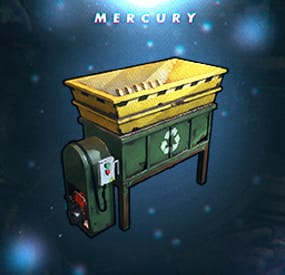
IQRecycler - a plugin that allows you to set up your own recycler for your players!
This plugin will allow you to extensively customize and monetize the recycler on your server.
You can have full control over it and customize it according to your preferences, individually for each privilege!
It supports pickup the recycler, inflicting damage, displaying health, and has a large base of supported plugins.
List of features:
Interface:
- The plugin has a simple, stylish, and intuitive UI interface with the ability to craft the recycler.
Recycler Configuration:
- Configuration of the placement of the recycler.
- Configuration for lifting the recycler by the owner or their friends.
- Configuration of the durability of the recycler after lifting.
- Configuration of the overall durability for the recycler.
Ability to /remove the recycler:
- It has support for the IQGradeRemove plugin, which allows players to lift the recycler using /remove.
Damage to the recycler:
- The plugin includes support for damage to the recycler from all types of Rust weapons and items.
- Support for customizing the damage to the recycler from specific items.
Repairing the recycler:
- The plugin supports the ability to repair the recycler by hitting it with a hammer. You can configure the required resources and the amount of durability it will receive per hit.
Item Recycling:
- You can configure the speed of item recycling for players.
- Full customization of recycling, allowing you to configure the final loot after recycling an item. For example, replacing all the loot with an AK47 or any other item, with the option to set the drop chance, support for SkinID, and custom names!
Blacklist of items:
- You can prohibit players from recycling specific items in their recyclers. These items will be marked in the player's inventoryand cannot be transferred to the recycler.
The "Item Recycling" and "Blacklist of items" features can be individually configured for each privilege group, according to their own rights!
Recycler Crafting:
- You can allow all players to craft the recycler or only specific groups by granting them permissions.
- Full customization of the items and quantities required to craft the recycler, with support for custom items.
- Optionally, you can set a cost for crafting the recycler using: IQEconomic, Economics, ServerRewards.
Item Configuration:
- You can configure the display of the item in players' inventories by changing its name (supports both Russian and English) and changing the icon (SkinID).
Permissions:
iqrecycler.craft - ability to use the recycler crafting
iqrecycler.ignorepayment - ability to ignore payment for crafting from economy plugins
Other permissions are configured in the configuration.
Configuration :
{ "Recycler crafting configuration": { "Use craft recycler (UI) (true - yes/false - no)": true, "List of items for the Recycler crafting recipe (can hold no more than 5 pieces)": [ { "Shortname": "metal.fragments", "Amount": 500, "SkinID": 0, "Item names for display to the player": { "Text in Russian": "фрагменты металл", "Text in English": "metal fragments" } }, { "Shortname": "metal.refined", "Amount": 50, "SkinID": 0, "Item names for display to the player": { "Text in Russian": "металл высокого качества", "Text in English": "metal refined" } }, { "Shortname": "scrap", "Amount": 70, "SkinID": 0, "Item names for display to the player": { "Text in Russian": "металлолом", "Text in English": "scrap" } }, { "Shortname": "techparts", "Amount": 10, "SkinID": 0, "Item names for display to the player": { "Text in Russian": "микросхемы", "Text in English": "tech trash" } } ], "Use charging for crafting the recycler (IQEconomic, Economics, ServerRewards) (true - yes/false - no)": false, "Crafting cost of the recycler (IQEconomic, Economics, ServerRewards)": 100 }, "Setting up a recycler Item": { "The recycler's display name (in the inventory)": { "Text in Russian": "Домашний переработчик", "Text in English": "Home recycler" }, "SkinID for the image (required field)": 2976924191 }, "Settings Recycler": { "Install recycler controllerr": { "The recycler can be installed only in the area of the cupboard (building zone) (true - yes/false - no)": true, "The ability to install a recycler on the ground (true - yes/false - no)": false, "Prohibit installing a recycler during a raid block (true - yes/false - no)": true }, "Pickup of a recycler": { "How many seconds will a recycler pick up": 12, "You can pickup the recycler only in the area of the cupboard (building zone) (true - yes/false - no)": true, "Only the owner who installed it or his friends can pickup the recycler (true - yes/false - no)": false, "Disable recycler pickup during raid block (true - yes/false - no)": true, "Recycler condition setting": { "Use condition removal from recycler when picking it up (true - yes/false - no)": true, "How much % of condition to remove from an object when it is raised (0 - 100)": 25 } }, "Health Count": 750, "Damage Controller Recycler": { "Use Damage Recycler (true - yes/false - no)": true, "Custom Damage List [Shortname] = Damage": { "multiplegrenadelauncher": 40.0, "grenade.beancan": 25.0, "grenade.f1.deployed": 35.0, "explosive.satchel": 130.0, "explosive.timed": 300.0, "ammo.rocket.basic": 190.0, "ammo.rocket.hv": 140.0, "ammo.rocket.fire": 80.0, "surveycharge": 10.0 } }, "Recycler repair settings": { "Use the ability to repair the recycler (true - yes/false - no)": true, "Use prohibition on repairing the recycler if it has recently been damaged (true - yes/false - no) (damage support for the recycler must be enabled)": true, "How many seconds until the recycler can be repaired after it has been damaged": 20.0, "How much durability will be replenished for the recycler per one repair": 100, "Items that will be taken during repairs": [ { "Shortname": "metal.fragments", "Amount": 30, "SkinID": 0, "Item names for display to the player": { "Text in Russian": "фрагменты металла", "Text in English": "metal fragments" } }, { "Shortname": "metal.refined", "Amount": 5, "SkinID": 0, "Item names for display to the player": { "Text in Russian": "металл высокого качества", "Text in English": "metal refined" } } ] }, "Disallow the use of a recycler during a raid block (true - yes/false - no). (true - yes/false - no)": false }, "Settings supports plugins": { "Settings IQChat": { "IQChat : Custom prefix in chat": "[<color=#64D15D>IQRecycler</color>]\n", "IQChat : Custom chat avatar (If required)": "0", "IQChat : Use UI notification (true - yes/false - no)": false } }, "Standard recycling process settings (available to all players)": { "Blacklist of items that cannot be recycled": { "Use blacklist of items (true - yes/false - no)": true, "List of items that cannot be recycled": [ { "Shortname": "gears", "SkinID": 0 }, { "Shortname": "techparts", "SkinID": 0 }, { "Shortname": "metalspring", "SkinID": 0 } ] }, "Item recycling speed settings": { "Use recycling speed editing": true, "How many seconds the item recycling will last (default in RUST: 5 seconds)": 5.0 }, "Replacement of dropped items after recycling": { "Use item replacement after recycling function": false, "Item recycling settings, you can replace the dropped items after recycling [Incoming item (to be recycled) = List of items to be given after recycling]": [ { "Shortname": "rifle.ak", "SkinID": 0, "OutputList": [ { "Shortname": "metal.refined", "SkinID": 0, "Amount per 1 unit of recycled item": 25, "Item drop chance": 100, "Displayed item name": "" }, { "Shortname": "wood", "SkinID": 0, "Amount per 1 unit of recycled item": 100, "Item drop chance": 100, "Displayed item name": "" }, { "Shortname": "metalspring", "SkinID": 0, "Amount per 1 unit of recycled item": 2, "Item drop chance": 50, "Displayed item name": "" }, { "Shortname": "riflebody", "SkinID": 0, "Amount per 1 unit of recycled item": 1, "Item drop chance": 15, "Displayed item name": "" } ] }, { "Shortname": "explosive.timed", "SkinID": 0, "OutputList": [ { "Shortname": "explosives", "SkinID": 0, "Amount per 1 unit of recycled item": 5, "Item drop chance": 100, "Displayed item name": "" }, { "Shortname": "cloth", "SkinID": 0, "Amount per 1 unit of recycled item": 3, "Item drop chance": 100, "Displayed item name": "" }, { "Shortname": "wood", "SkinID": 0, "Amount per 1 unit of recycled item": 100, "Item drop chance": 100, "Displayed item name": "" }, { "Shortname": "techparts", "SkinID": 0, "Amount per 1 unit of recycled item": 1, "Item drop chance": 50, "Displayed item name": "" } ] }, { "Shortname": "spraycan", "SkinID": 0, "OutputList": [ { "Shortname": "bleach", "SkinID": 1337228, "Amount per 1 unit of recycled item": 5, "Item drop chance": 100, "Displayed item name": "Coin" } ] } ] } }, "List of recycling settings by privileges [Permission] = Setting": { "iqrecycler.premium": { "Blacklist of items that cannot be recycled": { "Use blacklist of items (true - yes/false - no)": false, "List of items that cannot be recycled": [] }, "Item recycling speed settings": { "Use recycling speed editing": true, "How many seconds the item recycling will last (default in RUST: 5 seconds)": 2.0 }, "Replacement of dropped items after recycling": { "Use item replacement after recycling function": false, "Item recycling settings, you can replace the dropped items after recycling [Incoming item (to be recycled) = List of items to be given after recycling]": [ { "Shortname": "rifle.ak", "SkinID": 0, "OutputList": [ { "Shortname": "metal.refined", "SkinID": 0, "Amount per 1 unit of recycled item": 50, "Item drop chance": 80, "Displayed item name": "" }, { "Shortname": "wood", "SkinID": 0, "Amount per 1 unit of recycled item": 200, "Item drop chance": 100, "Displayed item name": "" }, { "Shortname": "metalspring", "SkinID": 0, "Amount per 1 unit of recycled item": 3, "Item drop chance": 50, "Displayed item name": "" }, { "Shortname": "riflebody", "SkinID": 0, "Amount per 1 unit of recycled item": 2, "Item drop chance": 20, "Displayed item name": "" } ] }, { "Shortname": "explosive.timed", "SkinID": 0, "OutputList": [ { "Shortname": "explosives", "SkinID": 0, "Amount per 1 unit of recycled item": 6, "Item drop chance": 100, "Displayed item name": "" }, { "Shortname": "cloth", "SkinID": 0, "Amount per 1 unit of recycled item": 10, "Item drop chance": 100, "Displayed item name": "" }, { "Shortname": "wood", "SkinID": 0, "Amount per 1 unit of recycled item": 200, "Item drop chance": 100, "Displayed item name": "" }, { "Shortname": "techparts", "SkinID": 0, "Amount per 1 unit of recycled item": 2, "Item drop chance": 50, "Displayed item name": "" } ] } ] } }, "iqrecycler.vip": { "Blacklist of items that cannot be recycled": { "Use blacklist of items (true - yes/false - no)": true, "List of items that cannot be recycled": [ { "Shortname": "techparts", "SkinID": 0 } ] }, "Item recycling speed settings": { "Use recycling speed editing": true, "How many seconds the item recycling will last (default in RUST: 5 seconds)": 3.5 }, "Replacement of dropped items after recycling": { "Use item replacement after recycling function": false, "Item recycling settings, you can replace the dropped items after recycling [Incoming item (to be recycled) = List of items to be given after recycling]": [ { "Shortname": "rifle.ak", "SkinID": 0, "OutputList": [ { "Shortname": "metal.refined", "SkinID": 0, "Amount per 1 unit of recycled item": 50, "Item drop chance": 80, "Displayed item name": "" }, { "Shortname": "wood", "SkinID": 0, "Amount per 1 unit of recycled item": 200, "Item drop chance": 100, "Displayed item name": "" }, { "Shortname": "metalspring", "SkinID": 0, "Amount per 1 unit of recycled item": 3, "Item drop chance": 50, "Displayed item name": "" }, { "Shortname": "riflebody", "SkinID": 0, "Amount per 1 unit of recycled item": 2, "Item drop chance": 20, "Displayed item name": "" } ] }, { "Shortname": "explosive.timed", "SkinID": 0, "OutputList": [ { "Shortname": "explosives", "SkinID": 0, "Amount per 1 unit of recycled item": 4, "Item drop chance": 100, "Displayed item name": "" }, { "Shortname": "cloth", "SkinID": 0, "Amount per 1 unit of recycled item": 5, "Item drop chance": 100, "Displayed item name": "" }, { "Shortname": "wood", "SkinID": 0, "Amount per 1 unit of recycled item": 150, "Item drop chance": 100, "Displayed item name": "" }, { "Shortname": "techparts", "SkinID": 0, "Amount per 1 unit of recycled item": 1, "Item drop chance": 60, "Displayed item name": "" } ] } ] } } } }