
KD Gaming 5x's Wishlist
-
$30.00
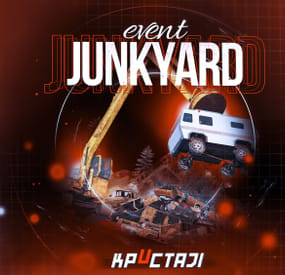
Junkyard Event
This event automatically takes place in the Junkyard location if on the map
Finally, the crane in Junkyard will have a true meaning and be fun again!
Description
The event begins with a notification in the chat that soon scavengers will arrive at Junkyard, who will have a rest there. Next, NPCs appear in the location, whose presets you can configure in the plugin configuration. A message appears in the chat that the scavengers hid a signal grenade in one of the broken cars at the landfill to call for supplies. The player needs to kill all the NPCs and find the rusted car in which the grenade is hidden.
In order to find and activate the signal grenade, use a crane to load rusted cars into a shredder for recycling, it's bound to be in one of them! The number of rusted cars in the landfill is regulated by the value in the configuration. The required car is selected at random from the group. The player needs to recycle the rusted cars one by one until he finds the one in which the signal grenade is located in! After the player recycles the broken car, a plane will fly to the Junkyard location, on board of which there will be a truck with supplies. The plane will drop this truck and it will land in Junkyard via parachute. Once it lands, guards will come out of the truck and guard it. But the truck is closed, it cannot be opened. The player needs to kill these guards to get access to the truck. In order for the player to get access to the crates and the loot within, they need to recycle the truck by using the crane and placing it into the shredder! Next, the crates will travel along the conveyor belt of the shredder and the player will be able to open them. You can configure all the crates, their number and the loot in them, all in the plugin configuration.
Dependencies Required
NpcSpawn
Dependencies (optional, not required)
True PVE PveMode GUI Announcements Notify Discord Messages AlphaLoot CustomLoot NTeleportation Economics Server Rewards IQEconomic Kits
Chat commands (only for administrators)
/jstart - start the event
/jstop - end the event
/jpos - determining the position and rotation coordinates for changing the location of NPCs. It should write in the configuration (Attention! The event must be started, the current position of the administrator in relation to the Junkyard is read)
Console commands (RCON only)
jstart - start the event
jstop - end the event
Plugin Config
en - example of plugin configuration in English ru - example of plugin configuration in Russian
Hooks
void OnJunkyardEventStart() – called when the event starts
void OnJunkyardEventEnd() – called when the event ends
void OnJunkyardEventWinner(ulong winnerId) – called at the end of the event, where the winnerId is the player who did more actions to complete the event
My Discord: KpucTaJl#8923
Join the Mad Mappers Discord here!
Check out more of my work here!
- #broken cars
- #cargoplane
- (and 26 more)
-
$35.00
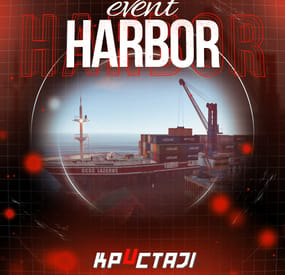
Harbor Event
Creates a unique event at the Harbor monument for players to participate in for rewards. Players must battle numerous NPCs and APCs to access the puzzle to open the loot room!
Description
This event started off as a warning on the chatbox about the ships coming soon to dock in Port, loaded with precious cargo. After the period has passed, a ship appears in one of the locations at Harbour that are accessible from the map, where the crane loads the container.
The loading area is protected by one Tank and 7 NPCs by default. The container door is locked, you must push a button from inside the cranes cockpit to open the door. Inside the container, there is a default security camera, locked box, 2 DMS, 2 Elite, and 2 Military boxes.
The locations and loot from all crates/NPCs can be configured within configurations, and unwanted crates/NPCs added or removed. Also, ships will generate the default ship loot, e.g. The config file allows to modify tank as well as loot inside of the ship.
When the event occurs, the map displays the markers (configured in the config file). All players that are inside the event area will have a timer counting down the amount of time until the event ends.
Dependencies Required
NpcSpawn
Dependencies (optional, not required)
True PVE PveMode GUI Announcements Notify Discord Messages AlphaLoot CustomLoot NTeleportation HeliControl Economics Server Rewards IQEconomic Kits
Chat commands (only for administrators)
/harborstart – starting of the event
/harborstop – ending of the event
/harborpos – determining the position and rotation coordinates for changing the location of NPCs and crates.It should write in the configuration (Attention! The event must be started, the current position of the administrator in relation to the cargoship is read)
Console commands (RCON only)
harborstart – starting of the event
harborstop – ending of the event
Plugin Config
en - example of plugin configuration in English ru - example of plugin configuration in Russian
Hooks
void OnHarborEventStart() – called when the event starts
void OnHarborEventEnd() – called when the event ends
void OnHarborEventWinner(ulong winnerId) – called at the end of the event, where the winnerId is the player who did more actions to complete the event
My Discord: KpucTaJl#8923
Join the Mad Mappers Discord here!
Check out more of my work here!
-
$30.00
BetterTC
Rust / Server Plugins
BetterTC
Tool Cupboard ManagementRust Plugin
Upgrade. Repair. Reskin. Make your base your own.
Bring your most-used Tool Cupboard features together in one interface inspired by Rust’s item store. Automate building upgrades and repairs, manage authorizations, and personalize buildings, external walls, wallpapers and your TC.
Automated upkeep tasks
Upgrade and repair with TC resources
Personalized buildings
Skins, wallpapers and external walls
Permission profiles
Configure access, speed and costs
01 / Video demo
See BetterTC in action
Take a look at BetterTC’s interface and building management features.
Watch on YouTube
02 / Skin ownership
Compatibility with Facepunch’s server policy
Facepunch’s policy prohibits granting paid skins or DLC to players who do not legitimately own them. BetterTC includes ownership validation for building skins, TC skins and wallpapers.
Building skins: all available choices remain visible, but players can only apply skins they own or skins that are free. Wallpapers: only free, custom and owned wallpapers are visible. More custom wallpapers are planned. TC skins: only owned skins are visible and selectable. Read Facepunch’s official server policy
Ownership checks are enabled with the following bypass option set to false:
"Bypass DLC ownership check (⚠ only allowed on creative/test servers per Facepunch rules)": false ⚠ Very important
Keep the bypass disabled on ordinary public PvP and PvE servers. Facepunch only permits temporary exceptions on servers specifically set up to test game mechanics, for testing purposes. A creative or training label alone is not an exemption. Misuse may result in delisting or other sanctions.
03 / Building management
Let the TC do the work
Automatic upgrades
Upgrade building grades using resources directly from the TC. Select the default appearance or an eligible building skin, and use the information button to estimate the materials required. Configure upgrade speed and costs through permission profiles.
Automatic repairs
Repair the building and supported deployables, including doors, trapdoors, windows and boxes, with resources from the TC. Configure a cooldown after recent damage to help prevent repair abuse during raids.
Automatic reskinning
Change a building’s appearance without manually replacing each piece. Players can switch from a skinned grade back to its default appearance when they prefer. The Container skin’s multicolor selection can also be disabled to reduce client rendering load.
Building downgrades
Allow players to return to a lower building grade when their base becomes too expensive to maintain. Downgrading charges resources as a fresh upgrade to the selected grade; it is not a free conversion. Disable this feature if it does not fit your server, or retain a separate administrator-only downgrade override.
Configure NoEscape or RaidBlock integration to stop automatic upgrades, repairs, building reskinning, wallpaper placement and external wall reskinning when a raid block starts. Ownership and team restrictions are also configurable. 04 / Building skins
Keep the available skins up to date
The skin update checker adds newly available construction skins and their options to the configuration.
After installing BetterTC, grant yourself bettertc.admin and click Check Update to populate the available skins and options. Applying paid content remains subject to ownership checks. 05 / External walls
Change the look. Preserve the damage.
Reskin stone external walls with their adobe or ice variants, or switch wooden external walls to Frontier and back. Supported external gates can also be reskinned to their available variants. The original wall’s health is preserved, so reskinning a damaged wall does not repair it.
Recommended setting:
"Only reskin on wall of the same grade": true Keep this enabled to use external wall reskinning as an appearance change. Disabling it allows wood-to-stone and stone-to-wood changes without a resource charge, because this wall system has no cost mechanism.
06 / Wallpapers & TC skins
Personalize the details
Automatically place eligible wallpapers on walls, ceilings and floors. New game wallpapers are added to the list automatically. Use included custom wallpapers and add your own through the admin wallpaper commands. Configure placement on both sides of walls, including exterior sides. Apply wallpapers to both sides of a wall, including the exterior side when configured.
Place wallpapers on boats with /wpb after sitting at the boat’s steering wheel. Let players change their TC’s appearance or deploy a TC with a skin, according to their permissions and ownership. Tool Cupboard skin selection
Choose an eligible TC skin from the interface, or deploy a TC using the selected skin. BetterTC carries over the cupboard’s authorizations, contents and lock when replacing its appearance.
Manual wallpaper tool menu
Hold the wallpaper tool and open BetterTC’s selector with /wp or the configured input button. The default input is the middle mouse button. This menu must be enabled in the configuration and requires bettertc.wallpaper.toolmenu.
Wallpaper rotation hammer
Administrators can obtain a special wallpaper hammer with /wphammer. Hit a wallpapered floor or foundation with this hammer to rotate its wallpaper: 90° on square pieces and 120° on triangles.
Configure the cloth cost of automated wallpaper placement. Building placement uses cloth from the TC; boat placement uses cloth from the player’s inventory. The no-cost wallpaper permission waives placement resource costs.
Set "Wallpaper Damage": false to protect wallpapers from melee and ammunition damage. C4 and rockets can still damage them.
07 / Authorization & inventory
Manage access from the cupboard
Authorized player list
Show who is authorized on the TC, optionally including Steam IDs and Online, Sleeping or Offline status through the player-status permission. Hide administrators with the configured option and allow individual authorization removal with a separate permission.
Automatic TC locks
Use separate permissions to automatically attach a locked key lock or code lock when a TC is deployed. Code locks use a generated code, authorize the deploying player and notify them of the code; the notification masks it in streamer mode. The code-lock permission takes priority when both lock permissions are assigned.
Additional TC storage
Configure which additional item types the TC accepts: gunpowder, sulfur, sulfur ore, explosives, diesel barrels, CCTV cameras and targeting computers. Each item type has its own switch. Select a general inventory filter: Resources, ResourcesAndComponents or All. The ResourcesAndComponents mode also accepts supported building and utility tools.
08 / Interface & integrations
A panel that adapts to your players
The panel keeps a consistent size across player UI scaling settings. Buttons rearrange automatically according to the functions the player can access. Authorization lists and construction skins support pagination. Building options can be automatically sorted by grade, or retain the configured order. Configure whether players can disable automatic construction effects. Most interface images load directly from the game client. Carbon servers use the built-in Image Module; Oxide servers use ImageLibrary. Configure game tip, chat and optional Notify or UINotify alerts, plus button colors and positioning. TiersMode and TCLevels
When TiersMode is installed, BetterTC reads its maximum unlocked building grade for the upgrade menu. When TCLevels is installed, BetterTC adds a button to open its Tool Cupboard level-upgrade menu.
09 / Permissions
Choose the functions each player can use
Assign feature permissions and configure the standard and advanced profiles to match your server. Grant the no-cost permissions carefully.
Permission Purpose bettertc.admin Admin update checks; also used to hide administrators from the authorization list when configured. bettertc.authlist Show the authorized-player list button. bettertc.playerstatus Show each authorized player's status next to their name in the TC authorization list: Online (green) when connected, Sleeping (light blue) when disconnected with a sleeping character in the server, or Offline (red) when registered but no active or sleeping character is found. Without this permission, only the player name is shown. This permission only displays status; it does not grant authorization or removal rights. bettertc.deleteauth Revoke individual player authorizations. bettertc.use Use the standard speed and cost profile defined in the configuration. bettertc.vip Use the advanced speed and cost profile defined in the configuration. bettertc.repair Access automatic building repair. bettertc.repair.nocost Repair without resource costs. bettertc.reskin Access automatic building reskinning. bettertc.reskin.nocost Reskin without resource costs. bettertc.upskin Show building upgrade options with skins. bettertc.upwall Access external wall reskinning. bettertc.upgrade Access building upgrades. bettertc.upgrade.nocost Upgrade without resource costs. bettertc.wallpaper Access wallpaper placement. bettertc.wallpaper.nocost Place wallpapers without resource costs. bettertc.wallpaper.custom Show custom wallpapers. bettertc.wallpaper.toolmenu Access the manual wallpaper tool selector when enabled. bettertc.tcskinchange Change the TC skin. bettertc.tcskindeployed Deploy a TC with a skin. bettertc.autolock Automatically add a locked key lock when deploying a TC. bettertc.autocodelock Automatically add a locked code lock with a generated code when deploying a TC. Skin-related permissions do not replace paid-content ownership checks.
10 / Commands
Add custom wallpapers
Command Purpose /addwp <skinid> <Wall|Floor|Ceiling> Chat: add a custom wallpaper for the selected surface type. addwp <skinid> <Wall|Floor|Ceiling> Console: add a custom wallpaper for the selected surface type. /wpb Chat: place wallpapers on boats; first sit at the boat’s steering wheel. /wp Chat: open the manual wallpaper menu while holding the wallpaper tool; requires bettertc.wallpaper.toolmenu. /wphammer Chat: give yourself the wallpaper rotation hammer; requires bettertc.admin. wphammer Player console: give yourself the wallpaper rotation hammer; requires bettertc.admin. wphammer <playername or steamid> Server console: give the wallpaper rotation hammer to a selected player. Adding wallpapers from chat or a player console requires bettertc.admin. Example for a wall wallpaper:
/addwp 3356517390 Wall Console equivalent: addwp 3356517390 Wall 11 / Configuration
Selected configuration options
This excerpt covers the settings supplied with this description, including ownership checks, raid blocking, repairs, wallpapers and permission profiles. It is not the complete configuration file, and these supplied example values may differ from the defaults in your installed version. Edit the configuration generated by your installed BetterTC version.
{ "Check for updates when loading": true, "Bypass DLC ownership check (⚠ only allowed on creative/test servers per Facepunch rules)": false, "Use NoEscape Plugin": false, "Use RaidBlock Plugin": true, "GUI Buttons TC - Color Default": "0.3 0.40 0.3 0.60", "GUI Buttons TC - Color Active": "0.90 0.20 0.20 0.50", "GUI Buttons TC - OffsetMin": "280 621", "GUI Buttons TC - OffsetMax": "573 643", "GUI Buttons TC - AnchorMin": "0.5 0", "GUI Buttons TC - AnchorMax": "0.5 0", "Alert Gametip": true, "Alert Chat": true, "Alert Notify Plugin": false, "Notify: select what notification type to be used": { "error": 0, "info": 0 }, "Color Prefix Chat": "#f74d31", "Show Admin Auth List": false, "Show SteamID Auth List": true, "Upgrade Effect": true, "Colour Selection MultiColor Option": false, "Reskin Enable": true, "Reskin Wall Enable": true, "Only reskin on wall of the same grade": true, "Reskin Wall TC Distance (Default: 100)": 100.0, "Deployables Repair": true, "Repair Cooldown After Recent Damage (seconds)": 30.0, "Downgrade Enable": true, "Downgrade only Owner Entity Build": false, "Upgrade only Owner Entity Build": false, "Upgrade / Downgrade only Owner and Team": true, "Wallpaper Enable": true, "Wallpaper placement Cost (Cloth)": 5, "Wallpaper Damage": true, "Wallpaper both sides": true, "Force both sides including external sides": true, "Cooldown Frequency Upgrade (larger number is slower)": { "bettertc.use": 2.0, "bettertc.vip": 1.0 }, "Cooldown Frequency Reskin (larger number is slower)": { "bettertc.use": 2.0, "bettertc.vip": 1.0 }, "Cooldown Frequency Repair (larger number is slower)": { "bettertc.use": 2.0, "bettertc.vip": 1.0 }, "Cooldown Frequency Wallpaper (larger number is slower)": { "bettertc.use": 2.0, "bettertc.vip": 1.0 }, "Cost Modifier for repairs": { "bettertc.use": 1.5, "bettertc.vip": 1.0 }, "Allow Items in TC Inventory": { "gunpowder": false, "sulfur": false, "sulfur.ore": false, "explosives": false, "diesel_barrel": true, "cctv.camera": true, "targeting.computer": true }, "Downgrade Admin": true, "Use BetterTC Wallpaper Tool Menu (requires bettertc.wallpaper.toolmenu permission)": true, "BetterTC Wallpaper Tool Menu input button (FIRE_THIRD = middle mouse button)": "FIRE_THIRD", "Item Category Filter (Resources, ResourcesAndComponents, All)": "Resources", "Auto Sort Items by Grade": true } 12 / Known issue
Unexpected default blue wallpapers
If default blue wallpapers appear randomly, check whether TruePVE or a similar plugin is protecting wallpaper damage. Disable that wallpaper protection in the other plugin and use BetterTC’s own wallpaper protection instead.
BetterTC’s protection reduces damage, especially from melee attacks, but does not block all damage.
13 / Support
Questions, ideas or a problem to report?
Contact ninco90 on Discord for questions, suggestions or assistance.
Custom server configuration is also available for an additional fee if you would like the plugin set up around your preferences.
- #builder
- #automation
- (and 9 more)
-

$9.99
DropEvent | PvP Event
DropEvent
DropEvent is a plugin that I have been using on my server for several years now.
It's a very popular event because it encourages PVP.
It's not even about the loot anymore, but about the fun, as the whole server gathers at one point.
I have completely reworked this plugin so that there is a config and all the necessary things so that you can use it easily.
Pictures speak louder than words, so I've picked out an old video for you.
Functions
It is important that you have MonumentFinder.
DropEvent is dependent on the API!
Thanks to, WhiteThunder!
MonumentFinder -> MonumentFinder
You can start the DropEvent command:
/flashdropevent
You can start the DropEvent console:
flashdropevent
To use the command, you need the authorization:
dropevent.admin
Config
{ "Settings": { "SupplySignalCount": 3 } }
load, run, enjoy 💝
Support Discord
-

$9.99
Base Upgrade
Overview
Open the tool cupboard. Click a grade. The whole base upgrades out of that cupboard.
Warning
Image Library is required. It is free. Without it, the icons do not load.
Oxide and Carbon are both supported.
No Escape and RaidBlock are optional. With either one installed, upgrade, repair, and remove are blocked while that player is raid blocked or combat blocked.
Features
One click grades. Wood, stone, metal, and HQM. Materials come out of the tool cupboard. The upgrade stops and tells the player when the cupboard runs out. Repair. Every damaged block, paid from the cupboard. Downgrade. Puts the materials back. Higher tiers stay as they are unless the player has baseupgrade.downgrade. Remove tool. Default duration is 5 minutes. Set DefaultHammerSkin to 0 for the vanilla hammer. Skins. Legacy Wood, Brutalist, Brick, Adobe, Shipping Container, Jungle, Space Station, and Crypt, plus 16 metal colors. The player has to own the skin. Place as you build. /bup upgrades new blocks for 60 seconds. Those materials come from the player's inventory. Cooldown. The chat message shows how long is left. Lang file. Chat messages can be translated. Commands
The grade buttons on the tool cupboard upgrade the base that is already built. /bup is for blocks the player places after that.
/bup 1 sets wood for 60 seconds /bup 2 sets stone for 60 seconds /bup 3 sets metal for 60 seconds /bup 4 sets HQM for 60 seconds Permissions
Grant baseupgrade.show or the panel never opens. Grant each grade only to the groups that should have it.
Oxide uses o.grant. Carbon uses c.grant.
o.grant group default baseupgrade.show o.grant group default baseupgrade.up_wood o.grant group default baseupgrade.up_stone o.grant group default baseupgrade.up_metal o.grant group default baseupgrade.up_hqm o.grant group default baseupgrade.up_repair o.grant group default baseupgrade.downgrade o.grant group default baseupgrade.remove o.grant group default baseupgrade.bupUse baseupgrade.show opens the panel when the tool cupboard is opened baseupgrade.up_wood allows wood baseupgrade.up_stone allows stone baseupgrade.up_metal allows metal baseupgrade.up_hqm allows HQM baseupgrade.up_repair allows repair baseupgrade.downgrade allows downgrade and the refund baseupgrade.remove allows the remove tool baseupgrade.bupUse allows /bup Costs
Per block, taken from the tool cupboard. Change either set in the config.
Wood: 150 to upgrade, 50 to repair Stone: 300 to upgrade, 100 to repair Metal: 200 to upgrade, 70 to repair HQM: 25 to upgrade, 10 to repair Configuration
Tip
UpgradeDelay at 0.0 upgrades instantly. CommandCooldown(in secs) is the wait between uses. Hammer Duration is in seconds.
Warning
Leave BypassSkinOwnershipCheck set to false on a live server. That option is for creative and test servers only.