


romzar
-
Posts
62 -
Joined
-
Last visited
Content Type
Profiles
Warranty Claims
Downloads
Forums
Store
Services
Downloads Plus Support
DOWNLOADS EXTRA
Reels
Everything posted by romzar
-
1. No, the two intervals are unrelated. TitleSelector's refresh only re-reads UltimateLeaderboard.json to see your title definitions (new titles, renames, priority). Who currently owns a title is checked live every time a chat line is built, so it follows UltimateLeaderboard's own cache cycle. 600 is fine, and 0 turns the re-read off entirely. 2. Your custom colors work. In 2.5.4 the plugin reads the color out of the title itself, so <color=#ce422b>[APEX PREDATØR]</color> shows in your color. There's a new option for it, on by default: "Keep the color defined in UltimateLeaderboard when the title has its own <color> tag": true Set it false if you'd rather have one color for all leaderboard titles. The color is also no longer part of the internal title key, so changing a color in UltimateLeaderboard won't wipe what players had selected anymore. Renaming the text still will. Old selections, presets and categories are converted on load, you don't have to do anything. 3. With "Working with BetterChat": true, UltimateLeaderboard dumps every title a player owns into chat at once, in its own order. That's UltimateLeaderboard doing it, not the plugin. Suppress true: TitleSelector removes that and prints only what the player picked, together with their VIP titles, using its own order and its titleselector.max.* limits. Suppress false: you get both, so the same titles show up twice. For what you're doing, leave it true. Max Titles 17 on the UltimateLeaderboard side is correct: that's how many a player can own, and TitleSelector decides how many are shown. 4. Yes. Ownership is rechecked when the chat line is built and when the menu opens. A title they no longer hold isn't printed and gets dropped from their selection and presets. If UltimateLeaderboard happens to return nothing at all, selections are left alone instead of being wiped. 5. Fixed. That line was printed on every refresh (600s by default, which is why it looked like it was tied to server save). Now it only prints when the title list actually changes, so basically once at boot. 6. That was a bug. When you deselected your last title the plugin figured you had no custom selection and let BetterChat render normally, which puts the UltimateLeaderboard title first. Now deselecting is remembered, so removing the last one leaves you with nothing. Hide All / Show All and the reset button still put you back to default. If you meant deleting the title from the UltimateLeaderboard config instead: it goes away on the next refresh and anyone who had it selected loses it automatically. If something still looks off after updating, run titleselector.uldiag (F1 as admin, or titleselector.uldiag <steamid> from console). It prints the whole chain, now including each title's color and the player's current selection.
-
Changed Status from Pending to Fixed Changed Fixed In to 2.5.3
-
Released, test it and tell me if works properly, dont forget to read docs.
-
 If your players open the skin menu and the icons just stop loading halfway through, it's usually one bad skin doing it. The game hits it, throws an error, and everything after it never shows up. The skins before it load fine, so it looks random and it's a pain to find. The catch is that you can't spot it by looking at the workshop page. The image shown there isn't the one the game actually loads. So the usual "delete anything under 512" cleanup ends up removing a bunch of good skins and the problem is still there afterwards. I've seen a list where most of what got deleted was fine. What I do is grab the real icon file from inside each workshop item and test it the same way the game does, one by one, until I know exactly which ones break. You get your skin list back with only the working ones, a separate file with everything I took out and why (nothing gets thrown away), and the list of IDs to drop in your config so they can't come back on the next import. If you've already deleted skins before, I can check those too and tell you which ones you can put back. Just send me your skins ids list. I don't need access to your server. Depends on how big the list is, but usually a day or two.
 -
yes sure i will release soon
-
 yes will work
 -
Yes! You actually don't need it, the title selector will handle the gradients. I'd recommend disabling Better Chat Gradients, since it'll work the same way.
-
Yes!
- 24 comments
-
- 1
-

-
- #title
- #betterchat
- (and 16 more)
-
 Correct!
- 9 comments
-
- 1
-

-
- #admin stats
- #stats
- (and 15 more)
-
 There isn't one currently, but I can implement one soon.
 -
Version 1.3.0
91 downloads
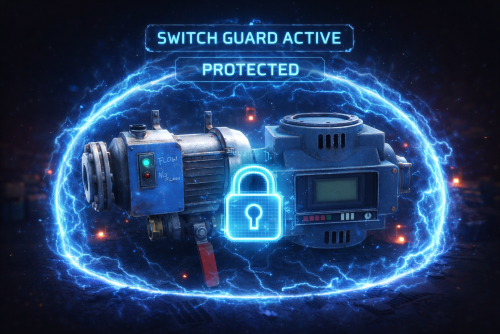
SwitchGuard Prevents unauthorized players from toggling Industrial Conveyors and Fluid Switches (water pump switches) on your server. Integrates with Clans, Friends, and Rust Teams so teammates can still use shared infrastructure. Features Blocks unauthorized toggling of Industrial Conveyors (on/off) Blocks unauthorized toggling of Fluid Switches (water pump switches) Integrates with Clans, Friends, and native Rust Teams TC (Tool Cupboard) authorization support Per-entity-type protection (enable/disable independently) Message cooldown to prevent chat spam Multi-language support (English, Portuguese, Spanish) Zero performance impact — uses HarmonyPatch to intercept only player-initiated toggles No data storage required — fully stateless How It Works When a player tries to toggle an Industrial Conveyor or Fluid Switch, the plugin checks (in order): Permission bypass — switchguard.bypass Admin permission — switchguard.admin Server admin — if enabled in config Owner — the player who placed the entity can always toggle it TC Authorization — if the player is authorized on the nearby Tool Cupboard Clans — if the player is in the same clan or an allied clan as the owner Friends — if the player is friends with the owner Rust Teams — if the player is on the same team as the owner If none of these checks pass, the toggle is blocked and the player receives a message. Note: Entities with no owner (OwnerID = 0) are not protected — anyone can toggle them. Permissions Permission Description switchguard.bypass Bypass all protection checks switchguard.admin Admin-level bypass Configuration JSON Configuration: { "Admin can always toggle (server.IsAdmin bypass)": false, "Use Friends API": true, "Use Clans API": true, "Use Rust Teams": true, "Use TC Authorization": true, "Protect Industrial Conveyors": true, "Protect Fluid Switches": true, "Message cooldown (seconds)": 3.0 } Option Default Description Admin can always toggle false Allow server admins to toggle any protected entity Use Friends API true Check Friends plugin for authorization Use Clans API true Check Clans plugin for authorization Use Rust Teams true Check native Rust teams for authorization Use TC Authorization true Allow toggle if player is authed on the nearby TC Protect Industrial Conveyors true Enable protection for Industrial Conveyors Protect Fluid Switches true Enable protection for Fluid Switches Message cooldown 3.0 Seconds between "not authorized" messages per player Supported Plugins (Optional) Clans — clan member and ally checks Friends — friend relationship checks These are optional. If not installed, the corresponding checks are simply skipped. Localization The plugin ships with three languages. Custom messages can be edited in the lang files. English (en) { "NotAuthorized": "You are not authorized to toggle this device.", "NoPermission": "You do not have permission to use this." } Portuguese (pt-BR) { "NotAuthorized": "Voce nao tem autorizacao para ligar/desligar este dispositivo.", "NoPermission": "Voce nao tem permissao para usar isso." } Spanish (es-ES) { "NotAuthorized": "No tienes autorizacion para activar/desactivar este dispositivo.", "NoPermission": "No tienes permiso para usar esto." } FAQ Q: Does this affect circuit-driven toggles (power on/off via wiring)? A: No. Only manual player interactions are intercepted. Electrical circuits, power sources, and timer-based toggles work normally. Q: Does this protect regular Electric Switches? A: No, only Fluid Switches and Industrial Conveyors. Regular Electric Switches are unaffected. Q: What happens if I don't have Clans or Friends installed? A: The plugin works fine without them. Those checks are simply skipped, and authorization falls back to owner, TC auth, and teams. Q: Does this work with Carbon and Oxide? A: Yes. The plugin uses HarmonyLib which is supported by both frameworks.Free -
This warning is expected behavior on a fresh wipe or when no player has earned a #1 title yet. Even though AddTitleHoldersToGroup is set to true in your PlayerRanks config, PlayerRanks only creates the permission groups (PVPKills, PVPDistance, etc.) at the moment it actually assigns a title holder to that group. Until at least one player earns a top spot in a category, the corresponding permission group simply doesn't exist yet.
- 1 reply
-
- 1
-
-
try /adminstats mode i will update description, my bad
-
We just pushed v2.1.0 which adds exactly this feature. In your AdminStats.json config you'll now find: "FPS Good Threshold": 25, "FPS Warning Threshold": 15 So with the example you mentioned: >= 25 FPS → Green 15-24 FPS → Yellow < 15 FPS → Red The colors themselves are also fully configurable (FPS Good Color, FPS Warning Color, FPS Critical Color) if you want to change the actual RGB values. Just update the plugin, tweak the config to your liking and reload — no restart needed. Let us know if you need anything else!
-
Yes sure! Will be in the next update. Meanwhile you can change these constants in the .cs file (look for the file in the plugin folder): private const int FPS_GOOD = 30; private const int FPS_WARNING = 20; private const int FPS_HISTORY_SIZE = 30;
-
Hey, thanks for the detailed breakdown and the screenshot — that really helps! So here's what's happening technically: PlayerRanks and TitleSelector operate on two completely separate systems that don't talk to each other. How PlayerRanks shows titles in chat: PlayerRanks registers a callback function directly with BetterChat via API_RegisterThirdPartyTitle. When you chat, BetterChat calls that function, which returns a single combined string with all your #1 titles (e.g. [Killer Sniper]). This is injected straight into the chat message — it's not tied to any BetterChat group. How TitleSelector works: TitleSelector reads available titles by calling API_GetAllGroups on BetterChat, which only returns BetterChat groups — not third-party titles from other plugins like PlayerRanks. So the PlayerRanks titles simply don't show up in TitleSelector's list at all. What you're seeing: The title showing in chat comes from the PlayerRanks callback (third-party title system) The "[The Honored One]" in TitleSelector is a regular BetterChat group, unrelated to PlayerRanks That's why they don't match — they're coming from two different sources In short: There's currently no integration between TitleSelector and PlayerRanks. The feature you're describing (seeing your #1 titles as selectable options in TitleSelector) would require building that bridge. It's not a misconfiguration on your end — it's just a feature that doesn't exist yet. I'll look into adding PlayerRanks integration to TitleSelector so that #1 titles appear as selectable options. Stay tuned!
- 24 comments
-
- 1
-
-
- #title
- #betterchat
- (and 16 more)
-

Version 1.0.1
14 downloads
Title Perks - Automatic Buff System for Title Selector by romzar.games - Requires Title Selector Overview TitlePerks is a companion plugin for Title Selector that brings your title system to life. Instead of titles being purely cosmetic, each title can grant configurable gameplay perks that activate instantly when equipped and deactivate when removed. Players earn titles through gameplay achievements (raids, heli kills, boss kills, etc.) and those titles now carry real mechanical weight — creating a meaningful progression loop where effort translates into tangible power. Key Features Automatic Activation & Deactivation Perks activate instantly when a title is selected in Title Selector Perks deactivate instantly when a title is removed, hidden, or cleared Full integration with Title Selector's Hide All, Show All, Clear, and Preset systems Perks auto-restore on player reconnect and server restart 15+ Perk Types Category Perk Type Description Damage damage_structure Bonus damage to building blocks (walls, floors, etc.) Damage damage_deployable Bonus damage to deployables (doors, turrets, boxes, etc.) Damage damage_heli Bonus damage to Patrol Helicopter Damage damage_bradley Bonus damage to Bradley APC Damage damage_boss Bonus damage to bosses (CH47, custom bosses) Damage damage_npc Bonus damage to all human NPCs (scientists, murderers, etc.) Damage damage_animal Bonus damage to animals Damage damage_pvp Bonus damage in PvP (against real players) Damage damage_pve Bonus damage in PvE (against everything except players) Damage damage_global Bonus damage to everything (stacks with specific types) Gather gather_ore Bonus ore yield when mining Gather gather_wood Bonus wood yield when chopping Gather gather_animal Bonus yield when harvesting animals Gather gather_plant Bonus yield when harvesting plants and growables Fishing fishing_rate Bonus fish quantity when catching fish Fishing xp_fishing Bonus fishing XP (permission group-based) Cooldown cooldown_event Reduces event cooldowns (PveMode integration) Cooldown buyable_cooldown_event Buyable event cooldown reduction (PveMode integration) Special legendary_bonus_xp Grants access to bonus XP group (permission-based) Perk Stacking Players can equip multiple titles simultaneously, and their perks stack additively. For example: Title "RaidHard" grants +15% structure damage Title "RaidExpert" grants +20% structure damage Combined: +35% structure damage Smart Entity Detection The damage system correctly identifies and categorizes all entity types: Structures: BuildingBlock (walls, foundations, floors, etc.) Deployables: Doors, storage containers, turrets, barricades, traps, sleeping bags, SAM sites, search lights, ovens NPCs: Scientists, murderers, scarecrows, tunnel dwellers, underwater dwellers, zombies, HumanNPC Vehicles: Patrol Helicopter, Bradley APC, CH47 Chinook Animals: All BaseAnimalNPC entities Players: Real Steam-authenticated players (for PvP perk) External Integrations PveMode: Automatically sets/removes player cooldown modifiers via API_SetPlayerCooldownModifier / API_RemovePlayerCooldownModifier Permission Groups: Configurable perk-to-group mapping — when a player activates a perk, they're added to a permission group; when deactivated, they're removed How It Works Player selects title in Title Selector | v TitlePerks checks config for matching perks | v Perks activated | v Game apply bonuses in real-time Lifecycle Events Event Action Player selects a title Perks activate, player notified Player removes a title Perks deactivate, player notified Player uses "Hide All" All perks deactivate Player uses "Clear" All perks deactivate Player switches preset Old perks deactivate, new perks activate Player disconnects External perks cleaned up, cache freed Player reconnects Perks restored from Title Selector's current selection Server restarts All online players' perks restored (staggered) Plugin reloads All perks recalculated from scratch Default Configuration { "TitlePerks": { "raideasy": [{ "Type": "damage_structure", "Value": 0.05 }, { "Type": "damage_deployable", "Value": 0.05 }], "raidmedium": [{ "Type": "damage_structure", "Value": 0.10 }, { "Type": "damage_deployable", "Value": 0.10 }], "raidhard": [{ "Type": "damage_structure", "Value": 0.15 }, { "Type": "damage_deployable", "Value": 0.15 }], "raidexpert": [{ "Type": "damage_structure", "Value": 0.20 }, { "Type": "damage_deployable", "Value": 0.20 }], "raidnightmare": [{ "Type": "damage_structure", "Value": 0.25 }, { "Type": "damage_deployable", "Value": 0.25 }], "helieasy": [{ "Type": "damage_heli", "Value": 0.05 }], "helimedium": [{ "Type": "damage_heli", "Value": 0.10 }], "helihard": [{ "Type": "damage_heli", "Value": 0.15 }], "heliexpert": [{ "Type": "damage_heli", "Value": 0.20 }], "helielite": [{ "Type": "damage_heli", "Value": 0.25 }], "helinightmare": [{ "Type": "damage_heli", "Value": 0.30 }], "bradleyeasy": [{ "Type": "damage_bradley", "Value": 0.05 }], "bradleymedium": [{ "Type": "damage_bradley", "Value": 0.10 }], "bradleyhard": [{ "Type": "damage_bradley", "Value": 0.15 }], "bradleyexpert": [{ "Type": "damage_bradley", "Value": 0.20 }], "bradleynightmare": [{ "Type": "damage_bradley", "Value": 0.25 }], "bosskiller": [{ "Type": "damage_boss", "Value": 0.15 }], "npcslayer": [{ "Type": "damage_npc", "Value": 0.15 }], "wildhunter": [{ "Type": "damage_animal", "Value": 0.15 }, { "Type": "gather_animal", "Value": 0.20 }], "rareminer": [{ "Type": "gather_ore", "Value": 0.20 }], "fisherman": [{ "Type": "xp_fishing", "Value": 0.25 }, { "Type": "fishing_rate", "Value": 0.15 }], "farmer": [{ "Type": "gather_plant", "Value": 0.25 }], "explorer": [{ "Type": "cooldown_event", "Value": -0.20 }, { "Type": "legendary_bonus_xp", "Value": 0.25 }], "tryhard": [{ "Type": "damage_pve", "Value": 0.10 }, { "Type": "damage_pvp", "Value": 0.05 }] }, "Show perk activation messages": true, "Show perk deactivation messages": true, "Group Perks (perk type -> permission group)": { "legendary_bonus_xp": "legendarybonus" }, "Debug mode": false } Configuration Options Setting Type Default Description TitlePerks Dictionary (see above) Maps title names (lowercase) to lists of perk definitions Show perk activation messages bool true Notify players when perks activate Show perk deactivation messages bool true Notify players when perks deactivate Group Perks Dictionary legendary_bonus_xp -> legendarybonus Maps perk types to permission groups. When a perk is active, the player is added to the group; when removed, they're taken out Debug mode bool false Verbose logging for troubleshooting Adding Custom Perks Simply add new entries to the TitlePerks dictionary. Title names must be lowercase and match the title names configured in Title Selector. "pvpchampion": [ { "Type": "damage_pvp", "Value": 0.15 }, { "Type": "damage_global", "Value": 0.05 } ], "lumberjack": [ { "Type": "gather_wood", "Value": 0.30 } ] Each title supports multiple perks — combine damage, gather, and special bonuses in a single title. Commands Command Type Permission Description /perks Chat None Shows the player's currently active perks and titles titleperks.reload Console titleperks.admin Reloads config and restores all player perks titleperks.debug Console titleperks.admin Toggles debug mode on/off /perks Output Example ======== Your Active Perks ======== Damage Bonuses: - Structure Damage: +15% - Deployable Damage: +15% - Helicopter Damage: +10% Gather Bonuses: - Ore Gather: +20% Active Titles: - raidhard - helimedium - rareminer Permissions Permission Description titleperks.admin Required for titleperks.reload and titleperks.debug console commands Title Selector Integration TitlePerks is designed as a seamless extension of Title Selector. The integration is fully automatic through Oxide/Carbon hooks: Hooks Listened Hook Fired By Action OnTitleSelected(BasePlayer, string) Title Selector Activates perks for the selected title OnTitleDeselected(BasePlayer, string) Title Selector Deactivates perks for the deselected title OnTitlesCleared(BasePlayer, List<string>) Title Selector Deactivates all perks from cleared titles Developer API TitlePerks exposes a complete API for other plugins to query perk data: // Get all active perks for a player (type -> total value) Dictionary<string, float> perks = TitlePerks.Call<Dictionary<string, float>>("API_GetActivePerks", (ulong)player.userID); // Get a specific perk value (returns 0f if not active) float heliDmg = TitlePerks.Call<float>("API_GetPerkValue", (ulong)player.userID, "damage_heli"); // Check if player has a specific perk active bool hasPerk = TitlePerks.Call<bool>("API_HasPerk", (ulong)player.userID, "damage_bradley"); // Get list of active title names for a player List<string> titles = TitlePerks.Call<List<string>>("API_GetActiveTitles", (ulong)player.userID); // Get perk definitions for a title (config lookup) var perks = TitlePerks.Call<List<Dictionary<string, object>>>("API_GetTitlePerks", "raidhard"); // Get formatted perk display string for a title (for UI integration) string display = TitlePerks.Call<string>("API_GetTitlePerksDisplay", "raidhard"); // Returns: "Struct+15% Deploy+15%" Use Cases 1. Raid Progression Rewards Players who complete raid milestones (easy through nightmare) receive scaling damage bonuses to structures and deployables, making them more effective raiders. 2. PvE Combat Specialization Titles like "BossKiller", "NPCSlayer", and "WildHunter" reward players who focus on PvE content with relevant damage bonuses, encouraging engagement with PvE systems. 3. Resource Gathering Bonuses "RareMiner", "Farmer", and "WildHunter" titles provide gathering multipliers, creating an alternative progression path for players who prefer resource-focused gameplay. 4. Event Cooldown Reduction The "Explorer" title reduces event cooldowns by 20% via PveMode integration, rewarding active event participants with faster re-entry. 5. Permission-Based Rewards Through the Group Perks system, titles can grant access to permission groups — enabling integration with any permission-based plugin. Example: "Explorer" title adds players to the "legendarybonus" group for bonus XP. 6. PvP vs PvE Balancing The "Tryhard" title demonstrates dual-category bonuses: +10% PvE damage and +5% PvP damage, allowing fine-tuned balance between gameplay modes. 7. Multi-Title Stacking Strategy Since perks stack, players must strategize which titles to equip based on their planned activities — raiding, farming, fishing, or mixed gameplay. Localization Built-in support for 3 languages out of the box: Language Code English en (default) Portuguese (Brazil) pt-br Spanish es-ES All perk names, categories, activation/deactivation messages, and UI labels are fully translatable through the standard lang system. Requirements Dependency Required Description Title Selector Yes Core dependency — provides the title selection UI and hooks PveMode No (optional) Enables cooldown_event perk type for event cooldown reduction Installation Place TitlePerks.cs in your carbon/plugins/ folder Ensure Title Selector is installed and running Restart or load the plugin Edit carbon/configs/TitlePerks.json to match your title names Run titleperks.reload in console to apply changes Data Storage Player perk data is stored in carbon/data/TitlePerks.json: { "Players": { "76561198000000000": { "active_titles": ["raidhard", "helimedium", "rareminer"], "last_update": "2026-03-03T12:00:00.0000000Z" } } } Data is used for restoration on reconnect and cleaned automatically after 30 days of inactivity.$14.99 -
Hey! Just wanted to check in — did you get a chance to try the plugin? Would love to hear how it's been going for you. And whenever you feel ready, a review would mean a lot!
-
Awesome, looking forward to your review!
-
Hey, thanks for the kind words! Just to make sure I understand what you're looking for: Currently, titles are given only to the #1 player in each category (most PVP kills, most headshots, etc.), and if someone overtakes you, you lose that title. Are you asking for a system where once a player earns a title (by reaching #1), it stays permanently unlocked for them — even after someone else takes the lead — so they can collect multiple titles over time and choose which one(s) to display? Or do you mean something different, like being able to pick from a list of custom/purchasable titles that aren't tied to leaderboard rankings? Let me know and I'll see what I can do!
-
Yes, this is already supported. You just need 3 separate BetterChat groups with the same title text but different colors: { "GroupName": "donator_pink", "Title": { "Text": "[DONATOR]", "Color": "pink" } }, { "GroupName": "donator_yellow", "Title": { "Text": "[DONATOR]", "Color": "yellow" } }, { "GroupName": "donator_green", "Title": { "Text": "[DONATOR]", "Color": "green" } } Then in TitleSelector config, add them as an exclusion group so the player can only pick one at a time: "Title exclusion groups (mutual exclusion)": [ ["donator_pink", "donator_yellow", "donator_green"] ] This way: Player sees all 3 [DONATOR] options in the UI, each with its respective color (pink, yellow, green) Selecting one automatically deselects the others (mutual exclusion) Not selecting any = no donator tag at all Add all 3 groups to the player via oxide permissions so they show as "Available" The exclusion system handles the "OR" logic — pick one or none.
- 24 comments
-
- 1
-
-
- #title
- #betterchat
- (and 16 more)
-
Version 1.7.0
38 downloads
Overview Better Fish Trap transforms the survival fish trap into a fully automated fishing station. It automatically attaches an Industrial Storage Adaptor to every fish trap placed on your server, making them compatible with the industrial conveyor system. Fish caught by the trap can be automatically routed through conveyor belts to furnaces, storage boxes, or any other industrial destination -- no manual looting required. Beyond automation, the plugin includes three independent systems that work together: health protection to prevent traps from breaking, configurable fishing speed tiers based on permissions, and a full upgrade system where players spend currency to permanently improve individual traps, with independent 15-level speed and yield ladders. Each system can be enabled or disabled independently. Features Industrial Storage Adaptor Integration Automatically spawns a storage adaptor as a child entity of every survival fish trap Works with all industrial entities: conveyor belts, industrial splitters, industrial combiners Adaptor position and rotation are fully configurable to fit your server's aesthetic Existing adaptors are detected on server restart -- no duplicates created Adaptor inherits the fish trap owner's ID for authorization Health Protection (3 Modes) Fish traps take decay damage every time they catch a fish. This system prevents traps from breaking: Mode 1 - Prevent Damage: Saves the trap's health before damage is applied and restores it on the next tick. The trap briefly shows reduced health but recovers instantly. Mode 2 - Heal After Catch: Saves health and schedules a heal. Supports instant heal or a configurable delay in seconds. Mode 3 - Block Decay Damage: Completely blocks all decay-type damage to managed fish traps. Best performance -- the damage event is cancelled before any processing. This is the default and recommended mode. Fishing Speed Control (Permission-Based) Control how fast fish traps catch fish through a tiered permission system: The vanilla tick rate is 60 seconds per catch attempt Define unlimited custom tiers, each with its own tick rate, priority, and display name Players receive the speed from their highest-priority tier Players without any speed permission use the configurable default tick rate Tiers are fully customizable: add, remove, or rename as needed Default tiers included: Tier Permission Tick Rate Priority VIP betterfishtrap.speed.vip 40s 1 Premium betterfishtrap.speed.premium 30s 2 Elite betterfishtrap.speed.elite 20s 3 Admin betterfishtrap.speed.admin 10s 999 Upgrade System Players can upgrade individual fish traps through an in-game UI to improve their tick rate. This system is independent from the permission-based speed tiers -- upgrades take priority over permissions when present. 15 speed levels and 15 yield levels by default, fully configurable (add more or fewer). Speed changes how often a catch fires (2s floor); yield multiplies how much fish comes out per catch (up to x16) -- the two are independent and stack. Level caps: both ladders are capped by plan (No VIP through VIP 3). Levels above a player's cap render in red with a ✕ and can't be purchased 3 currency options: in-game items (scrap by default, supports custom items with skin ID), Economics, or ServerRewards Keep Attributes: When enabled, picking up an upgraded fish trap preserves its upgrade level. Placing it again restores the upgrade. Upgraded traps cannot stack with non-upgraded traps or traps of different levels. Access control: Restrict upgrades to the owner only, teammates/clanmates only, or allow anyone with the permission Clan integration: When "Only Teammates" is enabled, the plugin checks both native Rust teams AND the Clans plugin for membership and alliances Visual feedback: Configurable upgrade effect plays on each upgrade (default: stone upgrade sound) Full UI: Upgrade button and status indicator appear when looting a managed fish trap. A detailed modal shows all levels, current progress, costs, and the upgrade button. Speed and yield upgrade levels (default config, 15 levels each): Level Tick Rate Yield Multiplier 1 50s x2 2 40s x3 3 30s x4 4 20s x5 5 15s x6 6 10s x7 7 8s x8 8 6s x9 9 4s x10 10 3s x11 11 2.8s x12 12 2.6s x13 13 2.4s x14 14 2.2s x15 15 (MAX) 2s x16 Entry cost is 100 scrap for speed level 1 (60s -> 50s) and 150 scrap for yield level 1 (x1 -> x2). The last level of each ladder costs 450,000 scrap (speed) and 61,000 scrap (yield) respectively. Costs scale progressively between those two points -- see your config/BetterFishTrap.json after first load for the exact per-level values, which are fully editable. Level caps by plan: Plan Speed cap Yield cap No VIP 30s (lvl 3) x4 (lvl 3) VIP 1 15s (lvl 5) x6 (lvl 5) VIP 2 8s (lvl 7) x8 (lvl 7) Diamond 3s (lvl 10) x11 (lvl 10) VIP 3 2s (lvl 15) x16 (lvl 15) Levels above a player's cap are shown in the upgrade menu but can't be purchased. Speed and yield are capped independently, though by default both use the same tier thresholds. Throughput relative to a stock trap (60s / x1): a no-VIP trap maxed at its cap (30s, x4) is 8x; a VIP 3 trap maxed on both ladders (2s, x16) is 480x. Admin Tools Reset command: Removes all existing adaptors and reattaches them cleanly, reapplying all fishing speeds Toggle command: Instantly disable/enable the upgrade system server-wide for testing or performance debugging. When disabled, all traps revert to vanilla 60s tick rate. When re-enabled, all upgrades and permissions are reapplied. Permissions Permission Description betterfishtrap.use Required for fish traps to receive a storage adaptor. Grant to all players or specific groups. betterfishtrap.admin Access to admin commands (reset, toggle). betterfishtrap.upgrade Access to the upgrade UI and ability to upgrade traps. betterfishtrap.speed. Grants the player a specific fishing speed tier. Replace with the tier name defined in config (e.g., vip, premium, elite, admin). Commands Chat Commands Command Permission Description /fishtrap.reset admin Removes all adaptors and reattaches them to every fish trap on the server. Reapplies fishing speeds. /fishtrap.toggle admin Toggles the upgrade system on/off server-wide. Useful for testing or debugging performance. Console Commands Command Description fishtrap.reset Same as chat command, usable from server console or RCON. fishtrap.toggle Same as chat command, usable from server console or RCON. Configuration Located at config/BetterFishTrap.json after first load. { "Enabled": true, "AdaptorPosition": { "x": 0.0, "y": 0.5, "z": -0.8 }, "AdaptorRotation": { "x": -90.0, "y": 0.0, "z": 0.0 }, "Health Protection Settings": { "Enable Health Protection": true, "Protection Mode (1=Prevent Damage, 2=Restore Health, 3=Block Decay Damage)": 3, "Instant Heal (Mode 2 only)": true, "Heal Delay Seconds (Mode 2, if not instant)": 0.5 }, "Fishing Speed Settings": { "Enable Fishing Speed Modification": true, "Default Tick Rate (seconds) - Used when player has no speed permission": 60.0, "Speed Tiers - Permission: betterfishtrap.speed.{tier_name}": { "vip": { "Tick Rate (seconds)": 40.0, "Priority (higher = applied first if player has multiple)": 1, "Display Name": "VIP" } }, "Info": "Vanilla tick rate is 60s. Lower = faster fishing. Players get highest priority tier they have permission for." }, "Upgrade System Settings": { "Enable Upgrade System": true, "Currency Type (0 - Scrap | 1 - Economics | 2 - Server Rewards)": 0, "Currency Item (if type is 0)": { "Short Name": "scrap", "Skin ID": 0 }, "Keep Attributes When Removing": true, "Owner Only Can Upgrade": false, "Only Teammates Can Upgrade": true, "Upgrade Effect (empty = disabled)": "assets/bundled/prefabs/fx/build/promote_stone.prefab", "Tick Rate Upgrades": [ { "Cost": 100, "Tick Rate (seconds)": 50.0, "Display Name": "Nível 1" }, { "Cost": 250, "Tick Rate (seconds)": 40.0, "Display Name": "Nível 2" }, { "Cost": 500, "Tick Rate (seconds)": 30.0, "Display Name": "Nível 3" }, { "Cost": 1000, "Tick Rate (seconds)": 20.0, "Display Name": "Nível 4" }, { "Cost": 2000, "Tick Rate (seconds)": 15.0, "Display Name": "Nível 5" }, { "Cost": 5000, "Tick Rate (seconds)": 10.0, "Display Name": "Nível 6 (MAX)" } ], "Fish Yield Upgrades": [ { "Cost": 150, "Multiplier": 2, "Display Name": "Rendimento 1 (x2)" }, { "Cost": 400, "Multiplier": 3, "Display Name": "Rendimento 2 (x3)" }, { "Cost": 1000, "Multiplier": 4, "Display Name": "Rendimento 3 (x4)" }, { "Cost": 2500, "Multiplier": 5, "Display Name": "Rendimento 4 (x5)" }, { "Cost": 4000, "Multiplier": 6, "Display Name": "Rendimento 5 (x6)" }, { "Cost": 6000, "Multiplier": 7, "Display Name": "Rendimento 6 (x7)" } ], "Fish Yield Permission Tiers (betterfishtrap.yield.{tier} => Max Yield Level)": { "vip1": 3, "vip2": 4, "vip_diamond": 5, "vip3": 6, "admin": 999 }, "Default Base Yield Level (vip0 - yield cap for players with no VIP tier)": 2, "Speed Permission Tiers (betterfishtrap.speed.{tier} => Max Speed Level)": { "vip1": 3, "vip2": 4, "vip_diamond": 5, "vip3": 6, "admin": 999 }, "Default Base Speed Level (speed cap for players with no speed permission tier; set >= tier count to disable the gate)": 2 } } Configuration Reference General Setting Type Default Description Enabled bool true Master switch. When false, no adaptors are attached and placement hooks are unsubscribed. AdaptorPosition Vector3 (0, 0.3, 0) Local position offset of the storage adaptor relative to the fish trap. AdaptorRotation Vector3 (0, 0, 0) Local rotation of the storage adaptor relative to the fish trap. Health Protection Settings Setting Type Default Description Enable Health Protection bool true Enable or disable the health protection system. Protection Mode int 3 1=Prevent damage, 2=Heal after catch, 3=Block all decay damage (recommended). Instant Heal bool true Mode 2 only. If true, heals on the next tick. Heal Delay Seconds float 0.5 Mode 2 only. Seconds to wait before healing. Fishing Speed Settings Setting Type Default Description Enable Fishing Speed Modification bool true Enable or disable the fishing speed system. Default Tick Rate float 60.0 Tick rate in seconds for players without any speed permission. Speed Tiers Dictionary 4 tiers Each key is a permission suffix with tick rate, priority, and display name. Upgrade System Settings Setting Type Default Description Enable Upgrade System bool true Enable or disable the upgrade UI and functionality. Currency Type int 0 0=In-game item, 1=Economics, 2=ServerRewards. Currency Item object scrap Only used when Currency Type is 0. Keep Attributes When Removing bool true When true, picking up an upgraded trap preserves the upgrade level. Owner Only Can Upgrade bool false When true, only the player who placed the trap can upgrade it. Only Teammates Can Upgrade bool true When true, only owner, team members, or clan members can upgrade. Upgrade Effect string promote_stone Prefab path for the visual/sound effect on upgrade. Tick Rate Upgrades array 15 levels Array of speed upgrade levels with cost, tick rate, and display name. Fish Yield Upgrades array 15 levels Array of yield upgrade levels with cost, multiplier, and display name. Independent from the speed ladder. Fish Yield Permission Tiers dictionary 5 tiers Maps a betterfishtrap.yield.{tier} permission to the maximum yield level it unlocks. Speed Permission Tiers dictionary 5 tiers Maps a betterfishtrap.speed.{tier} permission to the maximum speed level it unlocks. Default Base Yield Level int 2 Yield cap for players with no yield permission tier. Default Base Speed Level int 2 Speed cap for players with no speed permission tier. Upgrade Priority System The plugin uses a hybrid approach for determining a fish trap's tick rate: Upgrade level (highest priority) -- If the trap has been upgraded through the UI, that upgrade's tick rate is used. Permission tier (fallback) -- If the trap has no upgrade, the owner's highest-priority speed permission is used. Default tick rate (final fallback) -- If the owner has no speed permissions, the configured default tick rate is used. This means a VIP player who also upgrades their trap will use the upgrade tick rate, not the VIP tier rate. Upgrades are per-trap, permissions are per-player. Optional Dependencies Plugin Usage Economics Alternative currency for the upgrade system (Currency Type = 1) ServerRewards Alternative currency for the upgrade system (Currency Type = 2) Clans When "Only Teammates Can Upgrade" is enabled, checks clan membership and alliances in addition to native Rust teams None of these are required. The plugin works standalone with the default item-based currency and native Rust teams. Localization The plugin ships with full language support for: English (en) Brazilian Portuguese (pt-BR) All messages are registered through the Oxide/Carbon lang system and can be customized or extended by adding new language files. Quick Start Install the plugin in your plugins folder. Grant the base permission to all players: oxide.grant group default betterfishtrap.use Grant upgrade access: oxide.grant group default betterfishtrap.upgrade (Optional) Grant speed tiers to VIP groups: oxide.grant group vip betterfishtrap.speed.vip (Optional) Grant yield tiers to VIP groups: oxide.grant group vip1 betterfishtrap.yield.vip1 (and vip2 / vip_diamond / vip3 as needed) Reload the plugin. All existing fish traps will receive storage adaptors automatically. Players open a fish trap to see the upgrade button and status. Clicking the upgrade button opens the full upgrade modal.$4.99 -
 Does it work on Bradleys and helicopters?
 -
Version 2.1.0
466 downloads
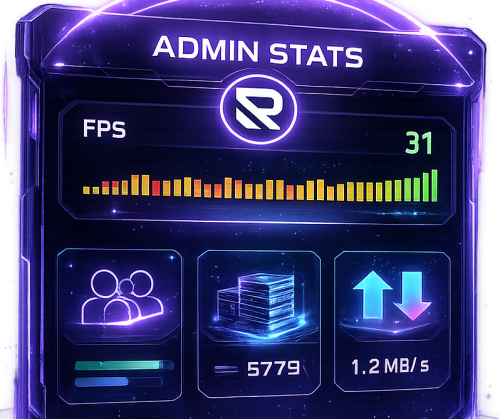
AdminStats - Server Monitor HUD Keep an eye on your server health while you play! AdminStats is a lightweight, always-visible HUD that shows real-time server performance metrics to administrators. Perfect for server owners who want to monitor performance while testing plugins, building, or just playing. What does it show? Server FPS - Color-coded (green = good, yellow = warning, red = critical) with a mini graph showing the last 30 seconds Players Online - Current / Maximum Entities - Total world entities Memory - Server RAM usage Network Traffic - Incoming and outgoing bandwidth Uptime - Time since last server restart Two Display Modes Full Mode - All stats in a compact panel Minimal Mode - Just FPS, super tiny, stays out of your way Switch between modes anytime with /adminstats mode Easy Positioning Place the HUD wherever you want: Top Left Top Right Bottom Left Bottom Right Custom position Adjust margins to fit perfectly with your other UI elements. Commands /adminstats - Toggle HUD on/off /adminstats mode - Switch between full and minimal mode Features Zero performance impact - updates once per second Auto-enables for admins on connect Sleek blur background that fits Rust's style Multi-language support (English, Portuguese, Spanish) Fully configurable colors, size, and position Permission-based (adminstats.use) Perfect for: Testing new plugins while monitoring server health Identifying performance issues in real-time Keeping track of player count and entity buildup Server owners who like to stay informed Lightweight. Unobtrusive. Essential.Free- 9 comments
- 2 reviews
-
- 1
-
-
- #admin stats
- #stats
- (and 15 more)
-
chicken stopped laying <and> splitters/adapters going missing
romzar replied to Farmer Bob's Support Report in Support
Changed Status from Pending to Fixed Changed Fixed In to 1.5.4