About Admin Stats
AdminStats - Server Monitor HUD
Keep an eye on your server health while you play!
AdminStats is a lightweight, always-visible HUD that shows real-time server performance metrics to administrators. Perfect for server owners who want to monitor performance while testing plugins, building, or just playing.
What does it show?
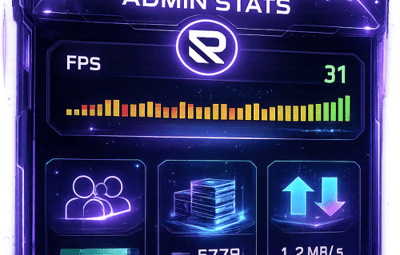
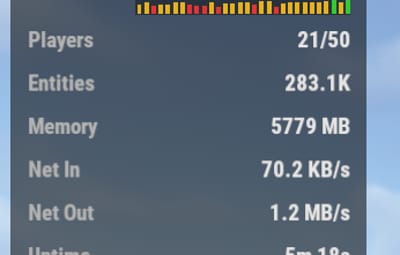
- Server FPS - Color-coded (green = good, yellow = warning, red = critical) with a mini graph showing the last 30 seconds
- Players Online - Current / Maximum
- Entities - Total world entities
- Memory - Server RAM usage
- Network Traffic - Incoming and outgoing bandwidth
-
Uptime - Time since last server restart
Two Display Modes
- Full Mode - All stats in a compact panel
- Minimal Mode - Just FPS, super tiny, stays out of your way
Switch between modes anytime with
/adminstats mode
Easy Positioning
Place the HUD wherever you want:
- Top Left
- Top Right
- Bottom Left
- Bottom Right
- Custom position
Adjust margins to fit perfectly with your other UI elements.
Commands
/adminstats - Toggle HUD on/off
/adminstats mode - Switch between full and minimal mode
Features
 Zero performance impact - updates once per second
Auto-enables for admins on connect
Sleek blur background that fits Rust's style
Multi-language support (English, Portuguese, Spanish)
Fully configurable colors, size, and position
Permission-based (adminstats.use)
Perfect for:
- Testing new plugins while monitoring server health
- Identifying performance issues in real-time
- Keeping track of player count and entity buildup
- Server owners who like to stay informed
- Lightweight. Unobtrusive. Essential.