
-
Posts
2,282 -
Joined
-
Last visited
-
Days Won
9
Content Type
Profiles
Warranty Claims
Downloads
Forums
Store
Services
Downloads Plus Support
DOWNLOADS EXTRA
Everything posted by IIIaKa
-
Version 0.1.8
789 downloads
This plugin is designed for the forced decay of Building Blocks with Twigs grade. This plugin will be especially useful for PvE servers. The ability to enable and disable forced decay of Building Blocks with Twigs grade; The ability to specify the type of building block that will decay; The ability to adjust the interval of decay damage; The ability to specify the amount of decay damage; The ability to prevent players and the tool cupboard from repairing Building Blocks with a grade of Twigs; The ability to show warnings when placing/repairing Building Blocks with Twigs grade; The ability to specify the style type for GameTips; The ability to personally enable or disable warnings; The ability to automatically grade Building Blocks from Twig grade to Wood grade upon plugin initialization, if the owner player is offline. This helps to avoid the complete decay of buildings for those players who are offline and unable to upgrade right now; The ability to upgrade only undamaged building blocks during forced upgrades. { "Chat command": "twigs", "Is it worth enabling GameTips for messages?": true, "GameTips message style type - Blue_Normal(0), Red_Normal(1), Blue_Long(2), Blue_Short(3), Server_Event(4), Error(5).": 5, "Is it worth using Notify plugins for messages instead of the vanilla UI?": false, "Specify the message type for Notify": 1, "List of language keys for creating language files": [ "en" ], "Is it worth upgrading Building Blocks from Twigs grade to Wood grade during plugin initialization if the players are offline?": false, "Is it worth forcing the upgrade to apply only to undamaged blocks? This is an addition to the setting above.": true, "Is it worth disallowing the repair of Building Blocks with Twigs grade?": true, "The interval, in seconds, at which damage is inflicted on the building.": 60.0, "The periodic damage inflicted. Ranges from 0 to 10. Set to 0 to disable.": 1.0, "Is it worth enabling the tracking list? If it's disabled, it will track all types of building blocks without needing to check the list each time.": false, "List of tracked building block types. Leave empty or null to return the default list.": [ "foundation", "foundation.triangle", "foundation.steps", "ramp", "floor", "floor.triangle", "floor.frame", "floor.triangle.frame", "wall", "wall.doorway", "wall.window", "wall.frame", "wall.half", "wall.low", "block.stair.ushape", "block.stair.lshape", "block.stair.spiral", "block.stair.spiral.triangle", "roof", "roof.triangle" ], "Version": { "Major": 0, "Minor": 1, "Patch": 8 } } EN: { "MsgWarningEnabled": "Forced decay warnings are enabled!", "MsgWarningDisabled": "Forced decay warnings are disabled!", "MsgOnTwigsPlace": "On this server, forced decay of Building Blocks with Twigs grade is enabled!\n<size=12><color=#9A9A9A>To toggle notifications, use </color><color=#BBBBBB>/{0} warn</color></size>", "MsgOnTwigsRepair": "Repairing of Building Blocks with Twigs grade is prohibited!\n<size=12><color=#9A9A9A>To toggle notifications, use </color><color=#BBBBBB>/{0} warn</color></size>" } RU: { "MsgWarningEnabled": "Предупреждения принудительного гниения включены!", "MsgWarningDisabled": "Предупреждения принудительного гниения выключены!", "MsgOnTwigsPlace": "На данном сервере включено принудительное гниение построек из соломы!\n<size=12><color=#9A9A9A>Чтобы включить или выключить уведомления, введите </color><color=#BBBBBB>/{0} warn</color></size>", "MsgOnTwigsRepair": "Ремонт построек из соломы запрещен!\n<size=12><color=#9A9A9A>Чтобы включить или выключить уведомления, введите </color><color=#BBBBBB>/{0} warn</color></size>" } warn - Enabling and disabling personal warning. Example: /twigs warn$6.99 -
Appreciate the quick response!
-
Plugin on rewiev
-
Hi. I was wondering if it would be possible to have the option to manage the order of screenshots in a plugin page. Currently, this feature isn't available, and it's a bit inconvenient. I found a workaround, but it's not very user-friendly. I have to upload screenshots in reverse order, one at a time(every screenshoot new edit), to achieve the desired sequence. It would be great if there could be a more straightforward way to arrange them. Thanks!
-
Forced "decay" for twigs: https://codefling.com/plugins/twigs-decay
-
https://codefling.com/plugins/twigs-decay
-
- 74 comments
-
- #rust
- #industrial
- (and 25 more)
-
Version 0.1.9
1,508 downloads
A plugin that allows other plugins to interact with players and entities in monuments via API. The list of all monuments can be viewed in the: Default(Source of monument boundaries when changing the map or recreating boundaries) - *SERVER*\oxide\data\MonumentsWatcher\DefaultBounds.json Vanilla - *SERVER*\oxide\data\MonumentsWatcher\MonumentsBounds.json Custom - *SERVER*\oxide\data\MonumentsWatcher\CustomMonumentsBounds.json Note: MonumentsWatcher is utilized as an API for other plugins. You won't obtain any functionality beyond displaying monument boundaries without an additional plugin. The ability to automatically generate boundaries for vanilla and custom monuments; The ability to automatically regenerate boundaries for monuments on wipe; The ability to automatically adding languages for custom monuments; The ability to manually configure boundaries for monuments; The ability to track the entrance and exit of players, npcs and entities in a Monument and CargoShip; The ability to display boundaries. monumentswatcher.admin - Provides the capability to recreate or display monument boundaries. { "Chat command": "monument", "Is it worth enabling GameTips for messages?": true, "List of language keys for creating language files": [ "en" ], "Is it worth recreating boundaries(excluding custom monuments) upon detecting a wipe?": true, "List of tracked categories of monuments. Leave blank to track all": [], "Wipe ID": null, "Version": { "Major": 0, "Minor": 1, "Patch": 9 } } Note: The list of available categories for monuments can be found in the Developer API section. ENG: https://pastebin.com/nsjBCqZe RUS: https://pastebin.com/ut2icv9T Note: After the plugin initialization, keys for custom monuments will be automatically added. show *monumentID*(optional) *floatValue*(optional) - Display the boundary of the monument you are in or specified. The display will last for the specified time or 30 seconds; list - List of available monuments; rotate *monumentID*(optional) *floatValue*(optional) - Rotate the monument you are in or specified, either in the direction you are looking or in the specified direction; recreate custom/all(optional) - Recreate the boundaries of vanilla/custom/all monuments. Note: Instead of a monumentID, you can leave it empty, but you must be inside a monument. You can also use the word 'closest' to select the nearest monument to you. Example: /monument show closest /monument show gas_station_1 /monument show gas_station_1_4 /monument rotation /monument rotation closest /monument rotation gas_station_1_0 256.5 /monument recreate void OnMonumentsWatcherLoaded() Called after the MonumentsWatcher plugin is fully loaded and ready. void OnCargoWatcherCreated(string monumentID, string type, CargoShip cargoShip) Called when a watcher is created for a CargoShip. void OnCargoWatcherDeleted(string monumentID) Called when a watcher is removed for a CargoShip. void OnSpawnableWatcherCreated(string monumentID, string type, BaseEntity entity) Called when a watcher is created for a Spawnable monument. void OnSpawnableWatcherDeleted(string monumentID) Called when a watcher is removed for a Spawnable monument. void OnMonumentsWatcherLoaded() { Puts("MonumentsWatcher plugin is ready!"); } void OnCargoWatcherCreated(string monumentID, string type, CargoShip cargoShip) { Puts($"Watcher for monument {monumentID}({type}) has been created!"); } void OnCargoWatcherDeleted(string monumentID) { Puts($"Watcher for monument {monumentID} has been deleted!"); } void OnSpawnableWatcherCreated(string monumentID, string type, BaseEntity entity) { Puts($"Watcher for monument {monumentID}({type}) has been created!"); } void OnSpawnableWatcherDeleted(string monumentID) { Puts($"Watcher for monument {monumentID} has been deleted!"); } Entered hooks: void OnPlayerEnteredMonument(string monumentID, BasePlayer player, string type, string oldMonumentID) Called when a player enters any monument. void OnNpcEnteredMonument(string monumentID, BasePlayer npcPlayer, string type, string oldMonumentID) Called when an NPC player enters any monument. void OnEntityEnteredMonument(string monumentID, BaseEntity entity, string type, string oldMonumentID) Called when any other BaseEntity enters any monument. void OnPlayerEnteredMonument(string monumentID, BasePlayer player, string type, string oldMonumentID) { Puts($"{player.displayName} entered to {monumentID}({type}). His previous monument was {oldMonumentID}"); } void OnNpcEnteredMonument(string monumentID, BasePlayer npcPlayer, string type, string oldMonumentID) { Puts($"Npc({npcPlayer.displayName}) entered to {monumentID}({type}). Previous monument was {oldMonumentID}"); } void OnEntityEnteredMonument(string monumentID, BaseEntity entity, string type, string oldMonumentID) { Puts($"Entity({entity.net.ID}) entered to {monumentID}({type}). Previous monument was {oldMonumentID}"); } Exited hooks: void OnPlayerExitedMonument(string monumentID, BasePlayer player, string type, string reason, string newMonumentID) Called when a player exits any monument. void OnNpcExitedMonument(string monumentID, BasePlayer npcPlayer, string type, string reason, string newMonumentID) Called when an NPC player exits any monument. void OnEntityExitedMonument(string monumentID, BaseEntity entity, string type, string reason, string newMonumentID) Called when any other BaseEntity exits any monument. void OnPlayerExitedMonument(string monumentID, BasePlayer player, string type, string reason, string newMonumentID) { Puts($"{player.displayName} left from {monumentID}({type}). Reason: {reason}. They are now at '{newMonumentID}'."); } void OnNpcExitedMonument(string monumentID, BasePlayer npcPlayer, string type, string reason, string newMonumentID) { Puts($"Npc({npcPlayer.displayName}) left from {monumentID}({type}). Reason: {reason}. They are now in {newMonumentID}"); } void OnEntityExitedMonument(string monumentID, BaseEntity entity, string type, string reason, string newMonumentID) { Puts($"Entity({entity.net.ID}) left from {monumentID}({type}). Reason: {reason}. They are now in {newMonumentID}"); } [PluginReference] private Plugin MonumentsWatcher; There are 15 categories of monuments: SafeZone(0): Bandit Camp, Outpost, Floating City, Fishing Village, Ranch and Large Barn. RadTown(1): Airfield, Arctic Research Base, Abandoned Military Base, Giant Excavator Pit, Ferry Terminal, Harbor, Junkyard, Launch Site; Military Tunnel, Missile Silo, Power Plant, Sewer Branch, Satellite Dish, The Dome, Toxic Village(Legacy Radtown), Train Yard, Water Treatment Plant. RadTownWater(2): Oil Rigs, Underwater Labs, Cargo Ships and Ghost Ships. RadTownSmall(3): Lighthouse, Oxum's Gas Station, Abandoned Supermarket and Mining Outpost. TunnelStation(4) MiningQuarry(5): Sulfur Quarry, Stone Quarry and HQM Quarry. BunkerEntrance(6) Cave(7) Swamp(8) IceLake(9) PowerSubstation(10) Ruins(11): Jungle Ruins and Tropical Ruins. WaterWell(12) DeepSeaIsland(13) Custom(14) There are 26 api methods: IsReady: Used to check if the MonumentsWatcher plugin is loaded and ready to work. The IsReady method returns true if it is ready, or null if it is not. (bool)MonumentsWatcher?.Call("IsReady"); GetAllMonuments: Used to retrieve an array of IDs for all available monuments. (string[])(MonumentsWatcher?.Call("GetAllMonuments") ?? Array.Empty<string>()); GetAllMonumentsCategories: Used to retrieve a dictionary of IDs and categories for all available monuments. (Dictionary<string, string>)(MonumentsWatcher?.Call("GetAllMonumentsCategories") ?? new Dictionary<string, string>()); GetMonumentsByCategory: Used to retrieve all available monuments by category. To call the GetMonumentsByCategory method, you need to pass 1 parameter: monument category as a string. (string[])(MonumentsWatcher?.Call("GetMonumentsByCategory", "SafeZone") ?? Array.Empty<string>()); GetMonumentCategory: Used to retrieve the category of the specified monument. Returns an empty string on failure. To call the GetMonumentCategory method, you need to pass 1 parameter: monumentID as a string. (string)(MonumentsWatcher?.Call("GetMonumentCategory", monumentID) ?? string.Empty); GetMonumentDisplayName: Used to retrieve the nicename of a monument in the player's language. Returns an empty string on failure. To call the GetMonumentDisplayName method, you need to pass 3 parameters: monumentID as a string; Available options: userID as a ulong or a string; player as a BasePlayer or an IPlayer. displaySuffix as a bool. Should the suffix be displayed in the name if there are multiple such monuments? This parameter is optional. (string)(MonumentsWatcher?.Call("GetMonumentDisplayName", monumentID, player.userID, true) ?? string.Empty);//(ulong)userID (string)(MonumentsWatcher?.Call("GetMonumentDisplayName", monumentID, player, true) ?? string.Empty);//(BasePlayer/IPlayer)player (string)(MonumentsWatcher?.Call("GetMonumentDisplayName", monumentID, player.UserIDString, true) ?? string.Empty);//(string)userID ***recommended option*** GetMonumentDisplayNameByLang: Used to retrieve the nicename of a monument in the specified language. Returns an empty string on failure. To call the GetMonumentDisplayNameByLang method, you need to pass 3 parameters: monumentID as a string; two-char language as a string; displaySuffix as a bool. Should the suffix be displayed in the name if there are multiple such monuments? This parameter is optional. (string)(MonumentsWatcher?.Call("GetMonumentDisplayNameByLang", monumentID, "en", true) ?? string.Empty); GetMonumentPosition: Used to retrieve the Vector3 position of the specified monument. Returns Vector3.zero on failure. To call the GetMonumentPosition method, you need to pass 1 parameter: monumentID as a string. (Vector3)(MonumentsWatcher?.Call("GetMonumentPosition", monumentID) ?? Vector3.zero); GetMonumentByPos: Used to retrieve the monument at the specified position. Returns an empty string on failure. To call the GetMonumentByPos method, you need to pass 1 parameter: position as a Vector3. (string)(MonumentsWatcher?.Call("GetMonumentByPos", pos) ?? string.Empty); Note: This method returns the first encountered monument. Occasionally, there may be multiple monuments at a single point. Therefore, it is recommended to use the GetMonumentsByPos method. GetMonumentsByPos: Used to retrieve all monuments at the specified position. Returns null on failure. To call the GetMonumentsByPos method, you need to pass 1 parameter: position as a Vector3. (string[])(MonumentsWatcher?.Call("GetMonumentsByPos", pos) ?? Array.Empty<string>()); GetClosestMonument: Used to retrieve the nearest monument to the specified position. Returns an empty string on failure. To call the GetClosestMonument method, you need to pass 1 parameter: position as a Vector3. (string)(MonumentsWatcher?.Call("GetClosestMonument", pos) ?? string.Empty); IsPosInMonument: Used to check whether the specified position is within the specified monument. Returns a false on failure. To call the IsPosInMonument method, you need to pass 2 parameters: monumentID as a string; position as a Vector3. (bool)(MonumentsWatcher?.Call("IsPosInMonument", monumentID, pos) ?? false); ShowBounds: Used to display the boundaries of the specified monument to the specified player. To call the ShowBounds method, you need to pass 3 parameters: monumentID as a string; player as a BasePlayer; displayDuration as a float. Duration of displaying the monument boundaries in seconds. This parameter is optional. MonumentsWatcher?.Call("ShowBounds", monumentID, player, 20f); Note: Since an Admin flag is required for rendering, players without it will be temporarily granted an Admin flag and promptly revoked. PLAYERS API GetMonumentPlayers: Used to retrieve an array of all players located in the specified monument. Returns null on failure. To call the GetMonumentPlayers method, you need to pass 1 parameter: monumentID as a string. (BasePlayer[])(MonumentsWatcher?.Call("GetMonumentPlayers", monumentID) ?? Array.Empty<BasePlayer>()); GetPlayerMonument: Used to retrieve the monument in which the specified player is located. Returns an empty string on failure. To call the GetPlayerMonument method, you need to pass 1 parameter: Available options: player as a BasePlayer; userID as a ulong or a string. (string)(MonumentsWatcher?.Call("GetPlayerMonument", player.UserIDString) ?? string.Empty);//(string)userID (string)(MonumentsWatcher?.Call("GetPlayerMonument", player) ?? string.Empty);//(BasePlayer)player (string)(MonumentsWatcher?.Call("GetPlayerMonument", player.userID) ?? string.Empty);//(ulong)userID ***recommended option*** GetPlayerMonuments: Used to retrieve all monuments in which the specified player is located. Returns null on failure. To call the GetPlayerMonuments method, you need to pass 1 parameter: Available options: player as a BasePlayer; userID as a ulong or a string. (string[])(MonumentsWatcher?.Call("GetPlayerMonuments", player.UserIDString) ?? Array.Empty<string>());//(string)userID (string[])(MonumentsWatcher?.Call("GetPlayerMonuments", player) ?? Array.Empty<string>());//(BasePlayer)player (string[])(MonumentsWatcher?.Call("GetPlayerMonuments", player.userID) ?? Array.Empty<string>());//(ulong)userID ***recommended option*** GetPlayerClosestMonument: Used to retrieve the nearest monument to the specified player. Returns an empty string on failure. To call the GetPlayerClosestMonument method, you need to pass 1 parameter: Available options: player as a BasePlayer; userID as a ulong or a string. (string)(MonumentsWatcher?.Call("GetPlayerClosestMonument", player.UserIDString) ?? string.Empty);//(string)userID (string)(MonumentsWatcher?.Call("GetPlayerClosestMonument", player.userID) ?? string.Empty);//(ulong)userID (string)(MonumentsWatcher?.Call("GetPlayerClosestMonument", player) ?? string.Empty);//(BasePlayer)player ***recommended option*** IsPlayerInMonument: Used to check whether the specified player is in the specified monument. Returns a false on failure. To call the IsPlayerInMonument method, you need to pass 2 parameters: monumentID as a string; Available options: player as a BasePlayer; userID as a ulong or a string. (bool)(MonumentsWatcher?.Call("IsPlayerInMonument", monumentID, player.UserIDString) ?? false);//(string)userID (bool)(MonumentsWatcher?.Call("IsPlayerInMonument", monumentID, player) ?? false);//(BasePlayer)player (bool)(MonumentsWatcher?.Call("IsPlayerInMonument", monumentID, player.userID) ?? false);//(ulong)userID ***recommended option*** NPCS API GetMonumentNpcs: Used to retrieve an array of all npcs located in the specified monument. Returns null on failure. To call the GetMonumentNpcs method, you need to pass 1 parameter: monumentID as a string. (BasePlayer[])(MonumentsWatcher?.Call("GetMonumentNpcs", monumentID) ?? Array.Empty<BasePlayer>()); GetNpcMonument: Used to retrieve the monument in which the specified npc is located. Returns an empty string on failure. To call the GetNpcMonument method, you need to pass 1 parameter: Available options: npcPlayer as a BasePlayer; netID as a ulong; netID as a NetworkableId. (string)(MonumentsWatcher?.Call("GetNpcMonument", npcPlayer) ?? string.Empty);//(BasePlayer)npcPlayer (string)(MonumentsWatcher?.Call("GetNpcMonument", npcPlayer.net.ID.Value) ?? string.Empty);//(ulong)netID (string)(MonumentsWatcher?.Call("GetNpcMonument", npcPlayer.net.ID) ?? string.Empty);//(NetworkableId)netID ***recommended option*** GetNpcMonuments: Used to retrieve all monuments in which the specified npc is located. Returns null on failure. To call the GetNpcMonuments method, you need to pass 1 parameter: Available options: npcPlayer as a BasePlayer; netID as a ulong; netID as a NetworkableId. (string[])(MonumentsWatcher?.Call("GetNpcMonuments", npcPlayer) ?? Array.Empty<string>());//(BasePlayer)npcPlayer (string[])(MonumentsWatcher?.Call("GetNpcMonuments", npcPlayer.net.ID.Value) ?? Array.Empty<string>());//(ulong)netID (string[])(MonumentsWatcher?.Call("GetNpcMonuments", npcPlayer.net.ID) ?? Array.Empty<string>());//(NetworkableId)netID ***recommended option*** IsNpcInMonument: Used to check whether the specified npc is in the specified monument. Returns a false on failure. To call the IsNpcInMonument method, you need to pass 2 parameters: monumentID as a string; Available options: npcPlayer as a BasePlayer; netID as a ulong; netID as a NetworkableId. (bool)(MonumentsWatcher?.Call("IsNpcInMonument", monumentID, npcPlayer.net.ID) ?? false);//(NetworkableId)netID (bool)(MonumentsWatcher?.Call("IsNpcInMonument", monumentID, npcPlayer.net.ID.Value) ?? false);//(ulong)netID (bool)(MonumentsWatcher?.Call("IsNpcInMonument", monumentID, npcPlayer) ?? false);//(BasePlayer)npcPlayer ***recommended option*** ENTITIES API GetMonumentEntities: Used to retrieve an array of all entities located in the specified monument. Returns null on failure. To call the GetMonumentEntities method, you need to pass 1 parameter: monumentID as a string. (BaseEntity[])(MonumentsWatcher?.Call("GetMonumentEntities", monumentID) ?? Array.Empty<BaseEntity>()); GetEntityMonument: Used to retrieve the monument in which the specified entity is located. Returns an empty string on failure. To call the GetEntityMonument method, you need to pass 1 parameter: Available options: entity as a BaseEntity; netID as a ulong; netID as a NetworkableId. (string)(MonumentsWatcher?.Call("GetEntityMonument", entity) ?? string.Empty);//(BaseEntity)entity (string)(MonumentsWatcher?.Call("GetEntityMonument", entity.net.ID.Value) ?? string.Empty);//(ulong)netID (string)(MonumentsWatcher?.Call("GetEntityMonument", entity.net.ID) ?? string.Empty);//(NetworkableId)netID ***recommended option*** GetEntityMonuments: Used to retrieve all monuments in which the specified entity is located. Returns null on failure. To call the GetEntityMonuments method, you need to pass 1 parameter: Available options: entity as a BaseEntity; netID as a ulong; netID as a NetworkableId. (string[])(MonumentsWatcher?.Call("GetEntityMonuments", entity) ?? Array.Empty<string>());//(BaseEntity)entity (string[])(MonumentsWatcher?.Call("GetEntityMonuments", entity.net.ID.Value) ?? Array.Empty<string>());//(ulong)netID (string[])(MonumentsWatcher?.Call("GetEntityMonuments", entity.net.ID) ?? Array.Empty<string>());//(NetworkableId)netID ***recommended option*** IsEntityInMonument: Used to check whether the specified entity is in the specified monument. Returns a false on failure. To call the IsEntityInMonument method, you need to pass 2 parameters: monumentID as a string; Available options: entity as a BaseEntity; netID as a ulong; netID as a NetworkableId. (bool)(MonumentsWatcher?.Call("IsEntityInMonument", monumentID, entity.net.ID) ?? false);//(NetworkableId)netID bool)(MonumentsWatcher?.Call("IsEntityInMonument", monumentID, entity.net.ID.Value) ?? false);//(ulong)netID (bool)(MonumentsWatcher?.Call("IsEntityInMonument", monumentID, entity) ?? false);//(BaseEntity)entity ***recommended option***Free -
It's look like you are using a plugin that relies on SimpleStatus for displaying in the status. Unfortunately, AdvancedStatus does not work with SimpleStatus. However, you can try reaching out to the plugin developer and ask them to add support for AdvancedStatus. It shouldn't be too difficult to add it.
-
Version 0.1.5.1
208 downloads
A plugin for collecting game statistics with database support, compatible with both SQL and web API methods. This functionality empowers website owners to display the desired statistics from the database on their sites. Moreover, it offers the capability to send data via API, which proves highly beneficial in scenarios where your gaming server and database reside on separate machines and the database restricts connections beyond localhost. Please note that an instruction manual will be included in the downloaded file and it is imperative for users to read it thoroughly. Collecting(The full list is available below in the section Collected Data) : Server information; Team information; Clan information(in future); Feedback(F7) information; Report(F7) information; Player information. Sending data through: direct MySQL; via API(POST query) to MySQL. extendedstats.admin - Provides access to command estats. { "Chat command": "estats", "Is it worth enabling GameTips for messages?": true, "Unique ID of the current server": 0, "Database upload method(Disabled, WebAPI, MySQL)": "WebAPI", "Interval in seconds at which an attempt to load changes into the database will occur": 300.0, "Is it worth logging messages to the console when uploading to the database?": true, "API - Service URL": "https://localhost/ExtendedStats/index.php", "API - Service access key": "GlBRw-elM6v-gjko3-cxSDk-Tsy7B", "API - Timeout": 5.0, "MySQL - Host": "localhost", "MySQL - Port": 3306, "MySQL - Database name": "db_playrust", "MySQL - Username": "root", "MySQL - Password": "root", "Database table name - Servers": "db_servers", "Database table name - Teams": "db_teams", "Database table name - Clans": "db_clans", "Database table name - Feedbacks": "db_feedbacks", "Database table name - Reports": "db_reports", "Database table name - Players": "db_players", "Database table name - Players Balances": "db_players_balances", "Database table name - Players Stats": "db_players_stats", "Database table name - Players Farms": "db_players_farms", "Database table name - Players Gambling": "db_players_gambling", "Database table name - Players Kills": "db_players_kills", "Database table name - Players Explosions": "db_players_explosions", "Database table name - Players Raids": "db_players_raids", "Is it worth clearing saved statistics when a wipe is detected?": true, "Is it worth clearing the database when a wipe is detected?": true, "List of statistic categories to clear when a wipe is detected. Leave empty to recreate defaults": [ "players", "teams", "clans", "feedbacks", "reports" ], "List of language keys for creating language files": [ "en" ], "Dictionary of display names for deployable entities by key": {}, "Wipe ID": null, "Version": { "Major": 0, "Minor": 1, "Patch": 5 } } EN: { "CmdMain": "Available commands:\n\n<color=#D1CBCB>/estats</color> <color=#D1AB9A>upload</color> - Initialize a forced data upload to the database\n\n--------------------------------------------------", "CmdDBNotSelected": "Database connection method not selected!", "CmdAlreadyUploading": "You can't initialize a data upload to the database because there is already an active upload!", "CmdUpload": "You have successfully started a forced data upload to the database." } RU: { "CmdMain": "Доступные команды:\n\n<color=#D1CBCB>/estats</color> <color=#D1AB9A>upload</color> - Инициализация принудительной загрузки данных в базу данных\n\n--------------------------------------------------", "CmdDBNotSelected": "Метод подключения к базе данных не выбран!", "CmdAlreadyUploading": "Вы не можете инициализировать загрузку данных в базу данных, так как уже существует активная загрузка!", "CmdUpload": "Вы успешно начали принудительную инициализацию загрузки данных в базу." } ServerData: ServerName ServerIdentity ServerIP ServerPort QueryPort ServerDescription ServerHeader ServerURL ServerTime ServerTags GameTags MaxPlayers ServerEntities ServerFPS ServerAvgFPS ServerUptime ServerMap MapSize MapSeed FirstSave LastSave WipeID ServerVersion ServerProtocol RconPort RconPassword TeamData: TeamID TeamName CreatorID LeaderID TeamMembers ClanData(Temporarily not working) : ClanID ClanName CreatorID LeaderID ClanMembers FeedbackData(Since the corresponding Oxide hook has shifted, not all types of feedback are processed) : ID UserID Subject Type Message Time ReportData: ID UserID TargetID TargetName Subject Type Message Time PlayerData: Info: UserID DisplayName Flags Language GroupsList TeamID ClanID BanReason Connection: PlayedTime - requires the PlaytimeTracker/PlayTimeRewards plugins IdleTime - requires the PlaytimeTracker/PlayTimeRewards plugins Connections Ping FirstConnectionIP LastConnectionIP FirstConnectionDate LastConnectionDate Balance: Balance - requires the Economics plugin Points - requires the ServerRewards plugin BankBalance - requires the BankSystem plugin IQBalance - requires the IQEconomic plugin Experience Reputation - requires the ReputationMaster plugin Statistics: TimeAlive - updates only after the player's death TimeSleeping - updates only after the player's death DistanceWalked - updates only after the player's death DistanceRun - updates only after the player's death TimeWilderness - updates only after the player's death TimeInBase - updates only after the player's death TimeInMonument - updates only after the player's death TimeSwimming - updates only after the player's death TimeFlying - updates only after the player's death TimeBoating - updates only after the player's death TimeDriving - updates only after the player's death Wounded WoundsInflicted WoundAssisted WoundRecovered DamageInflicted DamageTaken - updates only after the player's death Healed - updates only after the player's death ShotsFired - updates only after the player's death ShotsHit HalloweenVisits XmasVisits DeepSeaVisits ExcavatorStarts BearTrapInflicted BearTrapSteps MineInflicted MineSteps HandcuffsApplied Handcuffed PhoneCalls PhoneCallsTimeout MissionsStarted MissionsSucceeded MissionsFailed DeployedsList MonumentsList - requires the MonumentsWatcher plugin Farming: Barrels UnderWaterCrates ShreddedEntities DetectResourceFlags GreenDoors BlueDoors RedDoors FishAttempts Guts Supplies ExcavatorSupplies TropicalSupplies Chinooks Surveys ChickensHatched ChickenEggs BeehiveXP Blueprints CraftList GatherList RecycleList BuyerPurchaseList BuyerSpentList SellerSalesList SellerRevenueList CratesList FishList Gambling: BWG_Spins BWG_WinSpins BWG_SpendScraps BWG_WinScraps Slot_Spins Slot_WinSpins Slot_SpendScraps Slot_WinScraps Poker_Games - Placeholder Poker_WinGames - Placeholder Poker_SpendScraps - Placeholder Poker_WinScraps - Placeholder BlackJ_Games BlackJ_WinGames BlackJ_StandoffGames BlackJ_SpendScraps BlackJ_WinScraps RPS_Wins RPS_Losses RPS_Draws Kills: Kills FriendlyKills Deaths Suicides Beehives Chickens FarmChickens Snakes Boars Stags Horses Wolves Bears Polarbears Panthers Tigers Crocodiles Sharks PlayerNPCs Scientists Zombies Patrols Bradleys KillVehicles: PedalBikes MotorBikes Cars RowBoats RHIBs SubmarinesSolo SubmarinesDuo Tugs MiniHelis AttackHelis ScrapHelis Balloons Trains TrainWagons TrainCabooses Snowmobiles Ballistas BatteringRams Catapults SiegeTowers HitParts KillParts KillWeapons Explosions: Rockets RocketsHV RocketsIncendiary RocketsSmoke RocketsMissile RocketsMLRS Torpedoes ExplosiveAmmo Ammo40mmExplosive Ammo40mmSmoke GrenadesF1 GrenadesMolotov GrenadesFlash GrenadesSmoke GrenadesBean SatchelCharges C4Explosives PropaneBombs FireBombs Raids: Cupboards Doors Windows Foundations Ceilings Walls Doorways WindowFrames Stairs Hatches ExtWoodenGates ExtWoodenWalls ExtStoneGates ExtStoneWalls ExtIceWalls ExtIceShortWalls RaidedConstructionsList RaidedDeployableConstructionsList RaidableBases$19.99- 5 comments
- 1 review
-
- #rust
- #reputation
- (and 26 more)
-
Sneak Peek: The future of client modding with Carbon
IIIaKa replied to Death's topic in Announcements
I haven't encountered client modification, what will EAC say about this? Will there be bans for modifying game files? P.S. Nevermind, in the end, they say that EAC will need to be turned off. -
Version 0.1.4
63 downloads
The plugin allows displaying promo codes in the status bar. Depends on AdvancedStatus plugin. The ability to display promo codes in the status bar; The ability to automatically generate language files for different languages(filled in English); The ability to individually toggle the display of status bars; The ability to customize the status bar for each promo; The ability to specify the order of the bar; The ability to change the height of the bar; The abillity to customize the color and transparency of the background; The ability to set a material for the background; The ability to switch between CuiRawImageComponent and CuiImageComponent for the image; The ability to get images from the local folder(*SERVER*\oxide\data\AdvancedStatus\Images); The abillity to set own image and customize the color and transparency of the image; The abillity to set sprite instead of the image; The ability to customize the color, size, font and outline of the text. promostatus.admin - Provides the ability to admin commands. { "Chat command": "promo", "Is it worth enabling GameTips for messages?": true, "List of language keys for creating language files": [ "en" ], "Default time in seconds for displaying the promo code in the status bar. A value of 0 will keep the bar visible until the promo code expires": 600.0, "List of promo codes": [], "List of status bar settings. Leave empty or null to recreate the default list": { "_default": { "Order": 20, "Height": 26, "Main_Color(Hex or RGBA)": "#FFD33A", "Main_Transparency": 0.7, "Main_Material(empty to disable)": "", "Image_Url": "https://i.imgur.com/q15Cmu5.png", "Image_Local(Leave empty to use Image_Url)": "PromoStatus_Default", "Image_Sprite(Leave empty to use Image_Local or Image_Url)": "", "Image_IsRawImage": false, "Image_Color(Hex or RGBA)": "#FFD33A", "Image_Transparency": 1.0, "Is it worth enabling an outline for the image?": false, "Image_Outline_Color(Hex or RGBA)": "0.1 0.3 0.8 0.9", "Image_Outline_Transparency": 1.0, "Image_Outline_Distance": "0.75 0.75", "Text_Key": "BarDefault", "Text_Size": 12, "Text_Color(Hex or RGBA)": "#FFFFFF", "Text_Font(https://umod.org/guides/rust/basic-concepts-of-gui#fonts)": "RobotoCondensed-Bold.ttf", "Text_Offset_Horizontal": 0, "Is it worth enabling an outline for the text?": false, "Text_Outline_Color(Hex or RGBA)": "#000000", "Text_Outline_Transparency": 1.0, "Text_Outline_Distance": "0.75 0.75", "SubText_Size": 12, "SubText_Color(Hex or RGBA)": "#FFFFFF", "SubText_Font": "RobotoCondensed-Bold.ttf", "Is it worth enabling an outline for the sub text?": false, "SubText_Outline_Color(Hex or RGBA)": "0.5 0.6 0.7 0.5", "SubText_Outline_Transparency": 1.0, "SubText_Outline_Distance": "0.75 0.75" } }, "Version": { "Major": 0, "Minor": 1, "Patch": 4 } } EN: { "BarDefault": "PROMO CODE:", "CmdNotAllowed": "You do not have permissions to use this command!", "CmdWrongCommand": "You entered an incorrect command!\nExample: /{0} toggle", "CmdWrongArguments": "You have not provided enough arguments for this command!", "CmdPromoNotFound": "Promo code '{0}' not found!", "CmdAddFailed": "Failed to add promo code. Invalid format or expiration date is earlier than the current date.\nExample: /{1} add \"{0}\" \"{2}\" \"{3}\"(optional)", "CmdPromoAdded": "Promo code '{0}' has been successfully added. Valid until '{1}'.", "CmdPromoUpdated": "Promo code '{0}' has been successfully updated. Valid until '{1}'.", "CmdPromoRemoved": "Promo code '{0}' has been successfully removed!", "CmdDisplayFailed": "Failed to update promo code display time.\nExample: /{1} display \"{0}\" 600", "CmdDisplayUpdated": "A new display time({1} sec) has been set in the status bar for promo code '{0}'.", "CmdBarEnabled": "Displaying the promo bar is enabled!", "CmdBarDisabled": "Displaying the promo bar is disabled!", "CmdPromoEmpty": "No available promo codes!", "CmdPromoList": "List of available promo codes(UTC):\n{0}" } RU: { "BarDefault": "ПРОМОКОД:", "CmdNotAllowed": "У вас недостаточно прав для использования этой команды!", "CmdWrongCommand": "Вы ввели не правильную команду!\nПример: /{0} toggle", "CmdWrongArguments": "Вы ввели не достаточно аргументов для этой команды!", "CmdPromoNotFound": "Промокод '{0}' не найден!", "CmdAddFailed": "Не удалось добавить промокод. Не верный формат, либо дата истечения меньше текущей даты.\nПример: /{1} add \"{0}\" \"{2}\" \"{3}\"(опционально)", "CmdPromoAdded": "Промокод '{0}' был успешно добавлен. Действителен до '{1}'.", "CmdPromoUpdated": "Промокод '{0}' был успешно обновлен. Действителен до '{1}'.", "CmdPromoRemoved": "Промокод '{0}' был успешно удален!", "CmdDisplayFailed": "Не удалось обновить время отображения промокода.\nПример: /{1} display \"{0}\" 600", "CmdDisplayUpdated": "Установлено новое время({1} сек) отображения в статус баре для промокода '{0}'.", "CmdBarEnabled": "Отображение промо баров включено!", "CmdBarDisabled": "Отображение промо баров выключено!", "CmdPromoEmpty": "Нет доступных промокодов!", "CmdPromoList": "Список доступных промокодов(UTC):\n{0}" } bar - personal toggle for displaying promo status bars; list - displays a list of all active promo codes in the chat; list_admin - displays a list of all active promo codes in the chat, include inactive ones. Permission "promostatus.admin" required; add *code* *expireDate* *startDate*(optional) - adds a new promo code. Permission "promostatus.admin" required; remove *code* - removes a promo code. Permission "promostatus.admin" required; display *code* *seconds* - changes the display time(in seconds) of the promo code for each player. Permission "promostatus.admin" required. Example: /promo bar /promo list /promo add "test" "2024-12-23 14:06" /promo display "test" 360 There are 2 hooks that the plugin is subscribed to: OnPromoCodeAdded OnPromoCodeRemoved OnPromoCodeAdded: Used to add a new promo code. To call the OnPromoCodeAdded hook, you need to pass 3 parameters, 1 of which is optional: <string>promoCode - The promo code; <DateTime>expireDate - The expiration date; <DateTime>startDate - Optional. The start date of validity; <string>barCfgId - Optional. The key for the status bar settings. Interface.CallHook("OnPromoCodeAdded", "*Your promo*", expireDate, startDate, "_default");//Calling the OnPromoCodeAdded hook to add a new promo code. OnPromoCodeRemoved: Used to remove a promo code. To call the OnPromoCodeRemoved hook, you need to pass 1 parameter: <string>promoCode - The promo code. Interface.CallHook("OnPromoCodeRemoved", "*Your promo*");//Calling the OnPromoCodeRemoved hook to remove a promo code.$3.99 -
Version 0.1.9
389 downloads
The plugin displays the current zone or monument to the player in the status bar. Depends on ZoneManager, MonumentsWatcher and AdvancedStatus plugins. P.S. The settings for each zone or monument are located in the "*SERVER*\oxide\data\ZoneStatus\" folder. The ability to display the player's current monument; The ability to automatically change monuments names when the player switches languages; The ability to display the player's current zone; The ability to enable or disable visibility for each of the zones; The ability to customize the style for each of the zones(in the data file); The ability to specify the order of the bar; The ability to change the height of the bar; The abillity to customize the color and transparency of the background; The ability to set a material for the background; The ability to switch between CuiRawImageComponent and CuiImageComponent for the image; The ability to get images from the local folder(*SERVER*\oxide\data\AdvancedStatus\Images); The abillity to set own image and customize the color and transparency of the image; The abillity to set sprite instead of the image; The ability to customize the color, size, font and outline of the text. { "Is it worth deleting all saved Bar configs upon detecting a Wipe?": false, "Is it worth deleting all saved Monument configs upon detecting a Wipe?": false, "Is it worth deleting all saved Zone configs upon detecting a Wipe?": false, "Is it worth deleting all unused Monuments during initialization?": false, "Is it worth deleting all unused Zones during initialization?": false, "The name of the zone which has no name": "No name zone", "Is it worth enabling the bar display for new monuments?": true, "Is it worth enabling the bar display for new zones?": true, "List of prefix IDs that will share the same settings. Leave null to recreate the default list": [ "cargoship", "deepsea_floatingcity", "deepsea_island_tropical", "ghostship", "desert_military_base_", "gas_station_1", "lighthouse", "station-", "supermarket_1", "swamp_", "underwater_lab_", "warehouse", "entrance_bunker_", "ice_lake_", "power_sub_small_", "power_sub_big_", "jungle_ruins_", "water_well_" ], "Wipe ID": null, "Version": { "Major": 0, "Minor": 1, "Patch": 9 } } P.S. The default status bar configuration can be adjusted in *SERVER*\oxide\data\BarsConfig.json under the key "_default". [PluginReference] private Plugin ZoneStatus; There is 1 method: UpdateZoneSettings UpdateZoneSettings: Used to change bar settings for zones from ZoneManager. To call the UpdateZoneSettings method, you need to pass 3 parameters, 1 of which is optional: <string>zoneID - The Id of the zone; <object[]>args - Array of objects to update; <bool>redraw - Optional. Is it worth redrawing the status bars for players? Defaults to true. Note: It is not necessary to pass all parameters, but the indices are strictly tied to the parameters. object[] args = new object[] { true, //0. Display - Is it worth displaying the status bar for this zone? "#A064A0", //1. Background_Color - Primary HEX color of the status bar. 0.8f, //2. Background_Transparency - Opacity of the primary status bar color. "https://i.imgur.com/mn8reWg.png", //3. Image_Url - Url of the status bar icon. "ZoneStatus_Default", //4. Image_Local - Name of the local image for the status bar. Note: The image must exist.(Leave empty to use Image_Url). false, //5. Image_IsRawImage - True for multicolored images, false for monochromatic images. "#A064A0", //6. Image_Color - Color of the status bar icon. For Image_IsRawImage = false. 1f, //7. Image_Transparency - Opacity of the status bar icon. For Image_IsRawImage = false. "#FFFFFF", //8. Text_Color - Primary text color. "#FFFFFF" //9. SubText_Color - Subtext color. }; ZoneStatus?.Call("UpdateZoneSettings", zoneID, args, true); //Call the API method UpdateZoneSettings with all necessary arguments for updating. Example with incomplete parameters: object[] args = new object[] { null, //0. Display - Skip index 0, as it is reserved for Display. "#A064A0", //1. Background_Color - Primary HEX color of the status bar. 0.8f, //2. Background_Transparency - Opacity of the primary status bar color. null, //3. Image_Url - Skip index 3, as it is reserved for Image_Url. null, //4. Image_Local - Skip index 4, as it is reserved for Image_Local. false, //5. Image_IsRawImage - True for multicolored images, false for monochromatic images. "#A064A0", //6. Image_Color - Color of the status bar icon. For Image_IsRawImage = false. 1f //7. Image_Transparency - Opacity of the status bar icon. For Image_IsRawImage = false. }; ZoneStatus?.Call("UpdateZoneSettings", zoneID, args, true); //Call the API method UpdateZoneSettings with all necessary arguments for updating.$3.99 -
Where should the display of the server name occur? Directly on the server? Or in the browsers of the servers? Servers are not aware of players who have not connected to them.
-
Version 0.1.8
403 downloads
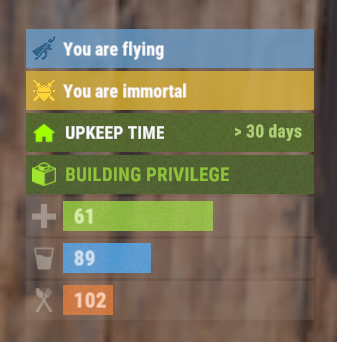
The plugin displays an invisibility indication in the status bar. Depends on AdvancedStatus plugin. The ability to set a sound effect for disappearance and appearance; The ability to automatically generate language files for different languages(filled in English); The ability to individually toggle the display of status bars; The ability to specify the order of the bar; The ability to change the height of the bar; The abillity to customize the color and transparency of the background; The ability to set a material for the background; The ability to switch between CuiRawImageComponent and CuiImageComponent for the image; The ability to get images from the local folder(*SERVER*\oxide\data\AdvancedStatus\Images); The abillity to set own image and customize the color and transparency of the image; The abillity to set sprite instead of the image; The ability to customize the color, size, font and outline of the text. { "Sound effect played upon disappearance, leave empty to disable": "assets/prefabs/npc/patrol helicopter/effects/rocket_fire.prefab", "Sound effect played upon appearance, leave empty to disable": "assets/prefabs/npc/patrol helicopter/effects/rocket_fire.prefab", "List of language keys for creating language files": [ "en" ], "The height of the bar": 26, "The display order of the bar": 10, "The background color of the bar(HEX or RGBA)": "#15AC9D", "The background transparency of the bar": 0.7, "The background material of the bar, leave empty to disable": "", "The URL of the bar image": "https://i.ibb.co/LzdbT8wT/Vanish-Status-Default.png", "The local image of the bar, leave empty to use URL": "VanishStatus_Default", "The sprite image of the bar, leave empty to use local or URL": "", "Is it worth using a raw image for the bar?": false, "The color of the bar image(HEX or RGBA)": "#15AC9D", "The transparency of the bar image": 1.0, "The outline color of the bar image(HEX or RGBA)": "0.1 0.3 0.8 0.9", "The outline transparency of the bar image": 1.0, "The outline distance of the bar image, leave empty to disable. Example '0.75 0.75'": "", "The size of the bar text": 12, "The color of the bar text(HEX or RGBA)": "#FFFFFF", "The transparency of the bar text": 1.0, "The font of the bar text(https://umod.org/guides/rust/basic-concepts-of-gui#fonts)": "RobotoCondensed-Bold.ttf", "The horizontal offset of the bar text": 0, "The outline color of the bar text(HEX or RGBA)": "#000000", "The outline transparency of the bar text": 1.0, "The outline distance of the bar text, leave empty to disable": "", "The size of the bar subtext": 12, "The color of the bar subtext(HEX or RGBA)": "#FFFFFF", "The transparency of the bar subtext": 1.0, "The font of the bar subtext": "RobotoCondensed-Bold.ttf", "The outline color of the bar subtext(HEX or RGBA)": "0.5 0.6 0.7 0.5", "The outline transparency of the bar subtext": 1.0, "The outline distance of the bar subtext, leave empty to disable": "", "Version": { "Major": 0, "Minor": 1, "Patch": 8 } } EN: { "BarVanish": "You are invisible" } RU: { "BarVanish": "Вы невидимы" }$3.99 -
I've noticed that individuals who have purchased the Bundle are not showing up in the lists of buyers on the plugin page. This could potentially cause inconvenience and hinder the tracking of user purchases. It might be worth taking a closer look at this issue and taking necessary steps to rectify the situation. I would appreciate updates or additional information on this matter.
-
Version 0.1.5
77 downloads
Adds a reputation system, similar to the well-known Infestation Survivor Stories(The WarZ). More information on how the plugin works can be found at the bottom in the "Principle of work" section. The ability to create an unlimited number of reputations. The only condition is that their value ranges must not overlap; The ability to flexibly customize the bar for each reputation; The ability to automatically reset reputations upon detecting a wipe; The ability to set a prefix for reputations; The ability to show your reputation by waving to players; The ability to see a player's reputation when aiming at them with scope items. Unfortunately, the reputation will also be displayed if a player is in certain bushes; The ability to see the reputation of all players in the bandit zone; The ability to prohibit players with a certain reputation from entering safe zones (except for the bandit zone). Also, notifying players about it; The ability to set fake reputations to confuse players. reputationmaster.vip - Provides the ability to set a fake rank value. reputationmaster.admin - Provides the ability to set or reset reputation value to other players. { "Chat command": "rep", "Is it worth enabling GameTips for messages?": true, "Is it worth using the AdvancedStatus plugin?": true, "List of language keys for creating language files": [ "en" ], "Is it worth using ddraw to display reputation? NOTE: To use, an administrator flag is required, which is granted before rendering and revoked immediately after issuing the command": true, "Is it worth displaying reputation when aiming at a player with a scope(ddraw should be enabled)? NOTE: The player's reputation may be displayed in certain bushes": true, "Is it worth resetting reputations upon detecting a wipe?": true, "Is it worth forbidding bandits from visiting safe zones(except for Banditcamp)?": true, "The time in seconds during which a bandit can stay in the safe zone(except for Banditcamp) before being killed, making their loot available to everyone": 10.0, "The prefab name for the effect when a bandit is killed in the safe zone. An empty string disables the effect": "assets/prefabs/misc/xmas/advent_calendar/effects/open_advent.prefab", "Assigning reputation for NPCs. 0 - disabled, 1 - only for vanilla, 2 - for all": 2, "Minimum random reputation value for NPCs": -1000.0, "Maximum random reputation value for NPCs": 1000.0, "Is it worth enabling self-defense for NPCs?": false, "The time in seconds during which self-defense will be active for a lawman after being attacked by another lawman": 900, "The minimum value limit for fake reputation": -10000.0, "The maximum value limit for fake reputation": 10000.0, "UI. Position - Left to Right": true, "UI. Position - AnchorMin": "1 0.9", "UI. Position - AnchorMax": "1 0.9", "UI. Position - OffsetMin": "-208 -15", "UI. Position - OffsetMax": "-16 15", "UI. Reputation Positive Value Image - URL": "https://i.imgur.com/HKqyHO8.png", "UI. Reputation Negative Value Image - URL": "https://i.imgur.com/mMdm55h.png", "UI. Added Value Sound - Prefab Name. An empty string disables the effect": "assets/bundled/prefabs/fx/notice/item.select.fx.prefab", "Wipe ID": null, "Version": { "Major": 0, "Minor": 1, "Patch": 5 } } Note: To use ddraw, an administrator flag is required, which is granted before rendering and revoked immediately after issuing the command. The player's reputation may be displayed in certain bushes. [ { "Name": "Assassin", "Prefix": "✶☆✶ ", "MinValue": -3.40282347E+38, "MaxValue": -1000.0, "Reward": 20.0, "LawmanPenalty": 0.0, "AllowSafeZone": false, "BarSettings": { "Order": 20, "Height": 26, "Main_Color(Hex or RGBA)": "#FF341E", "Main_Transparency": 0.6, "Main_Material": "", "Image_Url": "https://i.imgur.com/CdDKpwv.png", "Image_Local(Leave empty to use Image_Url)": "", "Image_Sprite(Leave empty to use Image_Local or Image_Url)": "", "Image_IsRawImage": false, "Image_Color(Hex or RGBA)": "#FF341E", "Image_Transparency": 1.0, "Is it worth enabling an outline for the image?": false, "Image_Outline_Color(Hex or RGBA)": "0.1 0.3 0.8 0.9", "Image_Outline_Transparency": 0.0, "Image_Outline_Distance": "0.75 0.75", "Text_Size": 14, "Text_Color(Hex or RGBA)": "#FF341E", "Text_Font(https://umod.org/guides/rust/basic-concepts-of-gui#fonts)": "RobotoCondensed-Bold.ttf", "Is it worth enabling an outline for the text?": false, "Text_Outline_Color(Hex or RGBA)": "#000000", "Text_Outline_Transparency": 1.0, "Text_Outline_Distance": "0.75 0.75", "SubText_Size": 12, "SubText_Color(Hex or RGBA)": "#FF341E", "SubText_Font": "RobotoCondensed-Bold.ttf", "Is it worth enabling an outline for the sub text?": false, "SubText_Outline_Color(Hex or RGBA)": "0.5 0.6 0.7 0.5", "SubText_Outline_Transparency": 0.0, "SubText_Outline_Distance": "0.75 0.75" } }, ... { "Name": "Civilian", "Prefix": "", "MinValue": -4.99, "MaxValue": 9.99, "Reward": 1.0, "LawmanPenalty": -1.0, "AllowSafeZone": true, "BarSettings": { "Order": 20, "Height": 26, "Main_Color(Hex or RGBA)": "#5EC0CA", "Main_Transparency": 0.6, "Main_Material": "", "Image_Url": "https://i.imgur.com/cgi9T1D.png", "Image_Local(Leave empty to use Image_Url)": "", "Image_Sprite(Leave empty to use Image_Local or Image_Url)": "", "Image_IsRawImage": false, "Image_Color(Hex or RGBA)": "#5EC0CA", "Image_Transparency": 1.0, "Is it worth enabling an outline for the image?": false, "Image_Outline_Color(Hex or RGBA)": "0.1 0.3 0.8 0.9", "Image_Outline_Transparency": 0.0, "Image_Outline_Distance": "0.75 0.75", "Text_Size": 14, "Text_Color(Hex or RGBA)": "#5EC0CA", "Text_Font(https://umod.org/guides/rust/basic-concepts-of-gui#fonts)": "RobotoCondensed-Bold.ttf", "Is it worth enabling an outline for the text?": false, "Text_Outline_Color(Hex or RGBA)": "#000000", "Text_Outline_Transparency": 1.0, "Text_Outline_Distance": "0.75 0.75", "SubText_Size": 12, "SubText_Color(Hex or RGBA)": "#5EC0CA", "SubText_Font": "RobotoCondensed-Bold.ttf", "Is it worth enabling an outline for the sub text?": false, "SubText_Outline_Color(Hex or RGBA)": "0.5 0.6 0.7 0.5", "SubText_Outline_Transparency": 0.0, "SubText_Outline_Distance": "0.75 0.75" } }, ... { "Name": "Paragon", "Prefix": "✶☆✶ ", "MinValue": 1000.0, "MaxValue": 3.40282347E+38, "Reward": 20.0, "LawmanPenalty": -125.0, "AllowSafeZone": true, "BarSettings": { "Order": 20, "Height": 26, "Main_Color(Hex or RGBA)": "#0AFBFB", "Main_Transparency": 0.6, "Main_Material": "", "Image_Url": "https://i.imgur.com/6yzrXE0.png", "Image_Local(Leave empty to use Image_Url)": "", "Image_Sprite(Leave empty to use Image_Local or Image_Url)": "", "Image_IsRawImage": false, "Image_Color(Hex or RGBA)": "#0AFBFB", "Image_Transparency": 1.0, "Is it worth enabling an outline for the image?": false, "Image_Outline_Color(Hex or RGBA)": "0.1 0.3 0.8 0.9", "Image_Outline_Transparency": 0.0, "Image_Outline_Distance": "0.75 0.75", "Text_Size": 14, "Text_Color(Hex or RGBA)": "#0AFBFB", "Text_Font(https://umod.org/guides/rust/basic-concepts-of-gui#fonts)": "RobotoCondensed-Bold.ttf", "Is it worth enabling an outline for the text?": false, "Text_Outline_Color(Hex or RGBA)": "#000000", "Text_Outline_Transparency": 1.0, "Text_Outline_Distance": "0.75 0.75", "SubText_Size": 12, "SubText_Color(Hex or RGBA)": "#0AFBFB", "SubText_Font": "RobotoCondensed-Bold.ttf", "Is it worth enabling an outline for the sub text?": false, "SubText_Outline_Color(Hex or RGBA)": "0.5 0.6 0.7 0.5", "SubText_Outline_Transparency": 0.0, "SubText_Outline_Distance": "0.75 0.75" } } ] MinRange, MaxRange - Range of values for the group rank; Name - Name of the rank; Reward - Reward for killing or reviving(divided by 2) a player in this rank. If the initiating player has IsLawman = true, the value will be positive, otherwise, it will be negative; LawmanPenalty - Penalty for a peaceful player of this rank, for killing another peaceful player. If the target did not initiate this pvp first; AllowSafeZone - Is this rank allowed to visit Safe Zones (except Bandit Camp)? The "Forbid bandits from visiting the SafeZone (except for Banditcamp)" config should be set to true. Path: *SERVER*\oxide\data\ReputationMaster\ReputationRanks.json EN: { "CmdNotAllowed": "You do not have permissions to use this command!", "CmdPlayerNotFound": "Player '{0}' not found! You must provide the player's name or ID.", "CmdMultiplePlayers": "Multiple players found: {0}", "CmdAdmin": "Available admin commands:\n\n<color=#D1CBCB>/rep</color> <color=#D1AB9A>fake *floatValue* *nameOrId*(optional)</color> - Set a fake reputation for yourself or the specified player\n<color=#D1CBCB>/rep</color> <color=#D1AB9A>set *floatValue* *nameOrId*(optional)</color> - Set a reputation value for yourself or the specified player\n<color=#D1CBCB>/rep</color> <color=#D1AB9A>info *nameOrId*(optional)</color> - Get full information about your reputation or the reputation of the specified player\n<color=#D1CBCB>/rep</color> <color=#D1AB9A>reset all/*nameOrId*</color> - Reset the reputation of all players or the specified player\n\n--------------------------------------------------", "CmdMain": "Available commands:\n\n<color=#D1CBCB>/rep</color> <color=#D1AB9A>fake *floatValue*</color> - Set a fake reputation\n\n--------------------------------------------------", "CmdFakePlayer": "Player '{0}' has been assigned a new fake reputation value: {1}({2})!", "CmdFakeNPC": "NPC '{0}' has been assigned a new fake reputation value: {1}({2})!", "CmdFakeSelf": "A new fake reputation value has been successfully set: {0}({1})!", "CmdSetPlayer": "Player '{0}' has been assigned a new reputation value: {1}({2})!", "CmdSetNPC": "NPC '{0}' has been assigned a new reputation value: {1}({2})!", "CmdInfoPlayer": "Player '{0}' reputation:\n<color=#D1AB9A>Reputation</color> - {1} ({2})\n<color=#D1AB9A>Fake Reputation</color> - {3} ({4})\n<color=#D1AB9A>Last Helper</color> - {5}\n\n--------------------------------------------------", "CmdInfoNPC": "NPC '{0}' reputation:\n<color=#D1AB9A>Reputation</color> - {1}({2})\n<color=#D1AB9A>Fake Reputation</color> - {3}({4})\n<color=#D1AB9A>Last Helper</color> - {5}\n\n--------------------------------------------------", "CmdResetAll": "{0} reputations have been successfully reset!", "CmdResetPlayer": "Player '{0}' reputation has been successfully reset!", "MsgReputation": "Reputation", "MsgShowPlayerReputation": "Player '{0}' reputation: {1}({2})", "MsgNewReputation": "Congratulations! You have received the reputation '{0}'!", "MsgSelfDefense": "You attacked a peaceful player '{0}'({1}) first. If they kill you within {2} minutes, they will not receive a penalty", "MsgSelfDefenseNoPenalty": "You killed a peaceful player '{0}'({1}). However, since they attacked you first, you will not be penalized", "MsgLawmanEnterBanditZone": "You have entered the Bandit Camp! Stay vigilant, this place is full of thugs!", "MsgLawmanLeaveBanditZone": "You have left the Bandit Camp! We recommend avoiding this area!", "MsgBanditEnterBanditZone": "Welcome to the Bandit Camp! We are glad to have you back!", "MsgBanditLeaveBanditZone": "You have left the Bandit Camp! We hope to see you again soon!", "MsgBanditEnterSafeZone": "You are not welcome here! If you do not leave this place, you will be killed in {0} seconds!", "MsgBanditLeaveSafeZone": "Do not come back here! People like you belong in the Bandit Camp!" } RU: { "CmdNotAllowed": "У вас недостаточно прав для использования этой команды!", "CmdPlayerNotFound": "Игрок '{0}' не найден! Вы должны указать имя или ID игрока.", "CmdMultiplePlayers": "Найдено несколько игроков: {0}", "CmdAdmin": "Доступные админ команды:\n\n<color=#D1CBCB>/rep</color> <color=#D1AB9A>fake *дробноеЗначение* *имяИлиАйди*(опционально)</color> - Установить ложную репутацию себе или указанному игроку\n<color=#D1CBCB>/rep</color> <color=#D1AB9A>set *дробноеЗначение* *имяИлиАйди*(опционально)</color> - Установить репутацию себе или указанному игроку\n<color=#D1CBCB>/rep</color> <color=#D1AB9A>info *имяИлиАйди*(опционально)</color> - Получить всю информацию о своей репутации или репутации указанного игрока\n<color=#D1CBCB>/rep</color> <color=#D1AB9A>reset all/*имяИлиАйди*</color> - Сбросить репутацию всем игрокам или указанному игроку\n\n--------------------------------------------------", "CmdMain": "Доступные команды:\n\n<color=#D1CBCB>/rep</color> <color=#D1AB9A>fake *дробноеЗначение*</color> - Установить ложную репутацию\n\n--------------------------------------------------", "CmdFakePlayer": "Игроку '{0}' установлено новое ложное значение репутации: {1}({2})!", "CmdFakeNPC": "Боту '{0}' установлено новое ложное значение репутации: {1}({2})!", "CmdFakeSelf": "Новое значение ложной репутации успешно установлено: {0}({1})!", "CmdSetPlayer": "Игроку '{0}' установлено новое значение репутации: {1}({2})!", "CmdSetNPC": "Боту '{0}' установлено новое значение репутации: {1}({2})!", "CmdInfoPlayer": "Репутация игрока '{0}':\n<color=#D1AB9A>Репутация</color> - {1}({2})\n<color=#D1AB9A>Ложная репутация</color> - {3}({4})\n<color=#D1AB9A>Последний помощник</color> - {5}\n\n--------------------------------------------------", "CmdInfoNPC": "Репутация бота '{0}':\n<color=#D1AB9A>Репутация</color> - {1}({2})\n<color=#D1AB9A>Ложная репутация</color> - {3}({4})\n<color=#D1AB9A>Последний помощник</color> - {5}\n\n--------------------------------------------------", "CmdResetAll": "Успешно сброшено {0} репутаций!", "CmdResetPlayer": "Репутация игрока '{0}' успешно сброшена!", "MsgReputation": "Репутация", "MsgShowPlayerReputation": "Репутация игрока '{0}': {1}({2})", "MsgNewReputation": "Поздравляем! Вы получили репутацию '{0}'!", "MsgSelfDefense": "Вы первым атаковали мирного игрока '{0}'({1}). Если он вас убьет в течении {2} минут, то не получит штрафа", "MsgSelfDefenseNoPenalty": "Вы убили мирного игрока '{0}'({1}). Но так как он первым вас атаковал, вас не накажут", "MsgLawmanEnterBanditZone": "Вы пришли в Лагерь Бандитов! Будьте бдительны, здесь полно разных отморозков!", "MsgLawmanLeaveBanditZone": "Вы покинули Лагерь Бандитов! Советуем обходить это место!", "MsgBanditEnterBanditZone": "Добро пожаловать в Лагерь Бандитов! Мы рады вашему возвращению!", "MsgBanditLeaveBanditZone": "Вы покинули Лагерь Бандитов! Надеемся на скорое ваше возвращение!", "MsgBanditEnterSafeZone": "Вам здесь не рады! Если вы не покинете это место, то вас убьет через {0} секунд!", "MsgBanditLeaveSafeZone": "Больше сюда не возвращайтесь! Таким как вы место в Лагере Бандитов!" } fake *floatValue* - Set a fake reputation for yourself or the specified player. Permission "reputationmaster.vip" or "reputationmaster.admin" required fake *floatValue* *nameOrId*(optional) - Set a fake reputation for yourself or the specified player. Permission "reputationmaster.admin" required; set *floatValue* *nameOrId*(optional) - Set a reputation value for yourself or the specified player. Permission "reputationmaster.admin" required; info *nameOrId*(optional) - Get full information about your reputation or the reputation of the specified player. Permission "reputationmaster.admin" required; reset all/*nameOrId* - Reset the reputation of all players or the specified player. Permission "reputationmaster.admin" required. Example: /rep fake 150 /rep fake -40 iiiaka /rep set 23 iiiaka ReputationValueUpdated: Called after the player's reputation value has changed. Works only for players that are not NPCs. void ReputationValueUpdated(ulong userID, string repName, float repValue) { Puts($"{userID} updated a reputation value to {repValue}. Current reputation rank is {repName}."); } ReputationUpdated: Called after the player receives a new reputation rank. Works only for players that are not NPCs. void ReputationUpdated(ulong userID, string oldRep, string newRep, bool isLawman, bool allowSafeZone, float repValue) { Puts($"{userID} has updated their rank from {oldRep} to {newRep}. Is peaceful: {isLawman}\nSafe Zones: {allowSafeZone}\nReputation Value: {repValue}"); } [PluginReference] private Plugin ReputationMaster; There are 4 api methods: GetReputationValue: Used to retrieve the reputation value, real or fake. Returns null on failure. To call the GetReputationValue method, you need to pass 2 parameters: userID as a ulong; realRep as a bool. What reputation value to get, real or fake? This parameter is optional. (float)(ReputationMaster?.Call("GetReputationValue", player.userID, true) ?? 0f); GetReputationName: Used to retrieve the reputation name, real or fake. Returns an empty string on failure. To call the GetReputationName method, you need to pass 2 parameters: userID as a ulong; realRep as a bool. What reputation name to get, real or fake? This parameter is optional. (string)(ReputationMaster?.Call("GetReputationName", player.userID, true) ?? string.Empty); SetReputationValue: Used to retrieve the reputation name, real or fake. Returns a false on failure. To call the SetReputationValue method, you need to pass 3 parameters: Available options: userID as a ulong or a string; player as a BasePlayer. newValue as float; realRep as a bool. What reputation value to get, real or fake? This parameter is optional. (bool)(ReputationMaster?.Call("SetReputationValue", player.UserIDString, 150f, true) ?? false);//(string)userID (bool)(ReputationMaster?.Call("SetReputationValue", player.userID, 150f, true) ?? false);//(ulong)userID (bool)(ReputationMaster?.Call("SetReputationValue", player, 150f, true) ?? false);//(BasePlayer)player ***recommended option*** SetReputationValues: Used to retrieve the reputation name, real or fake. Returns a false on failure. To call the SetReputationValues method, you need to pass 3 parameters: Available options: userID as a ulong or a string; player as a BasePlayer. value as float; fakeValue as a float. (bool)(ReputationMaster?.Call("SetReputationValues", player.UserIDString, 150f, 50f) ?? false);//(string)userID (bool)(ReputationMaster?.Call("SetReputationValues", player.userID, 150f, 50f) ?? false);//(ulong)userID (bool)(ReputationMaster?.Call("SetReputationValues", player, 150f, 50f) ?? false);//(BasePlayer)player ***recommended option*** You can create as many reputation ranks as you want, but there are only two main groups: Lawmen(peaceful or civilians); Outlaws(bandits). Each kill has a different scores depending of the reputation rank of the victim and attacker. For exampe, if you are a Civilian, you will receive: Paragon: -20 Vigilant: -15 Guardian: -10 Lawman: -4 Deputy: -3 Constable: -2 Civillian: -1 Thug: +2 Outlaw: +3 Bandit: +4 Hitman: +10 Villain: +15 Assassin: +20 Reviving: For reviving a player, you will receive a reward divided by 2. If the target is a lawman, the reward will be positive, else if a target is a bandit, it will be negative. Also, this is the only way out of bandit rank for bandits. Outlaw: When you reach the outlaw reputation, you have no more back! Except for reviving a peaceful player. You can kill other bandits but still counting as negative reputation! So, after you reach the outlaw reputation rank, scores by killing a player of a certain reputation will be as follows(negative reward value) : Paragon: -20 Vigilant: -15 Guardian: -10 Lawman: -4 Deputy: -3 Constable: -2 Civillian: -1 Thug: -2 Outlaw: -3 Bandit: -4 Hitman: -10 Villain: -15 Assassin: -20 Lawman: The scores will be as follows for each kill a outlaw reputation ranks(positive reward value) : Assassin: +20 Villain: +15 Hitman: +10 Bandit: +4 Outlaw: +3 Thug: +2 But for killing a peaceful player, you will receive penalties based on your rank. A list of penalties for each reputation rank: Paragon: -125 Vigilante: -60 Guardian: -40 Lawman: -15 Deputy: -2 Constable: -1 Civilian: -1 There is also a self-defense system that works as follows: If a peaceful player initiates an attack on another peaceful player, a timer of 15 minutes(sets from config) is activated, during which the victim can kill the attacker without penalties. So, it's very hard to become a lawman, and it's very easy to get out from lawman.$4.99- 6 comments
-
- 1
-
-
- #rust
- #reputation
- (and 25 more)