

Yac Vaguer
-
Posts
424 -
Joined
-
Last visited
-
Days Won
2
Content Type
Profiles
Warranty Claims
Downloads
Forums
Store
Services
Downloads Plus Support
DOWNLOADS EXTRA
Reels
Everything posted by Yac Vaguer
-
Changed Status from Pending to Closed Changed Fixed In to 1.1.1
-
Hey @Stark just update the number version in your config file to match the one of the plugins, I just uploaded an update to give avoid this message
-
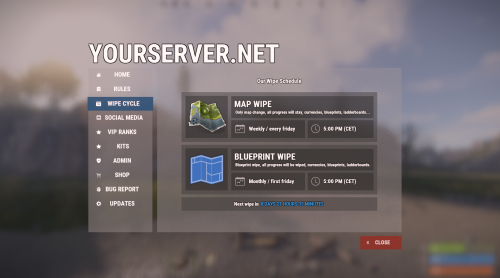 Your Discord link in the highlighted message is expire, can you provide a new one?
-
Can I get more info about this? Please share your config file, and activate the developer mode then share the log inside oxide/log/FerryTerminal I run the event over 1000 times already never had any issue Also please get the latest version
-
@Markiii about the scientist falling, as I mentioned to you that is the reason you cannot change the stationary to false, need to be true, the reason behind is that the floor on that particular area is a bit bellow this seems to be a weird issue with the monument design itself, maybe it is intentional from Facepunch side, but the way to avoid this issue is just mark stationary as true, as the default configuration. I tried different ways to goes around this but i'm not happy with the final result so I'm still going with stationary true as the way to go About the zombies get trapped, they are protecting the area from the metro station and not from surface, at least is how I meant to work initially, I tried different ways to make it harder for the user just stay in the in between area but it is just not good enough, I might come with something later, but again this wasn't the initial intention for the zombies I understand that besides my previous explanations you are still not answering my last questions Not getting answered was the main reason I closed this ticket. I'm trying to be helpful here, and the plugin of course should work flawlessly as you paid for it, I don't mind if you ping me on Discord, which I almost always online (Time to time I go to sleep but few hours only)
-
Hey man, sorry that you are experiencing this issue honestly I’m not getting the notifications in cf, last night I posted a message on my discord that I’m finishing the last touches of a new update if you are worry of the answer please join the ds, it might be a hassle but I can give you a faster answer (notifications are easy to manage ) @Mals I used to get emails with the supports update and now is buried with thin the other notifications, not easy to use when you have so many
-
As I mentioned in discussion several days ago the plugin is not working properly
-
I'm not sure if you are explicit giving support for your plugin in Carbon but I'm adding the plugin in a freshly server and I getting this error Loaded plugin WelcomePanel v3.0.7 by David [380ms] Failed to call internal hook 'OnServerInitialized' on plugin 'WelcomePanel v3.0.7' [1330569572] (Object reference not set to an instance of an object) at void Oxide.Plugins.WelcomePanel.RegisterCommands() in /home/container/carbon/plugins/WelcomePanel.cs:line 300 at void Oxide.Plugins.WelcomePanel.OnServerInitialized() in /home/container/carbon/plugins/WelcomePanel.cs:line 132 at object Oxide.Plugins.WelcomePanel.InternalCallHook(uint hook, object[] args) in WelcomePanel.cs/Internal:line 323 [WelcomePanel] (ADDONS LOADED) WPKits, WPSocialLinks, WPVipRanks, WPWipeCycle, [WelcomePanel] (NOT FOUND) VoteMap Also the discord link your highligthed message is expired
-
 is not working in a custom map at least
-
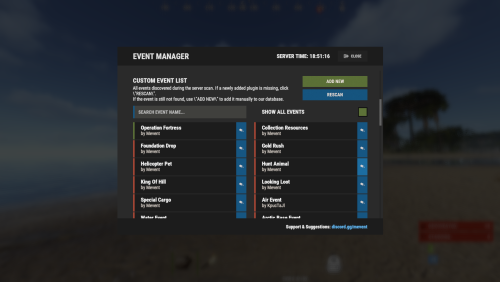 I was already working in a Random event start, but then I saw the new version of the Event Manager The plugin is great for those who own maybe too many plugins like me. It works great, and you don't need to deal with a configuration file. Also, my plugins are listed here, so even better.
- 343 comments
-
- 1
-

-
- #eventmanager
- #manager
- (and 5 more)
-
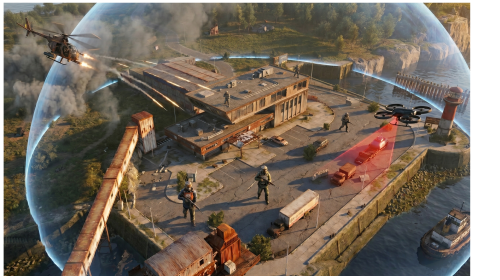 Yes, it coming soon
- 39 comments
-
- 1
-
-
- #ferry terminal
- #pvp/pve
- (and 9 more)
-
@Markiiiis that what is happening?
-
Please read my comments there
-
What make you feel that way? As you know I’m always open for feedback come to my discord if you want to talk more in details
-
You changed the health in the configuration restarted the plugin and it didn’t change? I will take a look about the zombies let me think in an alternative solution
-
@Markiii /ftepos
-
Changed Status from Pending to Closed Changed Fixed In to 1.0.0
-
I'm preparing a massive update including this fix but I need time yet for testing. In the meantime can you remove the line 16 to make it works using UnityEngine.Networking.Types; You can remove that line, will not affect the code
-
 It does if you are in vanish mode, if you are not vanish mode, they will be able to see you
-
Also let me know if you get any error in the console when the Event despawn
-
I did have the issue you described with the NPC but once I marked as stationary started working fine, did you make them roam? Regarding the Blockade I will take a look. Although, I'm not so sure which heavy guards you are referring
-
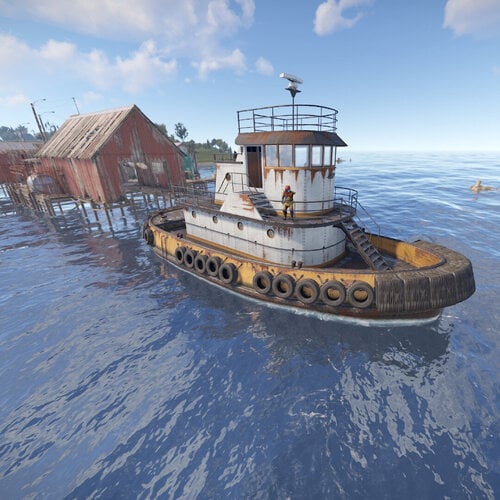 It works perfectly and add something that Facepunch should have natively, the ability to buy tugboats. Great work!!
-
Anyways you are right, I need to get better on the images
-
Version 1.5.3
831 downloads
Ferry Terminal Event A timed fight over the Ferry Terminal. Guards, snipers, drones and zombies hold the monument. The best loot sits in a locked crate, and starting the hack calls in a Chinook full of elite soldiers. Runs on Oxide and Carbon. Needs NpcSpawn. How a round plays out Every two hours by default, the server announces the event. Five minutes later the monument fills up. Guards patrol the yard, snipers hold the rooftops, and a mad scientist waits in the main building with his zombies. Drones circle the terminal. If one spots a player, the alarm goes off and a patrol helicopter comes in and holds the monument. Starting the hack on the locked crate is the point of no return. A Chinook comes in and drops an elite squad on top of whoever is hacking. Looting the hackable crate wins the event. The monument clears five minutes later, so there's still time to grab what's left. If nobody gets that far, the event ends on its own after 90 minutes. What you can change NPCs. Count, health, damage, loadout and skins for guards, snipers, the scientist and the elite squad. Zombies get a count, health and damage. Spawn points. Stand where you want something and type /ftepos. It prints coordinates you paste into the config. Crates. Where military, elite and hackable crates spawn, how many, and how long the hack takes. Reinforcements. Turn the patrol helicopter or the elite squad off if your player base is small. Markers. Map marker, a vending machine marker with a countdown, and visible event borders. PVE servers Two options, and you pick one. PveMode by KpucTaJl is the one I recommend. SimplePVESphere is lighter, just a sphere and an owner. With PveMode, the first player to deal enough damage becomes the event owner, and you decide what everyone else can do: loot crates, hack the locked crate, hurt the NPCs, or even enter the zone. Leave both off and the event is plain PvP. Separate switches stop players outside the zone from damaging the NPCs, the drones or the helicopters, so nobody farms the event from a hill. Rewards and stats Pays out through Economics, ServerRewards or SkillTree XP. You set an amount for each crate, the hackable crate, each NPC kill, each zombie kill and the patrol helicopter. The plugin splits the helicopter reward evenly between everyone in the event. Rewards are off by default, so installing the plugin doesn't start printing currency. Players can check their own numbers with /ftestats, and /ftetop opens a top 20 leaderboard. Notifications Chat, GUIAnnouncements or UINotify. You pick one in the config. There's also a Discord webhook, off by default. Commands Admin chat commands, which need ferryterminalevent.admin: /ftestart starts the event now /ftestop stops it /ftepos prints your position for the spawn point config /fte.admin opens the admin panel For everyone: /ftestats shows your lifetime stats. Admins can add a player name to look someone up. /ftetop opens the leaderboard Console: ftestart [steamID] starts the event. The Steam ID is optional and makes that online player the event owner, which is handy for testing PVE rules. ftestop fte.validate checks your config and reports anything wrong Config you'll probably touch first "Time to run the event every [sec]": 7200, "Duration of the event once it start [sec]": 5400, "Delay after the event start is announce to spawn the event [sec]": 300, "Delay after the event end is announce to despawn the event [sec]": 300, "Start the Event ONLY through command and remove Timer ": false, "Reinforcement: Add a Patrol Helicopter": true, "Reinforcement: Add Elite Squad": true, "Amount of Elite Squad to spawn": 5 Already running KpucTaJl's Ferry Terminal plugin? Both plugins are called FerryTerminalEvent, so they can't load together. The download includes FerryTerminalYacVaguer.cs, a renamed copy that runs alongside his. Install that file instead of FerryTerminalEvent.cs. Its permission is ferryterminalyacvaguer.admin. Requirements NpcSpawn is required. Without it nothing spawns. Everything else is optional. PveMode or SimplePVESphere for PVE rules, Economics, ServerRewards or SkillTree for rewards, and GUIAnnouncements or UINotify for on-screen messages. For plugin developers Two hooks: void OnYVFerryTerminalEventStarted(Vector3 eventCenter, float zoneRadius) void OnYVFerryTerminalEventEnded(Vector3 eventCenter, float zoneRadius, ulong ownerSteamId, List<ulong> participantSteamIds) ownerSteamId is the PveMode owner if there is one, otherwise whoever looted the hackable crate first, otherwise 0. Two API methods: bool IsYVFerryTerminalEventActive() void ResetYVFerryTerminalEventInterval() ResetYVFerryTerminalEventInterval restarts the countdown to the next automatic event, so event manager plugins can stagger events.$20.00- 39 comments
- 6 reviews
-
- 1
-

-
- #ferry terminal
- #pvp/pve
- (and 9 more)
-
Version 1.8.8
1,241 downloads
UAV: Radar Enemies Detection call a F15 to that will activate a radar during a certain period of time where you can be able to see where are the enemies located. This enemies can be represented with different colors and symbols that you can change in the configuration. You have three types of marks - Team mates - NPCs - Other Players (Enemies) The plugin is fully configurable Permissions - uavsignal.admin → all chat/console commands (/uav, /uav <player>, /uav.admin) - uavsignal.use → required to throw the signal grenade. Without it: signal fizzles, item is refunded, "no permission" message. Commands Chat Command - /uav and /uav {steamId} You can send an UAV to you (if you are an admin) or to a player given the Steam Id - /uav.admin to change some configuration on the flight Console Command uav {steamId} You can send an UAV to a player given the Steam Id Ideas on how to make the UAV Spawn in your server 1. Add The UAV in the Market if you have one 2. Add as a part of the Loot in the Raidable Bases or Custom loot 3. Add as a Skill in the Skill Tree Plugin More here 4. Make the UAV part of the /kits 5. Add the UAV in vending machines Skins from the community that you are free to use New Skin https://steamcommunity.com/sharedfiles/filedetails/?id=3720628271 @Dead Nasty https://steamcommunity.com/sharedfiles/filedetails/?id=3248306153 @Mabel https://steamcommunity.com/sharedfiles/filedetails/?id=3233756487 @Mr.Wild https://steamcommunity.com/sharedfiles/filedetails/?id=3247990388Free