
Jump to content

Monster

Creator
  • Posts

    1,103
  • Joined

  • Last visited

  • Days Won

    10

Everything posted by Monster

  1. Monster

    XMenu

    I don't know why you change other languages in lengs. They will be displayed only for those who have this language enabled in the game settings. In the config, do not change anything in the parameter description. You break the config with this and it is recreated.
  2. Monster

    XMenu

    Where are you trying to change the Russian text?
  3. Monster

    XMenu

    You need to change the link to the logo image in the config.
  4. Monster

    XPanelPlus

    It will be in the next update.
  5. Monster

    XPanelPlus

    Server fullness (online) relative to server slots.
  6. Monster

    XPanelPlus

    Sure, no problem. settings for moving to the left side will be in the description.
  7. Monster

    XPanelPlus

    Version 1.1.1

    961 downloads

    XPanelPlus - beautiful info-panel for your server. - Optimization of the interface for different monitor resolutions. - Sound effects when interacting with the panel. - Display of information [ Online | Joins | Time | Sleepers ]. - Display of events [ Airplane, Helicopter, Ship, Chinook, Tank ]. - Display of text information. [ List of messages ] + [ Online | Joins | Time | Sleepers | Queue | Player coordinates ] [ Two options for the location of UI text information ] - Displaying the balance of the economy plugin. [ Economics | IQEconomic ] + [ ServerRewards ] - Ability to hide the panel/button. - Ability to completely remove the panel and buttons from the screen - chat command: /uipanel on/off - Ability to customize panel elements. - The ability to issue access to the panel by permission. - Automatic opening/closing of the panel when issuing/removing a permission to a player. - The panel is automatically hidden when the player is using a computer station, drone or CCTV camera. - Beautiful custom buttons. Settings for the location of the panel on the left side of the screen. Config ---------------------------------------- "GUI settings": { "AnchorMin - panel online": "0 0", "AnchorMax - panel online": "0 0", "OffsetMin - panel online": "210 16", "OffsetMax - panel online": "374 42", "OffsetMax - panel online [ When the Economics/ServerRewards balance panel or the sleep panel is enabled ]": "320 42", "AnchorMin - panel SkillTree": "0 0", "AnchorMax - panel SkillTree": "0 0", "OffsetMin - panel SkillTree": "210 100", "OffsetMax - panel SkillTree": "402 126", "AnchorMin - panel ServerRewards": "0 0", "AnchorMax - panel ServerRewards": "0 0", "OffsetMin - panel ServerRewards": "322 16", "OffsetMax - panel ServerRewards": "374 42", "AnchorMin - panel Economics": "0 0", "AnchorMax - panel Economics": "0 0", "OffsetMin - panel Economics": "322 16", "OffsetMax - panel Economics": "374 42", "AnchorMin - panel events": "0 0", "AnchorMax - panel events": "0 0", "OffsetMin - panel events": "210 44", "OffsetMax - panel events": "402 70", "AnchorMin - panel info": "0 0", "AnchorMax - panel info": "0 0", "OffsetMin - panel info": "210 72", "OffsetMax - panel info": "402 98", "AnchorMin - panel sleep": "1 0", "AnchorMax - panel sleep": "1 1", "OffsetMin - panel sleep": "2 0", "OffsetMax - panel sleep": "54 0", "AnchorMin - minimize button": "0 0", "AnchorMax - minimize button": "0 0", "OffsetMin - minimize button": "376 16", "OffsetMax - minimize button": "402 42", "AnchorMin - buttons": "1 1", "AnchorMax - buttons": "1 1", "OffsetMin - buttons": "0 0", "OffsetMax - buttons": "0 0", "Online progress color": "0.7886275 0.4476471 0.2184314 0.92921569", "Connecting progress color": "0.2986275 0.6076471 0.8384314 0.92921569", "SkillTree progress color": "0.7 0.7 0 0.4", "Panel color": "0.9686275 0.9176471 0.8784314 0.02921569", "Time text size": 13, "Online text size": 13, "ServerRewards balance text size": 11, "Economics balance text size": 11, "Message text size in panel": 11, "Message text size under slots": 12 }, Permissions xpanelplus.use - allow the panel to be used. xpanelplus.usecmd - access to the use of a command that removes the panel and buttons from the screen. Commands /uipanel on/off - completely remove the panel and buttons from the screen. Config { "General settings": { "Enable panel with UI messages": true, "UI message locations - [ True - in the panel above the events | False - under fast slots ]": true, "Enable panel with events and time": true, "Enable panel with SkillTree": false, "SkillTree panel variant. [ True - total XP | False - XP per current level ]": false, "Enable panel with ServerRewards balance": false, "Enable panel with Economics balance": false, "Display economics plugin balance [ True - Economics | False - IQEconomic ]": true, "Enable panel with online": true, "Enable panel with sleep": true, "Enable time in panel": true, "Add the number of queue to the number of connecting players": false, "Enable buttons": true, "List of UI messages": [ "INFO-0 [ ONLINE: {0}/{1} ] INFO-0", "YOUR POSITION: pos", "INFO-1 [ JOINING: {2} ] INFO-1", "INFO-2 [ QUEUE: {3} ] INFO-2", "YOUR POSITION: pos", "INFO-3 [ TIME: {4} ] INFO-3", "INFO-4 [ SLEEPING: {5} ] INFO-4", "YOUR POSITION: pos" ], "Panel update interval with UI messages": 7.5, "Panel update interval with events and time": 20.0, "Panel update interval with online": 12.5, "Panel update interval with ServerRewards balance": 15.0, "Time format - [ HH:mm - 24:00 | hh:mm tt - 12:00 ]": "HH:mm", }, "GUI settings": { "AnchorMin - panel online": "1 0", "AnchorMax - panel online": "1 0", "OffsetMin - panel online": "-402 16", "OffsetMax - panel online": "-238 42", "OffsetMax - panel online [ When the Economics/ServerRewards balance panel or the sleep panel is enabled ]": "-292 42", "AnchorMin - panel SkillTree": "1 0", "AnchorMax - panel SkillTree": "1 0", "OffsetMin - panel SkillTree": "-402 100", "OffsetMax - panel SkillTree": "-210 126", "AnchorMin - panel ServerRewards": "1 0", "AnchorMax - panel ServerRewards": "1 0", "OffsetMin - panel ServerRewards": "-290 16", "OffsetMax - panel ServerRewards": "-238 42", "AnchorMin - panel Economics": "1 0", "AnchorMax - panel Economics": "1 0", "OffsetMin - panel Economics": "-290 16", "OffsetMax - panel Economics": "-238 42", "AnchorMin - panel events": "1 0", "AnchorMax - panel events": "1 0", "OffsetMin - panel events": "-402 44", "OffsetMax - panel events": "-210 70", "AnchorMin - panel info": "1 0", "AnchorMax - panel info": "1 0", "OffsetMin - panel info": "-402 72", "OffsetMax - panel info": "-210 98", "AnchorMin - panel sleep": "1 0", "AnchorMax - panel sleep": "1 1", "OffsetMin - panel sleep": "2 0", "OffsetMax - panel sleep": "54 0", "AnchorMin - minimize button": "1 0", "AnchorMax - minimize button": "1 0", "OffsetMin - minimize button": "-236 16", "OffsetMax - minimize button": "-210 42", "AnchorMin - buttons": "1 1", "AnchorMax - buttons": "1 1", "OffsetMin - buttons": "0 0", "OffsetMax - buttons": "0 0", "Online progress color": "0.7886275 0.4476471 0.2184314 0.92921569", "Connecting progress color": "0.2986275 0.6076471 0.8384314 0.92921569", "SkillTree progress color": "0.7 0.7 0 0.4", "Panel color": "0.9686275 0.9176471 0.8784314 0.02921569", "Time text size": 13, "Online text size": 13, "ServerRewards balance text size": 11, "Economics balance text size": 11, "Message text size in panel": 11, "Message text size under slots": 12 }, "Event settings": { "BradleyAPC": { "Link to event image": "https://i.ibb.co/5L6qYR4/05.png", "Active event color": "1 1 0.5 0.6", "Inactive event color": "0.9 0.9 0.9 0.6" }, "CH47Helicopter": { "Link to event image": "https://i.ibb.co/DCcp6Td/04.png", "Active event color": "0.5 1 1 0.6", "Inactive event color": "0.9 0.9 0.9 0.6" }, "CargoShip": { "Link to event image": "https://i.ibb.co/LvRq2X3/02.png", "Active event color": "0.5 0.5 1 0.6", "Inactive event color": "0.9 0.9 0.9 0.6" }, "BaseHelicopter": { "Link to event image": "https://i.ibb.co/Sf0w95T/03.png", "Active event color": "1 0.5 1 0.6", "Inactive event color": "0.9 0.9 0.9 0.6" }, "CargoPlane": { "Link to event image": "https://i.ibb.co/m6Fvdn1/01.png", "Active event color": "1 0.5 0.5 0.6", "Inactive event color": "0.9 0.9 0.9 0.6" } }, "Button settings": [ { "Button color": "1 1 1 0.9", "Button background color": "0.9686275 0.9176471 0.8784314 0.02921569", "Button background material": "assets/icons/greyout.mat", "Command": "chat.say /store", "Link to image from internet": "", "Link to icon from the game": "assets/icons/open.png" }, { "Button color": "1 1 1 0.9", "Button background color": "0.9686275 0.9176471 0.8784314 0.02921569", "Button background material": "assets/icons/greyout.mat", "Command": "chat.say /kit vip", "Link to image from internet": "", "Link to icon from the game": "assets/icons/community_servers.png" }, { "Button color": "1 1 1 0.9", "Button background color": "0.9686275 0.9176471 0.8784314 0.02921569", "Button background material": "assets/icons/greyout.mat", "Command": "chat.say /kit premium", "Link to image from internet": "", "Link to icon from the game": "assets/icons/market.png" }, { "Button color": "1 1 1 0.9", "Button background color": "0.9686275 0.9176471 0.8784314 0.02921569", "Button background material": "assets/icons/greyout.mat", "Command": "chat.say /shop", "Link to image from internet": "", "Link to icon from the game": "assets/icons/store.png" }, { "Button color": "1 1 1 0.9", "Button background color": "0.9686275 0.9176471 0.8784314 0.02921569", "Button background material": "assets/icons/greyout.mat", "Command": "chat.say /command1", "Link to image from internet": "https://i.ibb.co/7RSrPHd/002.png", "Link to icon from the game": "" }, { "Button color": "1 1 1 0.9", "Button background color": "0.9686275 0.9176471 0.8784314 0.02921569", "Button background material": "assets/icons/greyout.mat", "Command": "chat.say /command2", "Link to image from internet": "https://i.ibb.co/3BF7k9h/004.png", "Link to icon from the game": "" }, { "Button color": "1 1 1 0.9", "Button background color": "0.9686275 0.9176471 0.8784314 0.02921569", "Button background material": "assets/icons/greyout.mat", "Command": "chat.say /command3", "Link to image from internet": "https://i.ibb.co/tJpxQmh/001.png", "Link to icon from the game": "" }, { "Button color": "1 1 1 0.9", "Button background color": "0.9686275 0.9176471 0.8784314 0.02921569", "Button background material": "assets/icons/greyout.mat", "Command": "chat.say /command4", "Link to image from internet": "https://i.ibb.co/J2tkN4Q/003.png", "Link to icon from the game": "" } ] }
    $12.99
  8. Monster

    XPanel

    Version 1.1.0

    24 downloads

    XPanel - beautiful and simple panel for your server. - Optimization of the interface for different monitor resolutions. - The panel displays: online, number of server slots and number of connecting players. - Progress bar. Config { "Panel settings": { "Subtract administrators from the number of online players": false, "AnchorMin": "1 0", "AnchorMax": "1 0", "OffsetMin": "-402 16", "OffsetMax": "-210 42", "Online progress color": "0.7886275 0.4476471 0.2184314 0.92921569", "Connecting progress color": "0.2986275 0.6076471 0.8384314 0.92921569", "Panel color": "0.9686275 0.9176471 0.8784314 0.02921569" } }
    $4.49
  9. Monster

    XMenu

    Something broke. See the ImageLibrary plugin. You may be uploading an image that is too large.
  10. Monster

    XStatistics

    Version 2.1.18

    702 downloads

    XStatistics - statistics for your server. - Optimization of the interface for different monitor resolutions. - Storing player data in - oxide/data/XDataSystem/XStatistics or MySQL or SQLite. - There is a lang ru/en/uk/es. - Sound effects when interacting with the menu. - UI settings in the configuration. - Display TOPs in game chat. - Ability to customize the privacy of the default statistics. - Ability to delete a player's stats after they have been banned. - Ability to customize grades of building blocks. [ To be recorded in statistics. ] - Ability to add a player to the blacklist. [ Player's statistics will not be displayed in the TOPs and will not be available to other players. ] - Ability to use MySQL or SQLite database. - Ability to automatically give awards and clear data after a WIPE. [ Settings in the configuration. ] [ Plugin economics or any other. Also [ RU ] GameStores. ] - A player can hide/open his statistics. [ Need permission. ] - A player can view the statistics of other players. [ Need permission. ] - A player can reset their statistics to zero. [ Need permission. ] - The player can view the entire list of players and search. [ Need permission. ] - Creating an unlimited number of categories, subcategories and pages. - Creating custom TOPs, coefficients and awards. [ Unlimited number. ] - Various admin commands to manage player statistics. - Support and compatibility with many plugins. - Server events (Bradley, Chinook, and Patrol Helicopter) count as stats for the player who did the most damage. - Checking OwnerID of Building blocks, Constructions and other entities. - Ability to create a Global TOP of your project. [ For this purpose it is enough to enter MySQL data and server name into the configuration.] [ This TOP can be disabled in the configuration and only the TOP players of the server can be used. Or you can use two TOPs at the same time! ] - Ability to use pages for categories with subcategories. - Administrator Mode. [ View hidden player stats, open player search and more ]. - Automatic deletion of statistics of players who have not logged connection the server for N days. - Ability for players to disable messages with the TOP players in chat. If your server is visited by more than 500 players, it is recommended to use SQLite or MySQL. Statistics were tested on a server with 120 online and 5000 players in the database. Excellent result on optimization. To display player avatars you need to customize the configuration of the ImageLibrary plugin! What are the statistics at this point? Global TOP data is manually deleted from the MySQL database. [ It is important that the servers are turned off so that online players data is not written to the database ]. Or after all servers are wiped, run the command - player_stats_reset globaldata null - on one of the servers. [ Also take into account the servers parameters, for a fair TOP they should be the same! ] Shortnames to customize statistics Permissions xstatistics.use - access to the statistics menu. xstatistics.top - access to the TOPs of subcategories. xstatistics.coefficients - access to view the coefficients. xstatistics.player - access to view player statistics, player list and player search. xstatistics.resetwipe - access to the ability for a player to reset his statistics - WIPE. xstatistics.resetall - access to the ability for a player to reset his statistics - ALL TIME. xstatistics.shstats - access to the ability to hide/open your statistics. [ If the permission has been revoked, the statistics privacy will automatically change to default. ] xstatistics.admin - access to admin mode. Commands /stat, /stats, /statistic, /statistics - to open the statistics menu. [ Commands can be changed in the config. ] Server console --- Admin commands. stats_ct <customTopName> - to see the top players. [ Custom TOP. ] stats_t <subcategoryName> - to see the top players. [ TOP subcategory. ] player_stats_reset statswipe <steamID> - to reset a player stats to zero - WIPE. player_stats_reset statsall <steamID> - to reset a player stats to zero - ALL TIME. player_stats_reset all <steamID> - to reset a player stats to zero - WIPE and ALL TIME. player_stats_reset global <steamID> - delete a player from the database Global TOP. [ Player must be offline! ] player_stats_reset globaldata null - Delete data from a table in a MySQL database - Global TOP. [ Use this command after all of your servers have been wiped. ] [ The command can be used on any of the Global TOP servers. ] player_actstats global true/false - change statistics privacy for all players. player_actstats <steamID> true/false - change statistics privacy for a player. stats_give_award - start giving out awards for TOPs. stats_clear_data_wipe - to clear all statistics - WIPE. [ Same as after a server wipe ] API - void API_AddSubcategoryValue(BasePlayer player, string subcategoryName, long amount) - Add a value for the subcategory. player - must be online and not equal to null. - void API_SetSubcategoryValue(BasePlayer player, string subcategoryName, long amount) - Set a value for the subcategory. player - must be online and not equal to null. - bool API_CheckForSubcategory(ulong userID, string subcategoryName) - Check if a subcategory exists. - long API_GetSubcategoryValue(ulong userID, string subcategoryName) - Get the subcategory value. Config
    $45.99
  11. Version 1.0.7

    69 downloads

    XTransportPrivat - private transport for your server - PvP/PvE. Transport limit. - Optimization of the interface for different monitor resolutions. - Storing player data in - oxide/data/XDataSystem/XTransportPrivat - There is a lang ru/en/uk/es. - Sound effects. - Ability to set up a limited number of private vehicles per player. [ You can set a total limit on the number of transport per player ] - Possibility to prohibit unprivatize transport. - The ability to prohibit interaction with non-private transport if the limit is reached. [ Settings in config ] - The ability to allow players to board the TAXI module without restrictions. [ Settings in config ] - It is forbidden to loot private vehicles. - It is forbidden to push private vehicles and lead a horse. [ Allowed in the area of your closet. For moments with blocking the passage and other obstacles to the game. ] - Transport can only be privatized within the range of your cupboard or anywhere on the map. You just need to get into the transport. - You can unprivatize a transport by hitting it with a mallet only in the area of action of someone else's cupboard or anywhere on the map. There is a list of trusted players. [ The player can add to this list those players whom he trusts and who are not in his team (green). ] - A tugboat can only be privatized when the transport privatization option is selected in the config: False - anywhere as soon as the player gets into a non-private transport. -> Overview - YouTube <- Commands /privatplayer - interaction with the trusted list. Config { "General settings": { "Use private transport limit": false, "Allow unprivatize transport": true, "Privatize transport option - [ True - only in the area of your cupboard | False - anywhere as soon as the player gets into a non-private transport ]": true, "Unprivatize transport option - [ True - only in the area of action of someone else's cupboard | False - anywhere ]": true, "Forbid buying a horse if the limit is reached": false, "Prohibit getting into non-private transport if the limit is reached": false, "Forbid leading a non-private horse if the limit is reached": false, "Allow to lead a non-private horse in the area of your cupboard. [ If prohibited by paragraph above ]": false, "Prohibit pushing non-private transport if the limit is reached": false, "Allow pushing non-private transport within the range of your cupboard. [ If prohibited by paragraph above ]": false, "Allow players to board the TAXI module without restrictions": true, "Transport limit setting - [ Change value only ]": { "kayak": 2, "rowboat": 2, "rhib": 1, "tugboat": 1, "testridablehorse": 3, "2module_car_spawned.entity": 1, "3module_car_spawned.entity": 1, "4module_car_spawned.entity": 1, "minicopter.entity": 2, "attackhelicopter.entity" : 1, "scraptransporthelicopter": 1, "submarinesolo.entity": 2, "submarineduo.entity": 1, "sled.deployed": 3, "sled.deployed.xmas": 3, "snowmobile": 1, "tomahasnowmobile": 1 } } }
    $16.99
  12. Monster

    XPrison

    We are all saving money for Tesla. )
  13. Monster

    XPrison

    Version 1.0.10

    189 downloads

    XPrison - prison for your server. - Optimization of the interface for different monitor resolutions. - Storing player data in - oxide/data/XDataSystem/XPrison - There is a lang ru/en/uk/es. - Sound effects when interacting with the menu. - Ability to create a prison using the CopyPaste plugin or a custom prefab created in RustEdit. [ To use a prefab as a prison, you need to specify its coordinates in the config ] [ The prison is protected from any kind of damage. ] - Adjustment of attires for the prisoner. - Setting nicknames for prisoners. [ Random prefix with nickname in chat ] - Setting allowed console and chat commands. [ The rest will be blocked ] - Radio tuning for prisoners. [Detailed settings in the spoiler] - The ability to send the player to life or temporary imprisonment. - Two options for serving a temporary sentence: Online. [ The player needs to spend his entire term online in prison ] By date (offline). [ The player will be released after the specified time. He can go offline and wait offline for the end of the term ] - The ability to add prisoners even if they have never been on the server or on the date. [ A file with the prisoner's data will be automatically created ] - The ability to block slots with clothes. [ To prevent the prisoner from taking off his uniform ] - Automatic release of prisoners at the end of the term. - Block damage to prisoners. - As spawners for prisoners, the - "Tesla Coil" is used. [ If there are no spawners, then the prisoners will spawn around the map, but will not be able to farm and deal damage. There will be appropriate warnings in the server console ] - As a spawner for admins is used - "Press Plate". - "Igniter" is used as spawners for visitors. - Various chat notifications. [ Sending to the prisonand release. The duration of the term. ] - An admin or a player with a permit is not subject to various prison restrictions. - The ability to teleport a prisoner to prison (clear his inventory). [ Or kill the prisoner and he will respawn in prison ] - Ability to teleport prisoner from prison to Outpost or Bandit Camp (clear his inventory) [ Or kill the prisoner and he will respawn on the beach ] - If a prisoner is teleported to and from prison, without clearing his inventory, then you can arrange a quest for them: If you survive in prison, you can save your loot, as well as the loot that you got from other prisoners in prison. - Mini game. The prisoner can press buttons and reduce his time of detention. [ Useful for prisoners who are serving time online ] - Mini game 2. The prisoner can recycle items inside the zone and reduce his time of imprisonment. - Ability to automatically spawn entities(stone, barrels, etc.) inside the prison. [ When the player breaks them, they will appear automatically after N seconds. ] - Ability to link a prison to a monument. [ Just set it up once and it's automatic from there! ] Important! There must already be a building on the monument! And also all elements of the prison OwnerID must be 100001. You can spawn buildings on monuments with the plugin - MonumentAddons You can get the prison file for the CopyPaste plugin from the developer after purchase. -> Overview - YouTube <- Permissions xprison.admin - access to admin functionality. [ Not required for admin player ] xprison.visitor - access to visiting the prison for ordinary players. xprison.prisonposset - access to the /prisonposset command. Commands /zonaloc - find out your coordinates and the coordinates of the prison. /zonaloc1 - get coordinates relative to the monument. [ To link the prison to the monument. ] /tpzona - teleport to the prison. [ For Administrators/Visitors ] /zona - check the length of the term. /zonamenu - open the prisoner management menu. /prisonposset false/true - change the prison coordinates in the configuration. ( The player current coordinates are used. false/true - reload the plugin after changing the coordinates. ) /entspawn cfg-key sec - spawn an entity inside the prison with an appearance interval. /entkill - delete a custom entity. [ You have to look at it. ] cmd_prisoner add <SteamID [ 76561100000000000 ]> <Life imprisonment [ True / False ]> <Term duration [ 3600 ]> <Option to serve time [ True - online / False - by date (possibly offline.) ]> - send to the player's zone. ( Regardless of online player or offline ) cmd_prisoner remove <SteamID [ 76561100000000000 ]> false 0 - release the prisoner. ( Regardless of online player or offline ) [ You can, for example, give the opportunity to redeem yourself through the store ] API bool API_IsOnlinePrisoner(ulong userID) - return TRUE/FALSE if the online player is a prisoner. void API_AddOnlinePrisoner(BasePlayer prisoner, bool life - Life imprisonment [ True / False ], int duration - Term duration [ 3600 ]) - send an online player to the zone. void API_RemoveOnlinePrisoner(BasePlayer prisoner) - free online prisoner. bool API_IsOfflinePrisoner(ulong userID) - return TRUE/FALSE if the offline player is a prisoner. void API_AddOfflinePrisoner(BasePlayer prisoner, bool life - Life imprisonment [ True / False ], int duration - Term duration [ 3600 ]) - send an offline player to the zone. void API_RemoveOfflinePrisoner(ulong userID) - free offline prisoner. string API_GetOnlinePrisonerPrefix(BasePlayer player) - return the prisoner's online prefix. Config { "General settings": { "Profile SteamID for custom avatar": 0, "List of allowed console commands on the prison": [ "global.respawn" ], "List of allowed chat commands in the prison": [ "zona" ] }, "Settings prison": { "Prison location coordinates": { "x": 1000.0, "y": 700.0, "z": 0.0 }, "Prison file name for the CopyPaste plugin": "zona606", "Diameter from the point you specify to search for prison structures, spawners, and more": 35.0, "Automatically turn on the boombox after the prison spawns": true, "Use the CopyPaste plugin for the prison [ True - CopyPaste | False - the prison location point you specified, you can use a custom prefab or build the prison manually ]": true, "Allow regular players to visit the prison": false, "Allow ordinary players to visit the prison only with an empty inventory": true }, "Prisoner settings": { "Lock the clothing slots": true, "Lock the slots on the belt": false, "Lock inventory slots": false, "Lock clothing items - [ Player will not be able to discard them ]": true, "Use a nickname prefix for the prisoner - [ Set to False if the prefix should be disabled or the prefix is used by a third party chat plugin ]": true, "Link to prisoner lock screen image": "https://i.imgur.com/SZoYTLt.png", "Layer UI lock screen image - [ Overlay | Hud ]": "Hud", "Use screen lock": false, "Do not kill the prisoner when he enters the prison, but simply teleporting": false, "When a prisoner is teleported to prison, clear his inventory": false, "Do not kill the prisoner when he is released from prison, but simply teleporting to the Outpost or Bandit Camp": false, "When a prisoner teleports out of prison, clear his inventory": false, "[ Mini-game ] Allow prisoners to shorten their time by pressing buttons inside the prison": true, "[ Mini-game ] For pressing one button, how many seconds to reduce the term of imprisonment": 1, "[ Mini-game 2 ] Allow inmates to reduce their incarceration time by recycling items inside the prison": true, "[ Mini-game 2 ] List of items and number of seconds": { "rock": 1 }, "List of prisoner's attires [ Shortname - SkinID ]": { "burlap.headwrap": 2655848185, "burlap.shirt": 2655843517, "burlap.trousers": 2655838948 }, "List of prisoner nicknames": [ "Schellen", "Schilten", "Espadas", "Bastos", "Oros", "Denari", "Rosen", "Copas", "Herz", "Eichel", "Kule", "Laub", "Zelený", "Grün" ] } }
    $34.99
  14. Monster

    XPrison

    Where Tesla Coils will spawn prisoners. Where the pressure plate is, this is the point for teleporting the administrator to the prison. You can see everything on the video.
  15. Monster

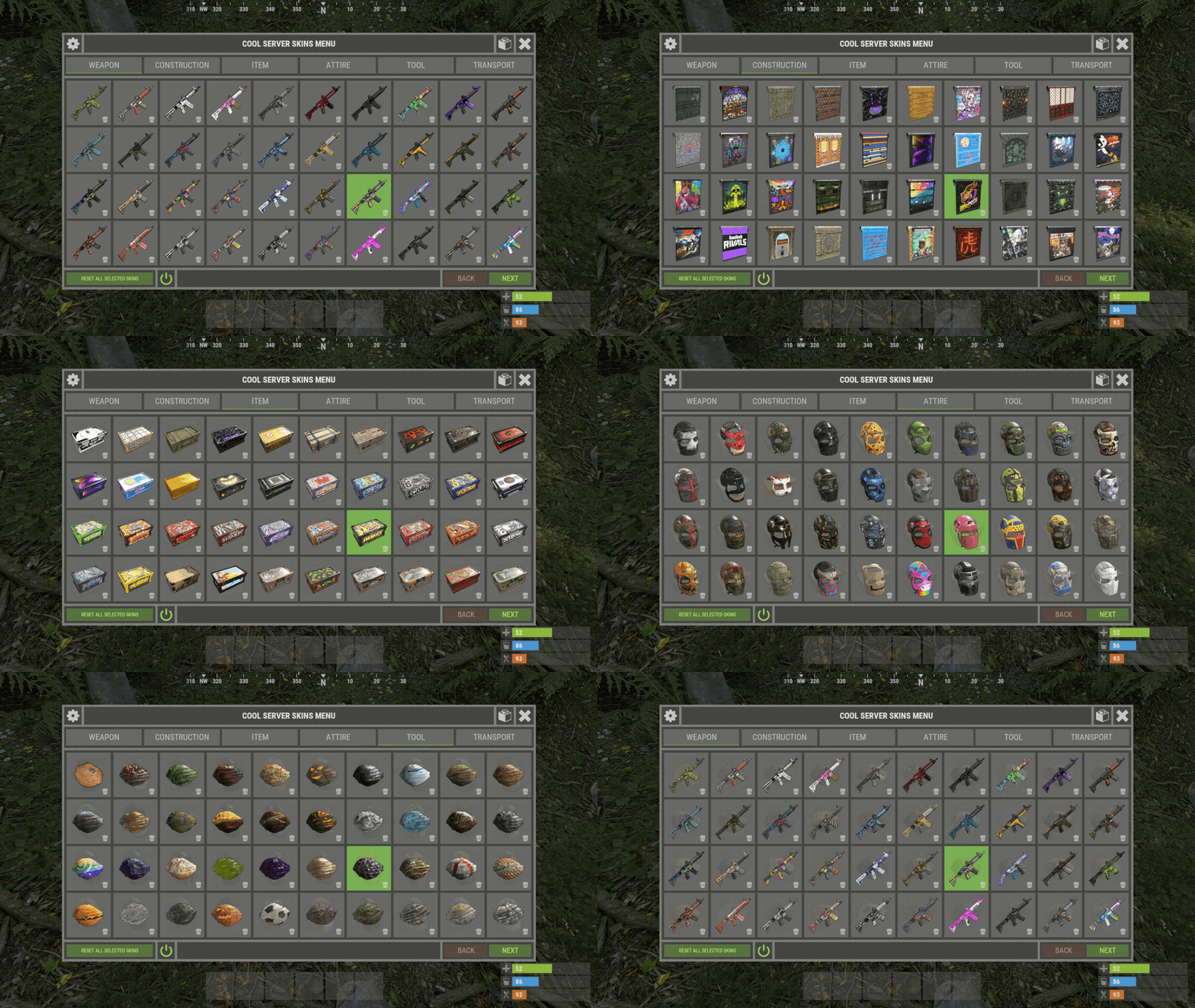
    XSkinMenu

    Hello. Yes, all skins ever added to the game are loaded automatically.
  16. Monster

    XStorageUP

    Yes. In the range of lines 371 - 415.
  17. Hello. I will make a garter for this plugin. And so I tie to my plugins custom NPC stores that have not yet been released. He is somewhat similar to the Human NPC.
  18. In the next update I will add an increase in the number of XP.
  19. Coupon / Talon
  20. Monster

    XBarrelEvent

    A harmless hook. Most likely, many entities were destroyed at the same time. Or your server is frozen for some unknown reason.
  21. Monster

    XBarrelEvent

    Get help where you bought the plugin. Otherwise, I regard it as using a drain plugin.
  22. Monster

    XBarrelEvent

    I don't see you buying a plugin.
  23. Monster

    XStorageUP

    I do not think that you may have any problem. You can remove one line of code and then simply reloading the plugin will apply the saved changes, and not only after restarting the server.
  24. Version 1.1.14

    337 downloads

    XLevels (BattlePass) - levels and awards for your server. - Optimization of the interface for different monitor resolutions. - Storing player data in - oxide/data/XDataSystem/XLevels - There is a lang ru/en/uk/es. - Sound effects when interacting with the menu. - Setting the number of levels and XP to increase the level. - Setting up the level reward. [ Item, Custom Item, Command ] [ You can customize the rewards for a specific level. For example 5, 10, 20, 30. The rest will be without rewards ] - Configuring the issuance of XP by permissions for online. - Setting the XP multiplier by permissions. - Setting up coupons. [ Exchange for XP ] - Configuring boxes and the chance to spawn coupons. - Configuring the issuance of XP. [ Loot, kill, break barrels, open boxes, pick from the ground, harvest ] - Possibility to enable/disable the system of coupons. - Possibility to enable/disable VIP levels. - Chat prefix with player level. - Mini-panel with pumping progress. - Inventory with received awards. - Two options to get into the level menu. [ Command | NPC shops/keepers ] - Setting the increase in the amount of required XP with each pumped level. - The ability to accumulate XP if the maximum level is reached. [ Useful for top players ] - The ability to exchange coupons for XP if the maximum level is reached. [ Useful for top players ] - Top players. [ Level | XP ] - The ability to level up and receive rewards again after the maximum level has been reached. [Level and XP reset to zero. ] - Rank system. [ Setting in config. Display in the chat (prefix) and in the menu. ] - Possibility to hide the reward. [ The reward will not be displayed until the player reaches the required level. ] -> Overview - YouTube <- Shortnames for config settings. WORK WITH BetterLoot For the correct spawning of coupons in the crate, in the BetterLoot plugin, remove/comment out the following line of code. 630 - container.inventory.capacity = container.inventory.itemList.Count; Permissions xlevels.vip - access to VIP rewards. xlevels.top - access to the top players. Commands Open the level menu - /level, /lvl, /pass Give XP - level_give_xp <SteamID> <Amount XP> API int API_GetLevel(BasePlayer player) - returns the player's level. int API_GetLevel(ulong userID) - returns the player's level. void API_GiveXP(BasePlayer player, float XPAmount) - give the player XP. string API_GetPlayerPrefix(BasePlayer player) - get a ready-made player prefix with all the settings. string API_GetPlayerPrefix(ulong userID) - get a ready-made player prefix with all the settings. Config { "General settings": { "XP for the pickup of resources": true, "XP for harvest": true, "XP for bonus resources": true, "XP for kill": true, "XP for opening crates": true, "Include messages of received rewards in chat": true, "Include level up messages in chat": true, "Enable coupons": true, "Enable VIP rewards": true, "Get VIP reward - [ True - only with permission | False - without permission ]": true, "Take VIP Reward - [ True - take only with permission | False - take at any time without permission ]": true, "Add XP if the maximum level is already reached - [ Suitable for top players ]": false, "Exchange coupons if you have already reached the maximum level - [ Suitable for top players ]": false, "Reset the level and XP of the player after reaching the maximum level - [ Players will re-open levels and receive rewards ]": false, "There is a plugin for custom loot": false, "Profile SteamID for custom avatar": 0, "List of commands to open the menu": [ "level", "lvl", "pass" ], "Enable prefix in chat - [ Set to False if the prefix should be disabled or the prefix is used by a third party chat plugin ]": true, "Display the level in prefix": true, "Display the rank in prefix": true, "List of available ranks - [ Level - Rank ] ( If the list is empty, then the rank will not be displayed in the menu )": { "0": "CAP-Х", "1": "IRON-1", "2": "IRON-2", "3": "IRON-3", "4": "BRONZE-1", "5": "BRONZE-2", "6": "BRONZE-3", "7": "SILVER-1", "8": "SILVER-2", "9": "SILVER-3", "10": "GOLD-1", "11": "GOLD-2", "12": "GOLD-3", "13": "PLATINUM-1", "14": "PLATINUM-2", "15": "PLATINUM-3", "16": "DIAMOND-1", "17": "DIAMOND-2", "18": "DIAMOND-3", "19": "IMMORTAL-1", "20": "IMMORTAL-2", "21": "IMMORTAL-3", "22": "RADIANT-1", "23": "RADIANT-2", "24": "RADIANT-3", "25": "GOD" } }, "Vendings settings": { "Open the level menu. [ True - Immediately after the opening of the NPC shop | False - UI button ]": false, "Access to the level menu is only through the NPC shops. [ True - NPC shop | False - Command ]": false, "List of NPC shops in which you can open the level menu (shop name)": [ "Black Market" ] }, "XP multiplier": { "Enable XP multiplier when exchanging coupons - [ This parameter affects only the multipliers for the exchange of coupons ]": false, "Setting up permissions for XP multipliers for the exchange of coupons and other actions. [ Permission | XP multiplier ]": { "xlevels.125p": 2.25, "xlevels.75p": 1.75, "xlevels.10p": 1.1 } }, "Issuing XP for online": { "Enable issuing XP to online players": false, "XP issue interval (in sec.)": 15.0, "Setting up permissions. [ Permission | XP ]": { "xlevels.default": 5.0 } }, "Mini-bar location / Main menu settings": { "AnchorMin": "1 0", "AnchorMax": "1 0", "OffsetMin": "-403 16", "OffsetMax": "-210 42", "Show mini-bar": true, "Color background_1": "0.517 0.521 0.509 0.95", "Color background_2": "0.217 0.221 0.209 0.95", "Display reward container - [ True - Only when there is a reward in the level | False - Always ]": false, "Display required reward level": true, "Display required VIP reward level": true }, "Settings levels": { "Maximum level": 25, "Number of XP to upgrade one level": 100.0, "How much to increase the number of XP with each level": 25.0 }, "XP settings | Shortname : ValueXP": { "XP for the pickup of resources": { "stones": 10.0, "sulfur.ore": 15.0, "metal.ore": 12.5 }, "XP for harvest": { "potato.entity": 2.5, "corn.entity": 1.75, "hemp.emtity": 0.25 }, "XP for bonus resources": { "stones": 5.0, "sulfur.ore": 10.0, "metal.ore": 7.5 }, "XP for kill / destroy barrel": { "boar": 10.0, "loot-barrel-1": 7.5, "heavyscientist": 2.5 }, "XP for opening crates": { "crate_normal": 5.0, "crate_normal_2": 1.0, "crate_tools": 3.5 } }, "Coupons for XP": [ { "Coupon name": "Coupon 5XP", "Coupon text": "Coupon for 5XP\n\nExchange them and get XP to level up!\n\nCommand for exchange - /level", "Coupon skin": skinID, "XP amount": 5, "Setting the chance of falling out of crates/barrels": [ { "Name crate/barrel": "crate_normal_2", "Drop chance": 50.0, "Minimum amount of coupons": 1, "Maximum number of coupons": 3 } ] }, { "Coupon name": "Coupon 10XP", "Coupon text": "Coupon for 10XP\n\nExchange them and get XP to level up!\n\nCommand for exchange - /level", "Coupon skin": skinID, "XP amount": 10, "Setting the chance of falling out of crates/barrels": [ { "Name crate/barrel": "crate_normal_2", "Drop chance": 50.0, "Minimum amount of coupons": 1, "Maximum number of coupons": 3 } ] }, { "Coupon name": "Coupon 25XP", "Coupon text": "Coupon for 25XP\n\nExchange them and get XP to level up!\n\nCommand for exchange - /level", "Coupon skin": skinID, "XP amount": 25, "Setting the chance of falling out of crates/barrels": [ { "Name crate/barrel": "crate_normal_2", "Drop chance": 50.0, "Minimum amount of coupons": 1, "Maximum number of coupons": 2 } ] }, { "Coupon name": "Coupon 50XP", "Coupon text": "Coupon for 50XP\n\nExchange them and get XP to level up!\n\nCommand for exchange - /level", "Coupon skin": skinID, "XP amount": 50, "Setting the chance of falling out of crates/barrels": [ { "Name crate/barrel": "crate_normal_2", "Drop chance": 50.0, "Minimum amount of coupons": 1, "Maximum number of coupons": 2 } ] }, { "Coupon name": "Coupon 100XP", "Coupon text": "Coupon for 100XP\n\nExchange them and get XP to level up!\n\nCommand for exchange - /level", "Coupon skin": skinID, "XP amount": 100, "Setting the chance of falling out of crates/barrels": [ { "Name crate/barrel": "crate_normal_2", "Drop chance": 50.0, "Minimum amount of coupons": 1, "Maximum number of coupons": 1 } ] }, { "Coupon name": "Coupon 200XP", "Coupon text": "Coupon for 200XP\n\nExchange them and get XP to level up!\n\nCommand for exchange - /level", "Coupon skin": skinID, "XP amount": 200, "Setting the chance of falling out of crates/barrels": [ { "Name crate/barrel": "crate_normal_2", "Drop chance": 50.0, "Minimum amount of coupons": 1, "Maximum number of coupons": 1 } ] }, { "Coupon name": "Coupon 500XP", "Coupon text": "Coupon for 500XP\n\nExchange them and get XP to level up!\n\nCommand for exchange - /level", "Coupon skin": skinID, "XP amount": 500, "Setting the chance of falling out of crates/barrels": [ { "Name crate/barrel": "crate_normal_2", "Drop chance": 50.0, "Minimum amount of coupons": 1, "Maximum number of coupons": 1 } ] } ], "Level reward": { "1": { "Item shortname / custom reward name [ Must not be empty ]": "wood", "Reward display name": "Wood", "Item quantity": 1250, "Item skin": 0, "Command": "", "Link to custom image": "", "Hide reward - [ Reward will not be displayed until the player reaches this level ]": false }, "2": { "Item shortname / custom reward name [ Must not be empty ]": "charcoal", "Reward display name": "Charcoal", "Item quantity": 1500, "Item skin": 0, "Command": "", "Link to custom image": "", "Hide reward - [ Reward will not be displayed until the player reaches this level ]": false }, "3": { "Item shortname / custom reward name [ Must not be empty ]": "metal.ore", "Reward display name": "Metal ore", "Item quantity": 1000, "Item skin": 0, "Command": "", "Link to custom image": "", "Hide reward - [ Reward will not be displayed until the player reaches this level ]": false }, "4": { "Item shortname / custom reward name [ Must not be empty ]": "metal.fragments", "Reward display name": "Metal fragments", "Item quantity": 750, "Item skin": 0, "Command": "", "Link to custom image": "", "Hide reward - [ Reward will not be displayed until the player reaches this level ]": false }, "5": { "Item shortname / custom reward name [ Must not be empty ]": "sulfur.ore", "Reward display name": "Sulfur ore", "Item quantity": 500, "Item skin": 0, "Command": "", "Link to custom image": "", "Hide reward - [ Reward will not be displayed until the player reaches this level ]": false }, "6": { "Item shortname / custom reward name [ Must not be empty ]": "sulfur", "Reward display name": "Sulfur", "Item quantity": 300, "Item skin": 0, "Command": "", "Link to custom image": "", "Hide reward - [ Reward will not be displayed until the player reaches this level ]": false }, "7": { "Item shortname / custom reward name [ Must not be empty ]": "gunpowder", "Reward display name": "Gunpowder", "Item quantity": 400, "Item skin": 0, "Command": "", "Link to custom image": "", "Hide reward - [ Reward will not be displayed until the player reaches this level ]": false }, "8": { "Item shortname / custom reward name [ Must not be empty ]": "hq.metal.ore", "Reward display name": "HQM ore", "Item quantity": 25, "Item skin": 0, "Command": "", "Link to custom image": "", "Hide reward - [ Reward will not be displayed until the player reaches this level ]": false }, "9": { "Item shortname / custom reward name [ Must not be empty ]": "metal.refined", "Reward display name": "HQM", "Item quantity": 20, "Item skin": 0, "Command": "", "Link to custom image": "", "Hide reward - [ Reward will not be displayed until the player reaches this level ]": false }, "10": { "Item shortname / custom reward name [ Must not be empty ]": "scrap", "Reward display name": "Scrap", "Item quantity": 50, "Item skin": 0, "Command": "", "Link to custom image": "", "Hide reward - [ Reward will not be displayed until the player reaches this level ]": false } }, "VIP level reward": { "1": { "Item shortname / custom reward name [ Must not be empty ]": "wood", "Reward display name": "Wood", "Item quantity": 1250, "Item skin": 0, "Command": "", "Link to custom image": "", "Hide reward - [ Reward will not be displayed until the player reaches this level ]": false }, "2": { "Item shortname / custom reward name [ Must not be empty ]": "charcoal", "Reward display name": "Charcoal", "Item quantity": 1500, "Item skin": 0, "Command": "", "Link to custom image": "", "Hide reward - [ Reward will not be displayed until the player reaches this level ]": false }, "3": { "Item shortname / custom reward name [ Must not be empty ]": "metal.ore", "Reward display name": "Metal ore", "Item quantity": 1000, "Item skin": 0, "Command": "", "Link to custom image": "", "Hide reward - [ Reward will not be displayed until the player reaches this level ]": false }, "4": { "Item shortname / custom reward name [ Must not be empty ]": "metal.fragments", "Reward display name": "Metal fragments", "Item quantity": 750, "Item skin": 0, "Command": "", "Link to custom image": "", "Hide reward - [ Reward will not be displayed until the player reaches this level ]": false }, "5": { "Item shortname / custom reward name [ Must not be empty ]": "sulfur.ore", "Reward display name": "Sulfur ore", "Item quantity": 500, "Item skin": 0, "Command": "", "Link to custom image": "", "Hide reward - [ Reward will not be displayed until the player reaches this level ]": false }, "6": { "Item shortname / custom reward name [ Must not be empty ]": "sulfur", "Reward display name": "Sulfur", "Item quantity": 300, "Item skin": 0, "Command": "", "Link to custom image": "", "Hide reward - [ Reward will not be displayed until the player reaches this level ]": false }, "7": { "Item shortname / custom reward name [ Must not be empty ]": "gunpowder", "Reward display name": "Gunpowder", "Item quantity": 400, "Item skin": 0, "Command": "", "Link to custom image": "", "Hide reward - [ Reward will not be displayed until the player reaches this level ]": false }, "8": { "Item shortname / custom reward name [ Must not be empty ]": "hq.metal.ore", "Reward display name": "HQM ore", "Item quantity": 25, "Item skin": 0, "Command": "", "Link to custom image": "", "Hide reward - [ Reward will not be displayed until the player reaches this level ]": false }, "9": { "Item shortname / custom reward name [ Must not be empty ]": "metal.refined", "Reward display name": "HQM", "Item quantity": 20, "Item skin": 0, "Command": "", "Link to custom image": "", "Hide reward - [ Reward will not be displayed until the player reaches this level ]": false }, "10": { "Item shortname / custom reward name [ Must not be empty ]": "scrap", "Reward display name": "Scrap", "Item quantity": 50, "Item skin": 0, "Command": "", "Link to custom image": "", "Hide reward - [ Reward will not be displayed until the player reaches this level ]": false } } }
    $24.49

About Us

Codefling is the largest marketplace for plugins, maps, tools, and more, making it easy for customers to discover new content and for creators to monetize their work.

Downloads
2.4m
Total downloads
Customers
10.8k
Customers served
Files Sold
156.3k
Marketplace sales
Payments
3.3m
Processed total
×
×
  • Create New...

Important Information

We have placed cookies on your device to help make this website better. You can adjust your cookie settings, otherwise we'll assume you're okay to continue.