

PistOffBastd
-
Posts
126 -
Joined
-
Last visited
Content Type
Profiles
Warranty Claims
Downloads
Forums
Store
Services
Downloads Plus Support
DOWNLOADS EXTRA
Reels
Everything posted by PistOffBastd
-
 Here are a few of my findings when it comes to the warping bots. This does not mean that what i did will fix your problem. Im simply sharing a little info that might help. My bots were warping 1-2 meters after they stop then retuning to a walk. They were elevating to roof tops and all sorts of wacky behavior. Some monuments still wont use custom spawns and some monuments will only populate when chuting is turned on. One in particular requires no custom spawns and chuting to populate. Some custom spawns (stationary) were even found grids away hovering in mid air. I use BRS and Random Raids, so i want them both to work, so far that has been illusive. Change the Game Mode: server.gamemode"" takes the server out of vanilla and into survival game mode NavMesh Arguments: -useNewNavmesh BRS bots behave correctly, RandomRaids, cant find spawn points +useNewNavmesh BRS Bots warp RandomRaids works correctly no navmesh argument at all BRS Bots warp Random Raid bots warp and pass through walls If any of you also use both and they both work, please share some info on your fix. Good Luck Pist
 -
Thanks for the fix! Who knows, in the end, this may all be worth it. Their new navmesh may open the door to new possibilities . A BRS expansion pack for the Deep Sea may be an opportunity to turn those floating cities into combat towns. one day.
-
Tbird, are your custom spawns not working at some locations (cant find enough spawn points for Underground Cave 5, or the like? Im also seeing NPCs in the desert that are custom stationary spawns on harbor towers. If there on the ground, the warp up on top of anything they walk under, and if there on say the third floor of a building, in no time they warp up to the roof. All of the invisible bots ive seen since wipe were stationary customs that were under ground, sewerbranch, airfield ect. Some custom undergrounds work, some, if enabled stop the monument spawns completely. The only way i can get BRS NPCs at outpost is to parachute them in. Ground spawns wont work. Im sure Steen is worn out with it, it seems like every time our Devs get something running right for us, FP just wrecks them. and everyone else. https://maps.coriumhardcore.com/Player Signs/BRS.mp4
-
Steen Since FP elevated some of the monuments, there is one in particular that cant find spawnpoints. "cave_hard_sewers_large" is the monument, BRS uses the profiles Underground Cave 0 thru 8. Despite my sincerest efforts, I cant get my NPCs back down there. When relocating all of the items from Monument Addons back into position, FP added 30m of elevation to the monument, if this helps at all. Ive got a pretty decent home made monument built down there, hopefully you can help me out with this. Thanks Pist
-
 Would you consider an option to delete this prefab? "assets/bundled/prefabs/deepsea/deepseasignalcomputer.prefab" Its basically a free airdrop that im sure some of up would like to be rid of. Thanks for you work.
 -
Been trying everything to get them onto the floating cities, there's no nav mesh on them, I can get the spawn points to create ,but cant get them to populate. This will be huge for the deep sea, thanks Steen, can wait to see what you come up with.
-
 And even if you take it to this extreme, [AlphaLoot] The item autoturret was not found in any loot profiles They will build a wall of shotgun traps, There really needs to be an option to make them trap and turret safe so that the players have to defend the raid, un assisted and within TC/ Building priv distances, because you'll also find they will build a 1x1 and farm the raid from 100m away. Raz has a great Plugin, but players cheese it, and its frustrating.
 -
 Excellent plugin, thank you for making it, Very handy for modding procedural maps.
 -
Razor, the next time you have to do a little work on this one, would you consider an option on range, where you cant hurt the NPCs beyond xxx, or where you have to be withn building priv? Without that there cheesing the raid defense with an armored 1x1 and killing them from 2-300m away.
-
@Rusty Hook Do it like this, its in the config file: "Spawn kits for the npcs": [ "NPCRAIDER_L1_1", "NPCRAIDER_L1_2", "NPCRAIDER_L1_3", "NPCRAIDER_L1_4", "NPCRAIDER_L1_5", "NPCRAIDER_L1_6" ],
-
-
Just an FYI, If you turn them on, you'll find that your players wont defend raids anymore. they'll just setup turret walls to basically farm them.
-
 No worries, and thanks for the plugin, its quite a powerful tool for modding procedural maps.
 -
@Krungh Im getting this error with V1.1.0, no config changes made , just moving the cs file. ExecuteAfterStartup - Failed to compile: The name 'server' does not exist in the current context | Line: 228, Pos: 13
-

Cant get the loot to behave, could use a little direction.
PistOffBastd replied to PistOffBastd's Support Report in Support
Got it worked out, Thank You -
@HunterZ I haven't updated yet, anything i need to change? or just update and let it ride?
-
Cant get the loot to behave, could use a little direction.
PistOffBastd replied to PistOffBastd's Support Report in Support
Looks like I have the scrap worked out, ill change the AL profile to 1 item in it, I'm not sure i have that right yet. -
Cant get the loot to behave, could use a little direction.
PistOffBastd posted A Support Report in Support
I could use a little help here on this loot system: ( Better Npc 2.1.8) I'm telling the first npc preset to use alpha loot, with an alpha loot preset.. That preset contains no scrap. There is no scrap in my loot table, they buy it, not find it. The items table: If I set to "IsEnabled": false,, it comes right back to "IsEnabled": true,. If i change scrap to fertilizer, it comes back as scrap, it i set max min to 0-0 it comes back to 5-5 I have got to figure out how to get rid of this scrap. I did not update during the Loot Table days, I held out till today, with slash and burn fresh install. What to i need to do to get rid of this scrap? I appreciate your help. -
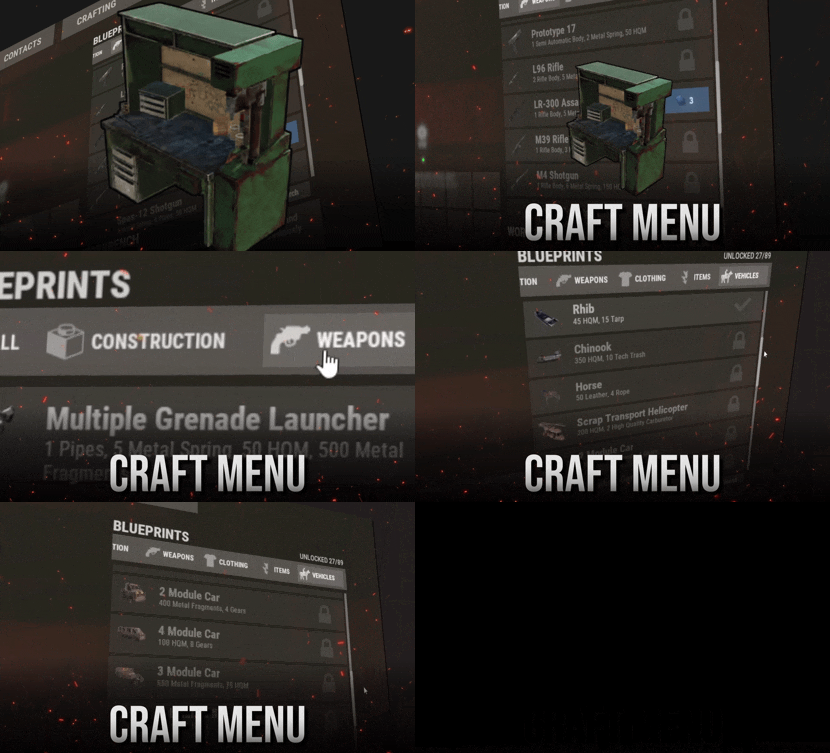 Check your permissions, its working fine on my server.
 -
 Aight yall , what am i missing here? I plea exhaustion. I get default loot no matter what. [Info("JetEvent", "Razor", "1.8.0")] "Crash Settings": { "Use Jet Crashes": true, "Total Plains To Crash": 3, "Spawn Dead Pilot": true, "How Many Loot Crates On Crash": 1, "Crates On Fire For x Seconds": 180, "Crate Loot From CustomLoot Profile Name": ["Jet_Event"], "Crate Loot Table File Name And Total Item Slots To Use": {} }, [Info("CustomLoot", "Steenamaroo", "1.2.5", ResourceId = 16)] }, "API": { "JetEvent": { "lootTable": "Jet_Event", "maxItems": 11, "minItems": 11, "gunsWithAmmo": false, "noGuns": false, "MaxBps": 3, "WaterPreFillPercent": 20, "ClearContainerFirst": true } Jet_Event.json 162.55 KB Modified 02/04/2026 12:14:40 AM
 -
 Excellent, and thank you!
 -
Am I doing this correctly? This is a question more than a support ticket, because i may not be using this field correctly, so here goes. The NPCs are being killed with top tier weaponry in their loot, who knows where there finding it. To prevent this i am using this option in the config, and have created a list: "List of items that won't drop on death": [ "rifle.ak", "rifle.ak.diver", "rifle.ak.ice", "rifle.ak.jungle", "rifle.ak.med", "rifle.bolt", "rifle.l96", "rifle.lr300", "rifle.lr300.space", "rifle.m39", "rifle.semiauto", "rifle.sks", "t1_smg", "smg.2", "smg.mp5", "smg.thompson", "hmlmg", "lmg.m249", "krieg.shotgun", "shotgun.double", "shotgun.m4", "shotgun.pump", "shotgun.spas12", "pistol.semiauto.a.m15", "pistol.m92", "pistol.prototype17", "pistol.python", "pistol.revolver", "pistol.semiauto", "rocket.launcher.dragon", "multiplegrenadelauncher", "rocket.launcher", "rocket.launcher.rpg7" ], That list is creating an error, so im not sure its even working. (after reload) Unloaded plugin Roaming NPCs v0.3.0 by walkinrey & Max39ru [RoamingNPCs Error]: Error converting value "rifle.ak" to type 'Oxide.Plugins.RoamingNPCs+ItemSetup'. Path '['Bots settings'].bob_resources_farmer['List of items that won't drop on death'][0]', line 17, position 20. [RoamingNPCs Error]: Error converting value "rifle.ak" to type 'Oxide.Plugins.RoamingNPCs+ItemSetup'. Path '['Bots settings'].bob_resources_farmer['List of items that won't drop on death'][0]', line 17, position 20. [RoamingNPCs Warning]: The configuration has been restored from the reserve copy [RoamingNPCs Warning]: The configuration has been restored from the reserve copy Loaded plugin Roaming NPCs v0.3.0 by walkinrey & Max39ru ``` But the plugin does load and the NPCs are active the, error does not prevent function. If they are looted in the wounded state, these weapons would still be lootable, because the field prevents drop on death. Would you consider an inventory blacklist of sorts next update?
-
Cant really say why, but after a few reinstall attempts, each one a complete eradication of all files, it loaded clean. You can mark it closed.
-
Im getting the following error spam, Even afer an " o.unload * " and its the only plugin running. Failed to call hook 'OnEntityTakeDamage' on plugin 'LaunchSiteHelipadEvent v1.1.3' (NullReferenceException: Object reference not set to an instance of an object) Failed to call hook 'OnEntityTakeDamage' on plugin 'LaunchSiteHelipadEvent v1.1.3' (NullReferenceException: Object reference not set to an instance of an object) at Oxide.Plugins.LaunchSiteHelipadEvent.OnEntityTakeDamage (BaseEntity entity, HitInfo info) [0x00057] in <811e73bb6bdd4f58acb9efd4c32ef864>:0 at Oxide.Plugins.LaunchSiteHelipadEvent.DirectCallHook (System.String name, System.Object& ret, System.Object[] args) [0x001a2] in <811e73bb6bdd4f58acb9efd4c32ef864>:0 at Oxide.Plugins.CSharpPlugin.InvokeMethod (Oxide.Core.Plugins.HookMethod method, System.Object[] args) [0x00079] in <42f9bedc659b4f4786eb778d3cd58968>:0 at Oxide.Core.Plugins.CSPlugin.OnCallHook (System.String name, System.Object[] args) [0x000de] in <112d89ea5d3348c8b949af0ab1a866d2>:0 at Oxide.Core.Plugins.Plugin.CallHook (System.String hook, System.Object[] args) [0x00060] in <112d89ea5d3348c8b949af0ab1a866d2>:0 at Oxide.Plugins.LaunchSiteHelipadEvent.OnEntityTakeDamage (BaseEntity entity, HitInfo info) [0x00057] in <811e73bb6bdd4f58acb9efd4c32ef864>:0 at Oxide.Plugins.LaunchSiteHelipadEvent.DirectCallHook (System.String name, System.Object& ret, System.Object[] args) [0x001a2] in <811e73bb6bdd4f58acb9efd4c32ef864>:0 at Oxide.Plugins.CSharpPlugin.InvokeMethod (Oxide.Core.Plugins.HookMethod method, System.Object[] args) [0x00079] in <42f9bedc659b4f4786eb778d3cd58968>:0 at Oxide.Core.Plugins.CSPlugin.OnCallHook (System.String name, System.Object[] args) [0x000de] in <112d89ea5d3348c8b949af0ab1a866d2>:0 at Oxide.Core.Plugins.Plugin.CallHook (System.String hook, System.Object[] args) [0x00060] in <112d89ea5d3348c8b949af0ab1a866d2>:0
-
 Fruster, I don't believe the crashcargoplane command is working. All the others I've used are fine, but crashcargoplane is unresponsive. In chat and/or in console.

