
Mevent
-
Posts
3,441 -
Joined
-
Last visited
-
Days Won
53
Content Type
Profiles
Warranty Claims
Downloads
Forums
Store
Services
Downloads Plus Support
DOWNLOADS EXTRA
Reels
Everything posted by Mevent
-

/skills doesnt work if i edit cost/rate in config
Mevent replied to TeeJayAwreka's Support Report in Support
Check after update -
What is "raids"?
-
Hi! Send me please ur config and data files
-
@Death
-
Wdym? O.o
-
Can u send a video, pls?
-
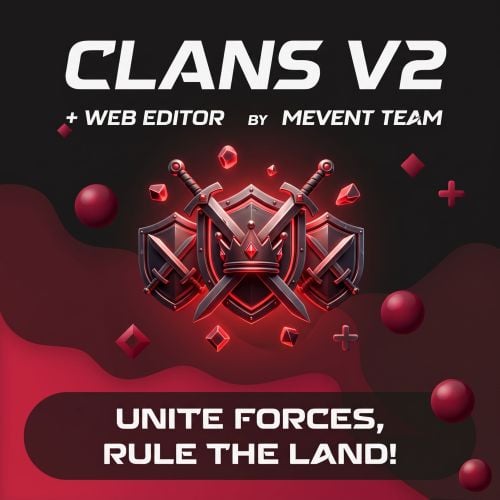
Version 2.0.0
10,000 downloads
Clans gives your players one menu for everything a clan does: create it, invite people, hand out roles, make alliances, set gather quotas and clan skins, and check where the clan sits in the top. If you run ServerPanel, the menu opens inside it as its own category and matches your template, V1, V2 or V4. Without ServerPanel it opens fullscreen, in the Old Style or the New Rust look. Clans also takes over Rust's own clan system. The F1 clan menu, the clan chat tab, clan names on the map and Rust+ all show Clans data, and in-game clan score events count toward your clan rating. Players get one clan, not two that disagree with each other. Clan leaders build their own ranks. A role has a name, a color and twelve rights, from inviting and kicking to changing the avatar or toggling ally friendly fire, so a big clan can run itself without handing everyone leader rights. Data lives in JSON, Protobuf or MySQL, and one console command moves it between them. Updating from 1.x keeps your settings: old moderators become roles and the page settings move into the new menu. Features of Clans Five menu layouts – ServerPanel V1, V2 and V4, picked from your ServerPanel template on its own, plus two fullscreen styles, Old Style and New Rust. Every layout is a template file in data/Clans/Templates, where positions, colors and sizes can be changed Clan roles – leaders create roles with their own name and color and pick the rights: invite, kick, promote, demote, alliances, avatar, description, tag color, gather rates, skins, friendly fire and ally friendly fire Rust's clan system runs on Clans – the F1 clan menu, the clan chat tab, clan names on the map and Rust+, with in-game clan score events counting toward the rating Alliances – send, accept, cancel and revoke alliances, with a separate friendly fire switch for allies Friendly fire – per clan, with turret protection for clan mates as an option Gather rates – the clan sets how much of each resource every member has to bring in, and the menu shows how far each member got Clan skins – one set of skins for the whole clan, so you can tell your own people from the enemy at a glance Clan identity – avatar, tag color and a description, each behind its own role right Clan and player tops – pages with a page number field; the columns and the stat tiles on the About Clan page and in profiles are set in the config, each can be turned off or put behind a permission Player and clan profiles – open them from the member lists and the top tables Your menu, your pages – reorder, rename, hide or lock menu categories and pages behind permissions Paid actions – charge for creating, joining, leaving, kicking, disbanding, setting skins or the avatar, and for invites, through any economy plugin or with items Tag rules – minimum and maximum length, a blocked words list and an allowed characters filter. Errors show right in the Create a clan window Clan and alliance chat, with BetterChat support Clans Discord companion plugin – clan events and clan chat go to Discord through webhooks, and clan leaders can set their own webhook Storage – JSON, Protobuf or MySQL, and clans.convertstorage moves everything to another type Cleanup – purge inactive clans, and wipe clans, players or invites on a new map, each on its own switch Built for big servers – the top is rebuilt in small steps, data is written only when something changed, and the menu template is prepared in the background at startup Performance Clans is built for big servers. Statistics, friendly fire checks and turret targeting run without allocating memory on every call, the clan and player top is rebuilt in small steps instead of one long freeze, and data is written to storage only when something changed. Showcase Fullscreen – Old Style Fullscreen – New Rust ServerPanel V1 ServerPanel V2 ServerPanel V4 What Makes It Different Clan roles – a name, a color and twelve rights per role Rust's own clan menu shows the same clan Clan events and chat in Discord Commands Players (the /clan and /clans names can be changed in the config): /clan – open the clan menu /clan create <tag> – create a clan /clan disband – disband your clan /clan leave – leave your clan /clan join – open your invites /clan invite <name/steamid>, /clan withdraw <name/steamid> – invite a player, cancel an invite /clan kick <name/steamid> – kick a member /clan promote <name/steamid>, /clan demote <name/steamid> – move a member up or down a role /clan allyinvite <tag>, allywithdraw, allyaccept, allycancel, allyrevoke <tag> – manage alliances /clan ff, /clan allyff (also /cff, /aff) – toggle friendly fire for the clan and for allies /clan description <text>, /clan tagcolor <hex> – set the description and the tag color /clan discord – set the clan's Discord webhook (Clans Discord) /cinfo <tag> – information about a clan /c, /cchat – clan chat; /a, /achat – alliance chat Admins (clans.manage, needs clans.admin list, listex – all clans, with members and online status in listex show [name/userId] – one clan and its members msg [clanTag] [message] – send a message to a clan create [name/userId] [clanTag], rename [oldTag] [newTag], disband [clanTag] invite, join, kick, owner, promote, demote [clanTag] [name/userId] Console: clans.convertstorage <JSON|Protobuf|MySQL> – move all player and clan data to another storage type clans.refreshtop – rebuild the clan and player top now clans.refreshskins – reload the skins players can pick for clan skins clans.reborn.convert (Clans Converter) reads the data file of Clans Reborn (data/Clans.json) and makes clans from it clans.umod.convert (Clans Converter) does the same for the uMod Clans plugin (data/clan_data.json) clans.convert.olddata (Clans Converter) moves player settings from the data of Clans 1.x, such as friendly fire and clan skins clans.import.playerdatabase [field] (Clans Converter) brings player data over from the PlayerDatabase plugin. The field name defaults to Clans, and PlayerDatabase has to be loaded Permissions clans.admin – the clans.manage command clans.cancreate, clans.canjoin, clans.canleave, clans.candisband, clans.cankick, clans.canskins – each is checked only when its switch is on in the "Permission Settings" section of the config Menu categories, pages, top columns, stat tiles, clan skins and the avatar change can each take a permission name of your own. The plugin registers it on load. Web Config Editor Manage your Clans settings in our web-based configuration editor. Every section of the config gets its own form, so you can set up roles, pages, top columns, paid actions and storage without editing the JSON file by hand. Web Config Editor P.S. Join our Discord at https://discord.gg/mevent and request the "Clans" group for access to the web configuration editor. Video TEST SERVER Join our test server to view and experience all our unique features yourself! Copy the IP Address below to start playing! connect 194.147.90.239:28015 FAQ Q: What are the files in the download, and which ones do I need? A: The archive has three plugin files, and only Clans.cs is required. It is the plugin itself, with the menu, roles, alliances, gather rates, skins, tops and storage, and it runs fine without the other two. ClansDiscord.cs is optional: it posts clan events and clan chat to Discord webhooks, so skip it if you do not use Discord. To use it, put your server webhook into "Admin webhook URL". Every event has its own switch and color, and team chat is off by default. Clan leaders can add their own webhook with the DISCORD button or /clan discord, and you can limit that to a permission and to the hosts you allow. ClansConverter.cs is optional and needed once, only when you move clan data from another plugin: install it, run the matching command from the server console or RCON (they do not work from the in-game F1 console), check that your clans came over, then delete the file. The commands are listed under Console above. If you start from scratch, you do not need it. Q: How do I add Clans to ServerPanel? A: In ServerPanel, create a category with Type: Plugin, Plugin Name: Clans, Plugin Hook: API_OpenPlugin. Clans reads your ServerPanel template and picks the matching layout: t1 and t1_1 give V1, t2 and t3 give V2, t4 gives V4. While that category exists, /clan opens it. To force a layout, set "UI Pattern" in the config to V1, V2, V4 or Fullscreen instead of Auto. Q: Which storage type should I pick? A: JSON is the default and works out of the box. Protobuf is faster and smaller on disk for big servers. MySQL lets several servers share clan data. You can switch any time with clans.convertstorage. Q: I am updating from Clans 1.x. What happens to my data? A: Clans and settings carry over. Old moderator settings and member colors become clan roles, and the page settings move into the new menu categories. The interface settings moved from the config to the template files in data/Clans/Templates. If you used PlayerDatabase, run clans.import.playerdatabase from Clans Converter once. Q: Does Clans work with my other plugins? A: Clans has the same API as other popular clans plugins, so plugins that support clans work with it too. Q: How do I show the clan top on the screen? A: Install Clans Top. Q: Which other plugins do I need? A: ImageLibrary on Oxide, for avatars and icons. Carbon has the image module built in. Q: Where do I edit the text, or add my own language? A: oxide/lang/en/Clans.json (or carbon/lang/en/). Copy it to lang/<code>/Clans.json and translate the values. English and Russian are included. Q: Where can I see an example of the config? A: Config Hooks void OnClanCreate(string tag) void OnClanCreated(IClan clan, ulong leaderId) void OnClanUpdate(string tag) void OnClanDestroy(string tag) void OnClanDisbanded(string tag, List<ulong> memberUserIDs) void OnClanRenamed(string oldTag, string newTag) void OnClanLeaderChanged(ulong newLeader, ulong oldLeader, string tag) void OnClanMemberJoined(ulong userId, string tag) void OnClanMemberLeft(ulong userId, string tag) void OnClanMemberGone(ulong userId, string tag) void OnClanMemberKicked(ulong userId, ulong actorId, string tag) void OnClanMemberPromoted(ulong userId, ulong actorId, string tag, string role) void OnClanMemberDemoted(ulong userId, ulong actorId, string tag, string role) void OnClanInvite(ulong inviterId, ulong targetId, string tag) void OnClanInviteRejected(ulong userId, string tag) void OnClanInviteWithdrawn(ulong inviterId, ulong targetId, string tag) void OnClanAllianceInvite(string tag, string targetTag, ulong actorId) void OnClanAllianceAccepted(string tag, string targetTag, ulong actorId) void OnClanAllianceInviteRejected(string tag, string targetTag, ulong actorId) void OnClanAllianceInviteWithdrawn(string tag, string targetTag, ulong actorId) void OnClanAllianceRevoked(string tag, string targetTag, ulong actorId) void OnClanChat(BasePlayer player, string message, string tag) void OnClanTopUpdated() Questions, ideas and bug reports go to our Discord.$45.95 -
Maybe you haven't created kits yet?
-
What does it write in your console during a server crash?
-
The inclusion of the player spectating mode is therefore turned on so that the game keys do not work O.o
-
Just enter the short prefab name of the cupboard in the config
-
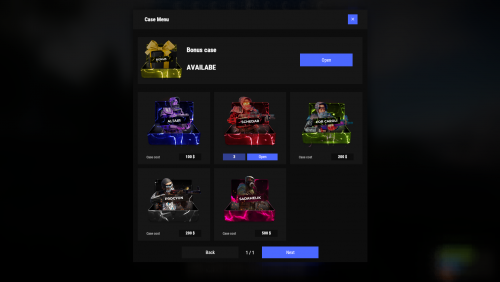
Version 2.0.5
1,599 downloads
Revolutionary cases, the juiciest interface, scroll animations and much more! Features Beautiful user interface Opening animation Performance Each case is configured separately Commands cases (open cases interface) givecase <steamid> <caseid> <amount> (give a case to the player) givecase * <caseid> <amount> (give a case to all online players) FAQ Q: Where can I see an example of a config? A: Config Q: How do I use Economics to pay for cases? A: "Economy": { "Show Balance": true, "Type (Plugin/Item)": "Plugin", "Plugin name": "Economics", "Balance add hook": "Deposit", "Balance remove hook": "Withdraw", "Balance show hook": "Balance", "ShortName": "scrap", "Display Name (empty - default)": "", "Skin": 0 }, Q: How do I use ServerRewards to pay for cases? A: "Economy": { "Show Balance": true, "Type (Plugin/Item)": "Plugin", "Plugin name": "ServerRewards", "Balance add hook": "AddPoints", "Balance remove hook": "TakePoints", "Balance show hook": "CheckPoints", "ShortName": "scrap", "Display Name (empty - default)": "", "Skin": 0 }, Q: I have a question/problem. What should I do? A: You can write to me in a PM on the site, create a ticket. Or write me in Discord: mevent Q: How does a player give out Skill Tree XP? A: { "Type": "Command", "ID": 7, "Image": "", "Title": "Give 1K XP from SkillTree", "Command (%steamid%)": "givexp %username% 1000", "Plugin": { "Hook": null, "Plugin name": null, "Amount": 0 }, "Display Name (empty - default)": "", "ShortName": "", "Skin": 0, "Amount": 1, "Chance": 65.0 }, Q: How can I add cases not for purchase, but just to have them? A: For example, if you give cases with the "givecase" command: givecase <steamid> <caseid> <amount> give a case to the player givecase * <caseid> <amount> give a case to all online players$25.95 -
Example: { "Type": "Command", "ID": 250, "Image": "", "Title": "", "Command (%steamid%)": "o.revoke group %steamid% premium|o.revoke group %steamid% vip|o.revoke group %steamid% donate", "Plugin": { "Hook": null, "Plugin Name": null, "Amount": 0 }, "DisplayName (empty - default)": "", "ShortName": "", "Skin": 0, "Amount": 1, "Price": 100.0, "Sell Price": 100.0, "Discount (%)": { "shop.default": 0, "shop.vip": 10 } }
-
1 - added in 1.0.6 2 - because you an admin (flag) -_-
-
Yes, but they must be written through |
-
Spectator mode turns off after you finish editing. This is done so that the movement buttons, etc., do not work in the input fields.
-
Send me your config
-
Does it show after editing? Or when?
-
Send me ur config