Depends on
Required for this file to work correctly.


Works with
Optional integrations and compatible files.



About SimplePVE
SimplePVE
Simple, powerful PVE for Rust. Control every damage, raid, loot and protection rule from a clean in-game menu. Save rules as profiles and switch between them on a schedule. Run a full PVE server, weekend purges or a hybrid PVE/PVP server, all from one plugin.
Tip
No server.pve needed. SimplePVE handles everything itself. Keep server.pve false.
Video Showcase
Features
Rules and profiles
-
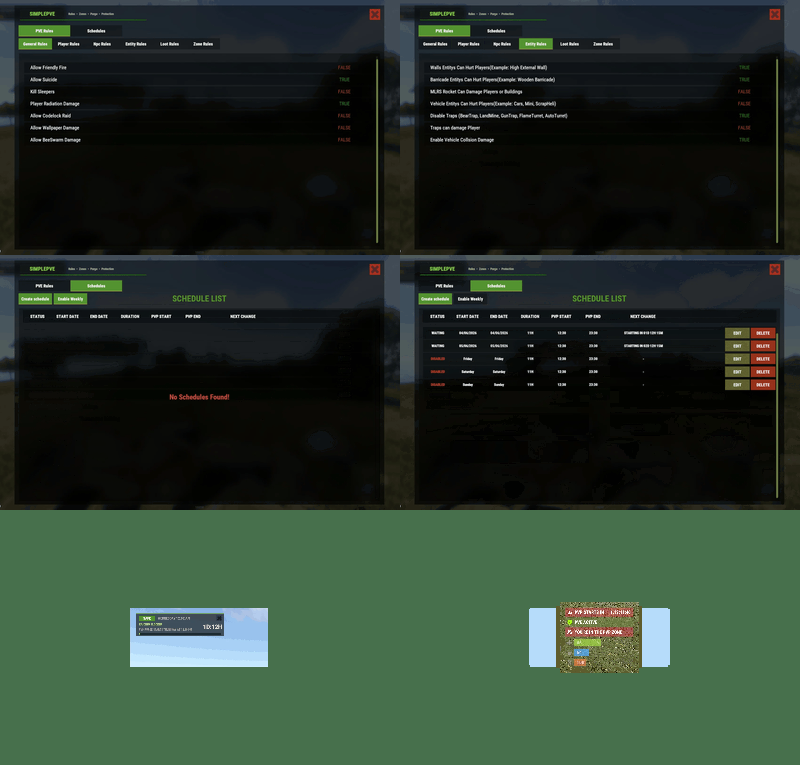
In-game rule manager (
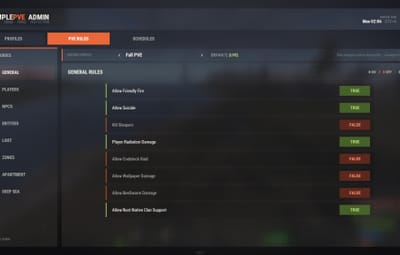
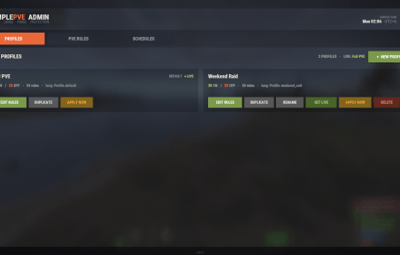
/sprules). Toggle every rule with one click, no config editing needed. - Rule profiles. Save several rule sets (for example Normal PVE, Raid Weekend, Event Night), then duplicate, rename and switch them live.
- Easy rule categories. Damage, raiding, looting, NPCs, traps, vehicles, Deep Sea and Apartments.
-
Debug mode (
/spdebug). Shows exactly which rule blocked or allowed a hit.
Schedules and purges
- Automatic PVE/PVP purges. PVP turns on and off by itself on your schedule.
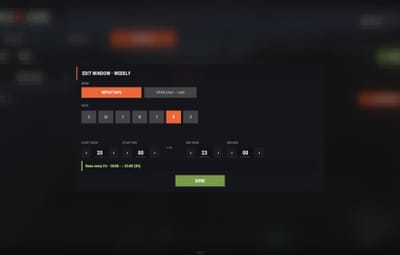
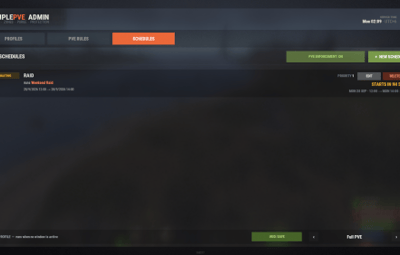
- Weekly schedules. Pick days and times, like Friday 18:00 → Sunday 22:00 or weekends only.
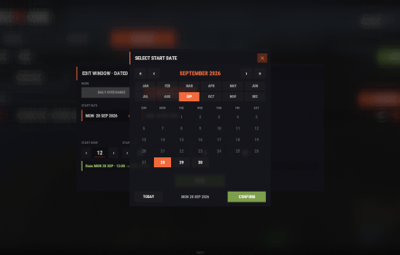
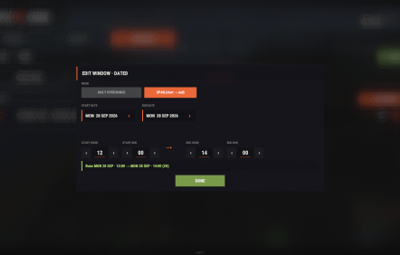
- Dated schedules. For example January 1 → January 7, holiday events or wipe weekends.
- Priorities. Several schedules can overlap and the highest priority wins. Outside every schedule, your base profile runs.
- Run commands when a purge starts or ends.
-
Master switch (
/simplepve on|off). Pauses everything and turns the server vanilla in one command.
Protection
- Loot protection. Corpses, backpacks, boxes and supply drops are protected from other players, with team access.
- Building, vehicle and boat protection. Separate rules for your own, your team's and other players' property.
- Vehicle auto-claim. Vehicles are claimed when you start the engine. You can also lock claimed vehicles to the owner and their team.
- Admin bypass permissions for loot and damage.
Zones and events
- ZoneManager support. Create PVP zones inside your PVE server.
- Exclude zones from the global PVE rules.
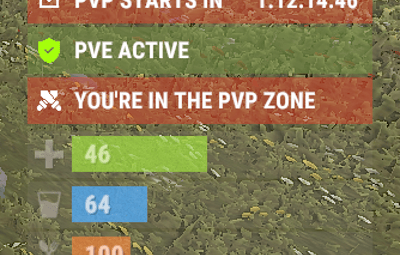
- PVP delay when leaving a PVP zone. Nobody can escape a fight by stepping out.
- Works with many popular event plugins.
HUD, status and notifications
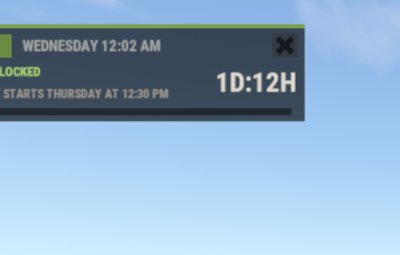
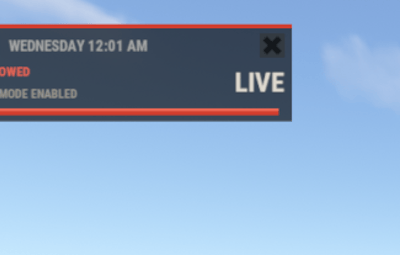
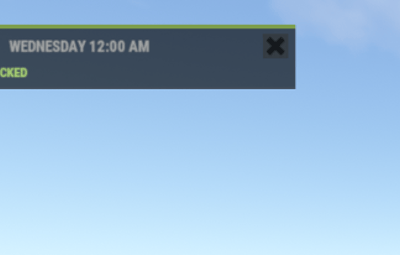
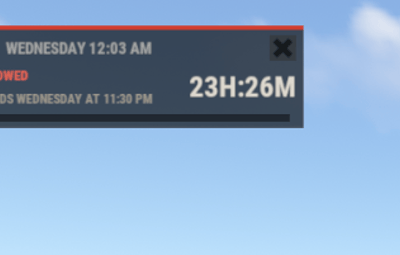
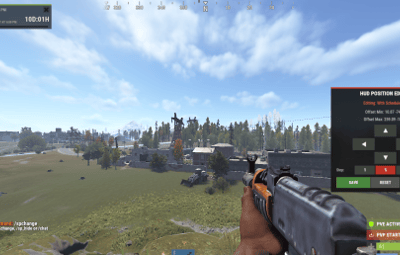
- SimplePVE HUD. Shows the current mode, what's next, a live countdown and a progress bar. Green when safe, red during raid time.
-
In-game HUD editor (
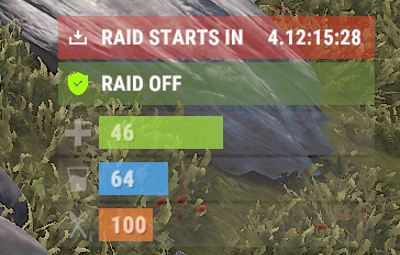
/sp_change). Move it and save it without touching the config. - Status UI for PVE/PVP, PVP zones, PVP delay, purge countdown and Deep Sea (via CustomVitalsManager).
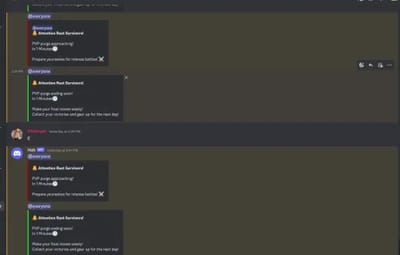
- Discord embeds when a purge starts or ends, plus optional early warnings.
- In-game warnings before every schedule change.
- Chat, UI, Toastify or Notify for warning messages.
- Multi-language. Every message is in the lang file, sent in each player's language. Profile names can be translated too.
How it works
-
Rules. Open
/sprulesand set what players can and can't do. - Profiles. Save those rules as a profile, and create more for different situations.
- Schedules. Tell SimplePVE when each profile (or full PVP) should run.
- Players see it. The HUD shows the current mode and counts down to the next change, with chat and Discord warnings ahead of time.
Note
Example setup: Base profile PVE all week. A weekly schedule switches to PVE OFF (full PVP and raiding) every Saturday 18:00 → Sunday 23:00. Players get a warning 30 minutes before, and Discord announces the purge.
Rule categories
| Category | What it controls |
|---|---|
| General | Friendly fire, suicide, sleepers, radiation, codelock raids, wallpaper, bee swarms, clan support |
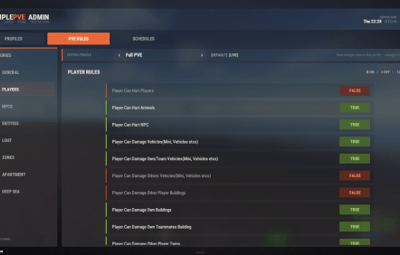
| Player | Player vs player, animals, NPCs, vehicles, boats, buildings (own / team / others), twigs |
| Deep Sea | PVP and boat damage out in the Deep Sea |
| NPC | NPCs, animals, Patrol Heli, Bradley and SAM sites vs players and buildings |
| Entity | Walls, barricades, MLRS, vehicle collisions and all traps |
| Loot | Loot protection, team access, PVP-zone looting, supply drops, Deep Sea looting |
| Zone | ZoneManager integration and the PVP delay |
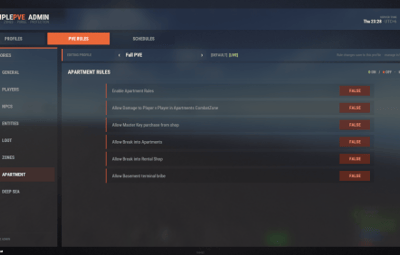
| Apartment | Apartment combat zones, master keys, break-ins, rental shops, basement bribes |
Commands
| Command | Type | Description |
|---|---|---|
/sprules
|
Chat | Open the menu for rules, profiles and schedules |
/simplepve
|
Chat & Console | Toggle SimplePVE on or off |
/simplepve on / /simplepve off
|
Chat & Console | Turn SimplePVE on, or turn it off (vanilla, schedules paused) |
/spdebug
|
Chat & Console | Debug mode: shows why damage was blocked or allowed |
/sp_change
|
Chat | Open the in-game HUD position editor |
/sp_hide
|
Chat | Hide or show the SimplePVE HUD (players, name set in the config) |
/spve.langkeys
|
Chat & Console | Create lang keys for your profile names so they can be translated |
/resetsprules
|
Chat & Console | Reset the rules to default |
Permissions
| Permission | Allows |
|---|---|
simplepve.admin
|
Using the admin commands and the /sprules menu
|
simplepve.adminloot
|
Looting other players' protected containers and using their claimed vehicles |
simplepve.admindamage
|
Damaging any entity while PVE is on |
Hosting partner
Game hosting perfected, that's Physgun.
Join the thousands of server owners using Physgun to take their game server communities to the top.

Installation
-
Upload
SimplePVE.cstooxide/plugins. -
Make sure
server.pveis false. - Grant yourself admin:
oxide.grant user YourName simplepve.admin
-
Type
/sprulesin game and set up your rules. - (Optional) Create profiles and schedules in the same menu.
- (Optional) Set your timezone (see below) if you use schedules.
Schedule timezone
Schedules use UTC plus your offset in minutes. Set it in the config under Schedules Setting → UTC Time Difference.
| Your timezone | Calculation | Value |
|---|---|---|
| UTC | 60 × 0 |
0
|
| United Kingdom (GMT+1, summer) | 60 × 1 |
60
|
| Central Europe (UTC+2) | 60 × 2 |
120
|
| Bangladesh (UTC+6) | 60 × 6 |
360
|
| US Eastern (UTC−4) | 60 × −4 |
-240
|
| US Pacific (UTC−7) | 60 × −7 |
-420
|
Warning
Schedules starting at the wrong time? Your UTC Time Difference doesn't match your timezone. Fix it and reload the plugin.
Configuration
Config (oxide/config/SimplePVE.json)
{
  "PVE Enabled": true,
  "Auto Claim Vehicle(Mini, ScrapHeli, Boats, Moudlars etcs) On Engine Start": true,
  "Auto Claim Vehicle Show Message": false,
  "Only Owner And Teammates Can Use Claimed Vehicles": false,
  "UI - Use blur materials (broken on Rust's new Render Pipeline, keep false)": false,
  "Notifications": {
    "Chat Avatar": 0,
    "Show PVE Icon Overlay": true,
    "Show PVE Warning Messages": true,
    "Show PVE Warning Messages TIP": true,
    "PVE Warning Type(Chat/UI/Both(Chat & UI)/Toastify/Notify)": "Both(Chat & UI)",
    "PVE Warning UI Settings": {
      "Anchor Min": "0.786 0.722",
      "Anchor Max": "0.99 0.815",
      "Warning Image URL": "https://i.postimg.cc/0jZNDr9x/Add-a-subheading-2.png"
    },
    "Show Loot Protection Messages": true,
    "Show Loot Protection Messages TIP": true,
    "Loot Protection Type(Chat/UI/Both(Chat & UI)/Toastify/Notify)": "Both(Chat & UI)",
    "Loot Protection UI Settings": {
      "Anchor Min": "0.786 0.722",
      "Anchor Max": "0.99 0.815",
      "Warning Loot UI Image URL": "https://i.postimg.cc/SxSsS67s/Add-a-subheading-1.png"
    },
    "PVE/PVP Icon UI Settings": {
      "Anchor Min": "0.5 0",
      "Anchor Max": "0.5 0",
      "Offset Min": "190 30",
      "Offset Max": "250 60"
    }
  },
  "Loot Protection Excluded Entitys": [
    "mailbox.deployed",
    "dropbox.deployed"
  ],
  "Schedules Setting": {
    "UTC Time Difference": 360,
    "Enable Weekly Schedule Only": true,
    "Announce Schedule Changes (Chat + Toast)": false,
    "Warn Players Before Schedule Change (Minutes)": null
  },
  "PVP Delay Setting": {
    "PVP delay time in seconds(If enabled from ZoneRules)": 10,
    "Show PVP Delay Message": true
  },
  "Discord Setting": {
    "Enable Discord Notification": false,
    "Discord Webhook URL": "",
    "Enable Message Before PVP Time Start": false,
    "Before PVP Time Start Minutes": 30,
    "PVP Message Embed Color(Hexa)": "#990000",
    "Enable Message Before PVE Time Start": false,
    "Before PVE Time Start Minutes": 30,
    "PVE Message Embed Color": "#32CD32"
  },
  "Commands when PVP Purge Starts": [],
  "Commands when PVP Purge Ends": [],
  "Exclude Zone IDs From Rules": [
    "999",
    "6969"
  ],
  "Status UI": {
    "Enable Status": true,
    "Interval Time In Seconds": 60,
    "PVE/PVP Status": {
      "Status Enable": true,
      "PVE Status": {
        "Enable Status": true,
        "Text Color": "#FFFFFF",
        "Icon Image Url": "https://i.postimg.cc/ZKhM7c7z/shield-(2).png",
        "Icon Image Color": "#A4FE0A",
        "Status Color": "#728D4580"
      },
      "PVP Status": {
        "Enable Status": true,
        "Text Color": "#FFFFFF",
        "Icon Image Url": "https://i.postimg.cc/xTvkmgZF/incapacitate.png",
        "Icon Image Color": "#FFFFFF",
        "Status Color": "#CD412A80"
      }
    },
    "PVE/PVP Status(Deep Sea)": {
      "Status Enable": true,
      "PVE Status": {
        "Enable Status": true,
        "Text Color": "#FFFFFF",
        "Icon Image Url": "https://i.postimg.cc/ZKhM7c7z/shield-(2).png",
        "Icon Image Color": "#A4FE0A",
        "Status Color": "#728D4580"
      },
      "PVP Status": {
        "Enable Status": true,
        "Text Color": "#FFFFFF",
        "Icon Image Url": "https://i.postimg.cc/xTvkmgZF/incapacitate.png",
        "Icon Image Color": "#FFFFFF",
        "Status Color": "#CD412A80"
      }
    },
    "Zone Status": {
      "Status Enable": true,
      "In PVP Area Status": {
        "Enable Status": true,
        "Text Color": "#FFFFFF",
        "Icon Image Url": "https://i.postimg.cc/qRGxrMBR/fighting-game.png",
        "Icon Image Color": "#FFFFFF",
        "Status Color": "#CD412A80"
      }
    },
    "PVP Delay Status": {
      "Status Enable": true,
      "PVP Delay Status": {
        "Enable Status": true,
        "Text Color": "#FFFFFF",
        "Icon Image Url": "https://i.postimg.cc/ZK5kP5sW/reload.png",
        "Icon Image Color": "#FFFFFF",
        "Status Color": "#D2691E80"
      }
    },
    "Purge Schedule Status": {
      "Status Enable": true,
      "Purge PVP Status": {
        "Enable Status": true,
        "Text Color": "#FFFFFF",
        "Icon Image Url": "https://i.postimg.cc/6QkwYx2D/update-pending.png",
        "Icon Image Color": "#FFFFFF",
        "Status Color": "#CD412A80"
      },
      "Purge PVE Status": {
        "Enable Status": true,
        "Text Color": "#FFFFFF",
        "Icon Image Url": "https://i.postimg.cc/6QkwYx2D/update-pending.png",
        "Icon Image Color": "#FFFFFF",
        "Status Color": "#718D4880"
      }
    }
  },
  "SIMPLEPVE HUD": {
    "Enable SIMPLEPVE HUD": true,
    "Chat Command to hide the HUD": "sp_hide",
    "Parent Layer": "Hud",
    "Update Interval In Seconds": 60.0,
    "Without Schedules UI": {
      "Anchor Min": "0 1",
      "Anchor Max": "0 1",
      "Offset Min": "15.87 -57.85",
      "Offset Max": "264.09 -15.96",
      "Background Color": "0.09 0.09 0.085 0.90",
      "Background Material": "assets/content/ui/uibackgroundblur.mat",
      "Background Sprite": "",
      "Frame Color": "0.55 0.52 0.47 0.25",
      "Top Bar Position": { "Anchor Min": "0 1", "Anchor Max": "1 1", "Offset Min": "0 -3", "Offset Max": "0 0" },
      "Mode Pill Position": { "Anchor Min": "0 1", "Anchor Max": "0 1", "Offset Min": "8 -22", "Offset Max": "54 -7.0000014" },
      "Close Button Position": { "Anchor Min": "1 1", "Anchor Max": "1 1", "Offset Min": "-21.197226 -21.941666", "Offset Max": "-5 -6" },
      "Close Button Color": "0.20 0.19 0.17 0.75",
      "Close Icon": { "Color": "0.80 0.25 0.16 0.80", "Sprite": "assets/icons/close.png", "Anchor Min": "0.5 0.5", "Anchor Max": "0.5 0.5", "Offset Min": "-6.5517373 -6.503802", "Offset Max": "6.5517173 6.503802" },
      "Mode Text": { "Text Color": "0.98 0.97 0.95 1", "Font": "RobotoCondensed-Bold.ttf", "Font Size": 10, "Align": "MiddleCenter", "Anchor Min": "0 0", "Anchor Max": "1 1", "Offset Min": "0 0", "Offset Max": "0 0" },
      "Clock Text": { "Text Color": "0.64 0.65 0.65 1.00", "Font": "RobotoCondensed-Bold.ttf", "Font Size": 10, "Align": "MiddleLeft", "Anchor Min": "0 1", "Anchor Max": "1 1", "Offset Min": "60.98 -23.87299", "Offset Max": "-73.34 -4.919814" },
      "State Text": { "Text Color": "", "Font": "RobotoCondensed-Bold.ttf", "Font Size": 9, "Align": "MiddleLeft", "Anchor Min": "0 1", "Anchor Max": "1 1", "Offset Min": "8.054316 -38.351395", "Offset Max": "-126.26938 -23.351393" },
      "Target Text": { "Text Color": "0.62 0.6 0.557 1", "Font": "RobotoCondensed-Bold.ttf", "Font Size": 8, "Align": "MiddleLeft", "Anchor Min": "0 1", "Anchor Max": "0 1", "Offset Min": "7.774885 -52.161526", "Offset Max": "159.9456 -39.87503" },
      "Countdown Text": { "Text Color": "0.87 0.85 0.81 1", "Font": "RobotoCondensed-Bold.ttf", "Font Size": 18, "Align": "MiddleRight", "Anchor Min": "0.5 0.5", "Anchor Max": "0.5 0.5", "Offset Min": "45.737347 -17.61914", "Offset Max": "118.762596 4.560364" },
      "Facts Text (PVP/RAID of current profile, remove to hide)": null,
      "Progress Track Position": { "Anchor Min": "0.5 0", "Anchor Max": "0.5 0", "Offset Min": "-116.4 4", "Offset Max": "115.62 8.83" }
    },
    "With Schedules UI": {
      "Anchor Min": "0 1",
      "Anchor Max": "0 1",
      "Offset Min": "15.87 -79.89166",
      "Offset Max": "264.09 -15.96",
      "Background Color": "0.09 0.09 0.085 0.90",
      "Background Material": "assets/content/ui/uibackgroundblur.mat",
      "Background Sprite": "",
      "Frame Color": "0.55 0.52 0.47 0.25",
      "Top Bar Position": { "Anchor Min": "0 1", "Anchor Max": "1 1", "Offset Min": "0 -3", "Offset Max": "0 0" },
      "Mode Pill Position": { "Anchor Min": "0 1", "Anchor Max": "0 1", "Offset Min": "8 -22", "Offset Max": "54 -7.0000014" },
      "Close Button Position": { "Anchor Min": "1 1", "Anchor Max": "1 1", "Offset Min": "-21.197226 -21.941666", "Offset Max": "-5 -6" },
      "Close Button Color": "0.20 0.19 0.17 0.75",
      "Close Icon": { "Color": "0.80 0.25 0.16 0.80", "Sprite": "assets/icons/close.png", "Anchor Min": "0.5 0.5", "Anchor Max": "0.5 0.5", "Offset Min": "-6.5517373 -6.503802", "Offset Max": "6.5517173 6.503802" },
      "Mode Text": { "Text Color": "0.98 0.97 0.95 1", "Font": "RobotoCondensed-Bold.ttf", "Font Size": 10, "Align": "MiddleCenter", "Anchor Min": "0 0", "Anchor Max": "1 1", "Offset Min": "0 0", "Offset Max": "0 0" },
      "Clock Text": { "Text Color": "0.64 0.65 0.65 1.00", "Font": "RobotoCondensed-Bold.ttf", "Font Size": 10, "Align": "MiddleLeft", "Anchor Min": "0 1", "Anchor Max": "1 1", "Offset Min": "60.983047 -23.872986", "Offset Max": "-73.336945 -4.9198136" },
      "State Text": { "Text Color": "", "Font": "RobotoCondensed-Bold.ttf", "Font Size": 9, "Align": "MiddleLeft", "Anchor Min": "0 1", "Anchor Max": "1 1", "Offset Min": "8.054316 -38.351395", "Offset Max": "-126.26938 -23.351393" },
      "Target Text": { "Text Color": "0.62 0.6 0.557 1", "Font": "RobotoCondensed-Bold.ttf", "Font Size": 8, "Align": "MiddleLeft", "Anchor Min": "0 1", "Anchor Max": "0 1", "Offset Min": "7.774885 -52.161526", "Offset Max": "159.9456 -39.87503" },
      "Countdown Text": { "Text Color": "0.87 0.85 0.81 1", "Font": "RobotoCondensed-Bold.ttf", "Font Size": 18, "Align": "MiddleRight", "Anchor Min": "0.5 0.5", "Anchor Max": "0.5 0.5", "Offset Min": "45.737347 -17.61914", "Offset Max": "118.762596 4.560364" },
      "Facts Text (PVP/RAID of current profile, remove to hide)": null,
      "Progress Track Position": { "Anchor Min": "0.5 0", "Anchor Max": "0.5 0", "Offset Min": "-116.4 4", "Offset Max": "115.62 8.83" }
    },
    "Safe Time Colors": {
      "Accent Color": "0.49 0.62 0.30 1",
      "Accent Soft Color": "0.68 0.84 0.46 1",
      "Mode Pill Background Color": "0.42 0.55 0.26 1",
      "Mode Pill Text Color": "0.98 0.97 0.95 1",
      "Clock Text Color": "0.64 0.65 0.65 1.00",
      "State Text Color": "0.68 0.84 0.46 1",
      "Target Text Color": "0.62 0.6 0.557 1",
      "Countdown Text Color": "0.87 0.85 0.81 1",
      "Progress Track Color": "0.05 0.05 0.05 0.85",
      "Frame Color": "0.55 0.52 0.47 0.25"
    },
    "Raid Time Colors": {
      "Accent Color": "0.82 0.24 0.18 1",
      "Accent Soft Color": "0.92 0.40 0.32 1",
      "Mode Pill Background Color": "0.74 0.20 0.15 1",
      "Mode Pill Text Color": "0.98 0.97 0.95 1",
      "Clock Text Color": "0.64 0.65 0.65 1.00",
      "State Text Color": "0.92 0.40 0.32 1",
      "Target Text Color": "0.62 0.6 0.557 1",
      "Countdown Text Color": "0.87 0.85 0.81 1",
      "Progress Track Color": "0.05 0.05 0.05 0.85",
      "Frame Color": "0.55 0.52 0.47 0.25"
    }
  },
  "Config Version (Don't Edit This)": {
    "Major": 1,
    "Minor": 3,
    "Patch": 8
  }
}
Rules (oxide/data/SimplePVE), edited in game with /sprules
"General Rules": {
  "Allow Friendly Fire": true,
  "Allow Suicide": true,
  "Kill Sleepers": false,
  "Player Radiation Damage": true,
  "Allow Codelock Raid": false,
  "Allow Wallpaper Damage": false,
  "Allow BeeSwarm Damage": false,
  "Allow Rust Native Clan Support": true
},
"Player Rules": {
  "Player Can Hurt Players": false,
  "Player Can Hurt Animals": true,
  "Player Can Hurt NPC": true,
  "Player Can Damage Vehicles(Mini, Vehicles etcs)": true,
  "Player Can Damage Own/Team Vehicles(Mini, Vehicles etcs)": true,
  "Player Can Damage Others Vehicles(Mini, Vehicles etcs)": false,
  "Player Can Damage Other Player Buildings": false,
  "Player Can Damage Own Buildings": true,
  "Player Can Damage Own Teammates Building": true,
  "Player Can Damage Other Player Twigs": true,
  "Player Can Damage Own Player Boats": true,
  "Player Can Damage Other Player Boats": false
},
"Deep Sea Rules": {
  "Player Can Damage Player in Deep Sea": false,
  "Player Can Damage Other Player Boats in Deep Sea": false
},
"Npc Rules": {
  "Npc Can Hurt Players": true,
  "Animal Can Hurt Players": true,
  "Animal Can Target Sleepers": false,
  "Patrol Heli Can Hurt Player": true,
  "Patrol Heli Can Hurt Buildings": true,
  "Player SamSite Ignore Players": true,
  "Player SamSite Hurt Players": true,
  "Npc SamSite Ignore Players": false,
  "Npc SamSite Hurt Players": true,
  "Bradley Can Hurt Players": true
},
"Entity Rules": {
  "Walls Entitys Can Hurt Players(Example: High External Wall)": true,
  "Barricade Entitys Can Hurt Players(Example: Wooden Barricade)": true,
  "MLRS Rocket Can Damage Players or Buildings": false,
  "Vehicle Entitys Can Hurt Players(Example: Cars, Mini, ScrapHeli)": false,
  "Disable Traps (BearTrap, LandMine, GunTrap, FlameTurret, AutoTurret)": true,
  "Traps can damage Player": false,
  "Enable Vehicle Collsion Damage": true
},
"Loot Rules": {
  "Use Loot Protection": true,
  "Admin Can Loot All": true,
  "Teams Can Access Loot": true,
  "Player can loot other player in PVP Zones": false,
  "Anyone can open Player called SupplyDrops": false,
  "Player Can Loot Other Players in Deep Sea": false,
  "Player Can Loot Other Player Boats in Deep Sea": false
},
"Zone Rules": {
  "Use ZoneManager": true,
  "Disable PVE Rules In Zones": true,
  "Enable PVP Delay from ZoneManager": true
},
"Apartment Rules": {
  "Enable Apartment Rules": false,
  "Allow Damage to Player v Player in Apartments CombatZone": false,
  "Allow Master Key purchase from shop": false,
  "Allow Break into Apartments": false,
  "Allow Break into Rental Shop": false,
  "Allow Basement terminal bribe": false
}
Lang file (oxide/lang/en/SimplePVE.json)
{
  "TEST": "Attention! A test message",
  "VehicleClaimed": "You have claimed this vehicle.",
  "VehicleNotYours": "This vehicle belongs to another player, only the owner and their teammates can use it.",
  "VehicleClaimInAuthZoneDisabled": "You cannot claim a vehicle while building blocked.",
  "AptMasterKeyDisabled": "The apartment master key is disabled on this server.",
  "ChatPrefix": "<color=#00ffff>[SimplePVE]</color>: ",
  "PveWarningChat": "PVE enabled on this server, blocking damage.",
  "PveWarningTip": "PVE enabled on this server, blocking damage.",
  "PveWarningNotify": "PVE enabled on this server, blocking damage.",
  "LootProtectedChat": "This entity is protected!",
  "LootProtectedTip": "This entity is protected!",
  "LootProtectedNotify": "This entity is protected!",
  "NotifyWarningTitle": "<color=yellow>WARNING!</color>",
  "SuicideDisabled": "Suicide is disabled on this server!",
  "NotInTeam": "You are not in a team with the player.",
  "PvpDelayStarted": "You will be removed from PVP state in <color=#DC143C>{delay}</color> seconds.",
  "Fact.On": "<color=#E0503C>ON</color>",
  "Fact.Off": "<color=#8DB255>OFF</color>",
  "Profile.PveOff": "PVE OFF",
  "Schedule.Started": "<b>{CURRENT}</b> is now active · PvP {PVP} · Raiding {RAID}",
  "Schedule.PveOff": "<color=#E0503C>PVE is OFF</color> - full PvP & raiding until {DAY} {TIME}",
  "Schedule.PveOffNoEnd": "<color=#E0503C>PVE is OFF</color> - full PvP & raiding",
  "Schedule.StartingSoon": "<b>{NEXT}</b> starts in {TIMELEFT} min · PvP {PVP} · Raiding {RAID}",
  "Schedule.PveOffSoon": "<color=#E0503C>PVE turns OFF in {TIMELEFT} min</color> - protect your base!",
  "Discord.StartingSoon": " **Attention Rust Survivors!**\n\n**{NEXT}** starts in {Minutes} minutes \nPvP {PVP} · Raiding {RAID}",
  "Discord.PveOffSoon": " **Attention Rust Survivors!**\n\nPVE turns OFF in {Minutes} minutes \nFull PvP & raiding - prepare yourselves! ",
  "Status.Current": "{CURRENT}\nPVP {PVP}\nRAID {RAID}",
  "Status.Next": "{NEXT} IN {TIMER}\n{NEXT} IN {TIMER}",
  "Status.DeepSea.PVE": "DEEP SEA PVP OFF",
  "Status.DeepSea.PVP": "DEEP SEA PVP ON",
  "Status.Zone": "YOU'RE IN THE PVP ZONE",
  "Status.PVPDelay": "PVE RETURNS IN {TIMER}",
  "Overlay.PVE": "PVE",
  "Overlay.PVP": "PVP",
  "Hud.Hidden": "SimplePVE HUD hidden. Type <color=#e0b34d>/{0}</color> to show it again.",
  "Hud.Safe": "SAFE",
  "Hud.Raid": "RAID",
  "Hud.StateLine": "NOW: {CURRENT}",
  "Hud.TargetLine": "NEXT: {NEXT}  {DAY} AT {TIME}",
  "Hud.Facts": "PVP {PVP} · RAID {RAID}",
  "Hud.EditorDisabled": "The Raid Schedule HUD is disabled in the config.",
  "Hud.PositionSaved": "HUD position saved to config.",
  "Hud.PositionDiscarded": "HUD position changes discarded.",
  "NoPermission": "You don't have permission to use this command.",
  "EnforceUsage": "Usage: simplepve <on|off>",
  "EnforceInvalid": "Invalid command. Usage: simplepve <on|off>",
  "EnforceAlreadyEnabled": "SimplePVE enforcement is already enabled.",
  "EnforceAlreadyDisabled": "SimplePVE enforcement is already disabled.",
  "EnforceEnabled": "SimplePVE enforcement enabled - profiles & schedules resumed.",
  "EnforceDisabled": "SimplePVE enforcement disabled - server is vanilla, schedules paused.",
  "RulesReset": "SimplePVE rules have been reset to default.",
  "PluginReloaded": "SimplePVE reloaded.",
  "RulesChangedReloading": "Rules changed\nPlease allow a moment reloading SimplePVE\nUse debug if rules not working <color=orange>/spdebug</color>",
  "ApplyingProfile": "Applying profile - reloading SimplePVE...",
  "DebugEnabled": "Debug mode is now enabled.\nMake sure to disable this after use.",
  "DebugDisabled": "Debug mode is now disabled."
}
Tip
Translating: copy the lang file to another folder (for example oxide/lang/de/SimplePVE.json) and translate the values. Each player gets their own language. Run /spve.langkeys to add lang keys for your profile names too.
FAQ
Does SimplePVE need server.pve?
No. Keep server.pve set to false. SimplePVE does all the protection itself.
Where do I change the rules?
Type /sprules in game (needs simplepve.admin). Every rule is a toggle, and changes save to the profile you're editing.
What are profiles?
A profile is a saved set of rules. Make one for normal PVE days and one for raid weekends, then switch them by hand or let a schedule switch them.
Can I make automatic purges?
Yes. Create a schedule in /sprules → Schedules, pick what it runs (a profile, PVE ON or PVE OFF) and when. Outside every schedule, your base profile runs.
Weekly or date-based schedules?
Both. A schedule's time windows can be weekly (days and times, or a day-to-day span) or dated (a date range, or a daily time inside a date range). When schedules overlap, the one with the highest priority wins.
My schedules start at the wrong time.
Your UTC Time Difference doesn't match your timezone. See Schedule timezone above.
How do I turn PVE on or off by hand?
/simplepve on or /simplepve off (needs simplepve.admin). Off makes the server vanilla and pauses all schedules until you turn it back on.
Damage still happens in PVE mode. Why?
Either one of your rules allows that damage, or another plugin changes damage too. Turn on /spdebug to see which rule decided each hit, and turn it off again when you're done.
How does loot protection work?
Players can't loot other players' corpses, backpacks, containers and called supply drops. Teammates can if you allow it. Admins with simplepve.adminloot can bypass it. Add entity short names to Loot Protection Excluded Entitys to keep them open to everyone (mailboxes and drop boxes by default).
Can admins damage things while PVE is on?
Yes, with the simplepve.admindamage permission.
Does it support ZoneManager?
Yes. ZoneManager zones can run PVP inside your PVE server, with an optional PVP delay when players leave. List zone IDs under Exclude Zone IDs From Rules to keep SimplePVE out of them completely.
Can it post to Discord?
Yes. It sends embeds when a purge starts or ends, and optional warnings a set number of minutes before. In-game warnings work without Discord too (Warn Players Before Schedule Change).
Can I run commands when a purge starts or ends?
Yes. Add them to Commands when PVP Purge Starts and Commands when PVP Purge Ends.
The menu or HUD looks see-through.
Keep UI - Use blur materials set to false. Blur is broken on Rust's new render pipeline.
For developers
Hooks and API
void OnSPVEPurgeStarted()
void OnSPVEPurgeEnded()

TimeSpan GetPVPStartTimeRemaining()
TimeSpan GetPVPEndTimeRemaining()
bool IsServerPVE()
bool IsStatusEnabled_API()
bool AddToExcludeZone(string zoneId)
bool RemoveFromExcludeZone(string zoneId)
Override hooks. Return true or false to force the result and skip SimplePVE's own checks. Return null to let SimplePVE decide.
object CanEntityTakeDamage(BaseCombatEntity entity, HitInfo hitInfo)   // true = allow damage, false = block
object CanEntityBeTargeted(BasePlayer player, BaseEntity entity)       // true = allow targeting, false = block
object CanEntityTrapTrigger(BaseTrap trap, BasePlayer player)          // true = allow trigger, false = block
Support
Need help or found a bug? Open a support ticket on this page or join the Discord.