
YaMang -w-'s Wishlist
-

$22.00
Npc Random Raids
By Iftebinjan in Plugins
Optional Dependency Raidable Bases - https://codefling.com/plugins/raidable-bases
Optional Dependency Custom Loot - https://codefling.com/plugins/custom-loot
How To Call In Random Raids
Randomly calls in npc raids with options for Mlrs and Attack Hele Set a configurable timer and chance to auto call in raid
With Raidable bases plugin set a chance with configurable options for the npc's to come back and attack the raiders at one of there bases.
After a certain amount of npc kills have a random chance.
With item found in loot containers or given in shops by admins.
If the players base is by water the npc may go under the water and still fight.
SEE ALL CONFIG SETTINGS!
Chat Command - Permission = randomraids.admin
/randomraid -- Will display command usage.
/randomraid item list - will display list of raid item for admin to give them self.
/randomraid item <type> - example config types = easy, medium, hard
Server command
randomraid <playerid> <type> - Gives player raid item to start a raid.
{ "Random settings": { "GUI AnchorMin": "0.807 0.96", "GUI AnchorMax": "0.996 0.99", "GUI2 AnchorMin": "0.807 0.92", "GUI2 AnchorMax": "0.996 0.95", "GameTip display time in seconds": 2.0, "Total raids allowed at once": 10, "A player on the tc must be online": true, "Use random raid timer": false, "Random raid timer time": 3600, "Chance of random raid at time (1-100)": 10, "Authorized players Cooldown minutes before random raided again by chance": 1440, "The maximum amount of time a rocket will fly before exploding": 4.0, "Npc spawn damage delay": 2.0, "Display global chat message on raid start": true, "Display global map marker on raid start": true, "Display Gui to base owners": false, "Use GameTip announcement to player": false, "Disable radio chatter": false, "Wait until all NPC are dead before sending in next wave": false, "Player must have randomraids.use inorder to get raided": false, "Use world text to show base location": false, "World text display time": 60.0, "Use discord Webhook": false, "Discord Webhook URL": "", "Discord Avatar URL": "http://images.myvector.xyz/discordimage.png" }, "All Random Raid Types": { "Random raid types": { "easy": { "Total auth players on tc needed": 1, "Total npcs per wave": 10, "How many extra waves": 1, "Seconds untell next wave": 120, "Npc fires Mlrs at base": false, "Send in Attack Copter support": false, "Total event time in seconds": 640, "Npc drop loot on death": true, "Spawn health of the npc": 100.0, "Total rockets npc can fire": 20, "Total explosives npc can toss": 10, "Total AirDrops on event win": 1, "Rocket damage scale": 1.0, "Player damage scale from npc": 1.0, "Auto turret damage scale to npc": 1.0, "Raiders aimConeScale": 2.0, "Throw Explosive item shortnames": [ "explosive.timed", "explosive.satchel" ], "Spawn Attack Heli profile": [ "easy" ], "Spawn kits for the npcs": [], "Names to give the npcs": [ "Cobalt Scientist" ], "CustomLoot config profile name": [], "CustomLoot config profile names for AirDrop": [], "AlphaLoot config profile names": [], "AlphaLoot config profile names for AirDrop": [], "Juggernaut config": [ "easy" ], "Surrender costs": 200 }, "medium": { "Total auth players on tc needed": 2, "Total npcs per wave": 15, "How many extra waves": 1, "Seconds untell next wave": 120, "Npc fires Mlrs at base": false, "Send in Attack Copter support": true, "Total event time in seconds": 900, "Npc drop loot on death": true, "Spawn health of the npc": 200.0, "Total rockets npc can fire": 20, "Total explosives npc can toss": 10, "Total AirDrops on event win": 1, "Rocket damage scale": 1.0, "Player damage scale from npc": 1.0, "Auto turret damage scale to npc": 1.0, "Raiders aimConeScale": 2.0, "Throw Explosive item shortnames": [ "explosive.timed", "explosive.satchel" ], "Spawn Attack Heli profile": [ "easy" ], "Spawn kits for the npcs": [], "Names to give the npcs": [ "Cobalt Scientist" ], "CustomLoot config profile name": [], "CustomLoot config profile names for AirDrop": [], "AlphaLoot config profile names": [], "AlphaLoot config profile names for AirDrop": [], "Juggernaut config": [ "easy" ], "Surrender costs": 400 }, "hard": { "Total auth players on tc needed": 3, "Total npcs per wave": 20, "How many extra waves": 1, "Seconds untell next wave": 120, "Npc fires Mlrs at base": false, "Send in Attack Copter support": true, "Total event time in seconds": 1200, "Npc drop loot on death": true, "Spawn health of the npc": 400.0, "Total rockets npc can fire": 20, "Total explosives npc can toss": 10, "Total AirDrops on event win": 1, "Rocket damage scale": 1.0, "Player damage scale from npc": 1.0, "Auto turret damage scale to npc": 1.0, "Raiders aimConeScale": 2.0, "Throw Explosive item shortnames": [ "explosive.timed", "explosive.satchel" ], "Spawn Attack Heli profile": [ "easy" ], "Spawn kits for the npcs": [], "Names to give the npcs": [ "Cobalt Scientist" ], "CustomLoot config profile name": [], "CustomLoot config profile names for AirDrop": [], "AlphaLoot config profile names": [], "AlphaLoot config profile names for AirDrop": [], "Juggernaut config": [ "easy" ], "Surrender costs": 600 }, "expert": { "Total auth players on tc needed": 4, "Total npcs per wave": 30, "How many extra waves": 1, "Seconds untell next wave": 120, "Npc fires Mlrs at base": false, "Send in Attack Copter support": true, "Total event time in seconds": 1500, "Npc drop loot on death": true, "Spawn health of the npc": 400.0, "Total rockets npc can fire": 20, "Total explosives npc can toss": 10, "Total AirDrops on event win": 1, "Rocket damage scale": 1.0, "Player damage scale from npc": 1.0, "Auto turret damage scale to npc": 1.0, "Raiders aimConeScale": 2.0, "Throw Explosive item shortnames": [ "explosive.timed", "explosive.satchel" ], "Spawn Attack Heli profile": [ "easy" ], "Spawn kits for the npcs": [], "Names to give the npcs": [ "Cobalt Scientist" ], "CustomLoot config profile name": [], "CustomLoot config profile names for AirDrop": [], "AlphaLoot config profile names": [], "AlphaLoot config profile names for AirDrop": [], "Juggernaut config": [ "medium" ], "Surrender costs": 800 }, "nightmare": { "Total auth players on tc needed": 5, "Total npcs per wave": 30, "How many extra waves": 1, "Seconds untell next wave": 120, "Npc fires Mlrs at base": false, "Send in Attack Copter support": true, "Total event time in seconds": 2100, "Npc drop loot on death": true, "Spawn health of the npc": 400.0, "Total rockets npc can fire": 20, "Total explosives npc can toss": 10, "Total AirDrops on event win": 1, "Rocket damage scale": 1.0, "Player damage scale from npc": 1.0, "Auto turret damage scale to npc": 1.0, "Raiders aimConeScale": 2.0, "Throw Explosive item shortnames": [ "explosive.timed", "explosive.satchel" ], "Spawn Attack Heli profile": [ "easy" ], "Spawn kits for the npcs": [], "Names to give the npcs": [ "Cobalt Scientist" ], "CustomLoot config profile name": [], "CustomLoot config profile names for AirDrop": [], "AlphaLoot config profile names": [], "AlphaLoot config profile names for AirDrop": [], "Juggernaut config": [ "medium" ], "Surrender costs": 1000 } } }, "AttackCopter profiles": { "Profile Names": { "easy": { "Heli float health": 1000.0, "Total crates to drop": 2, "Heli strafe cooldown": 50.0, "Heli can strafe x times": 3 } } }, "Block Random raid in colider": { "Blocked": [ "iceberg", "ice_berg", "ice_sheet", "icesheet", "cliff", "cave" ] }, "Raidable Base plugin settings": { "Raid player on Raidable Base Completed": false, "Warn player in chat of upcoming revenge on them": false, "Raidable Base Settings": { "0": { "Total amount of mode complete before ever has chance": 3, "Reset kill count after chance happened": false, "Raidable Base Completed Delay Before Raid chance happens": 320.0, "raid chance (1-100)": 10, "Random raid to send them if chance": [ "easy" ] }, "1": { "Total amount of mode complete before ever has chance": 3, "Reset kill count after chance happened": false, "Raidable Base Completed Delay Before Raid chance happens": 320.0, "raid chance (1-100)": 10, "Random raid to send them if chance": [ "easy", "medium" ] }, "2": { "Total amount of mode complete before ever has chance": 3, "Reset kill count after chance happened": false, "Raidable Base Completed Delay Before Raid chance happens": 320.0, "raid chance (1-100)": 10, "Random raid to send them if chance": [ "easy", "medium" ] }, "3": { "Total amount of mode complete before ever has chance": 3, "Reset kill count after chance happened": false, "Raidable Base Completed Delay Before Raid chance happens": 320.0, "raid chance (1-100)": 10, "Random raid to send them if chance": [ "easy", "medium", "hard" ] }, "4": { "Total amount of mode complete before ever has chance": 3, "Reset kill count after chance happened": false, "Raidable Base Completed Delay Before Raid chance happens": 320.0, "raid chance (1-100)": 10, "Random raid to send them if chance": [ "hard", "expert", "nightmare" ] } } }, "Trigger by npc kills": { "Enable log kills and random raid on kills": false, "Reset npc kills on player raided.": false, "Warn player in chat of upcoming revenge on them": false, "Use total players on tc check on type": false, "Enable combine npc kills list": false, "Combine npc kills list": [ "scientistnpc_patrol", "scientistnpc_oilrig", "scientistnpc_heavy", "sentry.scientist.barge", "sentry.scientist.barge.static", "sentry.scientist.static", "heavyscientist_youtooz.deployed", "ch47scientists.entity", "scientist_corpse", "scientistnpc_arena", "scientistnpc_cargo", "scientistnpc_cargo_turret_any", "scientistnpc_cargo_turret_lr300", "scientistnpc_ch47_gunner", "scientistnpc_excavator", "scientistnpc_full_any", "scientistnpc_full_lr300", "scientistnpc_full_mp5", "scientistnpc_full_pistol", "scientistnpc_full_shotgun", "scientistnpc_junkpile", "sientistnpc_peacekeeper", "scientistnpc_roam", "scientistnpc_roam_nvg_variant", "scientistnpc_roamtethered", "npc_tunneldweller", "npc_tunneldwellerspawned", "npc_underwaterdweller", "scarecrow" ], "Combine Profile to use": { "Total amount of Npc killed before chance can happen": 70, "Reset kill count after chance happened": false, "Delay before chance happens": 320.0, "Raid chance (1-100)": 10, "Cooldown minutes before chance can happen again": 1440, "Random raid to send them if chance": [ "easy" ] }, "Npc kills settings": { "scientistnpc_heavy": { "Total amount of Npc killed before chance can happen": 30, "Reset kill count after chance happened": false, "Delay before chance happens": 320.0, "Raid chance (1-100)": 10, "Cooldown minutes before chance can happen again": 1440, "Random raid to send them if chance": [ "medium" ] }, "scientistnpc_oilrig": { "Total amount of Npc killed before chance can happen": 60, "Reset kill count after chance happened": false, "Delay before chance happens": 320.0, "Raid chance (1-100)": 10, "Cooldown minutes before chance can happen again": 1440, "Random raid to send them if chance": [ "easy" ] }, "scientistnpc_patrol": { "Total amount of Npc killed before chance can happen": 60, "Reset kill count after chance happened": false, "Delay before chance happens": 320.0, "Raid chance (1-100)": 10, "Cooldown minutes before chance can happen again": 1440, "Random raid to send them if chance": [ "easy" ] }, "scientistnpc_junkpile": { "Total amount of Npc killed before chance can happen": 60, "Reset kill count after chance happened": false, "Delay before chance happens": 320.0, "Raid chance (1-100)": 10, "Cooldown minutes before chance can happen again": 1440, "Random raid to send them if chance": [ "easy" ] } } }, "Juggernaut profiles": { "easy": { "Juggernaut spawns on witch Wave number/Total to spawn": { "1": 1 }, "Spawn health of the juggernaut": 500.0, "Player damage scale from the juggernaut": 1.0, "juggernaut aimConeScale": 2.0, "Names to give the juggernaut": [ "Juggernaut Raider" ], "Spawn kits for the juggernaut": [] }, "medium": { "Juggernaut spawns on witch Wave number/Total to spawn": { "1": 2 }, "Spawn health of the juggernaut": 700.0, "Player damage scale from the juggernaut": 1.0, "juggernaut aimConeScale": 2.0, "Names to give the juggernaut": [ "Juggernaut Raider" ], "Spawn kits for the juggernaut": [] } }, "Item profiles": { "easy": { "Raid call item skin": 2893480896, "Raid call item name": "Npc Raid Level 1", "LootContainer Spawn enabled": false, "Can Spawn In LootContainer types": [ "crate_normal", "crate_normal_2" ], "LootContainer Spawn Chance 1-100": 5.0 }, "medium": { "Raid call item skin": 2893480635, "Raid call item name": "Npc Raid Level 2", "LootContainer Spawn enabled": false, "Can Spawn In LootContainer types": [ "crate_normal", "crate_normal_2", "heli_crate" ], "LootContainer Spawn Chance 1-100": 5.0 }, "hard": { "Raid call item skin": 2893481009, "Raid call item name": "Npc Raid Level 3", "LootContainer Spawn enabled": false, "Can Spawn In LootContainer types": [ "bradley_crate", "crate_elite" ], "LootContainer Spawn Chance 1-100": 5.0 }, "expert": { "Raid call item skin": 2893481137, "Raid call item name": "Npc Raid Level 4", "LootContainer Spawn enabled": false, "Can Spawn In LootContainer types": [ "bradley_crate", "crate_elite" ], "LootContainer Spawn Chance 1-100": 5.0 }, "nightmare": { "Raid call item skin": 2893482048, "Raid call item name": "Npc Raid Level 5", "LootContainer Spawn enabled": false, "Can Spawn In LootContainer types": [ "bradley_crate", "crate_elite" ], "LootContainer Spawn Chance 1-100": 5.0 } }, "Version": { "Major": 1, "Minor": 7, "Patch": 7 } }
WARNING: Npc will go in and under water if there base is by water
-
$40.00$30.00Raidable Bases
Create fully automated raidable bases with NPCs in Rust.
Raidable Bases supports maintained, scheduled, buyable and manually spawned events, with separate options for each difficulty.
📄Compatibility notes
server.pve true is not supported; please use TruePVE or another compatible PVE plugin that calls the necessary hooks required by Raidable Bases. Raidable Bases does not currently use Harmony patches. I could implement such patches, but it's often better to use a supported hook when it exists instead. Raidable Bases is not compatible with Raid Windows in Softcore mode after the Tool Cupboard is destroyed or after raidwindow_fresh_tc_seconds elapses. This will be supported when the appropriate hooks exist for this behavior. 📄Raidable Bases & Boats Loot Editor by @beee 😎
This is the easiest way to create and manage Raidable Bases loot tables. It provides a visual editor for item selection, amounts, probability, skins and other loot fields, making it the best starting point for most server owners.
https://codefling.com/tools/raidable-bases-boats-loot-editor/ ⚙️Built with performance in mind
Raidable Bases manages a lot of work behind the scenes, so performance is treated as a core part of development. Pasting and cleanup are batched, recurring work is shared through central schedulers, temporary collections are pooled, and spawn searches are spread across frames to reduce noticeable spikes.
These systems help provide a smoother experience across a wide range of server sizes. Performance will continue to be reviewed and improved anywhere measurable gains can be made.
📄There are just a few steps
Get bases spawning within minutes
An experienced administrator may finish in a few minutes. A novice should allow roughly 30 minutes, while a complete beginner may need 60 to 120 minutes. Fine-tuning depends on how large you want the project to become. Once the initial setup is complete, maintaining the plugin is fairly simple, and growing your base catalog becomes an art form of its own. Server owners regularly report that players love the variety, which makes building that collection rewarding for everyone involved.
Step 1 - Add your bases
You can obtain bases by:
Downloading them from Fortify. Purchasing a Raidable Bases package. Purchasing compatible CopyPaste files from another creator. Creating your own bases. Place the CopyPaste JSON files in:
Oxide — oxide/data/copypaste/ Carbon — carbon/data/copypaste/ Step 2 - Set up profiles
Profiles serve a specific purpose: they extend the main configuration file. For clarity, they should always be referred to as profiles.
Profiles are located in:
Oxide — oxide/data/RaidableBases/Profiles/ Carbon — carbon/data/RaidableBases/Profiles/ Bases can be added manually or with the command:
rb.config add "Easy Bases" raideasy1 raideasy2 raideasy3 rb.config add "Medium Bases" raidmed1 raidmed2 raidmed3 The named profile can contain any number of CopyPaste bases that share its options. Quotes around the profile name are required, and it is best practice to use them even when the name has no spaces. Use straight double quotes only; curly quotes will not work correctly.
Step 3 - Enable automatic events
For public automated events, enable Maintained Events or Scheduled Events in the main configuration and choose how many events you would like active.
The main configuration file is located in:
Oxide — oxide/config/RaidableBases.json Carbon — carbon/configs/RaidableBases.json Edit the configuration file.
Maintained Events: keeps the configured number of raids available. Max Maintained Events: Set this to the amount of events that you want to always have spawned. Max Amount Allowed To Automatically Spawn Per Difficulty: Set this to the amount of events that you want to spawn per difficulty. Scheduled Events: spawns raids according to a timer. Max Scheduled Events: Set this to the amount of events that you want spawned on a timed basis. Max To Spawn At Once: Set this to the amount of events that can spawn at once from Max Scheduled Events. Set to 0 to use the full amount from Max Scheduled Events. Step 4 - Save your files then use the commands:
Oxide: o.reload RaidableBases Carbon: c.reload RaidableBases Shortcuts: rb.reloadconfig rb.reloadprofiles Once grid initialization completes, automatic events can begin spawning. The included Default_Loot table is enough to get started and can be replaced whenever you are ready. Ultimately, the Default_Loot table should be discarded once your other loot tables are configured.
📁File locations
Main configuration
Oxide: oxide/config/RaidableBases.json Carbon: carbon/configs/RaidableBases.json Profiles
Oxide: oxide/data/RaidableBases/Profiles/ Carbon: carbon/data/RaidableBases/Profiles/ CopyPaste bases
Oxide: oxide/data/copypaste/ Carbon: carbon/data/copypaste/ Loot and data
Oxide: oxide/data/RaidableBases/ Carbon: carbon/data/RaidableBases/ The main configuration controls server-wide behavior. Profiles contain options for specific difficulties, while loot tables and CopyPaste files provide the content used by each event.
🗺️Map terrain and spawn locations
Raidable Bases depends on the map having enough flat, unobstructed terrain for automated events. Most procedural maps provide plenty of locations, while custom or heavily modified maps may need additional flat terrain, islands, or custom spawn points.
The grid scans the map when the plugin initializes and reports the number of potential spawn locations. A low location count usually means the map offers fewer suitable areas or the current settings narrow the available terrain. Spawns Database files are useful for sky bases, underwater bases, custom maps and any setup that needs exact locations. You can disable using the grid by providing a valid spawn file for each raid type (buyable, maintained, scheduled and manual). You may view the grid by typing /rb grid in-game to view detailed drawings of all locations on the grid.
X - Green - Potential spawn point, generally in clusters X - Red - Currently in use C - Cyan - Construction detected nearby TC - Yellow - TC detected nearby W - Blue - Water depth is too high - Refreshes on ocean level change Green clusters have the highest chance of being picked as a spawn point, constantly changing depending on player activity and remaining a safe distance away.
📄Profiles and difficulties
A profile is where options can be found that pertain to specific difficulties. Any number of CopyPaste bases can share the same profile, so a large base rotation can be managed while the difficulty is adjusted in one place.
Profiles can control loot, NPCs, PVP or PVE behavior, protection radius, damage, doors, locks, water placement, height, rewards, building options and much more. Dynamic difficulties
rb.difficulty add "Sky" rb.difficulty remove "Sky" Adding a difficulty creates the matching configuration and language entries. Profiles and loot tables can then be assigned to it. Removing a difficulty removes its active configuration entries without deleting the related files.
📄Event types
Maintained — Keeps up to the configured number of public raids available. Another can spawn after one despawns. Scheduled — Spawns public raids between the configured minimum and maximum interval. Buyable — Lets players purchase a raid through the configured buy command, subject to availability, costs and cooldowns. Manual — Lets an administrator spawn a selected raid at a chosen location. Each event type can use the automatic grid or its own Spawns Database file.
🔧Loot tables
Loot can come from a base-specific table, difficulty table, weekday table and the default table. The plugin combines the available sources according to the profile and loot settings until it has enough usable entries.
Default loot
Default_Loot.json contains a small demonstration loot list. It is enough to show how the plugin works, but most servers should replace it with loot tables in the Base_Loot and/or Difficulty_Loot folders. Loot table editor
For most servers, the Loot Table Editor by @beee 😎 is the quickest way to build and manage these files. Thanks, beee!
https://codefling.com/tools/raidable-bases-boats-loot-editor/ Important loot fields
shortname — Rust item shortname. amount — Maximum amount created for the entry. amountMin — Minimum amount created for the entry. probability — Spawn chance from 0.0 to 1.0, where 1.0 is 100%. stacksize — Optional stack-size override. Use -1 to use the item's normal Rust stack size. skin — Optional skin ID. Editable item lists
The rb.populate all command creates a file for each difficulty inside the Editable_Lists folder. Each file contains every available Rust item, allowing you to remove unwanted entries and configure the amounts for items you would like to spawn. Any items with an amount set to 0 will be inactive, so you do not have to remove any entry.
A list containing hundreds of items may look intimidating at first, but deleting unwanted entries or configuring from a preset list is usually much faster than adding every item manually. The command also includes items already present in your Difficulty_Loot files. This makes it useful when you want to rebuild a list and reevaluate which items should be available later. Files inside Editable_Lists are for editing only. Their contents need to be copied into an active loot file before the plugin will use them.
To use Editable_Lists/Easy.json for Easy raids, copy its contents into Difficulty_Loot/Easy.json. To use Editable_Lists/Expert.json for a profile named Expert Bases, copy its contents into Base_Loot/Expert Bases.json. Item amounts and probability
An item will not spawn when both amount and amountMin are set to 0. You may remove these entries or leave them in the file for later use.
When amountMin is 0, probability determines whether the item spawns. If the item fails its probability check, another item will not automatically replace it unless additional eligible entries are available. Tool Cupboard loot
Items moved into the Tool Cupboard may combine into larger stacks. The visible stack count can therefore be lower than the amount that was originally generated. Loot priority
Loot is loaded from the data files inside:
Oxide: oxide/data/RaidableBases/ Carbon: carbon/data/RaidableBases/ The Profiles folder is not a loot source. It contains the options used by each profile and difficulty. Please do not place any file in the Profiles folder that is not a profile, the hamsters will cry.
Base Loot
If a file inside Base_Loot has the same name as a profile, the bases assigned to that profile can use that loot table. For example: Base_Loot/Expert Bases.json applies to the profile named: Expert Bases Enable Always Spawn Base Loot Table in the profile when items from that table should always be included. Difficulty Loot
Files inside Difficulty_Loot are selected according to the difficulty assigned to the profile. For example: Difficulty_Loot/Hard.json is used by profiles assigned to the Hard difficulty. Day of Week Loot
When Use Day Of Week Loot is enabled, the plugin selects the loot table matching the current day. Default Loot
Default_Loot.json acts as the fallback table. It is used when the other available loot tables do not provide enough eligible items to satisfy Amount Of Items To Spawn. Generally, this file should be discarded once Base Loot and Difficulty Loot tables have been created. 🤖NPCs
Profiles include NPC options for scientists, murderers and sleepers. You can keep the defaults or tailor their amount, health, accuracy, kits, movement and loot to suit each difficulty.
Valid Kits entries take priority over the matching manual loadout lists. NPCs spawned inside bases remain stationary, while outdoor NPCs can roam and engage players around the event. More NPCs naturally create more work, so busy servers may prefer to increase counts gradually. ⚔️PVP, PVE, ownership and raid options
Raid behavior is controlled by a combination of profile options and server-wide configuration. Together, these determine whether a raid is PVP or PVE and can control ownership, team or clan access, building, teleporting, cupboard access, damage across the dome, PVP delay, completion requirements and rewards.
Ownership and participation
Public raids can lock to the first attacker, while purchased raids can remain associated with their buyer. Players may become participants by damaging the base, killing NPCs, looting or using other supported raiding methods. PVP delay
PVP delay can keep a player temporarily vulnerable after leaving a PVP raid. This discourages zone hopping across the event boundary to gain an unfair advantage on a PVE server, where normal protection would otherwise resume immediately after leaving. 🛒Buyable raids and shop plugins
Buyable raids use the configured buy command, commonly /buyraid. A purchase can still be declined by cooldowns, ownership options, event limits, permissions, availability or the inability to find a suitable location.
Using a shop plugin (support is not guaranteed)
The shop should provide the buyraid command for free or at zero cost, while Raidable Bases handles the actual payment and any refund. This allows the plugin to safely return the payment when the raid cannot be created. Shop plugins that cannot sell the command at zero cost are not supported. buyraid 0 <steamid> The player placeholder depends on the shop plugin. Prices are configured in Raidable Bases and should remain zero in the external shop. If using a Tier Package of mine, the only requirement to use Buyable Events with the /buyraid command is to enable a cost per difficulty in the config file. These are not configured for obvious reasons; I don't know your servers economy. 🙂
Config snippet: https://i.ibb.co/x8XW9Lbs/image.png
⚙️ Options that benefit from an explanation (the majority have names that are meant to be self-explanatory to save time)
The complete configuration already lists every available option. This section only covers settings that are easier to understand with a little context.
Advanced Protection Radius — Controls the event area used by domes, markers, damage checks, ejection, NPC ranges and nearby spawn checks. Configurable per event type: Buyable Events, Maintained Events, Manual Events, and Scheduled Events. Amount Of Items To Spawn — Sets the target amount of generated loot, limited by available entries from your loot tables and container space in each base. Divide Loot Into All Containers — Spreads generated loot across the raid's available containers. This does not serve much purpose when disabled, it is advised to keep it set to true. Create Dome Around Event Using Spheres — Creates the visible event boundary. Set to 0 to disable it. Spawn Silently — Hides the normal announcement, dome and map marker for the profile. Height Adjustment Applied To This Paste — Adds the same vertical offset whenever a base using this profile is pasted. Forced Height — Uses a fixed world height for controlled sky or special-event setups. Allow Players To Raid With Items Up To What Workbench Level? — Limits raiding items according to their workbench level. Water Settings — Controls floating, surface, underwater and seabed placement. Workbench-level option
-1 — No workbench-level limit, future-proof where level 3 may be increased to 4 in a later Rust update. 0 — Allows raiding items that require no workbench. 1 — Allows items up to Workbench Level 1. 2 — Allows items up to Workbench Level 2. 3 — Allows items up to Workbench Level 3. The plugin checks the available workbench information for weapons, ammunition, attack entities and projectiles. A player is notified when the item being used exceeds the profile's allowed level.
⌨️Commands and permissions
Many command names are configurable. The examples below use their common defaults.
/buyraid — Open or use the buyable raid system. /rb — View player-facing raid information and available subcommands. rbe [base] [difficulty] — Spawn a manual event using the configured event command. rb.config add "<profile>" <bases...> — Add CopyPaste bases that share the selected profile options. Straight quotes around the profile name are required. rb.config list — List configured bases. rb.config remove <base> — Remove a configured base from any profiles containing it. rb.config maintained — Toggle Maintained Events in the config on or off. rb.config scheduled — Toggle Scheduled Events in the config on or off. rb.toggle - Temporarily toggles events on or off, refreshing when toggled back on or when the plugin is reloaded again. rb.reloadconfig — Reload the main configuration. rb.reloadprofiles — Reload profiles. rb.reloadtables — Reload loot tables. rb.populate all — Create editable item reference lists. rb.difficulty add "name" — Create a new difficulty and its matching configuration entries. rb.difficulty remove "name" — Remove a difficulty from the active configuration without deleting its files. rbe despawn - Despawns the base you are nearest to. Use noclip or vanish to ensure other options do not block the despawn. Cannot be used while a base is pasting or being setup by the plugin, wait to use until after the event has started. Players do not require permissions by default. Administrative permissions are best limited to trusted administrators, moderators and staff only.
raidablebases.allow — Allows player to use the available ADMIN commands. This is NOT recommended as players can use the commands 'buyraid' and 'rb' already. raidablebases.canbypass — Bypass dome restrictions. Noclip or vanish will bypass many features too, so you can assist players without interfering. raidablebases.blockbypass — Bypass Owning More Than One Raid settings for Clans/Friends/Teams raidablebases.mapteleport — Teleporting to map marker now simply requires this permission and to be enabled in config raidablebases.ddraw — Allows support for direct draw to players. raidablebases.config — Allows access to rb.config command in-game (server console does not require this permission) raidablebases.banned — Bans the user from entering any raids - accidentally banned yourself? Use /rb unban raidablebases.durabilitybypass — Bypass `Block Plugins Which Prevent Item Durability Loss` raidablebases.notitle — Exclude users from ranked title rewards raidablebases.buyraid — Optionally require this permission with `Use Permission (raidablebases.buyraid)` (not required by default) See other permissions using Permissions Manager (click the link to visit the page on Codefling) 🧾RBE DEBUG
The RBE DEBUG command displays information related to the configuration, profiles, map and spawn checks. Using it before requesting support usually makes the cause much easier to identify.
Too much information displayed at once? Not a problem, it is constantly recording data but the solution is very simple. Run RBE DEBUG once to enable it, then run it again to disable it and clear the previously recorded data. Next, attempt to spawn the raid using /buyraid or /rbevent Run RBE DEBUG again to view any newly recorded information. Do this promptly, as it will immediately continue to record. When you are finished, toggle it off by typing the command again. It will continue to output debug until it is turned off. Helpful information to include
Raidable Bases and CopyPaste versions. The base filename, profile, difficulty and event type. The command used and relevant console output. Whether the same file works when pasted directly with CopyPaste. Map seed, size and whether the map is procedural or custom when the issue involves placement. Debug contains all relevant information to events, good or bad. Use this information to determine what is happening and how to resolve the issue on your own. 📄Facepunch Terms of Service
Raidable Bases includes safeguards designed to help servers remain compliant with Facepunch policies for paid DLC items and restricted cosmetic content. These safeguards may remove restricted deployables or loot and prevent unauthorized pickup.
Server-owner responsibility
Changes that disable or bypass these safeguards can place a server outside Facepunch policy. Custom loot tables, imported workshop skins, CopyPaste files and third-party content should be reviewed before use. 🧰Tools and further reference
Community-made Facepunch content checker by ninco90: https://app.rustspain.com/facepunch/checkitems Loot Table Editor: https://codefling.com/tools/raidable-bases-boats-loot-editor/ 🧩Developer API
Signatures reflect Raidable Bases 3.1.5
The following hooks receive this argument set: OnRaidableBaseStarted, OnRaidableBaseEnded, OnRaidableBasePrivilegeDestroyed, OnRaidableBaseDespawn, OnRaidableBaseDespawned and one overload of OnRaidableBaseCompleted and OnRaidableAwardOwner. Please note that unused args will be removed in a future update.
object[] raidData = { Vector3 location, int level, bool allowPVP, string id, float unused1, float unused2, float loadTime, ulong ownerId, BasePlayer owner, List<BasePlayer> raiders, List<BasePlayer> intruders, List<BaseEntity> entities, string baseName, DateTime spawnDateTime, DateTime despawnDateTime, float protectionRadius, int lootRemaining }; OnPlayerPvpDelayStart, OnPlayerPvpDelayReset and OnPlayerPvpDelayExpired receive this argument set.
object[] delayData = { BasePlayer player, ulong userid, int level, Vector3 location, bool allowPVP, string id, ulong ownerId, string baseName, DateTime spawnDateTime, DateTime despawnDateTime, int lootRemaining }; Event hooks
Purchase, ownership, backpack, and other special hooks
Callable API methods
-

$20.00
NpcRaiders
By Iftebinjan in Plugins
Call in a squad of raider NPCs to hit your own base — a safe, self‑contained "raid yourself" event for solo players, small groups, or anyone who wants that raid‑night adrenaline without waiting on a real offline raider.
NpcRaiders lets any player start a fully scripted raid event against their own authorized base. Once the event begins, a wave of armed NPC raiders spawns near the target and pushes toward the player's tool cupboard — fighting through walls, doors, and turrets — until they breach the TC, run out of time, or get wiped out.
The event is sandboxed: only players authorized on the targeted cupboard can damage the raider NPCs, and the NPCs will only ever attack the players inside that event. Nobody outside the event can interfere, and the raiders can't wander off and bother the rest of the server. It's PvE-safe raid content that plugs straight into your existing loot, economy, and reward plugins.
Everything about a raid — how many NPCs spawn, how many waves, how tough they are, what they drop, what it costs to call one in, and what you win for surviving — is configurable per raid "type," so you can sell multiple raid tiers (Easy / Hard / Nightmare, for example) through permissions or a shop plugin.
⭐Key Features
Self-raid events — players call NPCs in on their own authed base; nobody else can be targeted. Locked-down combat — only players authorized on the target TC can hurt the raiders, and the raiders can only hurt them back. No griefing, no stray damage to bystanders. Wave-based assault — configurable number of NPCs per wave, number of waves, and delay between waves, so events can scale from a quick skirmish to a full siege. Multiple raid types/tiers — build unlimited raid presets (difficulty, NPC count, health, kits, loot, rewards) and gate each one behind its own permission. Kits integration — equip raider NPCs with clothing and weapons using the Kits plugin, so their loadout matches the raid tier. Flexible loot — drop AlphaLoot profiles, custom loot-profile files (build one straight from your own inventory with /raidme loot add), or nothing at all. Pay-to-raid economy — charge players an item (default Scrap), Economics balance, or ServerRewards points to start an event; permission-based cost bypass for admins/VIPs. Win rewards — reward successful defenders with an item, Economics funds, ServerRewards points, or a kit. VIP cooldown tiers — give specific permission groups their own shorter cooldowns and TC-auth cooldowns instead of the server default. Queueing — if the server is already at the max concurrent raid limit, new events queue up and notify the player when it's their turn. SimplePVE/ TruePVE / LifeSupport aware — plays nicely with TruePVE exception mapping and LifeSupport's revive handling during an active event. 🎬Video Showcase
📜Permissions
npcraiders.use - Use the /raidme chat command to view and start raids. npcraiders.admin - Access admin commands (reload, clear, loot). npcraiders.nocooldown - Skip the standard raid and TC-auth cooldowns. npcraiders.nocost - Start raids without being charged. 📌Chat Command
/raidmeShows the raid help menu — available raid types, cost, and NPC/wave counts you have access to. /raidme buyShows raid cost/help for every raid type. /raidme buy <type>Starts a raid event of the given type at your currently authorized TC. /raidme statsOpens your personal stats UI (games played, wins, losses, kills, deaths). /raidme terrainAdmin/debug tool — lists the terrain colliders at your current position, for building the block list. /raidme loot add <profile>Creates (or adds to) a loot profile using every item currently in your inventory. /raidme loot clear <profile>Clears a loot profile's items. /raidme reload all (admin)Force-cancels every currently running raid event. /raidme reload player <name> (admin)Force-cancels one player's raid event. /raidme clear - (admin)Wipes stored cooldowns and player data. /raidme - Will show raid help menu. /raidme buy - Will show raid buy help menu and costs. /raidme buy <type> - To start raid of the type. /raidme reload player <playerName> - Will cancel there raid event. /raidme reload all - Will cancel all events. /raidme terrain - Get Terrain name your standing on. /raidme loot - Generate a loot profile with all the items in your inventory When you create a loot profile you will need to edit its datafile and set the min and max amount of items to give.. There you can change other min/max for item ammounts default is 1 to Amount when created
📌Console Command
npcraiders buy <type> <optional playerID> - Lets an external plugin or command (e.g. a shop or GUI) trigger a raid purchase for a player server-side. ⚙️Configuration
🗃️Language
⚠️FAQ
Do players raid other players, or only themselves?
Only their own base. A player can only start an event while authorized on the target TC, so this is entirely self-contained PvE-style content — not a way to raid other players. Can I sell different difficulty levels?
Yes — create as many raid types as you want in the config, each with its own permission, NPC count, waves, loot, cost, and reward. Sell access to each tier separately or bundle them into a rank. What plugins does this depend on?
None are required to run the plugin. Kits (for equipping/rewarding NPC loadouts and kit rewards), AlphaLoot (for NPC corpse loot profiles), ServerRewards and Economics (for buy costs/rewards), and TruePVE/SimplePVE/LifeSupport (for smoother PvE-server behavior) are all optional integrations — the plugin works without them, but connects automatically if they're installed. Can players avoid paying or waiting on cooldown?
Yes, through permissions — npcraiders.nocost skips the charge and npcraiders.nocooldown skips both cooldown timers. Useful for staff testing or as a VIP perk. Will this let people abuse re-authing on TCs to farm rewards?
There's a dedicated TC-auth cooldown separate from the normal raid cooldown, specifically to stop players from re-authorizing on a cupboard just to immediately farm another event.
-

$29.90
Personal Animal
Bring these intelligent animal companions to your server! They can fight, gather resources, carry supplies, and even be ridden. Choose from various customizable animals: bear, boar, chicken, deer, wolf, crocodile, panther or tiger! (new gen2 animals are supported, but in beta)
Features:
✔️ Resource Gathering & Looting
• Collect essential resources like wood, stone, and ore.
• Automatically gather resources within 50 meters using auto-pickup.
• Loot crates and boxes for valuable items.
✔️ A True Companion
• Command your animal to attack enemies, structures, or objects.
• Ride your animal for faster travel.
• Store items in the animal’s inventory (configurable up to 36 slots).
• Keep your companion healthy with a nutrition system that restores health.
Total Customization & Control
🎯 Animal Settings
• Select your preferred animal: Bear, Boar, Chicken, Deer, Wolf, Crocodile, Panther or Tiger.
• Configure max health, respawn time, and combat abilities.
• Adjust damage rates, player interactions, and looting permissions.
🛠️ User-Friendly Controls & UI
• Assign commands with a customizable buttons.
• Display 3D arrows over targets for better visibility.
• Fully customize the GUI layout, colors, and refresh rate.
• Blacklist specific items from your animal’s inventory bag.
🍖 Feeding System
• Enable nutrition settings to maintain your animal’s health.
• Configure health restoration values for different food items.
Useful Commands:
✅ /panimal – Spawn or despawn your animal.
✅ /panimal follow – Have your animal follow you.
✅ /panimal health – Check your animal’s current health.
✅ /panimal auto-pickup enable/disable – Turn resource auto-collection on or off.
✅ /panimal where – Locate your animal on the map.
📸 See It in Action! Watch the Video
📃 Configuration:
{ "Controls setup": { "Which button will assign tasks to the animal, attack / collect, etc. (MIDDLE_MOUSE, SECOND_MOUSE, E, RELOAD, SPRINT)": "MIDDLE_MOUSE", "Range of action of the assignment button": 25.0, "Display 3D arrows over a target?": true, "Arrow display duration": 2 }, "GUI setup": { "How many seconds to update the GUI?": 6, "Panel layer (Hud, Overlay, Overall, Hud.Menu, Under)": "Overlay", "Panel position": { "type": "RectTransform", "anchormin": "1 1", "anchormax": "1 1", "offsetmin": "-170 -104", "offsetmax": "-10 -10" }, "Second position of the panel (used if the player has a personal bot)": { "type": "RectTransform", "anchormin": "0.0 0.0", "anchormax": "1.0 1.0", "offsetmin": "0.0 0.0", "offsetmax": "0.0 0.0" }, "1 panel color": "#7f8c8d", "2 panel color": "#bdc3c7", "Health bar color": "#2ecc71", "Shortcut buttons": [] }, "Setting up personal animals by permission": { "personalanimal.wolf": { "The name of the animal to be selected through the command when spawning": "wolf", "Animal type (bear, boar, chicken, stag, wolf, polar-bear)": "wolf", "Maximum health": 200, "Animal spawn cooldown": 10.0, "Addons setup": { "Enable the ability to ride an animal?": true, "Add a bag to an animal to store resources?": true, "Number of available slots in the bag (maximum 36)": 12 }, "Functions setup": { "Can the animal attack objects?": true, "Can an animal loot boxes?": true, "Can the animal pick up resources?": true, "Does the animal have to defend itself?": true, "Should the animal protect the owner?": true, "Can an animal collect resources within a radius of 50 meters? (/panimal auto-collect)": true }, "Damage, interactions and loot setup": { "Animal damage rate": 2.0, "Damage rate receive for an animal": 1.0, "Can the animal damage players?": true, "Can players damage the animal?": true, "Despawn animal corpse after death?": false, "Setting up resource pickup rates": { "stones": 5.0 }, "Black list of items that cannot be put in the bag": [ "rocket.launcher" ] }, "Nutrition setup": { "Turn on the animal feeding system?": true, "Setting health for food eaten": { "corn": 5.0 } } }, "personalanimal.bear": { "The name of the animal to be selected through the command when spawning": "bear", "Animal type (bear, boar, chicken, stag, wolf, polar-bear)": "bear", "Maximum health": 200, "Animal spawn cooldown": 10.0, "Addons setup": { "Enable the ability to ride an animal?": true, "Add a bag to an animal to store resources?": true, "Number of available slots in the bag (maximum 36)": 12 }, "Functions setup": { "Can the animal attack objects?": true, "Can an animal loot boxes?": true, "Can the animal pick up resources?": true, "Does the animal have to defend itself?": true, "Should the animal protect the owner?": true, "Can an animal collect resources within a radius of 50 meters? (/panimal auto-collect)": true }, "Damage, interactions and loot setup": { "Animal damage rate": 2.0, "Damage rate receive for an animal": 1.0, "Can the animal damage players?": true, "Can players damage the animal?": true, "Despawn animal corpse after death?": false, "Setting up resource pickup rates": { "stones": 5.0 }, "Black list of items that cannot be put in the bag": [ "rocket.launcher" ] }, "Nutrition setup": { "Turn on the animal feeding system?": true, "Setting health for food eaten": { "corn": 5.0 } } }, "personalanimal.boar": { "The name of the animal to be selected through the command when spawning": "boar", "Animal type (bear, boar, chicken, stag, wolf, polar-bear)": "boar", "Maximum health": 200, "Animal spawn cooldown": 10.0, "Addons setup": { "Enable the ability to ride an animal?": true, "Add a bag to an animal to store resources?": true, "Number of available slots in the bag (maximum 36)": 12 }, "Functions setup": { "Can the animal attack objects?": true, "Can an animal loot boxes?": true, "Can the animal pick up resources?": true, "Does the animal have to defend itself?": true, "Should the animal protect the owner?": true, "Can an animal collect resources within a radius of 50 meters? (/panimal auto-collect)": true }, "Damage, interactions and loot setup": { "Animal damage rate": 2.0, "Damage rate receive for an animal": 1.0, "Can the animal damage players?": true, "Can players damage the animal?": true, "Despawn animal corpse after death?": false, "Setting up resource pickup rates": { "stones": 5.0 }, "Black list of items that cannot be put in the bag": [ "rocket.launcher" ] }, "Nutrition setup": { "Turn on the animal feeding system?": true, "Setting health for food eaten": { "corn": 5.0 } } }, "personalanimal.chicken": { "The name of the animal to be selected through the command when spawning": "chicken", "Animal type (bear, boar, chicken, stag, wolf, polar-bear)": "chicken", "Maximum health": 200, "Animal spawn cooldown": 10.0, "Addons setup": { "Enable the ability to ride an animal?": true, "Add a bag to an animal to store resources?": true, "Number of available slots in the bag (maximum 36)": 12 }, "Functions setup": { "Can the animal attack objects?": true, "Can an animal loot boxes?": true, "Can the animal pick up resources?": true, "Does the animal have to defend itself?": true, "Should the animal protect the owner?": true, "Can an animal collect resources within a radius of 50 meters? (/panimal auto-collect)": true }, "Damage, interactions and loot setup": { "Animal damage rate": 2.0, "Damage rate receive for an animal": 1.0, "Can the animal damage players?": true, "Can players damage the animal?": true, "Despawn animal corpse after death?": false, "Setting up resource pickup rates": { "stones": 5.0 }, "Black list of items that cannot be put in the bag": [ "rocket.launcher" ] }, "Nutrition setup": { "Turn on the animal feeding system?": true, "Setting health for food eaten": { "corn": 5.0 } } }, "personalanimal.stag": { "The name of the animal to be selected through the command when spawning": "stag", "Animal type (bear, boar, chicken, stag, wolf, polar-bear)": "stag", "Maximum health": 200, "Animal spawn cooldown": 10.0, "Addons setup": { "Enable the ability to ride an animal?": true, "Add a bag to an animal to store resources?": true, "Number of available slots in the bag (maximum 36)": 12 }, "Functions setup": { "Can the animal attack objects?": true, "Can an animal loot boxes?": true, "Can the animal pick up resources?": true, "Does the animal have to defend itself?": true, "Should the animal protect the owner?": true, "Can an animal collect resources within a radius of 50 meters? (/panimal auto-collect)": true }, "Damage, interactions and loot setup": { "Animal damage rate": 2.0, "Damage rate receive for an animal": 1.0, "Can the animal damage players?": true, "Can players damage the animal?": true, "Despawn animal corpse after death?": false, "Setting up resource pickup rates": { "stones": 5.0 }, "Black list of items that cannot be put in the bag": [ "rocket.launcher" ] }, "Nutrition setup": { "Turn on the animal feeding system?": true, "Setting health for food eaten": { "corn": 5.0 } } }, "personalanimal.polarbear": { "The name of the animal to be selected through the command when spawning": "polarbear", "Animal type (bear, boar, chicken, stag, wolf, polar-bear)": "polar-bear", "Maximum health": 400, "Animal spawn cooldown": 10.0, "Addons setup": { "Enable the ability to ride an animal?": true, "Add a bag to an animal to store resources?": true, "Number of available slots in the bag (maximum 36)": 12 }, "Functions setup": { "Can the animal attack objects?": true, "Can an animal loot boxes?": true, "Can the animal pick up resources?": true, "Does the animal have to defend itself?": true, "Should the animal protect the owner?": true, "Can an animal collect resources within a radius of 50 meters? (/panimal auto-collect)": true }, "Damage, interactions and loot setup": { "Animal damage rate": 2.0, "Damage rate receive for an animal": 1.0, "Can the animal damage players?": true, "Can players damage the animal?": true, "Despawn animal corpse after death?": false, "Setting up resource pickup rates": { "stones": 5.0 }, "Black list of items that cannot be put in the bag": [ "rocket.launcher" ] }, "Nutrition setup": { "Turn on the animal feeding system?": true, "Setting health for food eaten": { "corn": 5.0 } } } }, "List of prefabs that the animal can loot (useful if the animal attacks loot instead of looting it)": [ "foodbox", "vehicle_parts" ] }
-
$24.99
Skinner
By Whispers88 in Plugins
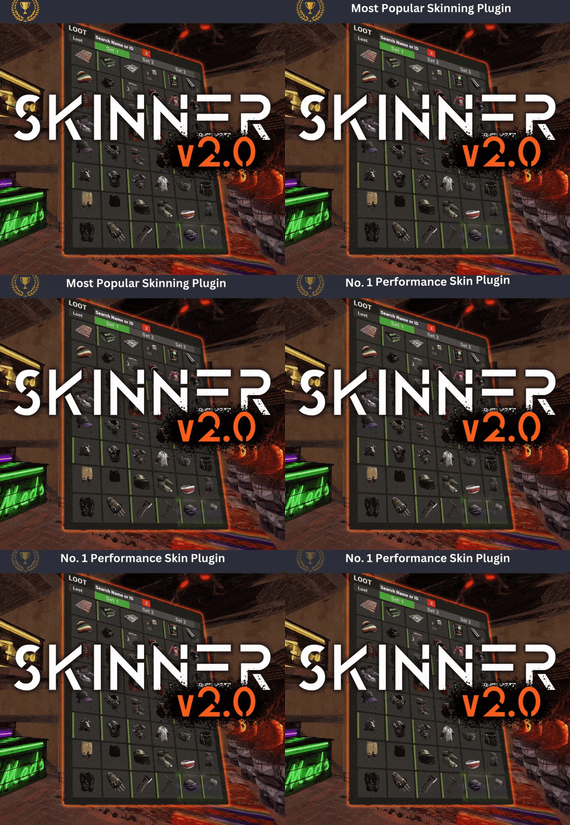
Premium Item Skinning · Oxide + Carbon SKINNER v3.1.6 Skin every item like it’s worth keeping — 60x faster, 200x leaner.
The unrivalled no.1 performance skinning plugin. Skin any item in the game with a unique skinbox — live skinning, auto skinning, and skin sets.
The numbers, not the noise Measured, not marketed
Skinner 2.0 delivers unrivalled efficiency. In standard testing versus the closest performing plugin, runtime was 60x faster and memory use 200x more efficient.
What’s new in 3.0 Skinner 3.0 is here — a full visual overhaul with dynamic, permission-based UI menus.
✓Visual overhaul with dynamic, permission-based UI menus ✓Automatic skin filtering and dev modes for the new TOS ✓Permission-based skin sets ✓Team-share skins ✓Auto-unlock owned skins Features Everything skinner does
Live skinning Skin items in place without moving them. Auto import Automatically import and use all game-approved skins. Skin sets Create a variety of skin sets for any item. Skin requests Players request skins; admins approve them in game. Auto skins Apply selected skins to every item that enters your inventory. Team share Skin your whole team’s inventory from your own sets. See it running Live demo
Live-skin any item in your inventory. Skin deployables you’re looking at. Commands Every command
Skin menu
/skin /s, /skinbox, /sb Live-skin any item in your inventory by picking a skin. /skincraft /sc Build skin sets used by the auto, team, and base commands. /skinitem /si, /skindeployed, /sd Skin a deployable you are looking at. Args: 1, 2 or 3 to use a skin set. Automatic
/skincon /scon Skin every item in the container you are looking at. Args: 1/2/3 (optional). /skininv /sinv Skin every item in your inventory. Args: 1/2/3 (optional). /skinauto /sauto Auto-skin every item as it enters your inventory. Args: 1/2/3 (optional). /skinteam /st Skin your inventory and your team’s. Args: 1/2/3. Use /skinteam toggle to opt in or out. /skinbase /skinbuilding Skin all deployables in your base. Args: item filter, e.g. /skinbase sleepingbag. /skinall /sa Skin all items in every container in your base. Args: shortname, e.g. /skinall rifle.ak. /skinset /ss Set your currently selected skin set. Import & requests
/skinimport /sip Import a custom workshop skin. Args: WorkshopID, e.g. /skinimport 2397648701. /colimport /cip Import a workshop collection. Args: Collection ID, e.g. /colimport 2921147807. /skinrequest /sr Request a skin be added — shows in the requests box. Args: WorkshopID. /skinrequests /srs Open the approval box. Try = copy the item, Approve = add the skin, Deny = remove it. Permissions Grant exactly what you want
Player
skinner.default /skin skinner.items /skinitem skinner.craft /skincraft skinner.skinauto /skinauto skinner.skincon /skincon skinner.skininv /skininv skinner.skinbase /skinbase skinner.skinteam /skinteam skinner.skinall /skinall skinner.skinrequest /skinrequest Admin
skinner.import Enables /skinimport, /colimport, and /skinrequests. skinner.bypassauth Skips the building-auth check when using /skinitem. skinner.permskintry Enables Try in /skinrequests. Trying a skin copies the item — admins only. Auto-assigned
skinner.skinautotoggled A player disables skinauto. skinner.skinteamblock A player opts out of team skins. Cooldowns Grant skinner.<command><seconds> (e.g. skinner.default30) to enforce the cooldowns set in the config. No cooldown permission = no cooldown. If a player has several, the shortest wins. Importing skins Five ways to add skins
Via config Add workshop IDs to the Imported Skins List; reload and shortnames/display names auto-populate. Via collections Add whole workshop collection IDs; every skin imports automatically on load. Via commands /skinimport <WorkshopID> and /colimport <CollectionID> from chat, the F1 console, or RCON. Via skin requests Players /skinrequest; admins Try/Approve/Deny in the requests box. Requests log to a Discord webhook. From other plugins Convert data from SkinBox, xSkins, and SkinController with the SkinDataConverter tool, then paste into the config. Get the converter → Configuration Tune every behaviour
{ "Auto import approved skins": true, "Remove player data after inactivity (days)": 14, "Apply names of skins to skinned items": true, "Add Search Bar UI": true, "Override spraycan behaviour": false, "Use spraycan effect when holding spraycan and skinning deployables": true, "Blacklisted Skins (skinID)": [], "Blacklisted Items (itemID)": [], "Import Skin collections (steam workshop ID)": [], "Imported Skins List": { "861142659": {}, "2617744110": {} } } Developer API Hook into Skinner
A small, stable surface for reading the cached skin data and resolving redirect items from your own plugin.
//Get all cached skins public Dictionary<int, List<ulong>> GetAllCachedSkins() => _cachedSkins; //Check if a skin is a redirect item public bool IsRedirectID(ulong uID) => HasMask(uID); //Convert a redirect ID to its item ID public int RedirectIDtoItemID(ulong uID) => (int)UnsetMask(uID); //Get the list of skins for an item public List<ulong>? GetSkinsItemList(int itemid) { _cachedSkins.TryGetValue(itemid, out List<ulong>? cachedSkins); return cachedSkins; } Watch See Skinner in action
http://youtu.be/ewKlNILTwv8
Skin every item like it’s worth keeping.
The unrivaled no.1 performance skinbox for Rust — 60x faster, 200x leaner. Oxide + Carbon.
Join the Discord → Skinner v3.1.6 · by Whispers88 · Oxide + Carbon · 5/5 from 50 reviews · 69 versions · on Codefling since March 2022