
xXBIGSPENDERXx's Wishlist
-
$12.90
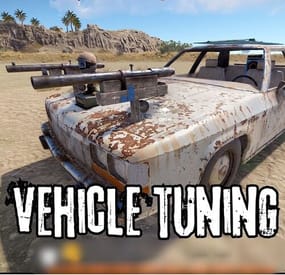
Vehicle Tuning
This plugin decorates vehicles, giving them a unique look and functionality. Vehicles can be given to players as custom items, either loaded into loot or shop. In the config file, you can set whether you want to decorate only vehicles that can be unloaded as items, or all vehicles that spawn on the map.
Minicopter description:
Custom item shortname: "box.wooden.large"
SkinID: 3417571501
Tuning:
Two extra seats A flashing siren to make it easier to find you Pookie bear for 100% comfort A drawing board A wooden box Attack copter description:
Custom item shortname: "furnace.large"
SkinID: 3417570867
Tuning:
Pookie bear for 100% comfort A drawing board A wooden box Sleeping Bag Scrap transport Helicopter description:
Custom item shortname: "furnace.large"
SkinID: 3417572159
Tuning:
A drawing board A wooden box Sleeping Bag Repair Bench Workbench Level 2 Recycler Two extra seats Barbeque Sedan description:
Custom item shortname: "box.wooden.large"
SkinID: 3417572432
Tuning:
A drawing board Two wooden box Sleeping Bag Two Shotgun Trap Row Boat description:
Custom item shortname: "kayak"
SkinID: 3417571168
Tuning:
Wooden Box Sleeping Bag RHIB description:
Custom item shortname: "kayak"
SkinID: 3417571735
Tuning:
Sleeping Bag Wooden Box Siren light Motor Bike description:
Custom item shortname: "box.wooden.large"
SkinID: 3641635602
Tuning:
Wooden Box Sleeping Bag Tugboat description:
Custom item shortname: "kayak"
SkinID: 3641635834
Large Furnace Electric Furnace Small Oil Refinery Recycler BBQ Search Light Contact:
Additional free plugins created by me are available on Discord: https://discord.gg/C5CehdJMdK
If you want to try out this plugin, you can do so on the test server. IP: 212.73.137.3:27195
My public Rust server IP: 136.243.135.46:28050
Video:
Config:
{ "Version": { "Major": 1, "Minor": 0, "Patch": 8 }, "Tuning all vehicles that spawn on the map?": true, "Tuning motor bike vehicles that spawn on the map?": true, "Tuning tugboat vehicles that spawn on the map?": true, "Tuning sedan vehicles that spawn on the map?": true, "Tuning minicopter vehicles that spawn on the map?": true, "Tuning attackhelicopter vehicles that spawn on the map?": true, "Tuning scraptransporthelicopter vehicles that spawn on the map?": true, "Tuning rowboat vehicles that spawn on the map?": true, "Tuning RHIB vehicles that spawn on the map?": true, "The skinid of the box on the minicopter": 2294627631, "The slot number of the box on the minicopter": 42, "The skinid of the box's on the sedan": 2294627631, "The slot number of the box's on the sedan": 42, "The bed cooldown time on the sedan": 60, "The skinid of the box's on the attackcopter": 2294627631, "The slot number of the box's on the attackcopter": 42, "The bed cooldown time on the attackcopter": 60, "The skinid of the box's on the scrap transport helicopter": 2294627631, "The slot number of the box's on the scrap transport helicopter": 42, "The bed cooldown time on the scrap transport helicopter": 60, "The bed cooldown time on the RHIB": 60, "The slot number of the box's on the RHIB": 42, "The skinid of the box's on the RHIB": 2294627631, "The SkinID of the sleeping bags in the vehicles": 3513000289, "The bed cooldown time on the motor bike": 60, "The slot number of the box's on the motor bike": 42, "The skinid of the box's on the motor bike": 2294627631, "The bed cooldown time on the rowboat": 60, "The slot number of the box's on the rowboat": 42, "The skinid of the box's on the rowboat": 2294627631 }
-
$6.00
MBPromoCode
By Barry_Allenn in Plugins
🎁 MBPromoCode — Modern Promo Code System for Rust
📖 Overview
MBPromoCode is a clean and powerful promo code system for Rust servers.
It gives administrators full control over unique promo codes, rewards, activation limits, and expiration dates — all through a beautiful, user-friendly interface.
Whether you want to reward new players, promote your social media, or run limited-time events — MBPromoCode makes it effortless.
✨ Main Features
🎟️ Promo Code Management
Create unique promo codes with rewards, usage limits, and expiration dates. Automatically track activations per player. Prevent abuse with built-in validation and cooldown systems. Examples:
WELCOME → gives 1000 wood BONUS → gives 500 stone
🖥️ Simple & Modern Interface
Intuitive UI for entering and activating promo codes. Buttons for “Activate” and “Close” actions. Customizable background images via ImageLibrary.
💬 Notification System
Sends announcements to global chat when a promo code is activated. Fully customizable messages with color formatting and tags. Works in English, Russian, and Ukrainian.
🔐 Logging & Security
Every activation is logged. Expiration and usage limits are automatically checked. Safe and lightweight — no performance impact.
🌐 Media Integration
Add QR codes linking to your TikTok, Discord, or website. Great for promotional events and influencer campaigns.
⚙️ Configuration Highlights
{ "EnablePromoCodeBroadcast": true, "MessagePrefix": "<color=#0057b8>[Promo]</color>", "PromoCodes": { "WELCOME": { "Reward": "give {player} wood 1000", "Expires": "30.10.2025", "MaxUses": 50 }, "BONUS": { "Reward": "give {player} stone 500", "Expires": "01.11.2025", "MaxUses": 100 } } }
💡 Usage Workflow
The player opens the menu with /promo. They enter the code and press Activate. If the code is valid — the reward is granted. A message is displayed in global chat (optional).
🌍 Localization
English Russian Ukrainian All messages are stored in language files and can be freely customized.
💎 Perfect For
Servers running events or giveaways. Communities promoting social media engagement. Admins who want a polished promo code experience with full customization. -
$22.00
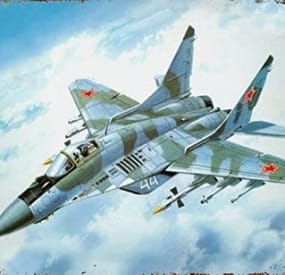
Jet Event
Random jets that fly around the map shooting off nukes and crash with some loot.
Permissions
jetevent.admin
Commands
jet - Displays command usage
You can use Custom Loot from here to populate the heli_crates
{ "Jet Settings": { "Chat Command": "jet", "Use Random Timer": false, "Random Timer In Minutes": 60, "Random Timer chance 1-100": 20, "Total Jets To Spawn": 15, "Jet Lifetime In Minutes": 5, "Total Nukes The Jet Can Fire": 3, "Jet Altitude (Recommended 360.0 or above)": 360.0, "Allow nuke damage to BuildingBlocks": true, "Disable Map Marker": false, "Use nuke fog effect on close by players": false }, "Radiation Settings": { "Use Radiation": true, "Radiation Radius": 50.0, "Radiation Amount": 10.0, "The Lifetime Of The Radiation Pocket In Minutes": 5 }, "Crash Settings": { "Use Jet Crashes": true, "Total Plains To Crash": 2, "Spawn Dead Pilot": true, "How Many Loot Crates On Crash": 3, "Crates On Fire For x Seconds": 180, "Crate Loot From CustomLoot Profile Name": [], "Crate Loot Table File Name And Total Item Slots To Use": { "CrateLoot": 5 } }, "TruePVE Settings": { "Create PVP Zone Around Crash Site Using ZoneManager And TruePVE Mapping Name": "", "Create Visual Dome Around Zone": false, "Zone Radius - 0.0 Disables Zone And Dome": 50.0, "LifeTime Of The Zone In Minutes": 60, "Zone Enter Message": "You have Entered A PVP Zone", "Zone Exit Message": "You have Left A PVP Zone" }, "Nuke Player Settings": { "Jet Altitude (Recommended 360.0 or above)": 360.0, "Use Radiation": false, "Radiation Radius": 50.0, "Radiation Amount": 10.0, "The Lifetime Of The Radiation Pocket In Minutes": 5, "Allow nuke damage to BuildingBlocks": true, "Use Explosion effect (Calling in more then 10 planes to one location this may cause fps lag if enabled)": false, "Use nuke fog effect on close by players": false }, "Send In Npc BackUp Settings": { "Total Defenders": 6, "Total Time In Minutes Defender Will Stay": 60, "Crash Site Npc Configs": [ { "Spawn Health Of The Defender": 100.0, "Weapon Damage Scale Default 1.0": 1.0, "Defenders aimConeScale default 2.0": 2.0, "Names To Give The Defenders": [ "Pvt. Harris", "Pvt. Hobbs", "Pvt. Fiske", "Pvt. Carter", "Pvt. Mackenzie", "Pvt. Quinn", "Pvt. Wright", "Pvt. Baird", "Pvt. Marshall", "Pvt. O'Malley", "Pvt. McElroy", "Pvt. Grimes", "Pvt. McGovern", "Pvt. McGinnis", "Pvt. Foley", "Pvt. Morgan", "Pvt. McEvoy", "Pvt. Gunderson", "Pvt. Hammarsten", "Pvt. Jenkins", "SGT. Tosh", "SGT. Waugh", "SGT. Stoughton", "SGT. Cooper", "SGT. Crockett", "SGT. Jackson", "SGT. Hamilton", "SGT. Jefferson", "SGT. Wilson", "SGT. Lane", "SGT. Jameson", "SGT. Nuttall", "SGT. Gentry", "SGT. Gillespie", "SGT. Pike" ], "Defenders Drop Loot": false, "Spawn Kits For The Defenders": [], "Keep Kit Items On Defender Corpse": false, "Remove Kit Weapon On Defender Corpse Spawn": false, "Lock Wear Slots On Defender Corpse Spawn": false, "Loot From CustomLoot Profile Name": [], "Loot Table Data File Name And Total Item Slots To Use": { "Default": 5 } }, { "Spawn Health Of The Defender": 110.0, "Weapon Damage Scale Default 1.0": 1.0, "Defenders aimConeScale default 2.0": 2.0, "Names To Give The Defenders": [ "Pvt. Harris", "Pvt. Hobbs", "Pvt. Fiske", "Pvt. Carter", "Pvt. Mackenzie", "Pvt. Quinn", "Pvt. Wright", "Pvt. Baird", "Pvt. Marshall", "Pvt. O'Malley", "Pvt. McElroy", "Pvt. Grimes", "Pvt. McGovern", "Pvt. McGinnis", "Pvt. Foley", "Pvt. Morgan", "Pvt. McEvoy", "Pvt. Gunderson", "Pvt. Hammarsten", "Pvt. Jenkins", "SGT. Tosh", "SGT. Waugh", "SGT. Stoughton", "SGT. Cooper", "SGT. Crockett", "SGT. Jackson", "SGT. Hamilton", "SGT. Jefferson", "SGT. Wilson", "SGT. Lane", "SGT. Jameson", "SGT. Nuttall", "SGT. Gentry", "SGT. Gillespie", "SGT. Pike" ], "Defenders Drop Loot": false, "Spawn Kits For The Defenders": [], "Keep Kit Items On Defender Corpse": false, "Remove Kit Weapon On Defender Corpse Spawn": false, "Lock Wear Slots On Defender Corpse Spawn": false, "Loot From CustomLoot Profile Name": [], "Loot Table Data File Name And Total Item Slots To Use": { "Default": 5 } } ] }, "Version": { "Major": 1, "Minor": 7, "Patch": 2 } }
-
$49.90
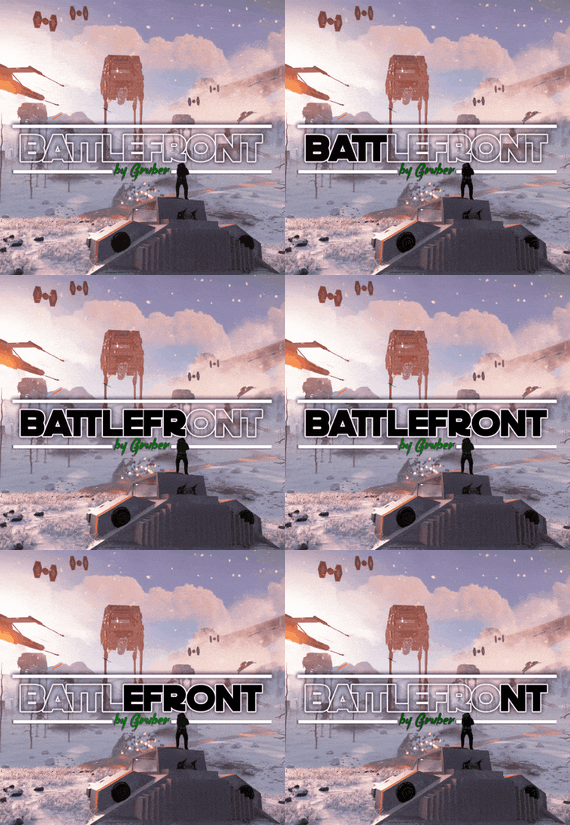
Battlefront
A long time ago, in a galaxy far, far away imperial armed forces invaded in the rust island. After the arrival imperial forces ruined a huge amount of civilisation facilities, they showed no mercy, and the life was almost exterminated, however not every habitant was killed. A little bit later valiant dwellers of the island started to develop with the velocity of light, they unified into several clans and repelled the imperial forces. The clans were able to destroy the main invaders’ troops, but there were too many of them. Now, the fate of the Rust island depends only on you, the Warrior. We wish you good luck on the battlefield!
WARNING!
There are a large number of objects on the map that remain visible for a long distance. For a higher and more stable FPS, I advise you not to include a drawing range above 1500.
Features:
About 95k prefabs Map size 4000 Optimal FPS The atmosphere of a very famous media universe 15 large and medium custom monuments with loot Over 5 custom locations for building Сustom locations where you can build are marked with "X” All custom locations have names on the map Combined outpost with a bandit camp Recycler added to fishing villages Compatible with Raidable Bases plugin Custom configuration of BetterNpc for the map is set up How can I view the map?
You can do this in our Discord server by submitting a request for an invitation to our servers. There you will be given the rights of an "administrator” and without any difficulties you will be able to fly around the map and fully familiarize yourself with it.
For which plugins do I provide configuration files?
Defendable Bases
BetterNpc
Custom monuments:
Battle of Hoth (A huge location is a place of battle) Advanced Bunker Space Fighter Base (A large base on the mountainside) Imperial Destroyer (A huge ship of invaders) Bestin City (a city from the planet Tatooine) Fresh Water Generator Rebel Generator (Location with an underground part) Yoda Swamp Oil Plant Intergalactic market (Savezone without turrets) Jabba Ship Sand Crawler Fighter Hangar Space Parts Warehouse Zyabkino Station Green Station Custom zipline points Monuments from Facepunch:
Apartment Complex Launch Site Radtown Ferry Terminal Nuclear Missile Silo Outpost Junkyard Water Treatment Plant Giant Excavator Pit Train Yard Airfield Power Plant OilRig (2) Harbor (2) Sewer Branch Desert Military Base Lighthouse Fishing Village Ranch The Dome Satellite Dish Underground Tunnels Arctic Research Base Underwater Lab Ziggurat- #rust
- #facepunch
- (and 5 more)
-
$24.99
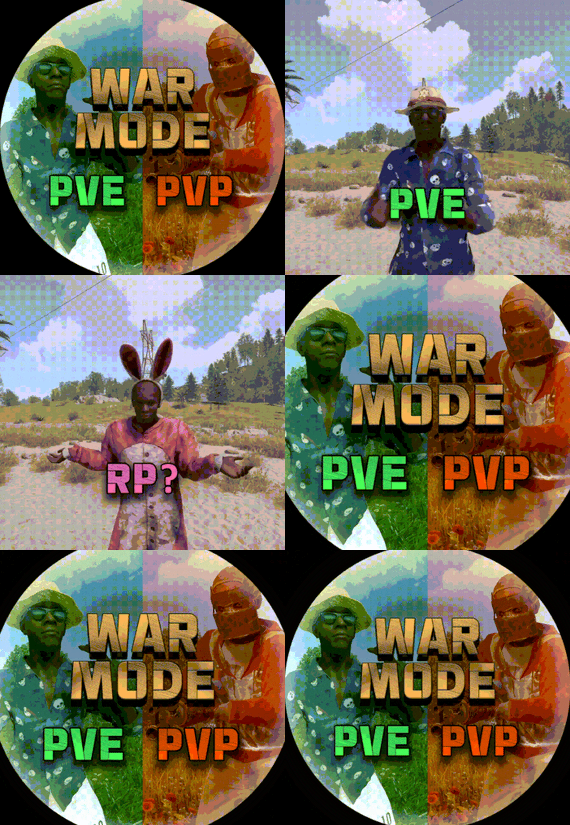
War Mode PVP/PVE
Allows both PVE and PVP players to exist on a server at the same time. PVE players will have certain configurable protections and restrictions. You can have players use a command to flag themselves as PVP/PVE or you can assign it to them when they first spawn. If you have ZoneManager you can also designate specific zones to force player's to be PVE or PVP. Plugin is also compatible with SimpleStatus.
Note: Video is outdated, see documentation for a full list of new features!
Documentation:
A full readme including permissions, commands, and config options is available in this wiki site.
Disclaimer:
Like all of my plugins - this plugin is sold as is. I will be happy to take feature requests into consideration but make no guarantees about which ones get implemented. Please refer to the feature list before you make your purchase!
Developer API:
API Methods
// Returns the mode of the given entity. Also takes into account if the entity is in a forced mode zone. string GetEntityMode(BaseEntity entity); // Returns the group name for the given mode. For example if given 'pve' will return 'warmodepve' string GetModeGroup(string modeId); // Returns the target type for a given entity. Target types are the category that an entity falls into. // For example, if given a BasePlayer entity, it will return 'players'. If given a horse entity is will // return 'horses'. string GetEntityTargetType(BaseEntity entity); Hooks - place these in your plugin and WarMode will call them.
// Called when a player's mode has been updated or config changes have ocurred that may affect the mode. private void WarMode_PlayerModeUpdated(string userid, string modeId) // Used to override WarMode logic for taking damage. // If true/false is returned then WarMode logic will be skipped. Return null to continue WarMode logic. private object CanEntityTakeDamage(BaseCombatEntity target, HitInfo info) // Used to override WarMode logic for targeting. // If true/false is returned then WarMode logic will be skipped. Return null to continue WarMode logic. private object CanEntityBeTargeted(BasePlayer target, BaseEntity attacker, bool skipVendingCheck) // Used to override WarMode logic for triggering a trap. // If true/false is returned then WarMode logic will be skipped. Return null to continue WarMode logic. private object CanEntityTrapTrigger(BaseTrap trap, BasePlayer basePlayer) // Used to override WarMode logic for looting an entity. // If true/false is returned then WarMode logic will be skipped. Return null to continue WarMode logic. private object CanEntityLoot(BasePlayer looter, BaseEntity target, bool skipVendingCheck)
FREE Extension Plugins:
All extension plugins are optional, and included in the downloadable zip that WarMode comes in.
War Mode Admin Panel
Use the /warmode.config or /wmc command to open a panel that allows admins to update mode rules in game without having to reload the pluign. Requires the warmode.admin permission to use.
I HIGHLY recommend you use this extension!
War Mode Spawn UI
Provides a UI that is shown to players when they first spawn that prompts them to choose whether they want to be PVP or PVE. Also supports custom modes. Localization and config options available. This can also be configured to appear when players use the /flag command.
War Mode Rules UI
Using the /rules command (which is configurable) players can see a list of what restrictions they have for their current mode. These ruling will update dynamically based on your config settings.
War Mode Badges
Customizable UI elements that will appear on the player's HUD to indicate what their current mode is.