
Vinni_TV_'s Wishlist
-

$5.99
Barrel Breaker Event
Adds an exciting event for players to your server. When the event starts, players can get more loot from barrels. The event is easy to configure and can be triggered automatically or by command.
You can also customize unique items with a unique name and skin as additional loot (note, use custom names and skins only for items with stacks of 1)
Commands (admin only):
/bbe_start - starts an event
/bbe_stop - starts an event
/bbe_forcestart - force the event to start
Hooks:
void BarrelBreakerStarted() // called when the event starts
void BarrelBreakerStarted() // called when the event ends
Config:
{ "Autostart event(disable if you want to trigger the event only manually)": true, "Minimum time to event start(in seconds)": 900, "Maximum time to event start(in seconds)": 10800, "Minimum event duration(in seconds)": 300, "Maximum event duration(in seconds)": 900, "Minimum number of online players to trigger an event": 1, "Pre-event message": "Barrel breaker event will start in a minute", "Pre-event message time(in seconds)": 60, "Event message": "The barrel breaker event has begun, go and break all the barrels!", "End event message": "Barrel breaker event ended", "Items list": [ { "prefabName": "scrap", "dropChance": 100, "min": 2, "max": 2 }, { "prefabName": "metal.fragments", "dropChance": 0, "min": 1, "max": 100 } ] }
-
$3.99
Zone Custom UI
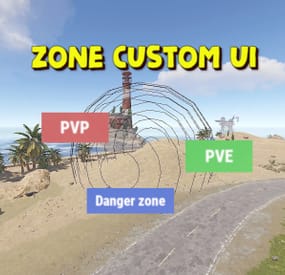
Displays the name of the zone the player is in. You can customize text, text color, background color, etc.
This plugin takes information about zones from zonemanager, all information is saved in a config file, after which you can customize information about these zones, which will be displayed
Commands:
/rzinfo - update zone information
Config file:
{ "Settings outside the zone": { "Id": "0", "Name": "Outside", "AnchorMin": "0.649 0.041", "AnchorMax": "0.695 0.081", "Color_Background": "0.1 0.1 0.8 0.8", "Color_Text": "1 1 1 1", "TextSize": "16", "TextPlaceHolder": "Outside" }, "Default settings for the new zone": { "Id": "0", "Name": "Default", "AnchorMin": "0.649 0.041", "AnchorMax": "0.695 0.081", "Color_Background": "0.1 0.8 0.1 0.8", "Color_Text": "1 1 1 1", "TextSize": "16", "TextPlaceHolder": "Default" }, "Zones list": [] }
-
$4.99
Node-loot Island
By Silent Creations in Monuments
Node-loot Island: Premium Resource and PvP Zone
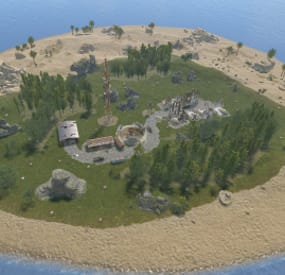
Introducing the Node-loot Island, a dynamic, custom-designed prefab occupying approximately a 9-grid area. This versatile addition is perfectly engineered to enhance gameplay across both PvE and PvP servers.
Key Features & Server Utility: PvE Roleplay Hub: Serves as a critical, high-yield location where players can consistently gather valuable loot and resources (nodes), making it an ideal destination for progression and role-play activities. Intense PvP Arena: The island is intentionally structured to act as a concentrated PvP Zone, providing players with dedicated, exciting battles over contested resources and player-earned spoils. Custom Terrain & Biomes: Explore a custom-sculpted environment featuring two distinct geographical areas: arid and temperate biomes. The terrain is complemented by realistic rock formations and patches of forest. Dynamic Combat: The layout incorporates numerous close-quarters areas to ensure a constant, engaging combat experience for players seeking intense skirmishes. With a highly optimized prefab count of just 229, the Node-loot Island delivers maximum content with a minimal impact on server performance. Will you conquer this resource-rich domain and bask in the wealth it has to offer?
For any questions or assistance please contact me on discord @ https://discord.gg/THf6dGN8eW
-
$18.99$15.19XNPCVendingSkinMenu
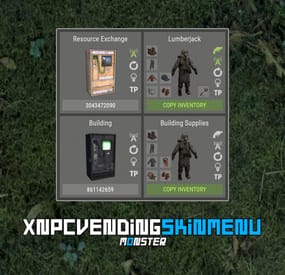
XNPCVendingSkinMenu - NPC Vendings/Shopkeepers skin menu for your server.
-> In the code you can switch the plugin language - LanguageEnglish = true <-
Key Features
Optimization of the interface for different monitor resolutions. Storing NPC data in - oxide/data/XDataSystem/XNPCVendingSkinMenu There is a lang ru/en/uk/es. Sound effects when interacting with the menu. Vending settings: skin and automatic application. Shopkeeper settings: clothing, weapon(belt), skins, item in hand and automatic application. Easily copy your inventory with one click of a button. [ Clothing and belt with skins and modules are copied. ] Ability to change the skin of an item. Just click on it. Ability to display NPCs on the map - all of them or individually. Ability to teleport to NPCs. [ Select an NPC from the list if there are 2 or more NPCs. ] If there is no NPC on the map, it will be displayed in transparent color in the menu. NPCs that are not in the plugin data will be automatically copied and added as soon as they are spawned. The plugin only copies and modifies default NPCs. This allows you to use custom NPCs from other plugins without problems.
[ OwnerID(vendings and shopkeepers) and SkinID(shopkeepers only) == 0 ] The NPC is automatically changed after loading the plugin. For an NPC to be changed, its settings must be activated.
Brief description of the buttons:
Permissions
xnpcvendingskinmenu.admin - access to menu and settings.
Commands
[ChatCommand] /npcvendingskin - open menu. [ConsoleCommand] npcvendingskin.savedata - command for additional saving of changes. [ Optional. The plugin will automatically save the information when you unload it. ]
Config
{ "General settings": { "SteamID profile for custom avatar": 0, "Chat prefix": "<size=12><color=#FFFFFF50>[</color> <color=#00FF0050>XNPCVendingSkinMenu</color> <color=#FFFFFF50>]</color></size>\n" }, "GUI settings": { "Color_background_1": "0.517 0.521 0.509 0.95", "Color_background_2": "0.217 0.221 0.209 0.95", "Color_background_3": "0 0 0. 0.9", "Button color (icons)": "1 1 1 0.75", "Block color": "0.517 0.521 0.509 0.5", "Color of the active button next": "0.35 0.45 0.25 1", "Color of the inactive button next": "0.35 0.45 0.25 0.4", "Text color of the active button next": "0.75 0.95 0.41 1", "Text color of the inactive button next": "0.75 0.95 0.41 0.4", "Color of the active button back": "0.65 0.29 0.24 1", "Color of the inactive button back": "0.65 0.29 0.24 0.4", "Text color of the active button back": "0.92 0.79 0.76 1", "Text color of the inactive button back": "0.92 0.79 0.76 0.4" } } -
$8.59$6.87XFireGloves
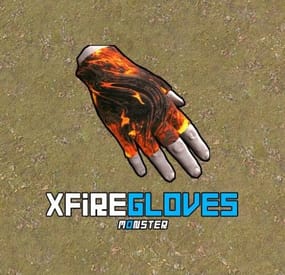
XFireGloves - are fire gloves. After putting them on, the player mines melted resources with any tool.
- Each glove can be customized. [ Default config is 2 gloves ]
You can create an unlimited number of different gloves.
- There is a lang ru/en/uk/es.
- Mining of remelted resources.
- Pickuping of remelted resources.
- Radiation accumulation when mining with fire gloves.
- Adjusting raites of mined and picked up resources in gloves.
- Set the number of glove usings ( lives ). [ Gloves will be deleted after N actions. Number of stones and pickups from the ground ]
- Customizing custom items with glove recycling.
- Customizing crates and the chance to find gloves in them.
- Binding to SkinID (Do not lose functionality if put in a "Backpack").
- Information in chat when a player puts on gloves.
- Information in chat when gloves break.
- Gloves can only be put in slot 7. [ For optimization ]
- Permission to be able to use gloves.
- Customize the list of items that can smelt/fry gloves.
- Customize the list of items that will not be affected by rates.
Permissions
Permissions to be able to find fire gloves in crates: xfiregloves.glovesloot Commands
Command to give gloves via console or store - gl_give %STEAMID% SkinID_gloves Config
{ "General settings": { "Use permission for a chance to find gloves in crates: xfiregloves.glovesloot": true, "Display information in chat when a player puts on gloves": true }, "List of fire gloves": { "SkinID": { "Name of the fire gloves": "Fire gloves", "Permission to use gloves": "xfiregloves.default", "Rates of mined resources in gloves": 2.0, "Rates of picked resources in gloves": 2.0, "Amount of radiation when picked resources": 2.0, "Amount of radiation in bonus mining": 1.0, "Number of usings": 25, "List of resources that can smelt gloves": [ "chicken.raw", "humanmeat.raw", "bearmeat", "deermeat.raw", "meat.boar", "wolfmeat.raw", "horsemeat.raw", "hq.metal.ore", "metal.ore", "sulfur.ore", "wood" ], "A list of resources that are not affected by rates": [ "diesel_barrel" ], "List of custom items after recycling": [ { "Item shortname": "wood", "Item skin": 0, "Item name": "", "Chance [ 100.0 - 100% ]": 50, "Text [ If it's a note ]": "", "Number of usings [ If it's a glove ]": 0, "Minimum amount": 50, "Maximum amount": 100 } ], "Enable delete gloves after N usings - only for smelting": true, "Enable delete gloves after N usings - when mining/pickup any resources": false, "Enable smelting of mined resources": true, "Enable smelting of pickuped resources": true, "Enable mined resource rates": true, "Enable pickuped resource rates": true, "Enable custom items after recycling fire gloves": true, "Enable gloves to drop out of crates at a certain chance": true, "Enable radiation accumulation when pickuping resources": true, "Enable radiation accumulation when bonus mining": true, "Customize the gloves drop chance from crates and barrels. Name crate/barrel | Drop chance: 100.0 - 100%": { "crate_tools": 50.0, "crate_normal_2": 50.0 } } } }