
Tikomatura's Wishlist
-
$24.99
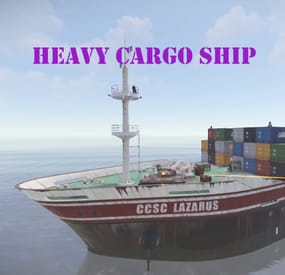
Heavy Cargo Ship Event
Heavy Cargo Ship Event is a configurable plugin that allows for a new type of random event. Randomly a message will appear letting players know that there's an incoming heavy cargo ship.
The ship is equipped with extra scientists, auto turrets, and a Bradley. Players must try to board the ship and kill the scientists in the lower decks to find the code to disable the auto turrets OR destroy all the turrets. If the code is found, it can be entered into the code lock in the lower decks to disable the turrets. Once the turrets are dealt with, players must defeat the Bradley. This can be a real challenge while on a moving ship. Finally, once the Bradley is defeated, players can collect all the loot. That's if someone else doesn't get to it first!
This is a great event to add to your server to give it a little more variety. It can be a fun PVP zone or a PVE event for non PVP servers.
EASY OPTIONAL SETUP - NO SETUP REQUIRED
You can simply drop the plugin in as-is and it will start the random event every 1 to 2 hours OR you can modify the config to change how often it should occur and/or how long until the Heavy Cargo Ship comes.
Configuration
"How many hackable loot crates should spawn.": 4,
"If this is true auto turrets will target and kill NPCs as well as players on the cargo ship.": false,
"If this is true it will spawn auto turrets on the cargo ship.": true,
"If this is true it will spawn the APC Bradley on the cargo ship.": true,
"Maximum time between events(minutes):": 180,
"Minimum number of players before event will start": 4,
"Minimum time between events(minutes):": 60,
"Set this to true if you want to use the custom loot table in this config. If it's false, it will use your server default.": false,
"Should the event start automatically(false if you only want manually start with HeavyCargoStart command": true
Admin Only Commands
/HeavyCargoStart
/HeavyCargoStop
Hooks
void HeavyCargoShipEventStarted()
void HeavyCargoShipEventStopped()
Discord: cahnu
-
$11.99
WTrading
WTrading is a highly optimized and feature-packed trading system designed to make item exchanges seamless and efficient. Players can trade from anywhere on the map using Rust's built-in shopfront loot menu, providing a polished and intuitive interface. Server owners have full control with extensive configuration options, including trade restrictions, custom fees, logging, and third-party integrations to fine-tune the trading experience.
The system is built for flexibility and security, ensuring safe transactions with anti-exploit measures and detailed logging. The optional Discord integration allows administrators to monitor trades in real time, review logs, and issue trade bans directly from Discord, streamlining server management without requiring in-game access. Whether you're running a roleplay economy or a survival-focused server, WTrading delivers a powerful and customisable solution for player-to-player trading.
Features
Easy and and simple setup. UI based player list with searching. On-screen notifications and sound effects. Fixed and dynamic trade fees based on distance via Economics or Server Rewards. Temporary and permanent trade banning system. Built-in Discord integration with external moderation functionality. Group specific trade cooldowns. Daily limits per group. Trade slot limits and visual indicators. Usage and bypass permissions. Item blacklisting. Configurable distance restrictions. Several toggleable trade restrictions. Many in-depth third party plugin integrations. Configurable UI positioning and visibility. In-depth developer interface. Full localisation support. Toggleable file or console based logging.
Commands
/trade {target} - Sends a trade request to the target. /trade accept [target] - Accepts the most recent trade request, or the target player's request if specified. /trade decline [target] - Declines the most recent trade request, or the target player's request if specified. /trade cancel - Cancels your ongoing trade. /trade ban {target} {time} - Trade bans the target player for the given length which can be set using the following format: 1h 30m 5s. /trade unban {target} - Removes the trade ban from the target player.
Integrations
WTrading includes a vast set of integrations with existing plugins that can be found for free on UMod:
Server Rewards by k1lly0u - Take fees for sending trade requests which can scale based on distance. Economics by MrBlue - Take fees for sending trade requests which can scale based on distance. Clans by k1lly0u - Reduce cooldowns, fees and disable daily trade limits for trades between clan members. No Escape by Calytic - Prevent raid blocked or combat blocked players from trading. UI Notify by Mevent - Receive on-screen notifications that fit the style of your server when a trade request is received. NTeleportation by nivex - Target players in commands easier by using the same Temp ID as NTeleportation. Block Users by ViolationHandler - Prevent players from sending trade requests to people who've blocked them. Ignore by MisterPixie - Allow players to ignore inbound requests from specific people. AFK API by 2CHEVSKII - Prevent confusion from unanswered trade requests sent to AFK people. Monument Finder - Prevent players from trading within monuments.
Permissions
wtrading.use - Allows the player to use trade related commands wtrading.cooldown_bypass - Any player with this permission will bypass the trade cooldown. wtrading.daily_limit_bypass - Any player with this permission will bypass the daily trade limit for their group. wtrading.block_bypass - Any player with this permission will bypass user blocking restrictions. wtrading.ban - Allows the player to issue trade bans with /trade ban {player}. wtrading.ban_immune - Any player with this permission will be immune to trade bans. wtrading.unban - Allows the player to remove trade bans with /trade ban {player}.
Installation
Download the latest version of WTrading. Open the zip file using the archive extraction tool of your choice. Drag and Drop WTrading.cs into oxide/plugins/. (Optional) For those that wish to use the Discord integration, copy WTradingDiscord.cs into the same folder. Generate the configuration files by running the server with the plugin installed. Configure the files located in oxide/config/, refer to the Configuration section for more information on the options available. Reload the plugin using the commands oxide.reload WTrading, and oxide.reload WTradingDiscordif you are using the Discord integration.
Configuration
The following configuration files are available, refer to the inline comments for further explanation:
WTrading.json
WTradingDiscord.json
This configuration file is for users of the Discord integration only.
Developer Hooks
WTrading features a range of hooks that developers can use to modify the behaviour of the plugin:
Localisation
Localising WTrading is simple, if you would like to translate the plugin into your own language follow these steps:
Go to the oxide/lang/ folder of your server after installing the plugin. Copy the English translation from ./en/WTrading.json and paste it into a folder with your language code (for example fr for French). Open the file and change all of the phrases to your language of choice.
Credits
sky - Help with testing and the video demonstration. Plugin.Merge by dassjosh - Singlehandedly making Oxide plugin development bearable. Admin Tools by ViolationHandler.exe - Inspiration for the image generation functionality of the Discord integration. -

$17.00
Missile Silo Event
This plugin spawns a tank, lots of turrets, lots of NPCs, and locked crates on the Missile Silo monument
Supports the PveMode plugin!
Chat and console commands:
- siloeventstart
- siloeventstop
Before you upgrade from 2.1.5 to 3.0, delete the old config file!!
Contact:
Discord: https://discord.gg/C5CehdJMdK
Test Rust server: 213.181.206.21:27194
Hooks:
void OnMissileSiloEventStart();
void OnMissileSiloEventStop();
Config:
{ "Version": { "Major": 3, "Minor": 0, "Patch": 0 }, "Automatic event start": true, "Minimum time for event start": 3600.0, "Maximum time for event start": 7200.0, "Duration of the event": 2800.0, "Warning messages before event start": 300.0, "Warning messages before event end": 300.0, "Chat icon": 0, "Locked crate hack time": 900.0, "Disable BetterNpc plugin npc's for the duration of the event?": false, "Spawn NpcSpawn Scientist?(Required: NpcSpawn plugin!)": true, "Spawn BotReSpawn Scientist?(Required: BotReSpawn plugin!)": false, "BotReSpawn profil name:": "", "BotReSpawn Npc's number": 10, "Spawn the helicopter?": true, "Messages setting": { "Message before the event starts.": "Everyone be careful, the <color=#ff0000>Missile Silo Event</color> is about to start.", "Warning message before the event stop.": "The <color=#ff0000>Missile Silo Event</color> will end soon!!", "Message when someone event owner": "Someone has become the owner of <color=#ff0000>Missile Silo Event</color>.", "Start message": "<color=#ff0000>Missile Silo Event</color> has started!!", "Stop message": "<color=#ff0000>Missile Silo Event</color> end!", "Map marker name": "Missile Silo Event", "Map marker radius": 0.6, "Color": { "r": 1.0, "g": 0.0, "b": 0.0 } }, "Bradley setting": { "Bradley health": 1000.0, "Number of crate to spawn when the bradley dies": 3, "Number of Npc spawning from Bradely": 3 }, "AutoTurret setting": { "Health": 300.0, "Weapon ShortName": "rifle.ak", "Ammo ShortName": "ammo.rifle", "Number of ammo": 5000 }, "List of lootable crates": [ { "Prefab": "assets/bundled/prefabs/radtown/crate_elite.prefab", "Position": "(-18.234, 0.775, -17.476)", "Rotation": "(0, 0, 0)", "Use custom loot?": false, "CustomLoot": { "Minimum items": 1, "Maximum items": 1, "Use minimum - maxium?": false, "List of items": [ { "ShortName": "xmas.present.small", "Minimum": 3, "Maximum": 6, "Chance": 100.0, "Give blueprint?": false, "SkinID": 0, "Displayname": "" } ] } }, { "Prefab": "assets/prefabs/npc/patrol helicopter/heli_crate.prefab", "Position": "(-21.696, 0.775, -17.690)", "Rotation": "(0, 90, 0)", "Use custom loot?": false, "CustomLoot": { "Minimum items": 1, "Maximum items": 1, "Use minimum - maxium?": false, "List of items": [ { "ShortName": "xmas.present.small", "Minimum": 3, "Maximum": 6, "Chance": 100.0, "Give blueprint?": false, "SkinID": 0, "Displayname": "" } ] } }, { "Prefab": "assets/prefabs/npc/m2bradley/bradley_crate.prefab", "Position": "(13.769, 0.775, 24.758)", "Rotation": "(0, 90, 0)", "Use custom loot?": false, "CustomLoot": { "Minimum items": 1, "Maximum items": 1, "Use minimum - maxium?": false, "List of items": [ { "ShortName": "xmas.present.small", "Minimum": 3, "Maximum": 6, "Chance": 100.0, "Give blueprint?": false, "SkinID": 0, "Displayname": "" } ] } }, { "Prefab": "assets/bundled/prefabs/radtown/crate_elite.prefab", "Position": "(10.544, 0.775, 33.744)", "Rotation": "(0, 0, 0)", "Use custom loot?": false, "CustomLoot": { "Minimum items": 1, "Maximum items": 1, "Use minimum - maxium?": false, "List of items": [ { "ShortName": "xmas.present.small", "Minimum": 3, "Maximum": 6, "Chance": 100.0, "Give blueprint?": false, "SkinID": 0, "Displayname": "" } ] } }, { "Prefab": "assets/prefabs/deployable/chinooklockedcrate/codelockedhackablecrate.prefab", "Position": "(-19.577, 0.775, -24.315)", "Rotation": "(0, 0, 0)", "Use custom loot?": false, "CustomLoot": { "Minimum items": 1, "Maximum items": 1, "Use minimum - maxium?": false, "List of items": [ { "ShortName": "xmas.present.small", "Minimum": 3, "Maximum": 6, "Chance": 100.0, "Give blueprint?": false, "SkinID": 0, "Displayname": "" } ] } }, { "Prefab": "assets/prefabs/deployable/chinooklockedcrate/codelockedhackablecrate.prefab", "Position": "(11.290, 0.775, 27.339)", "Rotation": "(0, 180, 0)", "Use custom loot?": false, "CustomLoot": { "Minimum items": 1, "Maximum items": 1, "Use minimum - maxium?": false, "List of items": [ { "ShortName": "xmas.present.small", "Minimum": 3, "Maximum": 6, "Chance": 100.0, "Give blueprint?": false, "SkinID": 0, "Displayname": "" } ] } }, { "Prefab": "assets/prefabs/deployable/chinooklockedcrate/codelockedhackablecrate.prefab", "Position": "(-23.975, 0.775, -26.082)", "Rotation": "(0, 270, 0)", "Use custom loot?": false, "CustomLoot": { "Minimum items": 1, "Maximum items": 1, "Use minimum - maxium?": false, "List of items": [ { "ShortName": "xmas.present.small", "Minimum": 3, "Maximum": 6, "Chance": 100.0, "Give blueprint?": false, "SkinID": 0, "Displayname": "" } ] } }, { "Prefab": "assets/prefabs/deployable/chinooklockedcrate/codelockedhackablecrate.prefab", "Position": "(16.124, 0.775, 33.195)", "Rotation": "(0, 270, 0)", "Use custom loot?": false, "CustomLoot": { "Minimum items": 1, "Maximum items": 1, "Use minimum - maxium?": false, "List of items": [ { "ShortName": "xmas.present.small", "Minimum": 3, "Maximum": 6, "Chance": 100.0, "Give blueprint?": false, "SkinID": 0, "Displayname": "" } ] } } ], "Ground Npcs settings outside": { "Minimum": 12, "Maximum": 15, "List of position": [ "(-12.489, 0.355, 6.207)", "(-13.954, 0.355, -5.113)", "(-11.014, 0.355, -12.386)", "(6.459, 0.252, -13.555)", "(16.419, 0.355, -4.378)", "(14.382, 0.264, 7.947)", "(4.066, 0.355, 14.653)" ], "NPCs setting": { "Name": "Silo Guard", "Health": 250.0, "Roam Range": 30.0, "Chase Range": 30.0, "Attack Range Multiplier": 1.5, "Sense Range": 60.0, "Target Memory Duration [sec.]": 60.0, "Scale damage": 0.8, "Aim Cone Scale": 1.5, "Detect the target only in the NPC's viewing vision cone? [true/false]": false, "Vision Cone": 135.0, "Speed": 7.5, "Disable radio effects? [true/false]": false, "Is this a stationary NPC? [true/false]": false, "Use custom loot?": false, "CustomLoot": { "Minimum items": 1, "Maximum items": 1, "Use minimum - maxium?": false, "List of items": [ { "ShortName": "xmas.present.small", "Minimum": 3, "Maximum": 6, "Chance": 100.0, "Give blueprint?": false, "SkinID": 0, "Displayname": "" } ] }, "Wear items": [ { "ShortName": "hazmatsuit_scientist_nvgm", "SkinID (0 - default)": 0 } ], "Belt items": [ { "ShortName": "rifle.lr300", "Amount": 1, "SkinID (0 - default)": 0, "Mods": [ "weapon.mod.flashlight" ], "Ammo": "" }, { "ShortName": "syringe.medical", "Amount": 2, "SkinID (0 - default)": 0, "Mods": [], "Ammo": "" } ] } }, "PVE Mode Setting (only for users PveMode plugin)": { "Use PveMode plugin?": false, "Required damage to the event owner": 500.0, "The event is a right of ownership, to obtain it you need damage multiplier.": { "Npc": 1.0, "Bradley": 1.0 }, "Non owner can loot the crates?": false, "Non owner can loot the Npc's?": false, "Non owner can damage Npc's?": false, "Non owner can be attacked by Npc's?": false, "Non owner, can you enter the event zone?": false, "Allow a player who has an active cooldown of the Event Owner to enter the event zone?": true, "The time that the Event Owner may not be inside the event zone.": 300, "The time until the event owner can return to the event zone.": 60, "Block the RestoreUponDeath plugin in the event zone.": true, "After all this time, an event owner can be an event owner again.": 86400.0, "Darkening the sphere.": 15 } }
-
$13.99
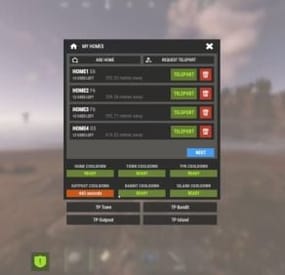
My Homes
MyHomes is a plugin that provides a convenient user interface for the NTeleportation plugin.
Streamline your players' experience on your server by eliminating the need to remember multiple different chat commands for just one plugin.
With this plugin, all your players need to remember is the "/homes" command to open the interface where they can manage their teleports. MyHomes is fully plug & play; no configuration needed.
Just load it on your server and start using.
Latest version comes with:
- option for Easy Home button, which makes accessing MyHomes interface just with a button, no command needed, button appears upon opening Inventory situated next to "Missions" button
- Extra buttons for TP Outpost, Tp Bandit, TP Town and TP Island which off course support multiple island teleports
- Optionable Screen Blur, You can disable in config
- Off course also work with permissions
-
.thumb.png.4a5cdee1670dbd151022e843ab1acb94.png)
$19.99
Automated Maps
Automated Maps - plugin that allows you fully automate map wipe replacements. Plugin will automatically detect server wipe, get next map from configured maps pool and replace it.
What this plugin can do?
Create voting polls in using Discord API, so players can choose next map listed in map pool. Announce next map using Discord API. Automatically detect wipe. RustMaps integration, plugin can fill map pool using RustMaps.com API, supports custom map config and other paid subscription features. What is cron expression and how do I use it?
A cron expression is a string of characters used to schedule tasks to run at specific times or intervals. It is widely used in Unix-based systems for automating repetitive tasks such as backups, updates, and maintenance.
Structure of a Cron Expression
Allowed values Allowed special characters Comment ┌───────────── second (optional) 0-59 * , - / │ ┌───────────── minute 0-59 * , - / │ │ ┌───────────── hour 0-23 * , - / │ │ │ ┌───────────── day of month 1-31 * , - / L W ? │ │ │ │ ┌───────────── month 1-12 or JAN-DEC * , - / │ │ │ │ │ ┌───────────── day of week 0-6 or SUN-SAT * , - / # L ? Both 0 and 7 means SUN │ │ │ │ │ │ * * * * * * Special characters which are supported by plugin now
* (all): Specifies that the event should happen for every time unit. For example, * in the minute field means "every minute." - (range): Specifies a range of values. For example, 10-12 in the hour field means "10th, 11th, and 12th hours." , (values): Specifies multiple values. For example, 10,12 in the hour field means "10th and 12th hours." / (increments): Specifies incremental values. For example, 5/15 in the minute field means "5, 20, 35, and 50 minutes of an hour." Examples of Cron Expressions
0 12 * * * -> At 12:00 p.m. (noon) every day: 0/15 * * * * -> Every 15 minutes every day 0/5 13,18 * * * -> Every five minutes starting at 1 p.m. and ending at 1:55 p.m., and then starting at 6 p.m. and ending at 6:55 p.m., every day 30 9 * * 1-5 -> At 9:30 a.m. every Monday to Friday 0 0 L * * -> At 00:00 AM on the last day of the month 0 0 L-1 * * -> At 00:00 AM the day before the last day of the month 0 0 3W * * -> At 00:00 AM, on the 3rd weekday of every month 0 0 LW * * -> At 00:00 AM, on the last weekday of the month 0 0 * * 2L -> At 00:00 AM on the last tuesday of the month 0 0 * * 6#3 -> At 00:00 AM on the third Saturday of the month 0 0 ? 1 MON#1 -> At 00:00 AM on the first Monday of the January Detailed definition can be found here: Cronos
You can try to use this generator.
If you need help with setting up your own wipe schedule don't hesitate to ask for support! You can use plugin support section or DM me in Discord: metangerine.
Configuration
Language
{ "Discord_Poll_Title": "Please, choose next wipe map: ", "Discord_Poll_Option": "MAP #{0}", "Discord_Poll_Result_Title": "Vote ended with result: ", "Discord_Poll_MostVoted": "Most voted map", "Discord_Post_Title": "Next wipe map ({0}):", "Discord_Seed": "Seed", "Discord_Size": "Size", "Discord_PreviewLink": "Preview Link", "Discord_MapLink": "[Map Link]({0})" } Commands
automaps.postnext - to post map automaps.runvote - to run vote CONTACT
Need help or custom plugin for your server?
Contact me using Discord: metangerine
----------------------------------------------------------------------
- #automated
- #maps
- (and 9 more)