
The Lone Dark's Wishlist
-

$11.99
Scientist Sentries
The Scientist Sentries plugin allows players to place their own Outpost Turrets on their bases.
These turrets function the same way vanilla outpot turrets work, but can be owned by players.
Commands
scientistsentry.get <name/steam id> <amount>
*both parameters are optional
Known Issues
Set ID/Authorize Friends kicks the player This option in the wheel menu won't work and may crash players due to a FacePunch bug. It isn't possible to implement a workaround that works smoothly
Configuration
{ "Instant sentry switch (Sentries toggle instantly when switch toggled)": false, "Power required to switch": 0, "Force switch to be on when required power is given": false, "Where the switch to toggle the sentry is located (View website for options)": "front", "How far the switch is from the center of the sentry in meters": 0.8, "Sentry Item Name": "Scientist Sentry", "Sentry Skin ID": 3306396656, "Sentries need Ammo": true, "Sentry Ammo Slots": 6, "Sentry Range": 100.0, "Sentry Aim Cone": 2.0, "Delay between shots (seconds)": 0.115, "Sentry Health": 1500, "Only Target NPCs / Don't target players": false, "Sentries can take damage": true, "Sentry drops when floor missing": true, "Sam": { "Sentries can act like sam sites": false, "Requires ammo to shoot": true, "Vehicle Scan Radius (Vanilla = 150)": 150, "Missile Scan Radius (MLRS) (Vanilla = 225)": 225, "Burst Fire Count (Vanilla = 6)": 6, "Target helicopters that authed people are flying": false, "Target helicopters without a driver/passenger": false, "Target patrol helicopter": false }, "Warn player if has no ammo when turning on": false, "Warn player if ammo is low when turning on": false, "Base Damage": 15, "Default Ammo Type (Requires Sentries need Ammo to be false)": "ammo.rifle", "Ammunition": [ { "Short Name": "ammo.rifle", "Allowed": true, "Extra Damage": 0, "Create Fire": false, "Create Explosion": false, "Is Sam Ammo (Automatically disables ammo type if sam mode is off)": false } ] }
Switch Placement Options
front / leg1: In front of the sentry / front leg back: Behind the sentry leg2: On the second leg / right back leg leg3: On the third leg / left back leg north, south, east, west: Fixed compass directions northeast, northwest, southeast, southwest: Fixed diagonal directions sentrytvideo.mp4- #turret
- #scientist
- (and 5 more)
-
$11.99$8.99F15 AirStrike
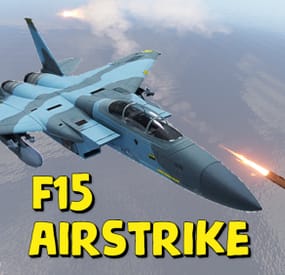
Adds the ability to call an airstrike, the player throws a supply signal in the place where he wants to call an airstrike.
This plugin uses the default supply signal, but the item skin must be 2982472774. Please use only default stack size for supply signal. This is the only way the plugin will work properly.
Since this is not an item that players can usually get through loot, you can use a plugin like BetterLoot to insert a supply signal with skin 2982472774 into your loot tables, and then that player-picked item can be used as a signal to call an airstrike.
There is also support for the plug-in HomingMissiles
Commands (admin only):
/GiveF15AirStrikeSignal <Player or steamID> <number of items> - give the player a supply airstrike signal
/GiveF15AirStrikeSignalToAll <number of items> - give to all players a supply airstrike signal
/adminCallF15 - causes an airstrike to a point with the player's coordinates
Developer API:
(void) CallF15AirStrike(Vector3 pos, BasePlayer player) - launch an airstrike on a point with coordinates pos, player - airstrike initiator(null can be specified)
This plugin uses the permission system
Permissions:
f15AirStrike.use - required to use airstrike
f15AirStrike.vip - for VIP permissions, the "Cooldown time for VIP” setting is available
To assign a permission, use: oxide.grant <user or group> <name or steam id> f15AirStrike.use
To remove a permission, use: oxide.revoke <user or group> <name or steam id> f15AirStrike.use
Config:
{ "F15 flight altitude": 250.0, "Rockets speed": 150, "Attack radius": 150, "Damage scale (1 = 100%)": 1.0, "Rate of fire(number of shots per second)": 2.5, "Time to trigger a signal grenade": 3.0, "Cooldown time": 1.0, "Cooldown time for VIP": 1.0, "Supply signal display name": "SUPPLY SIGNAL F15", "Grenade throw force scaling": 1.0, "Damage to buildings": false, "Always deal damage to Raidable Bases": false, "Attack the initiator": true, "Attack the players": true, "Attack NPCs": true, "Attack the place where the signal supply was thrown (attacks only in the area, not aiming at players and NPCs)": false, "F15 will only attack at right angles above the center of the impact area (only for area targeting)": false, "Attack accuracy (used only when attacking in an area)": 30, "Use homing missiles(need HomingMissiles plugin)": false }
-
.thumb.gif.b131579b5bca174a34fba04fd029bcde.gif)
$14.99
Simple KDR UI
By Cobalt Studios in Plugins
Simple kill/death ratio counter. User interface is fully customizable, each panel can be disabled. For each screenshot shown there is config file available.
Simple customizable KDR UI interface Togglable interface Multi-User custom interface support High Performance Plugin Plug and Play - No dependencies or Linq
Got any ideas or questions ? Join the Cobalt Studios Discord @ https://discord.gg/cobaltstudios
Player Commands:
/hkd or /togglekdr - disables/enables kdr UI /skd or /switchkdr - rotates through multiple custom KDR UIs from the config Args - Optionally use an integer to skip to a specific UI - Example - /skd 2 Admin Commands:
/kdrwipe - wipes all kdr data
Player Permissions:
simplekdr.use - allows use of all player commands simplekdr.hidden - hides the kdr UI when a player logs in or uses the /hkd command Admin Permissions:
simplekdr.wipedata - allows the use of /kdrwipe command
Credit to M&B Studios the original author of this plugin.
- #kdr
- #simplekdr
- (and 24 more)
-
$3.99
Fuel Status
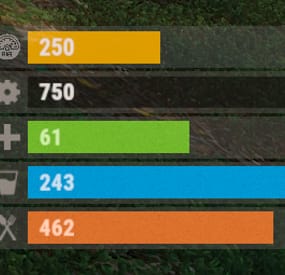
The plugin displays the vehicle's fuel level in the status bar. Depends on AdvancedStatus plugin.
The ability to display the vehicle's fuel level(gauge) in the status bar; The ability to notify when a low fuel level is reached; The ability to set a color for each percentage of fuel; The ability to specify mount poses for display; The ability to automatically generate language files for different languages(filled in English); The ability to specify the order of the bar; The ability to change the height of the bar; The ability to customize the color and transparency of the background; The ability to set a material for the background; The ability to switch between CuiRawImageComponent and CuiImageComponent for the image; The ability to get images from the local folder (*SERVER*\oxide\data\AdvancedStatus\Images); The ability to set own image and customize the color and transparency of the image; The ability to set sprite instead of the image; The ability to customize the color, size, font and outline of the text.
{ "Is it worth enabling GameTips for messages?": true, "Is it worth using Notify plugins for messages instead of the vanilla UI?": false, "Specify the regular message type for notify": 0, "Specify the warning message type for notify": 1, "List of language keys for creating language files": [ "en" ], "Fuel stack size for fraction calculation. A value of 0 uses the actual stack size": 500, "Fuel indicator refresh interval in seconds": 5.0, "Notifications - The percentage(0.0 to 1.0) of fuel at which notifications will occur. A value of 0 disables this": 0.2, "Notifications - The effect that will be triggered upon a warning. Choose the effect carefully! An empty string disables the effect call": "assets/prefabs/locks/keypad/effects/lock.code.denied.prefab", "Status. Bar - Height": 26, "Status. Bar - Order": 1, "Status. Background - Color(Hex or RGBA)": "#FFFFFF", "Status. Background - Transparency": 0.15, "Status. Background - Material(empty to disable)": "", "Status. Image - Url": "https://i.ibb.co/4ZhnTpBv/Fuel-Status-Fuel.png", "Status. Image - Local(Leave empty to use Image_Url)": "FuelStatus_Fuel", "Status. Image - Sprite(Leave empty to use Image_Local or Image_Url)": "", "Status. Image - Is raw image": false, "Status. Image - Color(Hex or RGBA)": "#E2DBD6", "Status. Image - Transparency": 0.55, "Status. Image Outline - Is it worth enabling an outline for the image?": false, "Status. Image Outline - Color(Hex or RGBA)": "0.1 0.3 0.8 0.9", "Status. Image Outline - Transparency": 1.0, "Status. Image Outline - Distance": "0.75 0.75", "Status. Text - Size": 15, "Status. Text - Color(Hex or RGBA)": "#E2DBD6", "Status. Text - Font(https://umod.org/guides/rust/basic-concepts-of-gui#fonts)": "RobotoCondensed-Bold.ttf", "Status. Text - Offset Horizontal": 7, "Status. Text Outline - Is it worth enabling an outline for the text?": false, "Status. Text Outline - Color(Hex or RGBA)": "#000000", "Status. Text Outline - Transparency": 1.0, "Status. Text Outline - Distance": "0.75 0.75", "Status. Progress - Transparency": 0.8, "Status. Progress - OffsetMin": "25 2.5", "Status. Progress - OffsetMax": "-3.5 -3.5", "Status. Progress - Zero Text Size": 12, "Status. Progress - Zero Text Color(Hex or RGBA)": "#F70000", "List of mount poses for displaying fuel status": [ "Driving", "HandMotorBoat", "StandDrive", "SitMinicopter_Pilot", "Sit_Workcart", "Sit_Crane", "Driving_Snowmobile", "Sit_Locomotive", "Sit_DPV", "Sit_BatteringRam" ], "List of Gauge Indicators": [ { "MinRange": 0.0, "MaxRange": 0.2, "Color(Hex or RGBA)": "#F70000" }, { "MinRange": 0.2, "MaxRange": 0.6, "Color(Hex or RGBA)": "#F7BB00" }, { "MinRange": 0.6, "MaxRange": 1.0, "Color(Hex or RGBA)": "#B1C06E" } ], "Version": { "Major": 0, "Minor": 1, "Patch": 5 } } The values of MaxRange and MinRange set the range of values over which the color applies.
The values for MaxRange and MinRange must be between 0.0 and 1.0 (inclusive), where 0.0 equals 0%, and 1.0 equals 100%.
The value of MaxRange must be equal to the value of MinRange of the previous.
EN: { "MsgFuelLow": "Warning: Fuel level is low!", "BarProgressZero": "Out of fuel, refill required!" } RU: { "MsgFuelLow": "Внимание: уровень топлива низкий!", "BarProgressZero": "Нет топлива!" }
Available mount poses(PlayerModel.MountPoses):
public enum MountPoses { Chair = 0, Driving = 1, Horseback = 2, HeliUnarmed = 3, HeliArmed = 4, HandMotorBoat = 5, MotorBoatPassenger = 6, SitGeneric = 7, SitRaft = 8, StandDrive = 9, SitShootingGeneric = 10, SitMinicopter_Pilot = 11, SitMinicopter_Passenger = 12, ArcadeLeft = 13, ArcadeRight = 14, SitSummer_Ring = 15, SitSummer_BoogieBoard = 16, SitCarPassenger = 17, SitSummer_Chair = 18, SitRaft_NoPaddle = 19, Sit_SecretLab = 20, Sit_Workcart = 21, Sit_Cardgame = 22, Sit_Crane = 23, Sit_Snowmobile_Shooting = 24, Sit_RetroSnowmobile_Shooting = 25, Driving_Snowmobile = 26, ZiplineHold = 27, Sit_Locomotive = 28, Sit_Throne = 29, Parachute = 30, Sit_DPV = 31, Standing_Ballista = 32, Sit_BatteringRam = 33, Standing = 128 }
-
$8.99
Sam Site Limiter
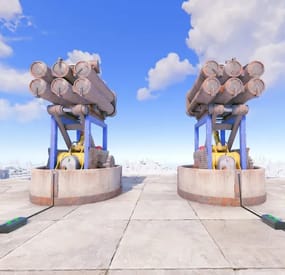
SamSiteLimiter allows you to change the SAM site turret limit for the individual player or for the entire CLAN/TEAM, based on the configurations and assigned roles. You can limit the number of SAM site turrets per TC (Tool Cupboard) or by range.
You can configure the plugin to disable all server and/or player SAM site turrets with the ability to bypass these limitations via roles and/or configurations. It also offers commands to view SAM site turret statistics and the ability to turn SAM site turrets on and off via commands.
Basically, 4 groups are configured: Default, VIP1, VIP2, VIP3, in this way you can decide the limit of the SAM site turrets based on the TC (Tool Cupboard) or the radius, based on the group assigned to the player or CLAN/TEAM.
Permissions:
samsitelimiter.admin -- Allows you to execute some commands reserved for administrators samsitelimiter.bypass.force -- Allows you to bypass limits forcibly, regardless of configuration samsitelimiter.default -- Assign configurations: Default samsitelimiter.vip1 -- Assign configurations: VIP1 samsitelimiter.vip2 -- Assign configurations: VIP2 samsitelimiter.vip3 -- Assign configurations: VIP3 COMMANDS
Commands can be typed in chat (by putting the / character in front of the command), or from console.
/ssl status or /ssl st -- This command allows the player to see his SAM site turret statistics and limits /ssl status <steamID> or /ssl st <steamID> -- This command allows the administrator to see another player's SAM site turret and limit statistics. To use this command you must have permission: samsitelimiter.admin /ssl start or /ssl stop -- This command allows the player to turn all of your SAM site turrets ON or OFF. To use this command, you must enable the AllowCommandsToStartAndStop = true property in your configuration or have permission: samsitelimiter.admin /ssl start <steamID> or /ssl stop <steamID> -- This command allows you to turn ON or OFF all SAM site turrets of a player based on its SteamID. To use this command you must have permission: samsitelimiter.admin NB: The commands start or stop turns all player SAM site turrets ON or OFF. If the player is part of a clan/team, all SAM site turrets of all members of the clan/team will be turned ON or OFF. Commands can be added or modified in the configuration file: /oxide/config/SamSiteLimiter.json Command output example (/ssl status or /ssl st)
CLAN/TEAM
If you are part of a clan/team and there are 1 more members who have the VIP/ROLE, then all members of the clan/team will benefit.
Example: a clan/team member has the VIP/ROLE to be able to place 5 SAM site turrets, in this case all clan/team members will be able to place 5 SAM site turrets, but this does not mean that the total number of turrets you can place are added, the limit in in this case there are still 5 SAM site turrets, but they can be positioned by all members of the clan/team, rather than just the player who has the VIP/ROLE (in this case we assumed that the VIP/ROLE limited to 5 SAM site turrets).
If there are multiple clan/team members who have different VIPs/ROLEs, the best VIP/ROLE will be taken, usually VIP3
You can enable this setting from the configuration file: "Share Group With Clan/Team members. Default FALSE": false": true
Configuration
The settings and options can be configured in the SamSiteLimiter under the config directory. The use of an editor and validator is recommended to avoid formatting issues and syntax errors. { "Share Group With Clan/Team members. Default FALSE": false, "DisableAllServerSamSite (Disables all server SAM Site turrets). Default False.)": false, "DisableAllPlayerSamSite (Disables all player SAM Site turrets). Default False.)": false, "AllowAdminBypass (Allows admin to bypass SAM Site turret limitations). Default False.)": false, "PlayerShowSamSiteCountInfoMessage (Show the player, when he places a SAM site, a message with the number of turrets that are placed in the TC range or Radius he is in. Default true.)": true, "AllowCommandsToStartAndStop (If set to TRUE, enables commands to allow the player or clan/team to turn their all SAM site ON or OFF. Default FALSE)": false, "EnableMessageInfo (If set to TRUE, it shows a message info to the player, when he takes hold of an electricity cable or SAM Site, of the commands that the plugin makes available to him)": true, "Chat Command": [ "ssl", "samsitelimiter" ], "RolePermission": { "default": { "Type of limitation, TC-based or Radius-based. Value [Tc | Radius] (Default RADIUS)": "Tc", "SAM Site limit for TC-based limitation": 2, "SAM Site limit for Radius-based limitation": 0, "Radius (meters) within which the system checks for other SAM Site (lower = more SAM sites in the same area) (Default 40)": 0 }, "vip1": { "Type of limitation, TC-based or Radius-based. Value [Tc | Radius] (Default RADIUS)": "Radius", "SAM Site limit for TC-based limitation": 0, "SAM Site limit for Radius-based limitation": 4, "Radius (meters) within which the system checks for other SAM Site (lower = more SAM sites in the same area) (Default 40)": 40 }, "vip2": { "Type of limitation, TC-based or Radius-based. Value [Tc | Radius] (Default RADIUS)": "Radius", "SAM Site limit for TC-based limitation": 0, "SAM Site limit for Radius-based limitation": 8, "Radius (meters) within which the system checks for other SAM Site (lower = more SAM sites in the same area) (Default 40)": 40 }, "vip3": { "Type of limitation, TC-based or Radius-based. Value [Tc | Radius] (Default RADIUS)": "Radius", "SAM Site limit for TC-based limitation": 0, "SAM Site limit for Radius-based limitation": 10, "Radius (meters) within which the system checks for other SAM Site (lower = more SAM sites in the same area) (Default 40)": 20 } }, "VersionNumber": { "Major": 1, "Minor": 0, "Patch": 0 } }
Share Group With Clan/Team members: If set to TRUE, the group assigned to a player is shared with all members of the clan/team. The group with the lowest priority is shared, then all members of the clan/team will benefit. Default FALSE DisableAllServerSamSite (Disables all server SAM Site turrets). Default False.): Disables all server SAM site turrets but not player SAM turrets. Default: FALSE DisableAllPlayerSamSite (Disables all player SAM Site turrets). Default False.): Disables all player SAM site turrets. Default: FALSE AllowAdminBypass (Allows admin to bypass SAM Site turret limitations). Default False.): If enabled you can bypass the SAM site turret limit with the role: samsitelimiter.admin. However, if you have the samsitelimiter.bypass.force role, you can forcibly bypass the SAM site turret limit, regardless of this configuration. Default: FALSE PlayerShowSamSiteCountInfoMessage (Show the player, when he places a SAM site, a message with the number of turrets that are placed in the TC range or Radius he is in. Default true.): Show the player, when he places a SAM site turret, a message with the number of SAM site turrets that are placed. Default: TRUE. AllowCommandsToStartAndStop (If set to TRUE, enables commands to allow the player or clan/team to turn their all SAM site ON or OFF. Default FALSE): If set to TRUE, enables commands to allow the player or clan/team to turn their all SAM site turrets ON or OFF. Default FALSE. EnableMessageInfo (If set to TRUE, it shows a message info to the player, when he takes hold of an electricity cable or SAM Site, of the commands that the plugin makes available to him): If set to TRUE, it shows a message info to the player, when he takes hold of an electricity cable or SAM site turret, of the commands that the plugin makes available to him. Default: TRUE. Chat Command: Here you can add, edit or delete Commands can be typed in chat (by putting the / character in front of the command), or from console. RolePermission Type of limitation, TC-based or Radius-based. Value [Tc | Radius] (Default RADIUS): Specify the type of limitation: enable limitation based on TC (Tool Cupboard) or Radius. SAM Site limit for TC-based limitation: If TC (Tool Cupboard) limit is enabled, specifies how many SAM site turrets can be placed around that TC (the entire building covered by the TC). SAM Site limit for Radius-based limitation: If Radius Limiting is enabled, specifies how many SAM site turrets can be placed in that specific Radius. Radius (meters) within which the system checks for other SAM Site (lower = more SAM sites in the same area) (Default 40): Set the radius size in meters.
PlayerShowSamSiteCountInfoMessage EXAMPLE:
EnableMessageInfo EXAMPLE:
Localization
The plugin, therefore the automatic messages and statistics, are translated into the following languages:
English Italian Spanish French German Dutch Turkish Russian Ukrainian Translation files are located in the /oxide/lang folder, here is an example of a /oxide/lang/en/SamSiteLimiter.json translation file. You can add translations for other languages by adding them to the folder: /oxide/lang