

.thumb.gif.b131579b5bca174a34fba04fd029bcde.gif)
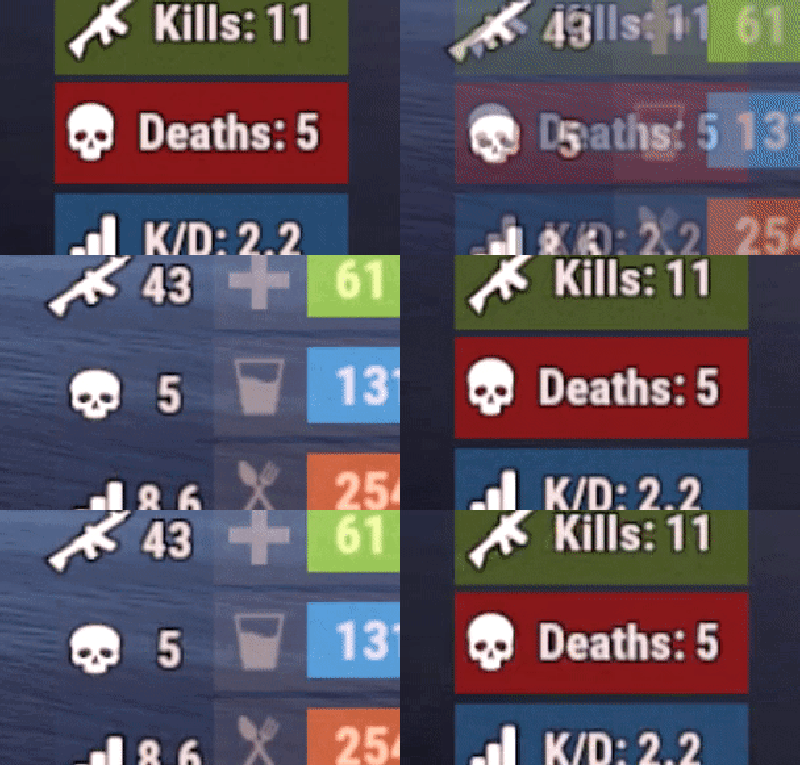
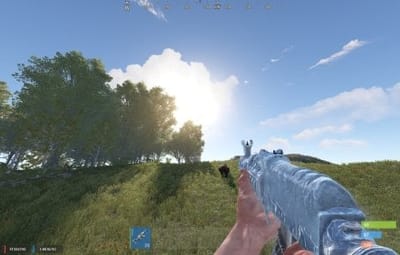
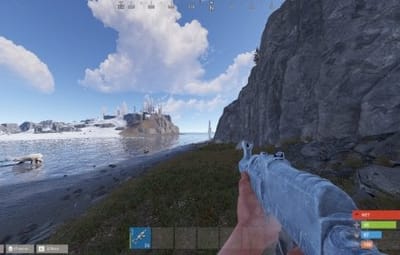
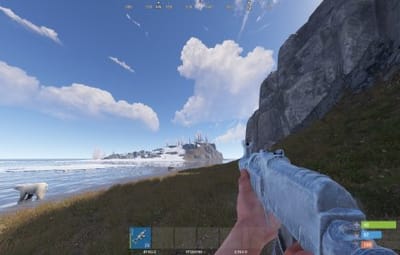
About Simple KDR UI
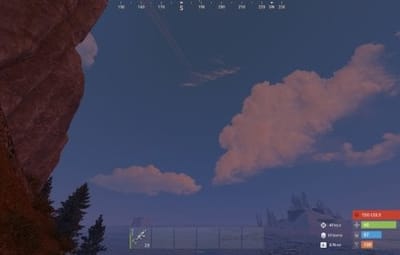
Simple kill/death ratio counter. User interface is fully customizable, each panel can be disabled. For each screenshot shown there is config file available.
- Simple customizable KDR UI interface
- Togglable interface
- Multi-User custom interface support
- High Performance Plugin
-
Plug and Play - No dependencies or Linq
Got any ideas or questions ? Join the Cobalt Studios Discord @ https://discord.gg/cobaltstudios

Player Commands:
- /hkd or /togglekdr - disables/enables kdr UI
-
/skd or /switchkdr - rotates through multiple custom KDR UIs from the config
- Args - Optionally use an integer to skip to a specific UI - Example - /skd 2
Admin Commands:
-
/kdrwipe - wipes all kdr data

Player Permissions:
- simplekdr.use - allows use of all player commands
- simplekdr.hidden - hides the kdr UI when a player logs in or uses the /hkd command
Admin Permissions:
- simplekdr.wipedata - allows the use of /kdrwipe command

Config{ "Reset data on wipe": true, "Count NPC kills": false, "Count suicides": true, "Chat command to hide ui": [ "hidekdr", "hkd", "togglekdr" ], "Chat command to switch ui": [ "switchkdr", "skd" ], "UI Panels": [ { "Main UI Positon anchor/offset 'min x, min y', 'max x', max y'": [ "0.5 0.0", "0.5 0.0", "-580 5", "-330 25" ], "Panel Color": "0 0 0 0", "Kills Panel": { "Panel Color": "0 0 0 0", "UI Positon anchor 'min x, min y', 'max x', max y'": [ "0.0 0.0", "0.30 1.0" ], "Img": "https://i.postimg.cc/KYk0Mr9b/greenstripe.png", "Icon Positon anchor 'min x, min y', 'max x', max y'": [ "0.0 0.0", "0.30 1.0" ], "Text {0} = stat": "KILLS: <b>{0}</b>", "Text Size": 10, "Font": "robotocondensed-regular.ttf", "Text Outline Thickness": "0", "Text Outline Color": "1 1 1 1" }, "Deaths Panel": { "Panel Color": "0 0 0 0", "UI Positon anchor 'min x, min y', 'max x', max y'": [ "0.33 0.0", "0.63 1.0" ], "Img": "https://i.postimg.cc/Wb58YfCj/redstripe.png", "Icon Positon anchor 'min x, min y', 'max x', max y'": [ "0.33 0.0", "0.63 1.0" ], "Text {0} = stat": "DEATHS: <b>{1}</b>", "Text Size": 10, "Font": "robotocondensed-regular.ttf", "Text Outline Thickness": "0", "Text Outline Color": "1 1 1 1" }, "Ratio Panel": { "Panel Color": "0 0 0 0", "UI Positon anchor 'min x, min y', 'max x', max y'": [ "0.66 0.0", "1.0 1.0" ], "Img": "https://i.postimg.cc/zBwSCdKs/bluestripe.png", "Icon Positon anchor 'min x, min y', 'max x', max y'": [ "0.66 0.0", "1.0 1.0" ], "Text {0} = stat": "K/D: <b>{2}</b>", "Text Size": 10, "Font": "robotocondensed-regular.ttf", "Text Outline Thickness": "0", "Text Outline Color": "1 1 1 1" } }, { "Main UI Positon anchor/offset 'min x, min y', 'max x', max y'": [ "0.5 0.0", "0.5 0.0", "185 18.5", "250 75.5" ], "Panel Color": "0 0 0 0", "Kills Panel": { "Panel Color": "0 0 0 0", "UI Positon anchor 'min x, min y', 'max x', max y'": [ "0.0 0.0", "1.0 0.3" ], "Img": "https://i.postimg.cc/KYk0Mr9b/greenstripe.png", "Icon Positon anchor 'min x, min y', 'max x', max y'": [ "0.0 0.0", "1.0 0.3" ], "Text {0} = stat": "KILLS: <b>{0}</b>", "Text Size": 10, "Font": "robotocondensed-regular.ttf", "Text Outline Thickness": "0", "Text Outline Color": "1 1 1 1" }, "Deaths Panel": { "Panel Color": "0 0 0 0", "UI Positon anchor 'min x, min y', 'max x', max y'": [ "0.0 0.33", "1.0 0.63" ], "Img": "https://i.postimg.cc/Wb58YfCj/redstripe.png", "Icon Positon anchor 'min x, min y', 'max x', max y'": [ "0.0 0.33", "1.0 0.63" ], "Text {0} = stat": "DEATHS: <b>{1}</b>", "Text Size": 10, "Font": "robotocondensed-regular.ttf", "Text Outline Thickness": "0", "Text Outline Color": "1 1 1 1" }, "Ratio Panel": { "Panel Color": "0 0 0 0", "UI Positon anchor 'min x, min y', 'max x', max y'": [ "0.0 0.66", "1.0 1.0" ], "Img": "https://i.postimg.cc/zBwSCdKs/bluestripe.png", "Icon Positon anchor 'min x, min y', 'max x', max y'": [ "0.0 0.66", "1.0 1.0" ], "Text {0} = stat": "K/D: <b>{2}</b>", "Text Size": 10, "Font": "robotocondensed-regular.ttf", "Text Outline Thickness": "0", "Text Outline Color": "1 1 1 1" } } ] }

APIpublic Dictionary<ulong, PlayerData> GetAllKDRData() { return _playerData; } public PlayerData? GetPlayerKDR(ulong playerID) { if (_playerData.TryGetValue(playerID, out PlayerData playerData)) return playerData; return null; } public Dictionary<ulong, (double, double, double)> GetAllKDRStats() { Dictionary<ulong, (double, double, double)> kdrstats = new Dictionary<ulong, (double, double, double)>(); foreach (var entry in _playerData) { kdrstats.TryAdd(entry.Key, (entry.Value.kills, entry.Value.deaths, entry.Value.kills / (entry.Value.deaths == 0 ? 1 : entry.Value.deaths))); } return kdrstats; } public (double, double, double)? GetPlayerKDRStats(ulong playerID) { if (_playerData.TryGetValue(playerID, out PlayerData playerData)) return (playerData.kills, playerData.deaths, playerData.kills / (playerData.deaths == 0 ? 1 : playerData.deaths)); return null; }
Credit to M&B Studios the original author of this plugin.