
Paws4Luv's Wishlist
-
$14.99
Weather
Weather & time control Own the sky: from a GUI, not a config file Vanilla weather is a coin flip you don't get to influence. This plugin shuts it off and hands you the whole sky: build your own presets, tune every value with plain-English names, chain them on a schedule, or mirror the real weather of any city on Earth. Edit presets in-game and set up night-skip votes with an automatic popup for players.
33 Tunable parameters 24 Schedulable hours 6 Presets preloaded 0 Dependencies ✓ Every parameter named in plain English: no cryptic engine values ✓ Real lightning strikes: not just thunder sounds ✓ Live weather synced from any real location on Earth ✓ Separate day and night length: plus a popup UI for night-skip votes ✓ Personal weather: let chosen players pick their own sky while the server weather stays for everyone else Video See it in action 01: Presets Weather presets you actually control All six vanilla presets are imported automatically on first load, so you start from a working base instead of a blank slate. From there, nothing is off limits.
Everything is a dial Rain, wind, thunder, rainbow and ocean wave height · cloud coverage, size, opacity and scattering · fog density · atmosphere brightness and contrast, day and night separately · full volumetric cloud control Named in plain English "Waves in the sea" instead of "OceanScale" · "Fog density" · "Sun glow size". No guessing what a value does before you drag it. Real lightning, not a sound effect Any preset with Thunder above 0.05 fires actual strike effects for every online player, across three intensity tiers, with frequency scaling off the Thunder value. ✓ Smooth transitions: set a transition time per preset and weather eases in over seconds or minutes instead of snapping ✓ Weighted random: make Storm rare and Clear common with a single number ✓ Duration per preset: when one ends, the next rolls automatically 02: Time Time and nights on your terms Set long days, short nights, or no nights at all. You can also let players decide through a scheduled vote.
Day and night length, separately A 45-minute day with a 10-minute night is one number each. Sunrise and sunset hours are configurable, and /setday and /setnight change time instantly. Skip nights automatically One toggle and nights are skipped the moment they start. Ideal for PvP servers and low-population wipes. Skip-night voting UI A panel appears in the top-right corner when a scheduled vote starts. It shows the required percentage and a Vote to Skip button. Players can press Tab to click it, use /nskip or your configured chat command, or close the panel without voting. Your voting rules Set the vote time, duration, required percentage and maximum consecutive skipped nights. The panel closes after a player votes or when the poll ends. Players who wake up during an active poll see it too. Start and result chat messages and the notification sound are configurable. 03: Automation Automation that runs the sky for you Set it once and never touch it again: either on a schedule you design, or synced to the real world.
Rust-time schedule Assign presets to any of the 24 in-game hours. A preset holds until the next scheduled one, so filling three slots already covers a whole day. No two days alike Put several presets in one slot: "Storm,Dust": and one is picked at random by weight every time that hour comes around. Real-world weather sync Give it coordinates and an OpenWeatherMap key and your server mirrors the live weather of that location, rechecked every in-game hour. Map each real condition: Clear, Rain, Snow, Thunderstorm, Fog: to whichever preset you like. 04: Personal weather Personal weather for the players you choose Give a group its own sky. Anyone with the permission sets weather for themselves alone, while everyone else keeps whatever the server is running. A natural VIP perk that costs the rest of your players nothing.
Their own sky, on command /myweather opens a small menu. The player picks a preset and it applies to them alone, instantly, on top of whatever the server weather is. You pick what they can choose Limit the menu to a handful of presets in the config, or leave it open to all of them. Only the presets you allow ever show up. One click back to normal A Server Weather button drops them back to the shared sky at any time, and their choice is remembered across reconnects and restarts. Reliability Built to be left alone ✓ Weather survives restarts: the active preset and how long it has been running are saved, so a reboot doesn't reset the sky to a random state ✓ Active preset is highlighted in the UI: you always know what's running ✓ Optional console announcement whenever a new preset starts ✓ Clean unload: vanilla weather chances are restored exactly as they were Commands Three admin commands, two for players Admin commands require the weather.use permission. Personal weather requires weather.personal.
/wsetup Open the setup UI /setday Set time to day /setnight Set time to night /nskip Vote to skip the night: configurable, open to all players /myweather Open the personal weather menu: needs weather.personal Hooks & API For plugin developers string API_GetCurrentWeatherPreset() Returns the name of the active preset void OnNewPresetStart(string presetName) Called when a new preset begins Questions Before you buy I scheduled a preset at hour 3, but hours 4–9 are empty. What happens? A preset runs until the next scheduled one. Set Rain at 4 and Dust at 9 and you get rain from 4 to 9, then dust from 9 until hour 4 comes back around. Can I put more than one preset on the same hour? Yes: comma-separated, like "Storm,Dust". One is chosen at random each time, weighted by each preset's chance. How do I know which preset is currently active? Open the UI: every preset is listed and the active one is highlighted. A preset you've only selected to edit is not. What happens when the current preset ends? A new one starts at random, weighted by the chance value you gave each preset. Does the weather reset when the server restarts? No. The active preset and its elapsed time are saved, so the sky picks up where it left off. Can players set their own weather? Yes, if you grant them the weather.personal permission. They open /myweather and pick from the presets you allow, and it applies to them alone while everyone else keeps the server weather. How do I enable the voting panel? Set Enable in SkipNight Setup to true and keep Use time control enabled. The panel opens automatically with each scheduled poll. Voting is open to all players and needs no extra permission. Do I need an API key? Only for real-world weather sync. Everything else works out of the box, and a free OpenWeatherMap key is enough. -

$5.99
Profession
By CommandoSoldat in Plugins
This Plugin is made for Roleplay servers in order to block researching crafting and reparing for players without a profession granted.
There are a few Professions included with this file which can be modyfied in the config file like i show in my showcase video below.
If you like to have more professions included create a new support request and i will add more professions to it.
Permission
forester.use - gives the player the profession and allowing him to craft, research and repair all the items specified in the config listed under this name.
electrician.use - gives the player the profession and allowing him to craft, research and repair all the items specified in the config listed under this name.
weaponengineer.use - gives the player the profession and allowing him to craft, research and repair all the items specified in the config listed under this name.
miner.use - gives the player the profession and allowing him to craft, research and repair all the items specified in the config listed under this name.
oilextractor.use - gives the player the profession and allowing him to craft, research and repair all the items specified in the config listed under this name.
vehicleengineer.use - gives the player the profession and allowing him to craft, research and repair all the items specified in the config listed under this name.
tailor.use - gives the player the profession and allowing him to craft, research and repair all the items specified in the config listed under this name.
graphicdesigner.use - gives the player the profession and allowing him to craft, research and repair all the items specified in the config listed under this name.
doctor.use - gives the player the profession and allowing him to craft, research and repair all the items specified in the config listed under this name.
farmer.use - gives the player the profession and allowing him to craft, research and repair all the items specified in the config listed under this name.
sanitaer.use - gives the player the profession and allowing him to craft, research and repair all the items specified in the config listed under this name.
architect.use - gives the player the profession and allowing him to craft, research and repair all the items specified in the config listed under this name.
cook.use - gives the player the profession and allowing him to craft, research and repair all the items specified in the config listed under this name.
alchimist.use - gives the player the profession and allowing him to craft, research and repair all the items specified in the config listed under this name.
metalworker.use - gives the player the profession and allowing him to craft, research and repair all the items specified in the config listed under this name.
mechanic.use - gives the player the profession and allowing him to craft, research and repair all the items specified in the config listed under this name.
forger.use - gives the player the profession and allowing him to craft, research and repair all the items specified in the config listed under this name.
agriculturist.use - give the player the profession and allowing him to plant seeds such as Hemp, Berry or food Seeds. If you want everybody to be able to plant Seeds simply grant the perm to the default group and every player should be able to plant seeds.
Chat Commands
/diesel (ammount) - gives the player with the permission oilextractor.use the possibility to exchange diesel to lowgradefuel.
/profession - if config parameter (Use player can grand Profession with chatcommand) is set to true, players get a list of all available Professions
/profession (profession name) - if config parameter (Use player can grand Profession with chatcommand) is set to true players can grand the permission to a profession them selfes (ONLY ONE PROFESSION PER PLAYER THROUGH CHATCOMMAND!) (NOTE: admins still have to revoke permissions in order to handle abusing this feature. players should choose wisely )
Lang Files
German and Englisch translation included
Config File
{ "Forester": [ "chainsaw", "wall.graveyard.fence" ], "Graphic_Designer": [ "sign.neon.xl", "sign.neon.125x215.animated", "sign.neon.125x215", "sign.neon.xl.animated", "sign.neon.125x125" ], "Doctor": [ "syringe.medical", "largemedkit", "Basic Healing Tea", "maxhealthtea", "healingtea.advanced", "maxhealthtea.advanced", "healingtea.pure", "maxhealthtea.pure" ], "Tailor": [ "shoes.boots", "diving.mask", "hat.gas.mask", "heavy.plate.helmet", "tshirt.long", "roadsign.jacket", "jacket.snow", "tshirt", "diving.wetsuit", "hat.cap", "bucket.helmet", "coffeecan.helmet", "diving.tank", "heavy.plate.jacket", "metal.plate.torso", "roadsign.kilt", "tactical.gloves", "heavy.plate.pants", "jacket", "metal.facemask", "pants", "roadsign.gloves", "shirt.collared", "hat.beenie", "hat.boonie", "diving.fins", "hazmatsuit", "hoodie", "riot.helmet" ], "Electrician": [ "electric.andswitch", "electric.button", "ceilinglight", "electric.counter", "electric.doorcontroller", "electrical.branch", "electric.solarpanel.large", "electric.battery.rechargable.medium", "electric.random.switch", "electrical.combiner", "electric.fuelgenerator.small", "electric.battery.rechargable.small", "smart.switch", "electric.switch", "electric.blocker", "elevator", "electric.hbhfsensor", "electric.battery.rechargable.large", "electrical.memorycell", "electric.orswitch", "searchlight", "electric.splitter", "electric.teslacoil", "electric.timer", "generator.wind.scrap", "electric.xorswitch", "industrial.conveyor", "storageadaptor", "industrial.crafter", "industrial.splitter", "industrial.combiner" ], "Weapon_Engineer": [ "weapon.mod.small.scope", "hmlmg", "pistol.prototype17", "weapon.mod.burstmodule", "knife.combat", "shotgun.double", "weapon.mod.holosight", "smg.mp5", "weapon.mod.muzzleboost", "rocket.launcher", "rifle.semiauto", "smg.thompson", "weapon.mod.lasersight", "pistol.semiauto", "flamethrower", "smg.2", "rifle.bolt", "rifle.ak", "weapon.mod.muzzlebrake", "shotgun.pump", "weapon.mod.silencer", "weapon.mod.flashlight", "grenade.f1", "pistol.python", "explosive.timed", "ammo.shotgun", "ammo.grenadelauncher.buckshot", "ammo.rifle.explosive", "ammo.pistol.fire", "ammo.shotgun.fire", "ammo.grenadelauncher.smoke", "ammo.rocket.fire", "ammo.rocket.basic", "submarine.torpedo.straight", "ammo.shotgun.slug", "ammo.rifle", "ammo.rifle.hv", "ammo.rocket.hv", "ammo.rocket.sam", "ammo.grenadelauncher.he", "ammo.pistol.hv", "ammo.rifle.incendiary", "ammo.pistol", "rifle.lr300", "lmg.m249", "rifle.l96", "pistol.m92", "rifle.m39", "shotgun.spas12", "multiplegrenadelauncher", "weapon.mod.8x.scope" ], "Miner": [ "furnace.large", "jackhammer" ], "Oil_Extractor": [ "small.oil.refinery", "lowgradefuel" ], "Vehicle_Engineer": [ "vehicle.1mod.cockpit.armored", "vehicle.1mod.cockpit", "piston3", "carburetor1", "valve1", "piston2", "vehicle.1mod.storage", "vehicle.1mod.passengers.armored", "vehicle.1mod.cockpit.with.engine", "vehicle.1mod.engine", "sparkplug3", "crankshaft1", "sparkplug2", "vehicle.1mod.flatbed", "carburetor3", "valve3", "piston1", "carburetor2", "valve2", "vehicle.2mod.passengers", "vehicle.1mod.taxi", "vehicle.2mod.camper", "vehicle.2mod.fuel.tank", "crankshaft3", "vehicle.2mod.flatbed", "sparkplug1", "crankshaft2", "vehicle.1mod.rear.seats", "modularcarlift" ], "Vehicle_Engineer_Prefab_List": [ "1module_cockpit_armored", "1module_cockpit", "1module_storage", "1module_passengers_armored", "1module_cockpit_with_engine", "1module_engine", "1module_flatbed", "2module_flatbed", "2module_passengers", "1module_taxi", "2module_camper", "2module_fuel_tank", "1module_rear_seats", "car_chassis_2module.entity", "car_chassis_3module.entity", "car_chassis_4module.entity" ], "Farmer": [ "radiationresisttea.advanced", "healingtea.advanced", "maxhealthtea.advanced", "oretea.advanced", "radiationremovetea.advanced", "scraptea.advanced", "woodtea.advanced", "radiationresisttea", "healingtea", "maxhealthtea", "oretea", "scraptea", "woodtea", "radiationresisttea.pure", "healingtea.pure", "maxhealthtea.pure", "oretea.pure", "radiationremovetea.pure", "scraptea.pure", "woodtea.pure", "radiationremovetea" ], "Sanitaer": [ "fluid.splitter", "electric.sprinkler", "fluid.switch", "powered.water.purifier", "waterpump", "fluid.combiner", "electric.heater" ], "Architect": [ "" ], "Cook": [ "bread.loaf", "pie.chicken", "pie.apple", "pie.pumpkin", "pie.hunters", "pie.fish", "pie.bear", "pie.pork", "cookingworkbench" ], "Alchimist": [ "" ], "Forger": [ "" ], "Mechanic": [ "" ], "Metalworker": [ "" ], "Agriculturist": [ "seed.hemp" ], "Use only Oilextractor can place Refinery": true, "Use only Miner can place Furnace": true, "Use only Oilextractor can start Refinery": true, "Use only Miner can start Furnace": true, "Use Oilextractor can exchange diesel to lowgradefuel": true, "Exchange rate for diesel (multiplier only integers)": 300, "Use only Forester can repair Forester items": true, "Use only Miner can repair Miner items": true, "Use only Weaponengineer can repair Weaponengineer items": true, "Use only Vehicleengineer can repair vehicles": true, "Use player can grand Profession with chatcommand": false, "Use only the Electrician can use the wire tool": false, "Use bonus for Forester and Miner on farming": false, "Bonus for gathering trees or ores (in integer only)": 20, "Bonus for the last hit on a tree or ore (in integer only)": 100 }
-
$29.99
Sputnik
Sputnik is a server event that allows players to contest fallen sputnik satellite fragments that fall around the map. Players will need to battle their way past patrol helicopters, NPCs, turrets, and mines to gain access to loot locked behind keycards that require 'Space Cards,' which can be added to loot tables or sold in a shop! Alternatively, you can use standard keycards.
Overview
By default, there are five types of debris that can fall in any quantity and combination. The fragment can be guarded by a helicopter, NPCs, turrets, and mines. For each preset, you can configure the location and number of crates. A radiation zone can be created around the fragment. By default, there is a card reader in one of the locations that open a locked crate. It is activated using the "Space card.” For more information, see the "Space card” section.
Space Card
A card reader can be placed on any type of sputnik debris. By default, it is activated using a purple "Space Card." This card reader opens the crates specified in a special section of the config. A custom card can be added to the loot tables of standard crates and crates of this event. It can also be given with the help of a command or sold in the server store. If necessary, the card reader can be removed, and the card can be replaced with any type of standard card.
Location presets
The location preset is specified for each wreckage preset separately. By default, a data file with five types of prefabs is included:
sputnik_1 debris_1 debris_2 debris_3 debris_4 They are shown in pictures 6 - 10. The first location includes a locked crate that opens with the help of a "Space Map."
Chat commands (only for administrators)
/sputnikstart– launches the event in a random configuration /sputnikstart <eventPresetName> – launches the event in the <eventPresetName> configuration /sputnikstop – stops the event /givespacecard – give yourself a "Space Card".
Console commands (RCON only)
sputnikstart– launches the event in a random configuration sputnikstart <eventPresetName> – launches the event in the <eventPresetName> configuration givespacecard <userID> – give a "Space Card" to player
Config
en – example of plugin configuration in English ru – example of plugin configuration in Russian
Dependencies (optional, not required)
True PVE PveMode GUI Announcements Notify DiscordMessages AlphaLoot CustomLoot Economics Server Rewards IQEconomic
Hooks
OnSputnikEventStart () OnSputnikEventStop () OnSputnikEventWin (ulong userID) OnPlayerEnterSputnik{BasePlayer player} OnPlayerExitSputnik{BasePlayer player}
My Discord: Adem#9554
Join the Mad Mappers Discord here!
Check out more of my work here!
-
$14.99
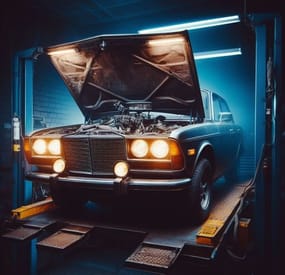
Car Tuning
permission for use - cartuning.use
Open UI - /tuning (you need to look right at the car)
FEATURES:
Increase street angel Add sign Add smoke Increase slot for storagecontainer module Underbody light (white | red | green)
P.s - (My Discord - tofurahie#4144)
Config:
{ "Tuning can only be used when the car is on the Modular Car Lift ": true, "How much increase steer angle": 10.0, "Rotate sign": { "x": 0.0, "y": 0.0, "z": 0.0 }, "[COST] |Increase steer angle| in SCRAP": 12, "[COST] |Add sign| in SCRAP": 12, "[COST] |Add smoke| in SCRAP": 12, "[COST] |Underbody lighting| in SCRAP": 12, "[COST] |Increase slots in ModuleStorage": 14, "Dictionary of position underlight": { "TwoModules": [ { "x": 0.0, "y": 0.42, "z": 0.5 }, { "x": 0.0, "y": 0.42, "z": -0.5 } ], "ThreeModules": [ { "x": 0.0, "y": 0.42, "z": 0.5 }, { "x": 0.0, "y": 0.42, "z": -0.5 }, { "x": 0.0, "y": 0.42, "z": -1.0 } ], "FourModules": [ { "x": 0.0, "y": 0.42, "z": 1.0 }, { "x": 0.0, "y": 0.42, "z": 0.5 }, { "x": 0.0, "y": 0.42, "z": -0.5 }, { "x": 0.0, "y": 0.42, "z": -1.0 } ] }, "Dictionart of position smoke machine": { "TwoModules": { "x": 0.0, "y": 0.6, "z": -1.4 }, "ThreeModules": { "x": 0.0, "y": 0.6, "z": -2.4 }, "FourModules": { "x": 0.0, "y": 0.6, "z": -3.0 } }, "Rotate for smoke machine": { "x": 180.0, "y": 0.0, "z": 0.0 }, "Dictionart of position lighting": { "TwoModules": { "x": 0.55, "y": 0.52, "z": -0.4 }, "ThreeModules": { "x": 0.55, "y": 0.52, "z": -1.6 }, "FourModules": { "x": 0.55, "y": 0.52, "z": -2.4 } }, "Dictionart of count lighting": { "TwoModules": 3, "ThreeModules": 6, "FourModules": 8 }, "Rotate for lighting": { "x": 90.0, "y": 0.0, "z": 0.0 }, "Dictionary of position small sign": { "TwoModules": { "x": 0.0, "y": 0.7, "z": 1.65 }, "ThreeModules": { "x": 0.0, "y": 0.7, "z": 2.2 }, "FourModules": { "x": 0.0, "y": 0.7, "z": 3.3 } }, } -
$24.00
Tugboat Pirates
By The_Kiiiing in Plugins
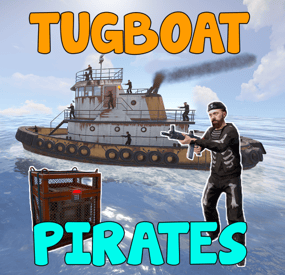
Experience the thrill of high-seas plunder with "Tugboat Pirates". Encounter a Tugboat, brimming with NPC pirates protecting their valuable loot. Engage in intense battles, eliminate the captain for an access code, and seize the treasure.
Features
Tugboat with Pirate NPCs and loot patrols the ocean Kill the captain to get access to the loot room Fully configurable boat interior Boat location marked on the map Fully customizable NPCs (you can even give them rocket launchers in their kits) Event starts automatically (configurable time, can be disabled) Announcements via gametip and/or chat NPC are turret NPC that do not move from their station on the Tugboat
Door code of the loot room can be found in the captain's corpse (pirate quotes can be changed in the config)
Commands
All Commands require the admin permission
tugboatstart - Manually start the event tugboatstop - Manually end the event tugboatentity - Add entitys to the tugboat config. Documented below.
Tugboat Editor
The tugboat editor can be used to add entites to the configuration file without manually editing it.
Make sure you have the permission tugboatpirates.admin, Place an entity where you want it on a tugboat, look at it and use the command tugboatentity add Save the entity to the config file with tugboatentity save, Reload the plugin for the changes to take effect
Hooks
(void) OnTugboatPiratesStarted() // Called when the event has started (void) OnTugboatPiratesCompleted(ulong steamId) // Called when the event has been completed (void) OnTugboatPiratesEnded() // Called after the event has ended
Permissions
tugboatpirates.admin - Required to use admin commands
Configuration
{ "Time between events (minutes, set to -1 to disable scheduled events)": 60, "Event duration (seconds)": 3600, "Show toast when event starts": true, "Announce event in chat": true, "Boat leave time before despawning (seconds)": 120, "Time before boat despawn when captain is killed (seconds)": 1200, "Boat configurations": [ { "Location offset (used when spawning multiple boats)": { "x": 0.0, "y": 0.0, "z": 0.0 }, "Npc profile for captain (must be a valid profile)": "captain", "Npc spawn locations and profiles": { "back_right": "pirate_lr", "back_left": "pirate_lr", "upper_front_right": "pirate_lr", "upper_front_left": "pirate_lr", "upper_back_right": "pirate_lr", "upper_back_left": "pirate_lr", "roof_back": "pirate_lr", "entrance_right": "pirate_lr", "entrance_left": "pirate_lr", "roof_right": "pirate_lr", "roof_left": "pirate_lr", "front": "pirate_lr", "right": "pirate_mp5", "left": "pirate_mp5" }, "Interior objects (crates, decoration, etc.)": [ { "Prefab path": "assets/prefabs/deployable/chinooklockedcrate/codelockedhackablecrate.prefab", "Rotation": 180.0, "Position on boat": { "x": 0.0, "y": 2.0, "z": 4.2 }, "Skin id": 1394363785, "Loot profile (only for crates, leave empty for default loot)": "" }, // Removed some lines for readability reasons ] } ], "Npc profiles": { "pirate_lr": { "name": "Pirate", "health": 200.0, "enableRadio": true, "senseRange": 50.0, "visionCone": 135.0, "damageScale": 1.0, "memoryDuration": 60.0, "lootProfile": "pirate", "kit": "", "Clothing items": [ { "shortName": "hat.boonie", "amount": 1, "skinId": 965553937 }, { "shortName": "hoodie", "amount": 1, "skinId": 2984978438 }, { "shortName": "pants", "amount": 1, "skinId": 2984977257 }, { "shortName": "attire.hide.boots", "amount": 1, "skinId": 861468674 } ], "Belt items": [ { "shortName": "rifle.lr300", "amount": 1, "skinId": 0 } ] }, "pirate_mp5": { "name": "Pirate", "health": 150.0, "enableRadio": true, "senseRange": 50.0, "visionCone": 135.0, "damageScale": 1.0, "memoryDuration": 60.0, "lootProfile": "pirate", "kit": "", "Clothing items": [ { "shortName": "hat.boonie", "amount": 1, "skinId": 965553937 }, { "shortName": "hoodie", "amount": 1, "skinId": 2984978438 }, { "shortName": "pants", "amount": 1, "skinId": 2984977257 }, { "shortName": "attire.hide.boots", "amount": 1, "skinId": 861468674 } ], "Belt items": [ { "shortName": "smg.mp5", "amount": 1, "skinId": 0 } ] }, "captain": { "name": "Captain", "health": 100.0, "enableRadio": false, "senseRange": 0.0, "visionCone": 0.0, "damageScale": 1.0, "memoryDuration": 0.0, "lootProfile": "pirate", "kit": "", "Clothing items": [ { "shortName": "hat.boonie", "amount": 1, "skinId": 965553937 }, { "shortName": "tshirt", "amount": 1, "skinId": 811762477 }, { "shortName": "pants.shorts", "amount": 1, "skinId": 849256923 }, { "shortName": "attire.hide.boots", "amount": 1, "skinId": 861468674 } ], "Belt items": [ { "shortName": "mace.baseballbat", "amount": 1, "skinId": 0 } ] } }, "Loot profiles": { "crate_2": [ { "Short name": "scrap", "Min amount": 2, "Max amount": 20, "Chance": 1.0, "Skin id": 0 }, { "Short name": "metal.refined", "Min amount": 4, "Max amount": 8, "Chance": 0.5, "Skin id": 0 }, { "Short name": "gears", "Min amount": 1, "Max amount": 3, "Chance": 0.2, "Skin id": 0 }, { "Short name": "sewingkit", "Min amount": 1, "Max amount": 3, "Chance": 0.2, "Skin id": 0 }, { "Short name": "rope", "Min amount": 1, "Max amount": 3, "Chance": 0.2, "Skin id": 0 }, { "Short name": "sheetmetal", "Min amount": 1, "Max amount": 2, "Chance": 0.2, "Skin id": 0 }, { "Short name": "grenade.molotov", "Min amount": 1, "Max amount": 2, "Chance": 0.1, "Skin id": 0 }, { "Short name": "grenade.f1", "Min amount": 1, "Max amount": 4, "Chance": 0.1, "Skin id": 0 }, { "Short name": "telephone", "Min amount": 1, "Max amount": 1, "Chance": 0.1, "Skin id": 0 }, { "Short name": "multiplegrenadelauncher", "Min amount": 1, "Max amount": 1, "Chance": 0.1, "Skin id": 0 } ], "pirate": [ { "Short name": "scrap", "Min amount": 2, "Max amount": 6, "Chance": 1.0, "Skin id": 0 }, { "Short name": "bottle.vodka", "Min amount": 1, "Max amount": 1, "Chance": 0.7, "Skin id": 0 }, { "Short name": "pistol.eoka", "Min amount": 1, "Max amount": 1, "Chance": 0.2, "Skin id": 0 }, { "Short name": "ammo.handmade.shell", "Min amount": 5, "Max amount": 10, "Chance": 0.2, "Skin id": 0 }, { "Short name": "rope", "Min amount": 1, "Max amount": 3, "Chance": 0.3, "Skin id": 0 }, { "Short name": "sewingkit", "Min amount": 1, "Max amount": 2, "Chance": 0.3, "Skin id": 0 } ] }, "Priate quotes (inluded in captain's note)": [ "If rum can’t fix it, ye are not using enough rum.", "But… why is the rum gone?", "Be who you arrrr...", "All for rum and rum for all!", "Land was created to provide a place for boats to visit.", "If ye can read this ye be stupid." ] }