
Paws4Luv's Wishlist
-
$20.00
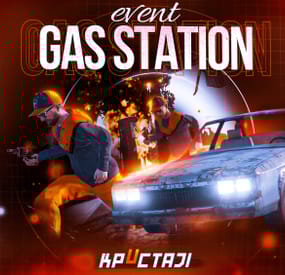
Gas Station Event
In a tense multiplayer event, players are thrust into a violent dispute between two warring gangs, witnessing a high-speed chase and explosive confrontation at Oxum's Gas Station, and then choosing sides or taking all the spoils for themselves, while customization options offer control over NPC settings, loot rooms, and crate contents
Description
The event begins with a message in chat that there has been a dispute between to warring gangs. One gang has taken members from their rivals hostage. A car chase ensues chase where the rival gang is coming to save or avenge their own!
The chase comes to an explosive end at Oxum's Gas Station when the car being pursued crashes into the gas pumps! This is the beginning of the event for your players. Both gangs jump out of their vehicles and a shootout immediately ensues! When a player decides to approach, they will have a few choices.
Will they take up arms with the ruthless gang willing to do anything? Will they stand beside the more honorable outlaws? Or will they simply kill both gangs and take all of the loot? The choice, is theirs!
If the player decides to kill the first gang, the second gang will give the player access to their loot room, a bunker inside the basement of the auto repair shop, as a sign of gratitude.
If the player decides to kill the second gang, then the first gang will give access to their hidden stash in the restroom inside the station, to show their appreciation.
If the player decides to just wipe both gangs out, well then they deserve all of the loot! And regardless of what team the player decides to destroy, the chasing vehicle is always left unattended at the end of the event. The player can grab this as a thank you for cleaning up the servers streets! It's a junker but you can take it for parts, drive to Junkyard to scrap it, or just use it to get home quick and take the parts you want from it.
The configuration file has many customization options, including NPC settings, their numbers, and you can fully customize the loot rooms, the crates and their loot for the event.
Dependencies (optional, not required)
True PVE PveMode GUI Announcements Notify Discord Messages AlphaLoot CustomLoot NTeleportation Economics Server Rewards IQEconomic Kits
Chat commands (only for administrators)
/gsstart - start the event
/gsstop - end the event
Console commands (RCON only)
gsstart - start the event
gsstop - end the event
Plugin Config
en - example of plugin configuration in English ru - example of plugin configuration in Russian
Hooks
void OnGasStationEventStart() – called when the event starts
void OnGasStationEventEnd() – called when the event ends
void OnGasStationEventWinner(ulong winnerId) – called at the end of the event, where the winnerId is the player who did more actions to complete the event
My Discord: KpucTaJl#8923
Join the Mad Mappers Discord here!
Check out more of my work here!
- #gas station
- #crates
- (and 20 more)
-
$14.99
Glass Bridge Event
By Iftebinjan in Plugins
Glass Bridge is an event inspired by the famous netflix series: Squid Game
• The event consists of creating a glass bridge where players must jump over them and reach the finish line to be the winner of the game;
• However, players will have some challenges for this. The event can have PVP combat during gameplay, as well as giving random weapons to players (set by config file) so they can kill each other;
• In addition, it is possible to disable the PVP or even make it more hardcore, activating the system of dying after the fall;
⭐ Features
★ It is possible to add a different announcement for each weapon given to the user during the course of the event!
★ UI for event entry and exit fully customizable by configuration file.
★ Give customized prizes to users, in addition to executing commands on the server when a user is the winner of the event!
★ Manage the size of the arena and define the amount of glass that will be broken for each row!
📌 Commands
/gb start - To start a new event
/gb stop - To stop the current event
/gb join - To join the event
/gb leave - To leave the event
🎬 Video Showcase
🚀 API & HOOKS
// Returns whether the event is currently active private bool IsActive(); // Returns whether a player is currently participating in the event. private bool IsPlaying(string playerId); private bool IsPlaying(ulong playerId); // Remove a player from the event private void RemovePlayer(string playerId); private void RemovePlayer(ulong playerId); // Get a list of event players private List<BasePlayer> PlayingList(); // Hook when the event is started private void OnGlassBridgeEventStarted(); // Hook when the event is finished private void OnGlassBridgeEventEnded(BasePlayer? winner);
⚙️ Configurations
{winner_id} - Event winner steam ID
{winner_name} - Event winner display name
GALLERY
- #event
- #glass bridge
- (and 5 more)
-
$16.00
Artisan Goods
Set up your own loot table of Custom Food and Drinks!
Features
Create items to meet your Servers Needs.
Food and Drinks can add or take away from the players Metabolism.
Drinks can even be set to blur vision for a configurable amount of time.
Spawn the Artisan NPC to handle RP or Economic trades.
Spawn the Artisan House, Via Copy Paste, MarkerManager & ZoneManager Or AutoSpawn at Bandit Automatically with Copy Paste to handle paste, ZoneManager to handle decay and looting prevention etc.
Setup Discount purchase and Bonus purchase values to simulate supply and demand when selling to the NPC.
NPC can be kitted out with kits or setup the outfit of your liking within the config.
NPC sales can be logged via Discord.
Goods spawn container can be set and much much more in the configuration.
If adding Artisan Items to another plugin via shop, use Mushrooms as Food Items and Scrap Tea as Drinks.
Commands
/gi - The active hotbar item that is an Artisan Good's properties will be displayed in chat.
/gg - Admin command to spawn all goods to inventory, useful for testing.
/spawnartisan - Spawns an Artisan NPC in your position
/removeartisan - removes the Artisan NPC you are looking at
/pasteartisanhouse – places the artisan building in front of you, creating a zone if you have zone manager installed, that handles no build no decay and more.
Default Config
{ "Debug Goods use properties in console for admin?": true, "Position of Building for Bandit Camp Spawn": { "x": -57.95, "y": 2.65, "z": -57.43 }, "Rotation Correction of The Building": 77, "NPC Positioning If using Bandit Camp Spawn": { "x": -53.68, "y": 3.31, "z": -58.35 }, "Rotation Correction of The NPC": 90, "Dynamic (Bandit Camp) Spawn Of The NPC Building and NPC Enabled?(CopyPaste Req. MarkerManager & Zone Manager Recommended)": true, "Discord Webhook URL": "INSERT_WEBHOOK_URL", "Chat Icon": 0, "Enable Goods Found Message?": true, "Goods Found Message Cooldown Time in Minutes": 120, "Blur Intensity - (0.1 to 1) Higher Values Blackout": 0.1, "NPC Kit Enabled?": false, "NPC Kit Name?": "", "Sales to NPC Enabled?": true, "Map Markers Enabled via Marker Manager Plugin?": true, "Maximum Amount of Items Sold at a Time": 3, "NPC Interaction Cooldown In Seconds": 3, "Economy Plugin - 1 Economics - 2 Server Rewards": 1, "Enable Crate Spawns?": true, "Amount of each Item to spawn via Command?": 5, "Custom Goods": [ { "Base Item - 1 Mushroom (Food) - 2 (Drink)": 1, "Item Name": "Wasteland Burger", "Skin ID": 3146069004, "Hydration Value (Negative Values Reduce)": 2, "Caloric Value (Negative Values Reduce)": 75, "Healing Value (Negative Values Reduce)": 75, "How long Before Vision is Obscured? (0 to disable)": 0, "How long to Obscure Vision? (0 to disable)": 0, "Is Marketable?": true, "Sale Price?": 30, "Max Discount Buy Variation in %? (Negative Values) (To Simulate Supply & Demand)": -10, "Maximum Bonus Variation in %? (Positive Values) (To Simulate Supply & Demand)": 5, "Minimum Amount To Spawn into a Container": 1, "Maximum Amount To Spawn into a Container": 1, "Chance out of 100% to Spawn into a Container": 15, "Container to Spawn this Item in": "dm food" }, { "Base Item - 1 Mushroom (Food) - 2 (Drink)": 2, "Item Name": "Slightly Irradiated Brew", "Skin ID": 3146074155, "Hydration Value (Negative Values Reduce)": 30, "Caloric Value (Negative Values Reduce)": 10, "Healing Value (Negative Values Reduce)": -10, "How long Before Vision is Obscured? (0 to disable)": 10, "How long to Obscure Vision? (0 to disable)": 30, "Is Marketable?": true, "Sale Price?": 50, "Max Discount Buy Variation in %? (Negative Values) (To Simulate Supply & Demand)": -10, "Maximum Bonus Variation in %? (Positive Values) (To Simulate Supply & Demand)": 5, "Minimum Amount To Spawn into a Container": 1, "Maximum Amount To Spawn into a Container": 1, "Chance out of 100% to Spawn into a Container": 15, "Container to Spawn this Item in": "foodbox" }, { "Base Item - 1 Mushroom (Food) - 2 (Drink)": 1, "Item Name": "Rustic Jam", "Skin ID": 3146834342, "Hydration Value (Negative Values Reduce)": 10, "Caloric Value (Negative Values Reduce)": 35, "Healing Value (Negative Values Reduce)": 30, "How long Before Vision is Obscured? (0 to disable)": 0, "How long to Obscure Vision? (0 to disable)": 0, "Is Marketable?": true, "Sale Price?": 75, "Max Discount Buy Variation in %? (Negative Values) (To Simulate Supply & Demand)": -10, "Maximum Bonus Variation in %? (Positive Values) (To Simulate Supply & Demand)": 5, "Minimum Amount To Spawn into a Container": 1, "Maximum Amount To Spawn into a Container": 2, "Chance out of 100% to Spawn into a Container": 10, "Container to Spawn this Item in": "dm food" }, { "Base Item - 1 Mushroom (Food) - 2 (Drink)": 2, "Item Name": "Imported Wine", "Skin ID": 3146836410, "Hydration Value (Negative Values Reduce)": 40, "Caloric Value (Negative Values Reduce)": 10, "Healing Value (Negative Values Reduce)": -10, "How long Before Vision is Obscured? (0 to disable)": 14, "How long to Obscure Vision? (0 to disable)": 36, "Is Marketable?": true, "Sale Price?": 90, "Max Discount Buy Variation in %? (Negative Values) (To Simulate Supply & Demand)": -10, "Maximum Bonus Variation in %? (Positive Values) (To Simulate Supply & Demand)": 5, "Minimum Amount To Spawn into a Container": 1, "Maximum Amount To Spawn into a Container": 1, "Chance out of 100% to Spawn into a Container": 10, "Container to Spawn this Item in": "foodbox" }, { "Base Item - 1 Mushroom (Food) - 2 (Drink)": 1, "Item Name": "Not Wolf Jerky", "Skin ID": 3146836992, "Hydration Value (Negative Values Reduce)": 2, "Caloric Value (Negative Values Reduce)": 70, "Healing Value (Negative Values Reduce)": 60, "How long Before Vision is Obscured? (0 to disable)": 0, "How long to Obscure Vision? (0 to disable)": 0, "Is Marketable?": true, "Sale Price?": 125, "Max Discount Buy Variation in %? (Negative Values) (To Simulate Supply & Demand)": -10, "Maximum Bonus Variation in %? (Positive Values) (To Simulate Supply & Demand)": 5, "Minimum Amount To Spawn into a Container": 1, "Maximum Amount To Spawn into a Container": 2, "Chance out of 100% to Spawn into a Container": 5, "Container to Spawn this Item in": "dm food" }, { "Base Item - 1 Mushroom (Food) - 2 (Drink)": 1, "Item Name": "Fresh Bread", "Skin ID": 3146837480, "Hydration Value (Negative Values Reduce)": 1, "Caloric Value (Negative Values Reduce)": 60, "Healing Value (Negative Values Reduce)": 40, "How long Before Vision is Obscured? (0 to disable)": 0, "How long to Obscure Vision? (0 to disable)": 0, "Is Marketable?": true, "Sale Price?": 150, "Max Discount Buy Variation in %? (Negative Values) (To Simulate Supply & Demand)": -10, "Maximum Bonus Variation in %? (Positive Values) (To Simulate Supply & Demand)": 5, "Minimum Amount To Spawn into a Container": 1, "Maximum Amount To Spawn into a Container": 1, "Chance out of 100% to Spawn into a Container": 3, "Container to Spawn this Item in": "dm food" } ], "NPC Clothing Options": [ { "Shortname": "pants", "Skin": 2869683028 }, { "Shortname": "hoodie", "Skin": 2886142716 }, { "Shortname": "shoes.boots", "Skin": 2454376365 }, { "Shortname": "hat.boonie", "Skin": 2838981168 } ] }
Lang
{ "GoodsFound": "[<color=yellow>Artisan Goods</color>] You found an <color=yellow>Artisan Good</color> you can consume this item for added benefits:exclamation:", "GoodsFoundEconomics": "[<color=yellow>Artisan Goods</color>] You found an <color=yellow>Artisan Good</color> you can consume this item or sell it to The Artisan Goods Collector for <color=#85bb65>$</color>:exclamation:", "GoodsFoundSR": "[<color=yellow>Artisan Goods</color>] You found an <color=yellow>Artisan Good</color> you can consume this item or sell it to The Artisan Goods Collector for <color=#cd5c5c>RP</color>:exclamation:", "NoPerms": "[<color=yellow>Artisan Goods</color>] You do not have permission to run this <color=red>Command</color>!", "NoGoods": "[<color=yellow>The Artisan</color>] :nervous: You have no <color=yellow>Goods</color> on you that I am in the Market for. \nSwing by when you do, though! \n\n:happy:", "GoodsSpawned": "[<color=yellow>Artisan Goods</color>] :wave: <color=green>All</color> <color=yellow>Artisan Goods</color> have been deposited to your Inventory.", "ArtisanCooldownMessage": "[<color=yellow>The Artisan</color>] :wave: Just wait <color=green>{0}</color> seconds, I have to finish putting stuff away...", "EconomicsMessage": "[<color=yellow>The Artisan</color>] :eyes: \n\n Best I can do is <color=#85bb65>$</color><color=yellow>{0}</color> for your <color=orange>{1}x</color> <color=green>{2}</color>(s).", "SrMessage": "[<color=yellow>The Artisan</color>] :eyes: \n\n Best I can do is <color=orange>{0}</color> <color=#cd5c5c>RP</color> for your <color=yellow>{1}x</color> <color=green>{2}</color>(s).", "SaleDisabled": "[<color=yellow>Artisan Goods</color>] <color=orange>Sales</color> are Disabled in the Config, Enable and Try again." }
-
$15.00
MiningFarm
The plugin adds the ability to install a mining farm on your server.
Features
There is a full drop setting. Set the minimum charge and the desired frequency(for more information, see the configuration) It is possible to connect any economy Command to get all components for the farm: /getfarm-available only to the administrator
Added the givefarm console command(for issuing components via the store). Example: givefarm Name/steamid battery/light/broadcast.
The plugin was tested on 2 servers, no problems were found. All bugs will be fixed as they are found. I will also be happy to hear your suggestions for improving the plugin.
-
$35.00
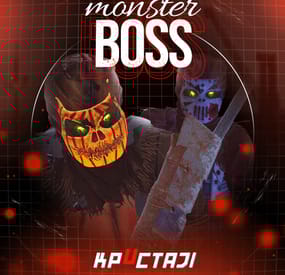
Boss Monster
This plugin adds to the game a variety of NPC bosses with different abilities and a very adaptable configuration
Description
Using this plugin you can add NPC bosses to any point on the map. You can set up any ability with the plugin configuration. If it is necessary, you can add multiple abilities to one boss.
Abilities are divided into two categories, ones take place in a certain radius from the NPC, and others are triggered by damaging from an NPC.
The map also displays the location of the actual bosses (their name and amount of health).
You can give any clothes and weapons for NPCs using the configuration.
Custom Map
Maps that have a configuration for the appearance of boss on their custom monuments
You can also download all these files for all maps here
Dark Ages Blue Tears All files for custom maps are stored in the folder oxide/data/BossMonster/CustomMap. You don't have to delete files from there, the plugin will understand by itself which map is currently installed on the server and will download only the necessary file if there is one in this folder. The plugin will tell you about this process in the console during the plugin loading. It will write in the console what file works on the current map, and what ones don’t work
If you want to create a custom place for the boss to appear on your custom map or on a map that is not in this list, you have to create the ID of this custom map. After that you need to place an item such as a RAND Switch on your map. It must be placed randomly, where it will not be visible to other players. You will get the identifier, if you add up the three coordinates of the position of this object from RustEdit (x, y and z) and write the resulting value in the parameter of your file (an example file can be taken from ready-made files) - ID
As an example, let's take the coordinates (26.896, -456.158, 527.258), then our identifier is 26.896 - 456.158 + 527.258 = 97.996
Then you need to indicate a list of bosses that will appear on your map. You need to copy the configuration data block for each boss. In the database parameters you will specify the name of the boss and a list of positions where it can appear
Dependencies (optional, not required)
GUI Announcements Notify Discord Messages AlphaLoot CustomLoot Economics Server Rewards IQEconomic PveMode
Chat commands (only for administrators)
/WorldPos - displays the actual player’s position on the map
/SavePos <name> - saves a new position to the configuration file for the boss with the name - name, relative to the nearest monument
/SpawnBoss <name> - spawn of the boss with the name - name in the coordinates of the administrator
Console commands (RCON only)
SpawnBoss <name> – spawn of the boss with the name – name
KillBoss <name> – kill all bosses with the name – name
Plugin Config
en - example of plugin configuration in English ru - example of plugin configuration in Russian
Boss Config
en - example of plugin configuration in English ru - example of plugin configuration in Russian
Custom Map Config
en - example of plugin configuration in English ru - example of plugin configuration in Russian
Hooks
void OnBossSpawn(ScientistNPC boss) - сalled when a boss appears on the map
void OnBossKilled(ScientistNPC boss, BasePlayer attacker) - сalled when a player kills a boss
API
ScientistNPC SpawnBoss(string name, Vector3 pos) - spawns a boss named name in position pos
void DestroyBoss(ScientistNPC boss) - destroys the boss
My Discord: KpucTaJl#8923
Join the Mad Mappers Discord here!
Check out more of my work here!
- #abilities
- #boss
- (and 16 more)