
Mabel's Wishlist
-
$24.99
Skinner
By Whispers88 in Plugins
Skinner! The unrivaled no.1 performance skinning plugin. Skin any item in the game with a unique skinbox giving you live skinning, auto skinning and skin sets.
Thanks for everyone who has given feed back through the duration of the beta release. Skinner 3.0 is finally here!
Visual overhaul! - with dynamic UI menus for permission based player menus Automatic skin filtering and dev modes for new TOS Permission based skin sets Team share skins! Auto unlock owned skins! and More!!!
Live Skinning - Skin items in place without moving them Auto import - Automatically import and use all game approved skins Skin Sets - Create a variety of different skin sets for any item Skin Requests - Allows players to request and Admins to accept new skins in game Auto Skins - Automatically apply selected skins to every item that enters your inventory
Skinner 2.0 offers unrivaled performance in plugin efficiency. Our standard testing shows runtime results were 60x faster and memory usage was 200x more efficient than the closest peforming plugin.
SkinMenu Commands:
/Skin or /S - Live skin any item in your inventory by selecting a skin you wish to apply /SkinCraft or /Sc - Create multiple skin sets for use in other functions such as skinauto or skinteam /Skinitem or /Si - Skin a deployable item you are looking at ingame. Args - Spectify 1, 2 or 3 to automatically use a skin set. Automatic Commands:
/Skincon or /scon - sets all items in a container you are looking at to your default craft set Args - Optional, spectify 1, 2 or 3 to automatically use a skin set. /Skininv or /sinv - sets all items in your inventory to your default craft set Args - Optional, spectify 1, 2 or 3 to automatically use a skin set. /Skinauto or /Sauto - Automatically apply selected skins to every item that enters your inventory based off your skin sets. Args - Optional, spectify 1, 2 or 3 to automatically use a skin set. /Skinteam or /st - sets all items in your inventory and your teams to your default craft set Args - Optional, spectify 1, 2 or 3 to automatically use a skin set. Toggle - Use /skinteam toggle to opt in or out of the team skin set /SkinBase - Allows you to skin all deployables in your base to your default skincraft skins. Args - Optional, specify item name to filter items being skinned example: /Skinbase sleepingbag to only skin sleeping bags. /SkinAll Command - Skin all the items in all the containers in your base. Args - Optional, specify item by shortname example: /SkinAll rifle.ak to only skin ak47's. Skin Import Commands:
/Skinimport or /sip - Import custom workshop skins Args - WorkshopID example: /Skinimport 2397648701
/Colimport or /cip - Import custom workshop collection using /skinimport collectionID Args - Collection ID example: /Colimport 2921147807
/Skinrequest or /Sr - Request a skin to be added to skinner, requested skins will show in the /Skinrequests UI for approval Args - WorkshopID example: /Skinrequest 2397648701
/Skinrequests or /Srs - Opens the the skinner menu with a box of skins awating approval Button Usage - Select an option and remove the skin to enact the process
Try - Recieve a copy of an item with that skin
Approve - Adds the skin from the menu to the imported skins list
Deny - Removes the skin Note: All chat commands are universal meaning they can be used via the console, rcon(for import commands) and can be customized via the configuration.
Player Permissions:
Skinner.default - enables /skin command Skinner.items - enables /skinitem command Skinner.craft - enables /skincraft command Skinner.skinauto - enables /skinauto command Skinner.skincon - enables /skincon command Skinner.skininv - enables /skininv command Skinner.skinbase - for use of the /skinbase command Skinner.skinteam - Allows the use of the /skinteam command Skinner.skinall - for the use of the /skinall command Skinner.skinrequest - enables /skinrequest Cooldowns Permissions:
Cooldown settins can be adjusted via the plugin config. Applying the cooldown permission example skinner.default30 will enforce cooldowns on those with the permission. If no cooldown permission is applied no cooldowns will be enforced. If multiple cooldown perms are assigned to a single player they fastest cooldown will be used.
"Command based cooldowns ('permission' : 'command' seconds": { "Default30CD": { "skin": 30.0, "skinitem": 30.0, "skincraft": 30.0, "skincon": 30.0, "skininv": 30.0, "skinteam": 30.0, "skinbase": 60.0, "skinall": 60.0 } Admin Permissions:
Skinner.import – enables /Skinimport, /Colimport and /Skinrequests Skinner.bypassauth - bypasses the building auth requirement when using /Skinitem Skinner.permskintry - enables try feature when using /Skinrequests Warning: trying a skin will make a copy of that item. Only give this perm to admins who are allowed to spawn items. Other Permissions:
Skinner.skinautotoggled - applied when a player disables skinauto Skinner.skinteamblock - applied when a player disables team skins
Skinner offers multiple ways of importing skins including via the config and through commands:
Importing via the config:
To import skins via the config insert workshopIDs into the imported skins list as per the code snippet below, once finished reload skinner and the shortname and displayname fields will be automatically populated. You can add extra skins at any stage using this method.
"Imported Skins List": { "861142659": {}, "2617744110": {} },
Optionally entire workshop skin collections can be added to conifg, each item skin is automatically imported to your imported skins list on plugin load.
"Import Skin collections (steam workshop ID)": [496517795,2921147807],
Importing via commands:
Commands can be used to edit the config options for imported skins and collections via RCON, chat commands and the f1 console. Commands include:
/Skinimport WorkshopID /Colimport CollectionID Importing via Skin Requests:
Players can requests skins to be added to the game using the skinrequests feature. By using the command /skinrequest WorkshoID a skin gets automatically uploaded to the skin requests box. Admins with the skinner.import permission can open the requests box with the /skinrequests command.
Skins from the request box can then be "tried" approved or denied.
Each skin requested can be logged to discord using the webhook in the config.
Importing from other plugins:
Skinner now has a tool for windows to import data from skinbox, xskins and skincontroller. Simply select your json data file with imported skins into the tool and copy the new imported skins list into the skinner config.
https://github.com/Whispers88/SkinDataConverter/releases/tag/Main
Note: The "Imported Skins (skinid : 'shortnamestring', skinid2 : 'shortnamestring2'": {}" is now redundant and automatically converted to imported skins list.
{ "Skin Commands (skin items in you inventory": [ "skin", "s", "skinbox", "sb" ], "Skin Items Commands (skin items you have already placed": [ "skinitem", "si", "skindeployed", "sd" ], "Set default items to be skinned": [ "skincraft", "sc" ], "Automatically set all items in you inventory to your default skins": [ "skininv", "sinv" ], "Automatically set all items a container to your default skins": [ "skincon", "scon" ], "Automatically skin all deployables in your base": [ "skinbase", "skinbuilding" ], "Automatically skin all items in your base": [ "skinall", "sa" ], "Automatically skin all items that are moved into you inventory": [ "skinauto", "sauto" ], "Skin your teams inventories with your skin set": [ "skinteam", "st" ], "Request workshop skins via workshop ID": [ "skinrequest", "sr" ], "Approve workshop skin requests": [ "skinrequests", "srs" ], "Set your selected skin set": [ "skinset", "ss" ], "Import Custom Skins": [ "skinimport", "sip" ], "Import Workshop Collection Command": [ "colimport", "cip" ], "Skin Request Notification Discord Webhook": "", "Custom Page Change UI Positon anchor/offset 'min x, min y', 'max x', max y'": [ "0.5 0.0", "0.5 0.0", "198 60", "400 97" ], "Custom Searchbar UI Positon anchor/offset 'min x, min y', 'max x', max y'": [ "0.5 0.0", "0.5 0.0", "410 635", "572 660" ], "Custom Set Selection UI Positon anchor/offset 'min x, min y', 'max x', max y'": [ "0.5 0.0", "0.5 0.0", "250 610", "573 633" ], "Auto import approved skins": true, "Remove player data after inactivity (days)": 14, "Apply names of skins to skinned items": true, "Add Search Bar UI": true, "Use on itemcraft hook (skin items after crafting - not required when using skinauto)": false, "Override spraycan behaviour": false, "Use spraycan effect when holding spraycan and skinning deployables": true, "Blacklisted Skins (skinID)": [], "Blacklisted Itemms (itemID)": [], "Import Skin collections (steam workshop ID)": [], "Command based cooldowns ('permission' : 'command' seconds": { "Default30CD": { "skin": 30.0, "skinitem": 30.0, "skincraft": 30.0, "skincon": 30.0, "skininv": 30.0, "skinteam": 30.0, "skinbase": 60.0, "skinall": 60.0 } }, "Imported Skins List": {} }
//Get all Cached skins public Dictionary<int, List<ulong>> GetAllCachedSkins() { return _cachedSkins; } //Check if skin is a Redirect item public bool IsRedirectID(ulong uID) { return HasMask(uID); } //Convert Redirect ID to item ID public int RedirectIDtoItemID(ulong uID) { return (int)UnsetMask(uID); } //Get a list of skins for a particular item public List<ulong>? GetSkinsItemList(int itemid) { _cachedSkins.TryGetValue(itemid, out List<ulong>? cachedSkins); return cachedSkins; }
-

$29.90
Personal Animal
Bring these intelligent animal companions to your server! They can fight, gather resources, carry supplies, and even be ridden. Choose from various customizable animals: bear, boar, chicken, deer, wolf, crocodile, panther or tiger! (new gen2 animals are supported, but in beta)
Features:
✔️ Resource Gathering & Looting
• Collect essential resources like wood, stone, and ore.
• Automatically gather resources within 50 meters using auto-pickup.
• Loot crates and boxes for valuable items.
✔️ A True Companion
• Command your animal to attack enemies, structures, or objects.
• Ride your animal for faster travel.
• Store items in the animal’s inventory (configurable up to 36 slots).
• Keep your companion healthy with a nutrition system that restores health.
Total Customization & Control
🎯 Animal Settings
• Select your preferred animal: Bear, Boar, Chicken, Deer, Wolf, Crocodile, Panther or Tiger.
• Configure max health, respawn time, and combat abilities.
• Adjust damage rates, player interactions, and looting permissions.
🛠️ User-Friendly Controls & UI
• Assign commands with a customizable buttons.
• Display 3D arrows over targets for better visibility.
• Fully customize the GUI layout, colors, and refresh rate.
• Blacklist specific items from your animal’s inventory bag.
🍖 Feeding System
• Enable nutrition settings to maintain your animal’s health.
• Configure health restoration values for different food items.
Useful Commands:
✅ /panimal – Spawn or despawn your animal.
✅ /panimal follow – Have your animal follow you.
✅ /panimal health – Check your animal’s current health.
✅ /panimal auto-pickup enable/disable – Turn resource auto-collection on or off.
✅ /panimal where – Locate your animal on the map.
📸 See It in Action! Watch the Video
📃 Configuration:
{ "Controls setup": { "Which button will assign tasks to the animal, attack / collect, etc. (MIDDLE_MOUSE, SECOND_MOUSE, E, RELOAD, SPRINT)": "MIDDLE_MOUSE", "Range of action of the assignment button": 25.0, "Display 3D arrows over a target?": true, "Arrow display duration": 2 }, "GUI setup": { "How many seconds to update the GUI?": 6, "Panel layer (Hud, Overlay, Overall, Hud.Menu, Under)": "Overlay", "Panel position": { "type": "RectTransform", "anchormin": "1 1", "anchormax": "1 1", "offsetmin": "-170 -104", "offsetmax": "-10 -10" }, "Second position of the panel (used if the player has a personal bot)": { "type": "RectTransform", "anchormin": "0.0 0.0", "anchormax": "1.0 1.0", "offsetmin": "0.0 0.0", "offsetmax": "0.0 0.0" }, "1 panel color": "#7f8c8d", "2 panel color": "#bdc3c7", "Health bar color": "#2ecc71", "Shortcut buttons": [] }, "Setting up personal animals by permission": { "personalanimal.wolf": { "The name of the animal to be selected through the command when spawning": "wolf", "Animal type (bear, boar, chicken, stag, wolf, polar-bear)": "wolf", "Maximum health": 200, "Animal spawn cooldown": 10.0, "Addons setup": { "Enable the ability to ride an animal?": true, "Add a bag to an animal to store resources?": true, "Number of available slots in the bag (maximum 36)": 12 }, "Functions setup": { "Can the animal attack objects?": true, "Can an animal loot boxes?": true, "Can the animal pick up resources?": true, "Does the animal have to defend itself?": true, "Should the animal protect the owner?": true, "Can an animal collect resources within a radius of 50 meters? (/panimal auto-collect)": true }, "Damage, interactions and loot setup": { "Animal damage rate": 2.0, "Damage rate receive for an animal": 1.0, "Can the animal damage players?": true, "Can players damage the animal?": true, "Despawn animal corpse after death?": false, "Setting up resource pickup rates": { "stones": 5.0 }, "Black list of items that cannot be put in the bag": [ "rocket.launcher" ] }, "Nutrition setup": { "Turn on the animal feeding system?": true, "Setting health for food eaten": { "corn": 5.0 } } }, "personalanimal.bear": { "The name of the animal to be selected through the command when spawning": "bear", "Animal type (bear, boar, chicken, stag, wolf, polar-bear)": "bear", "Maximum health": 200, "Animal spawn cooldown": 10.0, "Addons setup": { "Enable the ability to ride an animal?": true, "Add a bag to an animal to store resources?": true, "Number of available slots in the bag (maximum 36)": 12 }, "Functions setup": { "Can the animal attack objects?": true, "Can an animal loot boxes?": true, "Can the animal pick up resources?": true, "Does the animal have to defend itself?": true, "Should the animal protect the owner?": true, "Can an animal collect resources within a radius of 50 meters? (/panimal auto-collect)": true }, "Damage, interactions and loot setup": { "Animal damage rate": 2.0, "Damage rate receive for an animal": 1.0, "Can the animal damage players?": true, "Can players damage the animal?": true, "Despawn animal corpse after death?": false, "Setting up resource pickup rates": { "stones": 5.0 }, "Black list of items that cannot be put in the bag": [ "rocket.launcher" ] }, "Nutrition setup": { "Turn on the animal feeding system?": true, "Setting health for food eaten": { "corn": 5.0 } } }, "personalanimal.boar": { "The name of the animal to be selected through the command when spawning": "boar", "Animal type (bear, boar, chicken, stag, wolf, polar-bear)": "boar", "Maximum health": 200, "Animal spawn cooldown": 10.0, "Addons setup": { "Enable the ability to ride an animal?": true, "Add a bag to an animal to store resources?": true, "Number of available slots in the bag (maximum 36)": 12 }, "Functions setup": { "Can the animal attack objects?": true, "Can an animal loot boxes?": true, "Can the animal pick up resources?": true, "Does the animal have to defend itself?": true, "Should the animal protect the owner?": true, "Can an animal collect resources within a radius of 50 meters? (/panimal auto-collect)": true }, "Damage, interactions and loot setup": { "Animal damage rate": 2.0, "Damage rate receive for an animal": 1.0, "Can the animal damage players?": true, "Can players damage the animal?": true, "Despawn animal corpse after death?": false, "Setting up resource pickup rates": { "stones": 5.0 }, "Black list of items that cannot be put in the bag": [ "rocket.launcher" ] }, "Nutrition setup": { "Turn on the animal feeding system?": true, "Setting health for food eaten": { "corn": 5.0 } } }, "personalanimal.chicken": { "The name of the animal to be selected through the command when spawning": "chicken", "Animal type (bear, boar, chicken, stag, wolf, polar-bear)": "chicken", "Maximum health": 200, "Animal spawn cooldown": 10.0, "Addons setup": { "Enable the ability to ride an animal?": true, "Add a bag to an animal to store resources?": true, "Number of available slots in the bag (maximum 36)": 12 }, "Functions setup": { "Can the animal attack objects?": true, "Can an animal loot boxes?": true, "Can the animal pick up resources?": true, "Does the animal have to defend itself?": true, "Should the animal protect the owner?": true, "Can an animal collect resources within a radius of 50 meters? (/panimal auto-collect)": true }, "Damage, interactions and loot setup": { "Animal damage rate": 2.0, "Damage rate receive for an animal": 1.0, "Can the animal damage players?": true, "Can players damage the animal?": true, "Despawn animal corpse after death?": false, "Setting up resource pickup rates": { "stones": 5.0 }, "Black list of items that cannot be put in the bag": [ "rocket.launcher" ] }, "Nutrition setup": { "Turn on the animal feeding system?": true, "Setting health for food eaten": { "corn": 5.0 } } }, "personalanimal.stag": { "The name of the animal to be selected through the command when spawning": "stag", "Animal type (bear, boar, chicken, stag, wolf, polar-bear)": "stag", "Maximum health": 200, "Animal spawn cooldown": 10.0, "Addons setup": { "Enable the ability to ride an animal?": true, "Add a bag to an animal to store resources?": true, "Number of available slots in the bag (maximum 36)": 12 }, "Functions setup": { "Can the animal attack objects?": true, "Can an animal loot boxes?": true, "Can the animal pick up resources?": true, "Does the animal have to defend itself?": true, "Should the animal protect the owner?": true, "Can an animal collect resources within a radius of 50 meters? (/panimal auto-collect)": true }, "Damage, interactions and loot setup": { "Animal damage rate": 2.0, "Damage rate receive for an animal": 1.0, "Can the animal damage players?": true, "Can players damage the animal?": true, "Despawn animal corpse after death?": false, "Setting up resource pickup rates": { "stones": 5.0 }, "Black list of items that cannot be put in the bag": [ "rocket.launcher" ] }, "Nutrition setup": { "Turn on the animal feeding system?": true, "Setting health for food eaten": { "corn": 5.0 } } }, "personalanimal.polarbear": { "The name of the animal to be selected through the command when spawning": "polarbear", "Animal type (bear, boar, chicken, stag, wolf, polar-bear)": "polar-bear", "Maximum health": 400, "Animal spawn cooldown": 10.0, "Addons setup": { "Enable the ability to ride an animal?": true, "Add a bag to an animal to store resources?": true, "Number of available slots in the bag (maximum 36)": 12 }, "Functions setup": { "Can the animal attack objects?": true, "Can an animal loot boxes?": true, "Can the animal pick up resources?": true, "Does the animal have to defend itself?": true, "Should the animal protect the owner?": true, "Can an animal collect resources within a radius of 50 meters? (/panimal auto-collect)": true }, "Damage, interactions and loot setup": { "Animal damage rate": 2.0, "Damage rate receive for an animal": 1.0, "Can the animal damage players?": true, "Can players damage the animal?": true, "Despawn animal corpse after death?": false, "Setting up resource pickup rates": { "stones": 5.0 }, "Black list of items that cannot be put in the bag": [ "rocket.launcher" ] }, "Nutrition setup": { "Turn on the animal feeding system?": true, "Setting health for food eaten": { "corn": 5.0 } } } }, "List of prefabs that the animal can loot (useful if the animal attacks loot instead of looting it)": [ "foodbox", "vehicle_parts" ] }
-

$19.99
Dungeon Bases
The plugin adds a dungeon event to your server. Dungeons are bases with puzzles, NPC defenders, turrets and more. You can create your own dungeons of varying difficulty
You can build your own bases or modify existing ones:
There are moving NPC guardians in the dungeons:
There are puzzles with protective doors in the dungeons:
In the dungeons there are secret notes with codes in boxes or on NPCs:
Commands:
dungbase_start - force start event
dungbase_start <entrance name> <dungeon name> <X> <Y> <Z> - force an event to start using the specified entrance and dungeon at coordinates X Y Z (you can also specify the name of the entrance or dungeon <random>)
example:
dungbase_start entrance1 dungeon1 122.3 5.2 872 dungbase_start random dungeon3 dungbase_stop - force stop event
dungbase_addblack <radius> - add a zone where dungeon spawning is not allowed
Hooks:
void DungeonBasesEventStarted() - // called when event starts
void DungeonBasesEventEnded() - // called when event ends
Configuration:
{ "Allow only the event owner (the one who entered the dungeon first) into the dungeon": true, "Allow owner's teammates to enter the dungeon": true, "Time before ownership is lost after leaving the server(in seconds)": 300, "Event marker on the map": true, "Event marker name": "Dungeon Base", "Event marker transparency(0-1)": 0.55, "Event marker radius": 0.5, "Event marker color.R(0-1)": 1.0, "Event marker color.G(0-1)": 0.0, "Event marker color.B(0-1)": 0.0, "Display event owner name on marker": true, "Display the time remaining until the end of the event on the marker": true, "Autostart event(disable if you want to trigger the event only manually)": true, "Calculate the time until the next event only after the previous one has finished": false, "Minimum time to event start(in seconds)": 3600, "Maximum time to event start(in seconds)": 7200, "Minimum event duration(in seconds)": 2000, "Maximum event duration(in seconds)": 3000, "Minimum number of online players to trigger an event": 1, "List of NPC names": [ "Dungeon NPC", "Dungeon Keeper", "Dungeon guard" ], "Dungeons list": [ "#dung#base1", "#dung#base2", "#dung#base3", "#dung#base4" ], "Entrances list": [ "#dung#entrance1", "#dung#entrance2", "#dung#entrance3", "#dung#entrance4" ], "Random order of choosing a dungeon from the list (if false, will be selected in turn)": true, "Random order of choosing the entrance to the dungeon from the list (if false, will be selected in turn)": true, "Change the time of day when entering the dungeon(from 0 to 23, if -1 - do not change the time)": 0.0, "How long before the end of the event does radiation start to affect players inside the dungeon": 180, "How long before the event ends will a warning message be displayed to players": 300, "How long after the event ends should the entrance be destroyed": 60, "Close the entrance and exit to the dungeon when the event time is over": true, "Will autoturrets attack NPCs": false, "Save event data (If true, the event will be saved and will continue even if you restart the server or plugin. Disable this if you get lag when saving)": true, "SteamID for chat message icon": 0 } Note: The plugin is guaranteed to work correctly with bases enabled. NPCs will not behave as standard, as they use different algorithms. Only one dungeon can spawn on the map at a time.
-

$29.99
Basements
Basements lets players build underground rooms beneath their bases. Place a hatch on your foundation and dig straight down into a hidden basement with walls, ceilings, and full building privileges. Great for stashing loot, setting up secret bunkers, or just adding extra space.
Readme Link - Click Here for Instruction and Documentation
👆Highly recommend reading the FAQ section!
BUILD
Build basements easily from your tool cupboard. Just place an entrance to get started.
EXPAND
Expand your basement by drilling underground. But don't forget to bring a headlamp - its dark down there!
TRAVERSE
Place multiple entryways, building out your labyrinth of tunnels beneath your base.
DECORATE
All deployables, electricity, and storage items can be placed in your basement. Take advantage of your new space!
RAID
Nothing is safe in Rust, including your basement. If all the entrances are destroyed, then the basement is too. Any loot below will float to the surface. Protect the entrance at all costs!
API METHODS (For Plugin Developers)
// Returns true if the given entityId is part of a basement. bool IsBasementEntity(ulong entityId) // Returns the building ids of the basements connected to a given surface building id. uint[] GetBasementBuildingIds(uint surfaceBuildingId) // Returns the building ids of the surface buildings connected to a given basement building id. uint[] GetSurfaceBuildingIds(uint basementBuildingId) Extension Plugins
These are free plugins that add additional functionality to Basements.
BasementsManager
Provides a UI for admins to view and manage the basements on the server. Useful for debugging & fixing issues. Use with the /bm command, requires the basements.admin permission to use.
BasementsManager.cs
-
$45.99
XStatistics
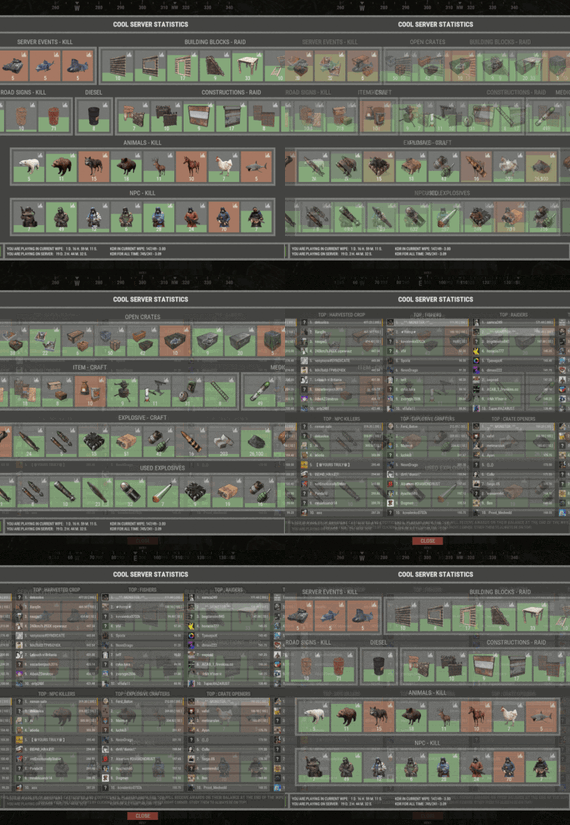
XStatistics - statistics for your server.
- Optimization of the interface for different monitor resolutions.
- Storing player data in - oxide/data/XDataSystem/XStatistics or MySQL or SQLite.
- There is a lang ru/en/uk/es.
- Sound effects when interacting with the menu.
- UI settings in the configuration.
- Display TOPs in game chat.
- Ability to customize the privacy of the default statistics.
- Ability to delete a player's stats after they have been banned.
- Ability to customize grades of building blocks. [ To be recorded in statistics. ]
- Ability to add a player to the blacklist. [ Player's statistics will not be displayed in the TOPs and will not be available to other players. ]
- Ability to use MySQL or SQLite database.
- Ability to automatically give awards and clear data after a WIPE. [ Settings in the configuration. ]
[ Plugin economics or any other. Also [ RU ] GameStores. ]
- A player can hide/open his statistics. [ Need permission. ]
- A player can view the statistics of other players. [ Need permission. ]
- A player can reset their statistics to zero. [ Need permission. ]
- The player can view the entire list of players and search. [ Need permission. ]
- Creating an unlimited number of categories, subcategories and pages.
- Creating custom TOPs, coefficients and awards. [ Unlimited number. ]
- Various admin commands to manage player statistics.
- Support and compatibility with many plugins.
- Server events (Bradley, Chinook, and Patrol Helicopter) count as stats for the player who did the most damage.
- Checking OwnerID of Building blocks, Constructions and other entities.
- Ability to create a Global TOP of your project. [ For this purpose it is enough to enter MySQL data and server name into the configuration.]
[ This TOP can be disabled in the configuration and only the TOP players of the server can be used. Or you can use two TOPs at the same time! ]
- Ability to use pages for categories with subcategories.
- Administrator Mode. [ View hidden player stats, open player search and more ].
- Automatic deletion of statistics of players who have not logged connection the server for N days.
- Ability for players to disable messages with the TOP players in chat.
If your server is visited by more than 500 players, it is recommended to use SQLite or MySQL.
Statistics were tested on a server with 120 online and 5000 players in the database. Excellent result on optimization.
To display player avatars you need to customize the configuration of the ImageLibrary plugin!
What are the statistics at this point?
Global TOP data is manually deleted from the MySQL database. [ It is important that the servers are turned off so that online players data is not written to the database ].
Or after all servers are wiped, run the command - player_stats_reset globaldata null - on one of the servers.
[ Also take into account the servers parameters, for a fair TOP they should be the same! ]
Shortnames to customize statistics
Permissions
xstatistics.use - access to the statistics menu. xstatistics.top - access to the TOPs of subcategories. xstatistics.coefficients - access to view the coefficients. xstatistics.player - access to view player statistics, player list and player search. xstatistics.resetwipe - access to the ability for a player to reset his statistics - WIPE. xstatistics.resetall - access to the ability for a player to reset his statistics - ALL TIME. xstatistics.shstats - access to the ability to hide/open your statistics. [ If the permission has been revoked, the statistics privacy will automatically change to default. ] xstatistics.admin - access to admin mode. Commands
/stat, /stats, /statistic, /statistics - to open the statistics menu. [ Commands can be changed in the config. ] Server console --- Admin commands. stats_ct <customTopName> - to see the top players. [ Custom TOP. ] stats_t <subcategoryName> - to see the top players. [ TOP subcategory. ] player_stats_reset statswipe <steamID> - to reset a player stats to zero - WIPE. player_stats_reset statsall <steamID> - to reset a player stats to zero - ALL TIME. player_stats_reset all <steamID> - to reset a player stats to zero - WIPE and ALL TIME. player_stats_reset global <steamID> - delete a player from the database Global TOP. [ Player must be offline! ] player_stats_reset globaldata null - Delete data from a table in a MySQL database - Global TOP. [ Use this command after all of your servers have been wiped. ] [ The command can be used on any of the Global TOP servers. ] player_actstats global true/false - change statistics privacy for all players. player_actstats <steamID> true/false - change statistics privacy for a player. stats_give_award - start giving out awards for TOPs. stats_clear_data_wipe - to clear all statistics - WIPE. [ Same as after a server wipe ] API
- void API_AddSubcategoryValue(BasePlayer player, string subcategoryName, long amount) - Add a value for the subcategory. player - must be online and not equal to null. - void API_SetSubcategoryValue(BasePlayer player, string subcategoryName, long amount) - Set a value for the subcategory. player - must be online and not equal to null. - bool API_CheckForSubcategory(ulong userID, string subcategoryName) - Check if a subcategory exists. - long API_GetSubcategoryValue(ulong userID, string subcategoryName) - Get the subcategory value. Config