
KD Gaming 5x's Wishlist
-
$17.99
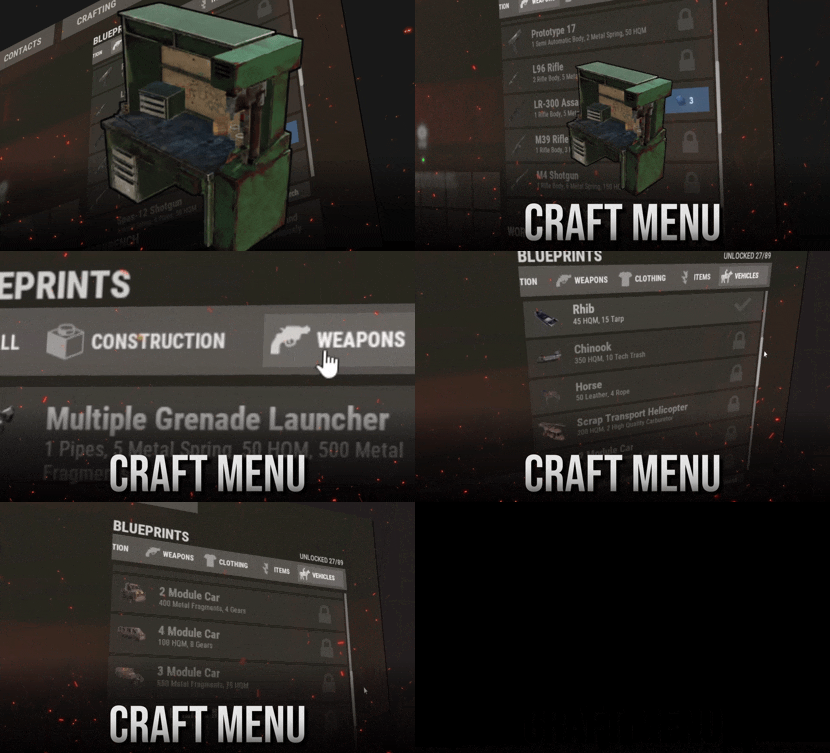
Craft Menu
DISCORD · SUPPORT & CUSTOM REQUESTS
RustPlugins ● 1,200 members
Bug reports, setup questions, or custom development? Reach out to us on Discord. Join Discord Features Your own blueprints, right at the workbench. Players research and craft custom items in a menu that looks like Rust's own crafting screen. That includes uncraftable vanilla items, skinned custom items, vehicles, and deployables. Feels like vanilla Players open a workbench and the menu is there, with categories, search, and a crafting queue they can reorder. Players never need to type a command. Any item, any recipe For each blueprint you set the name, icon, skin, category, tier, research cost, ingredients, craft time, and craft limit. Ingredients can be skinned custom items. Web editor, no JSON Build blueprints in the browser and copy the share code. Run one command in game and the server downloads the config and applies it. You don't need to restart or reload. One-click import Running Portable Vehicles or Place Anything? Pick their items from a list and they become blueprints with the right skin and tier. Click an item again to remove it. Getting Started Up and running in four steps 1 Install Drop CraftMenu.cs into your plugins folder. The config comes with a set of normally uncraftable items, so the menu works right away. 2 Grant the permission DON'T SKIP Players without this permission see the normal workbench.
oxide.grant group default craftmenu.use 3 Open a workbench Players see blueprints for that bench's tier and every tier below it. Higher-tier blueprints are marked TIER REQUIRED. 4 Research, then craft Players research each blueprint once. By default it costs scrap at tier 1, basic fragments at tier 2, and advanced fragments at tier 3. Optional plugins: Image Library lets you use image URLs for icons, and Rust Translation API shows ingredient names in each player's language. Permissions Who can do what craftmenu.use Shows the menu at workbenches. Every player who should use CraftMenu needs it. craftmenu.import Opens the Portable Vehicles and Place Anything import menu. Admins have it automatically. craftmenu.config Imports and exports the config with share codes. Admins have it automatically. craftmenu.<category> Lets the player craft from one category, for example craftmenu.vehicles. These only exist when category permissions are turned on. Commands For admins only Players never need these. Tags show where each command works. CONFIG & IMPORT /craftmenu import
CHAT Opens the import menu for Portable Vehicles and Place Anything items. /craftmenu export
CHAT Shows your current config in a copyable field so you can paste it into the web editor. craftmenu config <code>
CHAT CONSOLE Downloads a config from the web editor and applies it immediately. PLAYER BLUEPRINTS craftmenu_admin wipeall
CHAT CONSOLE Removes every player's unlocked blueprints. In chat, use /craftmenu wipeall. craftmenu_admin wipe <steamid>
CHAT CONSOLE Removes one player's unlocked blueprints. In chat, use /craftmenu wipe. craftmenu_admin unlock <steamid>
CHAT CONSOLE Unlocks every blueprint for one player. In chat, use /craftmenu unlock. Configuration Main settings worth knowing Wipe Blueprints at Map Wipe Resets all research on a new map. Off by default. Maximum items in queue How many timed crafts one player can queue at once. The default is 10. Default maximum amount per craft The highest amount per craft. The default is 99, and each blueprint can override it. Categories The category tabs and their icons. Icons can be Rust asset paths, or URLs when Image Library is on. Permissions required for each category Puts each category behind its own permission. Use it for VIP-only items. Admins ignore research and craft costs Lets admins test new blueprints without collecting the resources. Translate resource item names Shows ingredient names in each player's language. Requires Rust Translation API. Sound Effects Plays click and craft sounds in the menu. On by default. FAQ Frequently asked questions Q. Players open a workbench but the menu doesn't show. Why? They're missing craftmenu.use. Grant it to the default group. The menu also stays hidden on the workbench upgrade screen, which is expected. Q. How do I edit blueprints without touching JSON? Use the web editor at tools.rustplugins.net/craftmenu and copy the share code. Then run /craftmenu config <code> in game. To keep editing your live config, run /craftmenu export first and paste the result into the editor. Q. How do I give an item a custom icon? Icons come from skin IDs. Upload your image as a Workshop skin with SkinUploader.zip, then put the skin ID on the blueprint. The crafted item gets that skin too. Q. Can custom items be crafting ingredients? Yes. In the blueprint's resources, use the item's skin ID instead of a shortname. CraftMenu then only accepts items with that exact skin. Q. How do craft times work? A blueprint with a craft time of 0 crafts instantly. Anything above 0 goes into a queue that works like Rust's own: players can cancel jobs or move them to the front. A player's queue is cleared when they die or disconnect. Q. Can I make some items VIP only? Yes. Put them in their own category, turn on category permissions, and grant craftmenu.<category> to your VIP group. Other players still see the items but can't craft them. Q. Do unlocked blueprints carry over between wipes? By default, yes. Turn on Wipe Blueprints at Map Wipe to reset them with each new map. You can also wipe them manually with craftmenu_admin wipeall. Have more questions?
Reach out to us on Discord if you need support or have a custom request. -

$2.00
Phone Core
By Raul Maintained in Plugins
PhoneCore is a Grand Theft Auto Style GUI that is easy to setup and customise.
UPDATE? Go To Bottom
PhoneCore is a zip file with 4 variations to the code, images and psd/afphoto allowing you all the options you could think of.
Code included is a 2x3 Phone, 3x4 phone and now 2x3 with 4 pages and 3x4 with 4 pages!
Fire off any command that would usually be used with a "/" via this tasty little ui (e.g. /kits /backpack /dis)
Configuration
Configuration is simple, Drop in the urls for the image you want (list in image folder of default URLS) and add a command,Save, Reload and enjoy.
Both the configs follow the same setup, just one is longer than the other.
The use of a JSON editor or validation site such as jsonlint.com is recommended to avoid formatting issues and syntax errors.
{ "Use Permission phonecore2x4.show": false, "Background Image Url": "https://i.imgur.com/GY90fRP.png", "Image Url in place One": "https://i.imgur.com/bQGcmWL.png", "Command For Place One": "", "Image Url in place Two": "https://i.imgur.com/WAY6j4A.png", "Command For Place Two": "", "Image Url in place Three": "https://i.imgur.com/rOLnNiY.png", "Command For Place Three": "", "Image Url in place Four": "https://i.imgur.com/EbBRqT5.png", "Command For Place Four": "", "Image Url in place Five": "https://i.imgur.com/3mLH0mP.png", "Command For Place Five": "", "Image Url in place Six": "https://i.imgur.com/6RjWdNd.png", "Command For Place Six": "" } Command
/Phone << opens the phone GUI
Permission
Each of the codes has an option to use permissions in the config.. the permission is pluginname.show and is required to open the PhoneUI is the config value is set to true
e.g. PhoneCore3x4.show
Update
Version 1.0.1... Added 2 Extra codes to the zip, These "multi" versions have 4 pages.. Watch the video Below.
Version 1.0.1... Code 2x3 had an error that prevented compiling.. this has been rectified.
Version 1.0.2... Added Rules so that blank unused buttons are no longer clickable.
Version 1.0.3... Added option in config to require a permission to open the UI
Images
These are images that are included & random things I've added to hosting that you can use on with PhoneCore
Icons:
https://i.imgur.com/6RjWdNd.png Blank
https://i.imgur.com/EbBRqT5.png Backpack
https://i.imgur.com/0o3q7BC.png Close
https://i.imgur.com/3mLH0mP.png Discord
https://i.imgur.com/Vz4vVaw.png Hammer
https://i.imgur.com/rOLnNiY.png Info
https://i.imgur.com/bQGcmWL.png Facemask/Kits
https://i.imgur.com/mnBkYwB.png Message
https://i.imgur.com/WAY6j4A.png Minicopter
https://i.imgur.com/cMjS34N.png WorkBench
https://i.imgur.com/eRN5lCU.png Door
https://i.imgur.com/uKCyxev.png House/Teleport
https://i.imgur.com/cclUBi3.png Kit/Present
https://i.imgur.com/62Tu4HV.png Lift/Elevator
https://i.imgur.com/ldwvf7L.png Wolf/Pet
https://i.imgur.com/IqvuMKd.png Stats
https://i.imgur.com/1Of9ltc.png Skin/Hoodie
https://i.imgur.com/8DJoUQT.png Rocket Turret
https://i.imgur.com/9Yom8S9.png Brush
https://i.imgur.com/rUlh3Qk.png Portal
Backgrounds:
https://i.imgur.com/GY90fRP.png Default/Phone GUI
https://i.imgur.com/MCjSq33.png Tower
https://i.imgur.com/rYwQO6C.png Furnace
https://i.imgur.com/J4rvbCJ.png Wolf
https://i.imgur.com/d7b2LmJ.png SatAirDrop
https://i.imgur.com/1NZyPXl.png Night
https://i.imgur.com/UqdQAWL.png RustPoster
https://i.imgur.com/m48YGmJ.png Waving
https://i.imgur.com/WJ5Qr6w.png Face
https://i.imgur.com/XHLySft.png Hemp
https://i.imgur.com/AweYNbi.png MikeHawke
https://i.imgur.com/vVye6Wu.png Cobalt Rewards
https://i.imgur.com/htVCYhH.png Cobalt Regen
-

$29.80
Abandoned Island | Custom Map By Shemov
Welcome to Abandoned Island, where adventure and survival await at every turn! Survival on a desert island has never been so addictive! The game map is designed so that players can use all their survival skills to succeed on a desert island. The map contains a large number of abandoned buildings and warehouses, settlements of survivors, as well as railway stations and a large city with villages that make the map even more interesting. Moreover, you will be able to enjoy a beautiful customized landscape that is created to please the eye. Also on the map there are custom places for building bases, which gives players the opportunity to build bases in new interesting places and interact more with the map. It has become even easier and more affordable to buy a game card for the server, and today your players will be able to go into an exciting story of survival on your server!
Features:
Map size is 4250; Prefabs count : ~100K; Railways and railway stations; Works with BetterNpc; Works with Train Homes; Underground Rail tunnels; The underground railways is connected to the surface railways A lot custom monuments and places on the map; A lot custom places to build a base on map ( "X" on minimap ); There is bradley on large town Custom oilrigs to build a base; Custom icebergs to build a base inside them; Underwater Labs; Ziplines; There are NPC on some locations. Custom monuments:
Large Town ( A large city consisting of detailed buildings inside, there are two villages nearby, a fire station, a medical center, a police station, as well as shops and a gas station ) ( Bradley HERE ); Town Hangars; Industrial Zone; Car Dealership 1; Car Dealership 2; Large Warehouse; Warehouse 1; Warehouse 2; Settlement 1; Settlement 2; Car Service; Railway stations ( X4 ( Red brick stations, White brick station, Severo station, Triton station ); Train depot; Water Treatment Plant; Bunker; A lots custom places to build a base. ( "X" on map ); Underwater farm zones ( "O" on map ). Monuments:
Outpost; Bandit camp; The Dome; Train Yard; Junkyard; Satellite Dish; Airfield; Powerplant; Nuclear Missile silo; Arctic Research Base; Desert Military Base; Ranch; Oxum`s Gas station; Abandoned supermarket; Large fishing village Fishing village; Underwater labs; Underground railway; Harbor 1; Harbor 2; Quarries(HQM,Stone, Sulfur); Large oilrig; Oilrig. My Discord: shemov#6310
A password is attached to the map. You can edit it.
- #rust custom
- #custom map
- (and 5 more)
-

$9.99
Chat to Notifications
Filter chat messages by keywords and convert them into notifications. You can configure which messages to exclude from chat and display as notifications instead, all through the config file.
Use Cases
Reduce chat spam caused by plugins by moving unnecessary messages from chat to the notification area, allowing players to communicate more effectively. Preserve important messages from event plugins, ensuring players can refer back to essential event details that would otherwise be lost in chat. They can review missed messages anytime by typing /n. Highlight your broadcasted messages to players when you use the 'global.say' command. Improve communication on PVE servers by filtering monument callouts (e.g., @bradley, @trainyard, etc.), keeping chat cleaner while still providing key information.
Chat Commands
/n - (Shows list of recently appeared notifications - can be changed in config) /n disable - (Disables notifications for player) /n enable - (Enables back notifications for player)
Video (shows an older version)
Configuration
{ "General settings": { "Can filter player messages?": true, "Recent notifications command": "n", "Show time (gametime, servertime, none)": "gametime" }, "Server messages settings - 'say' command": { "Convert all server messages?": false, "Prefix": "[Server]", "Prefix color": "#FFB84C" }, "Notification area settings": { "Time visible (in seconds)": 10, "Max # of notifications visible": 5, "Alternate color 1": "#212741", "Alternate color 2": "#303856", "Opacity": 70, "Width": 350, "Position (Top, TopLeft, TopRight, Left, Right, Center, Bottom, BottomLeft, BottomRight)": "TopRight", "X axis": 15, "Y axis": 15, "Single notification settings": { "Height": 20, "Font size": 11, "Text alignment (left, right, center)": "center", "Default text color (if not formatted)": "#ffffff" } }, "Recent notifications modal settings": { "Primary color": "#212741", "Secondary color 1": "#18122B", "Secondary color 2": "#303856" }, "Message filtering rules": [ { "Text to match": "Rust Rewards", "Is RegEx (Advanced)": false, "Show as notification": true, "Keep in chat": false, "Formatting": { "Color setting": { "Use custom color": false, "Custom color": null }, "Regex formatting (Advanced)": { "Enabled": false, "Pattern": null, "Replacement": null } } }, { "Text to match": "[DeathNotes]", "Is RegEx (Advanced)": false, "Show as notification": true, "Keep in chat": false, "Formatting": { "Color setting": { "Use custom color": false, "Custom color": null }, "Regex formatting (Advanced)": { "Enabled": false, "Pattern": null, "Replacement": null } } }, { "Text to match": "Raidable Bases", "Is RegEx (Advanced)": false, "Show as notification": true, "Keep in chat": false, "Formatting": { "Color setting": { "Use custom color": false, "Custom color": null }, "Regex formatting (Advanced)": { "Enabled": false, "Pattern": null, "Replacement": null } } } ], "Version": { "Major": 1, "Minor": 3, "Patch": 0 } }
Credits
@nivex - performance enhancements in version 1.2.14 (thank you)
-
$8.59
XRestartUI
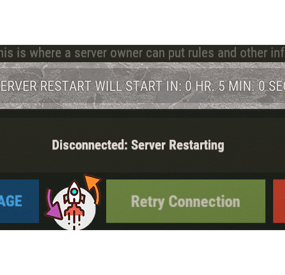
XRestartUI - beautiful restart notification UI.
- Optimization of the interface for different monitor resolutions.
- There is a lang ru/en/uk/es.
- Sound effects.
- There is an automatic restart schedule. [ Any commands can be scheduled ]
- There is a warning N minutes before the start of the restart.
- Logs restart/warnings in the server console.
- Ability to skip restart if more than N players are online.
-> Overview - YouTube <-
Commands
restart <time> <description key from langs> [ If there is no key, then the default description will be used ] Config
{ "General settings": { "Use chat messages": true, "Use UI notifications": true, "Use GameTip notifications": false, "Use the tick effect": true, "Use warning effect": true, "Tick effect used": "assets/bundled/prefabs/fx/notice/loot.drag.dropsuccess.fx.prefab", "Warning effect used": "assets/bundled/prefabs/fx/item_unlock.prefab", "SteamID of the profile for the custom avatar": 0, "Skip restart if there are more than N players online. [ Restart warnings are disabled ]": false, "Number of online players - to skip restart": 100 }, "GUI settings": { "AnchorMin": "0 0.85", "AnchorMax": "1 0.85", "OffsetMin": "0 -25", "OffsetMax": "0 25" }, "List of unique names(keys) of restart reasons - [ Setting up text in lang ]": [ "M_DEFAULT", "M_1", "M_2" ], "Configuring scheduled restarts [ Any command can be scheduled at any time ]": { "08:00": "restart 300", "21:00": "restart 300 M_1" }, "Setting warnings N minutes before restart": [ 60, 45, 30, 15, 10, 5 ] }- #restart
- #autorestart
- (and 5 more)