
GangstaPichu's Wishlist
-

$19.99
Bradley Drops
Completely custom Bradley AI for a much more immersive and real experience! Each battle is different and fun! No more cheesing the event or hiding from Bradley! Players who hide will be hunted ominously.
PLEASE CHECK OUT THE NEW CONFIG STRUCTURE AND OPTIONS BELOW in the Default Config section!
Bradley can now dynamically path find, re-path when stuck and actively hunt players who try and hide or retreat. New Fireball config options for damage, lifetime, chance to spread, etc Many new CH47 options, such as health, homing missile actions, can now use flares to counter homing missiles! Can now also specify Hackable crates to drop when destroyed. CH47 Scientist gunner options, such as health, damage, aimcone, kits, etc. Bradley can now counter high risk targets with smoke grenades, making it harder for them to target, with cooldown options in config. (players with rocket launchers, timed explosives, satchels etc) Bradley can now damage more obstacles by ramming, which is fully configurable in the config file Crate loot capacity is now resizable and can take up to 48 items for both Bradley and Hackable crates. Please carefully check config options for "Allow Players to Call Bradleys at Monuments". This config option has changed slightly. You can set allow at monuments true or false, then the monument list is to either block selected monuments when allowed is true, or allow when use at monuments is false. The monuments list is therefore now an exception to allow exception to the "Allow Players to Call Bradleys at Monuments" rule. Check this still works as you require. If you are unsure, reach out to me for help.
Bradley Drops allows players with permission to call a Bradley APC to their location with a custom Supply Signal, where it will patrol the drop zone for a set time, allowing players to fight it to win the valuable Bradley crates.
A cargo plane will deliver and drop the APC via CH47 Chinook, or Balloon. The APC can be configured in different ways and there are many config options to suit all servers.
The plugin comes with 4 default settings for Bradley Drops, Easy, Medium, Hard and Elite, each with their own custom supply signal skin. But server owners can add as many options as they like in the config by copying and pasting an existing profile within the config. This would however require the server owner to create their own custom skin for the inventory item. (I will add more custom skins in the near future for this.)
BotReSpawn compatibility, with the option to specify a BRS spawn profile at the Bradley kill site.
ZoneManager compatible, set zones where players can or cannot call in Bradley Drops.
IMPORTANT:
Each Bradley profile or wave profile in the config MUST have its own unique name and skin ID, otherwise you will have issues.
NOTE ABOUT SHOPS:
The profile name in the config should match the Custom Supply Signal name which the shop gives the player. The Bradley Name is now separate and can be set independently.
Plugin default Supply Signal Skin ID's to add items to various shops, loot plugins, kits etc are:
Bradley Drop (Easy) : 2905355269 Bradley Drop (Medium) : 2905355312 Bradley Drop (Hard) : 2905355296 Bradley Drop (Elite) : 2911864795 Bradley Drop (Expert) : 3361673979 Bradley Drop (Nightmare) : 3361674045
Bradley Drop Wave (Normal): 3502926194 Bradley Drop Wave (Hard): 3502926112
Default Permissions:
bradleydrops.admin (to use give|hsclearcd command) bradleydrops.buy (to use /bdbuy command) bradleydrops.bypasscooldown bradleydrops.easy bradleydrops.medium bradleydrops.hard bradleydrops.elite
Commands (Prefix with / to use in game):
bdgive <Profile ShortName> <Steam64ID> <Amount> bdbuy <Profile Shortname> bdbuy list bdreport (list all active Bradleys and their state) bddespawn (Despawn all Bradleys called by a player or their team, no refunds) bdclearcd (clear all cooldowns) bdclearcd <SteamID|Name> (clear cooldown for player) (Buy, Report and Despawn command can be customised in the config)
Please note correct use in config file for supply signal name and Bradley APC display name. These values CAN be different if you wish:
Custom Loot:
Check out the example loot items in the default config below to see how to add custom loot items to crates.
How to Add Custom Loot Table Item:
Default Config:
API: For Other Developers:
The following hook is available to use in your plugins to check custom Supply Signals, Cargo Planes and Supply Drops to avoid conflict with your plugins:
object IsBradleyDrop(ulong skinID)
This will return true if the item is a Bradley Drop item/entity, or null if not.
Call it directly without referencing the plugin:
if (Interface.Call("IsBradleyDrop", skinID) != null) return true; // IsBradleyDrop Or reference my plugin and call like this:
[PluginReference] Plugin BradleyDrops; if (BradleyDrops.Call("IsBradleyDrop", skinID) != null) return true; // IsBradleyDrop To return some basic info about a Bradley Drop object:
object GetBradleyDropData(BradleyAPC bradley)
Returns object as Dictionary<string, object>.
Returned data is:
["apcProfile"] // string - Actual bradley profile (from config) ["apcName"] // string - Bradley display name ["skinId"] // ulong ["bradleyId"] // ulong (Net.ID.Value) ["owner"] // BasePlayer ["lastAttacker"] // BasePlayer ["calledPosition"] // Vector3 ["callingTeam"] // List ["ch47"] // CH47Helicopter ["plane"] // CargoPlane ["balloon"] // HotAirBalloon ["currentState"] // enum BradleyState (PATROL, ENGAGE, HUNT, MOVETOENGAGE) Example usage:
var bdata = BradleyDrops.Call("GetBradleyDropData", bradley) as Dictionary<string, object>; string _apcProfile = bdata["apcProfile"]; string _apcName = bdata["apcName"]; string _apcName = bdata["apcName"]; string _owner = bdata["owner"]; etc Hooks:
object CanSpawnBradleyDropCrates (BradleyAPC entity, BasePlayer lastAttacker, ulong ownerId, ulong skinId, string apcProfile) { // Returning non-null prevents Bradley crates spawning Puts("CanSpawnBradleyDropCrates hook fired!); return null; } object CanSpawnBradleyDropLockedCrates (BaseEntity entity, BasePlayer lastAttacker, ulong ownerId, ulong skinId, string apcProfile) { // BaseEntity because it could be Bradley or CH47 // Returning non-null prevents locked crate spawning Puts("CanSpawnBradleyDropLockedCrates hook fired!); return null; } void OnBradleyDropApcKilll (BradleyAPC bradley) { // No return behaviour Puts("OnBradleyDropApcKilll hook fired!); } void OnBradleyDropCH47Kill (CH47Helicopter ch47) { // No return behaviour Puts("OnBradleyDropCH47Kill hook fired!); }
- #bradley
- #bradleyapc
- (and 14 more)
-
$10.00
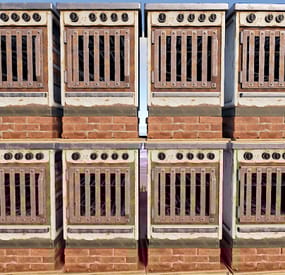
Furnace Stacks
Configuration:
{ "Only stack furnaces in Building Privileged zones": true, "Permissions & their amount of stacked furnaces allowed": { "furnacestacks.use": 2, "furnacestacks.vip": 4 } } Language:
{ "MaxStackAmount": "You are trying to stack more than {0} furnaces!", "OnlyStackFurnaces": "You can only stack electric furnaces!", "CeilingBlock": "A ceiling is blocking you from stacking this furnace!", "BuildingBlock": "You need to be Building Privileged in order to stack furnaces!" } Permissions:
furnacestacks.use (Always grant this permission for usage, grant additional permissions for different maximum stack amounts)
In order to stack the furnaces you have to press RIGHT CLICK while looking at the placed furnace and being near it!
Bugs & Questions:
If you've found any bugs, have any questions/suggestions please let me know in the support section!
-

$19.90
Puzzle Jump Plugin
🚀 Puzzle Jump Plugin for Rust: Elevate Your Server Experience to a New Level 🚀
Transform your Rust server into a unique playground filled with challenges and entertainment with the Puzzle Jump Plugin.
Puzzle Jump Plugin enhances your Rust server by offering the ability to create customized, timed obstacle courses for an interactive and stimulating game experience.
⚠️ Important
The plugin is currently stable but still in a testing phase for a short while, which is why it is being offered at a promotional price for its launch. The promotion will end once the roadmap goals are achieved.
I am readily available for all your questions, here or on Discord (d.0ne_), so please do not hesitate to contact me if needed.
🔥 Key Features
🛠️ Customizable Puzzle Creation: Build unique courses with start/end buttons and checkpoints for a tailored gaming experience. 🏖️ Reward System Distribute dynamic rewards based on player performance, with an attractive ranking system. 🔄 Puzzle Flexibility Easily adapt and relocate non-static puzzles for constant renewal. 🔜 Coming Soon Static Puzzles Get ready for the integration of puzzles into fixed structures for even more variety. 🎁 Example Puzzle Pack Quickly get started with five ready-to-use puzzles, fully customizable. 📊 Leaderboard with UI An intuitive leaderboard to track player performance in real time. ⚙️ Total Customization Fully configure the plugin, including time-based rewards.
📌 Requirements:
Requires CopyPaste plugin to function.
🚀 Plugin Installation:
Place the 'PuzzleJumpPlugin/config/PuzzleJumpPlugin' folder into '/oxide/configuration', ensuring that you end up with an '/oxide/configuration/PuzzleJumpPlugin' folder. Move the contents of the 'PuzzleJumpPlugin/data/CopyPaste' folder into '/oxide/data/CopyPaste'. Place the 'PuzzleJumpPlugin.cs' file into 'oxide/plugins' and then start the plugin. For further steps, follow the tutorials
🚀 Use the Example Puzzles
Placing a Puzzle: Use `/puzzle_setposition <puzzle_name> [autoheight]`. The `[autoheight]` option is optional and adjusts the puzzle to ground level. Each puzzle can only be instantiated once.
🎥 Video Tutorial : Creating / Editing a Puzzle
Here is a video showing the creation of a Puzzle Jump. The process is the same when you want to edit a puzzle, but you will need to use the command '/puzzle_edit <puzzle_name>' :
Video
🎛️ Plugin Commands
🛠️ For Creation and Editing
/puzzle_create <puzzle_name> <true | false>` : Starts the creation of a puzzle. /puzzle_save : Saves modifications to a puzzle. /puzzle_setbutton <start | default | end>` : Assigns a type to a targeted button. /puzzle_exit Exits creation/editing mode without saving. /puzzle_removebutton <type <index>>` : Removes a specified button. /puzzle_setradius <radius>` : Adjusts the radius of the puzzle. 🌍 For Management
puzzle_setposition <puzzle_name> [autoheight] : Changes the puzzle's position. The `[autoheight]` option is optional and sets the puzzle to ground level. 🏅 Player Commands
puzzle_ladder : Displays the player leaderboard
🗺️ Roadmap
Static Puzzles: Ability to create puzzles on monuments, or with prefabs in RustEdit. Checkpoint Respawn: Ability for players to respawn at a checkpoint if they fall. Puzzle Packs (with electricity): Introduction of electrically integrated puzzle packs.
⚙️ Configuring a Puzzle:
enabled: Defines if a puzzle is instantiated at the start of the plugin. displayName: The name displayed to players in-game. useDefaultCheckPoints: Determines if the default checkpoints are effective. timer: maxTime: The maximum time for the puzzle, after which the player fails. zoneConfiguration: radius: Radius of the zone (default is 15). enablePvp: Enable PvP in the zone (default is false). enableFallDamages: Enable fall damages (default is false). enableSleeping: Allow players to sleep in the puzzle (default is false). enableVehicle: Allow vehicles in the puzzle. rankScoreTable: Score table sorted by rank (score being the time achieved by the player). rewardsTable: Table of rewards, sorted by rank (see "Configuring Reward Tiers").
⚙️ Configuring Reward Tiers (According to Rank):
In 'rewardsTable' (for each puzzle), you can configure:
Items (list): rewardItemShortName: The shortName of the item. quantity: The quantity. Hooks (list): pluginName: The name of the plugin the hook belongs to. hook: The hook (must have a BasePlayer as a parameter). Commands (list): command: The command to execute, use %player_id to get the player's ID.
📞 Support and Assistance:
I am fully committed to providing an exceptional user experience. For any questions, issues, or suggestions, please do not hesitate to contact me.
Your feedback is crucial for the continuous improvement of the plugin.
- #puzzlejump
- #puzzle
- (and 6 more)
-
$9.90
PNPC Raid Addon
This addon for the PersonalNPC plugin allows bots to use rocket and grenade launchers to attack buildings, players and NPCs, making raids more intense and dynamic.
Features:
🔥 AI Raiding
• Bots use rocket launchers and grenade launchers to destroy buildings and eliminate enemies.
• Uses ammo from inventory or infinite ammo mode (configurable in settings).
• Compatible with Multiple Grenade Launcher, Rocket Launcher, and even the Snowball Gun!
🎯 Customizable Attack Settings
• Adjust attack cooldowns for each weapon type.
• Choose default projectiles for bots with infinite ammo mode enabled.
• Setup bot behavior and efficiency in raids.
How to Use:
1️⃣ Spawn a bot from the PersonalNPC plugin.
2️⃣ Equip it with a rocket or grenade launcher.
3️⃣ The bot will attack buildings, players, or other NPCs!
📜 Requirements:
• PersonalNPC Plugin
📸 See it in Action! Watch the Video
📃 Configuration:
{ "Permission to use this addon on all bots of player (not required)": "pnpcaddonraid.override-setup", "Multiple Grenade Launcher Setup": { "Attack Cooldown (leave 0 to use default cooldown for current weapon)": 0.0, "Default projectile prefab (used if infinite ammo is enabled)": "assets/prefabs/ammo/40mmgrenade/40mm_grenade_he.prefab" }, "Rocket Launcher Setup": { "Attack Cooldown (leave 0 to use default cooldown for current weapon)": 0.0, "Default projectile prefab (used if infinite ammo is enabled)": "assets/prefabs/ammo/rocket/rocket_basic.prefab" }, "Snowball Gun Setup": { "Attack Cooldown (leave 0 to use default cooldown for current weapon)": 0.0, "Default projectile prefab (used if infinite ammo is enabled)": "assets/prefabs/misc/xmas/snowball/snowball.projectile.prefab" } }
-
$15.00
BankCell
The plugin allows you to grant permission to players who will be able to save some loot.
Description:
This plugin and the ability to store your belongings in a safe deposit box, which you can open using one of the specified commands. You can limit the number of items you can put in a cell, and also set up a blacklist of items that cannot be put in a cell. You can assign privileges to use a cell depending on the group of players.The player can also transfer their items from wipe to wipe.
How does it work?
The player prescribes a chat command, which is specified in the config. It opens a cell with slots that are configured in the config. He can put items there that are not blocked in the config. Closes the cell and the items are successfully saved. If the player runs out of privilege, when trying to open a cell, he will return all items to his inventory.
en - example of plugin configuration in English
ru - example of plugin configuration in Russian
My Discord: CASHR#6906
Join the Mad Mappers Discord here!
Check out more of my work here!