
ELF's Wishlist
-
Free
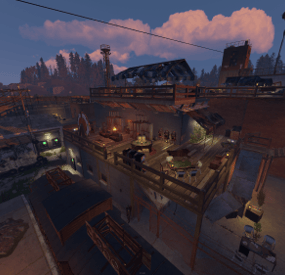
Merged Outpost Bandit Camp Ranch FREE | Rustmaps.com Compatible | RustEdit Custom Maps Friendly
Now Free <3333
If you enjoyed using my Merged Outpost please please please leave a review ❤️
This file is being provided free of charge for anyone to use, primarily as part of my portfolio. As this is a free resource, support will be limited.
However, if you need assistance adding it to your map, feel free to reach out and I'll do my best to help.
Additional requirements
You will need to download and install SaddleVendorFix.cs for the saddle vendors to work as intended.
You will need to download and install CustomMapVehicleVendorFix.cs for the repairable helipads to work as intended.
Showcase videos
https://www.youtube.com/watch?v=xzVn-q0GKVs - outdated but not much as changed from this video.
- #bandit camp
- #ranch
- (and 13 more)
-
$9.99
RustVitals
RustVitals is a server health and performance monitoring plugin for Rust servers running Oxide/uMod.
It gives admins a clean in-game dashboard to quickly check server FPS, frame time, entities, dropped items, corpses, NPCs, vehicles, turrets, locked crates, dense map areas, lag spikes, and overall server risk.
RustVitals is made to help server owners spot common performance problems faster without digging through console logs or guessing what is causing lag. It also includes cleanup tools, useful recommendations, Discord webhook reports, RCON/server-console support, and optional language files.
Key Features
Clean in-game admin dashboard
Main command: /vt ui
Server FPS and frame-time monitoring
Server risk score
Top entity scanner
High-density grid reports
Dropped item and corpse cleanup
Lag spike tracking
Server health recommendations
Live dashboard console
Discord webhook reports
RCON/server-console support
Admin-only permission
Optional language file support
Permission
rustvitals.admin
Example:
oxide.grant group admin rustvitals.admin
Version
RustVitals v1.6.2
- #performace
- #health
- (and 8 more)
-
$24.95$21.95Ship Vendor
Ship Vendor is an NPC merchant that sells players whole ships, ready to sail, with every block, device, skin, and inventory item already in place, plus the parts to build their own. You build a ship by hand, save it with one command, and it shows up in the vendor's window right away. The player buys it from the NPC, gets a Boat Building System item, drops it next to water, and watches it open into an exact copy of your original, with the owner already authorized.
Everything is set up from inside the game. Place vendors at monuments where they keep their spot after a map wipe, run prices that move with demand, hand out discounts by permission, and let captains take the helm to raise the sails, drop the anchor, and steer a course.
🌟 Features of Ship Vendor
NPC ship merchants you place at any monument, bound to the monument so they keep their spot after a map wipe Sells whole ships and individual parts: the planner, the building station, sails, anchors, engines, cannons, and more Build a ship by hand and save it with one command; it appears in the vendor's window right away Bought ships open into exact copies, with every block, device, skin, fuel load, and the owner's authorization carried over A helm panel for raising and lowering sails, dropping and raising the anchor, switching engines and lights, and setting the course Sea Wolf status players can buy with in-game currency to unlock helm control Dynamic pricing that nudges prices up or down based on how much players buy, inside limits you set Purchase discounts by permission, stacking up to a cap you choose Pay with any item, or through Economics, ServerRewards, BankSystem, or IQEconomic Purchases blocked during combat, raids, building block, swimming, duels, and more Full in-game editor for ships, parts, vendors, and every line of UI text, no JSON editing English and Russian built in, with Notify and UINotify support and an offline image mode
🎮 Commands
/ship (or /ships) – admin command to save ships, give them out, edit their content, and place NPC vendors. Players do not need a command; they buy from the NPC. shipvendor.give <userId> <shipId> – server console command to give a saved ship to a player.
🛡️ Permissions
shipvendor.admin – save, give, and edit ships, and place NPC vendors shipvendor.helm – control a ship's helm: sails, anchor, engines, lights, and course shipvendor.helm.sails – raise and lower the sails shipvendor.helm.anchor – drop and raise the anchor shipvendor.helm.engine – turn the engines on and off shipvendor.helm.lights – toggle the ship's lights shipvendor.helm.direction – set the ship's course shipvendor.discount1 / shipvendor.discount2 / shipvendor.discount3 – purchase discount tiers, 5%, 10%, and 15% by default
🏆 Ships Included
Sea Sparrow – a cheap starter sailboat for early voyages, light and easy to handle, no cannons Freewind – a fast scout and cargo runner with the best power-to-mass ratio, no weapons Sharp Fang – a light combat boat for a small crew, quick, with four cannons Stormrunner – a mid-class ship with a reinforced hull and five cannons for long trips Grey Corsair – a tough combat ship built around firepower for naval fights and escorts Iron Tide – a heavy all-rounder with eight cannons for an experienced crew Abyssal Wrath – the heaviest ship here, a thirteen-cannon floating fortress
🎥 Video
🧪 TEST SERVER
Join our test server to view and experience all our unique features yourself!
Copy the IP Address below to start playing!
connect 155.103.86.38:28015
📚 FAQ
Q: Where can I see an example of a config?
A: Config
Q: Where can I edit the names in the plugin or add my own language?
A: You can edit lang files that are located (for example) at "oxide/lang/en/ShipVendor.json" or "carbon/lang/en/ShipVendor.json".
Q: Players get "The plugin does not work correctly, contact the administrator!" message. How to fix?
A: This error occurs when the ImageLibrary plugin is not working properly. Solutions:
Install the ImageLibrary plugin if it's not installed. Make sure ImageLibrary is loaded and running properly (check with o.plugins command). Restart the server after installing ImageLibrary. Check server console for ImageLibrary errors and fix them. Q: I see black images with Rust logo or get error 429 when loading images. What should I do?
A: These issues occur when there are problems downloading images from the internet. The ShipVendor plugin sends images to ImageLibrary but is not responsible for the downloading process itself. Error 429 typically occurs due to rate limits imposed by image hosting services like Imgur (see HTTP 429 documentation for more details). The bundled ships use local images with the "TheMevent/" prefix, so set up the local images:
Set up the images: Create folder "TheMevent" in "oxide/data" (or "carbon/data" for Carbon) Download PluginsStorage (click "CODE" → "Download ZIP") Extract the ZIP and copy all contents to the "TheMevent" folder Reload the plugin: Type o.reload ShipVendor (Oxide) or c.reload ShipVendor (Carbon) Note: If you want to add your own custom images, place them in the "TheMevent" folder and reference them with the "TheMevent/" prefix. For example: "TheMevent/Icon1.png", "TheMevent/MyCustomIcon.jpg", etc.
Q: How to use BankSystem to store the economy
A:
"Currencies": { "0": { "ID": 0, "Enabled": true, "Title": "Coins", "Icon": null, "Type (Plugin/Item)": "Plugin", "Plugin name": "BankSystem", "Balance add hook": "Deposit", "Balance remove hook": "Withdraw", "Balance show hook": "Balance", "ShortName": "", "Display Name (empty - default)": "", "Skin": 0 } }, Q: How to use ServerRewards to store the economy
A:
"Currencies": { "0": { "ID": 0, "Enabled": true, "Title": "RP", "Icon": null, "Type (Plugin/Item)": "Plugin", "Plugin name": "ServerRewards", "Balance add hook": "AddPoints", "Balance remove hook": "TakePoints", "Balance show hook": "CheckPoints", "ShortName": "", "Display Name (empty - default)": "", "Skin": 0 } }, Q: How to use Economics to store the economy
A:
"Currencies": { "0": { "ID": 0, "Enabled": true, "Title": "Money", "Icon": null, "Type (Plugin/Item)": "Plugin", "Plugin name": "Economics", "Balance add hook": "Deposit", "Balance remove hook": "Withdraw", "Balance show hook": "Balance", "ShortName": "", "Display Name (empty - default)": "", "Skin": 0 } }, Q: How to use IQEconomic to store the economy
A:
"Currencies": { "0": { "ID": 0, "Enabled": true, "Title": "Coins", "Icon": null, "Type (Plugin/Item)": "Plugin", "Plugin name": "IQEconomic", "Balance add hook": "API_SET_BALANCE", "Balance remove hook": "API_REMOVE_BALANCE", "Balance show hook": "API_GET_BALANCE", "ShortName": "", "Display Name (empty - default)": "", "Skin": 0 } }, Q: How to use scrap (or any item) to pay
A:
"Currencies": { "0": { "ID": 0, "Enabled": true, "Title": "Scrap", "Icon": null, "Type (Plugin/Item)": "Item", "Plugin name": null, "Balance add hook": null, "Balance remove hook": null, "Balance show hook": null, "ShortName": "scrap", "Display Name (empty - default)": null, "Skin": 0 } },
🔧 API
bool API_GiveShip(BasePlayer player, int shipId) bool IsSeaWolfOwner(ulong userId)
Set up a vendor, save a few ships, and your players have a fleet to buy and sail.
-

$30.00
ROAMS
By Iftebinjan in Plugins
⭐ What's Roams?
ROAMS creates an arena on your selected island where the player can teleport to with the /roams command when it's available. Server owners can customize timers, durations, arena-useable weapons, placeable items, walls, etc from the config beforehand. It gives your players the best roaming experience and explore their skills on roams. Server owners can create their own roam islands with different obstacles and terrain on each wipe or have multiple roam islands on the map and randomize between them. There are 2 winning methods individuals and clans which can be configured in the config Priority teleports to teammates on roam Configurable rewards after the roam ends Winner's stats and discord notifications Extra rewards - all player-killed loots on the Roam loots are automatically placed in a box after the roam ends, AUTOMATIC ARENA SETUP ON NEW WIPE 📌 Commands
/roam_setup create <AnyName(NoSpace)> - Creates a arena with 50 radius on your position /roam_setup edit <ArenaName> - Selects a arena to edit /roam_setup radius <Number> - Updates the radius of the selected Arena /roam_setup location - Updates the location or position of the selected Arena /roam_setup delete <ArenaName> - Removes the arena /roam_setup list - Shows the list of the available Roam Arenas /roam_setup setupauto - Setup auto arena from the config /roamstart <ArenaName> - Starts the arena /roamend - Force stop the event 📜 Permissions
Roams.admin - Require to create or update Roam Arena Roams.join - Requires to join a Roam Arena ⚙️ Configurations
💬 Support
-
$11.99
TurretStock
TurretStock makes managing your base defenses simple.
Instead of opening every Auto Turret, SAM Site, Shotgun Trap, or Flame Turret individually, each building uses a single linked storage box that automatically keeps every supported defense supplied from one central location.
Drop your weapons, ammunition, rockets, shells, and fuel into the linked storage, and TurretStock takes care of the rest.
Built for players who want clean automation without complicated setup, while remaining lightweight enough for Vanilla, PvE, PvP, RP, and high-population servers.
- Features
- One linked storage box per building - Automatic weapon, ammunition, rocket, shell, and fuel distribution - Smart weapon and ammo selection with automatic fallback when preferred items are unavailable - Fair ammo distribution across multiple Auto Turrets - Automatic collection of supported weapons and ammunition back into the linked storage - Automatic support for Auto Turrets, SAM Sites, Shotgun Traps, and Flame Turrets - Optional support for turrets without electricity - Configurable refill speed (Slow, Normal, Fast) - Building isolation to prevent cross-base interference - Clean integrated control UI - UI automatically adapts to player permissions - Separate permissions for every control - Automatic linked skins for supported storage boxes and Auto Turrets - English, Russian, and Japanese language support - Lightweight with no required dependencies - Supported Defenses
- Auto Turrets - SAM Sites - Shotgun Traps - Flame Turrets Take Your Rust Server to the Next Level
Premium performance, lightning-fast support, and an exclusive 30% OFF using code KHALED
- How It Works
Link a storage box to your Tool Cupboard.
Once linked, that storage box becomes the central supply hub for every supported defense inside the building.
Simply store weapons, ammunition, rockets, shells, or fuel inside the box.
TurretStock automatically distributes supplies where they're needed, while giving players full control over preferred weapons, ammunition types, automatic supply, and defense behavior through a clean built-in interface.
Each building can only have one linked storage box, keeping every base completely independent.
- Commands
/ts link - Link a storage box to the current building /ts unlink - Unlink the storage box from the current building
Permissions
turretstock.use - Basic plugin access turretstock.admin - Full administrative access turretstock.collectammo - Use the collect ammo control turretstock.collectweapons - Use the collect weapons control turretstock.setammo - Open and change ammo selection turretstock.setweapon - Open and change weapon selection turretstock.supply - Toggle defense supply turretstock.turrets - Toggle turret-related defenses turretstock.sam - Toggle SAM site supply
Example Config:
{ "General": { "LinkDistance": 3.0 }, "Power": { "TurretsWorkWithoutElectricity (true = ignore power)": true }, "Behavior": { "DefenseRefillMode (Slow | Normal | Fast)": "Normal" }, "Limits": { "AutoTurretAmmo": 128, "SamSiteRockets": 12, "ShotgunTrapShells": 24, "FlameTurretFuel": 200 } }