
AshCrack's Wishlist
-
$35.00
Better Npc
This plugin adds variety of NPC sets with very high number of parameter sets on standard and custom monuments. Also it is added during dropping the server AirDrop, locked crate and destroying a tank or helicopter
Dependencies (optional, not required)
AlphaLoot CustomLoot True PVE Kits Economics Server Rewards IQEconomic PveMode
Custom maps
Maps that have default settings for their custom monuments. For these maps, you will not need to create places for the appearance of NPCs, they have already been created by the map developer and are located inside the archive when buying the map
You can also download all these files for all maps here
Detroit: Irreparable Damage Oregon 2: Last Hope Lostly Island Frontier – American Old West Oregon: Land of Dead Badlands Foreign Lands Namalsk Kong: Skull Island Destroyed World Deathland Dreamland Last Train Pandora Railway Island Wasteland Cataclysm: Fury of Nature Last Oasis Crazy Island
Standard monuments
This item of the plugin settings is used for appearing NPCs in all standard monuments. All these settings are located in the Monument folder (oxide/data/BetterNpc/Monument). Each file in this folder corresponds to a standard monument
If there is no standard monument file in the folder, you can create it (you need to name the file the same way as the standard monuments on the map inside the game). You can copy the settings from any other standard monument
Configuration parameters:
Enabled? [true/false] – It allows to enable/disable the appearance of NPC on the monument. If you need NPCs appearing on the map and don’t need it on another map, you can use this option simply The size of the monument – this parameter contains two values. It is the length and width of the monument. This parameter is necessary for random appearance of NPC on the monument and indication of limits of removal of standard NPCs on the monument (if it is necessary) Remove other NPCs? [true/false] – It deletes the standard NPCs inside the limits of this monument Presets – It is a list of all the NPC presets to appear on the monument (the description of the NPC preset settings is located below)
Custom monuments
This item of the plugin settings is responsible for the appearance of NPCs on custom monuments. All these settings are located in the Custom folder (oxide/data/BetterNpc/Custom). Each file in this folder corresponds to a custom monument
If you have bought a map with already configured NPC appearance files for custom monuments you will copy these files into the Custom folder. If you want to create and configure the appearance of NPC in your custom location on the map, you will use the command in the administrators’ chat /SpawnPointAdd {name} (see the description of this command below in the instruction)
Configuration parameters:
Enabled? [true/false] – It allows to enable/disable the appearance of NPC on the monument. If you need NPCs appearing on the map and don’t need it on another map, you can use this option simply Position – It is a position of the custom monument on the map Rotation – It is a rotation of the custom monument on the map (this parameter is necessary for using custom places to appear of NPC on the monument, if the monument is used on more than one map) Radius – It is the radius of the custom monument from the position on the map Remove other NPCs? [true/false] – It removes the standard NPCs inside the limits of this monument Presets – It is a list of all the NPC presets to appear on the monument (the description of the NPC preset settings is located below)
Roads
This item of the plugin settings is used to appear NPCs on all types of roads. All these settings are located in the Road folder (oxide/data/BetterNpc/Road). Each file in this folder corresponds to a particular road type
ExtraNarrow – It is a narrow, unpaved walkway
ExtraWide It is a wide, paved, two-lane, beltway road
Standard – It is a regular, paved road
Configuration parameters:
Enabled? [true/false] – It allows to enable/disable the appearance of NPC on the road. If you need NPCs appearing on the map and don’t need it on another map, you can use this option simply Presets – It is a list of all the NPC presets to appear on the road (the description of the NPC preset settings is located below)
Biomes
This item of the plugin settings is used to appear NPCs on all types of biomes. All these settings are located in the Biome folder (oxide/data/BetterNpc/Biome). Each file in this folder corresponds to a particular biome type (Arctic, Arid, Temperate, Tundra)
Configuration parameters:
Enabled? [true/false] – It allows to enable/disable the appearance of NPC on the biome. If you need NPCs appearing on the map and don’t need it on another map, you can use this option simply Presets – It is a list of all the NPC presets to appear on the biome (the description of the NPC preset settings is located below)
In-game events
This item of the plugin settings is used to appear the NPCs in standard Rust events. All of these settings are located in the Event folder (oxide/data/BetterNpc/Event). Each file in this folder corresponds to its own type of event
The supported events:
When the plane drops the server AirDrop, it will be guarded by specific NPC presets
CH47 – When the chinook drops a locked crate during patrolling the map, it will be guarded by specific NPC presets
Bradley – When someone destroys a tank, its crates will be guarded by specific NPC presets
Helicopter – When someone shoots down a patrol helicopter, its crates will be guarded by specific NPC presets
Configuration parameters:
Enabled? [true/false] – It allows to enable/disable the appearance of NPC on the event. If you need NPCs appearing on the map and don’t need it on another map, you can use this option simply Radius – NPC appearance radius Presets – It is a list of all the NPC presets to appear on the event (the description of the NPC preset settings is located below)
The NPC preset parameters
Enabled? [true/false] – It is enabling/disabling the preset Minimum numbers – Day – It is the minimum number of NPCs from the day preset Maximum numbers – Day – It is the maximum number of NPCs from the day preset Minimum numbers – Night – It is the minimum number of NPCs from the night preset Maximum numbers – Night – It is the maximum number of NPCs from the night preset NPCs setting – It is all NPC settings of this preset (see the description of NPC settings for details) Type of appearance (0 – random; 1 – own list) – It is a type of NPC appearance. You can create your own list of places of NPC appearance. The NPC will appear only randomly. This parameter is not used in Road appearance types Own list of locations – It is your own list of NPC appearances. You need to use the number of locations at least the maximum possible number of NPCs in this preset. This parameter is not used in Road appearance types The path to the crate that appears at the place of death – It is the full path to the crate prefab that appears at the place of death of an NPC. If you don’t need this parameter, you should leave this blank Which loot table should the plugin use (0 – default; 1 – own; 2 – AlphaLoot; 3 – CustomLoot; 4 – loot table of the Rust objects; 5 – combine the 1 and 4 methods) – It is the type of the NPC loot table in this preset. Type 5 includes two types (1 and 4) at the same time and locates items from both types Loot table from prefabs (if the loot table type is 4 or 5) – It is a setting of the loot tables from Rust objects. You can see the loot table of Rust objects description for more details Own loot table (if the loot table type is 1 or 5) – It’s NPC’s own loot table. You can see the description of your own loot table for more details
The NPC settings description
Names is a list of NPC names. It is selected from the list randomly Health – It’s the HP amount of the NPC Roam Range – It’s the patrolling area distance. It’s the distance that the NPC can move from the place of appearance during patrolling Chase Range – It’s the chase range of the target. It’s the distance that the NPC can chase his target from the place of appearance Attack Range Multiplier – It’s the attack range multiplier of the NPC’s weapon Sense Range – It’s a target detection radius Target Memory Duration [sec.] – It’s the time that the NPC can remember his target Scale damage – It’s the damage multiplier from NPC to the player Aim Cone Scale – It’s the spread of NPC shooting, the default value in Rust is 2. It doesn’t take negative values Detect the target only in the NPCs viewing vision cone? [true/false] – It’s the parameter that allows detecting the target only in a certain NPC viewing. If you want to detect the target in 360 degrees, you will set the parameter "False” Vision Cone – It’s the NPC viewing. The range of values is from 20 to 180 degrees. If the previous parameter is False, this parameter is not used Speed – It’s the NPC speed. The default value in Rust is 5 Minimum time of appearance after death [sec.] – It’s the minimum time of NPC appearance after the death. This parameter is not used in the NPC Event places Maximum time of appearance after death [sec.] – It’s the maximum time of NPC appearance after the death. This parameter is not used in the NPC Event places Disable radio effects? [true/false] – You can disable/enable radio effects Is this a stationary NPC? [true/false] – If this parameter is True, the NPC will not move or run Remove a corpse after death? [true/false] – This parameter can control the deleting of NPC corpses (only backpacks are left). This parameter improves efficiency if there are a lot of NPCs Wear items – It’s a list of NPCs’ clothes and armor Belt items – It’s a list of weapons and items NPCs’ fast slots. Medical syringes are used for healing. If you give grenades to an NPC, he will use them. Smoke grenades are used for creating smoke screens (if you don’t need them, you should remove them from your inventory). If you give a Rocket Launcher to an NPC, he will raid the target’s building (if the target is inside it) Kits – It gives a pack of Kits plugin. If you don’t need this parameter, you should leave this blank. I recommend using the previous 2 points to configure NPC items
A description of the Rust loot table settings
Minimum numbers of prefabs –It’s the minimum numbers of prefabs that are needed to appear in the NPC loot table Maximum numbers of prefabs –It’s the maximum numbers of prefabs that are needed to appear in the NPC loot table Use minimum and maximum values? [true/false] – this parameter specifies whether to use the minimum and maximum numbers to limit the number of items List of prefabs – It’s a list of prefabs that need to add in the loot table. It is necessary to indicate the full path to the prefab and the probability of falling out this prefab
A description of the own loot table settings
Minimum numbers of items – It’s the minimum number of items Maximum numbers of items – It’s the maximum number of items Use minimum and maximum values? [true/false] – this parameter specifies whether to use the minimum and maximum numbers to limit the number of items List of items – It’s a total list of all items that can fall out in the NPC loot table. You can specify any standard items, their blueprints and any skinned or custom items
The commands in the chat (for admins only)
/SpawnPointPos {name} – To show the local admin’s position coordinates relative to the place where the NPC {name} appears
/SpawnPointAdd {name} – To create the NPC appearance point {name} in the Admin’s custom coordinates. A file with this name will be created in the folder Custom and you can configure it as you need
/SpawnPointAddPos {number} {name} – To write the local admin’s coordinate into the preset with the positional number {number} (starting from 1) to the place where the NPC {name} appears
/SpawnPointAddWear {number} {name} – To write all the admin’s dressed clothes into the preset with the positional number {number} (starting from 1) to the place where the NPC {name} appears
/SpawnPointAddBelt {number} {name} – To write all the admins’ quick slots cells into a preset with the positional number {number} ( starting from 1) to the place where the NPC {name} appears
/SpawnPointShowPos {number} {name} – To show to the Admin all the custom NPC appearance points in the preset with the positional number {number} ( starting from 1) in the place where the NPC {name} appears
/SpawnPointReload {name} – Reload Spawn Point with the name {name}
Console commands (RCON only)
ShowAllNpc – Shows the number of all NPCs of the BetterNpc plugin on your server
Hooks
object CanAirDropSpawnNpc(SupplyDrop supplyDrop) – It is called before an NPC appearance to guard an AirDrop. The returning of a non-zero value stops an NPC appearance
object CanCh47SpawnNpc(HackableLockedCrate crate) – It is called before an NPC appearance to guard a locked chinook crate. The returning of a non-zero value stops an NPC appearance
object CanBradleySpawnNpc(BradleyAPC bradley) – It is called before an NPC appearance to guard the boxes from crushed Bradley. The returning of a non-zero value stops an NPC appearance
object CanHelicopterSpawnNpc(BaseHelicopter helicopter) – It is called before an NPC appearance to guard the crates from crushed patrol helicopter. The returning of a non-zero value stops an NPC appearance
API
void DestroyController(string name) – It destroys the place of appearance NPC with the name {name}
void CreateController(string name) – It creates the place of appearance NPC with the name {name}
These APIs can be used with standard monuments, custom monuments (NPC locations) and roads. The name of this monument is in standard monuments {name}. It is the name of the file in the Custom and Road folder in custom monuments and roads
My Discord: KpucTaJl#8923
Join the Mad Mappers Discord here!
Check out more of my work here!
Creator of the default configuration – jtedal
-
$9.99
Buried Crates
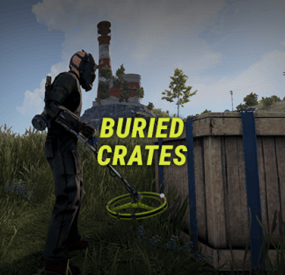
Buried Crates makes it possible to find crates while using a metal detector. This makes metal detectors worth using at any stage of the game.
FEATURES
Custom Metal Detector: Can naturally spawn inside world crates (Tools Crate, Military, Normal, Labs, etc.) with customizable spawn chances. Map Pings: As player scanning gets closer they get a pinged exact location making the process less exhausting. Scarecrow Encounters: Digging up buried loot has a configurable chance to spawn a scarecrow. Custom Crates & Weights: Define which crates and barrels can be dug up, complete with individual weighted probabilities. Hacking & Despawn Control: Configurable hack timers for locked crates and despawn timers for dug-up crates.
COMMANDS
/givedetector <player or steamid> (or in server console) - Gives the custom metal detector to the specified player. (Requires permission buriedcrates.admin)
SUPPORTED CRATES/BARRELS
PERMISSIONS & SPAWN PROBABILITY
In config you can define permissions and chance % of a crate spawning for each permission (if a crate doesn't spawn, vanilla loot items works like normal).
Crate types to be spawned uses a weight system, the higher the weight, the higher chance that crate type will be the one to spawn.
Default permissions: you can change or add to them in config
buriedcrates.default - 25% chance of finding a crate buriedcrates.vip1 - 50% chance of finding a crate buriedcrates.vip2 - 80% chance of finding a crate
CONFIG
{ "General settings": { "Metal detector pings": { "Enabled": true, "Ping trigger distance": 3.0, "Ping duration in seconds": 15.0 }, "Locked crate hack seconds": 60, "Dug up crate despawn in seconds": 900, "Scarecrow spawn chance (%)": 20.0, "Scarecrow despawn in seconds (0 = never)": 300, "Log dug up crates in console": false }, "Custom metal detector": { "Skin ID": 3801704557, "Custom item name": "Buried Crates Detector", "Require for crate spawning": true, "Require for map pings": true, "Spawn in loot crates": { "Enabled": true, "Crates spawn chances (%)": { "Basic Crate": 2.0, "Tools Crate": 10.0, "Normal Crate": 3.5, "Military Crate": 4.0, "Underwater Labs Normal Crate 1": 3.5, "Underwater Labs Normal Crate 2": 3.5 } } }, "Permissions": { "default": { "Crate spawn chance (%)": 100.0, "Crates weights": { "Basic Crate": 5, "Foodbox": 5, "Vehicle Parts Crate": 5, "Tier 2 Components Crate": 5, "Tier 3 Components Crate": 5, "Normal Crate": 15, "Normal Crate - Food": 5, "Normal Crate - Medical": 5, "Tools Crate": 15, "Underwater Labs Normal Crate 1": 5, "Underwater Labs Normal Crate 2": 5, "Military Crate": 3, "Elite Crate": 3, "Elite Crate - Bradley": 2, "Elite Crate - Heli": 2, "Locked Crate": 0, "Supply Drop": 1, "Yellow Loot Barrel": 5, "Blue Loot Barrel": 5, "Oil Barrel": 5, "Giftbox": 5, "Present Drop": 0 } }, "vip1": { "Crate spawn chance (%)": 100.0, "Crates weights": { "Basic Crate": 0, "Foodbox": 5, "Vehicle Parts Crate": 5, "Tier 2 Components Crate": 5, "Tier 3 Components Crate": 5, "Normal Crate": 15, "Normal Crate - Food": 5, "Normal Crate - Medical": 5, "Tools Crate": 15, "Underwater Labs Normal Crate 1": 5, "Underwater Labs Normal Crate 2": 5, "Military Crate": 3, "Elite Crate": 3, "Elite Crate - Bradley": 2, "Elite Crate - Heli": 2, "Locked Crate": 1, "Supply Drop": 1, "Yellow Loot Barrel": 5, "Blue Loot Barrel": 5, "Oil Barrel": 5, "Giftbox": 5, "Present Drop": 1 } }, "vip2": { "Crate spawn chance (%)": 100.0, "Crates weights": { "Basic Crate": 0, "Foodbox": 0, "Vehicle Parts Crate": 0, "Tier 2 Components Crate": 0, "Tier 3 Components Crate": 5, "Normal Crate": 10, "Normal Crate - Food": 0, "Normal Crate - Medical": 0, "Tools Crate": 10, "Underwater Labs Normal Crate 1": 5, "Underwater Labs Normal Crate 2": 5, "Military Crate": 5, "Elite Crate": 5, "Elite Crate - Bradley": 3, "Elite Crate - Heli": 3, "Locked Crate": 1, "Supply Drop": 1, "Yellow Loot Barrel": 5, "Blue Loot Barrel": 5, "Oil Barrel": 5, "Giftbox": 5, "Present Drop": 1 } } }, "Version": { "Major": 1, "Minor": 1, "Patch": 0 } }- #metal detector
- #detector
- (and 6 more)
-
$9.90
PNPC Helicopter AI
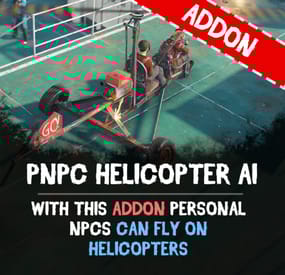
Let your Personal NPCs fly helicopters for you with the Heli AI Addon! This addon for Personal NPC enables your bots to take control of helicopters, allowing you to sit back and enjoy the flight while they fly to the destination.
Features:
🚁 Fully Automated AI Pilots
• Spawn a Personal NPC bot
• Select a point on the in-game map, and the bot will fly there.
• Works perfect with all helicopters in Rust.
🎯 Smooth Flight Controls
• Adjustable altitude, flight speed, and maneuverability.
• Setup pitch, throttle, and rotation for better control.
• Automatically adjusts height above the ground to avoid obstacles.
⚙ Other Customization
• Set minimum and maximum flight altitude.
• Adjust landing speed, flight slope, and pitch strength.
• Optimize rotation and throttle power for smoother navigation.
How to Use:
1️⃣ Spawn a bot using the PersonalNPC plugin.
2️⃣ Enter the helicopter as a passenger.
3️⃣ Mark your destination on the in-game map.
4️⃣ Sit back and let your AI pilot handle the flight!
📜 Requirements:
✔️ PersonalNPC Plugin (must be installed & enabled).
✔️ Addon must be activated in bot settings.
📸 See It in Action! Watch the Video
📃 Configuration:
{ "Max height above the ground": 25.0, "Minimum height to fly forward/backward": 15.0, "Max slope by forward axis": 0.3, "Pitch strength": 0.2, "Throttle strength": 1.0, "Land throttle strength": 0.5, "YAW strength (rotation around its axis)": 1.0 }
-
$39.99
Copter Weapons
Overview:
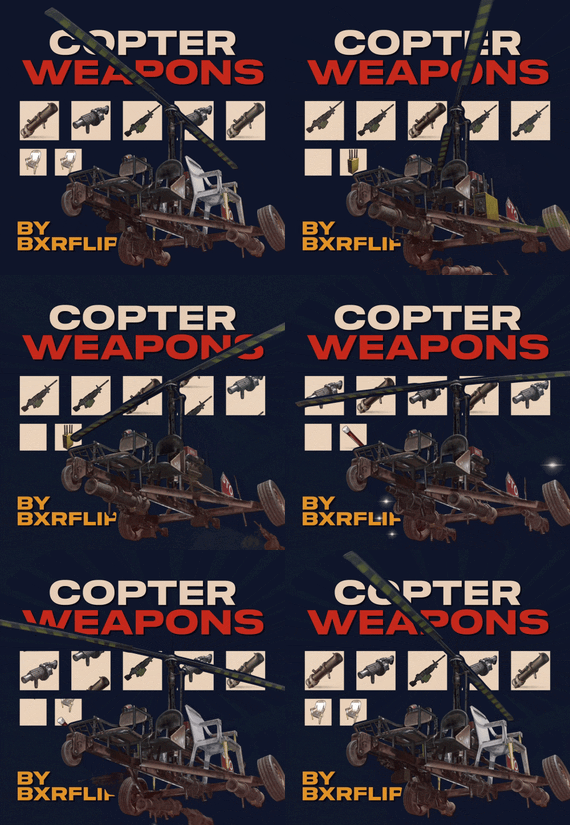
This plugin allows players to mount weapons to their player Helicopters. Players can configure their weapons by simply inserting them into the corresponding inventory slots of a box on the back of the copter. Ammo for the weapons is also stored in this box in ammo slots that are shared between all of the weapons. Players can also equip their copters with flares, a radar set, and other utilities which will be added in the future.
Operation
Using the plugin is very straightforward and intuitive: just drop weapons in the spots you want em, then go! The default key binds mimic the attack helicopter, so players don’t get confused:
Fire Weapon: LMB
Fire Flare: RMB
Switch Weapon: Sprint
Switch Ammo/Reload : Duck
Switch Radar Target: Use
Lock target/Activate Seeker: Reload
Configuration
The config is very long and can be confusing to navigate. The plugin will automatically create the default config when you first run it. The dictionary of weapons always gets written on top, so you will need to scroll to the very bottom in order to find the general plugin settings.
Here are some of the settings that can be changed (this is subject to change as I plan to add much more functionality over the coming months):
"DebounceTimeSeconds": 4.0, (The amount of time a button will be inactive after pressing)
"DisplayOutOfAmmoMessage": true,
"DisplaySelectedWeaponMessage": true,
"UnlimitedAmmo": false, (Makes server projectile weapons not require ammo, but doesn’t work on most weapons. If you want an unlimited ammo version, please look for Minicopter Combat)
"DisablePermissionCheck": true, (enables permissions for each weapon)
"ApplyToScrapCopter": true, (Does a weapon box spawn on the back of all minicopters)
"ApplyToMinicopter": true,
"FlareFiredSfx": "assets/prefabs/weapons/grenade launcher/effects/attack.prefab",
"SwitchWeaponSfx": "assets/prefabs/deployable/dropbox/effects/submit_items.prefab",
"AlarmSfx": "assets/prefabs/locks/keypad/effects/lock.code.unlock.prefab",
"ReloadSfx": "assets/prefabs/npc/autoturret/effects/reload.prefab",
"CounterMeasureDespawnTime": 5.0,
"WeaponSwitchDelay": 2.0,
"AmmoSwitchDelay": 1.0,
"FirePrimaryButton": 1024, (This is where you can set your keybinds. The values represent binarys for a facepunch Enum that represents each client input. Refer to the button table below.)
"FireFlareButton": 2048,
"SwitchWeaponButton": 128,
"SwitchAmmoButton": 64,
"RadarSelectButton": 256,
"TargetLockButton": 8192,
"EnableScrapcopterGibs": false, (turns off gib spawning for better server performance)
"GibsDespawnTimerOverride": 0.0,
"DisableFire": false,
"HideUnauthorizedWeapons": true, (This option doesn’t quite work as intended yet. It will show players the weapons they don’t have access to due to not having the oxide permission for that weapon in the weapon selection menu while flying. Right now, setting this to false shows all weapons that exist for the plugin.)
Buttons
• FORWARD = 2,
• BACKWARD = 4,
• LEFT = 8,
• RIGHT = 16
• JUMP = 32
• DUCK = 64
• SPRINT = 128
• USE = 256
• FIRE_PRIMARY = 1024
• FIRE_SECONDARY = 2048
• RELOAD = 8192
• FIRE_THIRD = 134217728
- #copter
- #helicopter
- (and 10 more)
-
$22.00
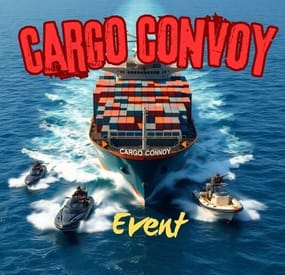
Cargo Convoy Event
The Cargo Convoy plugin creates a Cargo Ship with three different levels of defensive escorts. In addition to this, the Cargo ship is equipped with a samsite, an autoturret, and a raidable door. If any of the escort ship's captains dies, that ship will stop. If the someone kills the Cargo ship's captain, the Cargo will stop, and if the PveMode plugin is enabled, they will become the owner of the event.
Supports the PveMode plugin.
Console Commands:
ccstart (random difficult event started)
ccstart.easy
ccstart.medium
ccstart.hard
ccstop
Contact:
Additional free plugins created by me are available on Discord: https://discord.gg/C5CehdJMdK
If you want to try out this plugin, you can do so on the test server. IP: 212.73.137.6:28018
My public Rust server IP: 212.73.137.40:28027
Video:
Config:
{ "Plugin version": { "Major": 1, "Minor": 0, "Patch": 0 }, "Automatic event start": true, "Minimum time for event start": 3600.0, "Maximum time for event start": 7200.0, "Duration of the event": 3600.0, "Warning messages before event start": 300.0, "Warning messages before event end": 300.0, "Facepunch cargoship event enabled?": false, "Chat icon": 0, "Event Locked crates hack time": 900.0, "Autoturret setting Easy difficult": { "Health": 200.0, "Weapon ShortName": "smg.2", "Ammo ShortName": "ammo.pistol", "Number of ammo": 5000 }, "Autoturret setting Medium difficult": { "Health": 300.0, "Weapon ShortName": "rifle.lr300", "Ammo ShortName": "ammo.rifle", "Number of ammo": 5000 }, "Autoturret setting Hard difficult": { "Health": 400.0, "Weapon ShortName": "rifle.ak", "Ammo ShortName": "ammo.rifle", "Number of ammo": 5000 }, "Medium difficult door setting.": { "Door SkinID (0 - default, TugBoat and Medium difficult only use Sheet Metal Door skinID, Hard difficult only use Armored Door skinID! )": 1443957299, "Door Health": 250.0 }, "Hard difficult door setting.": { "Door SkinID (0 - default, TugBoat and Medium difficult only use Sheet Metal Door skinID, Hard difficult only use Armored Door skinID! )": 1130245250, "Door Health": 1000.0 }, "TugBoat door setting.": { "Door SkinID (0 - default, TugBoat and Medium difficult only use Sheet Metal Door skinID, Hard difficult only use Armored Door skinID! )": 1447958101, "Door Health": 250.0 }, "Elit crates setting on Easy difficult": { "Delete the Rust loottable loot?": false, "Add custom loot?": false, "CustomLoot": { "Minimum items": 1, "Maximum items": 1, "Use minimum - maxium?": false, "List of items": [ { "ShortName": "xmas.present.small", "Minimum": 3, "Maximum": 6, "Chance": 100.0, "Give blueprint?": false, "SkinID": 0, "Displayname": "" } ] } }, "Elit crates setting on Medium difficult": { "Delete the Rust loottable loot?": false, "Add custom loot?": false, "CustomLoot": { "Minimum items": 1, "Maximum items": 1, "Use minimum - maxium?": false, "List of items": [ { "ShortName": "xmas.present.small", "Minimum": 3, "Maximum": 6, "Chance": 100.0, "Give blueprint?": false, "SkinID": 0, "Displayname": "" } ] } }, "Locked crates setting on Medium difficult": { "Delete the Rust loottable loot?": false, "Add custom loot?": false, "CustomLoot": { "Minimum items": 1, "Maximum items": 1, "Use minimum - maxium?": false, "List of items": [ { "ShortName": "xmas.present.small", "Minimum": 3, "Maximum": 6, "Chance": 100.0, "Give blueprint?": false, "SkinID": 0, "Displayname": "" } ] } }, "Elit crates setting on Hard difficult": { "Delete the Rust loottable loot?": false, "Add custom loot?": false, "CustomLoot": { "Minimum items": 1, "Maximum items": 1, "Use minimum - maxium?": false, "List of items": [ { "ShortName": "xmas.present.small", "Minimum": 3, "Maximum": 6, "Chance": 100.0, "Give blueprint?": false, "SkinID": 0, "Displayname": "" } ] } }, "Locked crates setting on Hard difficult": { "Delete the Rust loottable loot?": false, "Add custom loot?": false, "CustomLoot": { "Minimum items": 1, "Maximum items": 1, "Use minimum - maxium?": false, "List of items": [ { "ShortName": "xmas.present.small", "Minimum": 3, "Maximum": 6, "Chance": 100.0, "Give blueprint?": false, "SkinID": 0, "Displayname": "" } ] } }, "Elit crates setting on TugBoats": { "Delete the Rust loottable loot?": false, "Use custom loot?": false, "CustomLoot": { "Minimum items": 1, "Maximum items": 1, "Use minimum - maxium?": false, "List of items": [ { "ShortName": "xmas.present.small", "Minimum": 3, "Maximum": 6, "Chance": 100.0, "Give blueprint?": false, "SkinID": 0, "Displayname": "" } ] } }, "Setting the Captains": { "Name": "Captain", "Health": 300.0, "Attack Range Multiplier": 1.0, "Target Memory Duration [sec.]": 20.0, "Scale damage": 0.7, "Aim Cone Scale": 1.5, "Sense Range": 0.0, "Wear items": [ { "ShortName": "shoes.boots", "SkinID (0 - default)": 2454376365 }, { "ShortName": "burlap.trousers", "SkinID (0 - default)": 3027295270 }, { "ShortName": "burlap.shirt", "SkinID (0 - default)": 3027301658 }, { "ShortName": "burlap.gloves", "SkinID (0 - default)": 2454377972 }, { "ShortName": "hat.boonie", "SkinID (0 - default)": 3112171056 } ], "Belt items": [ { "ShortName": "syringe.medical", "Amount": 3, "SkinID (0 - default)": 0, "Mods": [], "Ammo": "" } ] }, "Setting the EASY Npc's": { "Name": "Cargo Soldier", "Health": 125.0, "Attack Range Multiplier": 4.0, "Target Memory Duration [sec.]": 20.0, "Scale damage": 0.7, "Aim Cone Scale": 1.5, "Sense Range": 150.0, "Wear items": [ { "ShortName": "shoes.boots", "SkinID (0 - default)": 800967386 }, { "ShortName": "pants", "SkinID (0 - default)": 681804489 }, { "ShortName": "hoodie", "SkinID (0 - default)": 963496340 }, { "ShortName": "burlap.gloves", "SkinID (0 - default)": 0 }, { "ShortName": "wood.armor.pants", "SkinID (0 - default)": 0 }, { "ShortName": "wood.armor.jacket", "SkinID (0 - default)": 0 }, { "ShortName": "bucket.helmet", "SkinID (0 - default)": 2929522461 } ], "Belt items": [ { "ShortName": "smg.thompson", "Amount": 1, "SkinID (0 - default)": 0, "Mods": [ "weapon.mod.flashlight", "weapon.mod.holosight" ], "Ammo": "" }, { "ShortName": "pistol.m92", "Amount": 1, "SkinID (0 - default)": 0, "Mods": [], "Ammo": "" }, { "ShortName": "syringe.medical", "Amount": 3, "SkinID (0 - default)": 0, "Mods": [], "Ammo": "" } ] }, "Setting the MEDIUM Npc's": { "Name": "Cargo Soldier", "Health": 200.0, "Attack Range Multiplier": 4.0, "Target Memory Duration [sec.]": 20.0, "Scale damage": 0.7, "Aim Cone Scale": 1.5, "Sense Range": 150.0, "Wear items": [ { "ShortName": "shoes.boots", "SkinID (0 - default)": 3251246600 }, { "ShortName": "pants", "SkinID (0 - default)": 3246192739 }, { "ShortName": "hoodie", "SkinID (0 - default)": 3246191692 }, { "ShortName": "burlap.gloves", "SkinID (0 - default)": 0 }, { "ShortName": "roadsign.kilt", "SkinID (0 - default)": 3260691772 }, { "ShortName": "roadsign.jacket", "SkinID (0 - default)": 3260693328 }, { "ShortName": "coffeecan.helmet", "SkinID (0 - default)": 3260694842 } ], "Belt items": [ { "ShortName": "smg.mp5", "Amount": 1, "SkinID (0 - default)": 0, "Mods": [ "weapon.mod.flashlight", "weapon.mod.holosight" ], "Ammo": "" }, { "ShortName": "syringe.medical", "Amount": 3, "SkinID (0 - default)": 0, "Mods": [], "Ammo": "" } ] }, "Setting the HARD Npc's": { "Name": "Cargo Soldier", "Health": 350.0, "Attack Range Multiplier": 4.0, "Target Memory Duration [sec.]": 20.0, "Scale damage": 0.7, "Aim Cone Scale": 1.5, "Sense Range": 180.0, "Wear items": [ { "ShortName": "shoes.boots", "SkinID (0 - default)": 2936561559 }, { "ShortName": "pants", "SkinID (0 - default)": 2933205831 }, { "ShortName": "hoodie", "SkinID (0 - default)": 2933205232 }, { "ShortName": "burlap.gloves", "SkinID (0 - default)": 2936561057 }, { "ShortName": "roadsign.kilt", "SkinID (0 - default)": 1624102935 }, { "ShortName": "metal.plate.torso", "SkinID (0 - default)": 2601631390 }, { "ShortName": "metal.facemask", "SkinID (0 - default)": 2601630796 } ], "Belt items": [ { "ShortName": "rifle.lr300", "Amount": 1, "SkinID (0 - default)": 0, "Mods": [ "weapon.mod.flashlight", "weapon.mod.holosight" ], "Ammo": "" }, { "ShortName": "rocket.launcher", "Amount": 1, "SkinID (0 - default)": 0, "Mods": [], "Ammo": "" }, { "ShortName": "syringe.medical", "Amount": 3, "SkinID (0 - default)": 0, "Mods": [], "Ammo": "" } ] }, "NPC Turret Damage Multiplier": 1.0, "Messages setting": { "GameTip message": "Cargo Convoy Inbound", "Message before the event starts.": "<color=#ff0000>Cargo Convoy</color> will start soon", "Message before the event stop.": "Cargo Convoy will end soon!!", "Message when someone stopped Cargo Convoy": "Someone stopped the Cargo Convoy", "Start message": "Cargo Convoy Event start! Kill the <color=#2296ff>Cargo Captain</color> to stop the cargo convoy and you will be the event owner", "Stop message": "Cargo Convoy Event end!", "Map marker name": "Cargo Convoy", "Map marker radius": 0.6, "Color": { "r": 1.0, "g": 0.0, "b": 0.0 } }, "PVE Mode Setting (only for users PveMode plugin)": { "Use PveMode plugin?": false, "Non owner can loot the crates?": false, "Non owner can loot the Npc's?": false, "Non owner can damage Npc's?": false, "Non owner can be attacked by Npc's?": false, "Non owner, can you enter the event zone?": false, "Allow a player who has an active cooldown of the Event Owner to enter the event zone?": true, "The time that the Event Owner may not be inside the event zone.": 300, "The time until the event owner can return to the event zone.": 60, "Block the RestoreUponDeath plugin in the event zone.": true, "After all this time, an event owner can be an event owner again.": 86400.0, "Darkening the sphere.": 15 } }