
AlaEddineYahia's Wishlist
-
$19.90
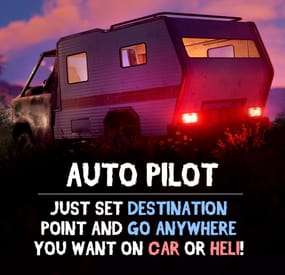
Auto Pilot
Give your players an autopilot, a feature that enables AI-controlled driving and flying! Players simply set a destination, sit back, and let the autopilot take them there!
Features:
🚗 Autopilot for Ground, Air and Water Vehicles
• Works with cars, motorcycles, bicycles, helicopters, boats and horses.
🎯 Navigation System
• AI determines the most efficient route to the selected destination.
• Obstacle detection helps prevent car crashes.
⚙ Complete Customization & Control
• Adjust maximum speed and AI behavior for ground vehicles.
• Fine-tune altitude, pitch, and throttle strength for helicopters.
💡 How to Use:
1️⃣ Type /autopilot in chat.
2️⃣ Select a location on the in-game map.
3️⃣ Your AI autopilot will take over and drive or fly you there!
📜 Permissions:
🚗 Land Vehicles
autopilot.modularcar – Grants access to autopilot for modular cars.
autopilot.motorbike – Grants access to autopilot for motor bikes (motorcycles)
autopilot.pedalbike – Grants access to autopilot for pedal bikes (bicycles)
autopilot.horse – Grants access to autopilot for horses
🚁 Air Vehicles
autopilot.attackhelicopter – Grants access to autopilot for attack helicopters
autopilot.scraptransporthelicopter – Grants access to autopilot for scrap transport helicopters
autopilot.minicopter – Grants access to autopilot for minicopters
🚤 Water Vehicles
autopilot.motorrowboat – Grants access to autopilot for motor rowboats
autopilot.rhib – Grants access to autopilot for RHIBs
autopilot.tugboat – Grants access to autopilot for tugboats
📸 See It in Action! Watch the Video
📄 Configuration:
{ "Mini helicopter autopilot settings": { "Process control update timer(0 - 0.2)": 0.0, "Disable autopilot when trying to control the player": true, "Max speed": 20.0, "Distance to route control point to reach": 15.0, "Transport push force from obstacle in collision(0 - disables push)": 3.0, "Automatic supply of the specified amount of fuel from the player inventory (0 - disables supply)": 100, "Flight height setting": { "Min": 50.0, "Max": 150.0 } }, "Transport helicopter autopilot settings": { "Process control update timer(0 - 0.2)": 0.0, "Disable autopilot when trying to control the player": true, "Max speed": 20.0, "Distance to route control point to reach": 15.0, "Transport push force from obstacle in collision(0 - disables push)": 3.0, "Automatic supply of the specified amount of fuel from the player inventory (0 - disables supply)": 100, "Flight height setting": { "Min": 50.0, "Max": 150.0 } }, "Attack helicopter autopilot settings": { "Process control update timer(0 - 0.2)": 0.0, "Disable autopilot when trying to control the player": true, "Max speed": 20.0, "Distance to route control point to reach": 15.0, "Transport push force from obstacle in collision(0 - disables push)": 3.0, "Automatic supply of the specified amount of fuel from the player inventory (0 - disables supply)": 100, "Flight height setting": { "Min": 50.0, "Max": 150.0 } }, "Boat Auto Pilot Settings": { "Process control update timer(0 - 0.2)": 0.0, "Disable autopilot when trying to control the player": true, "Max speed": 20.0, "Distance to route control point to reach": 15.0, "Transport push force from obstacle in collision(0 - disables push)": 3.0, "Number of processes per cycle in 1 tick when searching for a route(increasing the parameter - reduces the time of searching for a route, but increases the load on fps)": 10, "Grid step for route search (increasing the parameter - increases the time of searching for a route, but makes it harder to lay out a route in narrow places)": 60, "Automatic supply of the specified amount of fuel from the player inventory (0 - disables supply)": 100, "Minimum depth for determining transport passability when searching for a route": 0.5, "Max speed on obstacle detection": 5.0 }, "RHIB Auto Pilot Settings": { "Process control update timer(0 - 0.2)": 0.0, "Disable autopilot when trying to control the player": true, "Max speed": 20.0, "Distance to route control point to reach": 15.0, "Transport push force from obstacle in collision(0 - disables push)": 3.0, "Number of processes per cycle in 1 tick when searching for a route(increasing the parameter - reduces the time of searching for a route, but increases the load on fps)": 10, "Grid step for route search (increasing the parameter - increases the time of searching for a route, but makes it harder to lay out a route in narrow places)": 60, "Automatic supply of the specified amount of fuel from the player inventory (0 - disables supply)": 100, "Minimum depth for determining transport passability when searching for a route": 0.5, "Max speed on obstacle detection": 5.0 }, "Tugboat Auto Pilot Settings": { "Process control update timer(0 - 0.2)": 0.0, "Disable autopilot when trying to control the player": true, "Max speed": 20.0, "Distance to route control point to reach": 15.0, "Transport push force from obstacle in collision(0 - disables push)": 3.0, "Number of processes per cycle in 1 tick when searching for a route(increasing the parameter - reduces the time of searching for a route, but increases the load on fps)": 10, "Grid step for route search (increasing the parameter - increases the time of searching for a route, but makes it harder to lay out a route in narrow places)": 60, "Automatic supply of the specified amount of fuel from the player inventory (0 - disables supply)": 100, "Minimum depth for determining transport passability when searching for a route": 0.5, "Max speed on obstacle detection": 5.0 }, "Car Auto Pilot Settings": { "Disable autopilot when trying to control the player": true, "Max speed": 20.0, "Distance to route control point to reach": 15.0, "Transport push force from obstacle in collision(0 - disables push)": 3.0, "Number of processes per cycle in 1 tick when searching for a route(increasing the parameter - reduces the time of searching for a route, but increases the load on fps)": 10, "Grid step for route search (increasing the parameter - increases the time of searching for a route, but makes it harder to lay out a route in narrow places)": 60, "Max speed on obstacle detection": 5.0, "Allow you to search for a route on roads (takes precedence over off-road)": true, "Allow you to search for an off-road route": true, "Automatic supply of the specified amount of fuel from the player inventory (0 - disables supply)": 100 }, "Motor Bike Auto Pilot Settings": { "Process control update timer(0 - 0.2)": 0.0, "Disable autopilot when trying to control the player": true, "Max speed": 20.0, "Distance to route control point to reach": 15.0, "Transport push force from obstacle in collision(0 - disables push)": 3.0, "Number of processes per cycle in 1 tick when searching for a route(increasing the parameter - reduces the time of searching for a route, but increases the load on fps)": 10, "Grid step for route search (increasing the parameter - increases the time of searching for a route, but makes it harder to lay out a route in narrow places)": 60, "Max speed on obstacle detection": 5.0, "Allow you to search for a route on roads (takes precedence over off-road)": true, "Allow you to search for an off-road route": true, "Automatic supply of the specified amount of fuel from the player inventory (0 - disables supply)": 100 }, "Pedal Bike Auto Pilot Settings": { "Process control update timer(0 - 0.2)": 0.0, "Disable autopilot when trying to control the player": true, "Max speed": 20.0, "Distance to route control point to reach": 15.0, "Transport push force from obstacle in collision(0 - disables push)": 3.0, "Number of processes per cycle in 1 tick when searching for a route(increasing the parameter - reduces the time of searching for a route, but increases the load on fps)": 10, "Grid step for route search (increasing the parameter - increases the time of searching for a route, but makes it harder to lay out a route in narrow places)": 60, "Max speed on obstacle detection": 5.0, "Allow you to search for a route on roads (takes precedence over off-road)": true, "Allow you to search for an off-road route": true } }
- #rust
- #walkinrey
- (and 9 more)
-
$29.90
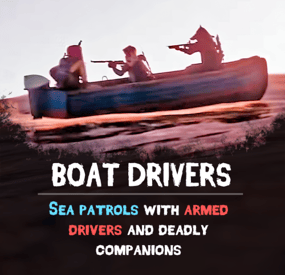
Boat Drivers
Bring Rust’s waters to life with Boat Drivers – a fully customizable AI boat patrol system that transforms dull coastlines into action-packed seaways. Armed drivers and their companions roam the seas, ready to protect their boat and loot. Customize everything from boat types to AI behavior, making every waterway a new adventure!
Features:
⛵ Smart AI Patrol Boats
• AI boats cruise oceans, fully crewed with armed drivers and defenders.
• Define patrol routes and tweak how often they appear.
• Companions protect their boat and attack when provoked.
⚔️ Sea Fights
• Engaged AI fires back with firearm weapons.
• Drivers go faster when under fire.
• Setup AI difficulty, behavior, and tactics to fit your server.
🔧 Boat Types
• Pick your boat – RHIBs, rowboats or PT boats.
• Set up infinite fuel or default fuel use.
• Control speed, health, respawns, and storage.
💰 Loot & Rewards
• Setup loot and drop rates.
• Equip driver and companions with any gear you like.
⚙ Patrol & Spawn Settings
• Set amount of total boats active at once.
• Exclude other AI boats from NPCs aggression.
🛠 Boat Presets
• Setup type, fuel consumption, speed, health and more.
• Define loot inside of boat’s storage containers
🎯 AI Setup
• Name driver and companions, dress them up, set their health and other parameters.
• Load them out with weapons, loot and armor.
• Choose how aggressively they respond to attacks.
📺 See It in Action! Watch the Video
⚠️ After downloading you’ll also get plugin called DriverController. It’s a single plugin to setup presets of bots and loot between all of my plugins.
📃 Configuration:
{ "Event settings": { "Allowed events (vehicle) count": { "Min": 3.0, "Max": 6.0 }, "Event restart delay": { "Min": 60.0, "Max": 120.0 }, "Prevent NPC from attacking drivers and companions?": true, "Block damage to transport from not players?": true, "Block damage to driver and companion from not players?": true, "Destroy events of this plugin when pause is enabled?": true, "Despawn the event if ran out of fuel?": true, "Marker text color": { "Color (for HEX, put # at the beginning)": "0.55 0.78 0.24 1" }, "Event name for the marker": "EVENT BOAT", "Route recording settings": { "Enable recorded routes usage?": false, "Clear saved routes after wipe?": true, "Minimum distance between points to record in route (used when recording route)": 20.0, "Minimum number of points to save (used when recording route)": 50.0 }, "Route generation": { "Enable route generation": true }, "Controller settings": { "Controller update timer (0 - 0.2)": 0.1 } }, "Boat settings": [ { "Activate this event?": true, "Vehicle type for event (MotorRowboat, RHIB)": "MotorRowboat", "Driver name (key) from driver settings in DriverController plugin": "DriverBoat", "Companion name (key) from companion settings in DriverController plugin (list to occupy free seats in the vehicle)": [ "Companion1" ], "Loot container settings": { "Enable loot in vehicle container?": true, "Drop the loot when destroying the transport?": false, "Amount of slots": 1, "Name of loot set from loot settings in DriverController plugin (list loot sets for random selection)": [ "ResourcesBoat" ] }, "Individual controller settings": { "Max speed (km/h)": 40.0, "Maximum speed when obstacle is detected (km/h)": 15.0, "Chase mode settings": { "Chase attacking players?": true, "Max chase distance": 150.0, "Chase timer": 120.0 } }, "Turret Settings": { "Enable Turrets on Vehicle": false, "Disable Turrets on Event End": true, "Maximum Attack Range": 50.0, "Player Damage Multiplier": 0.5, "At what percentage of the vehicle's remaining health destroy the turret installed on it": { "Min": 2.0, "Max": 5.0 } }, "Damage receive rate": 0.5, "Fuel settings": { "Enable automatic fuel refueling?": true, "Remove fuel when unlocking vehicle?": true, "Maximum fuel in vehicle": 500 }, "Vehicle headlight settings": { "Enable vehicle headlights?": false, "Use headlights only at night?": false }, "Detonator settings": { "Add C4 to the vehicle after the death of the driver (used to despawn vehicles)": true, "After how many seconds explosives will be blown up": 60.0, "Explosives position offset": { "x": 0.0, "y": 0.1, "z": 0.0 } } }, { "Activate this event?": true, "Vehicle type for event (MotorRowboat, RHIB)": "RHIB", "Driver name (key) from driver settings in DriverController plugin": "DriverBoat", "Companion name (key) from companion settings in DriverController plugin (list to occupy free seats in the vehicle)": [ "Companion1", "Companion2" ], "Loot container settings": { "Enable loot in vehicle container?": true, "Drop the loot when destroying the transport?": false, "Amount of slots": 1, "Name of loot set from loot settings in DriverController plugin (list loot sets for random selection)": [ "ResourcesBoat" ] }, "Individual controller settings": { "Max speed (km/h)": 40.0, "Maximum speed when obstacle is detected (km/h)": 15.0, "Chase mode settings": { "Chase attacking players?": true, "Max chase distance": 150.0, "Chase timer": 120.0 } }, "Turret Settings": { "Enable Turrets on Vehicle": false, "Disable Turrets on Event End": true, "Maximum Attack Range": 50.0, "Player Damage Multiplier": 0.5, "At what percentage of the vehicle's remaining health destroy the turret installed on it": { "Min": 2.0, "Max": 5.0 } }, "Damage receive rate": 0.5, "Fuel settings": { "Enable automatic fuel refueling?": true, "Remove fuel when unlocking vehicle?": true, "Maximum fuel in vehicle": 500 }, "Vehicle headlight settings": { "Enable vehicle headlights?": false, "Use headlights only at night?": false }, "Detonator settings": { "Add C4 to the vehicle after the death of the driver (used to despawn vehicles)": true, "After how many seconds explosives will be blown up": 60.0, "Explosives position offset": { "x": 0.0, "y": 0.8, "z": 0.0 } } } ] } 📑 DriverController Configuration:
{ "Drivers settings": { "DriverBike": { "Bot health": { "Min": 100.0, "Max": 150.0 }, "Prevent attacking players first?": true, "Damage receive rate": 2.0, "Damage rate": 2.0, "Spawn bag with items instead of corpse on death?": true, "In how many seconds remove bots, after destroying the vehicle? (0 - will not remove)": 120.0, "Clothes": [ { "Item": { "Item shortname or ID": "shoes.boots", "Item skin": 0 }, "Item custom name (if not needed leave empty)": null, "Amount": 1 }, { "Item": { "Item shortname or ID": "wood.armor.pants", "Item skin": 0 }, "Item custom name (if not needed leave empty)": null, "Amount": 1 }, { "Item": { "Item shortname or ID": "pants", "Item skin": 0 }, "Item custom name (if not needed leave empty)": null, "Amount": 1 }, { "Item": { "Item shortname or ID": "wood.armor.jacket", "Item skin": 0 }, "Item custom name (if not needed leave empty)": null, "Amount": 1 }, { "Item": { "Item shortname or ID": "hoodie", "Item skin": 0 }, "Item custom name (if not needed leave empty)": null, "Amount": 1 }, { "Item": { "Item shortname or ID": "riot.helmet", "Item skin": 0 }, "Item custom name (if not needed leave empty)": null, "Amount": 1 } ], "Weapons": [ { "Item": { "Item shortname or ID": "pistol.revolver", "Item skin": 0 }, "Item custom name (if not needed leave empty)": null, "Amount": 1 } ], "Bot loot": { "Enable loot after bot's death?": true, "Amount of slots": 5, "Loot set name (key) from loot settings (you can enter many sets for random selection)": [ "ResourcesDriver" ] } }, "DriverCar": { "Bot health": { "Min": 100.0, "Max": 150.0 }, "Prevent attacking players first?": true, "Damage receive rate": 2.0, "Damage rate": 2.0, "Spawn bag with items instead of corpse on death?": true, "In how many seconds remove bots, after destroying the vehicle? (0 - will not remove)": 120.0, "Clothes": [ { "Item": { "Item shortname or ID": "hazmatsuit", "Item skin": 0 }, "Item custom name (if not needed leave empty)": null, "Amount": 1 } ], "Weapons": [ { "Item": { "Item shortname or ID": "rifle.ak", "Item skin": 0 }, "Item custom name (if not needed leave empty)": null, "Amount": 1 } ], "Bot loot": { "Enable loot after bot's death?": true, "Amount of slots": 5, "Loot set name (key) from loot settings (you can enter many sets for random selection)": [ "ResourcesDriver" ] } }, "DriverBoat": { "Bot health": { "Min": 100.0, "Max": 150.0 }, "Prevent attacking players first?": true, "Damage receive rate": 2.0, "Damage rate": 2.0, "Spawn bag with items instead of corpse on death?": true, "In how many seconds remove bots, after destroying the vehicle? (0 - will not remove)": 120.0, "Clothes": [ { "Item": { "Item shortname or ID": "hazmatsuit", "Item skin": 0 }, "Item custom name (if not needed leave empty)": null, "Amount": 1 } ], "Weapons": [ { "Item": { "Item shortname or ID": "t1_smg", "Item skin": 0 }, "Item custom name (if not needed leave empty)": null, "Amount": 1 } ], "Bot loot": { "Enable loot after bot's death?": true, "Amount of slots": 5, "Loot set name (key) from loot settings (you can enter many sets for random selection)": [ "ResourcesDriver" ] } }, "PilotHeli": { "Bot health": { "Min": 100.0, "Max": 150.0 }, "Prevent attacking players first?": true, "Damage receive rate": 2.0, "Damage rate": 2.0, "Spawn bag with items instead of corpse on death?": true, "In how many seconds remove bots, after destroying the vehicle? (0 - will not remove)": 120.0, "Clothes": [ { "Item": { "Item shortname or ID": "jumpsuit.suit.blue", "Item skin": 0 }, "Item custom name (if not needed leave empty)": null, "Amount": 1 } ], "Weapons": [ { "Item": { "Item shortname or ID": "rifle.ak", "Item skin": 0 }, "Item custom name (if not needed leave empty)": null, "Amount": 1 } ], "Bot loot": { "Enable loot after bot's death?": true, "Amount of slots": 5, "Loot set name (key) from loot settings (you can enter many sets for random selection)": [ "ResourcesDriver" ] } } }, "Companion settings": { "Companion1": { "Bot health": { "Min": 100.0, "Max": 150.0 }, "Prevent attacking players first?": true, "Damage receive rate": 2.0, "Damage rate": 2.0, "Spawn bag with items instead of corpse on death?": true, "In how many seconds remove bots, after destroying the vehicle? (0 - will not remove)": 120.0, "Clothes": [ { "Item": { "Item shortname or ID": "hazmatsuit_scientist_nvgm", "Item skin": 0 }, "Item custom name (if not needed leave empty)": null, "Amount": 1 } ], "Weapons": [ { "Item": { "Item shortname or ID": "rifle.ak", "Item skin": 0 }, "Item custom name (if not needed leave empty)": null, "Amount": 1 } ], "Bot loot": { "Enable loot after bot's death?": true, "Amount of slots": 5, "Loot set name (key) from loot settings (you can enter many sets for random selection)": [ "ResourcesCompanion", "WeaponsCompanion" ] } }, "Companion2": { "Bot health": { "Min": 100.0, "Max": 150.0 }, "Prevent attacking players first?": true, "Damage receive rate": 2.0, "Damage rate": 2.0, "Spawn bag with items instead of corpse on death?": true, "In how many seconds remove bots, after destroying the vehicle? (0 - will not remove)": 120.0, "Clothes": [ { "Item": { "Item shortname or ID": "hazmatsuit.arcticsuit", "Item skin": 0 }, "Item custom name (if not needed leave empty)": null, "Amount": 1 } ], "Weapons": [ { "Item": { "Item shortname or ID": "rifle.ak", "Item skin": 0 }, "Item custom name (if not needed leave empty)": null, "Amount": 1 } ], "Bot loot": { "Enable loot after bot's death?": true, "Amount of slots": 5, "Loot set name (key) from loot settings (you can enter many sets for random selection)": [ "ResourcesCompanion", "WeaponsCompanion" ] } }, "Companion3": { "Bot health": { "Min": 100.0, "Max": 150.0 }, "Prevent attacking players first?": true, "Damage receive rate": 2.0, "Damage rate": 2.0, "Spawn bag with items instead of corpse on death?": true, "In how many seconds remove bots, after destroying the vehicle? (0 - will not remove)": 120.0, "Clothes": [ { "Item": { "Item shortname or ID": "hazmatsuit.lumberjack", "Item skin": 0 }, "Item custom name (if not needed leave empty)": null, "Amount": 1 } ], "Weapons": [ { "Item": { "Item shortname or ID": "rifle.ak", "Item skin": 0 }, "Item custom name (if not needed leave empty)": null, "Amount": 1 } ], "Bot loot": { "Enable loot after bot's death?": true, "Amount of slots": 5, "Loot set name (key) from loot settings (you can enter many sets for random selection)": [ "ResourcesCompanion", "WeaponsCompanion" ] } }, "Companion4": { "Bot health": { "Min": 100.0, "Max": 150.0 }, "Prevent attacking players first?": true, "Damage receive rate": 2.0, "Damage rate": 2.0, "Spawn bag with items instead of corpse on death?": true, "In how many seconds remove bots, after destroying the vehicle? (0 - will not remove)": 120.0, "Clothes": [ { "Item": { "Item shortname or ID": "hazmatsuit.spacesuit", "Item skin": 0 }, "Item custom name (if not needed leave empty)": null, "Amount": 1 } ], "Weapons": [ { "Item": { "Item shortname or ID": "rifle.ak", "Item skin": 0 }, "Item custom name (if not needed leave empty)": null, "Amount": 1 } ], "Bot loot": { "Enable loot after bot's death?": true, "Amount of slots": 5, "Loot set name (key) from loot settings (you can enter many sets for random selection)": [ "ResourcesCompanion", "WeaponsCompanion" ] } } }, "Loot settings": { "ResourcesBike": [ { "Item": { "Item shortname or ID": "wood", "Item skin": 0 }, "Item custom name (if not needed leave empty)": null, "Spawn chance (0-100%)": { "Min": 100.0, "Max": 100.0 }, "Amount": { "Min": 5000.0, "Max": 50000.0 } }, { "Item": { "Item shortname or ID": "stones", "Item skin": 0 }, "Item custom name (if not needed leave empty)": null, "Spawn chance (0-100%)": { "Min": 100.0, "Max": 100.0 }, "Amount": { "Min": 1000.0, "Max": 10000.0 } } ], "ResourcesCar": [ { "Item": { "Item shortname or ID": "wood", "Item skin": 0 }, "Item custom name (if not needed leave empty)": null, "Spawn chance (0-100%)": { "Min": 100.0, "Max": 100.0 }, "Amount": { "Min": 5000.0, "Max": 50000.0 } }, { "Item": { "Item shortname or ID": "stones", "Item skin": 0 }, "Item custom name (if not needed leave empty)": null, "Spawn chance (0-100%)": { "Min": 100.0, "Max": 100.0 }, "Amount": { "Min": 1000.0, "Max": 10000.0 } } ], "ResourcesBoat": [ { "Item": { "Item shortname or ID": "wood", "Item skin": 0 }, "Item custom name (if not needed leave empty)": null, "Spawn chance (0-100%)": { "Min": 100.0, "Max": 100.0 }, "Amount": { "Min": 5000.0, "Max": 50000.0 } }, { "Item": { "Item shortname or ID": "stones", "Item skin": 0 }, "Item custom name (if not needed leave empty)": null, "Spawn chance (0-100%)": { "Min": 100.0, "Max": 100.0 }, "Amount": { "Min": 1000.0, "Max": 10000.0 } } ], "ResourcesHeli": [ { "Item": { "Item shortname or ID": "wood", "Item skin": 0 }, "Item custom name (if not needed leave empty)": null, "Spawn chance (0-100%)": { "Min": 100.0, "Max": 100.0 }, "Amount": { "Min": 5000.0, "Max": 50000.0 } }, { "Item": { "Item shortname or ID": "stones", "Item skin": 0 }, "Item custom name (if not needed leave empty)": null, "Spawn chance (0-100%)": { "Min": 100.0, "Max": 100.0 }, "Amount": { "Min": 1000.0, "Max": 10000.0 } } ], "ResourcesDriver": [ { "Item": { "Item shortname or ID": "wood", "Item skin": 0 }, "Item custom name (if not needed leave empty)": null, "Spawn chance (0-100%)": { "Min": 100.0, "Max": 100.0 }, "Amount": { "Min": 1000.0, "Max": 10000.0 } }, { "Item": { "Item shortname or ID": "stones", "Item skin": 0 }, "Item custom name (if not needed leave empty)": null, "Spawn chance (0-100%)": { "Min": 100.0, "Max": 100.0 }, "Amount": { "Min": 100.0, "Max": 1000.0 } } ], "ResourcesCompanion": [ { "Item": { "Item shortname or ID": "wood", "Item skin": 0 }, "Item custom name (if not needed leave empty)": null, "Spawn chance (0-100%)": { "Min": 100.0, "Max": 100.0 }, "Amount": { "Min": 100.0, "Max": 1000.0 } }, { "Item": { "Item shortname or ID": "stones", "Item skin": 0 }, "Item custom name (if not needed leave empty)": null, "Spawn chance (0-100%)": { "Min": 100.0, "Max": 100.0 }, "Amount": { "Min": 10.0, "Max": 100.0 } } ], "WeaponsCompanion": [ { "Item": { "Item shortname or ID": "rifle.ak", "Item skin": 0 }, "Item custom name (if not needed leave empty)": null, "Spawn chance (0-100%)": { "Min": 40.0, "Max": 80.0 }, "Amount": { "Min": 1.0, "Max": 1.0 } } ] } }
-
$9.90
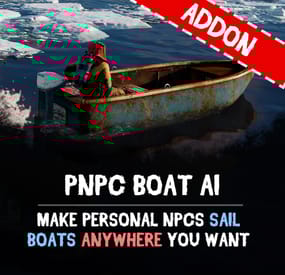
PNPC Boat AI Addon
Let your Personal NPCs drive boats for you with Boat AI Addon! This addon for the Personal NPC plugin lets your NPCs navigate boats, while you sit back, relax, and enjoy the sea!
🌊 Features:
🛥️ Fully Automated Boat Navigation
• Just hop in, choose your destination on the in-game map, and your NPC captain takes the wheel.
• Obstacle detection keeps your journey smooth and safe.
🧭 Intelligent Navigation System
• Smart AI dynamically calculates the most efficient route to your chosen location.
• Customizable settings for maximum speed and navigation precision.
• Utilizes waterways intelligently to provide the smoothest possible journey.
⚓ How to Use:
1. Spawn your NPC and sit in the boat
2. Select your destination on the in-game map
3. Enjoy the ride !
📋 Requirements:
• Personal NPC Plugin (must be installed and enabled).
• Boat AI Addon activated within the Personal NPC settings.
🖨️ Commands:
• /pnpc tugboat - makes the bot a driver of the tugboat (owner should be on tugboat and authorized in it)
🎬 See It in Action! Watch the Video
🛠️ Configuration:
{ "Permission to use this addon on all bots of player (not required)": "pnpcaddonboat.override-setup", "General settings": { "Automatic fuel supply from bot inventory (0 - disables supply)": 100, "Distance to route control point to reach": 15.0, "Number of processes per cycle in 1 tick when searching for a route(increasing the parameter - reduces the time of searching for a route, but increases the load on fps)": 10, "Grid step for route search (increasing the parameter - increases the time of searching for a route, but makes it harder to lay out a route in narrow places)": 60 }, "Boat motor settings": { "Max speed": 20.0, "Max speed on obstacle detection": 5.0, "Transport push force from obstacle in collision(0 - disables push)": 3.0, "Minimum depth for determining transport passability when searching for a route": 0.5 }, "RHIB settings": { "Max speed": 20.0, "Max speed on obstacle detection": 5.0, "Transport push force from obstacle in collision(0 - disables push)": 3.0, "Minimum depth for determining transport passability when searching for a route": 0.5 }, "Tugboat settings": { "Max speed": 20.0, "Max speed on obstacle detection": 5.0, "Transport push force from obstacle in collision(0 - disables push)": 3.0, "Minimum depth for determining transport passability when searching for a route": 0.5 } }
-

$9.90
PNPC Builder AI Addon
Bring your bases to life easily with PNPC Builder AI Addon — it makes your PNPCs able to construct any CopyPaste base design! Just assign a build point, and your bot will get to work!
🎯 Features:
🏗 Automated Construction
• Activate builder mode using /pnpc build.
• Choose a build location, and bot will begin constructing your base.
🤖 Landscape & Obstacle Check
• Terrain scanning ensures proper placement.
• Prevents building near restricted zones such as roads, monuments, or other tool cupboards.
⚙️ Customisation
• Configure build speed, obstacles check and other settings.
• You can optionally require resources for construction.
🧭 How to Use:
1️⃣ Spawn your Personal NPC and enter "/pnpc build" command.
2️⃣ Use the middle mouse button to select your build point.
3️⃣ The NPC checks the area and starts construction.
4️⃣ Relax and watch how your bot brings your base to life!
📜 Requirements:
• PersonalNPC Plugin
• CopyPaste Plugin
• Build files must be stored in /oxide/data/copypaste/
💬 This addon is free for all owners of the PersonalBuilder plugin. Contact me in PM to receive your free copy.
📺 See it in Action! Watch the Video
🛠️ Configuration:
To make the default config work, you need to download the build file (link below) and place it in this directory "/oxide/data/copypaste". Link: https://drive.google.com/file/d/1Y5ja8DvWVvcPl92hDfJeu0iZe9_YSuKk/view?usp=sharing { "Available buildings (by PNPC bot spawn name)": { "bot1": [ { "The name of the building to be selected via /pnpc build {building_name}": "builder_test1", "CopyPaste file name": "builder_test", "Require resources?": false, "Enable building block upgrade effects?": true, "Speed": { "Bot speed multiplier": 1.0, "Build speed multiplier": 1.0, "Time to check 1 foundation": 0.15, "Time to check 1 building block": 0.15 }, "Build": { "Max allowable height of foundation": 3.1, "Start height to ground": 0.5, "Max depth when building in water": 2.5, "Disable stability?": false, "Checks": { "Check is close to road?": true, "Check is building blocked?": true, "Check for Prevent Building triggers": true, "Prevent Building check radius": 10.0 }, "Doors": { "Deploy doors?": false }, "Cupboards (experimental)": { "Deploy cupboards?": false, "Authorize the owner?": false } } } ] } } -
$9.90
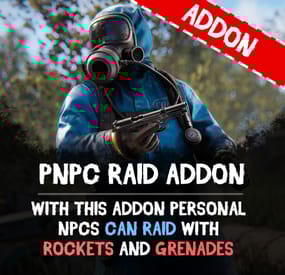
PNPC Raid Addon
This addon for the PersonalNPC plugin allows bots to use rocket and grenade launchers to attack buildings, players and NPCs, making raids more intense and dynamic.
Features:
🔥 AI Raiding
• Bots use rocket launchers and grenade launchers to destroy buildings and eliminate enemies.
• Uses ammo from inventory or infinite ammo mode (configurable in settings).
• Compatible with Multiple Grenade Launcher, Rocket Launcher, and even the Snowball Gun!
🎯 Customizable Attack Settings
• Adjust attack cooldowns for each weapon type.
• Choose default projectiles for bots with infinite ammo mode enabled.
• Setup bot behavior and efficiency in raids.
How to Use:
1️⃣ Spawn a bot from the PersonalNPC plugin.
2️⃣ Equip it with a rocket or grenade launcher.
3️⃣ The bot will attack buildings, players, or other NPCs!
📜 Requirements:
• PersonalNPC Plugin
📸 See it in Action! Watch the Video
📃 Configuration:
{ "Permission to use this addon on all bots of player (not required)": "pnpcaddonraid.override-setup", "Multiple Grenade Launcher Setup": { "Attack Cooldown (leave 0 to use default cooldown for current weapon)": 0.0, "Default projectile prefab (used if infinite ammo is enabled)": "assets/prefabs/ammo/40mmgrenade/40mm_grenade_he.prefab" }, "Rocket Launcher Setup": { "Attack Cooldown (leave 0 to use default cooldown for current weapon)": 0.0, "Default projectile prefab (used if infinite ammo is enabled)": "assets/prefabs/ammo/rocket/rocket_basic.prefab" }, "Snowball Gun Setup": { "Attack Cooldown (leave 0 to use default cooldown for current weapon)": 0.0, "Default projectile prefab (used if infinite ammo is enabled)": "assets/prefabs/misc/xmas/snowball/snowball.projectile.prefab" } }