
Jump to content

_senyaa

Creator
  • Posts

    338
  • Joined

  • Last visited

  • Days Won

    1

Everything posted by _senyaa

  1. Hey @Razor14150, I've decided not to style the text by default, but you can do that yourself. Open the oxide/lang/en/MountableTurrets.json file Find line starting with "aaTurretIDIs" (for v1.0.1 it's line #26) Change it from "aaTurretIDIs": "AATurret ID is: {0}", to "aaTurretIDIs": "<size=25><color=#ff0000ff>AATurret ID is: {0}</color></size>", Reload the plugin. You can learn more about rich text formatting here -> https://docs.unity3d.com/2018.3/Documentation/Manual/StyledText.html
  2. Version 1.2.1

    481 downloads

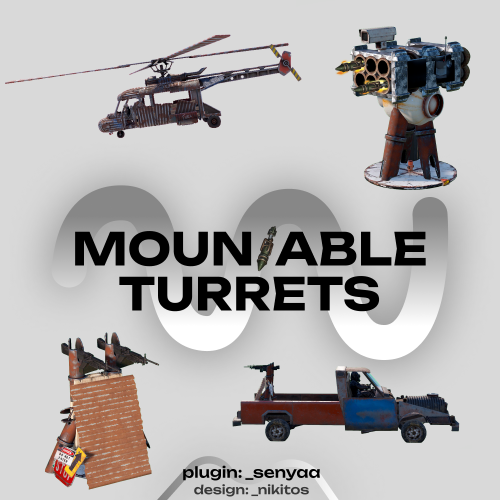
    This plugin adds 2 new deployable turrets and IR-traps. Overview Anti-Aerial turret This turret can be accessed via computer station. It has several modes Automatic - shoots multiple homing rockets, which will follow the target Manual (single) - shoots a single rocket Manual (burst) - shoots multiple If the turret is in automatic mode it waits for target. To acquire target player needs to place the crosshair on it and wait some time, which is configured here -> ([AA Turret] Target acquiring time (seconds)). After that the turret will follow the target and player can shoot by pressing Middle Mouse Button. Manual modes just shoot regular rockets. Machine gun Turret This turret can be mounted by pressing E on any of its parts (such as pipes etc.). Players can just aim and shoot. Ammo type can be configured here -> [Machine Gun Turret] Ammo type (short prefab name, must be one of 5.56 Rifle ammo). IR-Traps IR-traps (or flares) are used as a counter-measure to the anti-aerial turret. They can be loaded in the fuel storage of minicopter or scrap heli and can be deployed by pressing E. Stack sizes, amount per use and cooldown are configurable. IR-Traps can also affect SAM sites, this option can be enabled here -> [IR Trap] Affects SAM Sites (true/false) Commands Chat Commands /aaturret - buy anti-aerial turret (requires mountableturrets.aaturret.give permission) /mgturret - buy machine gun turret (requires mountableturrets.machinegun.give permission) Admin Chat Commands Following commands require mountableturrets.admin permission to work. See "Permissions" chapter for more info. /mt command must be ran a monument you want to modify. Positions are saved relative to the monument and persist even after a wipe or a map change. /mt (requires mountableturrets.admin permission) /mt add aa - spawns anti-aerial turret on a monument /mt add mg - spawns machine gun turret on a monument /mt add comp - spawns computer station on a monument, which gets automatically linked to anti-aerial turrets /mt remove - removes turret/computer station from the monument /mt reset - clears all data for a monument Admin Console Commands giveaaturret <player name> - gives anti-aerial turret to specified player givemgturret <player name> - gives machine gun turret to specified player Permissions mountableturrets.admin - allows usage of giveaaturret, givemgturret and /mg commands mountableturrets.aaturret.give - allows players to buy AA turret using /aaturret mountableturrets.aaturret.free - allows players to get AA turret for free using /aaturret (give permission is still needed) mountableturrets.machinegun.give - allows players to buy machine gun turret using /mgturret mountableturrets.machinegun.free - allows players to get machine gun turret for free using /mgturret (give permission is still needed) Localization This plugin has built-in support for the following languages - English Russian Configuration Example of MountableTurrets.json (some parts are shortened) { "PVE Mode (true/false)": false, "[AA Turret] Price (set value to 0 to make it free, use ServerRewards as a key to use RP points)": { "Key": "scrap", "Value": 500 }, "[AA Turret] Item Skin ID (Workshop ID)": 2849176835, "[AA Turret] Item Name": "Anti-Aerial Turret", "[AA Turret] Cooldown between shots (seconds)": 10.0, "[AA Turret] Rocket fuse length (seconds)": 10.0, "[AA Turret] Rocket fuse length (meters)": 450.0, "[AA Turret] Entities that turret is able to lock on to (short prefab name)": [ "minicopter.entity", "scraptransporthelicopter", "hotairballoon" ], "[AA Turret] Target acquiring time (seconds)": 0.6, "[AA Turret] Rocket initial velocity (meters per second)": 30.0, "[AA Turret] Interval between shots in Burst mode (seconds)": 0.4, "[AA Turret] Rocket explosion radius (meters)": 5.0, "[AA Turret] Movement Speed Fast": 3.7, "[AA Turret] Movement Speed Normal": 2.0, "[AA Turret] Movement Speed Slow": 1.0, "[Machine Gun Turret] Price (set value to 0 to make it free, use ServerRewards as a key to use RP points)": { "Key": "ServerRewards", "Value": 250 }, "[Machine Gun Turret] Item Skin ID (Workshop ID)": 2849176974, "[Machine Gun Turret] Item Name": "Machine Gun Turret", "[Machine Gun Turret] Ammo type (short prefab name, must be one of 5.56 Rifle ammo)": "ammo.rifle", "[IR Trap] Stack size": 12, "[IR Trap] Amount per use": 2, "[IR Trap] Cooldown (seconds)": 3.0, "[IR Trap] Initial velocity (meters per seconds)": 20.0, "[IR Trap] Fuse length (seconds)": 10.0, "[IR Trap] Affects SAM Sites (true/false)": true, "[IR Trap] SAM Site blind time (seconds)": 5.0, "[IR Trap] Show IR-Trap hint UI (true/false)": true, "[IR Trap] Deploy positions": { "minicopter.entity": [ { <..> } <..> ] }, "[Misc] Spawn positions on other entities (full prefab name)": { "assets/content/vehicles/modularcar/module_entities/2module_flatbed.prefab": [ { "Type": "MachinegunTurret", "Position": { <..> }, "Rotation": { <..> } } ], "assets/content/vehicles/train/trainwagonb.entity.prefab": [ <..> }, "[Misc] UI Images (leave names intact)": { <...> } } API BaseEntity SpawnAATurret(Vector3 position, Quaternion rotation) // spawns anti-aerial turret BaseEntity SpawnMachinegunTurret(Vector3 position, Quaternion rotation) // spawns machinegun turret void DestroyTurret(BaseEntity turret) // destroys the turret Credits Thanks to Vitek & Nikitos for helping me with this plugin!
    $19.99
  3. _senyaa

    Jet Ski

    @mrdecoderHey, remove the config and reload the plugin
  4. _senyaa

    Jet Ski

    @NeighighHey, sorry for that! FIxed it in v1.3.1
  5. _senyaa

    Jet Ski

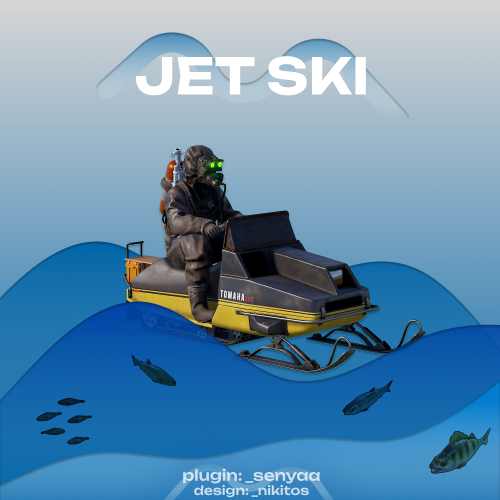
    Hey, I've added boost button in v1.3.0. I've decided to bind it to LSHIFT. Attaching a regular button is problematic because of the bug described here.
  6. _senyaa

    Car Vendor

    @canek.inboxHey, sorry for the wait. I've added localization in v.1.2.0.
  7. _senyaa

    Jet Ski

    It happens when Buoyancy component is disabled. It's likely an optimization done by Facepunch. I've tried tinkering around, but haven't found a solution at the moment. Thanks for letting me know.
  8. _senyaa

    Car Vendor

    Hey, at this moment the plugin doesn't support snowmobiles. I will try to implement it in a couple of days, as it is quite a busy time for me.
  9. _senyaa

    Car Vendor

    Hi, if the spawn point is set on a monument it is carried over through wipes. When the car spawns only the person who bought it and his teammates can use it (vanilla behavior like in Airwolf or Fishing village). I've updated the plugin and ownerID is now set as well.
  10. Version 1.0.0

    5 downloads

    This is a small monument with a gun vendor NPC. Prefab count - 510
    $5.99
  11. _senyaa

    Car Vendor

    Hey, I've fixed it in v1.1.1, you don't have to write "null" again. Thanks for the support, I really appreciate it!
  12. _senyaa

    Jet Ski

    You can get short item names from uMod. https://umod.org/documentation/games/rust/definitions In your case you should set item name to "scrap", also make sure it is lowercase.
  13. _senyaa

    Jet Ski

    I've added /waterbike remove command in v1.2.2. It requires waterbikes.despawn permission to work
  14. _senyaa

    Jet Ski

    How do you want despawn command implemented? Players just type /despawn it despawns and they get scrap they paid for the water bike?
  15. _senyaa

    Jet Ski

    I added "(11) Starting fuel" config option in v1.2.1. Update and remove the config file. You can despawn water bikes using ent kill console command
  16. @CommandoSoldatYes, it changes the stats as well
  17. _senyaa

    Car Vendor

    Version 2.1.1

    319 downloads

    This plugin adds Car Vendor NPCs Adding Car vendors to your server There are two ways to do this - Add both Vendor spawnpoint and Car spawnpoint to your map. Make sure not to break the trigger prefab. Or you can run /carvendor set_car_spawnpoint and then /carvendor npc_spawn To run these commands you need to have carvendor.spawn permission Spawnpoints are automatically saved to a datafile. To wipe them run /carvendor reset Configuration Example CarVendor.json { "(0) Price item short name": "scrap", // Be sure to change item name in localization files as well! "(1) Price of chassis/components": { "Chassis2": 75, "Chassis3": 150, "Chassis4": 175, "ComponentsTier0": 0, "ComponentsTier1": 50, "ComponentsTier2": 150, "ComponentsTier3": 200 }, "(2) Car modules": { "2": [ "vehicle.1mod.cockpit.with.engine", "vehicle.1mod.rear.seats" ], "3": [ "vehicle.1mod.engine", "vehicle.1mod.cockpit.with.engine", "vehicle.1mod.rear.seats" ], "4": [ "vehicle.1mod.engine", "vehicle.1mod.cockpit.armored", "vehicle.1mod.passengers.armored", "vehicle.1mod.engine" ] }, "(3) NPC Name": "Car Vendor", "(4) Spawn permission name": "carvendor.spawn", "(5) Car starting fuel": 75.0, "(6) Max distance between NPC and spawnpoint trigger (meters)": 100.0, "(7) Check for other cars within radius (meters)": 15.0, "(8) Nudge players (true/false)": true, "(9) Player nudge radius (meters)": 5.0, "CUI Name": "carvendor_ui" }
    $14.98
  18. Version 1.0.0

    14 downloads

    This is a car shop monument with a car lift and a place for a car vendor NPC. Prefab count - 211
    $4.99
  19. I implemented horse ownerID check. Update to v1.2.0 Let me know if there are any issues
  20. _senyaa

    Jet Ski

    @CovfefeSet (2) Make all snowmobiles waterbikes to true, then reload the plugin.
  21. _senyaa

    Jet Ski

    @Covfefe You now can convert already spawned snowmobiles into water bikes. Run /waterbike, while looking at a snowmobile. @Kleementin Water bikes now spawn at the point you are looking at. Range limit is 15m, if exceeded it will spawn water bikes the same way as before. (v 1.1.5)
  22. @RICK I added individual permissions for every horse breed. Update to v.1.1.0.
2.3m

Downloads

Total number of downloads.

10.5k

Customers

Total customers served.

152.2k

Files Sold

Total number of files sold.

3.2m

Payments Processed

Total payments processed.

×
×
  • Create New...

Important Information

We have placed cookies on your device to help make this website better. You can adjust your cookie settings, otherwise we'll assume you're okay to continue.