


-
Posts
78 -
Joined
-
Last visited
-
Days Won
1
Content Type
Profiles
Warranty Claims
Downloads
Forums
Store
Services
Downloads Plus Support
DOWNLOADS EXTRA
Reels
Everything posted by Simil3x
-
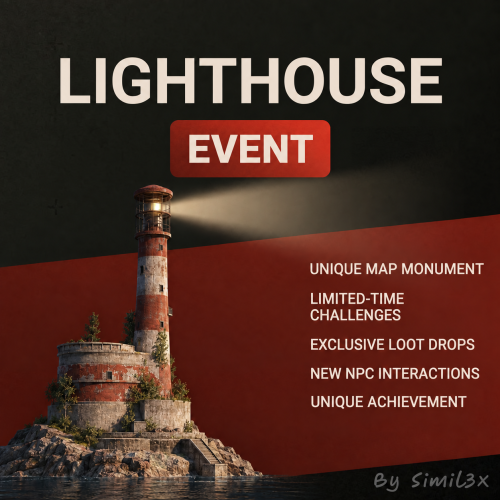
Version 1.0.1
21 downloads
Kill the officer, open the storeroom, crack the tugboats and sail one home. Lighthouse Event raises a scientist outpost in open water: a lighthouse on a concrete platform, a pier, a camp and two tugboats moored alongside with the cargo aboard. Ten guards hold the outside. The officer with the storeroom keycard sits in a tent by the camp, and the courier upstairs carries the code to the tugboat cabins. When the cargo is taken, the winner gets five minutes to board a tugboat. That boat is theirs to keep, unlocked and fueled. The other one is gone. The event runs on its own timer and works on PvE and PvP servers. You don't edit the map: the plugin finds a spot in deep water next to the cargo ship route, builds the outpost at start and removes it at the end. Key Features A lighthouse outpost the plugin builds in open water, on the map you already run An officer who carries the only keycard that opens the storeroom Tugboat cabins on code locks, with the code on the courier A tugboat for the winner to keep after the event 21 NPCs and 2 auto turrets across the outpost and the tugboats 3 locked crates with a 5 minute hack, plus 8 elite and 7 military crates On-screen markers over the current objective, with step hints in chat PvE owner rules through PveMode, PvP zone through TruePVE Auto start timer, map markers, chat and Discord announcements Winner rewards through Economics, ServerRewards, IQEconomic, BankSystem, items or commands, plus shared XP for SkillTree and Skills Assault The event opens with a 60 second countdown. Players get the grid in chat and a marker on the map, but the zone stays closed while the tugboats moor and the guards take their posts. Anyone already inside the 100 meter zone gets moved out past the border. Ten guards with 200 HP and Thompsons hold the lower pier, the main deck, the second floor and the roof, where two auto turrets with 750 HP back them up. The officer, 250 HP, waits in a tent by the camp. Building is blocked inside the zone, and so are tpr, home and tpa. The event lasts 30 minutes and starts on its own every 2 to 3 hours. The Storeroom Kill the officer and take the Officer's Keycard off his body. The storeroom reader accepts it once all ten guards outside are dead too. A regular green card won't open it, and the door takes no damage. Inside is a locked crate with a 5 minute hack. Lose the keycard and a new one turns up at the storeroom door. The Tugboats The courier, 250 HP, carries a note with the four-digit code for the tugboat cabins. He's on the second floor of the lighthouse, and seven guards with 250 HP and MP5s hold the floors inside. The code only works once the storeroom is open, and a lost note turns up at the storeroom door as well. Each tugboat has a deck guard, three cabin doors on code locks, a locked crate and four elite crates. Nobody sails off early: until the event ends, the tugboats sit at anchor with empty tanks and take no damage. A colored marker floats over the current objective within 60 meters: the officer, the keycard, the storeroom door, the note, then the tugboats that still hold cargo. Each step also shows in chat and as a game tip. The Tugboat Is Yours Open both locked crates on the tugboats and the cargo is taken. The winner gets the payouts from your config right away: the event owner with PveMode, or the player who dealt the most damage without it. Then they have five minutes to get aboard. Whichever tugboat the winner or a teammate is standing on is theirs. Its locks come off and 50 low grade fuel goes in the tank. It stays on the server after the event. The other tugboat disappears. If the 30 minute timer runs out before the cargo is taken, nobody gets a boat. The lighthouse clears either way. Works with PveMode - event owner, loot and turret rules, optional dome TruePVE - PvP inside the event zone NTeleportation - teleports blocked in the zone Notify, UINotify - notifications instead of chat GUIAnnouncements - banner announcements DiscordMessages - posts when the event prepares, starts and the cargo is taken Economics, ServerRewards, IQEconomic, BankSystem - payouts for the winner SkillTree, Skills - shared XP, split by damage dealt UltimateLeaderboard - event wins AlphaLoot - crate loot from an AlphaLoot profile CustomLoot - leaves the event loot alone Kits - NPC loadouts Friends, Clans - allies count as one team EventsManager - registers the event on its own Commands /lighthouse - event status for any player lighthouse.start - starts the event lighthouse.stop - stops the event lighthouse.status - event status in the console Console and RCON need no permission. Permissions lighthouseevent.start - start the event lighthouseevent.stop - stop the event Either one lets a player read lighthouse.status in game. API bool API_IsEventActive() int API_GetTimeLeft() - seconds left, or seconds to the start during the countdown Hooks void OnLighthouseEventPrepare() void OnLighthouseEventStart(HashSet<BaseEntity> entities, Vector3 position, float radius) void OnLighthouseEventZoneEnter(BasePlayer player) void OnLighthouseEventZoneLeave(BasePlayer player) void OnLighthouseEventWinner(BasePlayer winner) void OnLighthouseEventEnd() Updates and support are included. Support is available through Discord and Codefling private messages. Contact me: Discord: Simil3x$29.99- 14 comments
- 2 reviews
-
- 3
-

-
- #lighthouse
- #event
- (and 15 more)
-
 Hi, fair question. We raised the regular price to $39.99, and right now it's discounted to $29.99, the same price as before. So you pay what you would have paid earlier, and once the sale ends the price goes back to $39.99. Same file, updates and support either way.
 -
Hi! Yes, you can change where the helicopter delivers the hostages. It's in the config under "Evacuation settings"
-
Hey! Thanks Yes, both are already configurable per NPC preset, including the boss. Under "Presets of NPC", you can set "Health" to 2000000 and increase "Damage scale". Damage scale is a multiplier, so 10 means 10× damage, not 10,000 damage per hit. For 10k+ damage, you’ll need to tune it based on the NPC’s weapon and the target’s protection. Ziggurat Event itself doesn’t cap either setting, so no update is needed.
-
Version 1.0.3
33 downloads
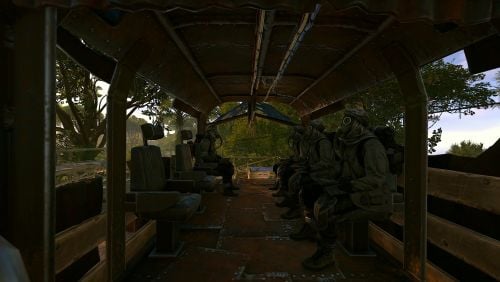
Kill the rebel leader, unlock the vault, rescue the researchers, and claim the helicopter. Ziggurat Event transforms the Jungle Ziggurat into a fortified rebel stronghold filled with hostile NPCs, automated defenses, loot, and a multi-stage hostage rescue mission. Fight your way through the monument, eliminate the rebel leader, and recover the four-digit code from his body. Unlock the vault, clear the remaining guards, carry the researchers to the waiting scrap transport helicopter, and extract them to Bandit Camp. Successfully complete the delivery and the winning team receives a fueled scrap transport helicopter loaded with two elite crates. No map editing is required. The plugin automatically builds the additional floors, walls, cells, vault door, and other event structures when the event begins, then removes everything when it ends. Key Features Multi-stage event with assault, vault, extraction, and delivery objectives Rebel leader boss with 3,000 HP and the vault code Four researchers who can be carried on players’ shoulders Custom passenger seats for loading researchers into the helicopter Reinforcement waves triggered by hostage pickups Scrap transport helicopter used for the extraction Fueled reward helicopter with two elite crates Automated turrets and configurable hostile NPCs Twelve configurable loot crates throughout the monument Indestructible vault door protected by a code lock On-screen markers showing the current objective Configurable event and delivery map markers PvE ownership support through PveMode Optional PvP event zone support through TruePVE Automatic event scheduling Chat, GUI, Notify, and Discord announcements Configurable reward tiers based on the number of researchers rescued Support for multiple economy and progression plugins Automatic cleanup when the event ends or fails Assault The event begins with the Jungle Ziggurat under rebel control. Eight rebels guard the exterior while seven automated turrets cover the approaches. The rebel leader waits on the roof with an assault rifle and 3,000 HP. Twelve loot crates are distributed throughout the monument. The default event zone has a radius of 60 meters. Players already inside the zone during preparation are moved outside, building is blocked, and configured commands such as tpr, home, and tpa cannot be used inside the event area. When the intro flight is enabled, the scrap transport helicopter approaches from 400 meters away and lands at the monument before the assault begins. The Vault The rebel leader carries a note containing a randomly generated four-digit vault code. Enter the code on the vault door to gain access to the secured area. The door cannot be destroyed or bypassed with damage. Behind the door are eight additional guards armed with MP5s and four captured researchers held in reinforced cells. The researchers cannot be extracted until the vault has been opened and all interior guards have been eliminated. Hostage Extraction Look at a researcher and press E to lift them onto your shoulder. While carrying a researcher: Press E on an available helicopter seat to load them Hold R to place them back on the ground Players cannot directly damage the researchers Rebel attacks can still kill them Every hostage pickup triggers a reinforcement wave after a configurable delay. The number of NPCs per wave and the maximum number of simultaneous waves can be configured. The helicopter remains locked to players until every surviving researcher has been loaded. Delivery Once the researchers are aboard, fly the event helicopter to the marked Air Wolf helipad at Bandit Camp. Land inside the delivery area and remain grounded briefly to complete the extraction. The rescued researchers are unloaded, arranged around the landing pad, and removed after the configurable ceremony duration. Objective markers guide players through every stage of the event, while the delivery marker becomes visible as the helicopter approaches Bandit Camp. The Helicopter Is Yours After a successful delivery, the event helicopter is replaced with a permanent reward helicopter assigned to the winner. By default, the reward includes: Scrap transport helicopter 500 low-grade fuel Two elite loot crates Configurable economy, points, XP, and command rewards Reward tiers are calculated from the number of researchers successfully delivered. Saving every researcher grants the full configured reward. The event ends without a reward if: The helicopter is destroyed while vulnerability is enabled Every researcher is killed The event timer expires The event is manually stopped All temporary entities and structures are removed when the event ends. PvE and PvP Support Ziggurat Event can be used on both PvE and PvP servers. With PveMode enabled, the plugin supports event ownership, team access, protected loot, NPC registration, turret rules, and configurable PvE behavior. A PvP zone can also be created through TruePVE for servers that want player combat enabled inside the event area. Vanilla teams, Friends, and Clans can be used to determine teammates. Automatic Scheduling The event can run automatically using configurable minimum and maximum intervals. Additional scheduling options include: Minimum number of online players Minimum time since wipe Configurable preparation period Configurable event duration End-of-event warnings Automatic map markers Chat and Discord announcements The event can also be started and stopped manually or controlled by another plugin through the provided API. Supported Plugins Optional integrations include: NpcSpawn — required for event NPCs PveMode TruePVE NTeleportation GUIAnnouncements Notify DiscordMessages ImageLibrary Friends Clans Economics ServerRewards IQEconomic SkillTree Skills EventsManager MultiEvents UltimateLeaderboard BetterNpc MonumentOwner Commands Player command /ziggurat Displays the current event status, remaining time, and location. Console and RCON commands ziggurat.start ziggurat.stop ziggurat.status Server console and RCON commands do not require permissions. Permissions zigguratevent.start zigguratevent.stop zigguratevent.start — allows an administrator to start the event zigguratevent.stop — allows an administrator to stop the event Players with either administrative permission can use ziggurat.status from the in-game console API bool API_IsEventActive() int API_GetTimeLeft() Vector3 API_GetPosition() bool API_FinishEvent() API_GetTimeLeft() returns the remaining event time in seconds. API_FinishEvent() completes the event only when it is active and currently in the delivery phase. Hooks void OnZigguratEventPrepare() void OnZigguratEventStart( HashSet<BaseEntity> entities, Vector3 position, float radius ) void OnZigguratEventZoneEnter(BasePlayer player) void OnZigguratEventZoneLeave(BasePlayer player) void OnZigguratEventWinner(BasePlayer winner) void OnZigguratEventEnd() Updates and Support Updates and support are included with your purchase. Support is available through Discord and Codefling private messages. Discord: Simil3x$39.99 -
 I’ll rebuild this template soon and try to fix this. I can also see a few other issues in your screenshot. From what I can tell, the error was caused by the font—it looks like the developers may have changed something related to it.
 -
Version 1.0.0
12 downloads
Shop Theme V4 is a complete visual theme for the Shop plugin by Mevent, designed in a dark Rust-inspired UI style. The theme replaces the default interface with compact horizontal product cards, convenient category navigation, a redesigned shopping basket, styled modal windows, and an informative footer. Both included layouts use the same visual style and product card design. INCLUDED VERSIONS • ServerPanel / V4 Windowed — designed to integrate with the V4 Windowed Theme for ServerPanel. • Standalone / Windowed — an independent 800×480 Shop window that can be used without ServerPanel. COMPACT PRODUCT CARDS Products are displayed as compact horizontal cards in a two-column layout. Depending on the item configuration, each product card can display: • A custom product image • Product name • Available amount • BUY and SELL controls • Buy and sell prices displayed directly inside the buttons • Favorite button • Item information or description button • Discount indicator • Administrative controls when Admin Mode is enabled The compact design allows more products to remain visible without making the important information difficult to read. BUYING AND SELLING The interface supports the original buying and selling functionality provided by Shop. Products can use: • BUY only • SELL only • Separate BUY and SELL buttons • Direct purchases • Shopping basket purchases • Free products • Custom currencies and economy providers supported by Shop The theme changes the visual presentation while preserving the original Shop product, economy, permission, limit, cooldown, and transaction logic. CATEGORIES AND NAVIGATION Products are organized into horizontal category tabs above the product area. The category interface includes: • Favorites category • Custom product categories • Horizontal category scrolling • Automatic category list width calculation • Additional spacing at the end of the category list • Clearly highlighted selected category • Automatic handling of additional categories • ADMIN: ON/OFF displayed as the first category-style button for administrators In the ServerPanel version, categories are placed inside the secondary header area to match the rest of the V4 Windowed interface. PRODUCT NAVIGATION The product area includes: • Two-column product card layout • Vertical product scrolling • Automatic handling of additional products • Configurable card size and spacing • Separate spacing rules for normal and administrative modes • Product search field The ServerPanel version places the search field above the shopping basket, keeping the main product area clear. SHOPPING BASKET The redesigned shopping basket matches the appearance of the product cards and the rest of the interface. The basket can display: • Product image • Product name • Selected amount • Quantity increase button • Quantity decrease button • Item removal control when enabled • Total number of products • Total purchase cost • Final purchase button • Vertical scrolling when additional products are added The basket remains compact when only a few products are present and becomes scrollable only when necessary. ADMIN MODE Administrators can activate Admin Mode directly from the category list. When enabled, the interface provides dedicated space for Shop management controls, including: • Category editing • Category reordering • Adding new categories • Product editing • Product reordering • Adding new products • Other administrative actions supported by Shop The category list automatically reserves additional horizontal space for administrative controls, preventing them from overlapping neighboring categories. Product cards also receive additional vertical spacing only while Admin Mode is enabled. MODAL WINDOWS The theme includes redesigned modal windows matching the main interface style. Supported windows include: • Purchase menu • Sell menu • Purchase confirmation • Item information and description • Other confirmation windows supported by Shop Modal windows use a darkened background and compact centered panels to keep the player focused on the selected action. FOOTER The standalone version includes a custom footer that can display: • Current player balance • Selected currency or economy • Currency switching button • Real online player count • Player avatar The ServerPanel version uses the outer header and footer provided by ServerPanel, creating a consistent appearance across all integrated pages. LOCAL IMAGES All custom V4 theme images are included in the package and configured for Offline Image Mode. The package contains the required interface icons, navigation arrows, header image, favorite states, and other visual elements used by the theme. PACKAGE CONTENTS • Ready-to-use Shop UI configuration containing both interface versions • Standalone / Windowed Shop layout • ServerPanel / V4 Windowed Shop layout • Optional example Shop data • All required custom UI images NOTE After purchasing this theme, please send me proof that you own the original Shop plugin by Mevent. Once your purchase has been verified, I will provide you with a slightly modified version of the plugin required for all theme UI elements to display and function correctly. IMPORTANT The Shop plugin is not included in the theme package and must be purchased separately from Mevent. The ServerPanel plugin and V4 Windowed Theme for ServerPanel are required only if you want to use the integrated ServerPanel version. The standalone version can be used independently. Always create a backup of your existing Shop files before installation. INSTALLATION Install the supported version of the Shop plugin. If you plan to use the ServerPanel version, install and configure ServerPanel with the V4 Windowed Theme. Create a backup of: • Your Shop configuration • Your Shop UI configuration • Your existing product and category data Send proof of ownership of the original Shop plugin by Mevent to receive the modified plugin file required by the theme. Install the provided modified plugin file and copy the included configuration, data, and image files to their corresponding Carbon or Oxide directories. Use the included Shop/Shops/Default.json only for a new installation, or manually transfer the required examples into your existing data file. Replacing an existing file will overwrite your previously configured categories and products. Reload the plugin: c.reload Shop — Carbon o.reload Shop — Oxide If you are using the integrated version, reload ServerPanel after reloading Shop. COMPATIBILITY Designed for Shop v2.5.3. Compatible with Carbon and Oxide. The ServerPanel version is visually compatible with the V4 Windowed Theme for ServerPanel, while the standalone version can be used independently. Support is available through Codefling private messages and Discord. Discord: Simil3x$6.99 -
Version 1.0.0
26 downloads
Kits Theme V4 Windowed Kits Theme V4 is a complete visual theme for the Kits plugin by Mevent, designed in a dark Rust-inspired UI style. The theme replaces the default kit display with compact horizontal cards, clearly separated availability states, and convenient navigation. Players can quickly see each kit’s purpose, claim conditions, remaining uses, cooldown, or purchase price. Both included layouts use the same visual style and kit card design. INCLUDED VERSIONS • ServerPanel / V4 Windowed — designed to integrate with the V4 Windowed Theme for ServerPanel. • Standalone / Windowed — an independent 800×480 Kits window that can be used without ServerPanel. INFORMATIVE KIT CARDS Each kit card can display: • A custom kit image • Kit name and short description • Remaining claims • Purchase price • Active cooldown timer • Kit claim button • Separate contents preview button The interface clearly distinguishes between the main kit states: • CLAIM — the kit is available • PURCHASE — the kit must be purchased • COOLDOWN — the kit is temporarily unavailable • UNAVAILABLE — the kit cannot currently be claimed • VIEW CONTENTS — opens a preview of the items inside the kit CATEGORIES AND NAVIGATION Kits are organized into compact category tabs at the top of the window. The interface includes: • A separate ALL category • Custom kit categories • Horizontal category scrolling • Vertical kit card scrolling • Two-column card layout • Automatic handling of additional kits inside the scroll area UNAVAILABLE REASON MODAL When a player cannot claim a kit, the interface opens a separate modal window explaining the reason. It can display messages for missing permissions, active cooldowns, exhausted claim limits, insufficient funds, insufficient inventory space, and other restrictions supported by the Kits plugin. LOCAL IMAGES All theme images are included in the package and configured to work through Offline Image Mode. The interface does not require Imgur or another external image host. This helps prevent missing images, download errors, and third-party rate limits. INCLUDED KIT EXAMPLES The package includes an example data file with several preconfigured kits: • Medical • Starter • Food • Discord Reward • Promoter Reward • Bronze VIP • Silver VIP • Gold VIP Each example includes its own image, title, short description, and demonstration settings. They can be used as a foundation for creating your own kits. PACKAGE CONTENTS • Ready-to-use Kits configuration with both interface versions • Example data file with preconfigured kits • English language file • All required UI images and kit artwork • Guide containing the exact required changes for Kits.cs IMPORTANT The Kits plugin is not included and must be purchased separately from Mevent. A few small edits to the original Kits.cs file are required for some elements of the theme to render and function correctly. The original plugin source code is not included or redistributed with this theme. The package contains only the configuration, data, language file, images, and a guide describing the required changes. Always create a backup of your existing Kits files before installation. INSTALLATION Install the supported version of the Kits plugin. Create a backup Open the included modification guide and apply the listed changes to your original Kits.cs file. Copy the included configuration, language, and image files to their corresponding Carbon or Oxide directories. Use the included data/Kits/Kits.json only for a new installation, or manually transfer the required examples into your existing data file. Replacing an existing file will overwrite your previously configured kits. Reload the plugin: c.reload Kits — Carbon o.reload Kits — Oxide COMPATIBILITY Designed for Kits v2.4.4. Compatible with Carbon and Oxide. The ServerPanel version is visually compatible with the V4 Windowed Theme for ServerPanel, while the standalone version can be used independently. Support is available through Codefling private messages and Discord. Discord: Simil3x$6.99 -
Version 1.0.0
16 downloads
UltimateLeaderboard Theme V4 is a complete visual theme for UltimateLeaderboard, designed in a dark Rust-inspired UI style. It features compact statistic cards, redesigned leaderboard tables, reward banners, an improved search layout, custom hit-rate visuals, and a consistent design across both included templates. The V1 template is designed to integrate with the V4 Windowed Theme for ServerPanel INCLUDED TEMPLATES • V1 / Windowed — designed to integrate with the V4 Windowed Theme for ServerPanel. • Fullscreen — a standalone full-screen version using the same visual style. DYNAMIC HIT VISUALIZATION The Hit Distribution section includes three visual progression stages. The displayed character set automatically changes based on the player’s total hit count, visually reflecting their progress - from a basic survivor to higher-tier equipment. Hit count ranges can be configured in the UltimateLeaderboard configuration. PACKAGE CONTENTS • Ready-to-use UltimateLeaderboard templates • All required UI images and icons • Theme configuration file • English language file • UIX_REQUIRED_CHANGES_EN.md — exact required changes for UltimateLeaderboard.cs IMPORTANT UltimateLeaderboard is NOT included and must be purchased separately Ultimate Leaderboard A few small edits to the original UltimateLeaderboard.cs file are required for the theme layout to render correctly. The package includes a step-by-step guide with the exact replacement code for UltimateLeaderboard v1.5.55. No original plugin source code is included or redistributed with this theme. INSTALLATION 1. Install UltimateLeaderboard v1.5.55. 2. Open UIX_REQUIRED_CHANGES_EN.md and apply the listed changes to your original UltimateLeaderboard.cs. 3. Copy the included configuration, template, language, and image files to their corresponding Carbon/Oxide folders. 4. Reload the plugin. COMPATIBILITY Designed for UltimateLeaderboard v1.5.55. The V1 template is visually compatible with the V4 Windowed Theme for ServerPanel, allowing you to maintain a consistent UI style across your server menus. Updates and support are included. Support is available through Discord and Codefling private messages. Discord: Simil3x$6.99 -
Version 1.0.4
30 downloads
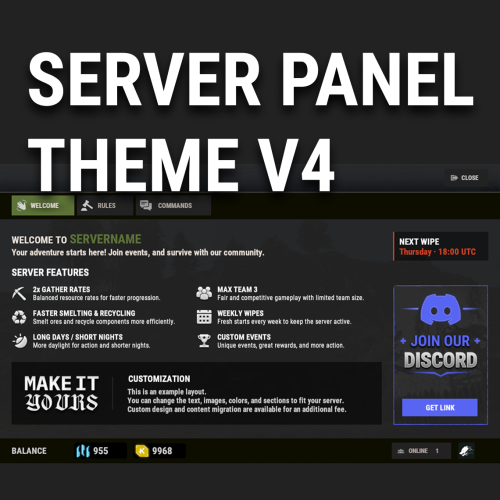
V4 Windowed Theme for Server Panel Like the V4 layout but don’t want it to cover the entire screen? V4 Windowed Theme transforms the familiar Server Panel V4 experience into a compact, polished window that keeps the game visible in the background. This is more than a simple resize or recolor. The theme features a reworked Rust-inspired color palette, redesigned UI elements, improved visual consistency, and matching styling for ServerPanelPopUps. Key Features Compact windowed V4 layout Keeps gameplay visible behind the interface Reworked Rust-inspired visuals Matching Server Panel and PopUps design Ready-to-use preconfigured content Fully editable through the in-game Server Panel editor Optimized for different resolutions and UI scale settings Compatible with both Oxide and Carbon No coding required Video Project 3.mp4 Requirements Server Panel by Mevent is required and is not included with this theme. ServerPanelPopUps is supplied with Server Panel. Installation Note: Before installing the theme, make a backup of your existing Server Panel settings and data. The installation requires replacing the current Server Panel files. Install Server Panel on your server. Run /sp.install and select the V4 template. Upload the files from the downloaded archive to your server, preserving the included folder structure and replacing the existing files. Reload or restart both ServerPanel and ServerPanelPopUps. Updates and support are included. Support is available through Discord and Codefling private messages. Contact me: Discord: Simil3x Telegram: @Simil3x_dm$16.99 -
 Great plugin with very flexible customization. Every UI element can be adjusted, allowing you to bring any visual idea to life. A great choice if you want to create a truly unique menu for your server.
- 165 comments
-
- 2
-

-
- #serverpanel
- #info
- (and 33 more)
-
 Теперь точно все ок
- 17 comments
-
- 1
-
-
- #battlepass
- #battle pass
- (and 27 more)
-
Исправили
-
Changed Status from Pending to Work in Progress
-
 We can give you access to our test server so you can check out Ship Vendor before buying it. Send me a message when you’re available, and I’ll provide the connection details.
 -
Changed Status from Pending to Fixed Changed Fixed In to 1.0.2
-
Changed Fixed In to 1.0.7
-
Changed Status from Pending to Fixed
-
Hello! At the moment, you need to upload your ship image to Steam. We're already working on a more convenient solution, but for now please use the skin ID 3737537705. Type the following command in the game chat: /ship setskin 1930931252 3737537705 This will set the image for your ship.
- 1 reply
-
- 1
-
-
Could you clarify the question a bit? Do you mean what PluginHook is, or which API method should be used for ServerPanel?
-

Contacted by Discord/DM for customization
Simil3x replied to SlayersRust's Support Report in Support
Changed Status from Pending to Not a Bug Changed Fixed In to 1.0.2 -
Changed Status from Pending to Fixed Changed Fixed In to 1.1.2
-
.thumb.png.bcb832e22f0a48b6833fee517e444bff.png) Я прекрасно понимаю ваше недовольство. Никому не нравится тратить время на исправление того, что и так работало. Однако позвольте прояснить: ваши настройки и таймеры в сохранности и работают сейчас — красное выделение это просто визуальный баг интерфейса, который будет исправлен в ближайшем обновлении. Вам не нужно откладывать свои планы или что-то исправлять вручную. Просто обновитесь, когда выйдет патч, и всё должно прийти в норму
Я прекрасно понимаю ваше недовольство. Никому не нравится тратить время на исправление того, что и так работало. Однако позвольте прояснить: ваши настройки и таймеры в сохранности и работают сейчас — красное выделение это просто визуальный баг интерфейса, который будет исправлен в ближайшем обновлении. Вам не нужно откладывать свои планы или что-то исправлять вручную. Просто обновитесь, когда выйдет патч, и всё должно прийти в норму -
Без паники, красными они выделены потому что есть не большая проблема в плагине, дождитесь обновления сегодня, это исправят, таймеры и настройки расписания все должны остаться на месте. Если это не так напишите мне в личные сообщения дискорда (ник simil3x), проверим
-
I’m not sure what you’re missing. Everything is still there - author credits and the full event list are available as they were before. We haven't removed any 'ads' for other creators. You have a toggle to show only installed events and a search function. This plugin is a tool for event configuration, not a shopping catalog for everything on the market.