kaysharp
-
Posts
404 -
Joined
-
Last visited
Content Type
Profiles
Warranty Claims
Downloads
Forums
Store
Services
Downloads Plus Support
DOWNLOADS EXTRA
Everything posted by kaysharp
-
 what do you mean?
 -
Version 2.0.10
20,383 downloads
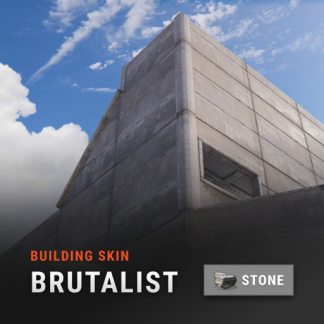
Automatic application of DLC skins for building blocks. This is a simple plugin that allows players to use DLC skins without having to buy them. After obtaining permission and activating the skin, the player will be able to build building blocks with the skin from the DLC. Use the /bskin command to switch modes. To update the skin for existing building blocks, you need to activate the skin and hit the block with a hammer. The block will be updated with the selected skin. To change the skin for all buildings using the /bskin build or /bskin all command, you need to select a skin mode. Depending on the mode you choose, the skin will be updated. Permissions: buildingskins.use - Allows the player to use a command to apply a skin. buildingskins.build - Allows the player to use the bskin build command. buildingskins.all - Allows the player to use the bskin all command. buildingskins.admin — Allows the player to use the bskin all <steam id> command and bypass the build owner check. buildingskins.tc - Allows the player to change the skin of a building from the tool cupboard. To assign a permission, use oxide.grant <user or group> <Steam name or ID> buildingskins.use. To remove a permission, use oxide.revoke <user or group> <Steam name or ID> buildingskins.use. Commands: /bskin - opens a GUI to set the default building skin (can be changed in the config file). /bskin build — updating the skin of the block you are looking at and everything that touches it. /bskin all - updating the skin of all buildings owned by the player. /bskin all <steam id> - updating the skin of all buildings for the selected player. (ex: /bskin all 76561100000000000) /bskin toggle - Disable/enable building skins. Configuration: Building skin change commands - list of commands to switch the skin. You can change, add or remove if the command conflicts with other plugins. Commands will work both in chat and in the console. Block building skin in building blocked - prevents changing the building skin if the player is in building blocked mode and does not have buildingskins.admin permission. Number of blocks updated per tick - description is not required. Don't make changes if you're not sure what you're doing. Automatically activate skin when player connects - when the player connects for the first time, the skins from the dlc will be installed by default. Apply selected paint color to all building blocks - Sets the selected spray paint color for all building blocks when updated. Image and description settings - Image settings and descriptions in the GUI menu.Free -
 I'll have a look.
 -
I can't spawn anything in the heli crate i tried so many time.
-
 If you still have same issues please add me on Discord kaysharp#2008
- 26 comments
-
- 1
-

-
- #plugin
- #workbench
- (and 7 more)
-
Hello, I can't check right know but tomorrow i'll try to replicate the issues you have.
-
Enable Default blueprints
-
there's, try searching.
-
Hi, Im Trying to fix it.
- 26 comments
-
- 1
-
-
- #plugin
- #workbench
- (and 7 more)
-
Sorry I didn't check notifications.
-
I meant i'll add it next update
-
On lone design its the same version just 1.0.0 because i didn't know how to change the version. I'll fix it later.
- 26 comments
-
- 1
-
-
- #plugin
- #workbench
- (and 7 more)
-
 It doesn't work with LGSM but you can use Pterodactyl
 -
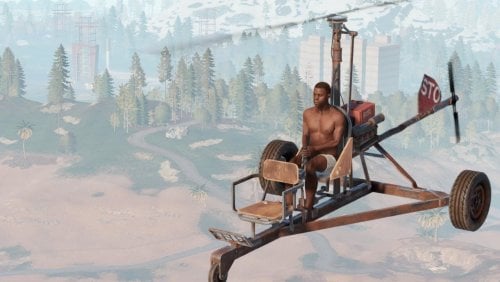
Version 1.0.3
692 downloads
Instant engine Startup for Mini copter and Scrap Transport Helicopter. Permission: Instantstartup.useFree -
Version 1.0.7
61 downloads
You will be able to toggle various entities on/off, and open/close in tool cupboard range with a command. Permission TelekinesisSwitch.use Allows players to use the plugin Chat Commands /Telekinesishelp /close - close all doors /open - open all doors /close garagedoors - close garage doors only /close doubledoors - close double doors only /close singledoors - close single doors only /open garagedoors - open garage doors only /open doubledoors - open double doors only /open singledoors - open single doors only /turn <On/Off> <furnaces/lagerfurnaces/ceilinglights/autoturrets> all commands will be blocked if No escape plugin is loaded and player is raid blocked/combat blocked.$5.99 -
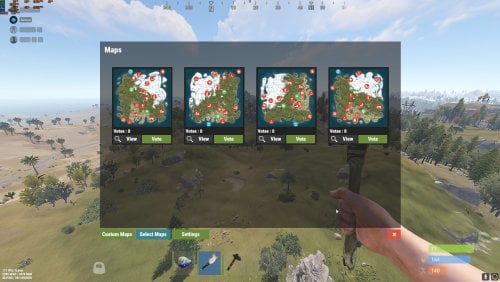
You need to buy this because it have different functions. if you buy it ill contact the admins and refund the other MapVoter plugin.
- 60 comments
-
- 1
-

-
- #admin tools
- #admintool
- (and 10 more)
-
Happy to hear suggestions
- 28 comments
-
- 1
-
-
- #gathering
- #gather rates
- (and 4 more)
-
Only blueprints and map files .db .map .sav
-
No
-
the website not showing it. i add it manually.
-
Only players with PermissionuseAnywhere can use that function. Just don't grant it to anyone.
- 26 comments
-
- 1
-
-
- #plugin
- #workbench
- (and 7 more)
-
? when mapvoter is running they can't farm ?