
-
Posts
2,100 -
Joined
-
Last visited
-
Days Won
17
Content Type
Profiles
Warranty Claims
Downloads
Forums
Store
Services
Downloads Plus Support
DOWNLOADS EXTRA
Everything posted by ZEODE
-
- 301 comments
-
- 2
-
-
- #bradley
- #bradleyapc
- (and 14 more)
-
- 301 comments
-
- #bradley
- #bradleyapc
- (and 14 more)
-
- 301 comments
-
- #bradley
- #bradleyapc
- (and 14 more)
-
- 301 comments
-
- #bradley
- #bradleyapc
- (and 14 more)
-
- 301 comments
-
- 1
-
-
- #bradley
- #bradleyapc
- (and 14 more)
-
- 301 comments
-
- #bradley
- #bradleyapc
- (and 14 more)
-
- 301 comments
-
- #bradley
- #bradleyapc
- (and 14 more)
-
- 301 comments
-
- #bradley
- #bradleyapc
- (and 14 more)
-
Robis, the Discussion page is not meant for this, your posts are support related and you already opened a support thread, why spam your issues here too? I am trying to help you but you are giving me very little information in which to investigate your issue. Also, keep in mind that I am in the UK, so I have been asleep for the last few hours and am now at work. I do this in my spare time as a hobby and while I don't like to have issues, inevitably with a new plugin there are teething problems, which may or may not be directly related to my plugin. It could be due to the coding of another plugin not handling custom signals very well instead for example. Nobody else is reporting your issues, which leads me to believe there is a plugin conflict with another you have on your server. Now if you would please, kindly take your discussion to your open support thread where I can try and assist you after you have provided me with more information as requested.. The plugin you shared still relies on supply signals to function, its not as simple to just replace it with a different item. Please take any further discussion on this to the support thread and I'm sure we can fix your issue. Please also be respectful of others in your replies. Thank you.
- 301 comments
-
- 2
-
-
-
- #bradley
- #bradleyapc
- (and 14 more)
-
- 301 comments
-
- #bradley
- #bradleyapc
- (and 14 more)
-
- 301 comments
-
- 1
-
-
- #bradley
- #bradleyapc
- (and 14 more)
-
- 301 comments
-
- #bradley
- #bradleyapc
- (and 14 more)
-
- 301 comments
-
- 1
-
-
- #bradley
- #bradleyapc
- (and 14 more)
-
- 301 comments
-
- #bradley
- #bradleyapc
- (and 14 more)
-
- 301 comments
-
- #bradley
- #bradleyapc
- (and 14 more)
-
- 301 comments
-
- 1
-
-
- #bradley
- #bradleyapc
- (and 14 more)
-
- 301 comments
-
- #bradley
- #bradleyapc
- (and 14 more)
-
- 301 comments
-
- 1
-
-
- #bradley
- #bradleyapc
- (and 14 more)
-
- 301 comments
-
- #bradley
- #bradleyapc
- (and 14 more)
-
- 301 comments
-
- #bradley
- #bradleyapc
- (and 14 more)
-
- 301 comments
-
- 1
-
-
- #bradley
- #bradleyapc
- (and 14 more)
-
- 301 comments
-
- #bradley
- #bradleyapc
- (and 14 more)
-
- 301 comments
-
- #bradley
- #bradleyapc
- (and 14 more)
-
- 301 comments
-
- #bradley
- #bradleyapc
- (and 14 more)
-
Version 1.3.7
5,092 downloads
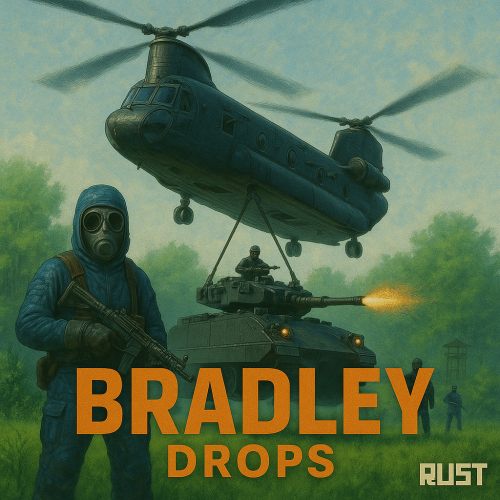
NEW for 1.3.0: Please make sure you are updating from version 1.2.7, or your config may be corrupted. New completely custom Bradley AI for a much more immersive and real experience! Each battle is different and fun! No more cheesing the event or hiding from Bradley! PLEASE CHECK OUT THE NEW CONFIG STRUCTURE AND OPTIONS! Bradley can now dynamically path find, re-path when stuck and actively hunt players who try and hide or retreat. New Fireball config options for damage, lifetime, chance to spread, etc Many new CH47 options, such as health, homing missile actions, can now use flares to counter homing missiles! Can now also specify Hackable crates to drop when destroyed. CH47 Scientist gunner options, such as health, damage, aimcone, kits, etc. Bradley can now counter high risk targets with smoke grenades, making it harder for them to target, with cooldown options in config. (players with rocket launchers, timed explosives, satchels etc) Bradley can now damage more obstacles by ramming, which is fully configurable in the config file Crate loot capacity is now resizable and can take up to 48 items for both Bradley and Hackable crates. Please carefully check config options for "Allow Players to Call Bradleys at Monuments". This config option has changed slightly. You can set allow at monuments true or false, then the monument list is to either block selected monuments when allowed is true, or allow when use at monuments is false. The monuments list is therefore now an exception to allow exception to the "Allow Players to Call Bradleys at Monuments" rule. Check this still works as you require. If you are unsure, reach out to me for help. Bradley Drops allows players with permission to call a Bradley APC to their location with a custom Supply Signal, where it will patrol a set distance for a set time, allowing players to fight it to win the valuable Bradley crates. A cargo plane will deliver and drop the APC via parachutes. The APC can be configured in different ways and there are many config options to suit all servers. The plugin comes with 4 default settings for Bradley Drops, Easy, Medium, Hard and Elite, each with their own custom supply signal skin. But server owners can add as many options as they like in the config by copying and pasting an existing profile within the config. This would however require the server owner to create their own custom skin for the inventory item. (I will add more custom skins in the near future for this.) BotReSpawn compatibility, with the option to specify a BRS spawn profile at the Bradley kill site. IMPORTANT: Each bradley profile or wave profile in the config MUST have its own unique name and skin ID, otherwise you will have issues. NOTE ABOUT SHOPS: The profile name in the config should match the Custom Supply Signal name which the shop gives the player. The Bradley Name is now separate and can be set independently. Plugin default Supply Signal Skin ID's to add items to various shops, loot plugins, kits etc are: Bradley Drop (Easy) : 2905355269 Bradley Drop (Medium) : 2905355312 Bradley Drop (Hard) : 2905355296 Bradley Drop (Elite) : 2911864795 Bradley Drop (Expert) : 3361673979 Bradley Drop (Nightmare) : 3361674045 Bradley Drop Wave (Normal): 3502926194 Bradley Drop Wave (Hard): 3502926112 Default Permissions: bradleydrops.admin (to use give|hsclearcd command) bradleydrops.buy (to use /bdbuy command) bradleydrops.bypasscooldown bradleydrops.easy bradleydrops.medium bradleydrops.hard bradleydrops.elite Commands (Prefix with / to use in game): bdgive <Profile ShortName> <Steam64ID> <Amount> bdbuy <Profile Shortname> bdbuy list bdreport (list all active Bradleys and their state) bddespawn (Despawn all Bradleys called by a player or their team, no refunds) bdclearcd (clear all cooldowns) bdclearcd <SteamID|Name> (clear cooldown for player) (Buy, Report and Despawn command can be customised in the config) Please note correct use in config file for supply signal name and Bradley APC display name. These values CAN be different if you wish: Custom Loot: Check out the example loot items in the default config below to see how to add custom loot items to crates. How to Add Custom Loot Table Item: Config: API: For Other Developers: The following hook is available to use in your plugins to check custom Supply Signals, Cargo Planes and Supply Drops to avoid conflict with your plugins: object IsBradleyDrop(ulong skinID) This will return true if the item is a Bradley Drop item/entity, or null if not. Call it directly without referencing the plugin: if (Interface.Call("IsBradleyDrop", skinID) != null) return true; // IsBradleyDrop Or reference my plugin and call like this: [PluginReference] Plugin BradleyDrops; if (BradleyDrops.Call("IsBradleyDrop", skinID) != null) return true; // IsBradleyDrop To return some basic info about a Bradley Drop object: object GetBradleyDropData(BradleyAPC bradley) Returns object as Dictionary<string, object>. Returned data is: ["apcProfile"] // string - Actual bradley profile (from config) ["apcName"] // string - Bradley display name ["skinId"] // ulong ["bradleyId"] // ulong (Net.ID.Value) ["owner"] // BasePlayer ["lastAttacker"] // BasePlayer ["calledPosition"] // Vector3 ["callingTeam"] // List ["ch47"] // CH47Helicopter ["plane"] // CargoPlane ["balloon"] // HotAirBalloon ["currentState"] // enum BradleyState (PATROL, ENGAGE, HUNT, MOVETOENGAGE) Example usage: var bdata = BradleyDrops.Call("GetBradleyDropData", bradley) as Dictionary<string, object>; string _apcProfile = bdata["apcProfile"]; string _apcName = bdata["apcName"]; string _apcName = bdata["apcName"]; string _owner = bdata["owner"]; etc$19.99- 301 comments
- 17 reviews
-
- 7
-
-
-
-
- #bradley
- #bradleyapc
- (and 14 more)