
Srtzero
-
Posts
205 -
Joined
-
Last visited
-
Days Won
1
Content Type
Profiles
Warranty Claims
Downloads
Forums
Store
Services
Downloads Plus Support
DOWNLOADS EXTRA
Reels
Everything posted by Srtzero
-
Why does this plugin require higher rights to the server files? Shouldn't the default 755 work?
-
Hello. I cannot get the plugin to work correctly. First it never shows time played. I have ensured I have the playtime tracker plugin installed and set to true in the config. Also the kills do not update even when killing Bots, which I have also ensured is turned on in the settings. Please see attached config file. I have also ensured that the default player group has statistics.use permissions set. Thank you. Statistics.json
-
Hi. Receive the following error when I try to load the plugin (attached as file). The main error that I understand is (UnauthorizedAccessException: Access to the path "/home/container/oxide/data/IQSystem/IQChat/Information.json" is denied.) I have changed the folder in question IQChat to have full permissions of 777 to make sure that the file is accessible. Still receive the error. Another point worth mentioning is in the listed folder there is no file called Information.json. Not sure what is causing this. The is a fresh install and config of the plugin. IQChat_Error.txt
-
 Would like to request that Scavenger plugin have an option to use notify plugin for messages. Thanks. Ultimately I would love to see all your mods have this ability as I am running quite a few of your mods
 -
 Sounds good. Thanks!!
 -
Could you please add option to have messages sent to Notify plugin like you do for your airfield event plugin? Thanks.
-
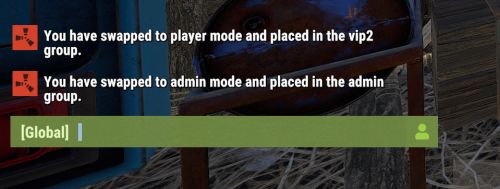 Hi. Would you consider also supporting BetterVanish. Currently when I toggle out I stay in Vanish mode because I am using BetterVanish and not the Umod Vanish. Thanks!
 -
Sorry. you can close this ticket. I forgot to update it. I'm not sure why it happened, but I was using oxide with BetterVanish in conjunction with your mod. And it would always show me as vanished no matter what vanish state I was in. I had some other plugin issues, so I completely erased the sever instance and started from scratch. Everything has been working since. But thank you for your time and support.
-
 Changing those values helped. They are now readable when I increase the value to 9 or 10.
 -
Well. Since you released a new version, I decided to delete the current version, and associated config and data files and start from scratch. Everything is working normal now as its supposed to be. Thanks for the support either way.;
-
Is there a certain speed that I have to use to get it to show? Not using the custom speed seems to have it take forever to land. Like over 3-4 minutes.
-
So I have tried with two different steam accounts I have. One has the ownerid and is admin, the other I leave as a regular player account. Whenever I open the shop and try to purchase something, it always gives me the items for free without taking any funds. I have even tried purchasing an item that is more expensive than what I have funds for. No error saying not enough funds nothing. I have tried changing the shop plugin to use economics, server rewards and even your own bank plugin. Does the same thing irregardless of which account I use. It’s almost like the use free permission is on, which I have clearly not assigned to my accounts.
-
No.that was the first thing I made sure to not enable. I read what the permissions do in the description. I have also doubled check and it’s not assigned to either the admin group or default group.
-
Thank you for the graphic and explanation. I should now be able to move it on my own when I finish work and can access my server. Thank, you can close this ticket as resolved.
-
What did you do to fix this? I am having the same issue.
-
UI Scaling? Its set to 1.0 in my rust options.
-
Basically the text highlighted in red. Its very small and hard to read.
-
Hi. How can I effectively move the compass icon from its current position? Is it these fields? "Icon AnchorMin": "0.02 0.92", "Icon AnchorMax": "0.07 0.994", How do the numbers work? I am trying to get the icon from the current top left of my screen to the top right. Or even at the bottom of the screen next to the player hotbar. Also is there a way to change the size of the compass? I am also trying to add your hooks to another plugin and just wanted to make sure the hooks are correct. You have the below hooks, but they are the same for begin and end. Is that correct? or should the end event be ScavengerHuntEnd? ScavengerHuntStarted() // called when the event starts ScavengerHuntStarted() // called when the event ends Maybe a suggestion to help us newbies would be to have something like this for positioning. I have seen it in some other mods, and makes moving the icons or graphics super simple. "Position": { "Align [TopLeft | TopRight | BottomLeft | BottomRight": "TopLeft", "Left | Right - offset": 40, "Top | Bottom - offset": 25
-
Is there a way to increase the text size for the GUI? Its super tiny almost unreadable. Also what color format are you using in the config. I would like to change the theme colors to match my server. Thank you.
-
Thanks for all the help and the quick response. Ticket can be closed.
-
That fixed it, Thanks. Everything is working beautifully now!! Great event plugin, Thanks.!! On a side note, when I downloaded the plugin it still had the broken links for the compass images in the config. I just found the support ticket where you provided alternate links.
-
Here are my configs and loot tables. Everything else works exactly as expected. notifications, direction of compass, custom skin for the box. Just no loot at all. ScavengerHunt.json ScavengeTable.json SimpleLootTable.json
-
That is exactly what I have. Just checked. Also I have reverted the simpleLoot config to default. Reloaded both plugins and ran a scavenger hunt. Event storage box is still empty.
-
Well I did try that first and the box was still empty. Why I changed the SimpleLoot config.
-
I do have the min/max values set. I also edited the example loot table, and saved it with a new name and specified that name in the scavenger config file. However the box still shows empty. Also simple loot created the example config again even after I deleted it. I also edited the simple loot config file as follows: { "Use tables for entities": [ { "entityShortName": "box.wooden.large", "tableName": "", "minItems": 6, "maxItems": 12, "multiplier": 1.0 } ] }